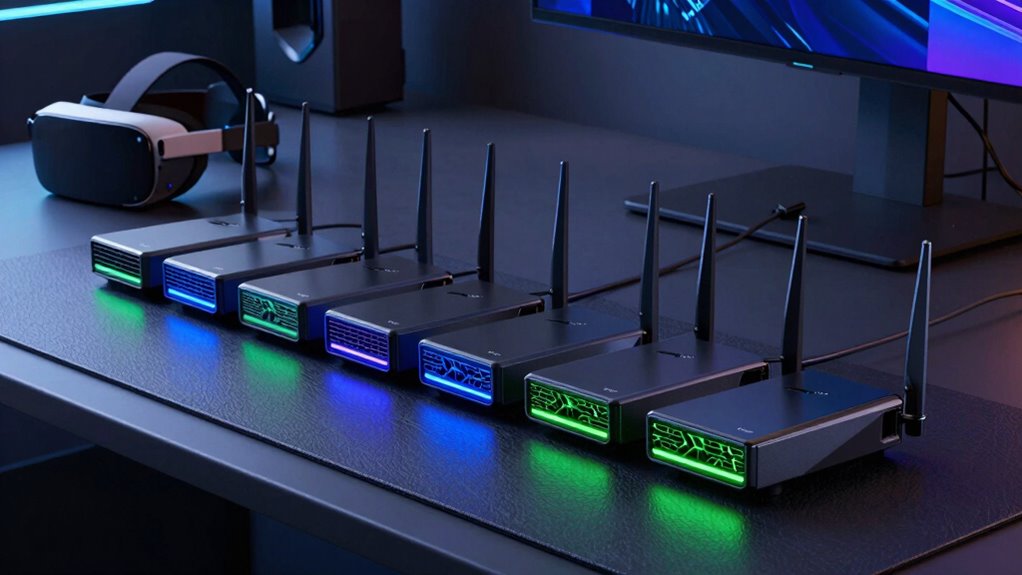

For wireless PCVR, a low latency router is essential to deliver smooth, lag-free experiences and prevent motion sickness or jitter. The PC-VR Streaming Air Link WiFi 6 VR Router stands out as the overall best for dedicated VR setups, thanks to its optimized WiFi 6 support. The NETGEAR Nighthawk Dual-Band WiFi 7 Router offers excellent speed and stability for most users, while the ASUS ROG Strix GS-BE12000 WiFi 7 Gaming Router provides robust performance with gaming features. The main tradeoffs involve balancing speed, stability, and ease of setup—higher-end models can be more complex but offer lower latency. Keep reading for a detailed breakdown of each option and how they compare for your wireless PCVR needs.

Get the latest gadgets delivered free — and shop member deals
- Fast, free delivery on millions of items
- Access to Prime Big Deal Days deals on October 6–7
- Prime Video, Amazon Music and more included
Complete the kit



Key Takeaways
- WiFi 6 and WiFi 7 routers generally provide lower latency and better stability for wireless PCVR than older standards.
- Tri-band routers typically outperform dual-band options in congested environments, reducing lag spikes during VR streaming.
- The dedicated VR router (like PC-VR Streaming Air Link) often offers better latency optimization, but at a premium price.
- Higher throughput alone isn’t enough; consistent low latency and minimal jitter are the key performance factors for smooth VR experiences.
- Mesh and multi-link operation features can improve coverage and stability but may introduce additional complexity or slight latency tradeoffs.
| PC-VR Streaming Air Link WiFi 6 VR Router Compatible with Meta Quest 3S/3/2 |  | Best for Dedicated Wireless VR Streaming | Network Speed: up to 1500 Mbps | Wi-Fi Bands: Dual-band 5GHz and 2.4GHz | Compatibility: Meta Quest 3S/3/2, Quest, Pico4, Switch, Steam Deck, Windows 10/11 | VIEW ON AMAZON | See Our Full Breakdown |
| NETGEAR Nighthawk Dual-Band WiFi 7 Router (RS90) |  | Best for Whole-Home High-Speed Coverage | Speed: up to 3.6 Gbps | Coverage: up to 2,000 sq. ft. | Device Capacity: 50 devices | VIEW ON AMAZON | See Our Full Breakdown |
| NETGEAR Nighthawk Tri-Band WiFi 7 Router (RS700S) – Router Only |  | Best for High-Performance Gaming and Streaming | Wireless Speed: up to 19 Gbps | Coverage: up to 3,500 sq. ft. | Ports: 1 x 10 Gig, 4 x 1 Gig LAN | VIEW ON AMAZON | See Our Full Breakdown |
| TP-Link AX5400 WiFi 6 Dual Band Router (Archer AX72 Pro) |  | Best for Reliable Wi-Fi with Good Coverage | Wi-Fi Standard: WiFi 6 (AX5400) | Max Speed: 4804 Mbps | Antennas: 6 high-performance antennas | VIEW ON AMAZON | See Our Full Breakdown |
| ASUS ROG Strix GS-BE12000 WiFi 7 Gaming Router – Tri-Band, 12Gbps, Mesh |  | Best for High-End Gaming and Wireless PCVR | Wireless Speed: 12 Gbps | Coverage: up to 3000 sq. ft. | Wi-Fi Standard: WiFi 7 | VIEW ON AMAZON | See Our Full Breakdown |
| ASUS TUF Gaming BE6500 WiFi 7 Router – Dual-Band, Up to 6.5 Gbps Wireless, Game Accelerator, Multi-Link Operation, (x4) 2.5GbE Ports, Mesh + VPN Compatible, Subscription-Free Network Security |  | Best for High-Speed Gaming and Streaming | WiFi Standard: WiFi 7 (802.11be) | Speed: Up to 6.5 Gbps | Bands: Dual-band | VIEW ON AMAZON | See Our Full Breakdown |
| low latency router for wireless pcvr | Ports | Coverage | Wi-Fi Standard |
|---|---|---|---|
| PC-VR Streaming Air Link WiFi | — | — | — |
| NETGEAR Nighthawk Dual-Band Wi | 1 x 2.5 Gig WAN, 4 x 1 Gig Ethernet LAN | up to 2,000 sq. ft. | — |
| NETGEAR Nighthawk Tri-Band WiF | 1 x 10 Gig, 4 x 1 Gig LAN | up to 3,500 sq. ft. | WiFi 7 |
| TP-Link AX5400 WiFi 6 Dual Ban | 1 x 2.5 Gbps, 1 x gigabit WAN/LAN, 3 x gigabit LAN | Broad, suitable for large homes | WiFi 6 (AX5400) |
| ASUS ROG Strix GS-BE12000 WiFi | 7 x 2.5G LAN, 1 x 2.5G WAN | up to 3000 sq. ft. | WiFi 7 |
| ASUS TUF Gaming BE6500 WiFi 7 | 4 x 2.5GbE (1 WAN, 3 LAN) | — | — |
More Details on Our Top Picks
PC-VR Streaming Air Link WiFi 6 VR Router Compatible with Meta Quest 3S/3/2
This Wi-Fi 6 router is tailored for VR enthusiasts who prioritize cable-free, high-speed streaming. Its support for up to 1500 Mbps and dual-band setup ensures a dedicated connection that minimizes latency, which is crucial for smooth wireless PCVR experiences. Unlike the more versatile NETGEAR Nighthawk RS90, this device focuses on VR compatibility, making it simpler to set up without sacrificing performance. However, it requires compatible headsets and streaming software, limiting flexibility for non-VR devices. Its broad compatibility makes it ideal for Meta Quest users, but it isn’t suited for general household Wi-Fi needs.
Pros:- High-speed, cable-free VR streaming minimizes latency
- Easy plug-and-play setup simplifies installation
- Dedicated connection reduces interference for smooth performance
Cons:- Limited to VR streaming; not suitable for general internet use
- Requires compatible headsets and streaming apps, restricting flexibility
Best for: VR users seeking a plug-and-play, cable-free streaming experience for Meta Quest and similar headsets.
Not ideal for: households needing a multi-purpose router for gaming, streaming, and smart home devices, due to its specialized focus.
- Network Speed:up to 1500 Mbps
- Wi-Fi Bands:Dual-band 5GHz and 2.4GHz
- Compatibility:Meta Quest 3S/3/2, Quest, Pico4, Switch, Steam Deck, Windows 10/11
- Setup:Easy plug-and-play
- Use Case:Wireless PCVR streaming
- Latency Optimization:High
Our verdict“This router is best for VR enthusiasts who want a straightforward, high-performance wireless streaming setup without extra features.”
NETGEAR Nighthawk Dual-Band WiFi 7 Router (RS90)
The NETGEAR Nighthawk RS90 supports WiFi 7 speeds up to 3.6 Gbps and covers up to 2,000 sq. ft., making it a strong choice for busy households with multiple devices. Compared with the ASUS ROG Strix GS-BE12000, it offers more straightforward setup and is better suited for users who need reliable, high-capacity Wi-Fi for everyday tasks. While it excels in broad coverage and device capacity, it isn’t optimized specifically for low latency VR streaming, which may introduce minor delays in sensitive applications. Its support for WiFi 7 and multiple devices makes it an excellent all-rounder for general use, but not the best choice for dedicated VR performance.
Pros:- Fast WiFi speeds up to 3.6 Gbps support multiple streams
- Large coverage area suitable for big homes
- Supports up to 50 devices simultaneously
Cons:- Requires a separate modem or gateway for internet connection
- Some advanced features need a subscription
Best for: families or households needing fast, reliable Wi-Fi for multiple devices, streaming, and gaming across a large area.
Not ideal for: VR gamers who require ultra-low latency for wireless PCVR, as this model prioritizes broad coverage over specialized low-latency performance.
- Speed:up to 3.6 Gbps
- Coverage:up to 2,000 sq. ft.
- Device Capacity:50 devices
- Wi-Fi Bands:Dual-band WiFi 7
- Ports:1 x 2.5 Gig WAN, 4 x 1 Gig Ethernet LAN
- Security:Advanced Router Protection, NETGEAR Armor trial
Our verdict“Ideal for large households seeking fast, reliable Wi-Fi for many devices but not tailored specifically for low latency VR streaming.”
NETGEAR Nighthawk Tri-Band WiFi 7 Router (RS700S) – Router Only
The RS700S stands out for its extraordinary speed up to 19 Gbps and coverage of 3,500 sq. ft., designed for demanding gaming and streaming setups. While its blazing performance surpasses the ASUS ROG Strix GS-BE12000 in raw throughput, it requires a separate modem, adding complexity for non-technical users. Its extensive wired ports and sleek design make it a prime choice for serious gamers or content creators who need reliable, high-speed internet with minimal latency. This router’s overkill for basic browsing, but it ensures top-tier performance for intensive applications, including wireless PCVR, if paired with a suitable setup.
Pros:- Supports WiFi 7 with speeds up to 19 Gbps
- Large coverage of up to 3,500 sq. ft.
- Includes 10 Gig Ethernet port for ultra-fast wired connections
- Sleek design with high-performance antennas
Cons:- Requires a separate modem, complicating setup
- High price point may be overkill for casual use
- Setup can be complex for non-technical users
Best for: hardcore gamers and streamers who need maximum speed and coverage for gaming, VR, and high-bandwidth tasks.
Not ideal for: average users or households with simple internet needs, due to its high cost and complex setup requirements.
- Wireless Speed:up to 19 Gbps
- Coverage:up to 3,500 sq. ft.
- Ports:1 x 10 Gig, 4 x 1 Gig LAN
- Compatibility:Any ISP (requires separate modem)
- Wi-Fi Standard:WiFi 7
- Processor:Quad-core 2.0GHz
Our verdict“Best suited for users who demand maximum high-speed performance and have technical skills to manage complex setups.”
TP-Link AX5400 WiFi 6 Dual Band Router (Archer AX72 Pro)
The Archer AX72 Pro offers robust WiFi 6 performance with speeds up to 4804 Mbps on the 5GHz band, making it suitable for smooth streaming and gaming. Its six antennas and beamforming technology provide broad coverage, comparable to the NETGEAR Nighthawk RS90, but with a focus on consistency rather than ultra-low latency. While it’s well-suited for general high-bandwidth activities, it doesn’t specifically target low latency for VR or fast-paced gaming, which could introduce minor delays in sensitive applications. Its compatibility with major ISPs and security features make it a reliable choice for home networks.
Pros:- High-speed WiFi 6 performance supports multiple streams
- Excellent coverage with six antennas and beamforming
- Supports MU-MIMO and OFDMA for efficient multi-device connectivity
- Includes a 2.5 Gbps Ethernet port for fast wired connections
Cons:- Requires a modem for internet connection
- Performance varies with environment and device placement
- Not specifically optimized for ultra-low latency VR
Best for: home users wanting a reliable, high-speed Wi-Fi 6 router capable of supporting multiple devices and streaming needs.
Not ideal for: those seeking a dedicated low latency setup for wireless PCVR or competitive gaming, as latency optimization is not its primary focus.
- Wi-Fi Standard:WiFi 6 (AX5400)
- Max Speed:4804 Mbps
- Antennas:6 high-performance antennas
- Coverage:Broad, suitable for large homes
- Ports:1 x 2.5 Gbps, 1 x gigabit WAN/LAN, 3 x gigabit LAN
- Technology:MU-MIMO, OFDMA
Our verdict“A solid choice for households needing dependable, high-speed Wi-Fi, but not tailored for VR latency-sensitive applications.”
ASUS ROG Strix GS-BE12000 WiFi 7 Gaming Router – Tri-Band, 12Gbps, Mesh
The ASUS ROG Strix GS-BE12000 offers a formidable 12 Gbps throughput on tri-band WiFi 7, making it a premium pick for gamers and VR users who demand the lowest latency and highest stability. Its quad-core CPU and extensive wired ports support seamless gaming, VR, and smart home integrations, with coverage up to 3000 sq. ft. similar to the NETGEAR RS700S. While setup can be complex for those unfamiliar with advanced routers, its advanced features, including 320 MHz channels on 6 GHz, provide the responsive connection that low latency VR gaming requires. This router’s power makes it ideal for users who want the best possible wireless experience for PCVR, but it may be excessive for casual users or basic internet activities.
Pros:- Supports WiFi 7 with 12 Gbps throughput for ultra-low latency
- Large coverage of up to 3000 sq. ft.
- Multiple wired ports including 7 x 2.5G LAN for extensive wired connectivity
- Advanced security features and mesh support
Cons:- Complex setup process for non-technical users
- Premium price point
- Requires compatible ISP and modem, adding to complexity
Best for: hardcore gamers and VR users who need ultra-low latency, high throughput, and extensive wired and wireless connectivity.
Not ideal for: average households or users with limited technical knowledge, due to its complex setup and high cost.
- Wireless Speed:12 Gbps
- Coverage:up to 3000 sq. ft.
- Wi-Fi Standard:WiFi 7
- Ports:7 x 2.5G LAN, 1 x 2.5G WAN
- CPU:Quad-core 2.0GHz
- Channels:320 MHz channels on 6 GHz
Our verdict“Designed for users seeking top-tier wireless performance for gaming and VR, willing to manage complex setup processes.”
ASUS TUF Gaming BE6500 WiFi 7 Router – Dual-Band, Up to 6.5 Gbps Wireless, Game Accelerator, Multi-Link Operation, (x4) 2.5GbE Ports, Mesh + VPN Compatible, Subscription-Free Network Security
The ASUS TUF Gaming BE6500 stands out for delivering incredibly fast WiFi 7 speeds up to 6.5 Gbps, making it an excellent choice for gamers and streamers who need reliable, low-latency connections. Its multi-link operation (MLO) enhances stability during intense gaming sessions, which is a key advantage over WiFi 6 routers like the TP-Link AX5400, that lack this advanced feature. The four 2.5GbE ports support multiple wired devices, reducing latency spikes and ensuring consistent performance. However, setting up this router can be complex for users unfamiliar with networking, and its premium price may be prohibitive for budget-conscious buyers. Compared to the NETGEAR Nighthawk RS90, which offers similar speed but fewer gaming-specific features, the ASUS provides a more tailored experience for dedicated gamers. Still, its advanced features come with a steeper learning curve and higher cost.
Pros:- Exceptional WiFi 7 speeds up to 6.5 Gbps for demanding gaming and streaming tasks
- Multi-Link Operation (MLO) for enhanced stability and low latency during gaming sessions
- Multiple 2.5GbE ports for fast, wired connections to reduce latency spikes
- Features like game prioritization and open NAT improve gaming experience
Cons:- Setup can be challenging for non-technical users
- Higher price point may be a barrier for some buyers
Best for: Gamers and streamers who prioritize ultra-fast, stable connections and are comfortable with complex setups.
Not ideal for: Casual users or those new to networking who prefer simple, plug-and-play devices without advanced configuration.
- WiFi Standard:WiFi 7 (802.11be)
- Speed:Up to 6.5 Gbps
- Bands:Dual-band
- Ports:4 x 2.5GbE (1 WAN, 3 LAN)
- Features:Game Accelerator, Multi-Link Operation (MLO), Mesh, VPN, Subscription-Free Security
Our verdict“This router makes sense for serious gamers and streamers who need top-tier speeds and are comfortable with advanced configuration.”

How We Picked
These products were selected based on their compatibility with high-bandwidth, low-latency VR streaming, and overall network stability. Priority was given to routers supporting the latest WiFi standards (WiFi 6 and WiFi 7), as these offer reduced latency and improved interference handling. We evaluated each model’s throughput, real-world performance, ease of setup, and additional features like multi-gig ports or mesh support. The ranking reflects a balance between raw performance, usability, and value, with particular attention to how well each router minimizes lag during wireless PCVR experiences.| low latency router for wireless pcvr | Coverage | Wi-Fi Standard |
|---|---|---|
| PC-VR Streaming Air Link WiFi | — | — |
| NETGEAR Nighthawk Dual-Band Wi | up to 2,000 sq. ft. | — |
| NETGEAR Nighthawk Tri-Band WiF | up to 3,500 sq. ft. | WiFi 7 |
| TP-Link AX5400 WiFi 6 Dual Ban | Broad, suitable for large homes | WiFi 6 (AX5400) |
| ASUS ROG Strix GS-BE12000 WiFi | up to 3000 sq. ft. | WiFi 7 |
| ASUS TUF Gaming BE6500 WiFi 7 | — | — |
Factors to Consider When Choosing Low Latency Router For Wireless Pcvr
Choosing the right router for wireless PCVR involves understanding several key factors. Not all routers are optimized for VR streaming, so it’s important to look beyond basic speed ratings. A router with low latency, stable connections, and sufficient coverage can dramatically improve your VR experience. Additionally, considering future-proof features and ease of management can save headaches down the line. Here are some core considerations to help you make an informed choice.WiFi Standard and Speed
For wireless PCVR, support for WiFi 6 or WiFi 7 is vital because these standards offer lower latency and higher bandwidth, enabling smoother VR streams. While WiFi 5 might seem sufficient, it often struggles under the high data demands of VR content, especially in congested environments. Higher speeds matter less than consistent low latency, so prioritize routers with advanced WiFi protocols designed for real-time streaming.
Latency and Jitter
The core performance metric for VR is latency—how quickly data travels between your PC and headset. Routers with optimized QoS settings, multi-user beamforming, and minimal jitter help maintain a steady connection. Avoid routers that advertise high theoretical speeds but lack low-latency features, as they can introduce lag spikes detrimental to VR. Look for models with dedicated gaming or VR modes, which fine-tune performance for real-time data transfer.
Coverage and Mesh Capabilities
VR setups often require stable coverage over a dedicated space. Mesh networks or routers with multiple antennas can prevent dead zones and signal dropouts. However, adding mesh nodes or multiple bands can sometimes introduce slight latency increases; therefore, choose models that balance coverage with performance. For large rooms or multi-room setups, a mesh system with a dedicated backhaul can ensure consistent low latency across the entire area.
Ports and Network Flexibility
While wireless performance is key, having multi-gig Ethernet ports can provide a wired fallback or wired connection for your PC, reducing latency even further. Some routers include multi-link operation features, which can optimize traffic flow for VR streaming. Avoid models with limited ports if you plan to connect additional devices, as network congestion can impact VR latency. Always check for compatibility with your existing network hardware.
Ease of Setup and Management
Low latency routers should be straightforward to configure for optimized VR streaming. Features like pre-set gaming or VR modes simplify setup, while user-friendly apps help manage QoS and bandwidth priorities. Complex setups with multiple bands or mesh systems require more technical knowledge, which can introduce configuration errors that increase latency. Prioritize models with clear documentation and reliable firmware updates for consistent performance.
Frequently Asked Questions
Can I use a regular WiFi router for wireless PCVR?
While a regular WiFi router can work for wireless PCVR, it may not deliver the low latency required for smooth VR experiences. Standard routers often prioritize general internet traffic over real-time data, leading to lag or jitter during VR streaming. For optimal performance, look for routers supporting WiFi 6 or WiFi 7 with features like QoS adjustments specifically tuned for low latency. Investing in a router designed for high-bandwidth, real-time applications ensures a more seamless VR experience.
Is WiFi 6 necessary, or will WiFi 5 suffice?
WiFi 6 is highly recommended for wireless PCVR because it reduces latency and improves stability, especially in crowded environments. WiFi 5 can handle high data rates but often struggles with consistent low latency under load, which is critical for VR. WiFi 6 also supports OFDMA and MU-MIMO features that optimize data flow, minimizing lag spikes. If you are serious about VR performance, choosing a WiFi 6 or WiFi 7 router provides a more reliable, low-latency connection.
How much does router quality actually impact VR lag?
The quality of your router directly influences VR lag because it determines how efficiently data is transferred and managed across your network. A high-quality router with low latency features, advanced QoS, and proper band allocation can significantly reduce jitter and lag. Conversely, a cheaper or outdated router may introduce delays, jitter, and dropped packets, all of which negatively affect VR smoothness. Investing in a router optimized for real-time data transfer can make a noticeable difference in your VR experience.
Should I prioritize tri-band routers for VR?
Tri-band routers generally provide better performance in crowded environments by distributing devices across three separate bands, reducing congestion. For VR, this means less interference and more stable connections, which can translate into lower latency. However, they tend to be more expensive and complex to set up compared to dual-band models. If your space has many connected devices or you experience frequent lag, a tri-band router can be worthwhile, but for simpler setups, a high-quality dual-band router may suffice.
Are mesh networks better than single routers for VR?
Mesh networks can improve coverage and signal stability over large or multi-room setups, which benefits wireless PCVR. They can eliminate dead zones and maintain consistent low latency across the entire area. However, some mesh systems may introduce slight latency increases due to additional routing steps, so choosing models with dedicated backhaul or low-latency optimization is important. For users with extensive coverage needs or complex layouts, mesh systems often outperform single routers, but ensure the system is designed with low latency in mind.
Conclusion
For most serious VR users, the PC-VR Streaming Air Link WiFi 6 VR Router offers exceptional low latency and stability, making it the best overall choice. If you want a balance of speed and affordability, the NETGEAR Nighthawk Dual-Band WiFi 7 Router provides excellent performance without overwhelming complexity. For gamers or those with large setups, the ASUS ROG Strix GS-BE12000 WiFi 7 Gaming Router combines robust features with low latency. Beginners or casual users should consider simpler, easy-to-configure options, while advanced setups benefit from tri-band or mesh systems designed for minimal lag. Your specific needs and environment will determine the best fit.Fall Picks
fall essentials
As an affiliate, we earn on qualifying purchases.