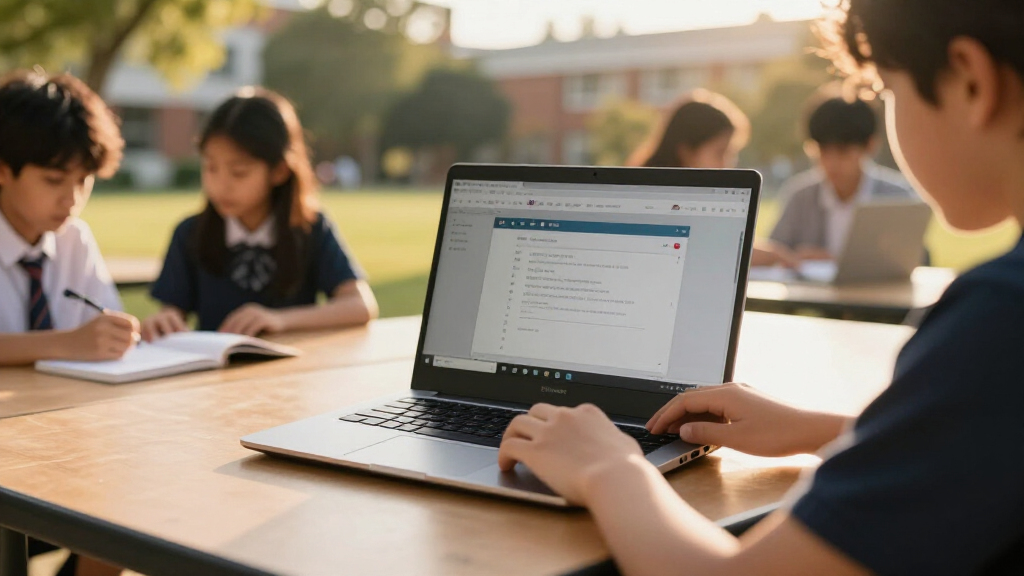

For most students, I’d start with the Lenovo Chromebook Plus 15.3-inch, whose Core 3 N355 processor and touchscreen make it the strongest all-around choice in this lineup. The HP Chromebook 15.6-inch with 8GB RAM is a practical pick for juggling school tabs, while the Lenovo IdeaPad Flex 3i 12.2-inch adds a compact convertible design for note-taking and travel. The main tradeoffs are screen size versus portability, 4GB versus 8GB of memory, and a standard laptop versus a 2-in-1. I also weigh display resolution, storage, and renewed condition, since those details can shape daily school use as much as the processor. Read on for the full breakdown and recommendations by student type.

Get the latest gadgets delivered free — and shop member deals
- Fast, free delivery on millions of items
- Access to Prime Big Deal Days deals on October 6–7
- Prime Video, Amazon Music and more included
Complete the kit



Key Takeaways
- The Chromebook Plus 15.3-inch stands out for performance: its Core 3 N355 processor gives it a stronger starting point for multitasking than the 4GB configurations in much of this group.
- Memory separates practical school picks: the HP 15.6-inch with 8GB RAM is better suited to keeping several class tabs and apps open than the many 4GB models.
- Convertible designs serve different routines: the Lenovo Flex 3i’s 12.2-inch format is easier to carry and fold for notes, while the HP x360 Plus targets buyers who want a larger convertible.
- Screen resolution varies widely: several 14-inch models are listed with HD displays, while FHD and WUXGA options provide more workspace for documents and split-screen study.
- Storage labels need scrutiny: some configurations bundle memory cards or list expanded storage, and the renewed Dell and ASUS models call for closer condition and support checks.
| Lenovo IdeaPad Slim 3 Chromebook 14-inch FHD Touchscreen, MediaTek Kompanio 520, 4GB RAM, 64GB eMMC with 64GB Memory Card, Wi-Fi 6 |  | Best Student Bundle | Processor: MediaTek Kompanio 520 octa-core, up to 2.0GHz | Memory: 4GB LPDDR4x | Storage: 64GB eMMC, plus included 64GB memory card | VIEW LATEST PRICE | See Our Full Breakdown |
| HP Chromebook 14 Laptop, Intel Celeron N4120, 4 GB RAM, 64 GB eMMC, 14-inch HD Display |  | Best for Long School Days | Processor: Intel Celeron N4120 quad-core | Memory: 4GB RAM | Storage: 64GB eMMC | VIEW LATEST PRICE | See Our Full Breakdown |
| Dell Chromebook 11 3100 11.6-Inch Touchscreen 2-in-1, Celeron N4020, 4 GB RAM, 32 GB SSD (Renewed) |  | Best Compact Convertible | Model: Dell Chromebook 11 3100 | Condition: Renewed | Processor: Intel Celeron N4020 dual-core | VIEW LATEST PRICE | See Our Full Breakdown |
| HP Chromebook x360 Plus 14-inch 2-in-1 Laptop |  | Best for Flexible Study Modes | Processor: Intel N150 | Memory: 4GB LPDDR5 | Storage: 128GB UFS | VIEW LATEST PRICE | See Our Full Breakdown |
| Lenovo 14-Inch FHD Touchscreen Chromebook, MediaTek Kompanio 520, 4GB RAM, 64GB eMMC, Abyss Blue |  | Best Straightforward Touchscreen Pick | Processor: MediaTek Kompanio 520 octa-core, up to 2.0GHz | Memory: 4GB RAM | Storage: 64GB eMMC | VIEW LATEST PRICE | See Our Full Breakdown |
| Lenovo IdeaPad Flex 3i 12.2-Inch 2-in-1 Chromebook, Intel N100, 4GB RAM, 128GB Storage |  | Best for Flexible Study Setups | Processor: Intel N100, 4 cores, up to 3.4GHz | Memory: 4GB LPDDR5-4800 | Storage: 128GB total: 64GB eMMC plus 64GB SD card | VIEW LATEST PRICE | See Our Full Breakdown |
| HP 14-inch Chromebook with Intel Celeron N4120, 4GB RAM, 64GB eMMC |  | Best for Simple Schoolwork | Processor: Intel Celeron N4120, 4 cores, up to 2.6GHz | Memory: 4GB LPDDR4x | Storage: 64GB eMMC | VIEW LATEST PRICE | See Our Full Breakdown |
| Lenovo Chromebook Plus 15.3-Inch Touchscreen Laptop, Intel Core 3 N355 |  | Best Premium Display | Processor: Intel Core 3 N355, 8 cores, up to 3.9GHz | Memory: 8GB LPDDR5X | Storage: 256GB total: 128GB UFS plus 128GB SD card | VIEW LATEST PRICE | See Our Full Breakdown |
| HP Chromebook 15.6-inch Laptop, Intel N200, 8GB RAM, 192GB Storage |  | Best for Multitasking on a Large Screen | Processor: Intel N200, 4 cores | Memory: 8GB DDR5 | Storage: 192GB total: 64GB eMMC plus 128GB SD card | VIEW LATEST PRICE | See Our Full Breakdown |
| ASUS 15-inch FHD IPS Chromebook, Intel Processor, 4GB RAM, 128GB Storage, Chrome OS, Pastel Silver (Renewed) |  | Best Renewed Large-Screen Option | Processor: Intel processor, up to 2.80GHz | Memory: 4GB DDR4 | Storage: 128GB | VIEW LATEST PRICE | See Our Full Breakdown |
| HP Chromebook 14 Laptop with Intel Celeron N4120, 4GB RAM, and 128GB Storage |  | Best for Long Days Away from an Outlet | Processor: Intel Celeron N4120, 4-core | Memory: 4GB LPDDR4 RAM | Storage: 128GB | VIEW LATEST PRICE | See Our Full Breakdown |
| ASUS Chromebook Flip CX1 14-Inch Convertible Laptop |  | Best Convertible for Hands-On Classwork | Processor: Intel Celeron N4500 | Memory: 8GB RAM | Storage: 128GB eMMC | VIEW LATEST PRICE | See Our Full Breakdown |
| HP Chromebook 14a-nf0099nr, 14-Inch HD Laptop, Intel N100, 8 GB RAM, 128 GB UFS, Chrome OS, Chalkboard Gray |  | Best for Everyday Schoolwork | Processor: Intel N100 | Memory: 8GB LPDDR5 | Storage: 128GB UFS | VIEW LATEST PRICE | See Our Full Breakdown |
| Lenovo IdeaPad 3i Chromebook 15.6-inch FHD Laptop |  | Best Large Screen for Desk-Based Study | Processor: Intel Celeron N4500, 2 cores/2 threads | Memory: 4GB LPDDR4x-2933 | Storage: 128GB total: 64GB eMMC + 64GB SD card | VIEW LATEST PRICE | See Our Full Breakdown |
| Lenovo IdeaPad Slim 3 Chromebook, 14-inch WUXGA Touchscreen, MediaTek Kompanio 540, 4GB RAM, 576GB Storage, Chrome OS, Blue |  | Best Taller Touchscreen for Reading | Display: 14-inch IPS LED touchscreen, 1920 × 1200 (WUXGA), 60 Hz | Processor: MediaTek Kompanio 540, 8 cores, up to 2.6 GHz | Memory: 4GB LPDDR5X | VIEW LATEST PRICE | See Our Full Breakdown |
| Chromebooks for student | Processor | Memory | Storage | Display |
|---|---|---|---|---|
| Lenovo IdeaPad Slim 3 Chromebo | MediaTek Kompanio 520 octa-core, up to 2.0GHz | 4GB LPDDR4x | 64GB eMMC, plus included 64GB memory card | 14-inch FHD IPS touchscreen, 1920 × 1080, 300 nits |
| HP Chromebook 14 Laptop | Intel Celeron N4120 quad-core | 4GB RAM | 64GB eMMC | 14-inch HD anti-glare, 1366 × 768 |
| Dell Chromebook 11 3100 11.6-I | Intel Celeron N4020 dual-core | 4GB RAM | 32GB SSD | 11.6-inch IPS touchscreen, 1366 × 768 |
| HP Chromebook x360 Plus 14-inc | Intel N150 | 4GB LPDDR5 | 128GB UFS | 14-inch WUXGA touchscreen, 1920 × 1200, 300 nits |
| Lenovo 14-Inch FHD Touchscreen | MediaTek Kompanio 520 octa-core, up to 2.0GHz | 4GB RAM | 64GB eMMC | 14-inch FHD IPS touchscreen, 1920 × 1080 |
| Lenovo IdeaPad Flex 3i 12.2-In | Intel N100, 4 cores, up to 3.4GHz | 4GB LPDDR5-4800 | 128GB total: 64GB eMMC plus 64GB SD card | 12.2-inch WUXGA IPS touchscreen, 1920 × 1200, 300 nits |
| HP 14-inch Chromebook with Int | Intel Celeron N4120, 4 cores, up to 2.6GHz | 4GB LPDDR4x | 64GB eMMC | 14-inch HD, 1366 × 768, anti-glare |
| Lenovo Chromebook Plus 15.3-In | Intel Core 3 N355, 8 cores, up to 3.9GHz | 8GB LPDDR5X | 256GB total: 128GB UFS plus 128GB SD card | 15.3-inch WUXGA touchscreen, 1920 × 1200, anti-glare, 120Hz, 400 nits, 100% sRGB |
| HP Chromebook 15.6-inch Laptop | Intel N200, 4 cores | 8GB DDR5 | 192GB total: 64GB eMMC plus 128GB SD card | 15.6-inch HD, 1366 × 768, anti-glare, 250 nits |
| ASUS 15-inch FHD IPS Chromeboo | Intel processor, up to 2.80GHz | 4GB DDR4 | 128GB | 15-inch FHD IPS |
| HP Chromebook 14 Laptop with I | Intel Celeron N4120, 4-core | 4GB LPDDR4 RAM | 128GB | 14-inch HD, 1366 × 768 |
| ASUS Chromebook Flip CX1 14-In | Intel Celeron N4500 | 8GB RAM | 128GB eMMC | 14-inch FHD (1920 × 1080) NanoEdge touchscreen |
| HP Chromebook 14a-nf0099nr | Intel N100 | 8GB LPDDR5 | 128GB UFS | 14-inch HD, anti-glare; resolution not specified |
| Lenovo IdeaPad 3i Chromebook 1 | Intel Celeron N4500, 2 cores/2 threads | 4GB LPDDR4x-2933 | 128GB total: 64GB eMMC + 64GB SD card | 15.6-inch FHD (1920 × 1080), non-touch TN, 220 nits, anti-glare |
| Lenovo IdeaPad Slim 3 Chromebo | MediaTek Kompanio 540, 8 cores, up to 2.6 GHz | 4GB LPDDR5X | 576GB advertised: 64GB SSD + 512GB docking set | 14-inch IPS LED touchscreen, 1920 × 1200 (WUXGA), 60 Hz |
More Details on Our Top Picks
Lenovo IdeaPad Slim 3 Chromebook 14-inch FHD Touchscreen, MediaTek Kompanio 520, 4GB RAM, 64GB eMMC with 64GB Memory Card, Wi-Fi 6
I’d pick this Lenovo for students who want a clear touchscreen and useful extras in one package. Its 14-inch FHD IPS display gives documents and split-screen work more room than the HP Chromebook 14’s HD screen, while the included hub can help connect classroom or dorm accessories. At 2.86 pounds, it is also lighter than the renewed Dell 2-in-1. The Kompanio 520 and 4GB of RAM suit browsing, notes, and streaming, but that memory leaves little headroom for many demanding tabs or apps at once. The included 64GB card adds removable space; it does not change the Chromebook’s 64GB internal storage. I’d choose it for the screen and bundle, while students seeking a convertible should look at the HP x360 instead.
Pros:- 14-inch FHD IPS touchscreen offers more detail than the HP Chromebook 14’s HD display
- Light 2.86-pound design is practical for carrying between classes
- Wi-Fi 6 and Bluetooth 5.1 support current wireless connections
- Bundle includes a USB-C hub, mouse, and 64GB storage card
Cons:- 4GB RAM can constrain heavier multitasking
- 64GB eMMC internal storage is limited; the included card is removable storage
- 720p webcam is lower resolution than the HP Chromebook x360 Plus’s FHD camera
Best for: Students who want a lightweight, sharp touchscreen Chromebook and need a hub and basic accessories for study spaces.
Not ideal for: Students who regularly run many demanding tabs or need substantial built-in storage, since it has 4GB RAM and 64GB eMMC.
- Processor:MediaTek Kompanio 520 octa-core, up to 2.0GHz
- Memory:4GB LPDDR4x
- Storage:64GB eMMC, plus included 64GB memory card
- Display:14-inch FHD IPS touchscreen, 1920 × 1080, 300 nits
- Wireless:Wi-Fi 6, Bluetooth 5.1
- Battery:47Wh; rated up to 13.5 hours
- Weight:2.86 pounds
- Operating system:Chrome OS
Our verdict“Choose this Lenovo if a Full HD touchscreen and included study accessories matter more than extra memory or convertible modes.”
HP Chromebook 14 Laptop, Intel Celeron N4120, 4 GB RAM, 64 GB eMMC, 14-inch HD Display
The HP Chromebook 14 makes the most sense for students who value battery stamina and a relaxed, anti-glare workspace over screen sharpness. Its stated up to 14-hour battery life and fast charging can help cover a long day of classes, while the Lenovo IdeaPad Slim 3 offers a Full HD touchscreen that is better suited to reading fine text and working across windows. This HP’s 1366 × 768 resolution is adequate for notes and web work, but gives less room and detail on a 14-inch panel. The Celeron N4120, 4GB RAM, and 64GB eMMC are best kept to everyday school tasks. I’d favor it over the renewed Dell 3100 for a larger display and stated battery life, but skip it if display clarity is a priority.
Pros:- Rated for up to 14 hours of battery life
- Fast charging is stated to reach 50% in about 45 minutes
- 14-inch anti-glare display provides a broad work area
- Supports Android apps through Google Play
Cons:- 1366 × 768 resolution is less sharp than the Lenovo IdeaPad Slim 3’s FHD panel
- 4GB RAM limits heavier multitasking
- 64GB eMMC leaves limited room for locally stored files
Best for: Students who spend long days away from outlets and mainly use web apps, notes, and Android apps.
Not ideal for: Students who read dense material, edit images, or want a detailed touchscreen; the display is HD and not listed as touch-enabled.
- Processor:Intel Celeron N4120 quad-core
- Memory:4GB RAM
- Storage:64GB eMMC
- Display:14-inch HD anti-glare, 1366 × 768
- Graphics:Intel UHD Graphics 600
- Battery:Rated up to 14 hours; fast charging to 50% in approximately 45 minutes
- Wireless:802.11ac Wi-Fi and Bluetooth
- Warranty:1-year limited hardware warranty
Our verdict“Pick this HP for battery-focused school days and basic coursework if you can accept an HD screen and modest memory.”
Dell Chromebook 11 3100 11.6-Inch Touchscreen 2-in-1, Celeron N4020, 4 GB RAM, 32 GB SSD (Renewed)
For students who want a small touchscreen device that can fold into different positions, the renewed Dell Chromebook 11 3100 has a clear role: its 11.6-inch convertible design is easier to fit on a crowded desk than the 14-inch Lenovo IdeaPad Slim 3. The touchscreen can also make short reading or tablet-style use more natural. That compact footprint comes with a smaller 1366 × 768 workspace, and at 3.1 pounds it is not lighter than the Lenovo despite its smaller screen. Its 32GB SSD is the tightest storage allowance among these five picks, so students should expect to rely on cloud files and keep local downloads lean. Because this unit is renewed, I’d weigh condition and seller details carefully. It suits basic coursework; the HP x360 Plus offers more screen and storage.
Pros:- Convertible 2-in-1 design supports touchscreen use in different positions
- 11.6-inch display takes less desk space than 14-inch alternatives
- IPS touchscreen offers wide viewing angles
- Four USB ports provide options for connecting accessories
Cons:- 32GB storage is substantially less than the 64GB or 128GB options in this group
- 1366 × 768 resolution gives less workspace and detail than the Lenovo IdeaPad Slim 3
- Renewed condition may not suit buyers seeking a new Chromebook
Best for: Students who need a compact touchscreen convertible for cloud-based notes, reading, and light coursework.
Not ideal for: Students who store large files locally, want a spacious screen, or prefer a new device over a renewed one.
- Model:Dell Chromebook 11 3100
- Condition:Renewed
- Processor:Intel Celeron N4020 dual-core
- Memory:4GB RAM
- Storage:32GB SSD
- Display:11.6-inch IPS touchscreen, 1366 × 768
- Connectivity:Wi-Fi 5, Bluetooth, USB Type-C
- Weight:3.1 pounds
Our verdict“Choose the Dell if compact convertible use matters most and your school files live mainly in the cloud.”
HP Chromebook x360 Plus 14-inch 2-in-1 Laptop
The HP Chromebook x360 Plus is the flexible study pick: its 360-degree hinge and touchscreen let students switch between typing, tent, stand, and tablet positions for notes, reading, or video calls. Unlike the standard Lenovo IdeaPad Slim 3, it can fold back for touch-first use; its 1920 × 1200 display also gives more vertical workspace than that Lenovo’s 1920 × 1080 panel. The 128GB UFS storage doubles the internal capacity of the 64GB models here, useful for keeping more files offline. The tradeoff is still only 4GB of memory, which can restrict heavier tab loads, and its 3-pound weight is a little above the Lenovo’s 2.86 pounds. The FHD camera and stated June 2033 auto-update expiration add practical value for school calls and longer use.
Pros:- 360-degree hinge supports laptop, tent, stand, and tablet modes
- 1920 × 1200 touchscreen offers more vertical workspace than standard FHD
- 128GB UFS storage exceeds the 64GB capacity of the Lenovo IdeaPad Slim 3
- FHD camera and auto-update expiration listed through June 2033
Cons:- 4GB memory may constrain heavier multitasking
- At 3 pounds, it is heavier than the Lenovo IdeaPad Slim 3
- The supplied description says the computer has been resealed for a system upgrade
Best for: Students who switch between typing, touchscreen study, and video calls and want more internal storage.
Not ideal for: Students who need more than 4GB RAM for demanding multitasking or want the lightest 14-inch option.
- Processor:Intel N150
- Memory:4GB LPDDR5
- Storage:128GB UFS
- Display:14-inch WUXGA touchscreen, 1920 × 1200, 300 nits
- Wireless:Wi-Fi 6, Bluetooth 5.4
- Camera:FHD front camera with temporal noise reduction
- Weight:3 pounds
- Auto-update expiration:June 2033
Our verdict“Pick the HP x360 Plus if convertible study modes and 128GB storage outweigh its 4GB memory and resealed condition.”
Lenovo 14-Inch FHD Touchscreen Chromebook, MediaTek Kompanio 520, 4GB RAM, 64GB eMMC, Abyss Blue
This Lenovo is the simpler choice for students who want the 14-inch FHD touchscreen without the accessory bundle attached to the IdeaPad Slim 3. The core hardware is closely matched: both use the Kompanio 520, 4GB RAM, 64GB eMMC, Wi-Fi 6, and a 720p webcam with privacy shutter. The shared display gives this model a clearer study surface than the HP Chromebook 14’s HD screen, and its 2.86-pound weight keeps it reasonably portable. Its limits are also familiar: 4GB RAM is better suited to routine browsing and coursework than heavy multitasking, and 64GB fills quickly if files are kept offline. Compared with the bundle version, this listing does not specify a hub, mouse, or added memory card, so I’d choose it when the Chromebook itself is the priority.
Pros:- 14-inch FHD IPS touchscreen is sharper than the HP Chromebook 14’s HD display
- 2.86-pound weight supports daily carrying
- Wi-Fi 6 and Bluetooth 5.1 provide modern wireless connectivity
- Webcam privacy shutter gives students a simple way to cover the camera
Cons:- 4GB RAM can limit heavier multitasking
- 64GB eMMC offers limited space for offline files
- Unlike the bundled Lenovo IdeaPad Slim 3 listing, no hub or memory card is specified
Best for: Students who want a lightweight Full HD touchscreen Chromebook for everyday coursework and already have their own accessories.
Not ideal for: Students who need a convertible hinge, more than 4GB RAM, or included expansion accessories.
- Processor:MediaTek Kompanio 520 octa-core, up to 2.0GHz
- Memory:4GB RAM
- Storage:64GB eMMC
- Display:14-inch FHD IPS touchscreen, 1920 × 1080
- Wireless:Wi-Fi 6, Bluetooth 5.1
- Webcam:720p HD with privacy shutter
- Ports:USB-A 3.2 Gen 1, USB-C 3.2 Gen 1, microSD card reader, 3.5mm combo jack
- Weight:2.86 pounds
Our verdict“Choose this Lenovo for a clear, portable touchscreen Chromebook when you do not need the bundle extras or a 2-in-1 hinge.”
Lenovo IdeaPad Flex 3i 12.2-Inch 2-in-1 Chromebook, Intel N100, 4GB RAM, 128GB Storage
The 360-degree hinge gives this Chromebook a practical advantage for students who switch between typing notes, reading, and presenting work: it can stand as a laptop, tent, or tablet. Its 12.2-inch WUXGA touchscreen is sharper than the HD panel on the HP 14-inch Chromebook with Intel Celeron N4120, making text and class materials easier to read. The Intel N100 suits browser-based schoolwork, while Wi-Fi 6 and HDMI add useful connection options. The tradeoff is its 4GB of soldered RAM, which leaves little room for heavier multitasking. Also, the listed 128GB includes a 64GB SD card, so internal storage is only 64GB. I’d choose it for adaptable use, but students who want a larger screen should compare it with the Lenovo Chromebook Plus 15.3-inch.
Pros:- 360-degree hinge supports laptop, tent, and tablet positions
- WUXGA touchscreen provides more detail than an HD display
- Wi-Fi 6 and HDMI support flexible classroom and display connections
- Advertised battery life is up to 12 hours
Cons:- 4GB of soldered RAM limits multitasking headroom and cannot be expanded
- Only 64GB of the listed 128GB storage is internal
- The 12.2-inch screen is smaller than the larger-screen options in this roundup
Best for: Students who read, annotate, and type across different settings and want a compact convertible for schoolwork.
Not ideal for: Students who keep many demanding tabs or apps open, or need all listed storage built into the device.
- Processor:Intel N100, 4 cores, up to 3.4GHz
- Memory:4GB LPDDR5-4800
- Storage:128GB total: 64GB eMMC plus 64GB SD card
- Display:12.2-inch WUXGA IPS touchscreen, 1920 × 1200, 300 nits
- Battery:47Wh; up to 12 hours
- Wireless:Wi-Fi 6 and Bluetooth 5.3
- Ports:USB-C, 2 × USB-A, HDMI 1.4, microSD reader, headphone/microphone combo jack
- Weight:2.76 lbs
- Auto-update expiration:June 2031
Our verdict“Choose the Flex 3i if convertible study modes matter more than a large screen or extra memory.”
HP 14-inch Chromebook with Intel Celeron N4120, 4GB RAM, 64GB eMMC
This HP is a straightforward choice for students whose schoolwork centers on documents, web research, and video calls. Its 14-inch anti-glare screen gives assignments more room than the Lenovo IdeaPad Flex 3i’s 12.2-inch display, while the familiar clamshell design keeps setup simple. The USB-A, USB-C, and HDMI ports make it easier to connect classroom accessories or an external monitor without relying on adapters. Its advertised battery life of up to 14 hours also suits long school days, though actual runtime depends on use. The compromises are more noticeable for media-heavy coursework: the 1366 × 768 panel is less detailed than the Lenovo Chromebook Plus 15.3-inch’s WUXGA screen, and 4GB RAM with 64GB eMMC leaves limited room for multitasking and local files. I’d pick it for basic tasks, not demanding workloads.
Pros:- 14-inch anti-glare display gives schoolwork a roomy viewing area
- USB-A, USB-C, and HDMI support common classroom connections
- Battery life is rated for up to 14 hours of mixed use
Cons:- 1366 × 768 resolution is less detailed than the WUXGA displays in this roundup
- 4GB RAM can constrain heavier multitasking
- 64GB eMMC storage may fill quickly with locally saved files
Best for: Students who mainly use browser-based class tools, write papers, and need a larger screen for everyday school tasks.
Not ideal for: Students who work with detailed visuals, keep many tabs open, or need substantial local storage.
- Processor:Intel Celeron N4120, 4 cores, up to 2.6GHz
- Memory:4GB LPDDR4x
- Storage:64GB eMMC
- Display:14-inch HD, 1366 × 768, anti-glare
- Battery life:Up to 14 hours of mixed use
- Wireless:Wi-Fi 5 and Bluetooth
- Ports:2 × USB 3.0 Type-A, USB 3.0 Type-C, HDMI, headphone jack
- Camera:720p HD webcam with dual-array microphones
- Weight:3.35 pounds
Our verdict“Pick this HP for uncomplicated browser-based schoolwork and useful ports, provided HD resolution and modest storage fit your needs.”
Lenovo Chromebook Plus 15.3-Inch Touchscreen Laptop, Intel Core 3 N355
For students who spend hours reading, writing, or reviewing visual material, the 15.3-inch WUXGA touchscreen is the main reason to choose this Chromebook. Its 1920 × 1200 resolution, 400-nit brightness, and 100% sRGB coverage make it better suited to detailed content than the HP Chromebook 15.6-inch with its HD panel. The Intel Core 3 N355 and 8GB RAM also give it more multitasking capacity than the 4GB Lenovo IdeaPad Flex 3i. Wi-Fi 6E, a 5MP webcam with privacy shutter, and an update-expiration date in 2036 add useful student-facing advantages. There are meaningful caveats: this unit was resealed for a system upgrade, its one-year Lenovo warranty covers remaining components, and its listed 256GB includes a 128GB SD card. It is also a larger device to carry between classes.
Pros:- Large WUXGA touchscreen offers sharp detail, 400-nit brightness, and 100% sRGB coverage
- 8GB memory and Intel Core 3 N355 support more multitasking than 4GB options
- Wi-Fi 6E and a 5MP webcam with privacy shutter
- ChromeOS auto-updates are listed through January 2036
Cons:- Unit was resealed for a system upgrade
- Listed 256GB storage includes a 128GB SD card rather than being entirely internal
- 15.3-inch size is less convenient to carry than compact student Chromebooks
Best for: Students who want a large, detailed touchscreen for visual coursework, split-screen study, and sustained multitasking.
Not ideal for: Students who prioritize a light backpack, all-internal storage, or an unaltered new device.
- Processor:Intel Core 3 N355, 8 cores, up to 3.9GHz
- Memory:8GB LPDDR5X
- Storage:256GB total: 128GB UFS plus 128GB SD card
- Display:15.3-inch WUXGA touchscreen, 1920 × 1200, anti-glare, 120Hz, 400 nits, 100% sRGB
- Battery life:Up to 11 hours
- Wireless:Wi-Fi 6E and Bluetooth 5.3
- Ports:USB-C, USB-A, HDMI 1.4b, microSD reader, headset jack
- Camera:5MP with privacy shutter
- Auto-update expiration:January 2036
Our verdict“Choose this Lenovo if display quality and multitasking matter more than compact size and fully internal storage.”
HP Chromebook 15.6-inch Laptop, Intel N200, 8GB RAM, 192GB Storage
The HP’s clearest student advantage is the combination of 8GB DDR5 memory and a large 15.6-inch screen, which gives browser-based research and writing more room to coexist. Compared with the HP 14-inch Chromebook with Celeron N4120, its Intel N200 and 8GB of memory provide a stronger base for juggling class tabs and documents. Its numeric keyboard can also help with coursework involving frequent data entry. The screen is the major compromise: at 1366 × 768, it is less detailed than the Lenovo Chromebook Plus 15.3-inch’s WUXGA panel, despite the similar large-screen focus. Storage totals 192GB, but only 64GB is eMMC; the remaining 128GB is an SD card. Wi-Fi 802.11ac is also an older standard than the Wi-Fi 6E on that Lenovo. I’d choose this HP for everyday multitasking over display sharpness.
Pros:- 8GB DDR5 memory supports more active tabs and apps than 4GB models
- Large anti-glare screen and numeric keyboard suit document work and data entry
- Two USB-C ports support Power Delivery and DisplayPort
- Webcam includes a privacy shutter
Cons:- 1366 × 768 resolution is low for a 15.6-inch display
- Only 64GB of the listed 192GB storage is internal
- Wi-Fi 802.11ac is older than Wi-Fi 6 and Wi-Fi 6E options in this roundup
Best for: Students who keep several browser tabs and documents open and value a large screen and numeric keypad.
Not ideal for: Students who need a sharp display for detailed visuals or want the full listed storage built into the Chromebook.
- Processor:Intel N200, 4 cores
- Memory:8GB DDR5
- Storage:192GB total: 64GB eMMC plus 128GB SD card
- Display:15.6-inch HD, 1366 × 768, anti-glare, 250 nits
- Wireless:Wi-Fi 802.11ac and Bluetooth
- Ports:2 × USB-C 5Gbps, USB-A 3.2 Gen 2, microSD reader, audio combo jack
- Webcam:HD webcam with privacy shutter
- Auto-update expiration:June 2030
- Warranty:1-year manufacturer warranty; 3-year warranty on expanded SD card storage
Our verdict“Pick this HP for memory and a roomy workspace if you can accept the low-resolution screen and SD-card-based storage.”
ASUS 15-inch FHD IPS Chromebook, Intel Processor, 4GB RAM, 128GB Storage, Chrome OS, Pastel Silver (Renewed)
This ASUS pairs a 15-inch FHD IPS display with a familiar Chromebook setup, making it a sensible fit for students who want more screen space for papers and class portals. Its 1920 × 1080 panel has more detail than the 15.6-inch HD screen on the HP Chromebook with Intel N200, though that HP has 8GB RAM compared with this ASUS’s 4GB. HDMI and USB-C provide straightforward ways to connect an external display or accessories, and an AC charger is included. The central tradeoff is the renewed condition, which may not suit buyers who want a new device. The processor is identified only as Intel with speeds up to 2.80GHz, and 4GB RAM may feel limiting when many tabs are open. I’d consider it for basic schoolwork where screen resolution matters more than multitasking headroom.
Pros:- 15-inch FHD IPS display provides more detail than the HD panels on some larger Chromebooks
- HDMI and USB-C support common display and accessory connections
- Integrated webcam and AC charger are included
- Chrome OS offers a familiar environment for browser-based coursework
Cons:- Renewed condition may not suit students who want a new device
- 4GB DDR4 memory can limit multitasking
- Processor model and internal storage type are not specified in the supplied product data
Best for: Students seeking a large FHD screen for documents and streaming who are comfortable buying a renewed Chromebook.
Not ideal for: Students who need more memory for heavy multitasking or prefer a new device with detailed model-specific processor information.
- Processor:Intel processor, up to 2.80GHz
- Memory:4GB DDR4
- Storage:128GB
- Display:15-inch FHD IPS
- Graphics:Intel UHD Graphics
- Ports:USB-C, USB-A, HDMI, headphone/microphone combo jack
- Connectivity:Wi-Fi and Bluetooth
- Condition:Renewed
- Included accessory:AC charger
Our verdict“Choose this renewed ASUS for a large FHD screen and basic coursework if its 4GB memory and renewed condition suit you.”
HP Chromebook 14 Laptop with Intel Celeron N4120, 4GB RAM, and 128GB Storage
The HP Chromebook 14 makes the most sense for students who value a long stated battery life and a ready-made set of connections. Its battery is rated for up to 14 hours, and the included 7-in-1 hub adds ports for accessories, displays, and memory cards. That bundle gives it more desk flexibility than the HP Chromebook 14a-nf0099nr, though the newer HP has 8GB of RAM and a faster listed processor. This model’s 4GB of RAM and 1366 × 768 screen are limiting for busy tabs and detailed work, and its listed Chrome OS update support ends in June 2027. I’d choose it for basic schoolwork and streaming when battery life matters more than screen sharpness or longer update runway.
Pros:- Battery life rated for up to 14 hours
- Included 7-in-1 hub adds display, USB, and card-reader connections
- Supports up to two external monitors
- 128GB listed storage
Cons:- 4GB RAM can constrain heavy multitasking
- 1366 × 768 resolution gives less workspace detail than the Lenovo IdeaPad 3i’s FHD screen
- Listed auto-update support ends in June 2027
Best for: Students who spend long school days away from an outlet and need a hub for connecting classroom or home peripherals
Not ideal for: Students who keep many tabs open, need a sharp screen for detailed work, or want support listed beyond June 2027
- Processor:Intel Celeron N4120, 4-core
- Memory:4GB LPDDR4 RAM
- Storage:128GB
- Display:14-inch HD, 1366 × 768
- Battery life:Up to 14 hours
- Weight:3.35 lbs
- Ports:USB-C, 2 × USB-A, HDMI 1.4, headphone/microphone combo jack
- Auto Update Expiration:June 2027
Our verdict“Choose this HP for basic coursework on long days away from power, provided its HD screen and shorter listed update window suit your needs.”
ASUS Chromebook Flip CX1 14-Inch Convertible Laptop
The ASUS Chromebook Flip CX1 is the flexible pick for students who switch between typing, viewing lessons, and touchscreen tasks. Its 14-inch FHD touchscreen rotates through clamshell, tent, stand, and tablet modes, giving it more ways to fit a desk or shared study space than the conventional HP Chromebook 14a-nf0099nr. The 8GB of RAM also gives it more room for simultaneous browser tabs than the 4GB Lenovo IdeaPad 3i, while Wi-Fi 6 supports newer wireless networks. The tradeoffs are its modest Celeron N4500 processor, 128GB eMMC storage, and 3.59-pound weight; it is not the easiest option to carry all day. I’d favor it when touch and convertible use will matter often, rather than paying that weight for a mode students rarely use.
Pros:- FHD touchscreen supports more detailed viewing than HD models in this roundup
- Four convertible modes suit varied study and viewing positions
- 8GB RAM and Wi-Fi 6
- MIL-STD 810H durability rating
Cons:- Celeron N4500 is suited to everyday tasks rather than demanding workloads
- 128GB eMMC may feel restrictive for large offline files
- At 3.59 lbs, it is heavier than the HP Chromebook 14a-nf0099nr
Best for: Students who read, annotate, or present on a touchscreen and want one laptop to work in both tablet and typing modes
Not ideal for: Students who prioritize a lighter backpack, demanding creative apps, or ample room for large offline files
- Processor:Intel Celeron N4500
- Memory:8GB RAM
- Storage:128GB eMMC
- Display:14-inch FHD (1920 × 1080) NanoEdge touchscreen
- Form factor:Convertible 2-in-1: clamshell, tent, stand, and tablet modes
- Wireless:Wi-Fi 6, Bluetooth 5.2
- Battery life:Up to 11 hours
- Weight:3.59 lbs
Our verdict“Pick the Flip CX1 if tablet-style touchscreen use is part of your school routine and you can accept its weight and modest processor.”
HP Chromebook 14a-nf0099nr, 14-Inch HD Laptop, Intel N100, 8 GB RAM, 128 GB UFS, Chrome OS, Chalkboard Gray
The HP Chromebook 14a-nf0099nr balances a more capable listed processor and 8GB of RAM with a straightforward clamshell design. That makes it a sensible fit for common school tasks across several browser tabs, without the convertible format of the ASUS Chromebook Flip CX1 or its touchscreen. Its anti-glare display can help reduce reflections in bright classrooms, and HP says the 45 W USB-C adapter can charge the laptop to 50% in 45 minutes. The main compromise is the HD screen: the listing does not specify its resolution, while the ASUS offers a defined 1920 × 1080 panel. I’d choose this HP for students who want the stronger memory and processor listing in a conventional laptop, but not for those who need touch or a clearly specified high-resolution screen.
Pros:- Intel N100 processor and 8GB LPDDR5 RAM
- 128GB UFS storage
- Anti-glare display helps limit reflections
- HP states it can charge to 50% in 45 minutes
Cons:- HD display resolution is not specified
- Conventional clamshell design lacks the Flip CX1’s touchscreen and tablet modes
- Battery-life figure is not provided in the supplied product data
Best for: Students who mainly work in browser-based school apps and want 8GB RAM in a conventional 14-inch laptop
Not ideal for: Students who need a touchscreen, a specified FHD resolution, or verified battery-life figures
- Processor:Intel N100
- Memory:8GB LPDDR5
- Storage:128GB UFS
- Display:14-inch HD, anti-glare; resolution not specified
- Graphics:Intel UHD Graphics
- Operating system:Chrome OS
- Weight:3.2 lbs
- Power adapter:45 W USB Type-C
Our verdict“Choose this HP for routine schoolwork if 8GB RAM matters more to you than a touchscreen or a specified FHD panel.”
Lenovo IdeaPad 3i Chromebook 15.6-inch FHD Laptop
The Lenovo IdeaPad 3i Chromebook gives students more screen space for split windows, documents, and video lessons than the 14-inch HP models. Its 15.6-inch FHD anti-glare display is the clearest reason to choose it, while Wi-Fi 6 and listed auto-update support through June 2030 give it a useful foundation for school use. Against the ASUS Chromebook Flip CX1, it trades touchscreen and convertible modes for a larger, non-touch panel and a webcam privacy shutter. The compromises are substantial for some students: the TN display is rated at 220 nits, and 4GB RAM may restrict heavier multitasking. Also, the advertised 128GB includes a 64GB SD card alongside 64GB eMMC. I’d pick it for desk-centered study, not for a light travel setup.
Pros:- Large 15.6-inch FHD anti-glare display
- Wi-Fi 6 and Bluetooth 5.2
- Webcam privacy shutter
- Listed auto-update support through June 2030
Cons:- 4GB RAM may limit heavy multitasking
- Non-touch TN panel is rated at 220 nits
- 128GB total includes a 64GB SD card rather than all built-in storage
Best for: Students who mostly study at a desk and want a large FHD workspace for documents, lessons, and split-screen tasks
Not ideal for: Students who need a touchscreen, frequently carry their laptop between classes, or run many demanding browser tasks at once
- Processor:Intel Celeron N4500, 2 cores/2 threads
- Memory:4GB LPDDR4x-2933
- Storage:128GB total: 64GB eMMC + 64GB SD card
- Display:15.6-inch FHD (1920 × 1080), non-touch TN, 220 nits, anti-glare
- Wireless:Wi-Fi 6, Bluetooth 5.2
- Battery life:Up to 10 hours
- Ports:USB-C 3.2 Gen 1, 2 × USB 3.2 Gen 1, HDMI, microSD, headphone/microphone combo jack
- Auto Update Expiration:June 2030
Our verdict“Choose the IdeaPad 3i for a spacious FHD study screen and longer listed update support if you can accept 4GB RAM and the SD-card storage split.”
Lenovo IdeaPad Slim 3 Chromebook, 14-inch WUXGA Touchscreen, MediaTek Kompanio 540, 4GB RAM, 576GB Storage, Chrome OS, Blue
The Lenovo IdeaPad Slim 3 Chromebook has a strong screen on paper: its 14-inch IPS touchscreen uses a taller 1920 × 1200 WUXGA format, offering more vertical room for readings and documents than the 16:9 FHD display on the Lenovo IdeaPad 3i. Its camera privacy shutter and assortment of ports add practical touches. I’d treat the storage claim carefully, though: the listed 576GB combines a 64GB SSD with a 512GB docking set, and the factory seal is opened for upgrades. The 4GB RAM can also constrain multitasking, while the stated 6-pound weight makes it a much heavier carry than the 3.2-pound HP Chromebook 14a-nf0099nr. This pick suits students who prioritize the taller touch display and accept the unusual bundle and warranty arrangement.
Pros:- 14-inch IPS touchscreen with 1920 × 1200 resolution
- Taller display format offers more vertical reading space than the IdeaPad 3i’s FHD panel
- Camera privacy shutter
- Includes USB-C, USB-A, HDMI, and audio ports
Cons:- 4GB RAM may constrain multitasking
- Advertised 576GB combines 64GB SSD with a 512GB docking set
- Factory seal is opened for upgrades; warranty is provided by Smartisan Tech
- Listed weight of 6 lbs is high for a student laptop
Best for: Students who read long documents on a touchscreen and expect to use the included docking storage mostly at a desk
Not ideal for: Students who carry a laptop all day, need 8GB RAM, or prefer a factory-sealed device with a manufacturer-backed warranty
- Display:14-inch IPS LED touchscreen, 1920 × 1200 (WUXGA), 60 Hz
- Processor:MediaTek Kompanio 540, 8 cores, up to 2.6 GHz
- Memory:4GB LPDDR5X
- Storage:576GB advertised: 64GB SSD + 512GB docking set
- Operating system:Chrome OS
- Ports:2 × USB-C, 2 × USB-A, HDMI 1.4, headphone/microphone combo jack
- Weight:6 lbs
- Warranty:1 year, provided by Smartisan Tech
Our verdict“Consider this Lenovo for its taller touchscreen if you study mostly at a desk and are comfortable with the opened packaging, bundled storage, and third-party warranty.”
How We Picked
I compared these Chromebooks around the demands of student life: browser-based coursework, video calls, document work, carrying a device between classes, and keeping it usable through a school day. Processor and memory informed how well each configuration appears suited to multitasking; screen size, resolution, touch support, and convertible hinges shaped comfort and flexibility. I also considered listed storage and whether a product is renewed, because those details affect setup, file management, and the buyer’s confidence in the device’s condition.
The order gives priority to balanced capability for a broad range of students, then to models with a clear advantage for a particular need, such as more memory, compact 2-in-1 use, or a larger display. A 4GB configuration can still suit lighter web and document use, but it ranks below comparable options with more headroom when other details are similar. Product listings do not provide every detail, including battery life, exact port selection, keyboard quality, or update-support dates, so I avoid treating missing specifications as proven strengths.
Factors to Consider When Choosing Best Chromebooks For Students
I’d choose a student Chromebook by starting with the school workload and daily routine, then checking whether the listing actually matches those needs. These broader checks can prevent a seemingly capable device from becoming awkward to carry, cramped for assignments, or difficult to maintain.
Match memory to the number of open tasks
Think about how a student works during a typical assignment: a document, research tabs, a classroom platform, and a video call may all be open together. That pattern puts more pressure on memory than a single worksheet does. In this lineup, 8GB models such as the HP 15.6-inch offer more headroom than the many 4GB configurations. A 4GB Chromebook can still make sense for browser-based work with few tabs, especially for younger students with simple school tasks. A common mistake is to compare processor names while overlooking memory, which can matter more to the feel of everyday multitasking. If the student regularly switches among several apps, favor memory capacity over bundled storage extras.
Choose a screen for the work, then the bag
A 15-inch display gives more room for split-screen documents and spreadsheets, but it takes up more space in a backpack and on a small classroom desk. A compact 12.2-inch model is easier to carry and may suit students moving between lessons, though lengthy writing can feel more constrained. Resolution also changes the experience: FHD or WUXGA provides more workspace and sharper text than an HD panel at a similar size. Check the exact configuration because product families can include different panels, and a broad model name may not identify the display precisely. Touch is useful for direct navigation and tablet-style use, but it should not outweigh a comfortable keyboard if most schoolwork involves typing. I’d have the student’s daily schedule guide this choice rather than screen size alone.
Treat a 2-in-1 as a workflow choice
A convertible hinge is most useful when the student will actually switch between laptop and tablet positions for reading, sketching, or handwritten notes. It can reduce the need to carry a separate tablet, but the design adds moving parts and does not automatically include a stylus. Check whether pen support and a pen are specified before planning on handwritten class notes. A standard laptop may be the better fit for essays and online coursework, where a stable keyboard matters more than folding the screen back. Compact convertibles such as the Flex 3i favor portability, while larger models take more desk space in tablet mode. Choose the hinge for a regular task, not simply because it sounds more versatile.
Verify storage type and what the number includes
School files often live in cloud services, so a large local drive is not a requirement for every student. Local storage matters more if the student downloads video, keeps projects offline, or expects to work with limited internet access. Listings may combine internal storage with a bundled memory card or describe expanded capacity, so distinguish built-in storage from removable media before comparing totals. Removable cards can help with file space but do not necessarily behave like internal storage for apps or system tasks. Also check which storage type is listed, since eMMC, UFS, and SSD describe different hardware and the headline capacity alone does not tell the full story. For a mostly online workflow, I’d prioritize memory and screen comfort before paying for storage the student may not use.
Check support, condition, and school requirements
Before choosing a model, confirm that its ChromeOS update-support period covers the student’s expected ownership window. Schools may also require particular browser features, accessibility tools, account controls, or testing software, so check the school’s device guidance before buying. Renewed devices can offer a lower-cost route, but condition grades, included accessories, return terms, and battery condition deserve a close read. The Dell Chromebook 11 and one ASUS configuration in this roundup are explicitly labeled renewed; that status makes their purchase details especially important. Avoid assuming every Chromebook family has the same ports, webcam, or battery performance, since those specifications are not consistently stated in the supplied product names. A quick compatibility and support check can matter more than a small difference in processor branding.
Frequently Asked Questions
Is 4GB of RAM enough for a student Chromebook?
It can be enough for documents, a learning platform, and a modest number of browser tabs. Students who keep many tabs open while joining video calls are more likely to benefit from 8GB, as found in the HP Chromebook 15.6-inch and HP 14a configuration in this roundup. Memory is difficult to upgrade in many Chromebooks, so the initial configuration matters. I’d match 4GB to lighter use rather than assuming it will feel comfortable for every school workload. If the student’s habits are unclear, the 8GB option offers more room for multitasking.
Should I choose a Chromebook with an HD or FHD screen for school?
HD can be adequate for basic assignments, but it gives less workspace and text can appear less sharp than on FHD at a similar screen size. That difference is more noticeable when reading for long stretches, viewing two windows side by side, or editing detailed work. Several 14-inch listings here specify HD, while other models list FHD or WUXGA panels. Confirm the resolution on the exact configuration, since similar product names do not guarantee the same display. Students who mainly type short assignments may accept HD; heavier reading and multitasking favor a higher-resolution panel.
Does a student need a 2-in-1 Chromebook?
A 2-in-1 is a good fit when tablet mode has a clear use, such as reading, presenting, or taking notes with a compatible pen. The Flex 3i offers a more compact convertible format, while a larger convertible such as the HP Chromebook x360 Plus may suit students who want more screen area. Check whether a stylus is included or supported before counting on handwriting features. If the student mostly writes essays and uses web apps, a conventional laptop can provide the needed workflow with less emphasis on hinge flexibility. The right choice depends on habits, not the convertible label by itself.
Is a renewed Chromebook a sensible choice for school?
It can be, provided the device’s condition, return coverage, battery status, and included charger are clearly described. This roundup includes renewed versions of the Dell Chromebook 11 3100 and an ASUS 15-inch model, so buyers should inspect those terms before comparing them with new devices. Confirm that the model still receives ChromeOS updates for the period the student needs it. Also check whether the school’s required apps and accessories work with that specific model. If dependable battery life and a long remaining support window are priorities, incomplete listing details are a reason to choose a better-documented configuration.
How much storage should I choose if schoolwork is mostly online?
Cloud-based documents and assignments can keep local storage needs modest, so a student may not benefit from the largest advertised capacity. Offline video, downloaded course materials, and larger creative projects make local space more useful. Compare built-in storage separately from bundled memory cards, because removable capacity does not always serve the same purpose as internal storage. In this lineup, some listings mention cards or expanded totals, so read the configuration details instead of comparing headline numbers alone. For a mostly online workload, I’d give priority to adequate RAM, a comfortable screen, and the school’s software requirements.
Conclusion
Best overall: I’d choose the Lenovo Chromebook Plus 15.3-inch for its Core 3 N355 processor and touchscreen, which give it the strongest all-around profile listed here. Best value: the Lenovo IdeaPad Slim 3 with Kompanio 520, FHD touch display, and 64GB eMMC is a sensible fit for students who want a clearer screen without stepping up to a higher-performance class. Best premium: the Chromebook Plus is also my pick for students who expect heavier multitasking and want more performance headroom. Best for beginners: the HP Chromebook 14 with N4120 and 64GB storage suits straightforward browsing and school documents, though its 4GB RAM and HD display set limits. Best for specific needs: choose the Lenovo Flex 3i for compact convertible use, or the HP 15.6-inch with 8GB RAM for students who keep many tasks open. Match the final choice to the school’s software requirements, the student’s workload, and the exact configuration details.
Fall Picks
fall essentials
As an affiliate, we earn on qualifying purchases.