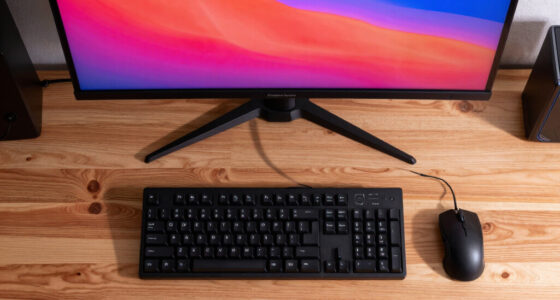

Choosing the right monitor for an office environment involves balancing display quality, ergonomics, and versatility. For 2026, I’ve identified four standout options, each with unique strengths and tradeoffs. The Philips 22 Inch Full HD VA Monitor offers excellent contrast and smooth visuals, making it great for multitasking and light entertainment. The Acer 19.5-inch Professional Office Monitor focuses on affordability and simplicity, perfect for basic setups. The Amazon Basics 24-inch IPS Monitor provides vibrant colors and flexible adjustability, ideal for users who need color accuracy and ergonomic comfort. Lastly, the Philips 24 Inch Full HD VA Monitor balances size, vivid contrast, and eye-friendly features for prolonged use. Understanding these differences helps me match each to specific office needs and preferences.

Get the latest gadgets delivered free — and shop member deals
- Fast, free delivery on millions of items
- Access to Prime Big Deal Days deals on October 6–7
- Prime Video, Amazon Music and more included
Complete the kit



Key Takeaways
- Size and resolution choices impact workspace comfort and clarity; larger and higher-res monitors are better for detailed tasks.
- VESA compatibility is standard but check for support on the specific model and mounting pattern.
- Refresh rate and response time matter more if you do multimedia or light gaming; for most office tasks, 75Hz-100Hz suffices.
- Eye comfort features like flicker-free technology and BlueMode significantly reduce fatigue during long work sessions.
- Ports and stand adjustability influence setup flexibility and ergonomic comfort.
| Philips 22 Inch Full HD VA Monitor with 100Hz Refresh Rate, Flicker-Free, VESA |  | Best for Versatile Use and Eye Comfort | Screen Size: 21.5 inches | Resolution: 1920×1080 (Full HD) | Display Technology: VA LCD | VIEW ON AMAZON | See Our Full Breakdown |
| Acer 19.5-inch Professional Office Monitor K202Qbi |  | Best Budget-Friendly Office Monitor | Display Size: 19.5 inches | Resolution: 1600 x 900 | Contrast Ratio: 100,000,000:1 | VIEW ON AMAZON | See Our Full Breakdown |
| Amazon Basics 24-inch Full HD IPS Monitor, 75 Hz, HDMI, DisplayPort, VGA, Adjustable Stand, VESA Compatible, Built-in Speakers |  | Best for Color Accuracy and Flexibility | Display Size: 24 inches | Resolution: 1920×1080 (Full HD) | Panel Technology: IPS | VIEW ON AMAZON | See Our Full Breakdown |
| Philips 24 Inch Full HD VA Monitor, 100Hz, VESA Flicker-Free, 241V8LB |  | Best for Contrast and Eye Comfort | Display Size: 24 inches | Resolution: 1920×1080 | Panel Type: VA | VIEW ON AMAZON | See Our Full Breakdown |
| monitor with vesa mount for office | Resolution | Refresh Rate | Contrast Ratio | Display Size |
|---|---|---|---|---|
| Philips 22 Inch Full HD VA Mon | 1920×1080 (Full HD) | 100Hz | 3000:1 | — |
| Acer 19.5-inch Professional Of | 1600 x 900 | — | 100,000,000:1 | 19.5 inches |
| Amazon Basics 24-inch Full HD | 1920×1080 (Full HD) | 75Hz | — | 24 inches |
| Philips 24 Inch Full HD VA Mon | 1920×1080 | 100Hz | 3000:1 | 24 inches |
More Details on Our Top Picks
Philips 22 Inch Full HD VA Monitor with 100Hz Refresh Rate, Flicker-Free, VESA
This monitor excels in delivering vibrant contrast thanks to its VA panel and Full HD resolution, making it suitable for both work and entertainment. Its 100Hz refresh rate ensures smooth visuals, especially useful for video conferencing or light multimedia tasks. Compared with larger options, its smaller 22-inch size keeps your workspace uncluttered, but might feel cramped for detailed multitasking. The flicker-free and BlueMode features make it highly appealing for prolonged use, though its brightness might fall short in very bright rooms. Overall, this model balances display quality with eye-friendly features, making it ideal for users who want clarity without sacrificing comfort.
Pros:- Vivid Full HD display with excellent contrast
- Smooth 100Hz refresh rate enhances video playback
- Wide viewing angles prevent color shifting
- Flicker-free and BlueMode reduce eye strain
Cons:- Limited to 22 inches, smaller than some professional monitors
- No built-in speakers or USB ports
- Brightness may be insufficient in very bright environments
Best for: Users seeking a compact, eye-friendly monitor for daily office work and occasional multimedia use.
Not ideal for: Those needing ultra-large screens or high-resolution displays for detailed design work.
- Screen Size:21.5 inches
- Resolution:1920×1080 (Full HD)
- Display Technology:VA LCD
- Refresh Rate:100Hz
- Contrast Ratio:3000:1
- Brightness:250 cd/m²
Our verdict“A compact, eye-friendly choice for everyday office tasks with decent multimedia capabilities.”
Acer 19.5-inch Professional Office Monitor K202Qbi
The Acer K202Qbi stands out for its affordability and straightforward design, making it an attractive choice for basic office setups. Its 1600×900 resolution is lower than Full HD, which might impact clarity for detailed tasks, but it still offers decent visuals for standard office applications. Its 75Hz refresh rate and 6ms response time are sufficient for typical work activities. The highlight here is its VESA support, allowing flexible mounting and ergonomic positioning. However, the smaller size and lower resolution may not satisfy users requiring sharper images or larger displays. Despite that, it provides a reliable, low-cost entry point for office environments where budget constraints matter.
Pros:- High contrast ratio for clear visuals
- Multiple ports including HDMI and VGA
- VESA mounting support for flexible setup
- Affordable price point
Cons:- Lower resolution at 1600×900
- TN panel limits viewing angles
- Brightness could be higher for bright environments
Best for: Budget-conscious buyers who need a VESA-compatible monitor for routine tasks.
Not ideal for: Users who require high-resolution displays or advanced color accuracy for creative work.
- Display Size:19.5 inches
- Resolution:1600 x 900
- Contrast Ratio:100,000,000:1
- Ports:HDMI, VGA
- VESA Mounting:Yes (100 x 100mm)
Our verdict“An economical option that offers VESA support and decent performance for basic office tasks.”
Amazon Basics 24-inch Full HD IPS Monitor, 75 Hz, HDMI, DisplayPort, VGA, Adjustable Stand, VESA Compatible, Built-in Speakers
This Amazon Basics monitor offers a larger 24-inch IPS panel, delivering accurate colors and wide viewing angles, making it suitable for detailed work and multimedia. Its 75Hz refresh rate is adequate for office tasks but not geared toward gaming or fast-paced video editing. The stand is adjustable, and VESA compatibility simplifies ergonomic setup. Built-in speakers add convenience for multimedia, although their sound quality is modest. Compared with smaller or lower-quality panels, this model provides a more immersive visual experience, but its slightly higher price and basic speakers might not appeal to those requiring premium audio or ultra-high resolution. It strikes a good balance for users needing both size and color fidelity.
Pros:- Vivid IPS panel with accurate color reproduction
- Multiple input options including HDMI, VGA, and DisplayPort
- Adjustable tilt stand and VESA support
- Built-in speakers for multimedia convenience
Cons:- Limited to 75Hz refresh rate
- Basic built-in speakers lack high quality
- No USB-C or HDMI 2.0 ports
Best for: Users who prioritize color accuracy, ergonomic flexibility, and multimedia features.
Not ideal for: Gamers or users needing high refresh rates for fast action or high-res creative professionals.
- Display Size:24 inches
- Resolution:1920×1080 (Full HD)
- Panel Technology:IPS
- Refresh Rate:75Hz
- Viewing Angle:178 degrees
- VESA Compatibility:Yes, 100x100mm
Our verdict“A versatile monitor that balances size, color fidelity, and ergonomic features for office use.”
Philips 24 Inch Full HD VA Monitor, 100Hz, VESA Flicker-Free, 241V8LB
The Philips 241V8LB offers a sizable 24-inch display with a VA panel that excels in delivering deep blacks and high contrast, making it suitable for prolonged work sessions. Its 100Hz refresh rate, combined with flicker-free technology and BlueMode, enhances visual smoothness and eye comfort. Compared to smaller or less feature-rich monitors, this model prioritizes visual depth and eye health, but the size might be less suitable for compact desks or users preferring smaller screens. Its brightness level is standard, yet it may need supplemental lighting in very bright environments. Overall, this monitor makes a compelling case for those who want vivid imagery paired with eye-friendly features.
Pros:- Vivid Full HD display with high contrast
- Smooth visuals with 100Hz and Adaptive-Sync
- Eye-friendly flicker-free and BlueMode technology
- Wide viewing angles
Cons:- Limited to 24 inches, which may be small for some
- No built-in speakers or USB ports
- Brightness might be insufficient in very bright rooms
Best for: Office workers seeking large, high-contrast displays with eye-friendly features.
Not ideal for: Users who need ultra-high resolutions or built-in multimedia features like speakers.
- Display Size:24 inches
- Resolution:1920×1080
- Panel Type:VA
- Refresh Rate:100Hz
- Contrast Ratio:3000:1
- Viewing Angle:178 degrees
Our verdict“A well-rounded choice for those prioritizing contrast, size, and eye health during long work hours.”

How We Picked
My approach focused on selecting monitors with VESA mount support that suit a variety of office needs. I prioritized models with reliable build quality, good display technology, and features that support ergonomic workspace setups. I compared specifications such as size, resolution, refresh rate, and contrast ratio, and considered user reviews for real-world performance insights. Tradeoffs like resolution limits, panel types, and missing features were carefully weighed to identify the best balance for different buyer profiles. Ultimately, I aimed to recommend options that are accessible, versatile, and capable of integrating seamlessly into professional environments.
Factors to Consider When Choosing Monitor With Vesa Mount For Office
Selecting the right monitor with VESA mount support for your office requires understanding key display features and ergonomic options. Size and resolution influence your workspace comfort and clarity, while panel technology affects color accuracy and contrast. Refresh rates and response times are more relevant for multimedia or light gaming, but for office work, 75Hz-100Hz usually suffices. Eye care features like flicker-free technology and BlueMode help reduce fatigue during long hours, making them worth prioritizing. Compatibility with VESA mounts unlocks flexible ergonomic setups, so verifying support and mounting patterns is essential. This guide aims to clarify these factors to help you make an informed choice.Size and Resolution
Monitor size impacts how much information you can see at once and your overall workspace comfort. Larger screens, such as 24 inches or more, are better for multitasking and detailed tasks, while smaller 19.5- or 22-inch models are more compact and space-efficient. Resolution determines image sharpness; Full HD (1920×1080) is standard for most office work, but higher resolutions like 2560×1440 or 4K offer sharper images for specialized tasks. When choosing, consider your desk space and the type of work you do—larger, higher-resolution monitors can boost productivity but may require more ergonomic adjustments.
Panel Technology and Visual Quality
VA panels, like those in the Philips models, excel in contrast and deep blacks, providing vivid images suitable for long hours of use. IPS panels, seen in the Amazon Basics monitor, deliver accurate colors and wide viewing angles, ideal for tasks requiring color precision. TN panels, found in some budget options, tend to have limited viewing angles and color fidelity but are cheaper. Your choice depends on whether vivid contrast or color accuracy is more critical for your work. Avoid panels with poor viewing angles if your monitor will be viewed from multiple positions.
Refresh Rate and Response Time
Most office monitors prioritize stability over high refresh rates; 75Hz to 100Hz is common and sufficient for productivity tasks. Higher refresh rates benefit multimedia smoothness but add cost and are primarily relevant for gaming or video editing. Response time, generally 6ms or less, influences how quickly pixels update, affecting motion clarity. For typical office use, focus on models with at least 75Hz and standard response times, unless your work involves fast-paced multimedia editing.
Eye Comfort and Ergonomics
Features like flicker-free technology and BlueMode significantly diminish eye strain, especially during extended sessions. Adjustable stands and VESA compatibility allow you to set your monitor at the most comfortable height and angle, reducing neck and eye fatigue. When choosing, prioritize these features if you spend many hours at your desk. Brightness levels should also match your environment to prevent glare and discomfort.
Connectivity and Mounting Support
Multiple ports such as HDMI, DisplayPort, and VGA provide flexibility to connect various devices, while VESA mounting support enables ergonomic setups with an adjustable arm or wall mount. Confirm the VESA pattern (usually 100x100mm) before purchasing. Consider your existing workspace and future needs—monitors with versatile input options and VESA compatibility give you room to adapt your setup as your needs change.
Frequently Asked Questions
What is VESA mounting, and why is it important?
VESA mounting refers to the standardized interface that allows monitors to be attached to adjustable arms, wall mounts, or stands. It is important because it provides flexibility in positioning your monitor ergonomically, helping reduce neck and eye strain. Most modern monitors, including those reviewed here, support VESA, but it’s wise to verify the pattern and support weight limits before purchasing.
Is a higher refresh rate necessary for office monitors?
For most office tasks, a refresh rate of 75Hz to 100Hz is more than enough. Higher refresh rates are beneficial for gaming or fast video editing, but they don’t significantly impact productivity work. Focusing on display quality, comfort features, and compatibility with ergonomic setups offers better value for typical office environments.
Should I prioritize resolution over size?
Both are important, but your choice depends on your workspace and work type. A larger monitor with Full HD resolution provides more screen real estate, but higher resolutions like 2K or 4K offer sharper images, especially on bigger screens. If desk space is limited, size might be more practical, but for detailed visual work, higher resolution monitors are advantageous.
Are built-in speakers necessary in an office monitor?
Built-in speakers add convenience for multimedia, video calls, or casual listening, but their sound quality is usually basic. If audio quality is important, investing in external speakers or headphones is better. For most office tasks, built-in speakers are a nice extra but shouldn’t be a primary deciding factor.
What ergonomic features should I look for?
Adjustable stands that support height, tilt, and swivel adjustments significantly improve comfort. VESA compatibility allows you to attach your monitor to ergonomic arms or wall mounts. Eye care technologies like flicker-free screens and BlueMode help reduce fatigue. Prioritizing these features ensures your workspace remains comfortable during long hours.
Conclusion
If you need a compact, versatile monitor for everyday office tasks, the Philips 22 Inch Full HD VA Monitor offers excellent contrast and eye comfort. For those on a budget, the Acer 19.5-inch provides reliable VESA support at an entry-level price. Users who prioritize color accuracy and ergonomic flexibility should consider the Amazon Basics 24-inch IPS monitor. Meanwhile, if vivid contrast and eye-friendly features are your priority, the Philips 24 Inch Full HD VA Monitor delivers a sizable display with excellent visual depth. Match your choice to your workspace size, visual needs, and budget for the best results.
Evergreen bestsellers Picks
bestsellers
As an affiliate, we earn on qualifying purchases.