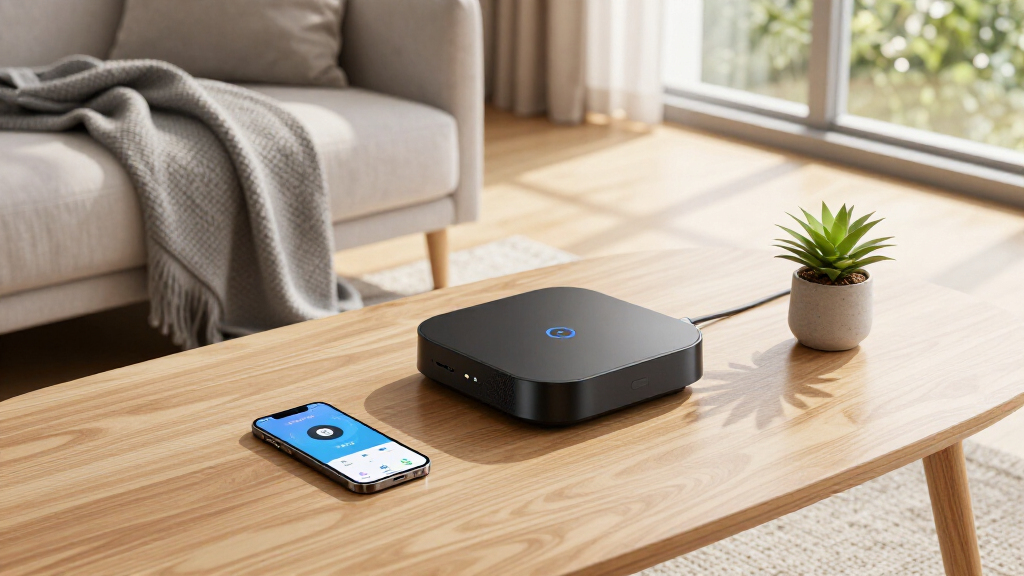
For anyone exploring smart home automation hubs, the choices can feel overwhelming. The SmartThings Hub 3rd Generation stands out as the best overall option for broad compatibility and ease of use. The Hubitat Elevation C-8 Pro offers advanced local automation for those prioritizing privacy and reliability, while the Home Assistant Green caters to tech-savvy users seeking extensive customization. These hubs balance features with tradeoffs like complexity, cost, or ecosystem lock-in. Continue reading for a detailed comparison to help you find the ideal hub for your smart home setup.

Get the latest gadgets delivered free — and shop member deals
- Fast, free delivery on millions of items
- Access to Prime Big Deal Days deals on October 6–7
- Prime Video, Amazon Music and more included
Complete the kit



Key Takeaways
- The most versatile hubs support multiple protocols like Zigbee, Z-Wave, and Matter, making them suitable for diverse device ecosystems.
- Local control and automation are prioritized by hubs like Hubitat and Home Assistant Green, appealing to privacy-conscious users.
- Ease of setup and compatibility with voice assistants often vary, with more user-friendly options sacrificing some advanced features.
- Price and build quality don’t always correlate; some budget options offer extensive features, but at the cost of complexity or stability.
- Compatibility with future standards like Matter can significantly extend a hub’s lifespan and device support.
| SONOFF Zigbee Bridge Pro Hub, ZigBee 3.0 Smart Gateway, APP Control and Multi-Device Management |  | Best for Large Zigbee Networks | Supports sub-devices: up to 128 | Compatibility: SONOFF Zigbee devices | Connectivity: Wi-Fi & Zigbee | VIEW LATEST PRICE | See Our Full Breakdown |
| Hubitat Elevation C-8 Pro Smart Home Hub – Z-Wave, Zigbee, Matter |  | Best for Privacy and Local Processing | Protocols Supported: Matter 1.5, Z-Wave 800 Series with Long Range, Zigbee 3.0, Bluetooth | External Antennas: 2 (Z-Wave and Zigbee) | Dimensions: 3.23 x 2.95 x 0.67 inches | VIEW LATEST PRICE | See Our Full Breakdown |
| Home Assistant Green – Official Smart Home Hub with Advanced Automation |  | Best for Tech-Savvy Users and Customization | RAM: 4 GB | Storage Capacity: 32 GB | Connectivity Technology: Ethernet, USB | VIEW LATEST PRICE | See Our Full Breakdown |
| Aeotec Smart Home Hub 2 – V4, Zigbee & Matter Gateway, Compatible with Alexa & Google Assistant |  | Best for Ecosystem Compatibility and Ease of Setup | Compatibility: SmartThings, Alexa, Google Assistant | Standards Supported: Matter, Zigbee | Connectivity: Wi-Fi, Ethernet | VIEW LATEST PRICE | See Our Full Breakdown |
| Aqara Smart Home Hub M3 with Matter Controller and IR Blaster |  | Best for Versatile Protocol Support and IR Control | Protocols Supported: Zigbee, Thread, Wi-Fi, Bluetooth | Connectivity: Wired (PoE, USB-C), Wireless (2.4/5 GHz Wi-Fi) | Compatibility: Apple HomeKit, Alexa, SmartThings, Home Assistant | VIEW LATEST PRICE | See Our Full Breakdown |
| Aqara Hub M1S Gen 2 Smart Home Bridge for Alarm System and Automation |  | Best for Ecosystem Integration and Versatile Automation | Compatibility: Apple HomeKit, Google Assistant, Alexa, IFTTT | Wi-Fi: 2.4 GHz only, WPA3 support | Zigbee Protocol: 3.0 | VIEW LATEST PRICE | See Our Full Breakdown |
| SmartThings Hub 3rd Generation – Home Automation Hub Compatible with Alexa, Google Home, Zigbee, Z-Wave |  | Best for Protocol Compatibility and Flexible Automation | Manufacturer: Samsung | Part Number: GP-U999SJVLGDA | Item Weight: 8 ounces | VIEW LATEST PRICE | See Our Full Breakdown |
| smart home automation hub | Compatibility |
|---|---|
| SONOFF Zigbee Bridge Pro Hub | SONOFF Zigbee devices |
| Hubitat Elevation C-8 Pro Smar | — |
| Home Assistant Green | — |
| Aeotec Smart Home Hub 2 | SmartThings, Alexa, Google Assistant |
| Aqara Smart Home Hub M3 with M | Apple HomeKit, Alexa, SmartThings, Home Assistant |
| Aqara Hub M1S Gen 2 Smart Home | Apple HomeKit, Google Assistant, Alexa, IFTTT |
| SmartThings Hub 3rd Generation | — |
More Details on Our Top Picks
SONOFF Zigbee Bridge Pro Hub, ZigBee 3.0 Smart Gateway, APP Control and Multi-Device Management
The SONOFF Zigbee Bridge Pro stands out for its ability to support up to 128 Zigbee devices, making it an excellent choice for users with extensive smart home setups. Unlike the simpler hubs that support fewer devices, this model offers robust scene linkage and security modes, which can significantly enhance your home’s automation and safety. However, its customer rating below 4 stars hints at potential reliability issues or limited advanced features, which might concern more demanding users. Its compatibility is limited to SONOFF Zigbee devices, so if your ecosystem is broader or different brands, this could be a drawback. Compared to the Hubitat Elevation C-8 Pro, it lacks local processing and multi-protocol support, which could impact response times and device variety.
Pros:- Supports up to 128 Zigbee devices, ideal for large networks
- Enables local scene and security mode setup for quick responses
- Supports both Wi-Fi and Zigbee for flexible connectivity
Cons:- Customer rating remains below 4 stars, indicating possible reliability issues
- Limited information on advanced capabilities or custom automation options
Best for: Homeowners needing to manage a large number of Zigbee devices efficiently
Not ideal for: Users seeking a hub with extensive protocol support or advanced automation features beyond Zigbee
- Supports sub-devices:up to 128
- Compatibility:SONOFF Zigbee devices
- Connectivity:Wi-Fi & Zigbee
- Color:White
- Voltage:5 volts
- Item weight:1.2 ounces
- Dimensions:2.44 x 0.79 x 2.44 inches
- Batteries:1 Lithium Metal battery required
- Warranty:1 year
Our verdict“Best suited for users with many Zigbee devices who prioritize local control over advanced features.”
Hubitat Elevation C-8 Pro Smart Home Hub – Z-Wave, Zigbee, Matter
The Hubitat Elevation C-8 Pro offers a compelling mix of local processing and multi-protocol support, making it ideal for users who prioritize privacy and instant automation. Unlike the Home Assistant Green, which may require more technical setup, this hub is designed for smooth integration with Z-Wave, Zigbee, and Matter devices, ensuring broad compatibility. Its compact size and no subscription fee make it attractive, but setup complexity can challenge non-technical users, and it relies on existing device ecosystems, limiting future expandability. Compared to the Aqara M3, it doesn’t support Thread or IR blasters, which could restrict certain automation scenarios. Overall, this hub is perfect for those who want a stable, local control hub without relying on cloud services.
Pros:- Supports Z-Wave, Zigbee, and Matter for wide device compatibility
- Local processing ensures quick responses and increased privacy
- No subscription fees for full platform access
- Compact size fits easily into any space
Cons:- Setup may be difficult for non-technical users
- Limited to existing device ecosystems; new device support depends on updates
- No built-in battery backup
Best for: Smart home enthusiasts seeking privacy-focused, instant automation with broad protocol support
Not ideal for: Beginners or those needing built-in voice assistants or easy plug-and-play setup
- Protocols Supported:Matter 1.5, Z-Wave 800 Series with Long Range, Zigbee 3.0, Bluetooth
- External Antennas:2 (Z-Wave and Zigbee)
- Dimensions:3.23 x 2.95 x 0.67 inches
- Weight:0.16 lbs
Our verdict“Ideal for users who want a highly private, fast, and versatile hub for existing smart devices.”
Home Assistant Green – Official Smart Home Hub with Advanced Automation
The Home Assistant Green makes a strong case for DIY enthusiasts who want deep control and customization. Its pre-installed Home Assistant OS simplifies initial setup, but some technical knowledge is necessary for advanced features. The fanless, compact design ensures silent operation while its support for Z-Wave, Zigbee, and Thread via USB expandability broadens device compatibility. Unlike the hubs that rely solely on local connectivity, this device emphasizes security with encrypted local storage, but its reliance on Ethernet or USB expansion means no built-in Wi-Fi, potentially complicating placement. Compared to the Aeotec Hub, it offers more advanced automation options but requires more hands-on configuration. This pick is best for those comfortable with home automation software and eager for a customizable experience.
Pros:- Pre-installed Home Assistant OS simplifies setup
- Supports Z-Wave, Zigbee, and Thread via USB for broad compatibility
- Compact, fanless, and silent operation
- Secure local data storage
Cons:- Limited to devices compatible with Home Assistant
- No built-in Wi-Fi; relies on Ethernet or USB expandability
- Requires some technical skills for advanced customization
Best for: Home automation enthusiasts comfortable with technical setup seeking robust customization
Not ideal for: Casual users or those preferring a plug-and-play hub with minimal configuration
- RAM:4 GB
- Storage Capacity:32 GB
- Connectivity Technology:Ethernet, USB
- Operating System:Home Assistant OS
- Wireless Compatibility:Bluetooth
- Compatible Devices:Smart Home Devices
- Processor Count:1
- Total USB Ports:2
- Power Consumption:Power efficient, uses only a few watts
Our verdict“Best suited for users who want a customizable, privacy-focused hub with deep automation capabilities.”
Aeotec Smart Home Hub 2 – V4, Zigbee & Matter Gateway, Compatible with Alexa & Google Assistant
The Aeotec Smart Home Hub 2 – V4 excels in supporting the latest standards like Matter and Zigbee, making it highly compatible with numerous devices. Its straightforward setup via Wi-Fi or Ethernet appeals to users who want quick integration without complex configuration. Unlike the Hubitat Elevation, which offers local processing, this hub relies on cloud-based automation for some features, which could impact response times during internet outages. It does not support Z-Wave, limiting its compatibility with some ecosystems, but it integrates seamlessly with SmartThings, Alexa, and Google Assistant. This hub makes sense for those who prioritize broad device compatibility and easy setup but are less concerned about local control or Z-Wave support.
Pros:- Supports latest Matter and Zigbee standards for broad device compatibility
- Simple setup via Wi-Fi or Ethernet
- Enables local automation for reliable operation during outages
Cons:- Does not support Z-Wave devices, limiting ecosystem options
- Dependent on compatible devices for full functionality
- Cloud reliance may impact response times during internet issues
Best for: Users needing a reliable, easy-to-install hub compatible with Alexa, Google, and Matter devices
Not ideal for: Users with extensive Z-Wave networks or those requiring local-only automation
- Compatibility:SmartThings, Alexa, Google Assistant
- Standards Supported:Matter, Zigbee
- Connectivity:Wi-Fi, Ethernet
- Z-Wave Support:No
- Local Processing:Yes
Our verdict“A solid choice for those seeking a quick, compatible, and cloud-enabled hub for common smart home ecosystems.”
Aqara Smart Home Hub M3 with Matter Controller and IR Blaster
The Aqara M3 offers a versatile approach, supporting Zigbee, Thread, and Matter, which makes it suitable for complex setups involving diverse devices. Its local automation focus and encrypted storage emphasize privacy and reduced latency, a plus over hubs that rely heavily on cloud processing. The inclusion of an IR blaster with feedback and learning capabilities adds unique control features, especially for integrating traditional appliances. However, placement requires proximity within 6 to 19 feet of your router, which can be restrictive in larger homes. The IR functionality may be limited to controlling one AC device in Matter mode, and the power adapter isn’t included, adding extra cost for full setup. Overall, this hub is ideal for tech-savvy users with demanding automation needs who can manage placement constraints.
Pros:- Supports Zigbee, Thread, and Matter for broad device compatibility
- Prioritizes local automation with encrypted storage for privacy
- Includes a smart IR blaster with learning feedback
- Flexible wired (PoE, USB-C) and wireless connectivity options
Cons:- Placement within 6-19 feet of the router is required for optimal connectivity
- IR blaster may be limited to one AC device in Matter mode
- Power adapter not included, requiring additional purchase
Best for: Advanced users seeking multi-protocol support and IR control for complex automation
Not ideal for: Casual users or those with large homes requiring flexible placement without additional accessories
- Protocols Supported:Zigbee, Thread, Wi-Fi, Bluetooth
- Connectivity:Wired (PoE, USB-C), Wireless (2.4/5 GHz Wi-Fi)
- Compatibility:Apple HomeKit, Alexa, SmartThings, Home Assistant
- Device Capacity:127 Zigbee, 127 Thread devices
- Storage:8GB encrypted local storage
- Power:PoE, USB-C port (adapter not included)
- Size & Placement:Flexible mounting options
- Warranty:12 months
Our verdict“Excellent for advanced users needing multi-protocol support and IR control but with placement considerations.”
Aqara Hub M1S Gen 2 Smart Home Bridge for Alarm System and Automation
The Aqara Hub M1S Gen 2 stands out for its seamless integration with multiple ecosystems, including Apple HomeKit, Google Assistant, and Alexa, making it ideal for users already invested in these platforms. Compared with the SmartThings Hub 3rd Generation, which supports a broader range of protocols like Z-Wave and Zigbee, the Aqara Hub is more specialized for Aqara devices and smart security features, such as its built-in RGB light, illumination sensor, and 2-watt alarm speaker. However, its reliance on 2.4 GHz Wi-Fi only and limited device compatibility means it’s less flexible if you plan to expand beyond Aqara’s ecosystem or use dual-band networks. Its compact size and security features make it appealing for those prioritizing secure, ecosystem-specific automation, but it’s less suitable for large, multi-protocol smart homes.
Pros:- Supports multiple major smart home ecosystems including Apple HomeKit, Google Assistant, and Alexa
- Built-in RGB lighting and illumination sensor enhance automation and ambiance
- Secure Wi-Fi with WPA3 support and reliable Zigbee 3.0 protocol
Cons:- Limited to 2.4 GHz Wi-Fi networks, which can impact connection stability in crowded environments
- Excludes support for third-party Zigbee or Z-Wave devices outside Aqara ecosystem
- Requires close proximity to Wi-Fi router for optimal performance
Best for: Homeowners who primarily use Aqara devices and want integrated security features within a trusted ecosystem.
Not ideal for: Users with extensive Z-Wave or third-party Zigbee devices, or those seeking a multi-protocol hub for wide device compatibility.
- Compatibility:Apple HomeKit, Google Assistant, Alexa, IFTTT
- Wi-Fi:2.4 GHz only, WPA3 support
- Zigbee Protocol:3.0
- Device Capacity:Up to 128 Aqara devices
- Dimensions:3.14 x 3.14 x 1.63 inches
- Lighting:RGB LED with diffuser
- Alarm Speaker Power:2 watts
Our verdict“This hub is best for users committed to Aqara devices and ecosystem-specific automation, prioritizing security and integrated lighting.”
SmartThings Hub 3rd Generation – Home Automation Hub Compatible with Alexa, Google Home, Zigbee, Z-Wave
The SmartThings Hub 3rd Generation excels in supporting a wide array of protocols like Z-Wave and Zigbee, making it a versatile choice for users wanting to unify multiple smart devices under one control system. Compared with the Aqara Hub M1S Gen 2, which is more limited to Aqara’s ecosystem, the SmartThings Hub caters to a broader spectrum of brands and device types, including Z-Wave sensors and switches. Its setup process can be somewhat complex, especially for those unfamiliar with smart home configurations, but its compatibility with both Alexa and Google Assistant ensures voice control is straightforward once set up. The included motion sensor adds a layer of automation, though some may find the hub’s physical design basic and its reliance on compatible devices for full functionality a potential drawback.
Pros:- Supports multiple protocols including Zigbee and Z-Wave for broad device compatibility
- Easy control via smartphone app with intuitive interface
- Compatible with Alexa and Google Home for voice commands
- Includes motion sensor for automation triggers
Cons:- Setup process can be complex, especially for inexperienced users
- Limited out-of-the-box device support without additional compatible devices
- Some users find the physical design and interface basic
Best for: Tech-savvy homeowners seeking a flexible, multi-protocol hub that can integrate a variety of third-party devices across different brands.
Not ideal for: Beginners or those with a limited budget, since the setup can be challenging and full functionality depends on compatible devices.
- Manufacturer:Samsung
- Part Number:GP-U999SJVLGDA
- Item Weight:8 ounces
- Product Dimensions:5 x 5 x 1.2 inches
- Color:White
- Power Source:Battery Powered
- Wattage:3 watts
- Special Features:Motion Sensor Included
Our verdict“This hub is ideal for those who want a flexible, protocol-rich central controller capable of managing diverse smart home devices.”
How We Picked
Our selection process focused on performance, compatibility, ease of use, and build quality. We prioritized hubs that support multiple protocols, especially Zigbee, Z-Wave, and Matter, to ensure broad device compatibility. Stability and local control capabilities were key, as these features enhance privacy and reliability. Cost-effectiveness and user interface design also played roles, alongside ecosystem support for popular voice assistants. Devices were ranked based on how well they balance these factors for different types of users—from beginners to advanced smart home enthusiasts.| smart home automation hub | Compatibility |
|---|---|
| SONOFF Zigbee Bridge Pro Hub | SONOFF Zigbee devices |
| Hubitat Elevation C-8 Pro Smar | — |
| Home Assistant Green | — |
| Aeotec Smart Home Hub 2 | SmartThings, Alexa, Google Assistant |
| Aqara Smart Home Hub M3 with M | Apple HomeKit, Alexa, SmartThings, Home Assistant |
| Aqara Hub M1S Gen 2 Smart Home | Apple HomeKit, Google Assistant, Alexa, IFTTT |
| SmartThings Hub 3rd Generation | — |
Factors to Consider When Choosing Smart Home Automation Hubs
Choosing the right smart home automation hub requires understanding your needs and how a hub integrates into your existing ecosystem. The right hub should support your preferred protocols, be easy to set up, and offer reliable automation. Considering future-proofing features like Matter support can extend your investment’s lifespan. Compatibility with voice assistants and app control also impacts daily convenience. Be mindful of tradeoffs: more flexible hubs often come with increased complexity or cost, while simpler options might limit device support or customization.Device Compatibility and Protocol Support
Prioritize hubs that support multiple protocols such as Zigbee, Z-Wave, and Matter. This broad support ensures your existing devices and future purchases work seamlessly. Some hubs focus heavily on one protocol, which could limit your ecosystem expansion. If you plan to integrate a variety of smart devices, a multi-protocol hub prevents frustration and reduces the need for multiple controllers. Be aware that compatibility issues can arise, so check device lists before purchasing.
Ease of Use and Setup
Intuitive setup processes and user-friendly interfaces make daily management simpler, especially for beginners. Some hubs offer smartphone apps with guided setup, while others might require more technical knowledge. Remember that extensive customization options can introduce complexity, so consider your comfort level. A well-designed app and clear instructions are worth paying a premium for if you value simplicity and quick deployment.
Local Control and Automation Reliability
Hubs that perform automation locally, such as Hubitat or Home Assistant, typically provide faster response times and greater privacy. Relying on cloud services can introduce latency and potential outages, disrupting your routines. If your priority is reliable, always-on automation, local control hubs are preferable. However, they might lack some integrations or require more technical setup, so balance this with your comfort level and needs.
Ecosystem Support and Compatibility
Consider whether the hub integrates smoothly with your preferred voice assistants like Alexa or Google Assistant. Ecosystem lock-in can limit flexibility, so check for open standards or compatibility with multiple platforms. A hub that supports both popular voice assistants and automation platforms reduces the risk of obsolescence and maximizes your options for device control.
Price, Build Quality, and Future-Proofing
While budget options can deliver solid features, investing in a higher-quality hub often means better durability, more reliable performance, and future support. Look for hubs with firmware updates, active support communities, and compatibility with emerging standards like Matter. Consider the total cost of ownership, including potential add-ons or subscription services, to ensure long-term value.
Frequently Asked Questions
Can I use multiple smart home hubs together?
Yes, integrating multiple hubs is possible but can introduce complexity and potential compatibility issues. Many users choose hubs supporting open standards like Zigbee or Z-Wave to bridge different ecosystems. However, managing multiple apps or controllers might require additional setup and troubleshooting. For most, a single, versatile hub that supports all your devices simplifies management and reduces potential conflicts.
Is it worth paying extra for a hub with Matter support?
Investing in a hub with Matter support offers significant future-proofing, as Matter aims to unify device standards across ecosystems. This can extend the lifespan of your setup and reduce compatibility headaches down the line. However, such hubs might come at a premium or have limited device support initially. If you prioritize long-term compatibility and ease of integration, paying more for Matter is a smart choice.
Do I need a hub if I only have a few smart devices?
Not necessarily. Many smart devices now connect directly to Wi-Fi or via app without a hub. However, a hub can centralize control, improve automation reliability, and support multiple protocols that Wi-Fi-only devices might lack. If you plan to expand your smart home, investing in a hub early can simplify future growth and ensure better device integration.
How important is local control versus cloud-based automation?
Local control provides faster response times and increased privacy, making it essential for critical automations like security or safety. Cloud-based systems are easier to set up and often offer broader device compatibility, but they depend on internet stability and can raise privacy concerns. Balancing these aspects depends on your priorities—if reliability and privacy matter most, opt for a hub with robust local automation capabilities.
What should I consider if I want future device compatibility?
Look for hubs supporting emerging standards like Matter and multiple protocols such as Zigbee and Z-Wave. Compatibility with these standards ensures your hub remains useful as new devices enter the market. Additionally, consider the hub’s update policy, community support, and manufacturer roadmap to gauge how well it will adapt to future smart home evolutions.
Conclusion
For most users, the SmartThings Hub 3rd Generation offers the best overall blend of compatibility, ease of use, and ecosystem support—ideal for those looking for a straightforward, reliable experience. The Hubitat Elevation C-8 Pro suits homeowners prioritizing local control and privacy, while the Home Assistant Green is perfect for enthusiasts who want full customization. Budget-conscious buyers will find the SONOFF Zigbee Bridge Pro Hub a compelling choice, though it may lack some advanced features. Your choice should align with your technical comfort, device ecosystem, and long-term smart home plans.
Fall Picks
fall essentials
As an affiliate, we earn on qualifying purchases.