
The biggest mistake that makes your video calls look amateur is neglecting proper framing. You might be unaware that poor lighting, cluttered backgrounds, or being too far from the camera can distract viewers and undermine your professionalism. Properly framing your shot involves adjusting lighting, background, and camera position to create a polished, confident appearance. Paying attention to these details can considerably elevate your video quality—keep going to discover key tips that can transform your calls.

Get the latest gadgets delivered free — and shop member deals
- Fast, free delivery on millions of items
- Access to Prime Big Deal Days deals on October 6–7
- Prime Video, Amazon Music and more included
Key Takeaways
- Being too close or too far from the camera can distort proportions and appear unprofessional.
- Centering the face and upper torso creates a balanced, confident framing.
- Ignoring proper lighting causes shadows or glare that distract viewers.
- Cluttered or distracting backgrounds divert attention from the speaker.
- Poor camera angles, such as looking up or down, undermine credibility.

When it comes to virtual meetings or recording videos, framing your webcam correctly is essential for making a good impression. One common mistake that makes calls look amateur is neglecting how you frame yourself within the shot. Proper framing isn’t just about where you sit; it’s about how all elements—lighting setup, background, and your position—come together to create a professional appearance. If you ignore these details, you risk appearing unprepared or unpolished, which can distract from your message.
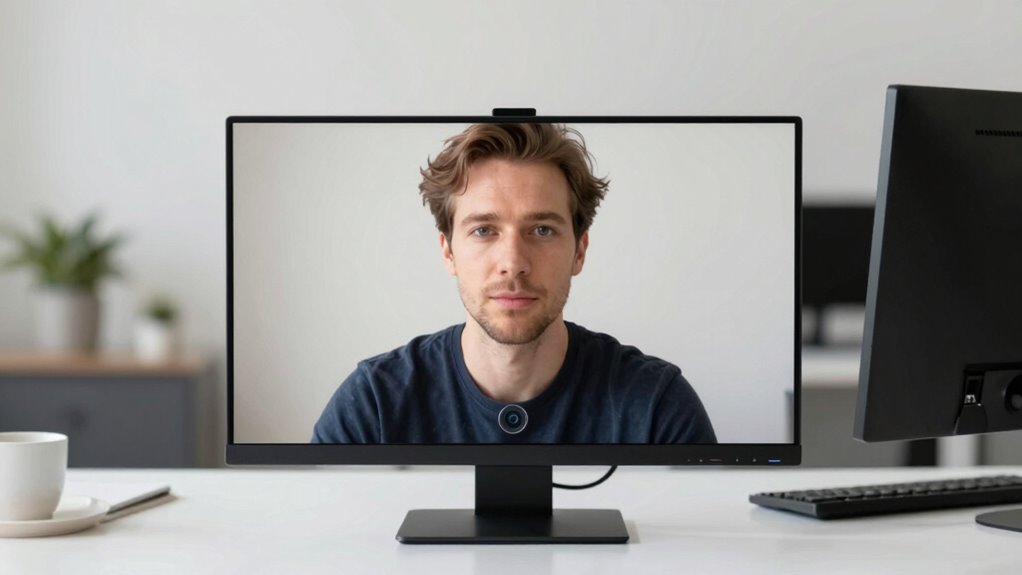
Proper webcam framing with good lighting and a tidy background creates a professional, confident impression.
A key aspect of framing is ensuring your face is well-lit and clearly visible. Your lighting setup plays a crucial role here. Natural light is often ideal, but if you’re indoors, invest in good artificial lighting that illuminates your face evenly. Avoid harsh shadows or overly bright spots, as these can make you look unprofessional or cause distractions. Position your light source in front of you rather than behind, so your face is the focus, and your features are easily discernible. When your face is well-lit, your expressions come through clearly, making your communication more engaging and trustworthy.
Another important factor is background clutter. Your background should be simple and tidy to avoid pulling attention away from you. A cluttered space can signal disorganization or distract viewers from what you’re saying. Take a moment to clear your area before your call or recording. Use a clean wall, a bookshelf, or a neat workspace as your backdrop. If you can, position your webcam so that the background looks intentional and professional, rather than random or chaotic. This not only keeps the focus on you but also conveys a sense of professionalism.
Many people overlook how their framing impacts the overall quality of their video. When you’re framed correctly, with proper lighting and a tidy background, you look confident and prepared. Conversely, poor framing—such as sitting too far from the camera, having distracting background clutter, or being poorly lit—can undermine your credibility. Keep in mind that framing isn’t just about aesthetics; it’s about how you communicate non-verbally. Good framing helps your audience focus on your message, not your surroundings or your lighting mishaps. Paying attention to camera positioning can significantly elevate the professionalism of your setup, especially when considering factors like angle and distance. Properly adjusting your camera angle can also prevent unflattering perspectives and ensure your face remains the focal point of the shot. Additionally, understanding the importance of lighting techniques can make a substantial difference in how professional your video appears.
As an affiliate, we earn on qualifying purchases.
Frequently Asked Questions
How Can I Quickly Fix Improper Webcam Framing During a Call?
To quickly fix improper webcam framing, adjust your camera angle so your eyes are centered and you’re not too close or far away. Check your background for clutter and tidy it up if needed, creating a clean, professional look. Slightly move or tilt your camera until you’re well-framed within the shot, ensuring your face and shoulders are visible. These simple tweaks improve your call presence instantly.
What Equipment Improves Webcam Framing Accuracy?
You’ll want a sturdy tripod or a camera mount to improve framing accuracy, so your shot isn’t just a blurry mess or awkward angle. A wide-angle lens can help you control camera angles better, while a ring light guarantees even lighting, reducing background clutter’s distraction. Ironically, the best equipment often highlights how much background clutter you’d prefer to conceal, but it’s a small price for professional-looking calls.
Does Lighting Affect Webcam Framing Quality?
Yes, lighting definitely affects your webcam framing quality. A good lighting setup, especially with natural illumination, helps you stay well-lit and clearly visible in the frame. Proper lighting guarantees your face isn’t shadowed or washed out, which can cause framing issues. By using natural light or soft artificial lights, you create a balanced scene that makes your framing look professional and polished, avoiding the amateurish appearance caused by poor lighting.
How Do I Adjust Framing When Using Multiple Monitors?
To adjust framing when using multiple monitors, you need to focus on your monitor placement and camera angle. Position your camera at eye level and directly in front of your primary monitor for a balanced view. Make certain your monitors are arranged to keep your face centered and avoid distracting angles. By aligning your monitor placement with the camera angle, you create a professional, well-framed look that enhances your video calls.
Are There Software Tools to Help With Framing Adjustments?
Yes, there are software tools that help with framing adjustments, making your webcam setup look professional. Programs like OBS Studio and XSplit offer framing guides and allow software calibration for precise positioning. These tools enable you to fine-tune your camera angle easily, ensuring you’re centered and properly framed. With their intuitive interfaces, you can quickly correct your webcam framing, eliminating amateurish mistakes and enhancing your call quality.
Conclusion
Remember, framing your webcam is like tuning a radio—you want a clear signal, not static. I once watched a colleague struggle during an important call because she was cut off at the shoulders, like a painter missing the frame. Small adjustments, like centering yourself or looking directly into the camera, can make all the difference between an amateur impression and a professional presence. Fix your framing, and watch your calls become more engaging and credible.
Fall Picks
fall essentials
As an affiliate, we earn on qualifying purchases.