
Many people misunderstand OLED burn-in because they confuse temporary image retention and pixel aging with permanent damage. Early reports of ghosting made folks think their screens were irreparably harmed, but modern OLEDs use technology to prevent this. Pixel aging happens naturally and can cause faint differences over time, but it’s manageable. If you stay informed, you’ll see how responsible use and current tech help extend your display’s life—there’s more to learn.
Key Takeaways
- Many confuse temporary image retention with permanent burn-in, leading to exaggerated fears about OLED durability.
- Early reports of pixel aging and static images contributed to misconceptions about inevitable burn-in.
- Advances in OLED manufacturing and software mitigation techniques significantly reduce the risk of permanent burn-in.
- Understanding pixel aging as a natural, manageable process helps clarify misconceptions about OLED failure.
- Responsible usage and features like screen savers effectively prevent true burn-in, yet misunderstandings persist.
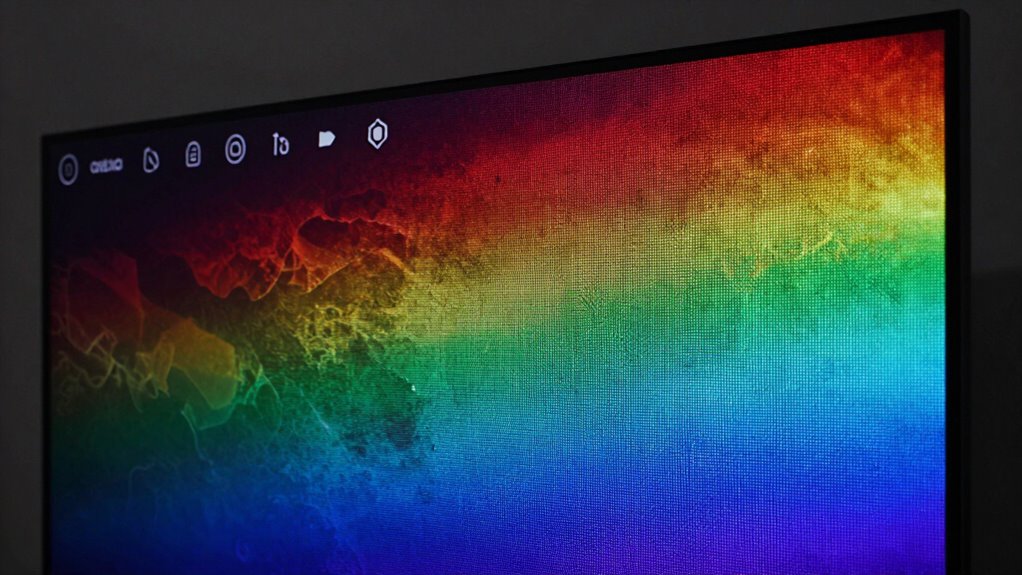
Many people believe that OLED screens are doomed to suffer permanent burn-in flaws, but this common perception is often misunderstood. The fear largely stems from early reports of OLED televisions displaying visible image retention and pixel aging over time. While these issues can occur, they don’t typically lead to the irreversible damage many assume. Instead, what many see as burn-in is often a temporary phenomenon called image retention, which can fade away with proper use. The key lies in understanding how OLED technology works and how pixel aging influences the display’s lifespan.
Pixel aging happens because each pixel in an OLED panel emits light through organic compounds that degrade with use. When certain areas of the screen display static images for extended periods, those pixels experience faster degradation. This uneven aging results in subtle differences in brightness and color, which can cause a faint after-image or ghosting effect—commonly mistaken for burn-in. However, this effect is usually temporary and can often be reversed or minimized through various methods, such as screen refreshes or using built-in pixel shift features. It’s important to realize that pixel aging doesn’t necessarily mean your screen will become permanently damaged; rather, it’s a natural process that can be managed with proper usage. Additionally, recent advancements in OLED manufacturing have helped reduce the risk of severe image retention and burn-in. Manufacturers now incorporate software mitigation techniques that help extend the life of OLED panels and prevent permanent damage.
Pixel aging causes subtle color and brightness changes, but these effects are temporary and manageable with proper use and screen features.
Many users also confuse image retention with burn-in, but they are different phenomena. Image retention is a short-term, temporary display of a ghost image that disappears over time, especially after viewing different content or turning off the device. Burn-in, on the other hand, implies a more persistent, irreversible condition where the ghost image becomes embedded into the screen’s pixels. Thanks to advances in OLED manufacturing and software mitigation techniques, the likelihood of experiencing true burn-in today is markedly reduced. Manufacturers have implemented features like pixel shifting, screen savers, and automatic pixel refresh cycles to combat pixel aging and prevent permanent damage. Moreover, understanding the natural lifespan of OLED pixels can help set realistic expectations and reduce unnecessary fears, as the technology is designed to last many years with proper care. Proper care, such as avoiding static images for prolonged periods, reducing brightness levels, and enabling automatic screen refreshes, can extend your display’s lifespan. Understanding that pixel aging and image retention are part of the natural lifecycle of OLED screens helps demystify the technology. With responsible usage, you can enjoy the brilliant contrast and vibrant colors OLED offers without fearing permanent damage. So, rather than viewing OLED burn-in as an inevitable flaw, see it as a challenge that manufacturers and users can work together to overcome.

Vizomax 55 inch TV Screen Protector for LCD, LED, OLED & QLED 4K HDTV
- Comfortable Viewing Experience: Enjoy HDTVs in complete comfort
- Clear High-Definition Clarity: Maintains HD picture quality
- Unnoticeable Design: Keeps protector discreet and stylish
As an affiliate, we earn on qualifying purchases.
As an affiliate, we earn on qualifying purchases.
Frequently Asked Questions
Can OLED Burn-In Be Completely Prevented?
No, OLED burn-in can’t be completely prevented, but you can minimize it. You’re likely to experience some image retention if static images stay on the screen for too long. To protect your display, vary your content and use built-in screen savers. Remember, pixel lifespan varies, so over time, some pixels degrade faster, increasing the risk of burn-in. Proper care extends your OLED’s longevity, but complete prevention isn’t guaranteed.
How Long Does It Typically Take for Burn-In to Appear?
It usually doesn’t take long for burn-in to appear, often within a few hundred hours of static images showing on your screen. You need to watch out because uneven color retention can cause it, impacting panel longevity. If you keep displaying the same static content, the risk increases, so it’s like walking a tightrope—balance your viewing habits to prevent premature wear and extend your screen’s lifespan.
Are Some OLED Brands More Prone to Burn-In Than Others?
Yes, some OLED brands are more prone to burn-in due to manufacturing differences and brand reliability. You’ll find that reputable brands invest in better pixel management and quality control, reducing burn-in risks. Conversely, less reliable brands may use lower-quality materials or fewer safeguards, increasing susceptibility. So, when choosing an OLED, consider the manufacturer’s track record and their approach to minimizing burn-in, ensuring a longer-lasting display for you.
Does Screen Size Affect OLED Burn-In Risk?
Yes, screen size can influence OLED burn-in risk, especially regarding screen longevity and display uniformity. Larger screens often have more pixels, which can increase the chances of uneven wear if static images stay too long. Smaller screens might handle static content better, but all OLEDs benefit from features that reduce burn-in. To protect your display, regularly vary content and enable screen-saving features, regardless of size.
Can Software Updates Reduce Existing Burn-In?
Think of software updates as a gentle tide washing over your screen. They can’t completely erase existing burn-in, but they can help reduce its impact. Updates often include algorithms to minimize image persistence and correct color shifting, making the burn-in less noticeable. While they don’t reverse damage, they can improve overall display quality and help prevent further issues, giving your OLED screen a bit more of that fresh look.
Conclusion
While OLED technology has its nuances, understanding its gentle quirks can help you enjoy its stunning visuals without worry. Just like any art form, it’s about appreciating the subtleties and taking simple steps to keep your display looking its best. With a little knowledge and care, you can continue to indulge in vibrant, breathtaking images. Embrace the journey, and let your OLED display continue to dazzle you for years to come.