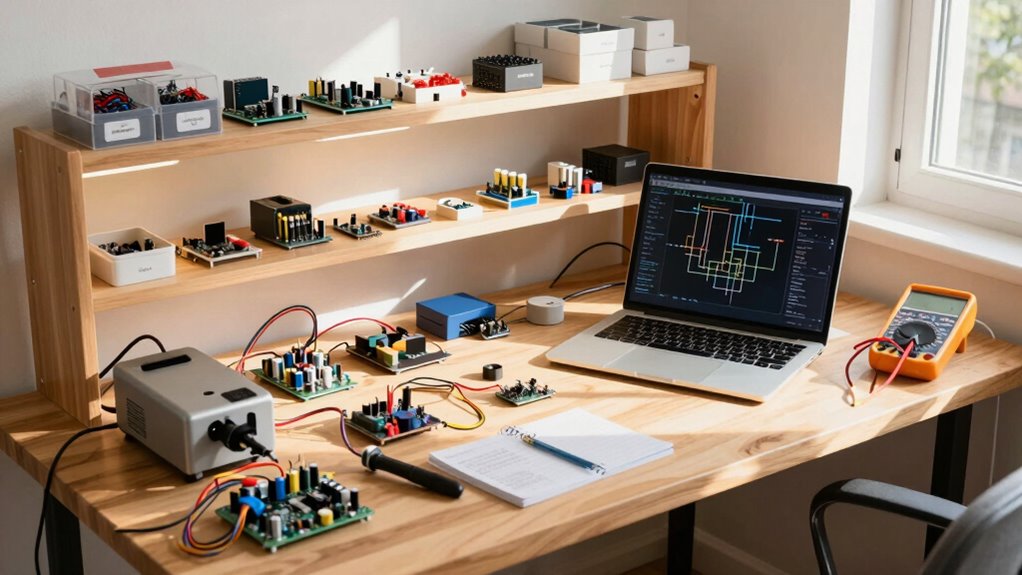

A good home lab for beginners is simple, adaptable, and focused on hands-on learning. You should choose reliable hardware like modest servers or desktops with virtualization platforms such as VirtualBox or VMware. Focus on setting up foundational security elements like firewalls, VPNs, and network segmentation. Keep your environment organized, document everything, and practice real-world scenarios. As you progress, you’ll find ways to expand your setup, helping you grow your skills smoothly and confidently.
Key Takeaways
- Simple, reliable hardware that is easy to manage and supports virtualization for running multiple VMs.
- Focused on core security concepts like firewalls, VPNs, and network segmentation for practical learning.
- Virtualization platforms such as VMware, VirtualBox, or Proxmox to simulate complex network environments.
- Organized setup with clear documentation, labeling, and remote access for efficient learning and maintenance.
- Scalability and growth potential to expand hardware or network complexity as skills develop.

Starting a home lab can seem intimidating at first, but it’s a rewarding way to develop your tech skills and experiment with new tools. A good home lab for beginners balances simplicity with enough flexibility to grow as you learn. One of the key aspects to focus on is network security. Even in a small setup, understanding how to secure your network is essential. You want to create an environment where you can practice setting up firewalls, VPNs, and intrusion detection systems without risking your main network. This means choosing hardware and software that allow you to simulate real-world security scenarios, helping you grasp the fundamentals of protecting data and devices. Incorporating network segmentation can help isolate different parts of your setup, further enhancing security and control. Hardware virtualization is another cornerstone of a good home lab. It allows you to run multiple virtual machines (VMs) on a single physical device, maximizing your resources without needing a lot of hardware. With virtualization, you can set up different operating systems, test various network configurations, and even simulate complex network topologies—all from one computer. This approach is cost-effective and makes managing your lab easier, especially if you’re just starting out. Look for virtualization platforms like VMware Workstation, VirtualBox, or Proxmox, which are beginner-friendly and widely supported. The hardware you choose should be reliable but not overly complicated. A modest server or a powerful desktop PC with ample RAM and storage can handle multiple VMs. Remember, the goal isn’t to build a massive lab initially but to create a workable environment that lets you learn and experiment. Incorporating network monitoring tools can also help you observe your setup’s behavior and troubleshoot issues more effectively. Regularly updating your security knowledge is crucial as new threats and techniques emerge, ensuring your skills stay current. Additionally, understanding security best practices can help you implement effective defenses from the beginning. As you gain confidence, you can expand your hardware or add more sophisticated networking gear. Your home lab should also be easy to access and manage. Using tools like remote desktop or SSH allows you to control your VMs and network devices from anywhere, fostering continuous learning. Keep things organized, label your devices, and document your configurations to avoid confusion later. As you explore different network security techniques, you’ll develop a deeper understanding of safeguarding your environment. Starting small with a clear focus on network security and hardware virtualization guarantees you grasp the core concepts before tackling more complex setups. In essence, a good home lab for beginners is simple, flexible, and secure. It allows you to practice network security techniques, leverage hardware virtualization for multiple projects, and grow your skills at your own pace. With the right hardware, software, and organization, you’ll find yourself gaining confidence and expertise faster than you might expect.
As an affiliate, we earn on qualifying purchases.
Frequently Asked Questions
What Is the Ideal Budget for a Beginner Home Lab?
For a beginner home lab, a budget of around $300 to $500 is ideal. You should focus on smart budget planning by choosing essential equipment like a basic server or mini PC, networking gear, and a few accessories. Prioritize equipment selection that offers good value and flexibility, allowing you to expand as you learn. This budget helps you gain hands-on experience without overspending, making your entry into home lab setup both affordable and effective.
How Much Space Do I Need for a Home Lab Setup?
You’ll need around 10 to 20 square feet for a beginner home lab, enough to comfortably fit equipment and allow space for organization. Did you know that efficient space optimization can increase your setup’s usability by 30%? Focus on equipment organization, stacking devices safely, and using vertical space to maximize your area. This way, you create a functional, manageable environment without needing a large dedicated room.
Are There Any Safety Concerns With Home Lab Equipment?
Yes, there are safety concerns with home lab equipment. You should always watch out for fire hazards caused by overheating or faulty wiring. Electrical safety is vital; make sure all devices are properly grounded and cords are in good condition. Keep a fire extinguisher nearby, work in a well-ventilated area, and avoid overloading circuits. Staying vigilant helps prevent accidents and keeps your home lab safe for everyone.
Can I Upgrade My Home Lab Later?
Absolutely, you can upgrade your home lab later—because who doesn’t love a good expansion? Just remember, lab expansion is a bit like fitting a new puzzle piece; equipment compatibility matters. Start with a solid foundation, and when you’re ready, add components that play nicely together. Keep an eye on power, space, and tech specs, and your evolving lab will stay functional and fun.
What Are Common Troubleshooting Issues Faced by Beginners?
As a beginner, you’ll often face troubleshooting issues like hardware compatibility and network configuration problems. You might find devices aren’t recognized or network connections aren’t working properly. To fix these, double-check hardware specifications and confirm all components are compatible. For network issues, verify your configuration settings, IP addresses, and firewall rules. Patience and step-by-step troubleshooting help you learn and resolve these common beginner challenges effectively.
Conclusion
Building your home lab is like planting a seed—you nurture it with curiosity and patience. Over time, it blossoms into a thriving garden of knowledge, each device a fruit of your effort. Remember, every challenge is a watering can, helping you grow stronger and more confident. Stay committed, and your home lab will become a lighthouse guiding you through the vast seas of technology. Keep exploring—your journey has just begun.