The performance of the same CPU can vary in different laptops mainly because manufacturers set different power limits, cooling solutions, and system designs. These factors influence how the CPU manages heat and power, affecting how hard it can run without throttling. Better cooling and optimized power settings allow for higher performance, while limited airflow or conservative limits reduce it. If you’re curious about how these factors shape performance, there’s more to uncover below.
Key Takeaways
- Different laptops have varying thermal management systems affecting CPU throttling and sustained performance.
- Cooling solutions like liquid cooling or larger heatsinks enable higher performance by maintaining lower CPU temperatures.
- Power limits (TDP) settings are customized per device, influencing maximum CPU power draw and speed.
- System design factors, such as airflow and component placement, impact how efficiently heat is dissipated.
- Evolving power management techniques optimize performance while ensuring safety, leading to performance differences.

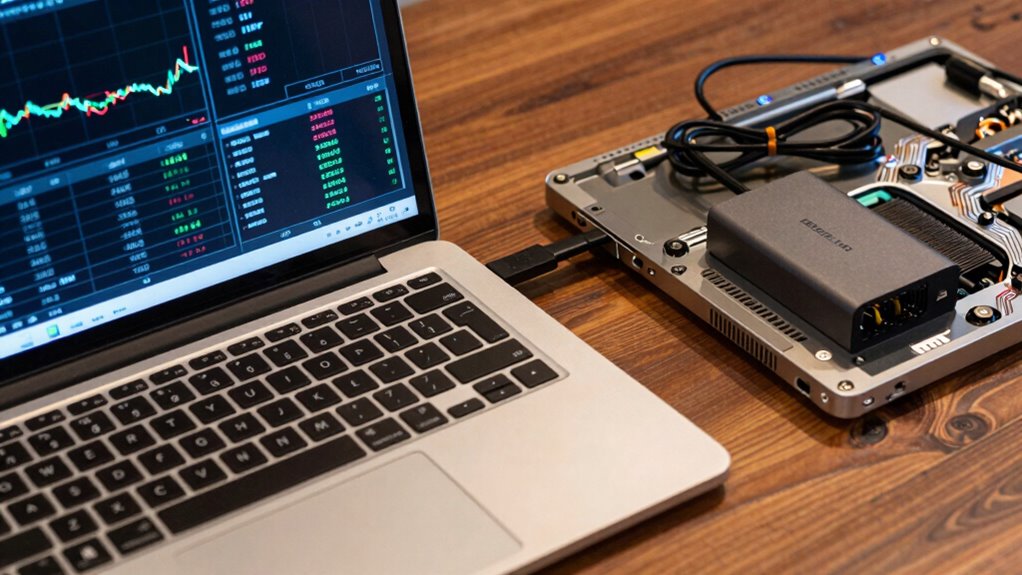
Have you ever wondered how your CPU manages its power consumption during intense tasks? It’s a complex dance involving thermal management and power throttling, both of which play vital roles in how your laptop performs. When your CPU works hard—say, during gaming or video editing—it generates heat. To prevent overheating and potential damage, your system relies on thermal management techniques that keep temperatures within safe limits. This often involves reducing the CPU’s clock speed or voltage, a process known as power throttling. While throttling helps protect the hardware, it also means that your CPU can’t operate at its maximum capacity for extended periods, which affects overall performance.
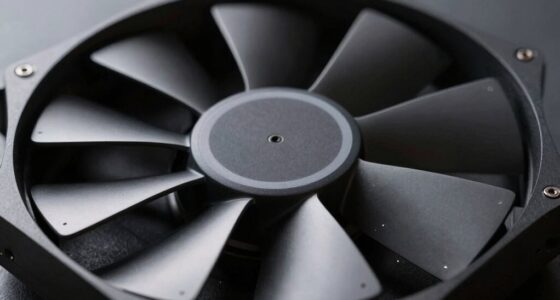
The key reason your CPU behaves differently in various laptops comes down to how manufacturers design their systems to handle heat and power. Even if two laptops have the same CPU model, their performance can vary considerably. This is because each system’s thermal management setup influences how aggressively the CPU is throttled. Some laptops feature advanced cooling solutions—larger fans, better heat sinks, or liquid cooling—that keep temperatures lower, allowing the CPU to run at higher speeds without throttling. Others might have more compact designs with limited airflow, forcing the CPU to slow down sooner to prevent overheating. This difference in thermal management directly impacts the CPU’s ability to sustain high performance.
Power limits are another essential factor. Laptop manufacturers often set a cap on how much power the CPU can draw, known as a power limit or TDP (thermal design power). These limits are designed to balance performance, battery life, and heat generation. In some systems, the power limit is set high, enabling the CPU to run at full speed longer, while in others, it’s intentionally lower to save energy or reduce heat output. This variation means that even with the same processor, your experience can differ based on how the system manages power and heat. Additionally, thermal management techniques are continuously evolving to optimize performance while maintaining hardware safety. Understanding these power management strategies can also help you better appreciate the performance differences between laptops.
Understanding these factors can help you make more informed decisions when selecting a laptop for your needs. In essence, the same CPU can perform quite differently depending on the laptop’s thermal management and power limits. When you’re choosing a device, it’s worth considering these factors, especially if you need sustained performance. Knowing that thermal design and power throttling influence how your CPU operates helps you understand why some laptops feel faster or more responsive than others, even if they share the same core hardware. It’s all about how the system balances heat, power, and performance to deliver what you need.

havit HV-F2056 15.6"-17" Laptop Cooler Cooling Pad – Slim Portable USB Powered (3 Fans), Black/Blue
Ultra-Portable: Slim, portable, and light weight allowing you to protect your investment wherever you go
As an affiliate, we earn on qualifying purchases.
As an affiliate, we earn on qualifying purchases.
Frequently Asked Questions
Can CPU Power Limits Be Manually Adjusted by Users?
Yes, you can manually adjust CPU power limits if your laptop allows it, often through BIOS or specialized software. Doing so can open overclocking potential and reduce power throttling, boosting performance. However, keep in mind that increasing power limits may lead to higher temperatures and potential hardware stress. Always proceed cautiously, monitor system stability, and guarantee your cooling system can handle the additional demand.
Do Different Laptop Brands Implement Power Limits Differently?
Did you know that 85% of laptop brands customize power limits to optimize performance? Yes, different brands implement power limits differently, reflecting their manufacturer strategies. Brand customization means some laptops prioritize battery life, while others push for maximum performance. This variation impacts how your laptop handles heat and power, making each brand’s approach unique. So, when choosing a laptop, consider how their power management strategies align with your needs.
How Does Thermal Design Influence CPU Power Limits?
Thermal design directly affects your CPU power limits by managing heat dissipation. When a laptop’s thermal solution isn’t efficient, heat builds up, triggering thermal throttling that reduces CPU performance to prevent overheating. Good thermal design allows higher power limits, boosting performance, while poor heat dissipation causes lower power limits, limiting your CPU’s speed. So, a well-designed thermal system keeps your CPU running at ideal power without overheating.
Are Power Limits the Same for Gaming and Ultrabook Laptops?
Like a race car, gaming laptops often have higher power limits to maximize performance, while ultrabooks prioritize efficiency. In both, power management and performance throttling are tailored to their purpose. So, no, the power limits aren’t the same. Gaming laptops push higher limits for speed, whereas ultrabooks restrict power to conserve battery life. This difference shapes how each device balances performance and longevity.
Can BIOS Updates Change a Cpu’s Power Limits?
Yes, BIOS updates can change a CPU’s power limits through firmware modifications. Manufacturers sometimes release BIOS updates to optimize performance or fix issues, which can inadvertently or intentionally tweak power settings. While this may enhance overclocking potential or efficiency, it also risks stability. Always guarantee updates come from trusted sources, and understand that altering power limits can impact your laptop’s lifespan and thermal management.
havit HV-F2056 15.6"-17" Laptop Cooler Cooling Pad – Slim Portable USB Powered (3 Fans), Black/Blue
Ultra-Portable: Slim, portable, and light weight allowing you to protect your investment wherever you go
As an affiliate, we earn on qualifying purchases.
As an affiliate, we earn on qualifying purchases.
Conclusion
So, savvy shoppers, remember that subtle settings and strict standards shape how your chip charges your laptop’s charm. By understanding power limits, you can optimize performance and prolong longevity. Don’t be deceived by the same chip’s charm in different devices—delve deeper into device details and discover the distinct dynamics behind each design. With this knowledge, you’ll wield wisdom and win the race for the right laptop—powerful, practical, and perfectly personalized.

Cooler Master Hyper 212 Black CPU Air Cooler – 120mm High Performance PWM Fan, 4 Copper Heat Pipes, Aluminum Top Cover, Low Noise & Easy Installation, AMD AM5/AM4 & Intel LGA 1851/1700/1200, Black
Cool for R7 | i7: Four heat pipes and a copper base ensure optimal cooling performance for AMD…
As an affiliate, we earn on qualifying purchases.
As an affiliate, we earn on qualifying purchases.

Active Thermal Management System 1 Cooling System 00-100-02
THIS FLEXIBLE HEAT PROBLEM-SOLVING DEVICE IS AN EXTRAORDINARILY QUIET AIR MOVER THAT CAN BE MOUNTED TO ALMOST ANY…
As an affiliate, we earn on qualifying purchases.
As an affiliate, we earn on qualifying purchases.