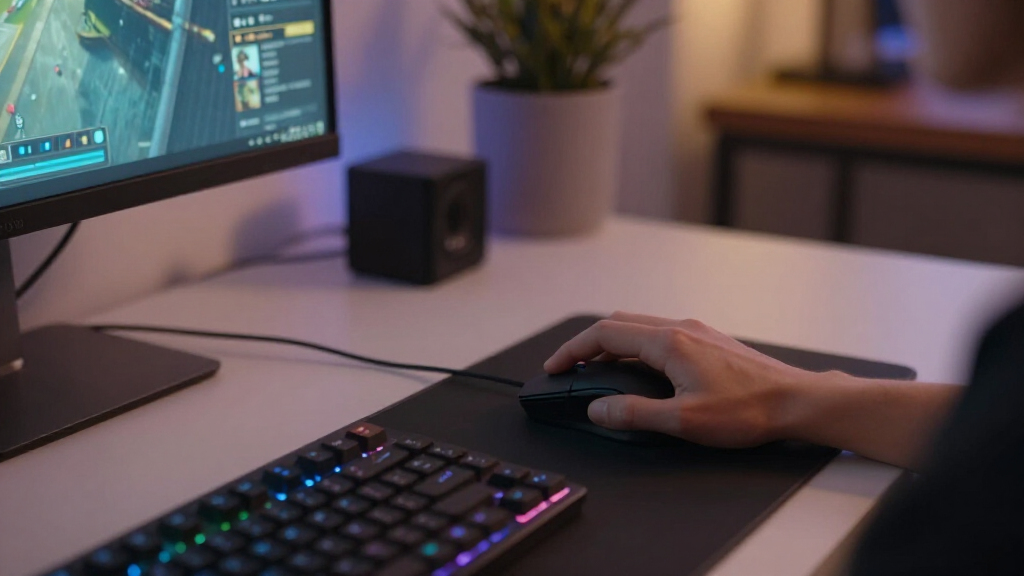

For most players, I’d start with the Logitech G502 LIGHTSPEED: its broad control set suits varied games, though its fuller shape and added controls may feel like more mouse than an FPS player needs. The Razer Viper V3 HyperSpeed is a more focused pick for players who want a streamlined gaming shape, while the Razer Naga V2 HyperSpeed is built for MMO players who benefit from a thumb button grid. These wireless gaming mice differ in shape, control layout, power approach, and how much flexibility they offer across game types. I’ve also included several G305 color variants, so those entries are not separate performance designs. Read on for the full breakdown and a guide to matching a mouse to your games and grip.

Get the latest gadgets delivered free — and shop member deals
- Fast, free delivery on millions of items
- Access to Prime Big Deal Days deals on October 6–7
- Prime Video, Amazon Music and more included
Complete the kit



Key Takeaways
- The G502 LIGHTSPEED is the broadest all-rounder in this lineup, with extra controls for players who switch between game types; its larger, feature-rich design is less compelling for minimalist FPS setups.
- The Viper V3 HyperSpeed and Naga V2 HyperSpeed serve different priorities: the former favors a focused gaming layout, while the latter puts MMO commands within thumb reach.
- The G305 appears in four colors—Lilac, Blue, Black, and White—so color choice does not create four distinct feature sets in this comparison.
- Shape and control layout matter as much as wireless capability. The compact Orochi V2 and fuller G703 suit different hands and grips, while the Basilisk V3 X adds a distinct ergonomic option.
- Several models target specialized or flexible setups, including the tri-mode AVOVR, MMO-oriented Naga, and customizable Redragon M810 PRO; check the specific connectivity and button needs before choosing.
| Logitech G305 LIGHTSPEED Wireless Gaming Mouse, Lilac |  | Best for Long Battery Life | Sensor: HERO optical | Sensitivity: Up to 12,000 DPI | Tracking speed: 400 IPS | VIEW LATEST PRICE | See Our Full Breakdown |
| INPHIC A9 V2 Explorer Wireless Gaming Mouse |  | Best for Multi-Device Flexibility | Connectivity: Bluetooth, 2.4 GHz wireless, USB-C wired | Maximum sensitivity: 12,800 DPI | DPI settings: 800, 1600, 2400, 3200, 4800, 12800 | VIEW LATEST PRICE | See Our Full Breakdown |
| Logitech G502 LIGHTSPEED Wireless Gaming Mouse | 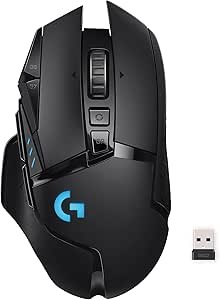 | Best for Button-Rich Customization | Connectivity: LIGHTSPEED wireless | Sensor: HERO | Maximum sensitivity: 25,600 DPI | VIEW LATEST PRICE | See Our Full Breakdown |
| Logitech G305 LIGHTSPEED Wireless Gaming Mouse, Blue |  | Best Compact Pick | Sensor: HERO optical sensor | Sensitivity: 200–12,000 DPI | Report rate: 1 ms | VIEW LATEST PRICE | See Our Full Breakdown |
| AVOVR Tri-Mode Wireless Ergonomic Gaming Mouse, Black |  | Best for Quiet, Multi-Device Play | Connectivity: Bluetooth, 2.4 GHz wireless, wired | DPI: Adjustable up to 8,000 | Polling rate: 1,000 Hz | VIEW LATEST PRICE | See Our Full Breakdown |
| Razer Naga V2 HyperSpeed Wireless MMO Gaming Mouse |  | Best for MMO Players | Programmable buttons: 19 | Wireless connectivity: 2.4 GHz Razer HyperSpeed Wireless and Bluetooth | Battery life: Up to 250 hours on 2.4 GHz or 400 hours on Bluetooth | VIEW LATEST PRICE | See Our Full Breakdown |
| Logitech G305 LIGHTSPEED Wireless Gaming Mouse – Black |  | Best Compact Value | Sensor: HERO optical | DPI: 200–12,000 | Wireless technology: LIGHTSPEED | VIEW LATEST PRICE | See Our Full Breakdown |
| Redragon M810 PRO Wireless RGB Gaming Mouse |  | Best for Customizable Controls | Connectivity: 2.4 GHz wireless | Sensor: Pixart PAW3325 optical | Maximum DPI: 10,000 | VIEW LATEST PRICE | See Our Full Breakdown |
| Razer Basilisk V3 X HyperSpeed Wireless Gaming Mouse |  | Best Ergonomic All-Rounder | Controls: 9 customizable controls | Connectivity: Razer HyperSpeed Wireless and Bluetooth | Battery life: Up to 285 hours on HyperSpeed Wireless or 535 hours on Bluetooth | VIEW LATEST PRICE | See Our Full Breakdown |
| Rechargeable 2.4 GHz Wireless Gaming Mouse with LED Lights |  | Best for Quiet Casual Gaming | Connectivity: 2.4 GHz wireless via USB receiver | Wireless range: Up to 10 m (33 ft) | DPI settings: 1200, 1600, 2400 | VIEW LATEST PRICE | See Our Full Breakdown |
| Razer Viper V3 HyperSpeed Wireless Gaming Mouse |  | Best for Accurate Tracking | Weight: 82 g | Sensor: Focus Pro 30K optical sensor | Battery life: Up to 280 hours | VIEW LATEST PRICE | See Our Full Breakdown |
| Razer Orochi V2 Wireless Gaming Mouse, Black |  | Best Compact Pick | Weight: Under 60 g excluding battery | Sensor: Razer 5G Advanced Optical Sensor | Maximum sensitivity: 18,000 DPI | VIEW LATEST PRICE | See Our Full Breakdown |
| Logitech G703 LIGHTSPEED Wireless Gaming Mouse |  | Best for Comfortable Grip | Sensor: HERO 25K optical | Maximum sensitivity: 25,600 DPI | Tracking speed: 400+ IPS | VIEW LATEST PRICE | See Our Full Breakdown |
| Logitech G305 LIGHTSPEED Wireless Gaming Mouse, White |  | Best for Long Battery Life | Sensor: HERO optical | DPI range: 200–12,000 | Wireless response time: 1 ms | VIEW LATEST PRICE | See Our Full Breakdown |
| wireless gaming mice | Battery life | Sensor | Weight | Connectivity |
|---|---|---|---|---|
| Logitech G305 LIGHTSPEED Wirel | Up to 250 hours of gameplay; up to 9 months in Endurance mode | HERO optical | 3.4 oz | — |
| INPHIC A9 V2 Explorer Wireless | — | — | 106 g | Bluetooth, 2.4 GHz wireless, USB-C wired |
| Logitech G502 LIGHTSPEED Wirel | Up to 60 hours | HERO | — | LIGHTSPEED wireless |
| Logitech G305 LIGHTSPEED Wirel | Up to 250 hours on one AA battery | HERO optical sensor | 3.4 oz (99 g) | LIGHTSPEED wireless with USB nano receiver |
| AVOVR Tri-Mode Wireless Ergono | — | — | — | Bluetooth, 2.4 GHz wireless, wired |
| Razer Naga V2 HyperSpeed Wirel | Up to 250 hours on 2.4 GHz or 400 hours on Bluetooth | — | — | — |
| Logitech G305 LIGHTSPEED Wirel | Up to 250 hours | HERO optical | 99 g (3.4 oz) | — |
| Redragon M810 PRO Wireless RGB | Up to 45 hours in eco mode | Pixart PAW3325 optical | — | 2.4 GHz wireless |
| Razer Basilisk V3 X HyperSpeed | Up to 285 hours on HyperSpeed Wireless or 535 hours on Bluetooth | Razer 5G Advanced Optical Sensor, up to 18,000 DPI | — | Razer HyperSpeed Wireless and Bluetooth |
| Rechargeable 2.4 GHz Wireless | Description: up to 20 days with lights on or 25 days off; product information: 30 days average | — | 90 g | 2.4 GHz wireless via USB receiver |
| Razer Viper V3 HyperSpeed Wire | Up to 280 hours | Focus Pro 30K optical sensor | 82 g | — |
| Razer Orochi V2 Wireless Gamin | Up to 950 hours on Bluetooth; up to 425 hours on HyperSpeed Wireless | Razer 5G Advanced Optical Sensor | Under 60 g excluding battery | — |
| Logitech G703 LIGHTSPEED Wirel | Up to 35 hours with RGB lighting enabled | HERO 25K optical | 95 g | LIGHTSPEED wireless |
| Logitech G305 LIGHTSPEED Wirel | Up to 250 hours | HERO optical | 99 g | USB wireless receiver with built-in storage |
More Details on Our Top Picks
Logitech G305 LIGHTSPEED Wireless Gaming Mouse, Lilac
The G305 in Lilac pairs a compact, 3.4 oz design with LIGHTSPEED wireless, making it a practical choice for players who want responsive aim without a charging routine. Its 1 ms report rate and HERO sensor tracking up to 400 IPS suit quick movement, while one AA battery can last up to 250 hours of gameplay. Compared with the more feature-heavy Logitech G502 LIGHTSPEED, it has fewer programmable controls and no adjustable weights, but its simpler setup is easier to carry and maintain. The tradeoff is relying on replaceable batteries; the longer Endurance mode also requires G HUB software. This pick makes sense for players who value dependable wireless play and battery stamina over extra buttons or customization.
Pros:- LIGHTSPEED wireless with a 1 ms report rate
- HERO sensor tracks up to 400 IPS
- One AA battery supports up to 250 hours of gameplay
- Light 3.4 oz body and built-in receiver storage
Cons:- Requires a replaceable AA battery
- Endurance mode requires Logitech G HUB software
Best for: Players seeking a lightweight, travel-friendly wireless mouse with long battery life and responsive tracking.
Not ideal for: Players who want a rechargeable mouse, adjustable weights, or a large set of programmable controls.
- Sensor:HERO optical
- Sensitivity:Up to 12,000 DPI
- Tracking speed:400 IPS
- Wireless technology:LIGHTSPEED
- Report rate:1 ms
- Battery:1 AA battery
- Battery life:Up to 250 hours of gameplay; up to 9 months in Endurance mode
- Weight:3.4 oz
- Color:Lilac
Our verdict“Choose the Lilac G305 if long battery life and compact LIGHTSPEED performance matter more than customization or USB-C charging.”
INPHIC A9 V2 Explorer Wireless Gaming Mouse
The INPHIC A9 V2 is the most connection-flexible option in this batch: switch among Bluetooth, 2.4 GHz wireless, and USB-C wired use, including while charging. That makes it useful for someone who moves between a gaming PC, tablet, and phone, a broader device mix than the LIGHTSPEED-only Logitech G305. Six DPI settings reach 12,800, and silent buttons suit shared rooms or quieter work sessions. Its 106 g weight and right-handed shape, however, make it less nimble for players who favor a light, compact mouse. The listing also describes broad operating-system compatibility, but optional driver features are Windows-only. This is a versatile everyday pick with gaming modes, though its extra connectivity does not replace the more focused feel of a dedicated lightweight gaming mouse.
Pros:- Bluetooth, 2.4 GHz, and USB-C wired connectivity
- Can be used while charging
- Six DPI settings up to 12,800
- Silent buttons and broad operating-system compatibility
Cons:- At 106 g, it is heavier than the Logitech G305
- Optional driver features are available only on Windows
- Right-handed shape does not suit every grip or hand
Best for: Players who switch among a Windows computer, tablet, or phone and want both quiet clicks and wired fallback.
Not ideal for: Left-handed players and competitive players prioritizing a lightweight design or advanced onboard customization.
- Connectivity:Bluetooth, 2.4 GHz wireless, USB-C wired
- Maximum sensitivity:12,800 DPI
- DPI settings:800, 1600, 2400, 3200, 4800, 12800
- Buttons:7
- Weight:106 g
- Dimensions:4.8 × 1.6 in
- Wireless range:33 ft
- Hand orientation:Right-handed
- Compatibility:Windows, macOS, Android, iOS, Chrome OS, Linux
Our verdict“Pick the A9 V2 if switching between devices and connection modes matters more than a lighter competitive-gaming feel.”
Logitech G502 LIGHTSPEED Wireless Gaming Mouse
For players who want many commands within reach, the G502 LIGHTSPEED brings 11 programmable buttons, six adjustable weights, and a hyper-fast scroll wheel to the wireless category. Its HERO sensor supports up to 25,600 DPI, and the 1 ms connection keeps it aligned with the responsive G305 while offering far more control options. That added versatility comes with a larger, more involved design; players who make quick, low-effort movements may prefer the G305’s 3.4 oz body. Battery life is listed at up to 60 hours, shorter than the G305’s stated 250 hours on one AA battery. POWERPLAY charging is supported, but requires a separate system. This is the better fit for games and workflows that benefit from programmable commands and weight tuning.
Pros:- 11 programmable buttons for game commands and shortcuts
- HERO sensor supports up to 25,600 DPI
- Six adjustable weights let players tune the feel
- 1 ms LIGHTSPEED wireless connectivity
Cons:- Up to 60 hours of battery life is shorter than the G305’s listed runtime
- POWERPLAY wireless charging system is sold separately
- More controls and weight options add complexity compared with simpler mice
Best for: Players who want many programmable controls and adjustable weight for tailored play across different game types.
Not ideal for: Players who favor a light, simple mouse or want longer listed battery life without a separate charging system.
- Connectivity:LIGHTSPEED wireless
- Sensor:HERO
- Maximum sensitivity:25,600 DPI
- Wireless report rate:1,000 Hz (1 ms)
- Programmable buttons:11
- Battery life:Up to 60 hours
- Adjustable weights:6
- Lighting:LIGHTSYNC RGB, 16.8 million colors
- Wireless charging:Compatible with POWERPLAY charging system (sold separately)
Our verdict“Choose the G502 LIGHTSPEED if programmable controls and adjustable weight outweigh a simpler, lighter design.”
Logitech G305 LIGHTSPEED Wireless Gaming Mouse, Blue
The Blue G305 suits players who want a compact wireless mouse with familiar gaming essentials: a HERO optical sensor, a 1 ms LIGHTSPEED report rate, six programmable buttons, and receiver storage inside the mouse. At 3.4 oz, it is easier to pack and move quickly than the control-heavy Logitech G502 LIGHTSPEED, which adds adjustable weights and 11 programmable buttons. The G305 instead keeps the feature set straightforward and lists up to 250 hours from one AA battery. That runtime means fewer charging stops, but players must keep a spare battery available; it is not a rechargeable USB-C model. Its 12,000 DPI ceiling is also below the G502’s 25,600 DPI maximum. The Blue version makes the most sense when low weight, portability, and core wireless performance come first.
Pros:- Light 3.4 oz (99 g) design
- LIGHTSPEED wireless with a 1 ms report rate
- Up to 250 hours on one AA battery
- Six programmable buttons and USB receiver storage
Cons:- Requires a replaceable AA battery
- 12,000 DPI maximum is lower than the G502 LIGHTSPEED’s 25,600 DPI
- Offers fewer programmable buttons and tuning options than the G502
Best for: Players who want a light, portable wireless mouse with a few programmable controls for everyday gaming.
Not ideal for: Players seeking USB-C recharging, many onboard controls, or a high maximum DPI ceiling.
- Sensor:HERO optical sensor
- Sensitivity:200–12,000 DPI
- Report rate:1 ms
- Battery life:Up to 250 hours on one AA battery
- Weight:3.4 oz (99 g)
- Programmable buttons:6
- Connectivity:LIGHTSPEED wireless with USB nano receiver
- Color:Blue
Our verdict“Pick the Blue G305 for portable, lightweight wireless play if replacing an AA battery is acceptable.”
AVOVR Tri-Mode Wireless Ergonomic Gaming Mouse, Black
The AVOVR Tri-Mode is aimed at players who want a right-handed ergonomic shape, quiet clicks, and the option to move between Bluetooth, 2.4 GHz, and wired connections. Its 1,000 Hz polling rate and adjustable sensitivity up to 8,000 DPI cover mainstream gaming needs, while USB-C charging and auto-sleep remove the AA battery replacement routine of the Logitech G305. The tradeoff is a sparse listed control set: just two buttons, far fewer than the G305’s six programmable buttons or the G502’s 11. That limits shortcut access, and left-handed players may find the shape unsuitable. The rechargeable 700 mAh battery is convenient, but no battery-life figure is provided here. This mouse best fits casual gaming and mixed-device use where quiet operation matters more than extra commands.
Pros:- Bluetooth, 2.4 GHz, and wired connection modes
- 1,000 Hz polling rate and sensitivity adjustable up to 8,000 DPI
- Silent clicks and ergonomic right-handed shape
- USB-C rechargeable 700 mAh battery with auto-sleep
Cons:- Only two buttons are listed, limiting extra commands
- Right-handed design may not fit left-handed users
- Battery life is not specified
Best for: Right-handed casual players who share a room, use multiple devices, and prefer quiet clicks with rechargeable power.
Not ideal for: Left-handed players or gamers who need extra programmable buttons and a stated battery runtime.
- Connectivity:Bluetooth, 2.4 GHz wireless, wired
- DPI:Adjustable up to 8,000
- Polling rate:1,000 Hz
- Battery capacity:700 mAh
- Charging:USB-C rechargeable
- Hand orientation:Right
- Compatible operating systems:Windows, Mac OS, iPad OS, Android
- Button quantity:2
- Color:Black
Our verdict“Choose the AVOVR for quiet, rechargeable multi-device use if you do not need the extra controls found on the G305 or G502.”
Razer Naga V2 HyperSpeed Wireless MMO Gaming Mouse
The 19 programmable buttons make this the specialist pick for MMO players who want abilities and macros close at hand. Compared with the Logitech G305, which keeps its six-button layout compact, the Naga offers far more command access but takes more desk and hand space. Its Focus Pro 30K sensor and 2.4 GHz or Bluetooth connectivity suit a gaming setup that also moves between devices. Battery life is listed at up to 250 hours on 2.4 GHz or 400 hours on Bluetooth, though this mouse uses a replaceable battery rather than a rechargeable one. I’d choose it for ability-heavy games; players who prefer a simple, lighter control layout may find the extra buttons unnecessary.
Pros:- 19 programmable buttons provide extensive access to commands and macros
- 2.4 GHz and Bluetooth support different gaming and everyday setups
- Long stated battery life on either wireless connection
- Focus Pro 30K sensor supports tracking on a variety of surfaces, including glass
Cons:- Requires a replaceable battery instead of built-in recharging
- Its many controls may feel excessive for players who mainly use standard mouse inputs
Best for: MMO players who want many programmable commands and macros within reach
Not ideal for: Players who prefer a simple, lightweight mouse or want a built-in rechargeable battery
- Programmable buttons:19
- Wireless connectivity:2.4 GHz Razer HyperSpeed Wireless and Bluetooth
- Battery life:Up to 250 hours on 2.4 GHz or 400 hours on Bluetooth
- Optical sensor:Focus Pro 30K
- Switches:Gen 2 mechanical, rated for up to 60 million clicks
- Power:Replaceable battery
- Color:Black
Our verdict“Choose the Naga V2 HyperSpeed if MMO command access matters more to you than a simple layout or rechargeable power.”
Logitech G305 LIGHTSPEED Wireless Gaming Mouse – Black
The G305 keeps wireless gaming straightforward: its LIGHTSPEED connection has a stated 1 ms report rate, while the HERO sensor offers adjustable sensitivity up to 12,000 DPI. Its six programmable buttons are a better fit for standard game controls than the Razer Naga V2 HyperSpeed and its 19-button MMO layout. At 99 g, it is compact in feature set, though not especially light by the specs provided. A single AA battery is listed for up to 250 hours, and built-in receiver storage makes it easier to pack away. The tradeoff is battery replacement and a USB receiver that occupies a port. I’d pick it for a no-fuss wireless setup, but players needing extensive macros or Bluetooth should look elsewhere.
Pros:- LIGHTSPEED wireless connection has a stated 1 ms report rate
- HERO sensor sensitivity adjusts from 200 to 12,000 DPI
- Up to 250 hours of battery life from one AA battery
- Built-in storage keeps the USB receiver with the mouse when packed
Cons:- Requires a replaceable AA battery
- The USB receiver occupies a port while in use
- Six programmable buttons offer fewer command options than the Razer Naga V2 HyperSpeed
Best for: Players seeking a compact, uncomplicated wireless gaming mouse with a standard six-button layout
Not ideal for: Gamers who need Bluetooth, many programmable controls, or a rechargeable battery
- Sensor:HERO optical
- DPI:200–12,000
- Wireless technology:LIGHTSPEED
- Report rate:1 ms
- Battery:1 AA battery
- Battery life:Up to 250 hours
- Weight:99 g (3.4 oz)
- Programmable buttons:6
- Receiver storage:Built-in
Our verdict“Choose the G305 for a compact, simple wireless gaming setup if a replaceable AA battery and USB receiver suit your needs.”
Redragon M810 PRO Wireless RGB Gaming Mouse
The Redragon M810 PRO gives players eight programmable buttons, five listed DPI levels, and customizable RGB in a 2.4 GHz wireless mouse. That makes it a more configurable choice than the six-button Logitech G305, while the G305 lists a 1 ms report rate and substantially longer battery life. Redragon specifies a 1000 Hz polling rate and a rechargeable battery rated for up to 45 hours in eco mode, so buyers should expect battery life to depend on settings and use. DPI and lighting changes require Redragon software, which adds setup overhead for anyone who wants to adjust settings without an app. I’d choose this model for players who value extra controls and lighting customization; those prioritizing long intervals between charges may prefer the G305.
Pros:- Eight programmable buttons support commands and macros
- Five listed DPI levels provide selectable sensitivity
- 1000 Hz polling rate is specified
- Rechargeable battery and customizable RGB lighting
Cons:- Up to 45 hours of battery life is specified only for eco mode
- DPI and lighting customization require Redragon software
- The Logitech G305 lists longer battery life
Best for: PC gamers who want programmable controls, adjustable DPI, and customizable lighting in one wireless mouse
Not ideal for: Players who want long stated battery life or prefer changing DPI and lighting without software
- Connectivity:2.4 GHz wireless
- Sensor:Pixart PAW3325 optical
- Maximum DPI:10,000
- DPI levels:500, 1000, 2000, 3000, 10000
- Programmable buttons:8
- Polling rate:1000 Hz
- Battery life:Up to 45 hours in eco mode
- Lighting:Customizable RGB
Our verdict“Pick the M810 PRO if programmable controls and RGB adjustments matter more to you than minimal software setup or longer battery life.”
Razer Basilisk V3 X HyperSpeed Wireless Gaming Mouse
The Basilisk V3 X HyperSpeed suits players who want an ergonomic shape and nine customizable controls without moving to an MMO layout. It offers more control options than the six-button Logitech G305, while the G305 lists a lighter 99 g weight and a 1 ms report rate. Razer pairs HyperSpeed Wireless with Bluetooth, an 18,000 DPI sensor, and Gen-2 mechanical switches rated for up to 60 million clicks. Its stated battery life reaches 285 hours on HyperSpeed or 535 hours on Bluetooth, though actual runtime varies with use. Chroma RGB adds lighting customization through Razer Synapse, which means another software step. I’d favor this for a multi-device setup and ergonomic control; skip it if you want a simpler, lighter mouse.
Pros:- Ergonomic shape is designed to support different grip styles
- Nine customizable controls provide more options than the Logitech G305
- HyperSpeed Wireless and Bluetooth support different device setups
- Long stated battery life on both wireless connections
Cons:- Battery life varies with usage conditions
- RGB customization requires Razer Synapse
- The Logitech G305 has a lower listed weight
Best for: Players who want an ergonomic wireless mouse with extra customizable controls for gaming and multi-device use
Not ideal for: Buyers who prioritize low weight, a simple setup, or lighting customization without Razer Synapse
- Controls:9 customizable controls
- Connectivity:Razer HyperSpeed Wireless and Bluetooth
- Battery life:Up to 285 hours on HyperSpeed Wireless or 535 hours on Bluetooth
- Sensor:Razer 5G Advanced Optical Sensor, up to 18,000 DPI
- Switches:Gen-2 mechanical, rated for up to 60 million clicks
- Lighting:Razer Chroma RGB with 16.8 million colors
- Color:Black
Our verdict“Choose the Basilisk V3 X if you want ergonomic control and wireless flexibility, and are comfortable managing lighting through Synapse.”
Rechargeable 2.4 GHz Wireless Gaming Mouse with LED Lights
This rechargeable mouse is the simplest pick here for casual play and shared workspaces: it has six quiet-click buttons, three DPI settings, and adjustable LED lighting. Compared with the Redragon M810 PRO, it offers fewer listed DPI levels and no stated programmable macros, but it can be used while charging. Its 90 g weight is below the G305’s listed 99 g, though the provided specs do not describe a gaming-focused sensor model or polling rate. Battery-life figures conflict: the description says up to 20 days with lights on or 25 days off, while product information says 30 days average. I’d treat runtime as uncertain when choosing it. Right-handed casual players who value quiet clicks may find it appealing; competitive players seeking detailed sensor and performance data should compare other options.
Pros:- Quiet-click buttons suit shared rooms and quieter setups
- Rechargeable battery and use while charging
- Three selectable DPI settings
- 90 g listed weight and wireless range up to 10 meters
Cons:- Battery-life figures conflict between the description and product information
- Right-handed design excludes left-handed users
- The provided specs do not state a sensor model or polling rate
Best for: Right-handed casual players who want quiet clicks, rechargeable power, and a mouse they can use while charging
Not ideal for: Competitive gamers who need a specified sensor model, polling rate, or clearly stated battery runtime
- Connectivity:2.4 GHz wireless via USB receiver
- Wireless range:Up to 10 m (33 ft)
- DPI settings:1200, 1600, 2400
- Buttons:6 quiet-click buttons
- Lighting:Adjustable LED lights
- Battery:Rechargeable lithium-ion; included
- Battery life:Description: up to 20 days with lights on or 25 days off; product information: 30 days average
- Weight:90 g
- Hand orientation:Right-handed
Our verdict“Choose this mouse for quiet casual gaming and charging flexibility if its limited performance details fit your needs.”
Razer Viper V3 HyperSpeed Wireless Gaming Mouse
The Viper V3 HyperSpeed pairs an 82 g build with a Focus Pro 30K sensor, making it a strong fit for players who want precise tracking without moving to a heavier, feature-packed mouse like the Logitech G703. Its sensor is designed to track across varied surfaces, including glass, which can help if you game at different desks or use a surface that less capable sensors may struggle with. HyperSpeed wireless is aimed at low-latency play, while the single AA battery can last up to 280 hours. The tradeoff is that the battery is replaceable rather than rechargeable, so you’ll need to keep a spare on hand. At 82 g, it is also heavier than the compact Razer Orochi V2, which weighs under 60 g excluding its battery.
Pros:- Focus Pro 30K sensor is designed for tracking on varied surfaces, including glass
- Low-latency Razer HyperSpeed wireless
- Up to 280 hours of battery life from one AA battery
- 82 g weight keeps it lighter than the Logitech G703
Cons:- Requires a separate AA battery
- Heavier than the compact Razer Orochi V2
- DPI adjustment is limited to five preset stages
Best for: PC players who want a high-sensitivity sensor, low-latency wireless, and long runtime in a straightforward mouse.
Not ideal for: Players who prioritize an especially compact, sub-60 g body or want a rechargeable battery built into the mouse.
- Weight:82 g
- Sensor:Focus Pro 30K optical sensor
- Battery life:Up to 280 hours
- Battery type:One AA battery
- Wireless technology:Razer HyperSpeed Wireless
- Switches:Gen-2 mechanical switches, rated for 60 million clicks
- DPI control:5 DPI stages
- Compatibility:PC
Our verdict“Choose the Viper V3 HyperSpeed if accurate tracking and long AA-powered runtime matter more than a rechargeable design or the smallest possible shell.”
Razer Orochi V2 Wireless Gaming Mouse, Black
For a smaller setup or a travel bag, the Razer Orochi V2 offers a compact shell weighing under 60 g before the battery is installed. It has two wireless options: Bluetooth for everyday flexibility and HyperSpeed Wireless for low-latency gaming. That makes it more adaptable away from a gaming PC than the receiver-focused Logitech G305, while its advertised battery life reaches up to 950 hours on Bluetooth or 425 hours on HyperSpeed. The hybrid slot accepts either AA or AAA, giving buyers some choice in battery size and availability. Its 18,000 DPI sensor is less sensitive on paper than the Viper V3 HyperSpeed’s 30K sensor, and battery life varies by connection mode. Choose it for portability and flexible connectivity, not the highest listed sensor ceiling.
Pros:- Compact body weighs under 60 g excluding the battery
- Bluetooth and HyperSpeed Wireless support different use cases
- Long stated battery life in both wireless modes
- Accepts either an AA or AAA battery
Cons:- Requires a separate AA or AAA battery
- Battery life varies substantially by wireless mode
- 18,000 DPI maximum is below the Viper V3 HyperSpeed’s 30,000 DPI
Best for: Laptop gamers and frequent travelers who want a compact mouse with Bluetooth for general use and a low-latency option for games.
Not ideal for: Players who want a larger, fuller grip or prefer a built-in rechargeable battery over replaceable cells.
- Weight:Under 60 g excluding battery
- Sensor:Razer 5G Advanced Optical Sensor
- Maximum sensitivity:18,000 DPI
- Wireless connectivity:Bluetooth and Razer HyperSpeed Wireless
- Battery life:Up to 950 hours on Bluetooth; up to 425 hours on HyperSpeed Wireless
- Battery compatibility:One AA or AAA battery
- Switches:2nd Gen Razer Mechanical Mouse Switches, rated for up to 60 million clicks
- Color:Black
Our verdict“Pick the Orochi V2 if compact size and Bluetooth flexibility matter more than a larger grip or the highest sensor sensitivity in this group.”
Logitech G703 LIGHTSPEED Wireless Gaming Mouse
The Logitech G703 is the comfort-oriented choice here, with rubber side grips, six programmable buttons, and a 95 g body that gives it a more substantial feel than the lightweight Razer Viper V3 HyperSpeed. Its HERO 25K sensor supports up to 25,600 DPI and tracking speeds above 400 IPS, so its fuller shape does not mean giving up capable tracking. The main compromise is battery life: up to 35 hours with RGB lighting enabled is far shorter than the AA-powered runtimes listed for the Logitech G305 or Razer Orochi V2. LIGHTSYNC RGB adds customization, and the mouse supports POWERPLAY wireless charging, but the charging system is sold separately. This makes more sense for players who value grip and customizable features than for anyone seeking the lightest mouse or longest time between battery changes.
Pros:- Rubber side grips support a secure hold
- HERO 25K sensor offers up to 25,600 DPI and 400+ IPS tracking
- Six programmable buttons and customizable LIGHTSYNC RGB
- POWERPLAY wireless charging compatibility
Cons:- 95 g body is heavier than the Viper V3 HyperSpeed and Orochi V2
- Up to 35 hours with RGB enabled is shorter than the G305’s stated runtime
- POWERPLAY charging system is sold separately
Best for: Players who prefer rubber side grips, programmable controls, and a more substantial mouse for everyday PC gaming.
Not ideal for: Competitive players focused on minimizing mouse weight or buyers who want long battery life without a separate charging system.
- Sensor:HERO 25K optical
- Maximum sensitivity:25,600 DPI
- Tracking speed:400+ IPS
- Connectivity:LIGHTSPEED wireless
- Weight:95 g
- Battery life:Up to 35 hours with RGB lighting enabled
- Buttons:6 programmable
- Wireless charging:POWERPLAY compatible; charging system sold separately
Our verdict“Choose the G703 if grip comfort and programmable features outweigh lower weight and longer battery life.”
Logitech G305 LIGHTSPEED Wireless Gaming Mouse, White
The Logitech G305 focuses on the basics that matter for wireless gaming: a HERO optical sensor, a stated 1 ms LIGHTSPEED response time, six programmable buttons, and up to 250 hours from one AA battery. That runtime makes it a practical alternative to the Logitech G703, whose stated battery life is up to 35 hours with RGB enabled. Its 99 g weight is heavier than the Razer Orochi V2 and Viper V3 HyperSpeed, so it is less compelling for players who prioritize quick, repeated mouse movements or a compact shell. The USB receiver has built-in storage, which helps prevent it getting lost in a laptop bag, but wireless use depends on that receiver. This is a straightforward pick for buyers who want long battery life and familiar controls without RGB lighting listed as a feature.
Pros:- Up to 250 hours of battery life from one AA battery
- 1 ms LIGHTSPEED wireless response time
- Six programmable buttons
- Built-in storage for the USB receiver
Cons:- Requires a replaceable AA battery
- At 99 g, it is heavier than the Razer Orochi V2 and Viper V3 HyperSpeed
- Wireless connectivity depends on the USB receiver
Best for: PC or laptop gamers who want long AA battery life, six programmable buttons, and a stored USB receiver.
Not ideal for: Players seeking a very light mouse, Bluetooth connectivity, or wireless use without a USB receiver.
- Sensor:HERO optical
- DPI range:200–12,000
- Wireless response time:1 ms
- Battery life:Up to 250 hours
- Battery:One AA
- Weight:99 g
- Buttons:6 programmable
- Connectivity:USB wireless receiver with built-in storage
- Color:White
Our verdict“The G305 is a sensible fit for buyers who want long AA-powered runtime and programmable controls, and can live with its weight and USB receiver.”

How We Picked
I ranked these wireless gaming mice by how well their shape, controls, and stated feature set match clear player needs. I weighed game versatility, button access, likely fit for different grip and hand preferences, wireless modes, and whether the design presents a practical everyday setup. A feature only counted as a strength when it offered a recognizable benefit to a type of buyer.
The order favors mice with a clear role and useful balance across common gaming situations, then places more specialized or less fully differentiated options lower. The G305 color variants are treated as one basic design in different finishes, rather than as four separate innovations. Since this comparison is based on product details rather than hands-on testing, I avoid claims about measured latency, durability, or real-world battery life.
Factors to Consider When Choosing Wireless Gaming Mice
I’d narrow the choice by starting with your games and hand fit, then checking how the mouse connects and gets power. A long spec list can distract from the daily basics: whether you can reach the buttons, move the mouse comfortably, and keep it ready for play.
Match the controls to your games
Think about the actions you repeat most often before counting buttons. An MMO player may benefit from a thumb grid like the Naga V2 HyperSpeed offers, while a player focused on aim may prefer a simpler layout such as the Viper V3 HyperSpeed. Extra buttons can save key presses, but they can also be easy to hit by mistake if they sit where your thumb naturally rests. Consider whether you need controls for one game or a layout that can serve several genres. If you mainly use keyboard shortcuts already, a large button count may add complexity without changing your play.
Treat shape as a fit decision, not a spec
Mouse shape affects reach, wrist movement, and how securely the device sits in your hand. A compact model such as the Orochi V2 may suit players who want a smaller footprint, while the G703’s fuller form points toward a different kind of hand fit. Grip style also matters: fingertip users often value room to make small adjustments, while palm grip users may want more support. Product dimensions help narrow options, but they cannot tell you exactly how a curve will feel. If fit is uncertain, check the return policy and compare the mouse’s outline with one you already find comfortable.
Choose weight and shape together
It’s tempting to choose by weight alone, especially for fast FPS play, but a light mouse that feels too small can be harder to control than a heavier one that fits well. Larger bodies and added controls can make a mouse feel more planted, while compact designs may be easier to lift and reposition. The G502 LIGHTSPEED emphasizes broad functionality, whereas a simpler design may better suit players who value quick, unobstructed movement. Think about your mouse pad size and how often you pick up the mouse during play. The useful target is a shape and weight you can move repeatedly without straining your grip.
Check the connection modes you actually need
Wireless mode affects which devices and setups a mouse can serve. A multi-mode model such as the AVOVR Tri-Mode may appeal if you expect to switch between connection types or devices. If the mouse will stay at one gaming PC, an extra mode may bring little practical value. Check which modes are supported and whether the included receiver or cable fits your setup. Also consider whether you need to use the mouse while charging or keep a spare connection available. A clear connection plan is more useful than choosing a mouse just because it advertises several modes.
Plan for power and charging habits
Wireless mice may rely on replaceable batteries, rechargeable batteries, or a design-specific charging routine. Each approach changes how you maintain the mouse: replaceable batteries require spares, while rechargeable models need a charging habit that prevents downtime. Confirm the power type and battery details for the exact product listing, since names alone do not tell the whole story. If you play long sessions, think about where the mouse will charge and whether you can tolerate pausing play. A power setup that fits your routine is more useful than a claimed runtime without context about how it was measured.
Pay for features you will use
More controls, lighting, and connection options can make a mouse more adaptable, but each feature adds another decision or setting to manage. The G502 LIGHTSPEED and Naga V2 HyperSpeed make sense when their control layouts solve a real need; players who want straightforward use may prefer a simpler model such as a G305 variant. RGB is a visual preference, not a measure of tracking quality or comfort. Before choosing a feature-heavy mouse, name the game or workflow where each extra button or mode would help. This keeps you from carrying bulk and complexity that never earns its place on your desk.
Frequently Asked Questions
Are the four Logitech G305 color options different mice?
The Lilac, Blue, Black, and White entries in this roundup are color variants of the G305 LIGHTSPEED, not four distinct designs. I’d choose among them based on finish and availability, then compare the G305’s shape and feature set with the other mice here. If you want a different control layout or body shape, switching to another model matters more than switching G305 color. Check the exact listing for included accessories and specifications before ordering.
Which type of wireless gaming mouse makes more sense for MMO play?
Start with how many commands you want available from your thumb. The Naga V2 HyperSpeed is the most clearly MMO-focused option here because its button grid is intended for that kind of access. A larger button array can reduce keyboard reaches, but it takes time to learn and may feel crowded if you prefer a simple grip. If you play several genres, compare that specialized layout with the G502 LIGHTSPEED’s broader control approach. Pick the one whose buttons map to actions you will use regularly.
Should I choose the lightest mouse for competitive FPS games?
Low weight can make repeated repositioning easier, but it does not guarantee better aim or comfort. Shape, grip security, and the space you have on your mouse pad all affect control. The Viper V3 HyperSpeed offers a more focused layout than the feature-heavy G502 LIGHTSPEED, but the better fit depends on your hand and preferred grip. Try to compare dimensions and body shape alongside weight. A mouse you can hold consistently is usually a stronger starting point than a weight figure by itself.
Is a multi-mode mouse worth choosing if I game on one PC?
It can be, but extra connection modes matter most when you switch devices or have a specific wired or wireless setup in mind. The AVOVR Tri-Mode is the lineup’s obvious fit for buyers looking at multiple connection options. If you keep one gaming PC and do not plan to switch, a simpler mouse may meet your needs with fewer modes to manage. Confirm which connection types the exact model supports and how each one is used. Choose flexibility for a real setup need, not just for the feature name.
How should I choose between a compact mouse and a larger ergonomic shape?
Compare your hand size and grip style with the body’s length, width, and curve. Compact mice such as the Orochi V2 can appeal to players who prefer a smaller device, while the G703 represents a fuller shape for a different fit preference. A compact body may offer less palm support, and a larger one may feel harder to lift or reposition for some players. If possible, compare the shape with a mouse you already use comfortably. Product photos and dimensions can narrow the choice, but comfort still depends on your hand.
Conclusion
I’d choose the Logitech G502 LIGHTSPEED as the best overall for players who want one mouse to cover varied games and value its broad controls. For a more focused gaming layout, the Razer Viper V3 HyperSpeed is the stronger direction; for MMO command access, choose the Razer Naga V2 HyperSpeed. My best value pick from the listed lineup is a Logitech G305 variant for buyers who want a straightforward wireless option and do not need an extensive button layout. Beginners may find the G305 easier to approach than the specialized Naga, while players prioritizing a compact shape can look at the Razer Orochi V2. Pick by the fit and controls you will use most, then choose the connection and power setup that suits your desk.
Fall Picks
fall essentials
As an affiliate, we earn on qualifying purchases.