
Passkeys are a secure, passwordless way to access your accounts across devices. Instead of remembering complex passwords, you use biometric data like your fingerprint or face. They sync seamlessly across your devices, so you’ll never lose access or worry about hacks. Biometric storage is local, making it safer than traditional passwords. Want to discover more about how passkeys can simplify and secure your online life? Keep going to learn everything you need to know.
Key Takeaways
- Passkeys replace traditional passwords with biometric authentication, offering a simpler and more secure login method.
- They are synchronized across devices, ensuring seamless access without manual password transfer or recall.
- Passkeys eliminate shared secrets, reducing vulnerability to phishing, hacking, and data breaches.
- Biometric data is stored securely on devices, enhancing privacy and minimizing remote security risks.
- Using passkeys provides a passwordless, fast, and secure experience across all your trusted devices.

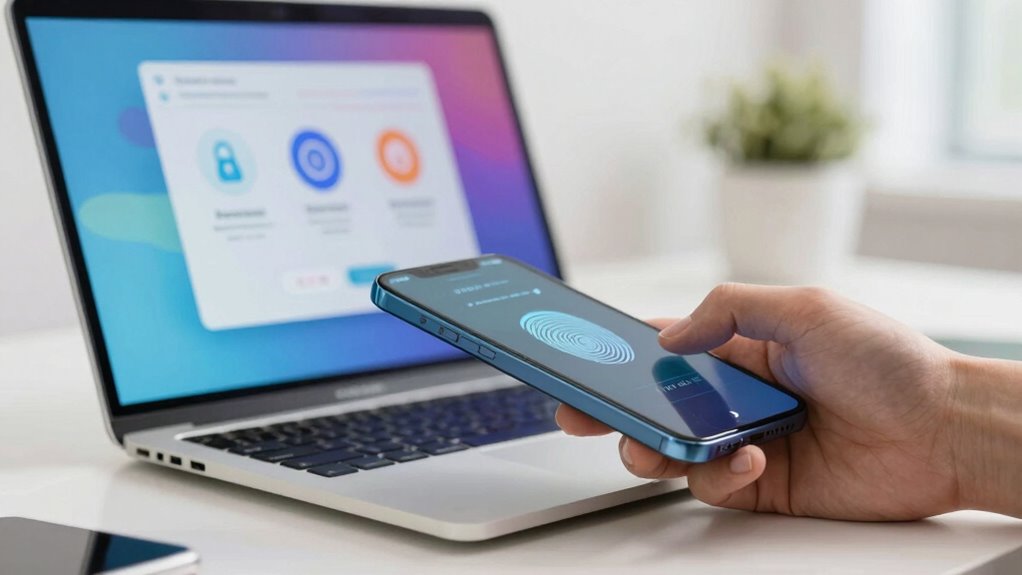
Have you ever struggled to remember multiple passwords or worried about the security of your online accounts? If so, you’re not alone. Password management can be a headache, especially when you juggle dozens of accounts. That’s why passkeys are gaining attention—they offer a simple, secure alternative to traditional passwords. Instead of typing a string of characters, you’ll use biometric authentication, like fingerprint or facial recognition, to access your accounts. This makes signing in faster and more secure because biometric data is uniquely tied to you. Plus, passkeys don’t rely on shared secrets, so they’re resistant to phishing and hacking attempts.
With passkeys, device synchronization plays an essential role. Once you set up your passkey on one device, it’s seamlessly synchronized across all your compatible devices. This means you don’t need to remember or manually transfer passwords or recovery codes. When you want to log in, your device uses biometric authentication to verify your identity, then communicates securely with the service provider. Because these systems leverage device synchronization, your passkeys stay updated and accessible wherever you go, eliminating the frustration of lost or forgotten passwords.
Passkeys sync across devices, making login seamless and eliminating password worries.
The beauty of biometric authentication within passkeys is that it relies on something you are—your fingerprint or face—rather than something you know or have. This biometric data is stored locally on your device in a secure enclave, not on servers, which greatly reduces the risk of remote breaches. When you attempt to sign in, your device’s biometric sensor confirms your identity, and the passkey exchange happens automatically, often in the background. This process is quick, intuitive, and eliminates the need to remember complex passwords, making your online life more streamlined.
Device synchronization guarantees that your passkeys are not tied to a single device. Instead, they’re securely synced across all your trusted devices, allowing you to authenticate effortlessly from your phone, tablet, or computer. This synchronization process is designed with security in mind, using end-to-end encryption so that your passkeys are protected during transfer. As a result, you gain the convenience of passwordless logins across multiple devices without sacrificing security.

Digital Persona 88003-001U.are.u 4500 Reader 70" Cable
Target Applications – Desktop PC security, Mobile PCs, Custom applications
As an affiliate, we earn on qualifying purchases.
As an affiliate, we earn on qualifying purchases.
Frequently Asked Questions
Are Passkeys Compatible With All Devices and Operating Systems?
Passkeys are increasingly compatible with various devices and operating systems, but support varies. You can use them on many modern devices with updated OS, like iOS, Android, Windows, and macOS. However, device compatibility depends on the latest updates and the specific platform. To guarantee smooth use, check whether your device and operating system support passkeys, as older versions might not yet have this feature.
How Secure Are Passkeys Compared to Traditional Passwords?
Imagine you’re living in a sci-fi movie—passkeys are more secure than traditional passwords. They use biometric security like fingerprint or face recognition, making them harder for hackers to crack. Plus, they’re highly resistant to phishing attacks, since you don’t type in anything that can be stolen. Compared to passwords, passkeys offer a safer, more convenient way to protect your online accounts, reducing the risk of unauthorized access.
Can I Use Passkeys Across Multiple Accounts?
Yes, you can use passkeys across multiple accounts thanks to cross-platform functionality and password synchronization. These features allow you to securely access your accounts on different devices and operating systems without re-creating or memorizing new credentials. As long as your passkeys are synced with your chosen device or cloud service, you’ll find it easy to log in seamlessly across platforms, making your online experience more secure and convenient.
What Happens if I Lose My Device With a Passkey?
If you lose your device with a passkey, don’t panic. You can use device recovery options or backup solutions to regain access. Many services allow you to set up alternative methods, like recovery codes or linked accounts, to restore your passkeys. It’s wise to enable backups and keep recovery info secure, ensuring you won’t be locked out if your device is lost or damaged.
Do Passkeys Require an Internet Connection to Authenticate?
No, passkeys don’t require an internet connection to authenticate, so you get offline access when needed. However, for multi-device synchronization, you’ll need internet access to securely sync your passkeys across devices. This setup ensures you can authenticate seamlessly even without connectivity, but syncing updates or new devices depends on an online connection. Once set up, you enjoy secure, passwordless logins anytime, anywhere.

AUTHENTREND ATKey.Pro (Bio-Touch to login) – FIDO2 CTAP2.1 Certified USB-A Fingerprint MFA Security Key and Passkey for Passwordless Login, Supports WebAuthn, U2F, Windows, Mac, Linux, Chromebook
Bio-Touch to Login: Truly passwordless and PIN-less security key. Your fingerprint is always with you—never forgotten and difficult…
As an affiliate, we earn on qualifying purchases.
As an affiliate, we earn on qualifying purchases.
Conclusion
Switching to passkeys isn’t just easier—it’s safer. Did you know that password-related breaches account for over 81% of data leaks? By adopting passkeys, you markedly reduce your risk of hacking and enjoy a smoother login experience. Don’t wait until a breach hits close to home. Embrace this passwordless future now and protect your digital life effortlessly. Trust us, once you make the switch, you’ll wonder why you didn’t do it sooner.

Yubico – Security Key C NFC – Basic Compatibility – Multi-Factor authentication (MFA) Security Key and passkey, Connect via USB-C or NFC, FIDO Certified
POWERFUL SECURITY KEY: The Security Key C NFC is the essential physical passkey for protecting your digital life…
As an affiliate, we earn on qualifying purchases.
As an affiliate, we earn on qualifying purchases.
Yubico – Security Key C NFC – Basic Compatibility – Multi-Factor authentication (MFA) Security Key and passkey, Connect via USB-C or NFC, FIDO Certified
POWERFUL SECURITY KEY: The Security Key C NFC is the essential physical passkey for protecting your digital life…
As an affiliate, we earn on qualifying purchases.
As an affiliate, we earn on qualifying purchases.