
Choosing between Wi-Fi 7 and Wi-Fi 6E isn’t just about faster speeds; it’s about how each improves interference management and increases capacity. Wi-Fi 6E expands into the 6 GHz band to reduce congestion, while Wi-Fi 7 uses multi-link operation and wider channels for better efficiency. Understanding these differences helps you decide if a boost in stability or capacity matters most. Keep exploring to find out how these upgrades can truly transform your wireless experience.
Key Takeaways
- Wi-Fi 6E reduces interference by utilizing the less congested 6 GHz band, improving stability over Wi-Fi 5 and earlier standards.
- Wi-Fi 7 introduces multi-link operation, dynamically connecting over multiple bands for optimized performance and efficiency.
- Compatibility is crucial: Wi-Fi 6E requires new devices for 6 GHz, while Wi-Fi 7 aims for backward compatibility with existing standards.
- Upgrading to Wi-Fi 7 offers future-proofing with wider channels and advanced modulation, but adoption will take time.
- The upgrade decision depends on device support, network environment, and the need for maximum interference mitigation and speed enhancements.
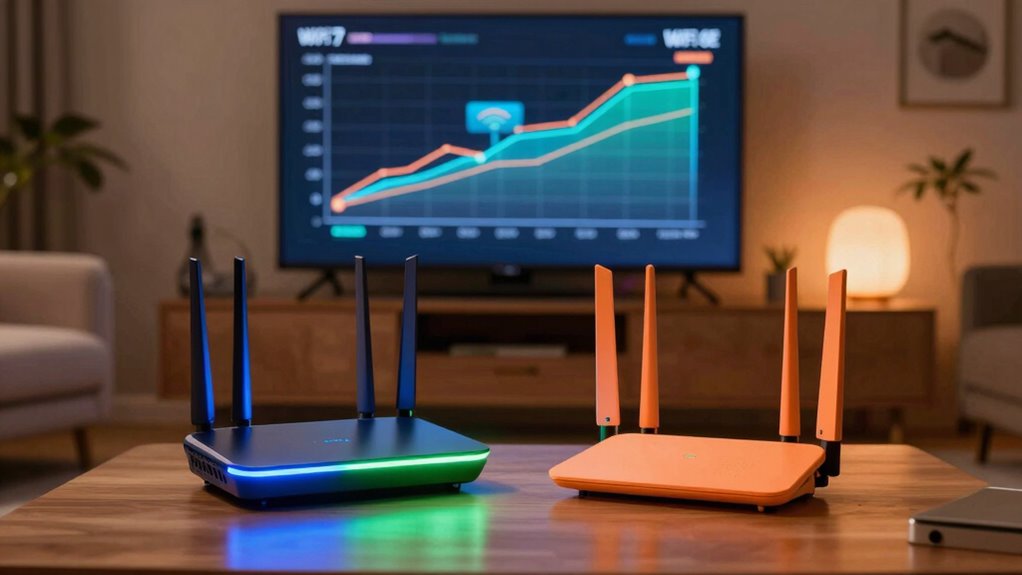
As technology advances, understanding the differences between Wi-Fi 7 and Wi-Fi 6E becomes vital for optimizing your wireless experience. Both standards aim to improve speed, capacity, and reliability, but they do so in different ways that can markedly impact your network performance. One key area to consider is interference mitigation. Wi-Fi 6E introduces the 6 GHz band, which offers more spectrum and less congestion compared to the 2.4 GHz and 5 GHz bands used by Wi-Fi 6. This means fewer devices compete for bandwidth, leading to a more stable connection and reduced interference. Wi-Fi 7 builds on this by incorporating advanced techniques like multi-link operation, allowing devices to connect simultaneously over multiple bands. This approach further minimizes interference, especially in crowded environments, by dynamically selecting the best links and distributing traffic more efficiently.
Device compatibility is another vital factor. Since Wi-Fi 6E is relatively new, not all devices support the 6 GHz band yet. If you invest in Wi-Fi 6E now, you’ll need compatible routers and client devices to fully benefit from its capabilities. On the other hand, Wi-Fi 7 is still in development, and its adoption will take some time. However, Wi-Fi 7 promises to be backward compatible, meaning it’ll support existing Wi-Fi standards, including Wi-Fi 6E and previous versions. This compatibility guarantees that your current devices can still connect, even if they don’t take advantage of all Wi-Fi 7 features. Over time, as more devices support Wi-Fi 7, you’ll experience even greater improvements in speed and interference management. Additionally, technological advancements like improved modulation schemes will enhance overall network efficiency. It’s also worth noting that interference mitigation isn’t just about avoiding disruptions; it’s about maximizing throughput and reducing latency. Wi-Fi 7’s multi-link operation, combined with its wider channel bandwidths and improved modulation schemes, allows for more efficient data transfer. This means your network can handle more devices simultaneously without sacrificing performance. For device compatibility, you should consider whether your current hardware can support these new standards or if upgrades are necessary. While Wi-Fi 6E devices are becoming more common, Wi-Fi 7 devices will likely be more limited initially, so compatibility might be a concern for some users.

EVEO Screen Cleaner Spray - Large Screen Cleaner Bottle - TV Screen Cleaner, Computer Screen Cleaner, for Laptop, Phone, Ipad - Computer Cleaning kit Electronic Cleaner (1 Pack)
- Versatile Screen Cleaning: Suitable for TVs, laptops, phones, and tablets
- Gentle on Sensitive Screens: Safe for LCD, LED, OLED, CRT screens
- Includes Microfiber Cloth: Soft, plush cloth for streak-free cleaning
As an affiliate, we earn on qualifying purchases.
Frequently Asked Questions
Will Wi-Fi 7 Work With Existing Wi-Fi 6E Devices?
Wi-Fi 7 won’t automatically work with your existing Wi-Fi 6E devices because of device compatibility issues. To make sure your current devices function smoothly, you’ll need firmware updates from your device manufacturer. These updates can add support for Wi-Fi 7 features, but in many cases, new Wi-Fi 7 devices will be required for full compatibility. Keep an eye on firmware releases to stay up-to-date.
How Much Faster Is Wi-Fi 7 Compared to Wi-Fi 6E?
Wi‑Fi 7 surpasses Wi‑Fi 6E by markedly boosting bandwidth and slicing latency. You’ll see speeds up to 30% faster, with a notable reduction in lag, making streaming, gaming, and downloading smoother. While Wi‑Fi 6E was already impressive, Wi‑Fi 7’s advanced technology offers a leap in performance, providing a faster, more responsive connection. Prepare for a powerful upgrade that enhances your entire network experience.
Is Wi-Fi 7 Backward Compatible With Wi-Fi 6E?
Yes, Wi-Fi 7 is backward compatible with Wi-Fi 6E. It supports the same security enhancements, like WPA3, and adapts to current spectrum allocation standards. You’ll benefit from seamless connectivity as devices using Wi-Fi 6E can connect to Wi-Fi 7 networks without issues. This compatibility guarantees your network remains secure and efficient, even as technology advances, giving you a future-proof setup.
When Will Wi-Fi 7 Be Widely Available?
Wi-Fi 7 is expected to become widely available by 2025, as industry leaders push for faster adoption. Currently, only a small percentage of devices support Wi-Fi 7, but that number will grow rapidly. Future adoption depends on market availability and consumer demand. You can expect mainstream devices to incorporate Wi-Fi 7 within the next couple of years, transforming your internet experience with faster speeds and improved stability.
Does Wi-Fi 7 Require New Hardware or Firmware Updates?
Wi-Fi 7 generally requires new hardware because your current devices likely won’t support the advanced features. You’ll also need firmware updates for compatibility and performance improvements, but these alone won’t enable Wi-Fi 7 on older hardware. To fully benefit from Wi-Fi 7’s speed and efficiency, you’ll need compatible routers and devices with the right hardware requirements. Keep an eye out for manufacturer announcements about hardware and firmware updates to stay current.
Conclusion
So, you’re still debating Wi-Fi 7 versus Wi-Fi 6E? Honestly, it’s just like choosing between a spaceship and a hoverboard—exciting but probably unnecessary right now. Don’t fall for the hype; unless you’re streaming in 8K or running a data farm, your current setup is probably fine. Keep your wallet happy and wait for the real breakthroughs. After all, who needs faster Wi-Fi when you can just stare at your buffering icon a little longer?