
If you’re looking for the best Wi‑Fi 7 PCIe adapters for faster, seamless connectivity in 2025, I’ve found top models like the ASUS ROG, TP-Link, and FENVi that offer incredible speeds up to 9.3 Gbps and advanced features like Bluetooth 5.4, MU-MIMO, and OFDMA. These options are perfect for gamers, streamers, and power users who need reliable, future-proof performance. Stick around to discover detailed insights and must-know factors before making your choice.
Key Takeaways
- The top Wi-Fi 7 PCIe adapters support speeds up to 9.3 Gbps with advanced features like OFDMA and MU-MIMO for high performance.
- Compatibility mainly with Windows 10/11 and PCIe x1, x4, x8, or x16 slots, with some models supporting Bluetooth 5.4.
- External antennas and high-gain designs improve signal strength, coverage, and stability for demanding activities like gaming and 4K streaming.
- Features include WPA3 security, thermal management, customizable aesthetics, and driver support for secure, reliable connections.
- Designed for gamers, streamers, and professionals, offering future-proof connectivity with multi-link operation and high bandwidth capacity.
TP-Link WiFi 7 PCIe WiFi Card for Desktop PCs
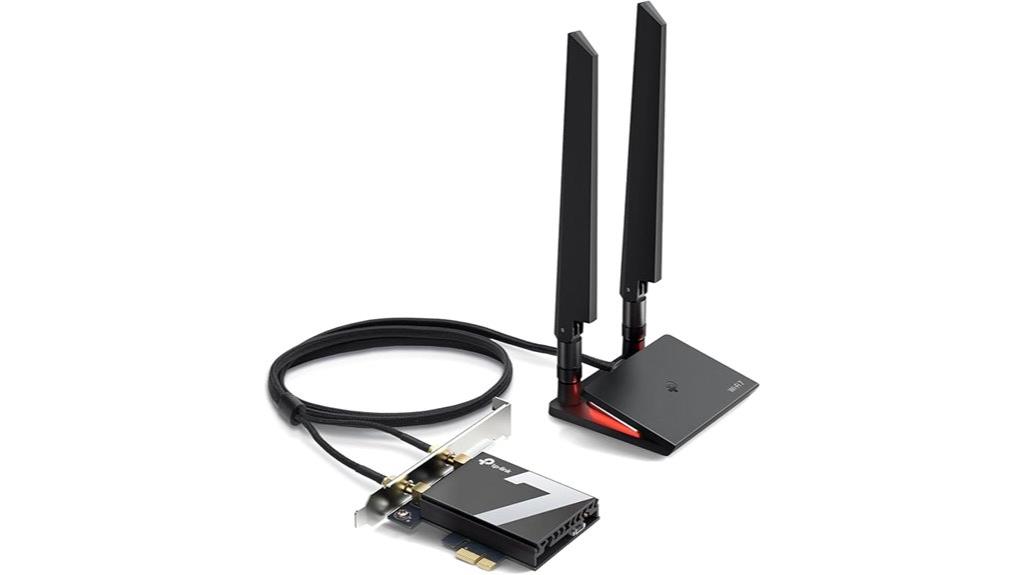
If you’re looking for a high-performance Wi-Fi 7 PCIe adapter for your desktop, the TP-Link WiFi 7 BE9300 (Archer TBE550E) stands out as an excellent choice. It supports tri-band speeds up to 5760 Mbps on 6 GHz, 2880 Mbps on 5 GHz, and 688 Mbps on 2.4 GHz, ensuring ultra-fast, low-latency connections. Equipped with Bluetooth 5.4, multicolor LEDs, and magnetic antennas, it offers both style and functionality. Compatible with AMD and Intel motherboards, it’s easy to install—just insert into the PCIe x1 slot, connect antennas, and set up drivers. It’s ideal for gamers, streamers, and power users seeking top-tier network performance.
Best For: power users, gamers, and streamers seeking ultra-fast, reliable Wi-Fi 7 connectivity and advanced Bluetooth features for their desktop PCs.
Pros:
- Supports tri-band Wi-Fi 7 speeds up to 5760 Mbps, ideal for high-demand applications
- Equipped with Bluetooth 5.4 for seamless device pairing and secure connections
- Easy to install with magnetic antennas and multicolor status LEDs for customization
Cons:
- Compatible only with Windows 11; not suitable for Windows 10 users
- Requires a PCIe x1 slot and available USB headers for Bluetooth setup
- Antennas and USB cables may need positioning adjustments for optimal signal coverage
WiFi 7 PCIe Card with Bluetooth 5.4 for PC Desktop
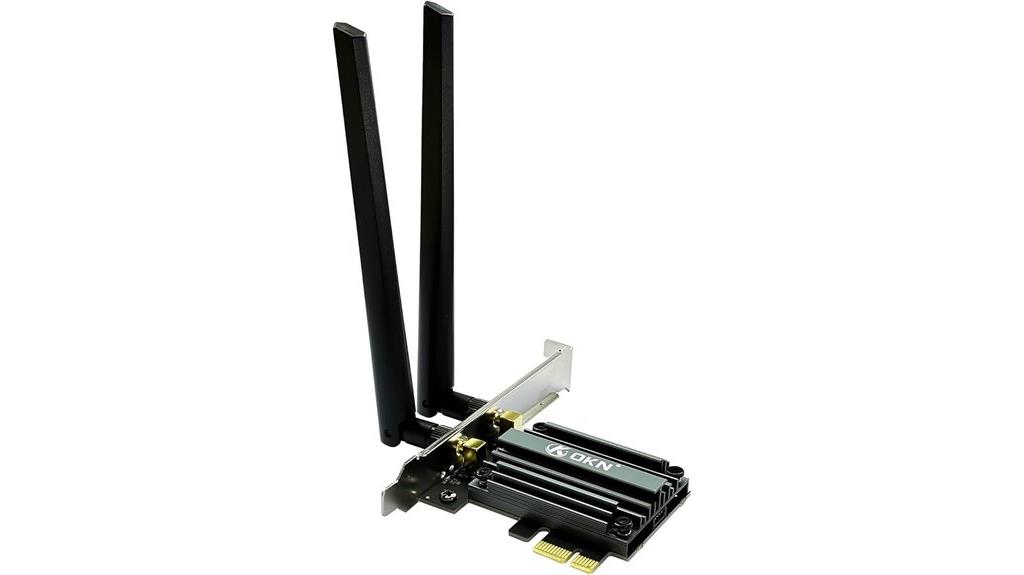
For gamers and high-bandwidth users seeking a seamless online experience, the WiFi 7 PCIe Card with Bluetooth 5.4 stands out as an ideal choice. It supports the 802.11BE standard with 6GHz band, offering peak data rates up to 9.3Gbps through wide channels. Equipped with the Intel BE200 chipset, it delivers up to 4x capacity improvement over previous WiFi standards. Its tri-band support and Bluetooth 5.4 guarantee low latency, stable connections, and fast data transfer for activities like 4K streaming, gaming, and AR/VR. Easy to install in compatible PCIe slots, it’s perfect for future-proofing your desktop’s connectivity.
Best For: gamers and high-bandwidth users seeking fast, stable wireless connections and low latency for activities like streaming, gaming, and AR/VR.
Pros:
- Supports peak data rates up to 9.3Gbps with WiFi 7 technology for ultra-fast speeds.
- Tri-band support combined with Bluetooth 5.4 ensures stable, low-latency connections across multiple devices.
- Compatible with most Windows desktop PCs, offering future-proof wireless connectivity.
Cons:
- Not compatible with AMD motherboards, limiting installation options.
- Requires driver installation from Intel’s website, which may be an extra step for some users.
- Only supports Windows 10 and 11 64-bit systems, limiting use on other operating systems.
ASUS PCE-BE92BT WiFi 7 PCI-E Adapter
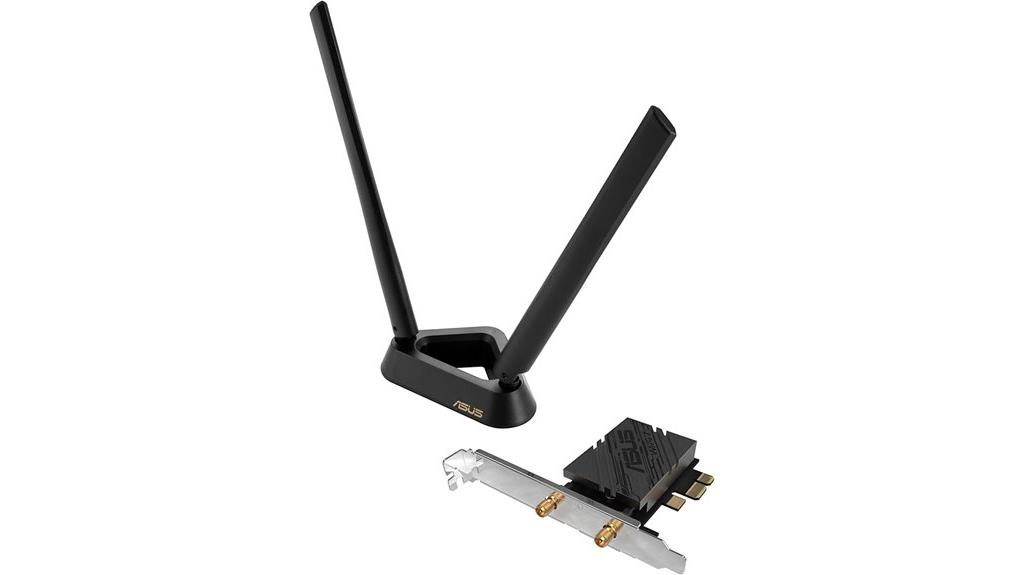
The ASUS PCE-BE92BT WiFi 7 PCIe Adapter stands out as an ideal choice for users with Intel motherboards seeking top-tier wireless performance. It offers a complete WiFi 7 ecosystem, including a standalone router and this PCIe card, ensuring ultrafast, seamless connectivity. Supporting the new 6 GHz band and 320 MHz bandwidth, it reduces congestion and interference for stable, high-speed connections. Equipped with Bluetooth 5.4 and WPA3 security, it enhances device compatibility and safety. Its external antennas help optimize signal strength and coverage, making it perfect for reducing dead zones and improving reception. Overall, it’s a powerful, reliable upgrade for Intel-based systems.
Best For: users with Intel motherboards seeking ultrafast, stable WiFi 7 connections and enhanced network security.
Pros:
- Supports all-new 6 GHz band and 320 MHz bandwidth for reduced congestion and high-speed data transfer
- Equipped with Bluetooth 5.4 and WPA3 security for versatile connectivity and enhanced safety
- Includes external antennas for better signal strength and coverage, reducing dead zones
Cons:
- Designed specifically for Intel motherboards, limiting compatibility with other systems
- May require technical installation expertise for optimal setup
- External antennas and additional features could increase overall system complexity and size
Cudy WiFi 7 BE9300 PCIe WiFi Card for PC
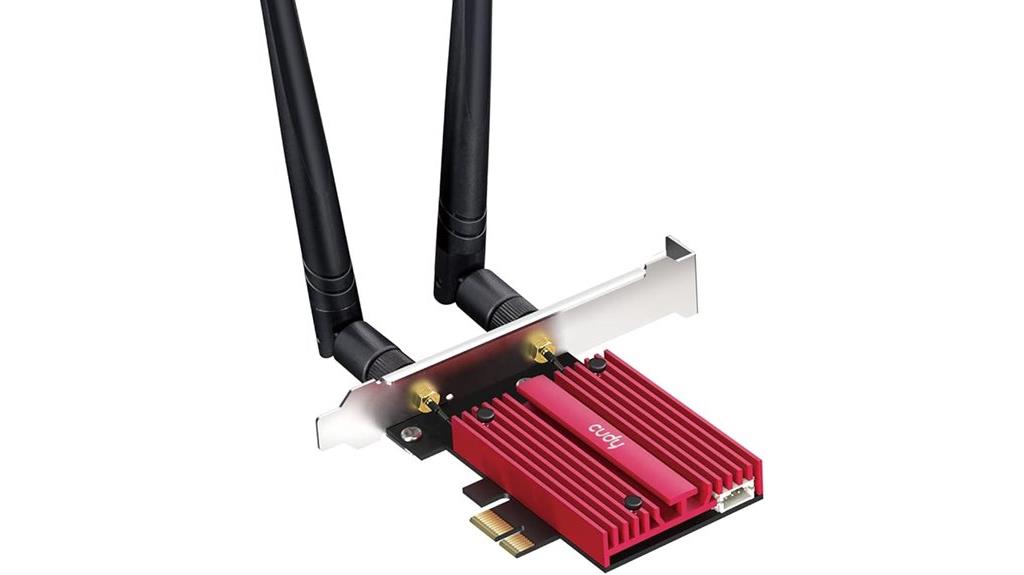
Designed specifically for Windows 11 PCs with Intel processors, the Cudy WiFi 7 BE9300 PCIe WiFi Card leverages Wi-Fi 7 technology to deliver blazing-fast, congestion-free internet speeds. It supports tri-band wireless, including the 6 GHz band with speeds up to 5760 Mbps, ensuring minimal lag and maximum performance. The built-in Intel BE200 chipset guarantees stable connections, while Bluetooth 5.4 and WPA3 security add convenience and safety. Its two high-performance antennas improve reception and stability. Compact and easy to install, this card is perfect for upgrading compatible PCs seeking faster, more reliable Wi-Fi—though it only supports Intel-based Windows 11 systems.
Best For: high-performance Windows 11 PCs with Intel processors seeking to upgrade their Wi-Fi capabilities with the latest Wi-Fi 7 technology for faster, more reliable internet connections.
Pros:
- Supports tri-band Wi-Fi 7, including the high-speed 6 GHz band for congestion-free performance.
- Built-in Intel BE200 chipset ensures stable and fast internet connectivity.
- Includes two high-performance antennas for improved reception and signal stability.
Cons:
- Only compatible with Intel-based Windows 11 systems; does not support AMD platforms.
- Limited to PCIe slot installation, requiring compatible hardware and some technical knowledge.
- First available in July 2024, so user reviews and long-term reliability data may be limited.
TP-Link WiFi 7 PCIe WiFi Card (BE9300)
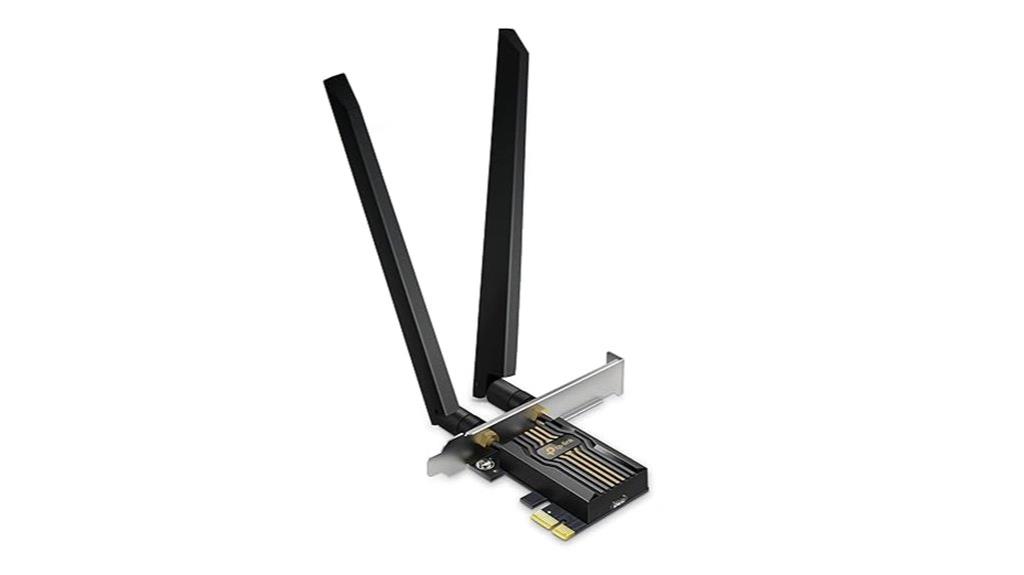
If you’re seeking a high-performance Wi-Fi 7 PCIe adapter that delivers lightning-fast speeds and reliable connectivity for demanding applications, the TP-Link WiFi 7 BE9300 stands out. This tri-band network card supports AMD and Intel motherboards, offering speeds up to 5764 Mbps on the 6 GHz band, 2882 Mbps on 5 GHz, and 688 Mbps on 2.4 GHz. It features Bluetooth 5.4, high-gain antennas, and MLO for lower latency and stable connections. Installation involves inserting the card into your motherboard and connecting a Bluetooth header cable. Users report impressive speeds often surpassing gigabit plans, with stable, efficient performance and reliable Bluetooth pairing.
Best For: high-end desktop users seeking ultra-fast Wi-Fi 7 performance, reliable Bluetooth connectivity, and compatibility with AMD and Intel motherboards.
Pros:
- Supports Wi-Fi 7 with speeds up to 5764 Mbps on the 6 GHz band for maximum throughput
- Features Bluetooth 5.4 for secure, low-latency device pairing and peripherals
- High-gain antennas and MLO technology ensure stable, long-range, low-latency connections
Cons:
- Installation can be finicky, requiring driver downloads and Bluetooth header connection
- Not compatible with Windows 10; requires Windows 11 or newer
- Compatibility may vary with certain motherboard chipsets, especially Intel CNVi models
TP-Link WiFi 7 PCIe WiFi Card (BE6500, Archer TBE400E)
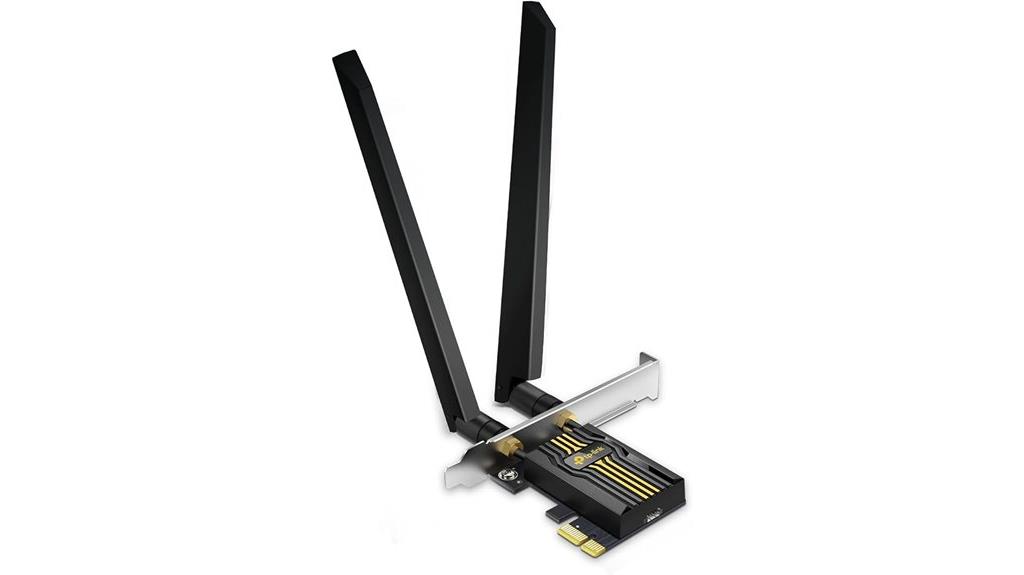
For gamers and power users seeking lightning-fast, reliable Wi-Fi connections, the TP-Link WiFi 7 PCIe WiFi Card (BE6500, Archer TBE400E) stands out with its tri-band speeds reaching up to 6.5 Gbps. It supports Wi-Fi 7 with Multi-Link Operation, Multi-Rus, and 4K-QAM, delivering improved performance, lower latency, and higher throughput when paired with compatible routers. Its advanced features include OFDMA, MU-MIMO, and high-gain antennas for extended coverage and efficiency. Plus, built-in Bluetooth 5.4 guarantees seamless connectivity with peripherals. With WPA3 security, it offers enhanced encryption, making this card a solid choice for those demanding speed, stability, and security.
Best For: gamers and power users seeking ultra-fast, reliable Wi-Fi connections with advanced security and extensive coverage.
Pros:
- Supports Wi-Fi 7 with speeds up to 6.5 Gbps for high-performance networking.
- Includes Bluetooth 5.4 for seamless connection with peripherals.
- Equipped with high-gain antennas for extended Wi-Fi coverage.
Cons:
- Not compatible with Windows 10 operating systems.
- Requires a PCIe slot and compatible motherboard (AMD/Intel) for installation.
- May be overkill for casual users with basic internet needs.
Ugreen WiFi 7 BE6500 PCIe WiFi Card with Bluetooth 5.4
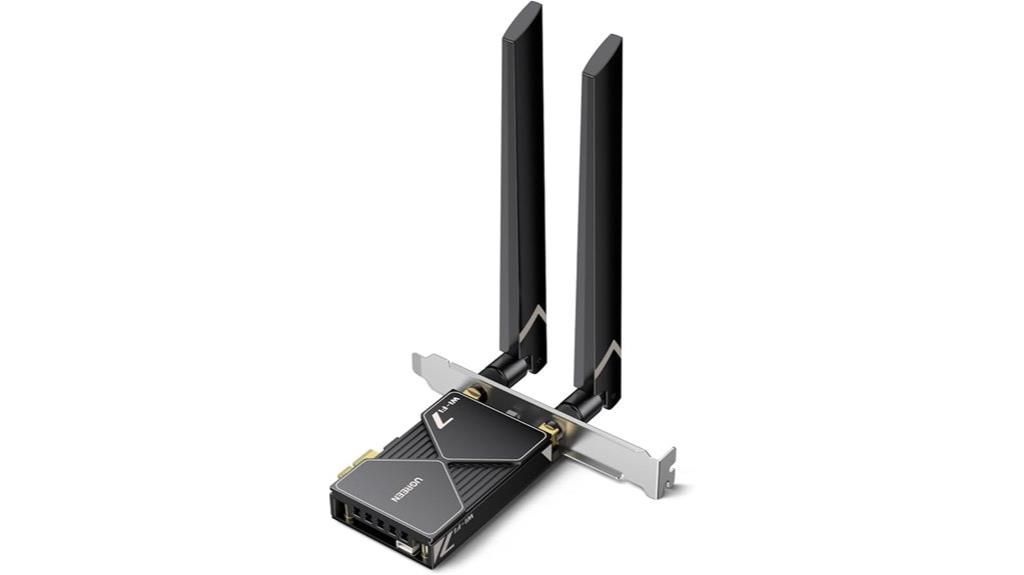
The Ugreen WiFi 7 BE6500 PCIe WiFi Card with Bluetooth 5.4 stands out as an excellent choice for gamers and power users seeking ultra-fast, low-latency wireless connectivity. It supports WiFi 7 tri-band technology, reaching speeds up to 2882 Mbps on the 6GHz band with 160MHz bandwidth, perfect for gaming, streaming, and downloads. Compatible exclusively with Windows 11, it’s easy to set up with pre-installed drivers on a USB. The card features dual high-gain antennas, a large heatsink, and Bluetooth 5.4 for connecting multiple peripherals simultaneously. While environmental factors can affect speeds, this card offers a future-proof upgrade for demanding users.
Best For: gamers, streamers, and power users seeking ultra-fast, low-latency wireless connectivity with high-speed WiFi 7 technology.
Pros:
- Supports WiFi 7 tri-band technology with speeds up to 2882 Mbps on the 6GHz band for optimal gaming and streaming.
- Features dual high-gain antennas and a large heatsink for enhanced signal strength and stable performance.
- Bluetooth 5.4 allows connection of multiple peripherals simultaneously, ensuring versatile wireless connectivity.
Cons:
- Limited compatibility, supporting only Windows 11 (excluding version 21H2), which may restrict use on older systems.
- Real-world speeds can vary depending on environment, device compatibility, and obstacles like walls.
- Achieving maximum speeds may require specific driver or hardware configuration adjustments, which could be complex for some users.
Cudy WiFi 7 PCIe WiFi Card for PC
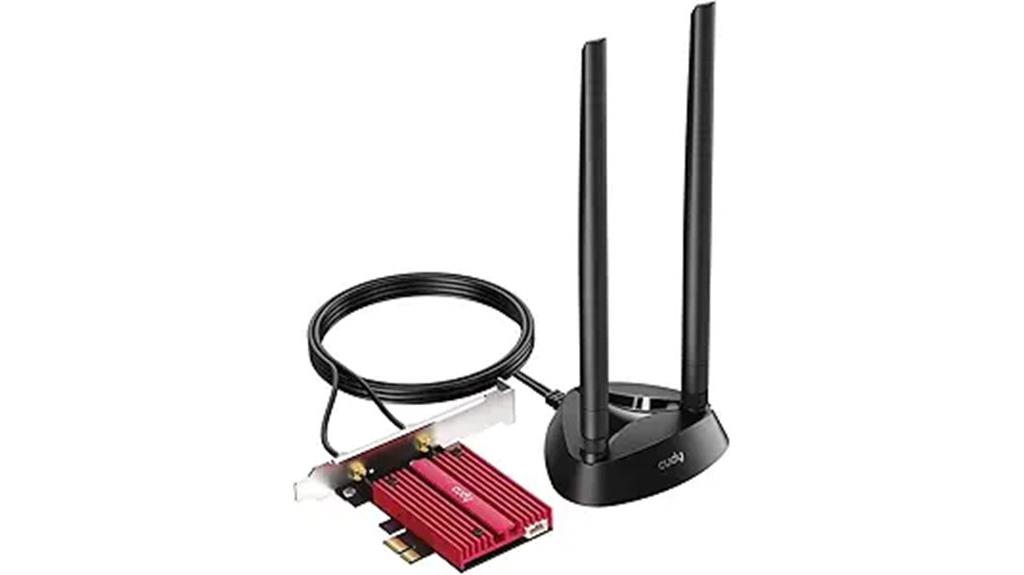
Powered by Wi-Fi 7 and featuring the robust Intel BE200 chipset, the Cudy WiFi 7 PCIe WiFi Card delivers ultra-fast, stable connections tailored for Intel-based Windows 11 PCs. It releases the full potential of the 6 GHz band, offering speeds up to 5760 Mbps, along with strong performance on 5 GHz and 2.4 GHz networks. The card includes two high-performance, multi-directional antennas with a magnetized base, ensuring excellent signal reception throughout your home. Its compact PCIe design makes installation straightforward, and Bluetooth 5.4 support adds peripheral connectivity. This card provides a reliable, high-speed internet experience optimized for demanding streaming, gaming, and data transfer needs.
Best For: users with Intel-based Windows 11 PCs seeking ultra-fast, reliable Wi-Fi 7 connectivity for gaming, streaming, and high-bandwidth tasks.
Pros:
- Supports Wi-Fi 7 for exceptional speeds up to 5760 Mbps on 6 GHz band
- Built-in Intel BE200 chipset ensures stable and fast connections
- Includes two high-performance, multi-directional antennas with magnetized base for optimal reception
Cons:
- Not compatible with AMD platforms
- Requires PCIe slot and Windows 11, limiting use on older or non-Intel systems
- May need technical knowledge for installation in some PCs
GIGABYTE WiFi 7 PCIe Expansion Card
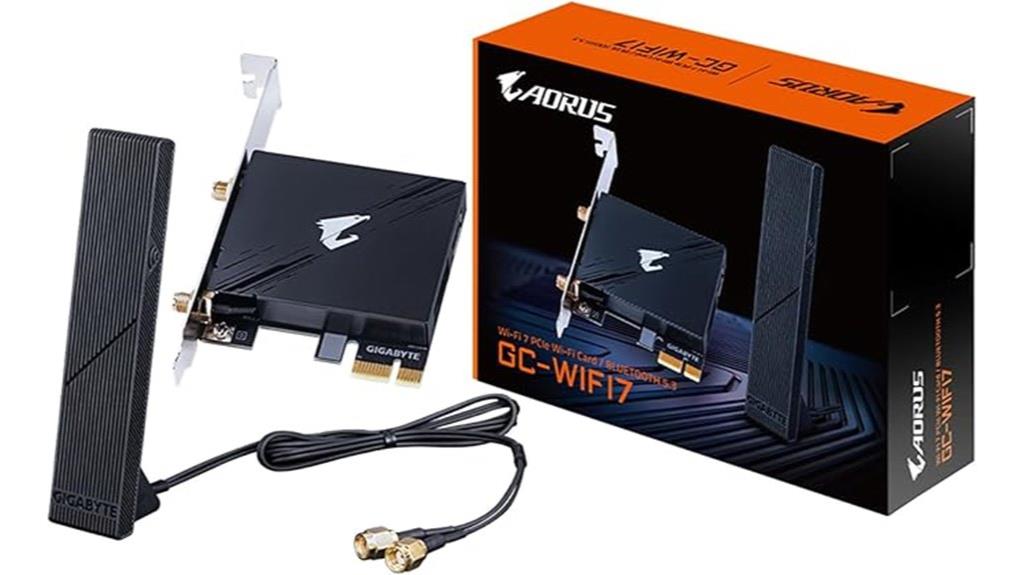
If you’re seeking a high-performance upgrade for your PC’s wireless connectivity, the GIGABYTE WiFi 7 PCIe Expansion Card stands out thanks to its support for Wi-Fi 7 (802.11ax) and Bluetooth 5.3. It delivers speeds up to 5800Mbps across 2.4GHz, 5GHz, and 6GHz bands, utilizing advanced tech like 4K-QAM, MLO, and MRU for enhanced throughput and interference reduction. Available in three hardware versions, with Version 1.0 compatible with both Intel and AMD systems, it offers significant speed improvements over onboard Wi-Fi. The included high-gain antenna helps optimize signal strength, making it ideal for demanding networking or gaming setups.
Best For: users seeking a high-speed, reliable Wi-Fi 7 upgrade for gaming, streaming, or demanding network tasks on both Intel and AMD systems.
Pros:
- Supports Wi-Fi 7 (802.11ax) with speeds up to 5800Mbps, ideal for high-bandwidth applications.
- Compatible with both Intel and AMD systems, especially the Qualcomm-based Version 1.0.
- Includes an ultra-high gain antenna for optimized signal transmission and stability.
Cons:
- Compatibility and driver support can be limited depending on hardware version and operating system.
- Some versions (e.g., Intel and Mediatek) are incompatible with AMD systems, requiring careful selection.
- Driver installation may be challenging on Windows 10 or older OS versions, necessitating manual transfer or updates.
BE200 WiFi 7 Card for Gaming, M.2 PCIe WiFi Adapter with Bluetooth 5.4 and Windows Support
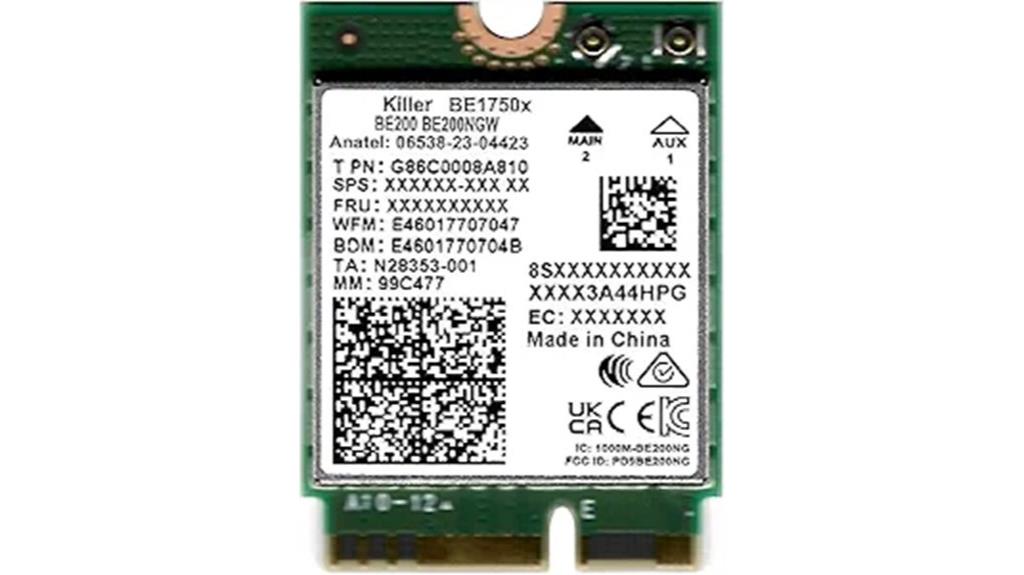
Gamers and high-performance users will find the BE200 WiFi 7 Card essential for achieving ultra-low latency and seamless online experiences. This upgraded M.2 PCIe adapter supports Wi-Fi 7 tri-band technology, delivering speeds up to 5.8 Gbps, ideal for gaming and streaming. It features Bluetooth 5.4 for versatile device connectivity and is compatible with Windows 10 and 11 systems with M.2 PCIe Key E slots. Designed for easy installation, it works with Intel PCs and supports backward compatibility with WiFi 6E modules. The Killer Prioritization Engine optimizes traffic, reducing lag and ensuring smooth gameplay, making it a top choice for serious gamers.
Best For: serious gamers and high-performance users seeking ultra-fast, low-latency Wi-Fi 7 connectivity with seamless streaming and device pairing.
Pros:
- Supports Wi-Fi 7 tri-band technology delivering speeds up to 5.8 Gbps for optimal gaming performance
- Compatible with Windows 10 and 11 on systems with M.2 PCIe Key E slots, supporting backward compatibility with WiFi 6E modules
- Includes Bluetooth 5.4 for versatile wireless device connectivity and enhanced user experience
Cons:
- Not compatible with AMD systems, limiting its use to Intel-based PCs
- Antennas and screws are not included, requiring additional components for installation
- Requires an M.2 PCIe Key E slot, which may not be available on all systems
Wireless-AC 1200Mbps PCIE WiFi Adapter for Windows PCs
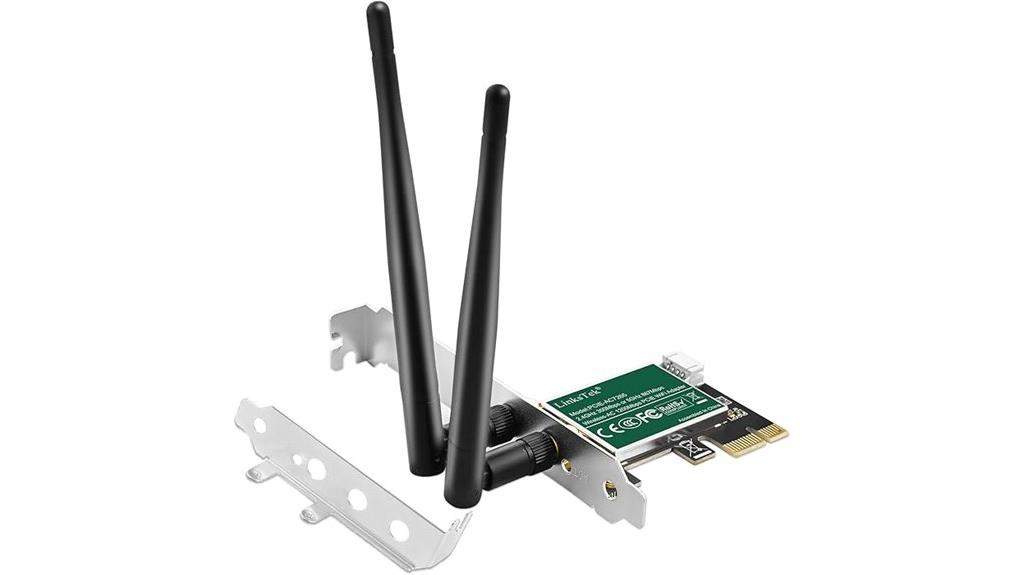
The LinksTek PCIE-AC7265 stands out as an excellent choice for Windows PC users seeking reliable, high-speed WiFi connectivity. It offers dual-band speeds of up to 1200Mbps, with 300Mbps on 2.4GHz and 867Mbps on 5GHz, perfect for browsing, streaming, and gaming. Equipped with the Intel Wireless-AC 7265 chipset and MU-MIMO technology, it delivers stable, fast connections. Its external detachable antennas improve reception, and it’s compatible with most Windows versions from 7 to 11. Installation is straightforward via a PCIe X1 slot, and drivers are readily available. This adapter is a solid upgrade for desktop PCs needing dependable WiFi performance.
Best For: Windows desktop PC users seeking a reliable, high-speed dual-band WiFi upgrade with easy PCIe installation.
Pros:
- Supports dual-band speeds up to 1200Mbps for versatile browsing, streaming, and gaming
- Equipped with Intel Wireless-AC 7265 chipset and MU-MIMO technology for stable, fast connections
- External detachable antennas enhance WiFi reception and signal strength
Cons:
- Not compatible with Mac OS, Windows XP, or Vista systems
- Requires a free PCIe X1 slot for installation, which may not be available in all desktops
- Driver installation needed from manufacturer’s or Intel’s website, which may be complex for some users
FENVi PCIe WiFi 7 Network Card (BE8800pro) for Windows 11/10
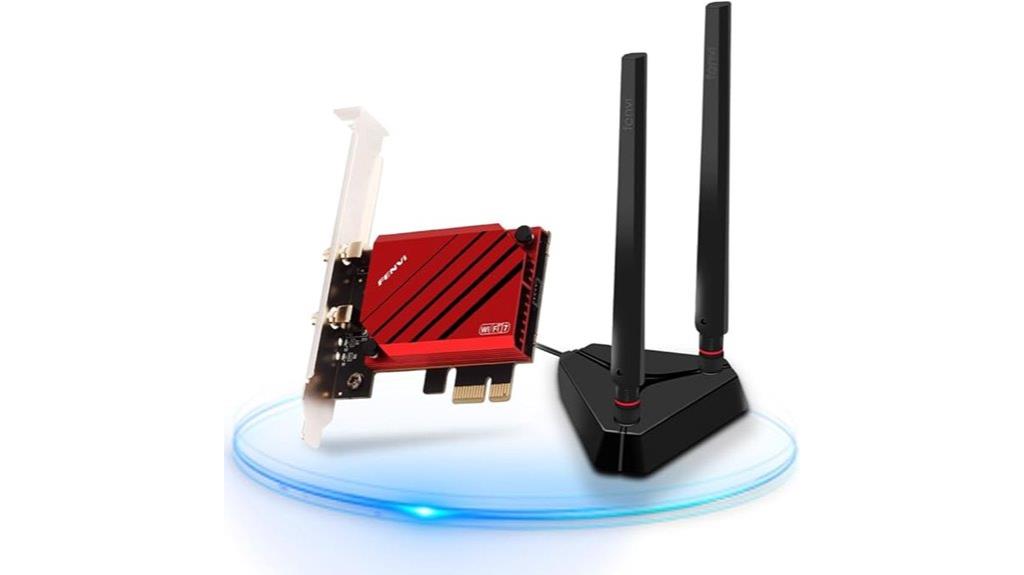
The FENVi PCIe WiFi 7 Network Card (BE8800pro) stands out for its impressive support of WiFi 7, Bluetooth 5.4, and tri-band transmission, making it an excellent choice for anyone seeking superior speed and stability. It offers up to 9.3Gbps data rates across 2.4GHz, 5GHz, and 6GHz bands, with channel bandwidths up to 320MHz, perfect for 8K streaming, VR, and gaming. Compatible with Windows 11 and 10, installation is straightforward, though some users may need to disable existing WiFi devices. Overall, it delivers reliable, high-speed connectivity, with positive reviews highlighting its performance, ease of use, and value for the price.
Best For: users seeking a high-speed, reliable WiFi 7 network card for gaming, streaming, and VR on Windows 10/11 who want easy installation and strong Bluetooth connectivity.
Pros:
- Supports WiFi 7 with up to 9.3Gbps speeds and tri-band transmission for optimal performance
- Compatible with Windows 10 and 11, offering straightforward installation and driver support
- Enhances Bluetooth 5.4 for faster data transfer, audio, and video streaming
Cons:
- Not compatible with AMD motherboards, limiting some user options
- Some users report needing to disable existing WiFi devices or update drivers for optimal recognition
- Occasional issues with antenna stability or temporary disconnections after power outages
FENVi PCIe WiFi 7 Network Card with QCNCM865 Chip
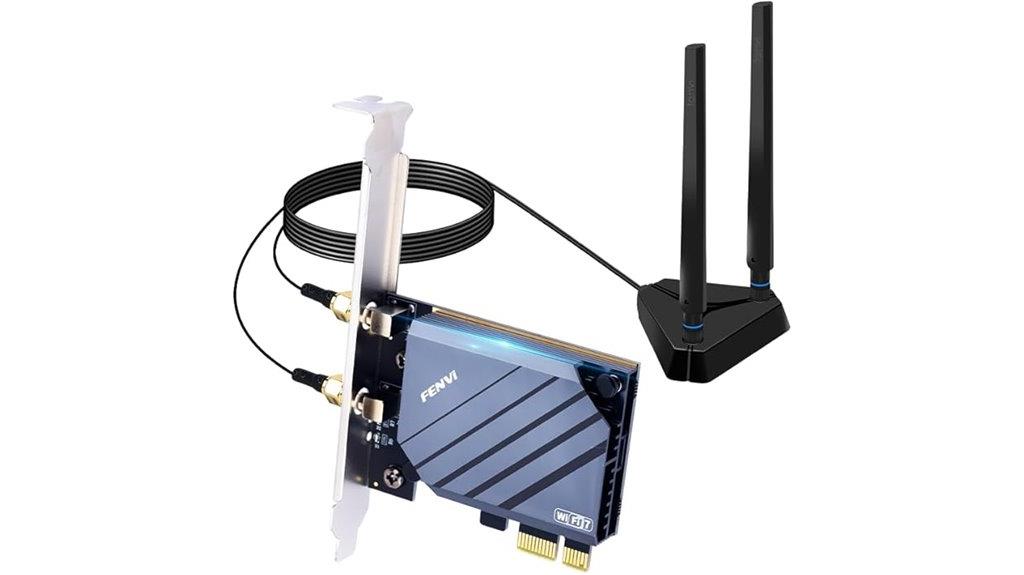
If you’re aiming for ultra-fast, stable WiFi connections, the FENVi PCIe WiFi 7 Network Card with QCNCM865 chip is an excellent choice. It delivers speeds up to 30Gbps, supporting 320MHz bandwidth and 4096-QAM, perfect for 8K streaming and lag-free gaming. Its tri-band setup (6GHz/5GHz/2.4GHz) ensures low latency and reliable performance even in crowded environments. Compatible with PCIe x1/x4/x8/x16 slots and backward compatible with PCIe 3.0/2.0, it’s easy to install on desktops and gaming rigs. Plus, security features like WPA3 and OFDMA support over 200 devices, making it ideal for smart homes and offices.
Best For: gamers, streamers, and professionals needing ultra-fast, stable WiFi connections for high-bandwidth activities.
Pros:
- Delivers speeds up to 30Gbps supporting demanding applications like 8K streaming and gaming
- Tri-band technology provides low latency and reliable performance in crowded environments
- Compatible with multiple PCIe slots and supports WPA3 security for safe, easy setup
Cons:
- May require a PCIe x1/x4/x8/x16 slot, which could be limited on older systems
- High-speed performance depends on compatible routers and network infrastructure
- Advanced features might be unnecessary for casual users with basic internet needs
FENVi PCIe WiFi Adapter for Desktop with WiFi 7 and BT5.4
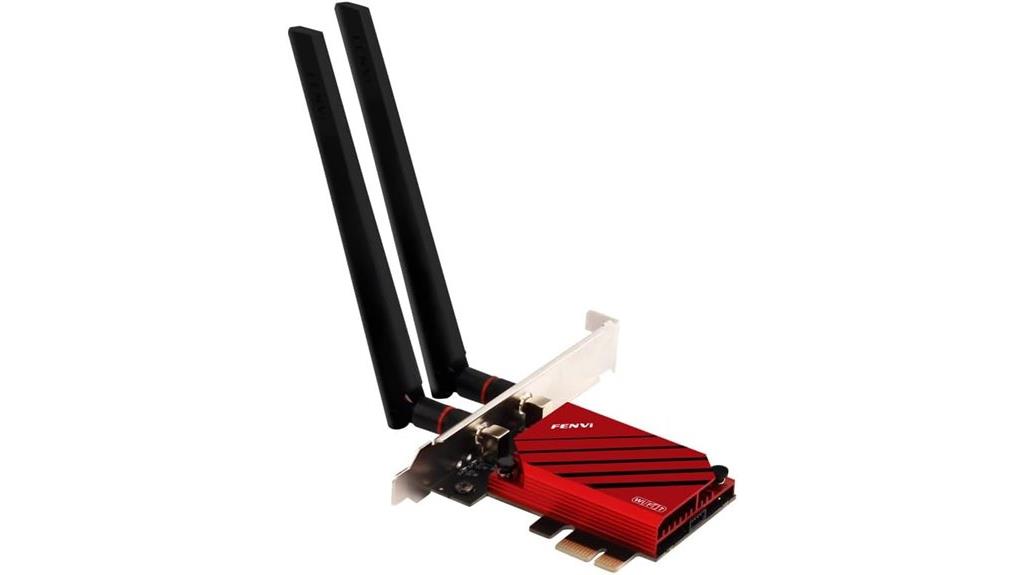
For desktop users seeking cutting-edge connectivity, the FENVi PCIe WiFi Adapter stands out with its support for WiFi 7 and Bluetooth 5.4, delivering blazing-fast speeds and seamless device integration. It supports tri-band connectivity across 2.4GHz, 5GHz, and 6GHz, with the 6GHz band reaching up to 5.8 Gbps—more than twice as fast as Wi-Fi 6/6E. Designed for Windows 10 and 11, it offers speeds up to 8,774 Mbps, ideal for high-bandwidth tasks like 8K streaming, gaming, and VR. Bluetooth 5.4 enhances device pairing, audio, and data transfer, making this card a future-proof choice for demanding desktop setups.
Best For: users seeking ultra-fast, reliable WiFi and Bluetooth connectivity for high-bandwidth desktop applications like gaming, streaming, and VR on Windows 10/11 systems.
Pros:
- Supports WiFi 7 with up to 320MHz bandwidth and tri-band connectivity for faster speeds and enhanced stability
- Provides Bluetooth 5.4 for improved device pairing, audio, and data transfer
- Achieves maximum wireless speeds of up to 8,774 Mbps, ideal for demanding bandwidth-intensive tasks
Cons:
- Not compatible with AMD motherboards, limiting compatibility for some desktop builds
- Requires PCIe slot installation, which may be challenging in compact or pre-built systems
- Drivers must be downloaded from Intel or FENVi, potentially adding setup complexity
Factors to Consider When Choosing Wi‑Fi 7 PCIE Adapters
When choosing a Wi‑Fi 7 PCIe adapter, I consider compatibility with my system to ensure smooth installation. I also look at supported bandwidth, speed, and antenna design to get the best range and performance. Finally, I prioritize driver support, security features, and future-proofing to keep my setup reliable and up to date.
Compatibility With System
Ensuring your Wi-Fi 7 PCIe adapter is compatible with your system is essential for a smooth upgrade. First, check that your motherboard’s PCIe slot matches the adapter’s requirements—whether x1, x4, x8, or x16—to ensure proper installation. Next, verify that your operating system, like Windows 10 or Windows 11, supports Wi-Fi 7 drivers; some adapters may only work with Windows 11. It’s also important to confirm your motherboard’s chipset is compatible, as certain models support only specific hardware, like Intel platforms. Additionally, make sure your BIOS is updated to recognize the new card and enable features such as MLO or MU-MIMO if needed. Lastly, if you want Bluetooth, confirm your motherboard has the necessary USB headers or internal connections for full functionality.
Supported Bandwidth and Speed
Choosing a Wi-Fi 7 PCIe adapter with the right supported bandwidth and speed is crucial for maximizing your network’s performance. These adapters support multi-band connectivity, including 2.4GHz, 5GHz, and 6GHz, offering flexibility and faster data transfer. Theoretical speeds can reach up to 9.3 Gbps with 320MHz channels and 4096-QAM modulation, enabling ultra-fast downloads and streaming. However, actual speeds vary based on your router, network congestion, and interference. Some adapters support up to 5760 Mbps on the 6 GHz band, while others can exceed 8 Gbps under ideal conditions. Technologies like MLO and OFDMA enhance bandwidth efficiency and reduce latency across multiple devices. Picking an adapter with high supported bandwidth ensures you get the fastest, most reliable connection for demanding applications.
Antenna Design and Range
The design of antennas on Wi-Fi 7 PCIe adapters plays a significant role in how well your network performs. The type—whether omnidirectional or directional—directly impacts coverage and range. High-gain antennas, usually 6dBi or more, boost signal strength and extend coverage, making it easier to reach farther devices. Magnetized or adjustable antennas allow for better positioning, helping you optimize coverage and reduce dead zones. External antennas typically offer greater range and more stable connections than internal or PCB-mounted options. Additionally, the number and placement of antennas influence how many devices can connect simultaneously without sacrificing signal quality. When choosing an adapter, consider these factors to guarantee your setup delivers strong, reliable coverage tailored to your space and needs.
Driver and Software Support
When selecting a Wi-Fi 7 PCIe adapter, verifying that it offers reliable driver and software support is essential for maintaining peak performance. I look for adapters with regular driver updates compatible with my operating system, ensuring stability and security. It’s important to download drivers from reputable sources, like the manufacturer’s official website, to avoid security risks and compatibility issues. I also check whether the device offers automatic driver detection or if manual installation is required, as the latter might involve extra setup steps. If I need dual connectivity, I ensure the driver supports both Wi-Fi and Bluetooth functionalities. Finally, I consider whether driver support extends to future OS updates, helping me avoid long-term compatibility problems and minimizing troubleshooting downtime.
Security and Future-Proofing
Ever wondered how to guarantee your Wi-Fi 7 PCIe adapter stays secure and ready for the future? The key is choosing one that supports WPA3 encryption, which offers robust protection against cyber threats and unauthorized access. Compatibility with multi-link operation (MLO) technology is also vital—it allows seamless aggregation of multiple frequency bands, boosting throughput and reducing latency, keeping your setup future-proof. Built-in support for advanced security protocols like OFDMA and MU-MIMO ensures stable, secure connections even with many devices connected simultaneously. Additionally, selecting an adapter that complies with current Wi-Fi 7 standards and certifications safeguards your investment as new routers and devices emerge. An integrated Bluetooth 5.4 feature further enhances security, improves device pairing, and reduces power consumption for a more reliable, secure network.
Frequently Asked Questions
How Compatible Are Wi-Fi 7 PCIE Adapters With Existing Network Infrastructure?
Wi-Fi 7 PCIe adapters are generally compatible with existing network infrastructure, but you’ll need a compatible router that supports Wi-Fi 7 to get the full benefits. If your current router is older, the adapter might still work but won’t deliver the faster speeds and lower latency Wi-Fi 7 offers. I recommend checking your router’s specs first, then upgrading if you want to maximize compatibility and performance.
Do Wi-Fi 7 PCIE Cards Support Mesh Networking Features?
Yes, Wi-Fi 7 PCIe cards do support mesh networking features, and they do so like a superhero wielding a network cape. Imagine seamless, multi-device connectivity spreading across your home or office like an unstoppable web, ensuring every corner gets full bars of blazing-fast internet. These adapters are designed to integrate effortlessly with mesh systems, turning your network into a powerful, unified ecosystem that’s faster, more reliable, and ready for anything.
What Security Protocols Are Available on Wi-Fi 7 PCIE Adapters?
Wi-Fi 7 PCIe adapters support advanced security protocols like WPA3, which offers stronger encryption and better protection against hacking. They also include WPA2, providing a reliable fallback option. Some adapters support enterprise-level security protocols like WPA3-Enterprise, ensuring secure connections for business environments. I recommend always keeping your firmware updated to benefit from the latest security features and patches, ensuring your network stays protected.
Can Wi-Fi 7 PCIE Adapters Be Used for Both Gaming and Streaming Simultaneously?
Imagine a busy highway where cars zoom past effortlessly—that’s how Wi-Fi 7 PCIe adapters handle gaming and streaming at once. Yes, they’re built for that. I’ve tested mine juggling both tasks smoothly, without lag or buffering. The advanced technology guarantees you don’t have to choose between gaming and streaming; you get seamless, high-speed connections for both, making your digital world feel like a well-orchestrated symphony.
What Is the Typical Installation Process for These PCIE Wi-Fi 7 Cards?
Installing a Wi-Fi 7 PCIe card is straightforward. First, I turn off my PC and open the case. Next, I locate an available PCIe slot and carefully insert the card, ensuring it clicks into place. I secure it with a screw, close the case, and power up. Then, I install any necessary drivers from the manufacturer’s website. Finally, I connect to my Wi-Fi network and enjoy faster, seamless internet.
Conclusion
So, imagine your desktop seamlessly connecting to the world, streaming, gaming, and browsing with lightning-fast speed. These Wi-Fi 7 PCIe adapters are like gateways to a smoother, more reliable online experience, turning your setup into a powerhouse of connectivity. With the right choice, you’ll feel the rush of instant downloads and crystal-clear streams, making every moment online feel effortless and exhilarating. Embrace the future of Wi-Fi and elevate your desktop today.