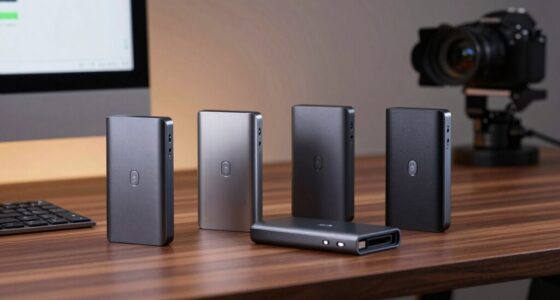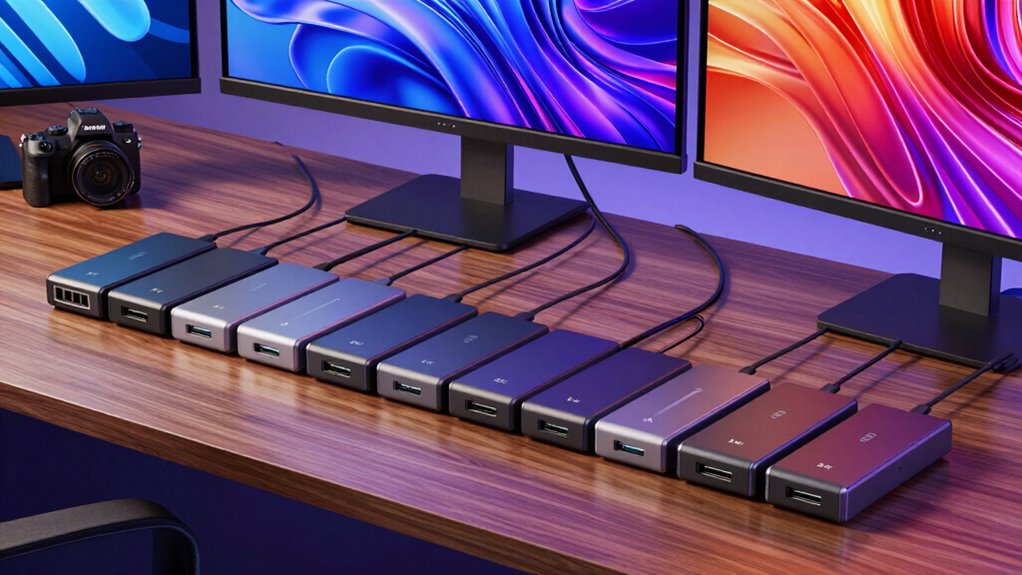

For anyone seeking to connect dual 4K displays via USB C, choosing the right docking station can be complex. The best options deliver crisp, reliable visuals at 60Hz or higher, support power delivery, and handle multiple peripherals seamlessly. The UGREEN USB C Docking Station stands out as a versatile all-rounder, offering dual HDMI with 7-in-1 functionality. The Plugable USB-C Triple Display Docking Station shines for users needing triple display support and high wattage charging. However, tradeoffs often include size, compatibility, or cost. Keep reading to see how these factors play out across the top picks and find the best fit for your setup.
Listen free for 30 days with Audible
Thousands of audiobooks and originals — cancel anytime.
Start your free trialAs an affiliate, we earn on qualifying purchases.
Complete the kit



Key Takeaways
- Dual 4K support at 60Hz is common among top models, but some may limit refresh rates or resolution depending on the connection type.
- Power delivery capacity varies significantly—higher wattage (up to 100W) benefits users charging laptops, but may come with increased cost and size.
- DisplayLink technology is widespread, offering broad compatibility but sometimes at the expense of higher latency or reduced performance compared to native DisplayPort or HDMI outputs.
- Build quality and port selection differ; aluminum enclosures tend to last longer and look premium, while more ports mean larger, more complex docks.
- Compatibility issues are common with newer Macs and Windows systems, so checking support for your OS and device is crucial before purchasing.
| UGREEN USB C Docking Station Dual Monitor, 7-in-1 Aluminum Dock with 2xHDMI |  | Best Overall for Versatile Dual 4K Connectivity | HDMI Ports: 2 (Dual 4K@60Hz) | USB Ports: 2x USB-C, 2x USB-A 3.2 | Power Delivery: 100W | VIEW ON AMAZON | See Our Full Breakdown |
| Plugable USB-C Triple Display Docking Station with 100W Power Delivery |  | Best for Triple 4K Displays and Cross-Platform Compatibility | HDMI Ports: 3 (including 4K support at 30Hz) | USB Ports: 6x USB 3.0 | Ethernet: Gigabit | VIEW ON AMAZON | See Our Full Breakdown |
| Plugable 7-in-1 USB-C DisplayLink Docking Station |  | Best for Dual Extended 4K Monitors on Systems Without Native Dual Support | HDMI Ports: 2 (Dual 4K@60Hz) | USB Ports: 2 | Wattage: 82W pass-through | VIEW ON AMAZON | See Our Full Breakdown |
| Plugable USB-C Laptop Docking Station with Dual 4K 60Hz DisplayLink (UD-6950PDH) |  | Best for MacBooks with Single Native Display Support | Video Ports: 2 HDMI, 2 DisplayPort | USB Ports: 5 | Charging Power: 100W | VIEW ON AMAZON | See Our Full Breakdown |
| MOKiN 14-in-1 USB-C Laptop Docking Station, Dual/Triple Monitor 4K with 2 HDMI, 2 DP, Ethernet, SD/TF Card Reader |  | Best for All-in-One Versatility with Triple 4K Support | Video Ports: 2 HDMI, 2 DisplayPort | USB Ports: Multiple USB-A and USB-C | Ethernet: 1 Gbps | VIEW ON AMAZON | See Our Full Breakdown |
| Anker Prime 14-in-1 Laptop Docking Station (Dual Monitor) |  | Best Overall for Versatility and Power | Total Power Output: 160W | USB-C Charging: Up to 100W per port (3 ports) | Data Transfer Speed: Up to 10Gbps | VIEW ON AMAZON | See Our Full Breakdown |
| LIONWEI 13-in-1 USB C Docking Station, Dual 4K HDMI Monitor Support, 100W PD Charging |  | Best for Multi-Display Flexibility on Windows | Max Resolution: Dual 4K@60Hz | Power Delivery: 100W | Ports: 2x HDMI, DisplayPort, USB-C, USB 3.1, USB 3.0, Ethernet | VIEW ON AMAZON | See Our Full Breakdown |
| Plugable Dual DisplayPort & HDMI Docking Station (UD-6950Z) |  | Best for Plug-and-Play Dual 4K Monitors with Easy Compatibility | Max Resolution: Dual 4K@60Hz | Technology: DisplayLink | Ports: 2x HDMI, 2x DisplayPort, 6x USB 3.0, Ethernet, audio | VIEW ON AMAZON | See Our Full Breakdown |
| ACASIS USB-C to Dual HDMI DisplayLink Adapter for Mac M1/M2/M3/M4 and Windows |  | Best Compact Travel Adapter for Dual 4K Expansion | Max Resolution: Dual 4K@60Hz | Technology: DisplayLink | PD Charging: 100W | VIEW ON AMAZON | See Our Full Breakdown |
| WAVLINK USB-C Docking Station, Dual 5K/4K@60Hz DisplayLink Dock for M1/M2/M3/M4 Mac and Windows, 13-in-1 with 2x HDMI, 2x DP, 130W PD, Gigabit Ethernet |  | Best for High-Resolution Multi-Display Setup on Mac and Windows | Max Display Resolution: Dual 5K@60Hz or Dual 4K@60Hz | Power Delivery: 130W | Ports: 2x HDMI, 2x DisplayPort, USB-C, USB-A, Ethernet | VIEW ON AMAZON | See Our Full Breakdown |
| Plugable USB-C Docking Station with Dual 4K 60Hz HDMI Support, 65W Charging, Gigabit Ethernet (UD-MSTH2) |  | Best Overall for Versatile, Full-Feature Workstations | Video Outputs: 2x HDMI (up to 4K 60Hz each) | Laptop Charging: 65W | Power Adapter: 110W | VIEW ON AMAZON | See Our Full Breakdown |
| WAVLINK DisplayLink Docking Station for Dual 4K@60Hz Monitors (Mac & Windows) |  | Best for Compatibility and Flexibility Across Platforms | Max Monitors: 2 | Max Resolution: 4K@60Hz per monitor | Video Ports: 2 HDMI, 2 DisplayPort | VIEW ON AMAZON | See Our Full Breakdown |
| Acer 13-in-1 USB-C Laptop Docking Station with Triple Display (2 HDMI + 1 DisplayPort) |  | Best for Triple Monitor Expansion on Windows | Video Output: 2x HDMI, 1x DisplayPort 1.4 | Max Display Resolution: Triple 4K @ 30Hz | Power Delivery: 100W | VIEW ON AMAZON | See Our Full Breakdown |
| Anker PowerExpand 8-in-1 USB-C Docking Station with Dual 4K HDMI |  | Best Budget Dual 4K HDMI Hub with Power Delivery | Video Outputs: 2x HDMI | Max Resolution: 4K@60Hz (single display), 4K@30Hz (dual) | Power Delivery: Up to 85W | VIEW ON AMAZON | See Our Full Breakdown |
| StarTech Driverless USB4 Docking Station – Dual 4K 144Hz, 100W Charging, for Mac and Windows |  | Best for High-Performance Dual 4K and Enterprise Features | Video Output: DisplayPort | Max Video Resolution: Dual 4K 144Hz or 8K 60Hz | Power Delivery: 100W | VIEW ON AMAZON | See Our Full Breakdown |
| usb c docking stations for dual 4k display | Compatibility | Power Delivery |
|---|---|---|
| UGREEN USB C Docking Station D | — | 100W |
| Plugable USB-C Triple Display | — | 100W |
| Plugable 7-in-1 USB-C DisplayL | Windows 10+, macOS 11+, Thunderbolt 3/4 | — |
| Plugable USB-C Laptop Docking | — | — |
| MOKiN 14-in-1 USB-C Laptop Doc | Thunderbolt 3/4, full-function USB-C | 100W |
| Anker Prime 14-in-1 Laptop Doc | Windows 10/11, ChromeOS, Thunderbolt, macOS (mirrored only) | — |
| LIONWEI 13-in-1 USB C Docking | Windows (MST support), macOS (single extended display) | 100W |
| Plugable Dual DisplayPort & HD | — | — |
| ACASIS USB-C to Dual HDMI Disp | — | — |
| WAVLINK USB-C Docking Station | Mac M1–M4, Windows, Chrome OS | 130W |
| Plugable USB-C Docking Station | Windows 10+, ChromeOS, limited macOS | — |
| WAVLINK DisplayLink Docking St | Windows 10+, macOS, ChromeOS | — |
| Acer 13-in-1 USB-C Laptop Dock | Windows 10+ (DSC required), macOS (mirroring only) | 100W |
| Anker PowerExpand 8-in-1 USB-C | Windows 10/11, ChromeOS, limited macOS | Up to 85W |
| StarTech Driverless USB4 Docki | USB4, Thunderbolt 4/5, macOS, Windows | 100W |
More Details on Our Top Picks
UGREEN USB C Docking Station Dual Monitor, 7-in-1 Aluminum Dock with 2xHDMI
This dock stands out for offering a balanced combination of dual 4K@60Hz HDMI outputs and robust USB-A and USB-C ports, making it ideal for users needing multiple peripherals alongside high-quality displays. Compared to the Plugable 7-in-1, it provides more USB-A ports but is slightly less portable due to its larger size. Its biggest tradeoff is the macOS limitation: all monitors will mirror instead of extend, which could hinder productivity for Mac users. The 100W charging port is a plus, but note it only supports charging, not data transfer. Its aluminum build adds durability and a premium feel, suitable for desktop setups. Overall, this is a strong choice for users who prioritize dual 4K displays and multiple device connectivity in a single, sleek hub.
Pros:- Supports dual 4K@60Hz HDMI displays for crisp, smooth visuals
- Multiple USB ports, including USB-A and USB-C, for peripherals
- Aluminum chassis provides durability and heat dissipation
- 100W charging capability simplifies power management
Cons:- Limited macOS support—mirrored display only
- No included charging cable or power adapter
Best for: Power users with Windows laptops seeking reliable dual 4K support and extensive port options.
Not ideal for: Mac users wanting extended dual monitors—their setup will mirror screens, limiting multitasking.
- HDMI Ports:2 (Dual 4K@60Hz)
- USB Ports:2x USB-C, 2x USB-A 3.2
- Power Delivery:100W
- Build Material:Aluminum
- Supported OS:Windows 10/11, macOS (mirrored only)
- Size:Not specified
Our verdict“Ideal for Windows users who want a sleek, versatile dock with reliable dual 4K output and multiple ports.”
Plugable USB-C Triple Display Docking Station with 100W Power Delivery
This model makes the most sense for users needing three HDMI outputs, supporting up to 4K at 30Hz or 1080p at 60Hz, suitable for multimedia and multitasking. Compared to the Plugable 7-in-1, it supports an extra monitor but at a slightly lower refresh rate, which might matter for fast-paced workflows. The inclusion of 6 USB 3.0 ports and Gigabit Ethernet enhances overall connectivity. Its 100W power delivery ensures laptops stay charged, but it’s not compatible with Linux, and drivers are required for macOS, adding setup complexity. The design is straightforward, and it supports a wide range of operating systems, making it flexible for mixed environments. Overall, it excels for users who need a triple-monitor setup with broad compatibility and reliable power delivery.
Pros:- Supports three HDMI monitors, including 4K at 30Hz
- Offers 100W power delivery for uninterrupted laptop operation
- Multiple USB 3.0 ports and Gigabit Ethernet for extensive connectivity
- Compatible with Windows, macOS, and ChromeOS
Cons:- Not compatible with Linux systems
- Requires driver installation on macOS
- HDCP not supported, limiting protected content playback
Best for: Content creators or professionals who require triple 4K displays across multiple platforms.
Not ideal for: Linux users—driver installation and compatibility issues limit its use.
- HDMI Ports:3 (including 4K support at 30Hz)
- USB Ports:6x USB 3.0
- Ethernet:Gigabit
- Power Delivery:100W
- Supported OS:Windows, macOS, ChromeOS
- Size:3.3″L x 7.9″W x 1.2″H
Our verdict“Best suited for users needing triple 4K displays with cross-platform support and ample USB connectivity.”
Plugable 7-in-1 USB-C DisplayLink Docking Station
This compact dock leverages DisplayLink technology to deliver two extended 4K@60Hz HDMI displays, even on laptops that don’t support native dual-video output, such as many MacBooks. Compared to the other Plugable models, it offers a more portable form factor with 7 ports, including SD card reader and Gigabit Ethernet, making it versatile for travel and varied workflows. The 82W pass-through charging is useful but not as powerful as some full 100W docks, potentially limiting charging speed on power-hungry laptops. The need for DisplayLink driver installation adds an extra step, and on macOS, driver updates are necessary for dual display support. Its compatibility with Thunderbolt 3/4 and USB-C makes it flexible, but users must consider the driver dependency for dual displays.
Pros:- Supports dual extended 4K@60Hz HDMI displays via DisplayLink
- Compact, lightweight design for portability
- Includes SD card reader and Gigabit Ethernet
- Supports Thunderbolt 3/4 and full-function USB-C
Cons:- Requires driver installation for dual display functionality
- Charging pass-through limited to 82W
- DisplayLink drivers may need updates over time
Best for: Travelers and mobile professionals who need dual 4K extended displays on systems lacking native support.
Not ideal for: Linux users or those seeking a driverless, plug-and-play experience, due to dependency on DisplayLink drivers.
- HDMI Ports:2 (Dual 4K@60Hz)
- USB Ports:2
- Wattage:82W pass-through
- Compatibility:Windows 10+, macOS 11+, Thunderbolt 3/4
- Size:7 x 6 x 2 inches
- Weight:250 g
Our verdict“Best for professionals needing portable dual 4K displays on laptops without native dual support, willing to handle driver setup.”
Plugable USB-C Laptop Docking Station with Dual 4K 60Hz DisplayLink (UD-6950PDH)
This dock makes dual 4K@60Hz displays feasible for MacBooks that natively support only one external monitor, thanks to DisplayLink technology. Compared with other Plugable options, it offers a 14-in-1 array of ports—covering USB, SD card, Ethernet, and audio—making it a comprehensive workstation hub. The 100W power passthrough ensures the laptop remains charged during intensive use. However, driver installation is mandatory and can be an obstacle for some users, especially on macOS where driver updates might be needed regularly. The absence of HDCP support can limit streaming protected content. It’s well-suited for users who need maximum connectivity and dual 4K support on systems that restrict native multi-monitor setups.
Pros:- Enables dual 4K@60Hz monitors on Macs with only one native external display limit
- Includes extensive ports: USB, SD, Ethernet, audio
- Supports 100W charging for uninterrupted power supply
- Backed by a 2-year warranty and lifetime support
Cons:- Requires DisplayLink driver installation
- Does not support HDCP-protected content
- Driver updates may be necessary over time
Best for: MacBook users needing dual 4K displays and extensive peripheral connectivity.
Not ideal for: Linux users or those seeking a truly driverless, plug-and-play solution—drivers are always required.
- Video Ports:2 HDMI, 2 DisplayPort
- USB Ports:5
- Charging Power:100W
- Supported OS:macOS, Windows, ChromeOS
- Dimensions:9.4″L x 3.1″W x 1.2″H
- Weight:11.7 ounces
Our verdict“Ideal for MacBook users needing dual 4K displays with extensive port options and willing to manage driver setup.”
MOKiN 14-in-1 USB-C Laptop Docking Station, Dual/Triple Monitor 4K with 2 HDMI, 2 DP, Ethernet, SD/TF Card Reader
This dock provides an extensive array of ports, supporting up to three 4K displays across HDMI and DisplayPort outputs, making it an excellent choice for demanding multitasking. Compared to the Plugable 7-in-1, it offers triple display support, which is ideal for complex workstation setups, but the larger size and higher price point reflect its expanded capabilities. The 100W charging and multiple data and network ports make it a comprehensive hub for professionals needing maximum connectivity. However, it only works with laptops that have Thunderbolt 3/4 or full-function USB-C, and the setup may be complex for some users. The optional privacy lock button adds a practical security feature.
Pros:- Supports triple 4K@60Hz via multiple HDMI and DP ports
- Includes Ethernet, SD/microSD slots, and multiple USB ports
- 100W charging supports continuous power for demanding laptops
- Privacy lock button adds data security
Cons:- Requires Thunderbolt 3/4 or full-USB-C support
- Larger size may reduce portability
- Charger not included, adding to overall cost
Best for: Power users with high productivity needs seeking triple 4K displays and total port coverage.
Not ideal for: Casual users or those with non-Thunderbolt USB-C laptops—compatibility is limited and setup is more involved.
- Video Ports:2 HDMI, 2 DisplayPort
- USB Ports:Multiple USB-A and USB-C
- Ethernet:1 Gbps
- Power Delivery:100W
- Compatibility:Thunderbolt 3/4, full-function USB-C
- Size:Approximately 14″ long
Our verdict“Best for professionals needing triple 4K support and extensive connectivity in a high-performance dock.”
Anker Prime 14-in-1 Laptop Docking Station (Dual Monitor)
The Anker Prime 14-in-1 Docking Station stands out for its impressive 160W total charging capacity, making it ideal for power-hungry laptops. Compared with the WAVLINK dock, it offers more ports and higher power delivery, supporting complex multi-device setups without sacrificing performance. Its support for dual 4K displays at 60Hz, combined with broad compatibility across Windows, ChromeOS, and Thunderbolt laptops, makes it a flexible choice. However, it does have notable limitations: macOS only supports mirrored displays, and it isn’t compatible with Linux, which could be a dealbreaker for some users. The multiple USB-C ports with up to 100W charging and 10Gbps data speeds make it a solid all-rounder for professionals needing high power and data throughput.
Pros:- Supports up to 160W total charging with three USB-C ports up to 100W each
- Versatile 14-in-1 port selection including 10Gbps data transfer
- Supports dual 4K displays at 60Hz with HDMI outputs
Cons:- macOS only supports mirrored displays, limiting extended desktop use
- Not compatible with Linux operating systems
Best for: IT professionals or power users needing a comprehensive, high-power docking station with extensive port options.
Not ideal for: Linux users or those seeking native macOS extended display support, as compatibility is limited.
- Total Power Output:160W
- USB-C Charging:Up to 100W per port (3 ports)
- Data Transfer Speed:Up to 10Gbps
- Max Display Output:Dual 4K@60Hz or 2K@60Hz
- Video Ports:2x HDMI
- Compatibility:Windows 10/11, ChromeOS, Thunderbolt, macOS (mirrored only)
Our verdict“This dock is best suited for users who need maximum power and extensive connectivity, especially on Windows or Thunderbolt systems.”
LIONWEI 13-in-1 USB C Docking Station, Dual 4K HDMI Monitor Support, 100W PD Charging
The LIONWEI 13-in-1 Dock excels for its dual 4K@60Hz HDMI support, making it a strong contender when compared to the Plugable UD-6950Z, which relies on DisplayLink technology. Unlike the Plugable, this dock offers native MST support for Windows, enabling true extended desktops across multiple monitors, although macOS users are limited to extending only one display. Its 100W charging ensures laptop power while working, and the extensive port selection—covering USB-C, USB-A, Ethernet, and audio—caters well to professional setups. The primary tradeoff is that macOS extends only one monitor, and the dock itself consumes 13W, leaving 87W for the laptop. This model is well suited to Windows users who want a feature-rich, reliable multi-monitor experience.
Pros:- Supports dual 4K@60Hz HDMI output for seamless multitasking
- 100W power delivery keeps laptops charged while in use
- Extensive port options including Ethernet and multiple USB types
Cons:- macOS only supports extending a single monitor, limiting flexibility
- Consumes 13W, reducing available power for the laptop
Best for: Windows users who need robust dual 4K support and multiple ports for productivity tasks.
Not ideal for: Mac users seeking true extended desktop support across multiple monitors, as their experience will be limited to mirroring or single extension.
- Max Resolution:Dual 4K@60Hz
- Power Delivery:100W
- Ports:2x HDMI, DisplayPort, USB-C, USB 3.1, USB 3.0, Ethernet
- Compatibility:Windows (MST support), macOS (single extended display)
- Warranty:18 months
Our verdict“This dock offers excellent multi-monitor support for Windows users prioritizing display flexibility and comprehensive connectivity.”
Plugable Dual DisplayPort & HDMI Docking Station (UD-6950Z)
The Plugable UD-6950Z is tailored for users seeking straightforward dual 4K@60Hz support via DisplayLink technology. While not offering native support for extended desktops on macOS—only mirroring—its driver-based setup makes it compatible across Windows and ChromeOS, with some limitations on macOS. The six USB 3.0 ports, Gigabit Ethernet, and audio jack consolidate essential peripherals into a single, sleek device. Unlike the Anker dock, it doesn’t supply power to the host, requiring a separate charger. The tradeoff is that DisplayLink relies on drivers, which can introduce latency or compatibility issues, especially during OS updates. This dock is ideal for users prioritizing ease of setup and broad OS support but not for high-performance gaming or protected content playback.
Pros:- Supports dual 4K@60Hz displays with HDMI and DisplayPort
- Plug-and-play on Windows and ChromeOS
- Six USB 3.0 ports plus Gigabit Ethernet and audio
Cons:- Requires driver installation, which may be problematic after OS updates
- Does not charge the host laptop, needing a separate charger
Best for: Professionals who want a simple, reliable dual 4K setup with broad OS compatibility without needing host charging.
Not ideal for: Gamers or content creators requiring HDCP support or native GPU acceleration, as DisplayLink limits performance and content protection.
- Max Resolution:Dual 4K@60Hz
- Technology:DisplayLink
- Ports:2x HDMI, 2x DisplayPort, 6x USB 3.0, Ethernet, audio
- Host Charging:No
Our verdict“This dock is perfect for users seeking an easy, multi-OS compatible dual 4K display setup with minimal fuss but no host charging.”
ACASIS USB-C to Dual HDMI DisplayLink Adapter for Mac M1/M2/M3/M4 and Windows
The ACASIS DisplayLink Adapter offers a portable solution for adding two extended 4K@60Hz monitors via a single USB-C port. Its compact aluminum housing makes it ideal for travel, and it supports Mac M1/M2/M3/M4 chips, unlike many other DisplayLink adapters that struggle with Mac compatibility. Compared to the WAVLINK dock, this adapter sacrifices port variety for portability, only providing three USB-A ports and a single USB-C PD passthrough. Its reliance on DisplayLink drivers means it may require setup time and occasional troubleshooting, especially on macOS. This makes it a good choice for mobile professionals or those with limited desk space but less suitable for intensive multitasking or high-bandwidth needs.
Pros:- Supports dual 4K@60Hz extended displays via a single USB-C port
- 100W PD passthrough keeps laptops charged during use
- Lightweight, portable aluminum design
Cons:- Requires driver installation, which can be inconvenient
- Limited USB-A ports with only 480Mbps transfer speeds
Best for: Travelers or remote workers needing a compact dual 4K display solution with portable design.
Not ideal for: Power users or gamers who need multiple USB ports or high-performance data handling, as the adapter offers limited connectivity.
- Max Resolution:Dual 4K@60Hz
- Technology:DisplayLink
- PD Charging:100W
- Material:Aluminum
Our verdict“This adapter is ideal for mobile professionals seeking a compact, dual 4K solution with easy portability and moderate connectivity.”
WAVLINK USB-C Docking Station, Dual 5K/4K@60Hz DisplayLink Dock for M1/M2/M3/M4 Mac and Windows, 13-in-1 with 2x HDMI, 2x DP, 130W PD, Gigabit Ethernet
The WAVLINK USB-C Dock stands out for its ability to support dual 5K@60Hz or dual 4K@60Hz displays using DisplayLink technology, making it a versatile choice for demanding workflows. Compared with the Anker Prime, it offers higher resolution support and a broader port array, including 2 HDMI, 2 DisplayPorts, Ethernet, and multiple USB ports, all powered by a robust 130W power supply. Its compatibility across Mac (including M1–M4), Windows, and Chrome OS broadens its appeal, though it relies on DisplayLink drivers, which can introduce setup complexity. The tradeoff is that this dock is larger and more expensive, but it provides the highest resolution support for users needing maximum display clarity and connection options.
Pros:- Supports dual 5K@60Hz or dual 4K@60Hz displays, even on M1/M2 Macs
- 130W power delivery supports heavy workloads
- Multiple HDMI and DisplayPort outputs with a comprehensive port selection
Cons:- Requires DisplayLink driver installation, which can complicate setup
- Larger footprint and higher price point than simpler docks
Best for: Creative professionals or engineers requiring dual 5K displays and extensive peripheral connectivity on Mac or Windows.
Not ideal for: Budget-conscious users or those wanting a simple plug-and-play setup without driver dependencies, as this model involves driver installation and higher cost.
- Max Display Resolution:Dual 5K@60Hz or Dual 4K@60Hz
- Power Delivery:130W
- Ports:2x HDMI, 2x DisplayPort, USB-C, USB-A, Ethernet
- Compatibility:Mac M1–M4, Windows, Chrome OS
Our verdict“This dock is best for users demanding maximum resolution and extensive connectivity, especially in professional or creative environments with high visual fidelity needs.”
Plugable USB-C Docking Station with Dual 4K 60Hz HDMI Support, 65W Charging, Gigabit Ethernet (UD-MSTH2)
This dock stands out for transforming a single USB-C port into a complete workstation with 10 ports, including dual 4K 60Hz HDMI outputs, 65W charging, and gigabit Ethernet. Compared to the WAVLINK dock, it offers a more streamlined, driverless setup and a more reliable power supply, making it suitable for professional environments. Its main tradeoff involves limited compatibility with macOS for dual extended displays, as macOS users will be restricted to mirroring. The Plugable UD-MSTH2 is ideal for Windows users seeking a reliable, all-in-one dock without driver hassles, and those with hosts supporting DP Alt Mode. It’s less suited for Mac users needing dual extended displays or for laptops without compatible USB-C video output.
Pros:- Transforms a single USB-C port into a full workstation with 10 ports
- Supports dual 4K 60Hz HDMI outputs on compatible hosts
- Driverless plug-and-play setup for Windows and ChromeOS
- Includes 65W charging and a 110W power adapter
Cons:- Limited macOS support, especially for dual extended displays
- Requires host with USB-C DP Alt Mode; not all ports support video
Best for: Windows professionals needing a reliable, all-in-one dock with full workstation capabilities
Not ideal for: Mac users who rely on dual extended displays, as macOS support for multiple 4K outputs is limited
- Video Outputs:2x HDMI (up to 4K 60Hz each)
- Laptop Charging:65W
- Power Adapter:110W
- USB Ports:1x USB-C 5Gbps, 2x USB-A 3.0, 1x USB-A 2.0
- Ethernet:Gigabit
- Compatibility:Windows 10+, ChromeOS, limited macOS
Our verdict“This dock is best suited for Windows users seeking an all-in-one, hassle-free workstation solution.”
WAVLINK DisplayLink Docking Station for Dual 4K@60Hz Monitors (Mac & Windows)
Compared to the Plugable model, the WAVLINK station offers broad compatibility with Windows, macOS (including Apple Silicon), and ChromeOS, supporting dual 4K@60Hz monitors via a single USB connection. Its versatility is evident in the multiple video outputs—2 HDMI and 2 DisplayPort—and the inclusion of 6 USB 3.0 ports, Ethernet, and audio, making it a flexible choice for mixed-device environments. A key tradeoff is that it cannot charge the laptop, which can be inconvenient for all-day use. Additionally, it requires DisplayLink driver installation, which may introduce complexity or potential driver issues, especially on Linux. This pick makes the most sense for users who need a versatile, multi-platform dock without high-performance gaming or high-frame-rate content, as it’s optimized for productivity and multimedia.
Pros:- Supports dual 4K@60Hz monitors through a single USB connection
- Compatible with Windows, macOS (including Apple Silicon), and ChromeOS
- Multiple video outputs including HDMI and DisplayPort
- Rich port selection with 6 USB 3.0 ports and Ethernet
Cons:- Does not support laptop charging, requiring separate power sources
- Requires DisplayLink driver installation, which may pose compatibility issues
Best for: Professionals with mixed Windows, Mac, and ChromeOS devices seeking a flexible dual 4K setup
Not ideal for: Gamers or high-end video editors needing high refresh rates or hardware acceleration, as performance is limited
- Max Monitors:2
- Max Resolution:4K@60Hz per monitor
- Video Ports:2 HDMI, 2 DisplayPort
- USB Ports:6x USB 3.0
- Network:Gigabit Ethernet
- Compatibility:Windows 10+, macOS, ChromeOS
Our verdict“Ideal for users needing broad device compatibility and flexible dual 4K display support without charging demands.”
Acer 13-in-1 USB-C Laptop Docking Station with Triple Display (2 HDMI + 1 DisplayPort)
The Acer 13-in-1 offers extensive connectivity for expanding a single laptop into a triple-monitor setup, supporting 2 HDMI and 1 DisplayPort 1.4. Its aluminum housing enhances heat dissipation, which promotes stable long-term use. It supplies up to 100W power delivery and includes a robust port array for data, networking, and media card reading. Compared with the Plugable UD-MSTH2, this model supports triple displays but is limited to 30Hz at 4K on Windows and only mirrors on macOS, limiting extended desktop functionality for Mac users. The triple 4K output also demands a host with GPU support for Display Stream Compression (DSC). It is best suited for Windows professionals who need multiple screens for productivity, but less so for Mac users or those requiring high refresh rates on all displays.
Pros:- Supports triple 4K @ 30Hz on Windows with DSC
- Includes a 110W power adapter for 100W host charging
- Aluminum body ensures heat dissipation
- Extensive port options including SD card reader and gigabit Ethernet
Cons:- macOS only supports display mirroring, not extended desktop
- Triple 4K output requires host GPU with DSC support
Best for: Windows users who need to set up three 4K displays for intensive multitasking
Not ideal for: Mac users seeking extended desktop mode on all three displays, or those with laptops lacking DSC support
- Video Output:2x HDMI, 1x DisplayPort 1.4
- Max Display Resolution:Triple 4K @ 30Hz
- Power Delivery:100W
- Build Material:Aluminum
- Additional Ports:SD/TF readers, Gigabit Ethernet
- Compatibility:Windows 10+ (DSC required), macOS (mirroring only)
Our verdict“Best suited for Windows users needing three high-resolution displays in a professional environment.”
Anker PowerExpand 8-in-1 USB-C Docking Station with Dual 4K HDMI
The Anker PowerExpand delivers a compact 8-in-1 solution that turns a single USB-C port into dual 4K HDMI outputs, USB-A ports, Ethernet, and card readers. It supports pass-through charging up to 85W, suitable for most laptops and a good choice for everyday productivity. Compared to the StarTech model, it offers a more affordable price point and a smaller form factor, but sacrifices some advanced features like enterprise security or multi-platform management. Its main tradeoff lies in the limitation that macOS displays are mirrored, not extended, which restricts its usefulness for Mac users wanting dual independent screens. It’s well suited for users who primarily need dual 4K displays with charging at an affordable price, especially on Windows or ChromeOS, but less so for high-end professional or Windows-only multi-monitor setups requiring extended desktops on macOS.
Pros:- Supports dual 4K HDMI displays from a single USB-C port
- Pass-through 85W charging supports most laptops
- Compact and portable design
- Backed by an 18-month warranty
Cons:- Mirrored displays on macOS limit productivity
- Requires separate charger and cable for full charging capabilities
Best for: Budget-conscious users needing dual 4K HDMI with charging on Windows or ChromeOS
Not ideal for: Mac users who require dual extended displays, as content will be mirrored
- Video Outputs:2x HDMI
- Max Resolution:4K@60Hz (single display), 4K@30Hz (dual)
- Power Delivery:Up to 85W
- Ports:USB-A, Ethernet, SD/microSD
- Compatibility:Windows 10/11, ChromeOS, limited macOS
Our verdict“Best suited for budget users needing simple dual 4K display support with charging on Windows or ChromeOS.”
StarTech Driverless USB4 Docking Station – Dual 4K 144Hz, 100W Charging, for Mac and Windows
This model shines in high-performance settings, supporting dual 4K 144Hz displays or a single 8K 60Hz via DisplayPort, with true driverless operation for seamless setup across macOS and Windows. Unlike others, its power delivery supports 100W, ideal for charging high-end laptops. Its enterprise features, including PXE Boot and Wake-on-LAN, make it suitable for IT-managed environments or professional workstations. The inclusion of lock slots and a recycled plastic housing enhances security and sustainability. The main limitation is the requirement for a USB4 or Thunderbolt 4/5 host, which excludes older laptops, and the lack of mounting options without separate accessories. This dock suits power users, gamers, or enterprise deployments demanding top-tier display performance and security.
Pros:- Supports dual 4K 144Hz displays or 8K 60Hz via DisplayPort
- Driverless plug-and-play across macOS and Windows
- 100W charging for high-end laptops
- Enterprise features like PXE Boot and Wake-on-LAN
Cons:- Requires USB4 or Thunderbolt 4/5 host, limiting compatibility
- Mounting accessories sold separately and housing may be less flexible for custom setups
Best for: Power users and IT managers needing enterprise-grade performance with dual 4K @ 144Hz support
Not ideal for: Laptops without USB4 or Thunderbolt 4/5, or users seeking a budget-friendly solution
- Video Output:DisplayPort
- Max Video Resolution:Dual 4K 144Hz or 8K 60Hz
- Power Delivery:100W
- Additional Features:PXE Boot, Wake-on-LAN, lock slots
- Housing Material:Recycled plastic
- Compatibility:USB4, Thunderbolt 4/5, macOS, Windows
Our verdict“Ideal for demanding professional or gaming setups requiring high refresh rates, security, and enterprise features.”
How We Picked
The products in this roundup were evaluated based on performance in supporting dual 4K displays at 60Hz, build quality, ease of setup, and overall value. We prioritized docks that deliver stable, high-quality video output, especially those with reliable HDMI and DisplayPort support. Compatibility with both Windows and Mac systems was a key factor, along with the inclusion of sufficient power delivery to keep laptops charged during use. Price point and user reviews also influenced rankings, balancing affordability against features. Ultimately, the selection reflects a combination of versatility, quality, and real-world usability for dual 4K display setups.Factors to Consider When Choosing Usb C Docking Stations For Dual 4k Displays
Choosing the right USB C docking station for dual 4K displays involves weighing several important factors. Not all docks support 4K at 60Hz, which is crucial for smooth, clear visuals. Power delivery capacity affects whether your laptop charges while connected, impacting portability and convenience. Compatibility with your operating system and hardware ensures the dock works seamlessly without driver hassles. Additionally, port variety and build quality influence long-term reliability and flexibility. Considering these aspects carefully helps avoid common pitfalls like limited display support or inadequate power, ensuring your investment meets your needs.Display Support and Refresh Rate
The core requirement for dual 4K displays is consistent support at 60Hz or higher. Many docks advertise 4K support but may reduce refresh rates or limit resolution under certain configurations. Native HDMI and DisplayPort outputs tend to be more reliable than DisplayLink-based solutions, which rely on virtual adapters and can introduce latency or flickering. Think about whether your workflow demands high refresh rates or color accuracy, especially for creative tasks or gaming. Always verify supported resolutions and refresh rates with your specific setup to prevent disappointment.Power Delivery Capacity
A dock’s charging power influences whether you can keep your laptop charged during extended use. For most ultrabooks and high-performance laptops, 60W may suffice, but 85W or 100W support is preferable for larger or more power-hungry devices. Keep in mind that higher wattage often increases the dock’s size and cost. If portability is a priority, balancing power delivery with compact design is essential. In some cases, a dock with lower wattage might still be adequate if you’re only using it for light tasks or short sessions.Compatibility and Driver Support
Not all docks work flawlessly across different operating systems or hardware configurations. DisplayLink-based docks provide broad compatibility but may require driver installation and can exhibit performance issues on certain systems. Native DisplayPort or HDMI docks tend to be more straightforward but might be limited to specific OS versions or hardware. Check manufacturer specifications and user reviews for known issues with your laptop model or OS. Failing to verify compatibility can lead to frustration and subpar display performance.Port Selection and Build Quality
Beyond video outputs, consider what other ports you need—USB-A, SD card readers, Ethernet, audio jacks—since these add convenience and reduce clutter. A well-built aluminum enclosure usually offers better durability and heat dissipation than plastic models. Larger docks with more ports tend to be heavier and less portable, so match the size to your mobility needs. Investing in a sturdy, well-ventilated design can extend the dock’s lifespan and improve reliability over time.Budget and Long-Term Value
While cheaper docks may seem attractive, they often compromise on build quality, port variety, or performance. Investing a bit more usually ensures better compatibility, higher resolution support, and more durable construction. Consider your long-term needs: if you plan to upgrade your laptop or expand your peripherals, a more capable dock can save money and hassle later. Balance initial cost with expected lifespan and feature set—sometimes paying more upfront yields better value over years of use.Frequently Asked Questions
Can I use a USB C docking station for dual 4K displays with a MacBook?
Yes, many USB C docking stations support dual 4K displays with MacBooks, especially those using DisplayLink technology or native DisplayPort/HDMI outputs. However, compatibility varies depending on the MacBook model and macOS version. It’s important to verify whether the dock has driver support for Mac and if it can deliver the desired refresh rate at 4K resolution. Some docks may require additional setup or driver installation, so checking user reviews for Mac compatibility is recommended.Will I experience performance issues using DisplayLink-based docks?
DisplayLink docks are popular because of their broad compatibility, but they can introduce latency or flickering, especially under intensive tasks. They rely on virtual graphics drivers, which may not be as smooth as native outputs, particularly with high-refresh-rate or color-sensitive applications. For general productivity, they perform well, but for gaming or professional creative work, native connection docks tend to be more reliable. Always update drivers and test compatibility before committing to a specific model.What is the minimum power delivery I should look for in a dock for my laptop?
Most modern laptops benefit from at least 60W of power delivery, which is sufficient for everyday tasks and charging during use. For larger or more power-hungry models, 85W or 100W is preferable to ensure your device charges fully even under load. Choosing a dock with higher wattage support can also reduce the need for separate chargers. Keep in mind that higher wattage docks might be larger and more expensive but provide greater flexibility for future upgrades.Are there size considerations I should keep in mind?
Yes, the physical size of the dock impacts portability and desk space. Smaller, lightweight docks are ideal for frequent travelers, but they might offer fewer ports or less robust build quality. Larger docks typically provide more connectivity options and better heat management, but at the expense of portability. Consider your typical usage environment—if you often switch between locations, a compact model might be best, whereas a desktop setup can accommodate a larger, feature-rich dock.Is it worth paying more for a premium dock with additional features?
Investing in a higher-end dock often means better build quality, more reliable performance, and expanded port options, which can be worthwhile if you rely heavily on multiple peripherals or require high-resolution displays. Premium models may also offer enhanced durability, better heat dissipation, and more consistent support for dual 4K at 60Hz. However, if your needs are basic or occasional, a more affordable option might suffice. Always consider your specific setup and potential future upgrades before spending more.Conclusion
For users seeking the best overall experience, the Plugable USB-C Triple Display Docking Station offers reliable dual 4K support with excellent power delivery and broad compatibility. Those prioritizing value will find the UGREEN USB C Docking Station delivers solid performance at a competitive price. If premium build and maximum ports are your focus, the Anker PowerExpand 8-in-1 provides a durable, feature-rich solution. Beginners or casual users should consider simpler, more affordable docks, while professionals needing high fidelity or specialized ports might prefer high-end models like the StarTech USB4 Dock. Assess your specific needs, device compatibility, and budget to choose the right docking station for your dual 4K display setup in 2026.NFL season / tailgating Picks
team gear
As an affiliate, we earn on qualifying purchases.