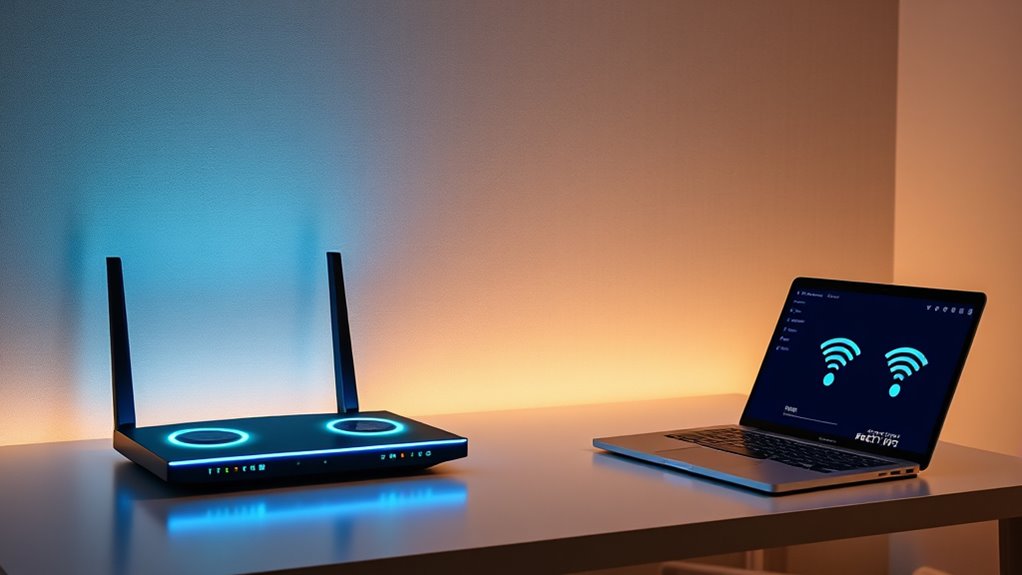

Triband routers are designed to handle multiple devices and deliver faster speeds across your entire home. The best options often combine high performance with advanced features like WiFi 6E or WiFi 7, but they vary greatly in price and complexity. The top pick, the TP-Link Deco XE75 AXE5400, offers excellent coverage and ease of use, making it ideal for most households. Other standout choices include gaming-focused routers like the MSI Radix AXE6600 and premium options like ASUS RT-BE9700. The main tradeoffs involve balancing speed, coverage, ease of setup, and price. Keep reading for a full breakdown of these models and what to consider when choosing your triband router.

Get the latest gadgets delivered free with Prime
- Fast, free delivery on millions of items
- Prime Video, Amazon Music and more included
- Member-only deals all year
Complete the kit



Key Takeaways
- Most high-end triband routers now incorporate WiFi 6E or WiFi 7, offering faster speeds and lower latency.
- Coverage and mesh capabilities remain key, with some models covering over 7,000 square feet in multi-pack configurations.
- Gaming and streaming demand high-throughput routers with advanced QoS and processing power, like MSI Radix AXE6600.
- Price varies significantly; premium models deliver cutting-edge features but may be overkill for average users.
- Setup complexity ranges from simple mesh systems to advanced configurations, influencing suitability for different users.
| TP-Link Deco XE75 AXE5400 Tri-Band WiFi 6E Mesh System – Covers 7200 Sq.Ft, 3-Pack |  | Best Overall for Large Homes | WiFi Standard: WiFi 6E | Bands: Tri-Band | Coverage: 7200 Sq.Ft | VIEW ON AMAZON | See Our Full Breakdown |
| TP-Link Deco XE75 AXE5400 Tri-Band WiFi 6E Mesh System – 2 Pack |  | Best Value for Moderate Coverage | Coverage: 5500 sq.ft | WiFi Bands: Tri-Band (6 GHz, 5 GHz, 2.4 GHz) | Total Speed: 5400 Mbps | VIEW ON AMAZON | See Our Full Breakdown |
| MSI Radix AXE6600 WiFi 6E Tri-Band Gaming Router with AI QoS, RGB Lighting, 1.8GHz Quad-Core Processor |  | Best for Gaming and Power Users | Tri-Band: 2.4GHz + 5GHz + 6GHz | WiFi Standard: WiFi 6E (802.11ax) | Max Speed: 6.6Gbps | VIEW ON AMAZON | See Our Full Breakdown |
| ASUS RT-BE92U WiFi 7 Router – Tri-Band (6GHz), 9.7 Gbps, Dual WAN, Mesh |  | Best for Tech-Savvy Users Needing Speed and Versatility | WiFi Standard: WiFi 7 (802.11be) | Speed: 9.7 Gbps | Bands: Tri-Band (including 6GHz) | VIEW ON AMAZON | See Our Full Breakdown |
| TP-Link Tri-Band AXE5400 Wi-Fi 6E Gaming Router Archer GXE75 |  | Best for Gaming and High-Performance Users | Wi-Fi Standard: Wi-Fi 6E | Speed: up to 5.4 Gbps | Bands: Tri-Band | VIEW ON AMAZON | See Our Full Breakdown |
| TP-Link Tri-Band WiFi 7 Router (Archer BE550) |  | Best Overall for Future-Proof Home Networks | WiFi Technology: WiFi 7 | Speed: up to 9.2 Gbps | Bands: Tri-band (6 GHz, 5 GHz, 2.4 GHz) | VIEW ON AMAZON | See Our Full Breakdown |
| ASUS RT-BE9700 WiFi 7 Router – Tri-Band (6GHz), 9.7 Gbps, Dual WAN, Mesh |  | Best for Power Users Wanting Versatile WAN and Mesh | WiFi Standard: WiFi 7 (802.11be) | Max Speed: 9.7 Gbps | Bands: Tri-Band (2.4GHz, 5GHz, 6GHz) | VIEW ON AMAZON | See Our Full Breakdown |
| TP-Link Tri-Band WiFi 7 Router (Archer BE600) |  | Best for Large Homes Needing Extensive Coverage | WiFi Technology: WiFi 7 | Bands: Tri-Band (6 GHz, 5 GHz, 2.4 GHz) | Total Bandwidth: 9.7 Gbps | VIEW ON AMAZON | See Our Full Breakdown |
| NETGEAR Nighthawk Tri-Band WiFi 7 Router (RS700S) – Router Only, Up to 19 Gbps Speed, 10 Gig Internet Port, Covers 3,500 sq. ft. |  | Best for High-Speed, Large Coverage, Gaming and Streaming | Wireless Speed: up to 19 Gbps | WiFi Technology: WiFi 7 | Coverage Area: up to 3,500 sq. ft. | VIEW ON AMAZON | See Our Full Breakdown |
| TP-Link AXE5400 Tri-Band WiFi 6E Router (Archer AXE75) |  | Best for Cutting-Edge WiFi 6E with Mesh Support | WiFi Speed: up to 5400 Mbps | Bands: Tri-Band (6 GHz, 5 GHz, 2.4 GHz) | Processor: 1.0 GHz dual-core CPU | VIEW ON AMAZON | See Our Full Breakdown |
| Deco 7 Pro Tri-Band WiFi 7 BE10000 Whole Home Mesh System 6-Stream 10 Gbps |  | Best Overall for Large, High-Performance Homes | Coverage: 7,600 sq.ft. | Number of Devices Supported: over 200 | Wi-Fi Speed: up to 5,188 Mbps (6 GHz), 4,324 Mbps (5 GHz), 574 Mbps (2.4 GHz) | VIEW ON AMAZON | See Our Full Breakdown |
| NETGEAR Nighthawk WiFi 7 Router (BE9300) – Dual 2.5Gbps Ports, Tri-Band, 9.3Gbps Speed, Covers 2,500 sq. ft., Supports 100 Devices |  | Best for Moderate Coverage and High-Speed Gaming | Wireless Speed: 9.3 Gbps | Bands: Tri-band (2.4 GHz, 5 GHz, 6 GHz) | Coverage: 2,500 sq. ft. | VIEW ON AMAZON | See Our Full Breakdown |
| TP-Link Tri-Band WiFi 7 Router, Archer BE550 Pro |  | Best for High-Speed, Smart Home Integration | WiFi Bands: Tri-band | WiFi Speed: Up to 320 MHz channels on 6 GHz | Ports: 1 x 10 Gbps WAN, 4 x 2.5 Gbps LAN, 1 x USB 3.0 | VIEW ON AMAZON | See Our Full Breakdown |
| triband router | Bands |
|---|---|
| TP-Link Deco XE75 AXE5400 Tri- | Tri-Band |
| TP-Link Deco XE75 AXE5400 Tri- | — |
| MSI Radix AXE6600 WiFi 6E Tri- | — |
| ASUS RT-BE92U WiFi 7 Router | Tri-Band (including 6GHz) |
| TP-Link Tri-Band AXE5400 Wi-Fi | Tri-Band |
| TP-Link Tri-Band WiFi 7 Router | Tri-band (6 GHz, 5 GHz, 2.4 GHz) |
| ASUS RT-BE9700 WiFi 7 Router | Tri-Band (2.4GHz, 5GHz, 6GHz) |
| TP-Link Tri-Band WiFi 7 Router | Tri-Band (6 GHz, 5 GHz, 2.4 GHz) |
| NETGEAR Nighthawk Tri-Band WiF | — |
| TP-Link AXE5400 Tri-Band WiFi | Tri-Band (6 GHz, 5 GHz, 2.4 GHz) |
| Deco 7 Pro Tri-Band WiFi 7 BE1 | — |
| NETGEAR Nighthawk WiFi 7 Route | Tri-band (2.4 GHz, 5 GHz, 6 GHz) |
| TP-Link Tri-Band WiFi 7 Router | — |
More Details on Our Top Picks
TP-Link Deco XE75 AXE5400 Tri-Band WiFi 6E Mesh System – Covers 7200 Sq.Ft, 3-Pack
The TP-Link Deco XE75 stands out for its extensive coverage of up to 7,200 sq.ft, making it ideal for large households or multi-story homes. Its inclusion of a dedicated 6 GHz band offers faster, interference-free connections compared to traditional tri-band setups like the TP-Link Deco XE75 2-Pack, which covers less area and may require more units for the same coverage. The mesh system’s AI-driven management simplifies network control, but the advanced features could be overwhelming for users unfamiliar with networking tech. Unlike simpler extenders, this system replaces multiple devices with a unified mesh, though it still needs a modem and may be too complex for those seeking plug-and-play simplicity. Overall, this is the best choice for those prioritizing coverage and future-proofing, despite its higher setup complexity.
Pros:- Extensive coverage up to 7,200 sq.ft with 3 units
- Includes a dedicated 6 GHz band for faster performance
- AI-driven mesh for seamless network management
- Easy setup via Deco app
Cons:- Requires a modem for most internet providers
- Advanced features may be too complex for casual users
Best for: Homeowners needing reliable WiFi over large areas with easy app management.
Not ideal for: Renters or small apartment dwellers who won’t utilize the full coverage capacity.
- WiFi Standard:WiFi 6E
- Bands:Tri-Band
- Coverage:7200 Sq.Ft
- Maximum Speed:5400 Mbps
- Number of Units:3
- Security:TP-Link HomeShield
Our verdict“This mesh system is best suited for large homes where coverage and speed are priorities, despite its setup complexity.”
TP-Link Deco XE75 AXE5400 Tri-Band WiFi 6E Mesh System – 2 Pack
Compared with the 3-pack, the TP-Link Deco XE75 2-Pack offers a more affordable option for covering up to 5,500 sq.ft, making it suitable for medium-sized homes. Its tri-band setup, including the 6 GHz band, ensures minimal interference and high speeds, rivaling larger systems like the Deco XE75 3-Pack. Setup remains straightforward through the Deco app, and AI mesh technology helps optimize coverage, but the system’s range still depends on placement and may require additional units for larger spaces. Like other mesh systems, it replaces extenders but still needs a modem. This pick makes the most sense for users who want solid performance without overpaying for extra units they won’t need. It balances speed, coverage, and price well, though it’s less suited for very large homes or those needing high-end security features.
Pros:- Fast tri-band WiFi with 6 GHz band for minimal interference
- Easy setup with Deco app and voice support
- Smart mesh management for seamless coverage
- Affordable compared to larger systems
Cons:- Limited coverage compared to 3-pack options
- Requires a modem for most ISPs
Best for: Mid-sized households seeking reliable, fast WiFi without the expense of a larger system.
Not ideal for: Very large homes or users who want the absolute maximum coverage with fewer units.
- Coverage:5500 sq.ft
- WiFi Bands:Tri-Band (6 GHz, 5 GHz, 2.4 GHz)
- Total Speed:5400 Mbps
- Number of Units:2
- Security:TP-Link HomeShield
Our verdict“A smart choice for medium-sized homes that want fast, reliable WiFi without the higher cost of larger systems.”
MSI Radix AXE6600 WiFi 6E Tri-Band Gaming Router with AI QoS, RGB Lighting, 1.8GHz Quad-Core Processor
The MSI Radix AXE6600 targets gamers and tech enthusiasts with its high-speed tri-band WiFi 6E, supporting up to 6.6Gbps, and its powerful 1.8 GHz quad-core processor ensures smooth performance even during intensive gaming or streaming sessions. AI QoS intelligently manages traffic to prioritize gaming and other latency-sensitive activities, a feature that sets it apart from typical mesh systems like the Deco XE75. The RGB lighting adds a customizable flair, appealing to gamers, but the setup can be complex for those unfamiliar with networking. Limited ports (only one Ethernet) could be a drawback for those needing wired connections. This router’s strength lies in its focus on high-speed, low-latency performance for dedicated gaming setups, though it may be overkill for casual users who don’t need such power.
Pros:- Supports high-speed WiFi 6E up to 6.6Gbps
- AI QoS for automatic traffic prioritization
- Customizable RGB lighting
- Powerful 1.8 GHz quad-core processor
Cons:- Setup may be challenging for non-technical users
- Limited ports (only 1 Ethernet port)
Best for: Gamers or power users seeking high-speed, low-latency WiFi with advanced traffic management.
Not ideal for: Casual users or small households that don’t require gaming-optimized features.
- Tri-Band:2.4GHz + 5GHz + 6GHz
- WiFi Standard:WiFi 6E (802.11ax)
- Max Speed:6.6Gbps
- Processor:1.8 GHz quad-core
- RAM:512 MB
- Coverage:Wide coverage
Our verdict“This router excels for gamers and tech enthusiasts who need ultra-fast, low-latency WiFi, despite its complex setup.”
ASUS RT-BE92U WiFi 7 Router – Tri-Band (6GHz), 9.7 Gbps, Dual WAN, Mesh
The ASUS RT-BE92U offers cutting-edge WiFi 7 with speeds reaching 9.7 Gbps, making it suitable for demanding households with multiple high-bandwidth devices. Its multi-link operation enhances connection stability, outperforming the Deco XE75 in raw speed and advanced features. The dual WAN ports and support for 4G/5G tethering add versatility for users needing backup internet options or complex network setups. However, the setup process can be intricate, especially for those unfamiliar with WiFi 7’s capabilities. Its premium price reflects its high-end features, and some users may find the detailed specifications lacking in the product description. This router is best for tech enthusiasts or households with multiple high-demand devices who prioritize speed and network stability over simplicity.
Pros:- High-speed WiFi 7 with 9.7 Gbps maximum
- Multi-link operation for stability
- Dual WAN for redundancy
- Supports 4G/5G tethering
Cons:- Complex setup process
- Premium price may be prohibitive
Best for: Advanced users or households with high-speed internet needs and multiple connected devices.
Not ideal for: Casual users or small households with basic internet requirements.
- WiFi Standard:WiFi 7 (802.11be)
- Speed:9.7 Gbps
- Bands:Tri-Band (including 6GHz)
- WAN Ports:2
- Mesh Support:Yes
- Special Features:Multi-link, AI WAN detection
Our verdict“Ideal for tech-savvy households seeking the fastest, most versatile WiFi with advanced features, despite setup complexity.”
TP-Link Tri-Band AXE5400 Wi-Fi 6E Gaming Router Archer GXE75
The TP-Link Archer GXE75 is tailored for gamers and demanding users, offering up to 5.4 Gbps speeds on a tri-band Wi-Fi 6E setup. Its dedicated gaming acceleration minimizes lag and jitter, making it a strong choice over general-purpose routers like the Deco XE75 for those focused on gaming performance. The inclusion of a 2.5G multi-gigabit port supports high-speed wired connections, and the user-friendly Tether app simplifies management. However, its advanced features can be overwhelming for casual users, and the price point reflects its gaming-centric focus rather than everyday use. The GXE75 excels where gaming performance and security are priorities, though it may be more than what casual users need.
Pros:- Supports Wi-Fi 6E up to 5.4 Gbps
- Dedicated gaming acceleration reduces lag
- Includes a 2.5G multi-gigabit port
- Easy management via Tether app
Cons:- Complex features may be overwhelming for casual users
- Higher price compared to standard routers
Best for: Gamers or high-performance users needing fast, reliable WiFi optimized for gaming.
Not ideal for: Casual internet users or households that don’t prioritize gaming features.
- Wi-Fi Standard:Wi-Fi 6E
- Speed:up to 5.4 Gbps
- Bands:Tri-Band
- Ports:1 x 2.5G WAN, 4 x 1G LAN
- Security:TP-Link HomeShield
Our verdict“Best suited for gamers and power users seeking fast, low-latency WiFi with dedicated gaming features, despite a higher price.”
TP-Link Tri-Band WiFi 7 Router (Archer BE550)
This model stands out for offering a balanced mix of high-speed WiFi 7 performance and user-friendly features. With speeds up to 9.2 Gbps across three bands, it easily surpasses WiFi 6 options like the TP-Link AXE5400 Archer AXE75 for bandwidth, making it ideal for demanding streaming, gaming, and smart home setups. Its full 2.5G ports add future-proof connectivity, though actual speeds depend on your ISP and network environment. The EasyMesh compatibility simplifies creating a multi-router mesh, but premium features come at a higher price, so it’s best for those seeking a comprehensive, reliable upgrade. Compared to the ASUS RT-BE9700, this offers easier setup via the Tether app and better security options with TP-Link HomeShield, but it may lack some advanced VPN features.
Pros:- High-speed WiFi 7 performance up to 9.2 Gbps
- Full 2.5G ports for future-proof connectivity
- Easy setup with Tether App and voice assistant support
- Strong coverage with six optimized antennas
Cons:- Actual speeds vary based on ISP and environment
- Premium price point may be prohibitive for some users
Best for: Homeowners needing a reliable, high-speed network with simple setup and future-proof ports.
Not ideal for: Users on a tight budget or those with basic internet needs who don’t require WiFi 7 speeds.
- WiFi Technology:WiFi 7
- Speed:up to 9.2 Gbps
- Bands:Tri-band (6 GHz, 5 GHz, 2.4 GHz)
- Max Speed (6 GHz):5760 Mbps
- Ports:1 x 2.5G WAN, 4 x 2.5G LAN
- Antennas:6 smart optimized antennas
Our verdict“This router suits users seeking a high-performing, future-ready home network with straightforward management.”
ASUS RT-BE9700 WiFi 7 Router – Tri-Band (6GHz), 9.7 Gbps, Dual WAN, Mesh
Compared with the TP-Link Archer BE550, the ASUS RT-BE9700 offers a higher maximum speed of 9.7 Gbps and supports dual WAN, making it better suited for users with complex network needs or requiring redundancy. Its multi-link operation and AiMesh support enable seamless whole-home coverage, but setup can be more involved, especially for beginners. While it features robust security with AiProtection and VPN support, the premium price might deter casual users. This router is better for tech-savvy homeowners who want flexible WAN options and a mesh-enabled system, though those with straightforward needs might find the ASUS a bit overkill.
Pros:- Supports WiFi 7 at 9.7 Gbps speeds
- Versatile WAN options including dual WAN
- AiMesh support for seamless whole-home coverage
- Advanced security and VPN features
Cons:- Setup may be complex for less experienced users
- Higher price point compared to single-function routers
Best for: Tech enthusiasts or professionals needing advanced security, dual WAN, and mesh capabilities.
Not ideal for: Average users seeking simple plug-and-play WiFi solutions, as setup complexity could be a hurdle.
- WiFi Standard:WiFi 7 (802.11be)
- Max Speed:9.7 Gbps
- Bands:Tri-Band (2.4GHz, 5GHz, 6GHz)
- WAN Ports:2
- Security:AiProtection, VPN
- Antenna Location:Business, Gaming, Home
Our verdict“Ideal for users who want a flexible, high-speed mesh network with advanced security features, despite a more involved setup.”
TP-Link Tri-Band WiFi 7 Router (Archer BE600)
This router makes a compelling case for large households or multi-story homes, offering total bandwidth up to 9.7 Gbps and coverage of up to 2,600 sq. ft. The Archer BE600 stands out for its extensive port options, including a 10 Gbps WAN/LAN port, which is rare at this price point. While it simplifies management via the Tether app, its feature set and complex configuration might overwhelm casual users. Compared to the NETGEAR RS700S, it provides slightly less raw speed but covers a similar or larger area, making it ideal for those prioritizing coverage over maximum speed. It’s a good fit for busy households with multiple smart devices but less suited for users who prefer minimal setup.
Pros:- High total bandwidth of 9.7 Gbps
- Coverage up to 2,600 sq. ft.
- Multi-gigabit ports including 10 Gbps WAN
- Easy management via Tether app
Cons:- Complex features may be overwhelming for casual users
- Premium price may be high for basic needs
Best for: Large households or those with many smart devices requiring broad coverage and multiple wired connections.
Not ideal for: Users with small apartments or minimal devices, as the extensive features may be unnecessary and the setup overly complex.
- WiFi Technology:WiFi 7
- Bands:Tri-Band (6 GHz, 5 GHz, 2.4 GHz)
- Total Bandwidth:9.7 Gbps
- Coverage:Up to 2,600 sq. ft.
- Ports:1x 10 Gbps WAN/LAN, 3x 2.5 Gbps LAN
- Processor:Quad-core CPU
Our verdict“Best suited for large homes with many devices, prioritizing extensive coverage and wired options over simplicity.”
NETGEAR Nighthawk Tri-Band WiFi 7 Router (RS700S) – Router Only, Up to 19 Gbps Speed, 10 Gig Internet Port, Covers 3,500 sq. ft.
Compared to the TP-Link BE600, the NETGEAR RS700S offers a remarkable maximum speed of 19 Gbps and larger coverage, making it ideal for gamers and streamers who demand top-tier performance. Its 10 Gig port stands out for ultra-fast internet, especially if you have a compatible modem, but remember it requires a separate device for internet access. The sleek design and advanced antenna technology ensure stable coverage over 3,500 sq. ft. However, its price reflects its high-end performance, and the lack of an integrated modem means additional equipment is needed. This router is best for users with a large home and high bandwidth needs who prioritize speed and coverage over simplicity.
Pros:- Exceptional speeds up to 19 Gbps
- Coverage up to 3,500 sq. ft.
- Includes 10 Gig internet port
- Modern design with advanced antenna technology
Cons:- Requires a separate modem for internet access
- Higher cost compared to mid-range routers
Best for: Power users with large homes and high-bandwidth requirements, especially gamers and streamers.
Not ideal for: Small households or casual users who do not need such extreme speeds or coverage, as the cost may not justify the benefit.
- Wireless Speed:up to 19 Gbps
- WiFi Technology:WiFi 7
- Coverage Area:up to 3,500 sq. ft.
- Ports:1 x 10 Gig, 4 x 1 Gig LAN
- Security Protocol:WPA3
- Compatibility:Any internet provider (requires separate modem)
Our verdict“Best for users with large homes needing maximum speed and coverage for demanding internet activities, despite higher investment.”
TP-Link AXE5400 Tri-Band WiFi 6E Router (Archer AXE75)
While not a WiFi 7 router, the Archer AXE75 deserves mention for its support of WiFi 6E, including the new 6 GHz band for less congested, faster connections. It’s comparable to the Archer BE600 in speed, offering up to 5400 Mbps, but its key advantage is the ability to handle more devices with OFDMA technology. This makes it a strong choice for households with many smart devices, especially if your ISP doesn’t yet offer WiFi 7. Its mesh extension support ensures easy expansion, but it doesn’t match the raw speed or future-proofing of WiFi 7 routers like the TP-Link BE550. It’s better for those who want a high-performance WiFi 6E setup now, without the immediate need for WiFi 7’s speed.
Pros:- Supports WiFi 6E with 6 GHz band
- OFDMA technology for handling many devices
- Mesh extension capability
- Robust security with TP-Link HomeShield
Cons:- Does not support WiFi 7, limiting future speeds
- Higher price compared to standard WiFi 6 routers
Best for: Households looking to upgrade to WiFi 6E for increased capacity and less congestion, especially before WiFi 7 rollout.
Not ideal for: Users seeking the absolute latest WiFi 7 technology or maximum future-proofing, as it supports WiFi 6E instead.
- WiFi Speed:up to 5400 Mbps
- Bands:Tri-Band (6 GHz, 5 GHz, 2.4 GHz)
- Processor:1.0 GHz dual-core CPU
- Memory:512 MB
- VPN Support:Yes
- Compatibility:Works with all major ISPs
Our verdict“Best suited for users wanting a high-capacity, less congested network with WiFi 6E today, despite not being WiFi 7 ready.”
Deco 7 Pro Tri-Band WiFi 7 BE10000 Whole Home Mesh System 6-Stream 10 Gbps
This Deco 7 Pro mesh system stands out for its remarkable coverage of up to 7,600 sq.ft. and support for over 200 devices, making it ideal for sprawling homes with many smart devices. Compared with the NETGEAR Nighthawk BE9300, it offers more extensive coverage and seamless mesh connectivity, though it requires at least two units for optimal backhaul, which adds complexity and cost. Its Wi-Fi 7 speeds, reaching over 5 Gbps on the 6 GHz band, ensure smooth streaming and gaming for multiple users simultaneously. The inclusion of a 10G WAN/LAN port future-proofs your network but may be overkill for smaller households. Setup via the Deco App is straightforward, and security features like TP-Link HomeShield enhance privacy and IoT safety. However, the high-end features come with a higher price tag, and the system depends on a compatible modem for internet access.
Pros:- Extensive coverage up to 7,600 sq.ft. and support for over 200 devices
- Fast Wi-Fi 7 speeds suitable for demanding streaming and gaming
- Easy setup and management via the Deco App
- Future-proof with 10G WAN/LAN ports and VPN support
Cons:- Requires at least two units for optimal backhaul performance
- High price point may be unnecessary for smaller or simpler networks
- Dependent on a compatible modem for internet connection
Best for: Large households needing expansive coverage and support for many smart devices
Not ideal for: Small apartments or users with simple internet needs, due to its cost and complexity
- Coverage:7,600 sq.ft.
- Number of Devices Supported:over 200
- Wi-Fi Speed:up to 5,188 Mbps (6 GHz), 4,324 Mbps (5 GHz), 574 Mbps (2.4 GHz)
- Number of Mesh Units:3
- GigaPorts:4 x 2.5G WAN/LAN ports
- Security Features:TP-Link HomeShield, parental controls, IoT security
- VPN Support:Yes
- App Compatibility:Deco App
Our verdict“This mesh system is best suited for large, tech-heavy homes that demand high coverage and top speeds.”
NETGEAR Nighthawk WiFi 7 Router (BE9300) – Dual 2.5Gbps Ports, Tri-Band, 9.3Gbps Speed, Covers 2,500 sq. ft., Supports 100 Devices
The NETGEAR Nighthawk BE9300 delivers impressive speeds up to 9.3 Gbps on a tri-band setup, well-suited for fast-paced gaming, streaming, and smart home devices within a 2,500 sq.ft. area. It supports up to 100 devices, making it a solid choice for busy households but less ideal for very large homes compared to the Deco 7 Pro. Its multiple wired ports, including dual 2.5Gbps WAN and LAN connections, provide flexibility for demanding wired setups, especially over Wi-Fi 7’s capabilities. The router’s security features, such as WPA3 encryption and advanced protections, add peace of mind. The setup is straightforward via the Nighthawk app, but some users may find compatibility issues with certain ISP gateways or may need to enable bridge mode. It lacks a built-in modem, so it relies on existing internet infrastructure.
Pros:- High-speed WiFi 7 with up to 9.3 Gbps performance
- Supports up to 100 devices simultaneously
- Multiple wired ports, including dual 2.5Gbps WAN
- Secure WPA3 encryption and advanced protections
Cons:- Limited coverage of 2,500 sq.ft. may require extenders for larger homes
- Some ISP gateways may need bridge mode, adding setup complexity
- No built-in modem, requiring existing internet service
Best for: Gamers and streamers in medium-sized homes who need high speed and reliable wired connections
Not ideal for: Very large homes or users with more than 100 devices, due to limited coverage and device support
- Wireless Speed:9.3 Gbps
- Bands:Tri-band (2.4 GHz, 5 GHz, 6 GHz)
- Coverage:2,500 sq. ft.
- Device Capacity:Up to 100 devices
- WAN Ports:1 x 2.5 Gbps, 1 x 2.5 Gbps LAN, 2 x 1 Gbps LAN
- Security:WPA3, Advanced Router Protection
Our verdict“This router is ideal for gamers and high-speed users in medium-sized homes seeking fast, reliable wireless and wired connections.”
TP-Link Tri-Band WiFi 7 Router, Archer BE550 Pro
The TP-Link Archer BE550 Pro offers cutting-edge WiFi 7 performance with channels up to 320 MHz on the 6 GHz band, supporting seamless streaming and gaming. Its multiple gigabit ports, including a 10 Gbps WAN and four 2.5 Gbps LAN, provide fast, reliable wired connections. The setup via the Tether app is straightforward, and Beamforming technology enhances coverage and signal strength, making it suitable for large homes with smart devices. Compared to the NETGEAR Nighthawk, it provides more extensive coverage and advanced features like IoT protection and voice control. However, it requires a modem for most ISPs, and its advanced features might be complex for those unfamiliar with network management. Its higher price reflects its premium capabilities, which may be unnecessary for basic users.
Pros:- High-speed WiFi 7 with 320 MHz channels for fast, seamless streaming
- Multiple gigabit ports, including 10 Gbps WAN
- Easy setup via Tether app with Beamforming for extensive coverage
- Supports voice controls with Alexa and Google Assistant
Cons:- Requires a modem, adding to setup cost and complexity
- Higher price may be prohibitive for casual users
- Features can be overwhelming for non-technical buyers
Best for: Tech-savvy users with smart homes and demanding streaming or gaming needs in large spaces
Not ideal for: Less technical users or those with simple internet setups, due to its feature complexity and higher cost
- WiFi Bands:Tri-band
- WiFi Speed:Up to 320 MHz channels on 6 GHz
- Ports:1 x 10 Gbps WAN, 4 x 2.5 Gbps LAN, 1 x USB 3.0
- Antennas:6 antennas with Beamforming
- Compatibility:Works with all WiFi generations
- Security:HomeShield, parental controls, IoT protection
Our verdict“This router is best suited for tech enthusiasts and smart home owners demanding top speeds and extensive coverage in large environments.”
How We Picked
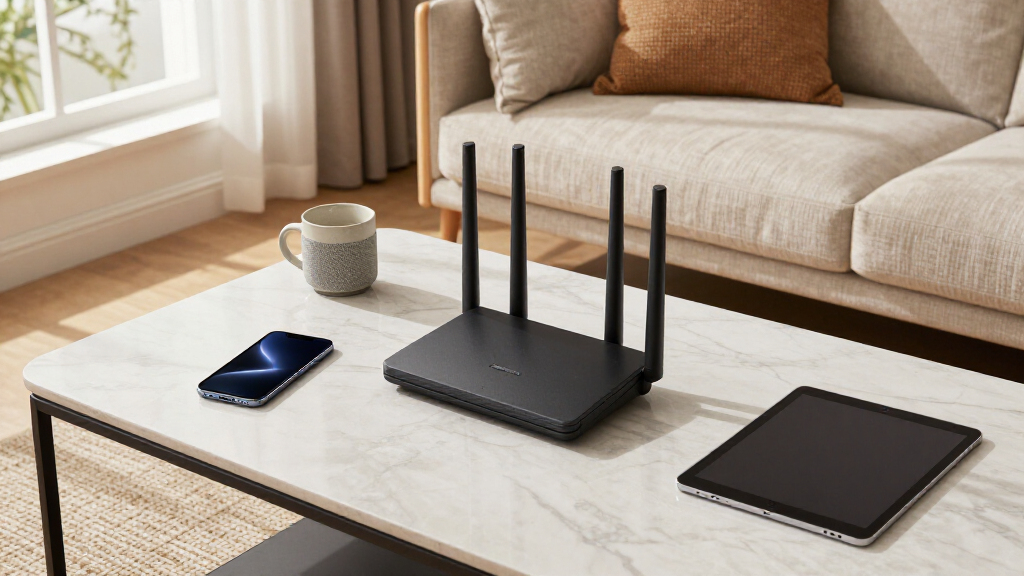
Our evaluation focused on performance, coverage, ease of setup, build quality, and value for money. We prioritized routers that support the latest wireless standards like WiFi 6E and WiFi 7, as these ensure future-proofing and optimal speeds. Mesh compatibility and multi-device handling were also key, especially for large homes or busy networks. We compared features like processor speed, port options, and additional functionalities such as gaming optimizations or mesh systems. The ranking reflects a balance of these factors, with attention to what different user types need—whether for gaming, streaming, or simple household use.
| triband router | Bands |
|---|---|
| TP-Link Deco XE75 AXE5400 Tri- | Tri-Band |
| TP-Link Deco XE75 AXE5400 Tri- | — |
| MSI Radix AXE6600 WiFi 6E Tri- | — |
| ASUS RT-BE92U WiFi 7 Router | Tri-Band (including 6GHz) |
| TP-Link Tri-Band AXE5400 Wi-Fi | Tri-Band |
| TP-Link Tri-Band WiFi 7 Router | Tri-band (6 GHz, 5 GHz, 2.4 GHz) |
| ASUS RT-BE9700 WiFi 7 Router | Tri-Band (2.4GHz, 5GHz, 6GHz) |
| TP-Link Tri-Band WiFi 7 Router | Tri-Band (6 GHz, 5 GHz, 2.4 GHz) |
| NETGEAR Nighthawk Tri-Band WiF | — |
| TP-Link AXE5400 Tri-Band WiFi | Tri-Band (6 GHz, 5 GHz, 2.4 GHz) |
| Deco 7 Pro Tri-Band WiFi 7 BE1 | — |
| NETGEAR Nighthawk WiFi 7 Route | Tri-band (2.4 GHz, 5 GHz, 6 GHz) |
| TP-Link Tri-Band WiFi 7 Router | — |
Factors to Consider When Choosing Triband Routers
Choosing the right triband router involves more than just looking at the latest specs. It’s important to understand your home environment, your internet plan, and your device needs. Consider coverage capacity to ensure your entire home is covered without dead zones. Also, evaluate whether you want a mesh system for seamless whole-home WiFi or a single-router setup. Speed and latency matter most for gaming and streaming, so look for models with high throughput and Quality of Service (QoS) features. Price-to-performance ratio is another critical factor, especially as advanced features can significantly increase cost.
Coverage and Mesh Compatibility
Assess your home’s size and layout to determine coverage needs. Larger homes benefit from mesh systems or multi-pack configurations to eliminate dead zones. Be aware that some routers advertise high coverage but require specific mesh-compatible units, which can add to the cost. For smaller spaces, a single robust router might be sufficient, saving money and complexity. Mesh systems generally offer easier scalability and management, which is useful for expanding networks or multi-story homes.
Wireless Standards and Speed
Look for routers supporting WiFi 6E or WiFi 7 for the fastest, most future-proof connections. These standards provide higher throughput and better handling of multiple devices, crucial for busy households or gaming setups. Keep in mind that your internet plan must also support these speeds; a gigabit plan benefits most from WiFi 6E or 7, but slower internet plans won’t see as much advantage. Consider also the number of streams and ports, which impact overall network performance.
Ease of Setup and Management
Intuitive apps and straightforward setup processes save time and frustration, especially for less tech-savvy users. Some routers offer advanced management options, like detailed QoS controls, which are valuable for prioritizing gaming or streaming. Conversely, overly complex setups can be daunting, so weigh your comfort with technology against features offered. Additionally, look for firmware updates and support to ensure your network remains secure and functional over time.
Port Selection and Additional Features
Consider the number and type of ports available—multi-gig Ethernet ports are beneficial for wired connections or NAS devices. USB ports can add media sharing or printer connectivity options. Other features to watch for include security protocols, parental controls, and built-in VPN support. These extras can add value but may also increase cost, so prioritize based on your specific needs and budget.
Frequently Asked Questions
Do I need WiFi 7 or WiFi 6E for my home?
WiFi 7 and WiFi 6E are the latest standards that offer faster speeds, lower latency, and better device handling, which are especially beneficial in busy households or for demanding activities like gaming and 4K streaming. If your internet plan supports these speeds and you have multiple devices, investing in a WiFi 7 or WiFi 6E router makes sense for future-proofing. However, for smaller homes or less intensive use, a high-quality WiFi 6 router may be sufficient and more cost-effective.
Is mesh necessary for a large home?
For larger or multi-story homes, mesh systems generally provide a more reliable connection by distributing WiFi signals evenly. They help eliminate dead zones and simplify management across multiple units. Single routers, even high-end ones, can struggle with coverage in extensive spaces unless they support very high power and multiple antennas. Therefore, if seamless coverage is a priority, a mesh setup is often the better choice, despite the higher initial investment.
What’s the difference between tri-band and dual-band routers?
Tri-band routers include an extra 5GHz or 6GHz band, which helps distribute network traffic more efficiently among many devices. This setup reduces congestion and maintains high speeds even when multiple users and smart devices are active. Dual-band routers have only two bands and might struggle with extensive device loads, causing slower speeds or dropped connections. If you have a smart home or several high-bandwidth devices, a tri-band model provides a smoother experience.
How much should I spend on a triband router?
Prices for triband routers vary widely, from budget-friendly models around $200 to premium options exceeding $600. Spending more generally translates into faster speeds, better coverage, and more advanced features like WiFi 7 or multi-gig ports. However, for typical household needs, a mid-range router often offers the best value, balancing performance and cost. Consider your specific requirements—such as coverage, device load, and future-proofing—before committing to a higher price point.
Are gaming routers worth the extra cost?
Gaming routers often include features like AI QoS, higher processing power, and optimized traffic prioritization, which can improve gaming experiences by reducing lag and latency. If gaming is a primary activity, these routers may justify their higher price through smoother gameplay and less jitter. For casual users, standard high-performance routers may suffice. Remember, many regular tri-band routers also support QoS and prioritize traffic effectively, so evaluate whether the gaming-specific features are worth the premium for your use case.
Conclusion
For most households, the TP-Link Deco XE75 AXE5400 stands out as the best overall choice thanks to its combination of coverage, ease of use, and future-proof features. Budget-conscious buyers or those new to mesh WiFi will find it especially appealing. Gamers and power users should consider models like the MSI Radix AXE6600 for its gaming optimizations, while premium users seeking the latest tech will appreciate the ASUS RT-BE9700 WiFi 7 for its speed and features. If you need a simple setup with reliable performance, a mid-range tri-band router like the TP-Link Archer BE550 offers excellent value. Ultimately, your choice depends on your home size, device load, and budget.