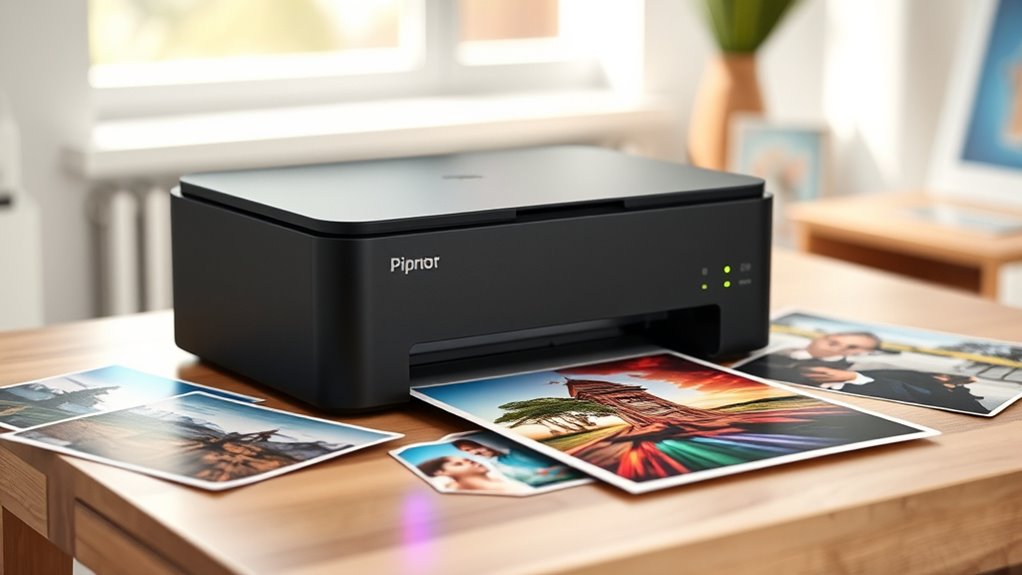
When searching for photo printers, the options can feel overwhelming, especially with so many features and price points. The Canon Selphy CP1500 stands out as the best overall pick for its balance of quality and ease of use, while the Epson Expression Photo HD XP-15000 impresses with its wide-format capabilities for larger prints. Budget-conscious buyers may prefer the KODAK Dock Plus for its affordability and simplicity, but they should be aware of its limited sheet capacity and slower print speeds. Conversely, those seeking professional-grade results might lean toward the Canon PIXMA PRO-200S, which offers rich colors and high resolution. Continue reading to see how these options compare and find the right photo printer for your specific needs.

Get the latest gadgets delivered free — and shop member deals
- Fast, free delivery on millions of items
- Access to Prime Big Deal Days deals on October 6–7
- Prime Video, Amazon Music and more included
Complete the kit



Key Takeaways
- The best photo printers balance print quality, ease of use, and connectivity features.
- Portability is a key factor for on-the-go printing, with thermal dye sublimation models excelling here.
- Wide-format printers are ideal for printing larger photos but often come at a higher price point and larger size.
- Budget models tend to compromise on sheet capacity and speed but offer good quality for casual use.
- Professional photographers should prioritize printers with high color accuracy, resolution, and ink versatility.
| Liene M100 4×6 Photo Printer, Portable Wi-Fi Instant Photo Printer for iPhone and Android |  | Best for Portability and Instant Printing | Print Size: 4×6 inches | Technology: Thermal dye sublimation | Connectivity: Wi-Fi | VIEW ON AMAZON | See Our Full Breakdown |
| KODAK Dock Plus 4×6 Photo Printer, Smartphone Docking, 50 Sheets |  | Best for Home Use and Easy Wireless Printing | Print Size: 4×6 inches | Sheets Included: 50 | Printing Technology: 4PASS dye sublimation | VIEW ON AMAZON | See Our Full Breakdown |
| Canon Selphy CP1500 Wireless Compact Photo Printer (Black) |  | Best for Versatile Connectivity and Long-Lasting Prints | Connectivity: Wi-Fi, USB, memory card | Display: 3.5-inch | Water Resistance: Yes | VIEW ON AMAZON | See Our Full Breakdown |
| Epson Expression Photo HD XP-15000 Wireless Wide-Format Inkjet Printer |  | Best for Professional-Quality Large Photos | Maximum Print Size: 13 inches x 19 inches | Printer Type: Wireless Wide-Format Inkjet | Color Ink System: 6-color Claria Photo HD | VIEW ON AMAZON | See Our Full Breakdown |
| Canon SELPHY CP1500 Compact Photo Printer White |  | Best for Long-Lasting, Easy Portable Prints | Connectivity: Wi-Fi, USB, memory card | Display: 3.5-inch | Print Longevity: Up to 100 years | VIEW ON AMAZON | See Our Full Breakdown |
| Epson Expression Premium XP-7100 Wireless Color All-in-One Inkjet Printer |  | Best All-in-One for Home Use | Printer Type: All-in-One Inkjet | Connectivity: Wireless, Ethernet, Wi-Fi Direct | Auto Document Feeder: 30 pages | VIEW ON AMAZON | See Our Full Breakdown |
| KODAK Dock Plus 4×6 Photo Printer, Smartphone Docking, 4PASS, 10 Sheets |  | Best Compact Smartphone Photo Printer | Printer Type: 4PASS Dye Sublimation | Borderless Printing: Yes | Output Type: Color | VIEW ON AMAZON | See Our Full Breakdown |
| Liene M100 4×6” Photo Printer, Wi-Fi Picture Printer, 20 Sheets |  | Best Portable Dye Sublimation Printer | Printer Type: Thermal Dye Sublimation | Borderless Printing: Yes | Maximum Media Size: 4×6 inch | VIEW ON AMAZON | See Our Full Breakdown |
| HP Envy Photo 7975 Wireless Color Inkjet Photo Printer |  | Best for High-Quality Home Photo Printing | Print Speed: 10 pages per minute color | Functions: Print, copy, scan | Automatic Duplex: Yes | VIEW ON AMAZON | See Our Full Breakdown |
| Canon PIXMA PRO-200S Wireless Inkjet Photo Printer, 13″ with 8-Color Dye Ink and 3″ Color LCD |  | Best Professional-Grade Photo Printer | Printer Type: Inkjet | Maximum Media Size: 13″ x 19″ | Maximum Sheet Capacity: 100 sheets | VIEW ON AMAZON | See Our Full Breakdown |
| Liene M100 4×6” Photo Printer Bundle (180 pcs + 5 Ink Cartridges), Wi-Fi Picture Printer for iPhone, Android, Smartphone, Computer, Dye-Sublimation, Portable for Home Use |  | Best Overall for Home Photographers | Print Size: 4×6 inches | Connectivity: Wi-Fi hotspot | Paper Sheets Included: 180 pcs | VIEW ON AMAZON | See Our Full Breakdown |
| Liene Amber M110 Bluetooth Photo Printer 80 Sheets, Portable Thermal Dye Sublimation Printer for iPhone |  | Best for On-the-Go iPhone Users | Paper Capacity: 80 sheets | Print Sizes: 4×6 inches and 3×3 inches | Connectivity: Bluetooth | VIEW ON AMAZON | See Our Full Breakdown |
| Canon Selphy CP1500 Photo Printer Bundle (Black) with KP-108 Paper, 3 Color Ink Cartridges, and Cleaning Cloth |  | Best for Small Events and Home Use | Printer Type: Dye-sublimation | Color: Black | Print Size: 4×6 inches | VIEW ON AMAZON | See Our Full Breakdown |
| KODAK Step Instant Smartphone Photo Printer, Portable Mini Color Wireless Mobile Printer, Zink 2×3” Sticky-Back Photos, Bluetooth Compatible with iOS & Android Devices, Editing App, White |  | Best for Quick, Creative 2×3 Stickers | Print Size: 2×3 inches | Technology: Zero-Ink (ZINK) | Connectivity: Bluetooth, NFC | VIEW ON AMAZON | See Our Full Breakdown |
| Epson EcoTank Photo ET-8550 Wireless Wide-Format All-in-One Tank Printer |  | Best for Professional-Quality Wide-Format Photos | Printer Type: All-in-One | Connectivity: Wireless | Print Size: Wide-Format | VIEW ON AMAZON | See Our Full Breakdown |
| photo printer | Connectivity | Print Size |
|---|---|---|
| Liene M100 4×6 Photo Printer | Wi-Fi | 4×6 inches |
| KODAK Dock Plus 4×6 Photo Prin | Bluetooth, Wi-Fi | 4×6 inches |
| Canon Selphy CP1500 Wireless C | Wi-Fi, USB, memory card | — |
| Epson Expression Photo HD XP-1 | — | — |
| Canon SELPHY CP1500 Compact Ph | Wi-Fi, USB, memory card | Small (4×6) |
| Epson Expression Premium XP-71 | Wireless, Ethernet, Wi-Fi Direct | Up to 8 x 10 inches |
| KODAK Dock Plus 4×6 Photo Prin | Wired, Wireless | — |
| Liene M100 4×6” Photo Printer | Wi-Fi, App | — |
| HP Envy Photo 7975 Wireless Co | Wireless, mobile | — |
| Canon PIXMA PRO-200S Wireless | Wi-Fi, Ethernet, USB | — |
| Liene M100 4×6” Photo Printer | Wi-Fi hotspot | 4×6 inches |
| Liene Amber M110 Bluetooth Pho | Bluetooth | — |
| Canon Selphy CP1500 Photo Prin | Wireless (Wi-Fi) | 4×6 inches |
| KODAK Step Instant Smartphone | Bluetooth, NFC | 2×3 inches |
| Epson EcoTank Photo ET-8550 Wi | Wireless | Wide-Format |
More Details on Our Top Picks
Liene M100 4×6 Photo Printer, Portable Wi-Fi Instant Photo Printer for iPhone and Android
The Liene M100 stands out for its compact, lightweight design that makes it ideal for on-the-go printing. Its thermal dye sublimation technology produces vibrant, water-resistant 4×6 photos, rivaling the durability of larger, more expensive printers like the Canon Selphy CP1500. Compared to the Selphy, the M100 is more portable and easier to carry around, though it sacrifices some ease of use—particularly since it relies heavily on its app for customization. Its limited print size and the need for proper cartridge installation are tradeoffs for the convenience of wireless, mobile printing. If you want quick, durable prints in a small package, this is a strong choice. However, if you prefer larger or more flexible media options, other models may serve you better.
Pros:- Extremely portable and lightweight design
- Produces vibrant, water-resistant photos
- Supports multiple devices simultaneously via Wi-Fi
- Includes ample paper and cartridges for immediate use
Cons:- Requires proper cartridge installation before printing
- Limited to 4×6 inch photo size
- Dependent on app for customization features
Best for: Travelers, event attendees, or anyone needing quick, durable prints from a smartphone on the move.
Not ideal for: Photographers or hobbyists who want larger prints or more customization options at home.
- Print Size:4×6 inches
- Technology:Thermal dye sublimation
- Connectivity:Wi-Fi
- Paper Sheets:100 sheets included
- Cartridges:3 cartridges included
- Design:Minimalist, magnetic, portable
Our verdict“This pick is best for mobile users who prioritize portability and quick, durable prints over size flexibility.”
KODAK Dock Plus 4×6 Photo Printer, Smartphone Docking, 50 Sheets
The KODAK Dock Plus makes a solid impression for home photo printing with its built-in docking station that doubles as a charging port, simplifying setup compared to standalone printers like the Canon Selphy CP1500. Its 4PASS dye sublimation process ensures durable, water- and fade-resistant photos, comparable to the Selphy’s print quality, but it can be slower—about 55 seconds per photo—which might be frustrating for batch printing. Its limitation to 4×6-inch prints and reliance on power outlets mean it’s less flexible for on-the-go use. Still, for those wanting a dedicated home device that combines charging and printing in one, the Dock Plus offers convenience and quality, though it lacks portability and speed for large jobs.
Pros:- Integrated docking station for charging and connection
- High-quality, durable dye sublimation prints
- Wireless printing via Bluetooth and app
- Compact design suitable for home use
Cons:- Limited to 4×6 inch photo size
- Requires power outlet for operation
- Slower print speed for larger batches
Best for: Home users who want a dedicated, easy-to-use photo printer with built-in charging for casual or small-volume printing.
Not ideal for: Travelers or event photographers who need portability and larger print sizes.
- Print Size:4×6 inches
- Sheets Included:50
- Printing Technology:4PASS dye sublimation
- Connectivity:Bluetooth, Wi-Fi
- Compatible Devices:iOS and Android smartphones
- Print Speed:55 seconds per photo
Our verdict“Ideal for home environments where convenience and durable prints matter most, not for mobile or large-volume printing.”
Canon Selphy CP1500 Wireless Compact Photo Printer (Black)
The Canon Selphy CP1500 excels for its versatility, offering connectivity via Wi-Fi, USB, and memory cards, making it accessible from multiple devices. Its ability to produce water-resistant, long-lasting photos with up to 100 years of durability makes it a standout choice for those who want quality and longevity, especially compared to smaller inkjet printers like the Epson XP-15000. The 3.5-inch display allows for on-device editing and previewing, streamlining workflow. However, it requires an optional battery for true portability, and its small print size limits use cases. The higher cost for ink and paper can also add up over time. It fits well in spaces where convenience, quality, and flexibility matter most.
Pros:- Multiple connectivity options including memory cards
- Produces water-resistant, long-lasting images
- Portable with optional battery for on-the-go use
- Easy-to-use 3.5-inch display for editing
Cons:- Requires optional battery for full portability
- Limited to small photo sizes
- Potentially higher ongoing ink and paper costs
Best for: Photo enthusiasts who need a portable, versatile printer with long-lasting prints for personal or small event use.
Not ideal for: Professional photographers needing large or high-volume prints or those seeking budget-friendly options.
- Connectivity:Wi-Fi, USB, memory card
- Display:3.5-inch
- Water Resistance:Yes
- Photo Longevity:Up to 100 years
- Portability:Optional battery
- Photo Size:Small (4×6)
Our verdict“This printer suits users who want reliable, durable prints with flexible connectivity, especially for mobile or personal use.”
Epson Expression Photo HD XP-15000 Wireless Wide-Format Inkjet Printer
The Epson XP-15000 stands apart for its ability to produce large, borderless photos up to 13×19 inches, making it ideal for professional or serious hobbyist photographers. Its six-color Claria Photo HD ink system delivers rich color accuracy and detail, akin to high-end lab prints. Compared with smaller, portable options like the Selphy, this wide-format inkjet offers greater flexibility for media types and sizes, but it comes with larger dimensions and higher ongoing costs due to Epson’s proprietary cartridges. Its automatic duplex printing and rear media tray support versatile projects, yet it’s not suited for casual or small-volume printing due to cost and setup complexity. This model is best suited for those needing gallery-quality large photos at home or in a small studio.
Pros:- Borderless printing up to 13×19 inches
- Six-color Claria Photo HD ink for vivid, accurate colors
- Supports auto duplex and various media types
- Compact for a wide-format printer
Cons:- Requires genuine Epson cartridges, increasing running costs
- Larger footprint unsuitable for small spaces
- Higher initial investment compared to smaller printers
Best for: Photographers and artists wanting high-quality, large-format prints with professional detail.
Not ideal for: Casual users and those seeking compact, portable printing solutions.
- Maximum Print Size:13 inches x 19 inches
- Printer Type:Wireless Wide-Format Inkjet
- Color Ink System:6-color Claria Photo HD
- Paper Tray Capacity:200 sheets
- Dimensions:30% smaller than predecessor
- Sound Level:49 dB(A)
Our verdict“This wide-format inkjet is perfect for those seeking professional-grade, large-size photo printing at home.”
Canon SELPHY CP1500 Compact Photo Printer White
The Canon SELPHY CP1500 offers a straightforward, portable solution for quick, high-quality photo printing. Its compact size and multiple connectivity options—including Wi-Fi, USB, and memory cards—make it versatile for various devices. The printed photos are water-resistant and can last up to 100 years, making it ideal for souvenirs or keepsakes. Compared to the KODAK Dock Plus, the Selphy provides more on-device editing options via its 3.5-inch display, but it shares the same size restrictions and requires an optional battery for true mobility. Its reliance on specialized ink and paper can lead to higher ongoing costs. Overall, this printer is well-suited for users who want reliable, long-lasting prints in a lightweight package.
Pros:- Portable and lightweight design
- Produces water-resistant, long-lasting images
- Multiple connectivity options including memory card support
- Easy-to-use 3.5-inch display for editing
Cons:- Requires optional battery for full portability
- Limited to small photo sizes
- Higher ongoing costs for ink and paper
Best for: Travelers and event attendees who need portable, durable prints from multiple devices.
Not ideal for: Photographers requiring larger or higher-volume printing capabilities.
- Connectivity:Wi-Fi, USB, memory card
- Display:3.5-inch
- Print Longevity:Up to 100 years
- Water Resistance:Yes
- Portability:Optional battery
- Print Size:Small (4×6)
Our verdict“A portable, reliable choice for those who want durable prints without sacrificing convenience or quality.”
Epson Expression Premium XP-7100 Wireless Color All-in-One Inkjet Printer
The Epson Expression Premium XP-7100 stands out for delivering vibrant, sharp photo prints alongside versatile document handling, making it ideal for households that want an all-in-one device. Compared with the Canon PIXMA PRO-200S, it offers more compact, multi-purpose functionality but sacrifices some professional photo quality and size versatility. Its wireless and Ethernet connectivity simplifies printing from multiple devices, while the 30-page auto document feeder and auto duplex printing add convenience. However, relying on genuine Epson cartridges can lead to higher ongoing costs, and the limited media size is less suited for larger-format photos. This printer suits families or hobbyists who need reliable, quality color printing with scanning and copying features without professional-grade size options.
Pros:- Vivid, sharp print quality suitable for photos and documents
- Wireless and Ethernet connectivity for easy device sharing
- Auto duplex printing and large touchscreen for user convenience
Cons:- Requires genuine Epson cartridges, which can be costly over time
- Limited media size restricts larger photo or specialty media printing
Best for: Home users who want a versatile, easy-to-use printer capable of producing vibrant photos and handling everyday printing and copying tasks.
Not ideal for: Professional photographers or graphic artists needing large-format, high-precision prints, or users seeking ultra-low running costs for high-volume printing.
- Printer Type:All-in-One Inkjet
- Connectivity:Wireless, Ethernet, Wi-Fi Direct
- Auto Document Feeder:30 pages
- Print Size:Up to 8 x 10 inches
- Touchscreen:4.3 inches
- Media Compatibility:Photos, DVDs, specialty paper
Our verdict“This model makes sense for families seeking a reliable, all-in-one printer that balances photo quality with everyday functionality.”
KODAK Dock Plus 4×6 Photo Printer, Smartphone Docking, 4PASS, 10 Sheets
The KODAK Dock Plus excels at producing high-quality 4×6” photos directly from smartphones, making it perfect for casual photographers wanting quick, durable prints. Its water-, fingerprint-, and fade-resistant dye sublimation technology outperforms traditional inkjet prints in durability, with the added benefit of an integrated docking station that charges your phone. Compared to the Liene M100, the Dock Plus offers faster print cycles and built-in charging, but it’s limited to small photo sizes and only prints 10 sheets per cycle, which may be restrictive for larger batches. Its wireless app support makes it user-friendly, but the weight and limited sheet capacity make it less portable for on-the-go use. Ideal for social gatherings, parties, or quick photo keepsakes.
Pros:- Produces water-, fingerprint-, and fade-resistant photos
- Integrated docking station charges phones during printing
- Fast, easy wireless printing from smartphones and tablets
Cons:- Limited to 10 sheets per print cycle, restricting batch size
- Heavy for portable use, not ideal for frequent on-the-go printing
Best for: Casual photographers or event hosts who want quick, durable prints directly from their smartphones in small batches.
Not ideal for: Photographers needing larger, professional-quality prints or those requiring high-volume, continuous printing with flexible media sizes.
- Printer Type:4PASS Dye Sublimation
- Borderless Printing:Yes
- Output Type:Color
- Item Weight:3.3 pounds
- Maximum Media Size:4×6 inches
- Connectivity:Wired, Wireless
Our verdict“This printer is perfect for casual users seeking quick, durable 4×6 photos from their smartphones without fuss.”
Liene M100 4×6” Photo Printer, Wi-Fi Picture Printer, 20 Sheets
The Liene M100 offers a portable solution for high-quality, water- and scratch-resistant photos, making it ideal for on-the-go printing and home use. Its thermal dye sublimation process produces vibrant, durable images that outperform standard inkjet prints in resistance. It supports multiple devices simultaneously via Wi-Fi, with a user-friendly app for customization, making it suitable for small events or personal projects. Compared with the KODAK Dock Plus, the M100 supports more sheets per run and higher resolution, but it’s heavier and limited to 4×6 inch prints only. Its compact size and multi-device support make it a strong choice for hobbyists or small business owners who need portable, reliable photo output.
Pros:- Produces vibrant, water- and scratch-resistant photos
- Supports multiple devices simultaneously via Wi-Fi
- Compact, lightweight design for portability
Cons:- Limited to 4×6 inch photo size
- Slower print speeds compared to larger professional printers
Best for: Photographers or hobbyists wanting a portable, high-quality photo printer for personal or small-scale commercial use.
Not ideal for: Users needing larger prints or high-volume batch printing, or professional photographers requiring larger formats and faster speeds.
- Printer Type:Thermal Dye Sublimation
- Borderless Printing:Yes
- Maximum Media Size:4×6 inch
- Print Resolution:300 x 300 dpi
- Output Capacity:20 sheets
- Connectivity:Wi-Fi, App
Our verdict“This printer suits those seeking a portable, durable photo printer for personal or small event use.”
HP Envy Photo 7975 Wireless Color Inkjet Photo Printer
The HP Envy Photo 7975 combines high-quality photo printing with versatile functions like copying and scanning, making it suitable for families or creative households. Its borderless photo printing and large color touchscreen enhance user experience, and AI-enabled tools help optimize workflow. Compared with the Canon PIXMA PRO-200S, it offers faster document handling and easier setup, but it doesn’t support larger media sizes and features a slower print speed for high-volume jobs. The costs of replacement ink and complex setup may deter casual users. This printer is well-suited for users who want a reliable, all-in-one device that handles both photos and documents with ease.
Pros:- High-quality, borderless photo prints
- Wireless and mobile printing support
- Intuitive large touchscreen interface
- AI tools for workflow optimization
Cons:- Slower print speeds for high-volume jobs
- Higher cost for ink replacements
Best for: Home users or creative families who want a versatile printer for high-quality photos and everyday printing tasks.
Not ideal for: Professional photographers needing large-format or gallery-quality prints, or high-volume printing environments.
- Print Speed:10 pages per minute color
- Functions:Print, copy, scan
- Automatic Duplex:Yes
- Photo Tray:Separate
- Connectivity:Wireless, mobile
- Touchscreen:Large color
Our verdict“This printer is a solid choice for home users seeking a versatile, high-quality photo and document printer with smart features.”
Canon PIXMA PRO-200S Wireless Inkjet Photo Printer, 13″ with 8-Color Dye Ink and 3″ Color LCD
The Canon PIXMA PRO-200S is designed for photographers and graphic artists who demand top-tier color accuracy and large-format capability. Its 8-color dye ink system produces vibrant, detailed prints up to 13 inches wide, with support for borderless printing up to 19 inches, making it ideal for gallery-quality images. Compared to the Epson Expression Premium XP-7100, it offers professional-level print quality and larger media support, but at a higher weight and cost. The 3-inch LCD simplifies media management, and its fast enough for professional workflows, though it’s limited to print functions only. This printer suits serious creators who prioritize color fidelity and large-format output.
Pros:- Vibrant, high-quality 8-color dye prints
- Supports borderless printing up to 13″ x 19″
- Easy-to-use 3-inch color LCD for media management
- Supports large media sizes up to A3+
Cons:- Relatively heavy at over 32 pounds
- Limited to print-only functions, no scanning or copying
- Higher purchase and consumable costs
Best for: Professional photographers, graphic artists, or advanced hobbyists needing high-quality, large-format, color-accurate prints.
Not ideal for: Casual users or those with limited space, as it’s heavy and dedicated solely to printing with a higher price tag.
- Printer Type:Inkjet
- Maximum Media Size:13″ x 19″
- Maximum Sheet Capacity:100 sheets
- Print Speed:2 pages per minute
- Resolution:4800 x 2400 dpi
- Connectivity:Wi-Fi, Ethernet, USB
Our verdict“This printer is best suited for professionals or serious hobbyists prioritizing large, color-accurate prints with reliable performance.”
Liene M100 4×6” Photo Printer Bundle (180 pcs + 5 Ink Cartridges), Wi-Fi Picture Printer for iPhone, Android, Smartphone, Computer, Dye-Sublimation, Portable for Home Use
The Liene M100 stands out for its ability to produce vibrant, water- and scratch-resistant 4×6 inch photos using thermal dye sublimation, making it ideal for those who want durable prints without fuss. Unlike the Canon Selphy CP1500, which offers a more compact design, the M100’s built-in Wi-Fi hotspot supports multiple devices simultaneously, streamlining home printing. However, its reliance on proper cooling can affect connection stability, and the 4×6 size limits versatility for larger projects. This printer’s included supplies of 180 sheets and 5 ink cartridges mean less frequent refills, but the ongoing cost of replacements can add up. It’s best suited for families or hobbyists seeking reliable, high-quality prints at home, willing to manage its operational nuances.
Pros:- Produces vibrant, water- and scratch-resistant photos
- Supports multiple devices simultaneously via built-in Wi-Fi hotspot
- Includes ample sheets of paper and ink cartridges for frequent printing
Cons:- Requires proper cooling to prevent connection issues
- Limited to 4×6 inch photo size, restricting versatility
- Ongoing replacement costs for ink and paper can be high
Best for: Families or hobbyists who want high-quality, durable photos with frequent printing needs at home
Not ideal for: Users needing a portable solution for on-the-go printing or larger photo formats, due to its size and size limitations
- Print Size:4×6 inches
- Connectivity:Wi-Fi hotspot
- Paper Sheets Included:180 pcs
- Ink Cartridges Included:5 pcs
- Printing Technology:Thermal dye sublimation
- Compatibility:iPhone, Android, Smartphone, Computer
Our verdict“This pick is ideal for home users prioritizing durable, high-quality prints with large supplies included.”
Liene Amber M110 Bluetooth Photo Printer 80 Sheets, Portable Thermal Dye Sublimation Printer for iPhone
The Liene Amber M110 excels as a portable, Bluetooth-enabled dye sublimation printer capable of producing water- and scratch-resistant 4×6 and 3×3 photos, making it perfect for mobile printing enthusiasts. Compared with the KODAK Step, which offers smaller 2×3 prints and limited editing features, the Amber M110’s dual trays and customizable options via its app allow for more creative control. Nonetheless, its reliance on Bluetooth and the need for the dedicated app may slow down quick printing, and it supports only iPhones and compatible devices, limiting versatility. The 80-sheet capacity is convenient for casual use but might require frequent refills for intensive users. This device suits iPhone owners who want a compact photo printer with flexible sizes and editing options for spontaneous printing.
Pros:- Supports both 4×6 and 3×3-inch photo sizes with dual trays
- Fast Bluetooth pairing in approximately 13 seconds
- Produces high-quality, water- and scratch-resistant prints with editing options
Cons:- Limited to iOS and compatible devices, reducing flexibility
- Requires use of the dedicated app for customization, adding extra steps
- Prints only 80 sheets per full charge, limiting high-volume printing
Best for: iPhone users who want a portable, customizable photo printer for casual or creative use on-the-go
Not ideal for: Android users or those seeking a larger-capacity, wireless-only device, due to Bluetooth and size constraints
- Paper Capacity:80 sheets
- Print Sizes:4×6 inches and 3×3 inches
- Connectivity:Bluetooth
- Technology:Thermal dye sublimation
- Compatibility:iPhone and compatible devices
- App Features:Borders, filters, contrast/brightness adjustment
Our verdict“This printer fits iPhone owners seeking a portable, customizable photo solution for casual or creative projects.”
Canon Selphy CP1500 Photo Printer Bundle (Black) with KP-108 Paper, 3 Color Ink Cartridges, and Cleaning Cloth
The Canon Selphy CP1500 is a compact dye-sublimation printer that provides vibrant, water-resistant 4×6 photos, making it suitable for home use, parties, or gift-giving. Its wireless capability allows printing directly from smartphones or tablets, offering convenience that outpaces wired models like the KODAK Dock Plus. While its size makes it easy to place almost anywhere, the limited 108-sheet paper capacity and the need for specific ink and paper cartridges can be inconvenient for frequent printing. Compared to the Epson EcoTank ET-8550, which offers wide-format printing for larger projects, the Selphy is more focused on small, high-quality photo outputs. It’s best for users who need an easy, reliable solution for quick, quality prints at a modest volume.
Pros:- Produces professional-quality, water-resistant photos
- Wireless printing from smartphones and tablets
- Compact and portable for easy placement
Cons:- Limited to 4×6 inch photo size, restricting larger prints
- Requires specific paper and ink cartridges, which can be costly
- No information on print speed for high-volume needs
Best for: Home users or small event organizers who want a compact, easy-to-use photo printer with wireless capabilities
Not ideal for: Heavy users or those requiring larger photo sizes or high-volume printing, due to its smaller paper capacity and size constraints
- Printer Type:Dye-sublimation
- Color:Black
- Print Size:4×6 inches
- Paper Included:108 sheets
- Ink Cartridges:3 full-size color
- Connectivity:Wireless (Wi-Fi)
Our verdict“This printer is perfect for small-scale, quality-focused photo printing in home or casual settings.”
KODAK Step Instant Smartphone Photo Printer, Portable Mini Color Wireless Mobile Printer, Zink 2×3” Sticky-Back Photos, Bluetooth Compatible with iOS & Android Devices, Editing App, White
The KODAK Step excels as a lightweight, portable Zink printer that produces durable, 2×3 inch sticky-back photos. Its compatibility with iOS and Android via Bluetooth or NFC makes it highly versatile for spontaneous printing on-the-go. Unlike the Canon Selphy, which offers larger prints, the KODAK Step focuses on quick, small-format photos perfect for labels, crafts, or instant sharing. The free editing app enhances images with filters, borders, and adjustments, adding creative flexibility. However, its capacity of only 25 photos per charge limits high-volume use, and the small print size may not suit all needs. This device is ideal for users who want quick, durable prints for personal projects or events, especially when portability and editing are priorities.
Pros:- Produces high-quality, durable, smudge-resistant 2×3 inch photos
- Portable and lightweight for on-the-go printing
- Free app offers extensive editing and customization features
Cons:- Limited to 25 photos per full charge, restricting high-volume output
- Prints only small 2×3 inch images, less versatile for larger displays
- Requires smartphone connection via Bluetooth or NFC, which may slow workflow
Best for: Creative individuals or event attendees who want quick, durable, small-format prints with editing options
Not ideal for: Users needing larger photos or high-volume printing, due to its limited sheet capacity and small size
- Print Size:2×3 inches
- Technology:Zero-Ink (ZINK)
- Connectivity:Bluetooth, NFC
- Battery Life:Prints 25 photos per charge
- Included Paper:Starter pack of ZINK paper
- Compatibility:iOS & Android devices
Our verdict“This compact printer suits users who want quick, customizable small photos for crafts, labels, or fun projects on the move.”
Epson EcoTank Photo ET-8550 Wireless Wide-Format All-in-One Tank Printer
The Epson EcoTank ET-8550 offers a high-capacity, cartridge-free solution for users needing wide-format and high-quality photo printing. Its refillable ink bottles and ability to print up to 6,200 color pages make it more cost-effective over time compared to smaller, traditional inkjet or dye-sublimation printers like the Canon Selphy. Compared to smaller, dedicated photo printers, the ET-8550’s large size and wide-format capability make it suitable for artists, photographers, or small studios. The tradeoff is the higher initial investment and larger footprint, which might be excessive for casual or infrequent users. This model is best for those who want a versatile, professional-grade printer capable of handling large, detailed images with a focus on long-term savings.
Pros:- Cartridge-free printing reduces waste and replacement costs
- High-capacity ink bottles support large-volume, high-quality prints
- Wireless connectivity allows flexible printing from multiple devices
- Prints lab-quality photos and sharp graphics in wide formats
Cons:- Initial purchase cost is higher than typical compact photo printers
- Large size requires significant space and setup
- Refill process may be less convenient than cartridge-based systems
Best for: Photographers or small studios needing wide-format, high-quality prints with cost efficiency over the long term
Not ideal for: Casual users or those with limited space, due to its size and higher upfront cost
- Printer Type:All-in-One
- Connectivity:Wireless
- Print Size:Wide-Format
- Ink System:EcoTank, refillable ink bottles
- Page Yield:Up to 6,200 color pages
Our verdict“This model is best suited for professionals or enthusiasts seeking wide-format, high-quality printing with long-term cost savings.”

How We Picked
Products were selected based on their ability to produce high-quality photo prints, ease of setup and operation, build quality, and value for money. We also considered versatility, such as wireless connectivity options and sheet capacity, to ensure they meet different user needs. The ranking reflects a combination of image quality, user-friendly features, and overall reliability, with an emphasis on models that serve both casual hobbyists and serious photographers. Tradeoffs were evaluated to highlight where each printer excels or falls short, ensuring readers can make informed decisions based on their specific priorities.
Factors to Consider When Choosing Photo Printers
Choosing the right photo printer involves understanding several key factors beyond just print quality. Consider how portable you need your printer to be, whether you want wide-format capabilities, and how much you’re willing to spend. The following sections highlight the most important aspects to evaluate before making your purchase, helping you avoid common pitfalls and select a printer that matches your workflow and budget.Print Quality and Resolution
High resolution and color accuracy are vital for producing vibrant, detailed photos. Look for printers with at least 300 dpi for standard photo printing; professional-grade models may offer even higher resolutions. Keep in mind that higher resolution printers tend to be more expensive and may require specialized ink or paper. If you’re printing for framing or professional use, prioritize color fidelity and resolution over speed or cost.
Connectivity Options
Wireless connectivity via Wi-Fi, Bluetooth, or NFC is increasingly common, offering flexibility for printing directly from smartphones or tablets. Consider whether the printer supports your device ecosystem and whether it can connect to multiple devices simultaneously. For shared or multi-user environments, a printer with robust app support and easy setup will save time and reduce frustration.
Size and Portability
If you need a printer for on-the-go use or limited space, a compact, portable model with battery options is ideal. Thermal dye sublimation printers are often lightweight and quick to set up, but they may have limited sheet capacity. Larger, wide-format printers are better suited for studio setups or dedicated photo labs, but they require more space and typically have higher price tags.
Cost of Consumables and Maintenance
While initial costs are important, consider the ongoing expenses for ink, paper, and maintenance. Some printers use individual ink cartridges, which can reduce waste and cost, while others have integrated ink tanks. Wide-format and professional printers may require more expensive ink sets and specialized paper, impacting long-term costs. Budget models might save money upfront but could lead to higher costs per print over time.
Ease of Use and Workflow
Intuitive controls, touchscreen interfaces, and straightforward app integration make for a smoother printing experience. For casual users, simplicity often trumps advanced features, while professionals might prioritize color management and custom settings. Consider whether the printer offers features like automatic photo correction or borderless printing, which can streamline your workflow and improve results.
Frequently Asked Questions
Can I print directly from my smartphone?
Yes, most modern photo printers support direct printing from smartphones via Wi-Fi, Bluetooth, or dedicated apps. This convenience allows for quick photo printing without needing a computer. Compatibility depends on the specific model and your device’s operating system, so verify support for iOS or Android before purchasing. This feature is especially useful for casual users or those who print on the go.
What is the difference between dye-sublimation and inkjet photo printers?
Dye-sublimation printers use heat to transfer dye onto photo paper, producing durable, glossy prints with smooth color transitions. Inkjet printers spray liquid ink directly onto paper, offering high resolution and versatility for various media types. Dye-sublimation models are typically more portable and faster but limited to specific sizes and media. Inkjet printers can handle a wider range of sizes and paper types, making them suitable for professional-quality printing, though they may be more complex to maintain.
Are wide-format printers worth the investment for casual use?
Wide-format printers excel at printing large photos, banners, or fine art prints, making them ideal for professional or serious hobbyist use. For casual printing, they often come with a higher price tag, larger size, and increased maintenance requirements. If your needs are primarily printing standard-sized photos or occasional large prints, a smaller, more affordable model may serve you better. However, if you frequently produce large or high-quality prints, the investment can be justified.
How important is print resolution for everyday photo printing?
For most casual or hobbyist purposes, a resolution of 300 dpi is sufficient to produce sharp, vibrant photos. Higher resolutions, such as 600 dpi or more, are beneficial for detailed professional prints or enlargements. Keep in mind that resolution is only one factor; color accuracy, ink quality, and paper choice significantly impact final image quality. Investing in a higher-resolution printer makes sense if you require gallery-quality results or large enlargements.
What should I consider regarding ongoing costs for ink and paper?
Ongoing expenses can quickly add up, especially with professional-grade or wide-format printers. Check whether the printer uses individual cartridges, refillable tanks, or integrated ink systems, as these affect cost and ease of maintenance. Consider the cost per print based on ink consumption and how much high-quality photo paper you typically use. Budgeting for these consumables helps avoid surprises and ensures you select a printer that fits your long-term budget.
Conclusion
For casual users or those printing occasionally, a compact model like the Canon Selphy CP1500 offers convenience and decent quality. Serious hobbyists or small studios will appreciate the versatility of the Epson Expression Photo HD XP-15000 for larger prints. If you’re seeking professional-grade results, the Canon PIXMA PRO-200S provides exceptional color accuracy and resolution. Budget-conscious buyers should consider the KODAK Dock Plus for affordability, while those needing portability may prefer thermal dye sublimation options like the Liene Amber M110. Carefully match your printer choice to your specific needs and print volume to ensure satisfaction over time.
Halloween Picks
halloween
As an affiliate, we earn on qualifying purchases.