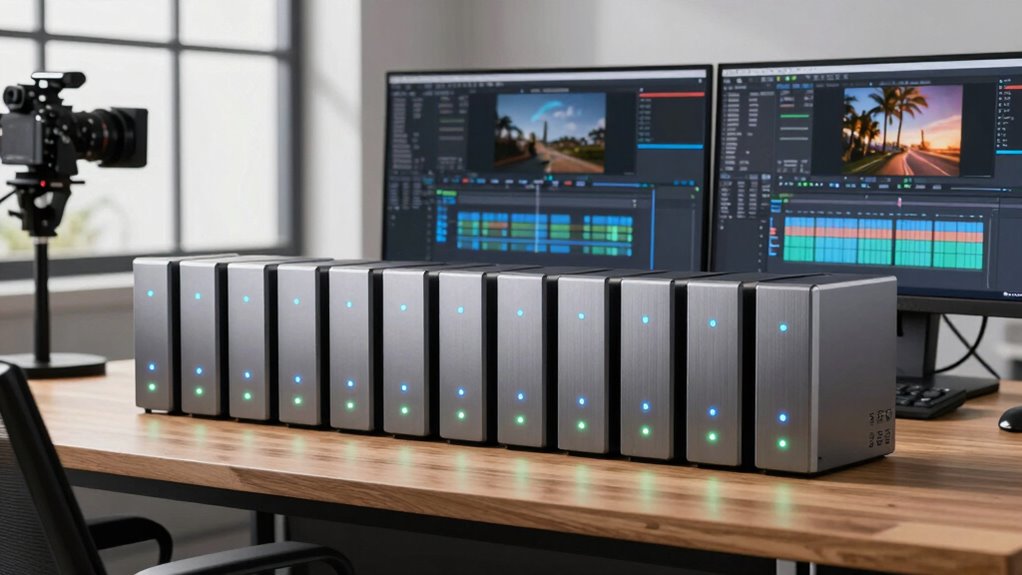

For most content creators, I’d start with the QNAP TS-464: its four drive bays give growing photo and video libraries more room to expand than the two-bay options. The ASUSTOR AS5402T stands out for creators who want fast networking and NVMe slots in a compact system, while the Synology DS225+ suits those who value a polished private-cloud workflow. The main tradeoffs are capacity and room to grow versus simpler setup, along with whether you need fast shared editing or mostly dependable backups. I compare all 11 NAS systems by creator workflow, expansion, and ease of use below.

Get the latest gadgets delivered free with Prime
- Fast, free delivery on millions of items
- Prime Video, Amazon Music and more included
- Member-only deals all year
Complete the kit



Key Takeaways
The QNAP TS-464 and ASUSTOR Lockerstor 4 Gen2+ AS6704T v2 offer four bays, giving creators more room to build storage capacity than any two-bay model here.
The ASUSTOR AS5402T pairs dual 2.5GbE with four M.2 NVMe slots, a distinctive combination for creators who want a compact system with fast network and cache options.
Two-bay systems such as the QNAP TS-264 and Synology DS225+ can fit a small studio, but they leave less flexibility for adding capacity than four-bay alternatives.
The UGREEN NAS DH2300 targets beginners with phone backup, while the Buffalo LinkStation 210 arrives with a hard drive but has only one bay for storage growth.
The QNAP TS-473A brings a more expandable four-bay platform, while simpler models like the Synology DS223j make more sense when straightforward file storage matters more than performance headroom.
| ASUSTOR AS5402T 2-Bay NAS with Intel Quad-Core CPU, 4 M.2 NVMe Slots, Dual 2.5GbE, and 4GB DDR4 RAM |  | Best for NVMe Workflows | Drive bays: 2 | Processor: Intel N5105 quad-core, 2.0GHz | Memory: 4GB DDR4, expandable to 16GB | VIEW ON AMAZON | See Our Full Breakdown |
| ASUSTOR Drivestor 2 Gen 2 AS1202T 2-Bay Diskless NAS |  | Best Entry-Level 2.5GbE Pick | Model: AS1202T | Drive bays: 2 | Processor: Realtek RTD1619B quad-core, 1.7GHz | VIEW ON AMAZON | See Our Full Breakdown |
| QNAP TS-473A-8G-US 4-Bay Desktop NAS |  | Best for Growing Studios | Model: TS-473A-8G-US | Processor: AMD Ryzen V1500B quad-core, 2.2GHz | Memory: 8GB DDR4, expandable to 64GB | VIEW ON AMAZON | See Our Full Breakdown |
| Synology DiskStation DS223j 2-Bay NAS Enclosure (Diskless) |  | Best for Simple Backup and Sync | Model: DS223j | Drive bays: 2 | Drive status: Diskless | VIEW ON AMAZON | See Our Full Breakdown |
| QNAP TS-264-8G-US 2-Bay Desktop NAS |  | Best Two-Bay Performance Pick | Model: TS-264-8G-US | Processor: Intel Celeron N5105/N5095 quad-core, burst up to 2.9GHz | Memory: 8GB DDR4, expandable to 16GB | VIEW ON AMAZON | See Our Full Breakdown |
| UGREEN NAS DH2300 2-Bay NAS for Beginners & Personal Users with Phone Backup |  | Best for Beginner Photo Backups | Drive bays: 2 | Maximum capacity: 64 TB | Memory: 4 GB | VIEW ON AMAZON | See Our Full Breakdown |
| Synology DS225+ 2-Bay Diskless NAS Private Cloud Media Server |  | Best for a Creator Media Library | Model: DS225+ | Drive bays: 2 | Storage configuration: Diskless | VIEW ON AMAZON | See Our Full Breakdown |
| ASUSTOR Lockerstor 4 Gen2+ AS6704T v2 4-Bay NAS |  | Best for High-Speed Expansion | Processor: Intel Celeron N5105 quad-core | Drive bays: 4 | Storage support: SATA HDD/SSD and NVMe SSD | VIEW ON AMAZON | See Our Full Breakdown |
| QNAP TS-464-8G-US 4-Bay Desktop NAS, 8GB RAM |  | Best for a Small Creator Team | Processor: Intel Celeron N5105/N5095 quad-core, up to 2.9 GHz | Drive bays: 4 | Memory: 8 GB DDR4; supports up to 16 GB | VIEW ON AMAZON | See Our Full Breakdown |
| BUFFALO LinkStation 210 6TB 1-Bay NAS with Hard Drive |  | Best Ready-to-Use Personal Backup | Model: LS210D0601 | Capacity: 6TB | Drive bays: 1 | VIEW ON AMAZON | See Our Full Breakdown |
| UGREEN DXP2800 GT 2-Bay NAS (Diskless) |  | Best for Fast, Expandable Workflows | Bays: 2 | Processor: AMD Ryzen Embedded R2514, 4 cores, 8 threads, up to 3.70GHz | Memory: 8GB DDR4, expandable to 64GB | VIEW ON AMAZON | See Our Full Breakdown |
| nas drives for content creator | Drive bays | Processor | Memory | Model |
|---|---|---|---|---|
| ASUSTOR AS5402T 2-Bay NAS with | 2 | Intel N5105 quad-core, 2.0GHz | 4GB DDR4, expandable to 16GB | — |
| ASUSTOR Drivestor 2 Gen 2 AS12 | 2 | Realtek RTD1619B quad-core, 1.7GHz | 1GB DDR4 | AS1202T |
| QNAP TS-473A-8G-US 4-Bay Deskt | 4 | AMD Ryzen V1500B quad-core, 2.2GHz | 8GB DDR4, expandable to 64GB | TS-473A-8G-US |
| Synology DiskStation DS223j 2- | 2 | — | — | DS223j |
| QNAP TS-264-8G-US 2-Bay Deskto | 2 | Intel Celeron N5105/N5095 quad-core, burst up to 2.9GHz | 8GB DDR4, expandable to 16GB | TS-264-8G-US |
| UGREEN NAS DH2300 2-Bay NAS fo | 2 | — | 4 GB | — |
| Synology DS225+ 2-Bay Diskless | 2 | Intel | — | DS225+ |
| ASUSTOR Lockerstor 4 Gen2+ AS6 | 4 | Intel Celeron N5105 quad-core | — | — |
| QNAP TS-464-8G-US 4-Bay Deskto | 4 | Intel Celeron N5105/N5095 quad-core, up to 2.9 GHz | 8 GB DDR4; supports up to 16 GB | — |
| BUFFALO LinkStation 210 6TB 1- | 1 | — | — | LS210D0601 |
| UGREEN DXP2800 GT 2-Bay NAS | — | AMD Ryzen Embedded R2514, 4 cores, 8 threads, up to 3.70GHz | 8GB DDR4, expandable to 64GB | — |
More Details on Our Top Picks
ASUSTOR AS5402T 2-Bay NAS with Intel Quad-Core CPU, 4 M.2 NVMe Slots, Dual 2.5GbE, and 4GB DDR4 RAM
The ASUSTOR AS5402T suits creators who want fast local storage options in a compact two-bay enclosure. Its standout difference from the QNAP TS-264-8G-US is the four M.2 NVMe slots, which give more room to configure SSD storage or acceleration alongside the two main drives. Dual 2.5GbE can help move large project files across a compatible network, while expandable memory offers room to grow beyond the included 4GB. Hardware transcoding and HDMI output also make it useful for sharing a media library on a display. The tradeoff is capacity: two main bays leave less room for a growing archive than four-bay options such as the QNAP TS-473A. It ships diskless, and fast networking depends on compatible equipment.
Pros:- Four M.2 NVMe slots allow flexible SSD storage or acceleration configurations.
- Dual 2.5GbE supports faster file transfers on a compatible network.
- Memory can expand from 4GB to 16GB.
- Hardware transcoding and HDMI 2.0b support 4K media playback.
Cons:- Two main drive bays provide less room to expand than four-bay NAS options.
- Diskless configuration requires separate drive purchases.
- Real-world network speeds depend on compatible network hardware.
Best for: Video editors and media creators who want several NVMe configuration options, faster-than-Gigabit networking, and a compact two-drive setup.
Not ideal for: Creators building a large long-term archive or anyone who needs included drives; its two bays constrain expansion and the diskless setup requires separate purchases.
- Drive bays:2
- Processor:Intel N5105 quad-core, 2.0GHz
- Memory:4GB DDR4, expandable to 16GB
- M.2 slots:4x M.2 NVMe SSD
- Network:2x 2.5GbE
- Video output:HDMI 2.0b
- Drive configuration:Diskless
Our verdict“Choose the AS5402T if NVMe flexibility and 2.5GbE matter more to your creator workflow than having four main drive bays.”
ASUSTOR Drivestor 2 Gen 2 AS1202T 2-Bay Diskless NAS
The ASUSTOR Drivestor 2 Gen 2 AS1202T is a straightforward starting point for creators who mainly need shared files and backups, with 2.5GbE networking as its main advantage over basic Gigabit options. Tool-free drive installation can make initial setup less fiddly, and cross-platform access supports a small team working across different computers. Compared with the Synology DS223j, this model offers faster networking on paper, but the provided data does not list the same breadth of backup and surveillance features for the Synology. Its 1GB of DDR4 memory is the defining limitation: it is fixed at that capacity, making this a poorer fit for heavier multitasking or demanding media workflows than the 8GB QNAP models. It is also diskless, so storage must be added separately.
Pros:- 2.5GbE offers more network bandwidth than standard Gigabit Ethernet on compatible setups.
- Tool-free drive installation simplifies fitting drives.
- Supports private cloud and backup features.
- Cross-platform, multi-user access suits mixed-device households or small teams.
Cons:- Memory is limited to 1GB, with no upgrade headroom.
- Diskless configuration requires separate hard drives or SSDs.
- Two bays limit future storage expansion compared with four-bay models.
Best for: Solo creators or small studios who need a simple shared file and backup hub with 2.5GbE and tool-free drive installation.
Not ideal for: Creators running several demanding apps or services on the NAS; its fixed 1GB memory leaves little headroom as workloads grow.
- Model:AS1202T
- Drive bays:2
- Processor:Realtek RTD1619B quad-core, 1.7GHz
- Memory:1GB DDR4
- Network:2.5GbE Ethernet
- USB ports:3
- Drive installation:Tool-free
- Drive configuration:Diskless
Our verdict“Pick the AS1202T for basic creator file sharing and backups when 2.5GbE matters more than memory headroom or expansion.”
QNAP TS-473A-8G-US 4-Bay Desktop NAS
For creators whose project archive keeps growing, the QNAP TS-473A-8G-US makes a stronger case than two-bay picks such as the QNAP TS-264-8G-US: four drive bays give more room to build storage capacity, while 8GB of memory expandable to 64GB supports a more demanding multi-user setup. Dual 2.5GbE and two NVMe slots add options for faster file access and SSD acceleration. The Ryzen V1500B processor and USB 3.2 Gen 2 ports also suit a workstation-centered storage workflow with external backups or expansion. Those capabilities come with a larger commitment than a compact two-bay NAS. The unit ships without drives, and its 2.5GbE ports reach their potential only when the rest of the network supports them. The included memory may also need upgrading for heavy virtualization.
Pros:- Four drive bays allow a larger storage pool than two-bay models.
- Memory expands up to 64GB for more demanding workloads.
- Dual 2.5GbE and dual NVMe slots offer fast networking and SSD configuration options.
- USB 3.2 Gen 2 ports support high-speed external backup and expansion.
Cons:- Diskless configuration requires buying and installing drives separately.
- Included 8GB memory may limit heavier multitasking or virtualization until upgraded.
- 2.5GbE benefits depend on compatible network hardware.
Best for: Small production teams and creators with expanding video or photo archives who want four drive bays and room to add memory.
Not ideal for: Solo creators with modest storage needs or buyers seeking a simple ready-to-use setup; it is diskless and may need upgrades for heavier workloads.
- Model:TS-473A-8G-US
- Processor:AMD Ryzen V1500B quad-core, 2.2GHz
- Memory:8GB DDR4, expandable to 64GB
- Drive bays:4
- M.2 slots:2x M.2 PCIe Gen 3 NVMe
- Network:2x 2.5GbE
- USB:USB 3.2 Gen 2 Type-A and Type-C, up to 10Gb/s
- Drive configuration:Diskless
Our verdict“Choose the TS-473A if your studio needs four-bay capacity and substantial memory upgrade headroom more than a compact footprint.”
Synology DiskStation DS223j 2-Bay NAS Enclosure (Diskless)
The Synology DiskStation DS223j is the simple, quiet pick for creators who want dependable central storage and automated backups without making the NAS itself a demanding workstation. Its DiskStation Manager software supports private cloud access, file sharing, and backups for computers and mobile devices; IP camera surveillance adds another household or studio use. Compared with the ASUSTOR Drivestor 2 Gen 2 AS1202T, the DS223j is described with a broader mix of backup and surveillance functions, while the ASUSTOR lists 2.5GbE networking for faster transfers on a compatible network. The DS223j’s compact, energy-efficient design favors routine sync and archive access over high-throughput editing workflows. The provided product data does not specify its processor, memory, or network speed, so creators choosing on those performance details have less information here. Drives are sold separately.
Pros:- DiskStation Manager supports private cloud storage and file sharing.
- Automated backups cover computers and mobile devices.
- IP camera surveillance adds a practical secondary use.
- Compact, quiet, energy-efficient design suits a home workspace.
Cons:- Diskless enclosure requires separate drive purchases.
- Provided product data does not specify processor, memory, or network speed.
- Two bays offer less expansion room than four-bay options such as the QNAP TS-473A.
Best for: Photographers and independent creators who want a quiet two-drive home or studio hub for file sharing and automated device backups.
Not ideal for: Video editors who need clearly specified high-speed networking or SSD acceleration for large collaborative projects.
- Model:DS223j
- Drive bays:2
- Drive status:Diskless
- Software:Synology DiskStation Manager
- Backup:Computer and mobile device backups
- Surveillance:Supports IP camera surveillance
- Warranty:2 years
Our verdict“Choose the DS223j for quiet file sync and backup duties when simplicity matters more than specified high-speed editing features.”
QNAP TS-264-8G-US 2-Bay Desktop NAS
The QNAP TS-264-8G-US brings a useful mix of creator-focused speed features to a two-bay desktop NAS: 8GB of memory, dual 2.5GbE, and two M.2 NVMe slots for cache or SSD storage pools. Compared with the ASUSTOR AS5402T, it starts with more memory, while ASUSTOR offers four M.2 slots and expandable memory. The TS-264 also includes Intel AES-NI encryption, which helps protect sensitive client files without making encryption the entire workflow. Its two main bays are the main constraint: growing archives have less room to expand than in the four-bay QNAP TS-473A. The memory can reach 16GB, but that ceiling is lower than the TS-473A’s. Drives are not included, so setup requires a separate storage decision.
Pros:- 8GB of memory provides more starting headroom than the 1GB AS1202T.
- Dual 2.5GbE supports faster shared-file transfers on compatible networks.
- Dual M.2 NVMe slots support cache or SSD storage pools.
- Intel AES-NI encryption helps protect sensitive data.
Cons:- Two drive bays constrain archive growth compared with four-bay NAS models.
- Memory tops out at 16GB, below the TS-473A’s 64GB limit.
- Diskless setup requires separate compatible drives.
Best for: Independent video and design professionals who want a capable two-bay file hub with 2.5GbE, NVMe options, and encryption support.
Not ideal for: Studios with rapidly growing archives or buyers who need extensive memory expansion; four-bay models offer more drive capacity and the TS-473A supports more memory.
- Model:TS-264-8G-US
- Processor:Intel Celeron N5105/N5095 quad-core, burst up to 2.9GHz
- Memory:8GB DDR4, expandable to 16GB
- Drive bays:2
- M.2 slots:2x M.2 PCIe Gen 3 x2 NVMe
- Network:2x 2.5GbE
- USB:USB 3.2 Gen 2 Type-A, up to 10Gb/s
- Encryption:Intel AES-NI
Our verdict“Pick the TS-264 if you want stronger memory and NVMe features in a two-bay creator NAS and can work within its expansion limits.”
UGREEN NAS DH2300 2-Bay NAS for Beginners & Personal Users with Phone Backup
I’d pick the UGREEN DH2300 for creators who mainly need a private home for phone photos, video files, and project archives. Its automatic cross-platform backups and AI photo tagging can make a growing personal library easier to sort, while the 1GbE port reaches up to 125MB/s for everyday wired transfers. That speed and its two bays suit individual workflows better than the faster, more expandable ASUSTOR Lockerstor 4 Gen2+ AS6704T v2, which is a stronger fit for larger media libraries and demanding network setups. The DH2300 keeps setup approachable and includes privacy features such as RAID and two-factor authentication, but it has no built-in Wi-Fi and lacks Docker and virtual machines. I’d skip it for a studio expecting heavy simultaneous editing or server workloads.
Pros:- Automatic cross-platform backups and AI tools help organize a growing photo library.
- Two drive bays and RAID support provide more protection options than a single-drive NAS.
- Wired transfers reach up to 125MB/s over 1GbE.
- Includes two-factor authentication and TÜV SÜD-certified security.
Cons:- Drives are not included, so storage must be purchased separately.
- No built-in Wi-Fi; network access depends on wired Ethernet.
- No Docker or virtual machine support for creators who want to run extra services.
Best for: New creators moving phone footage and photos off cloud storage or scattered external drives into a private, easy-to-manage library.
Not ideal for: Small production teams that need multi-user editing speed, Wi-Fi built in, or Docker and virtual machine support.
- Drive bays:2
- Maximum capacity:64 TB
- Memory:4 GB
- Network:1GbE Ethernet; wired only
- Transfer speed:Up to 125MB/s
- Drive interface:Serial ATA
- Drive form factor:3.5 inches
- Drives included:No
Our verdict“Choose the DH2300 for straightforward private backups of personal creator files, but look to a faster multi-bay NAS for shared production work.”
Synology DS225+ 2-Bay Diskless NAS Private Cloud Media Server
The Synology DS225+ suits creators who want one organized home for finished videos, photos, and music, with 4K media streaming and snapshot protection for recovering earlier file versions. Its stated transfer speed of 282 MB/s is a step up from the UGREEN DH2300’s 125MB/s ceiling, making the Synology the more capable choice for moving larger projects across a wired network. Automated backups to cloud services, external drives, or another NAS also give it a broader protection plan than a simple local archive. The tradeoff is a diskless two-bay design: you supply the drives, and the two-bay layout offers less room to expand than the four-bay ASUSTOR Lockerstor 4 Gen2+ AS6704T v2. I’d choose it for media organization and playback, rather than a growing team that needs more drive capacity or faster networking.
Pros:- 4K media streaming supports a central library for finished videos, shows, and photos.
- Snapshot technology and RAID add layers of data protection.
- Automated backup supports cloud services, external drives, and remote NAS devices.
- Stated transfer speed reaches 282 MB/s.
Cons:- Diskless configuration requires buying drives separately.
- Two drive bays limit capacity and expansion compared with four-bay options.
- Setup and management may take more effort than using cloud storage alone.
Best for: Solo video and photography creators who want a central media library with 4K playback, snapshots, and several backup destinations.
Not ideal for: Creators planning a large archive or shared editing workspace who need four bays and faster network ports.
- Model:DS225+
- Drive bays:2
- Storage configuration:Diskless
- Processor:Intel
- Hardware transcoding:Yes
- Transfer speed:282 MB/s
- Media streaming:4K movies, shows, and photos
- Warranty:3 years
Our verdict“Pick the DS225+ if a protected, streamable media library matters more than four-bay expansion or high-speed team editing.”
ASUSTOR Lockerstor 4 Gen2+ AS6704T v2 4-Bay NAS
For creators building a large archive or moving hefty video projects over a fast local network, the ASUSTOR Lockerstor 4 Gen2+ AS6704T v2 offers the broadest expansion path in this group. Its four drive bays, dual 5GbE ports, and four M.2 slots give buyers room to combine hard-drive capacity with SSD caching or storage, while memory can grow from 4 GB to 16 GB. Compared with the QNAP TS-464-8G-US, it offers faster network ports and twice as many M.2 slots; the QNAP starts with more memory and pairs dual 2.5GbE with USB 3.2 Gen 2. That makes the ASUSTOR a better fit for a capable wired studio network, but those ports only help if the rest of the network can use them. It also ships diskless with 4 GB of memory, so expect to configure and equip it.
Pros:- Four drive bays offer more archive capacity and configuration flexibility than two-bay picks.
- Dual 5GbE ports support fast transfers on a matching network.
- Four M.2 slots allow SSD caching or storage configurations.
- Memory can expand to 16 GB, and HDMI output supports local display use.
Cons:- Diskless setup requires separate drive purchases and configuration.
- The installed 4 GB memory may be limiting until upgraded.
- The 5GbE ports need compatible network equipment to deliver their benefit.
Best for: Video creators with a multi-user wired studio network who want four-bay capacity, SSD options, and room to expand memory.
Not ideal for: Beginners seeking an easy, ready-to-use personal backup device or anyone whose network cannot benefit from 5GbE.
- Processor:Intel Celeron N5105 quad-core
- Drive bays:4
- Storage support:SATA HDD/SSD and NVMe SSD
- M.2 slots:4
- Network ports:Dual 5GbE
- Installed memory:4 GB DDR4
- Maximum memory:16 GB
- Drive status:Diskless
Our verdict“Choose the Lockerstor 4 Gen2+ for an expandable creator workstation NAS when you can make use of its 5GbE networking and SSD options.”
QNAP TS-464-8G-US 4-Bay Desktop NAS, 8GB RAM
The QNAP TS-464-8G-US is a practical shared-workspace option for a small creator team that wants four drive bays without stepping up to the ASUSTOR Lockerstor 4 Gen2+ AS6704T v2’s dual 5GbE networking. Its 8 GB of memory out of the box, dual 2.5GbE ports, and dual NVMe slots give a team a useful mix for shared files, backups, and optional SSD acceleration. USB 3.2 Gen 2 adds a direct route for moving footage from compatible devices. Compared with the ASUSTOR, the QNAP has fewer M.2 slots and slower network ports, but its higher starting memory means less need to upgrade immediately. Buyers should still check their network setup: the 2.5GbE ports need compatible equipment to beat ordinary gigabit speeds. Drives are not included, and memory tops out at 16 GB.
Pros:- Four SATA bays provide room to build a larger shared media archive.
- 8 GB DDR4 memory is installed, with expansion support up to 16 GB.
- Dual 2.5GbE ports support faster shared transfers on compatible networks.
- Dual NVMe slots and USB 3.2 Gen 2 provide extra storage and transfer options.
Cons:- Drives must be purchased separately before the NAS can store projects.
- Memory expansion is limited to 16 GB.
- Its dual 2.5GbE ports are slower than the ASUSTOR Lockerstor 4 Gen2+ AS6704T v2’s dual 5GbE.
Best for: Small creator teams who need a four-bay shared archive, dual 2.5GbE connections, and NVMe options for workflow tuning.
Not ideal for: Creators who need dual 5GbE transfers, more than 16 GB of memory, or a NAS with drives already installed.
- Processor:Intel Celeron N5105/N5095 quad-core, up to 2.9 GHz
- Drive bays:4
- Memory:8 GB DDR4; supports up to 16 GB
- Drive interface:SATA 6 Gb/s
- Networking:Dual 2.5GbE ports
- M.2 slots:Dual PCIe Gen3 x2 NVMe
- USB:USB 3.2 Gen 2 Type-A, up to 10Gb/s
- Encryption:Intel AES-NI
Our verdict“Choose the TS-464-8G-US for a four-bay team archive with useful memory and network capacity, provided 2.5GbE meets your workflow.”
BUFFALO LinkStation 210 6TB 1-Bay NAS with Hard Drive
The BUFFALO LinkStation 210 is the simplest way in this set to start a local network backup: it includes a 6TB hard drive, while the UGREEN DH2300 and Synology DS225+ require separate drives. Automated backup software, folder access controls, and SSL-encrypted file transfers make it suitable for a creator who mainly needs a central copy of current work and personal media. That convenience comes with a clear ceiling. Its single bay offers no drive-based RAID redundancy or straightforward capacity expansion, unlike the two-bay UGREEN or Synology, and the product details list compatibility only through macOS 15. I’d treat it as a basic backup destination for one creator’s computers, not as a shared video-editing workspace or the only home for irreplaceable project files.
Pros:- Includes a 6TB hard drive, so it can be set up without a separate drive purchase.
- Automated backup software supports multiple computers.
- Folder access controls help separate files for different users.
- SSL-encrypted file transfers and subscription-free personal cloud access are included.
Cons:- A single drive bay limits expansion and provides no drive-based RAID redundancy.
- Product details list compatibility with Windows and macOS 15 and earlier, not macOS 26.
- Its basic storage role is less suited to shared editing than the four-bay QNAP TS-464-8G-US.
Best for: A solo creator who wants an included-drive network backup for computer files and personal media without assembling a diskless NAS.
Not ideal for: Mac users on macOS 26, teams sharing large footage, or creators who need RAID redundancy and room to expand.
- Model:LS210D0601
- Capacity:6TB
- Drive bays:1
- Hard drive included:Yes
- Connectivity:Ethernet
- Compatibility:Windows and macOS 15 and earlier
- Warranty:2 years, including hard drive
- Included items:AC adapter, Ethernet cable, quick setup guide, setup CD-ROM, warranty statement
Our verdict“Pick the LinkStation 210 for a simple included-drive backup destination, but choose a multi-bay NAS for a protected, expandable creator archive.”
UGREEN DXP2800 GT 2-Bay NAS (Diskless)
The DXP2800 GT is the specialist pick here for creators who move large project files across a wired network: its 10GbE connection can support faster transfers than the dual 2.5GbE ports on the ASUSTOR AS5402T, provided the rest of the network is equipped for 10GbE. Its Ryzen Embedded processor, expandable memory, and support for Docker and virtual machines also make it suited to a studio that wants storage plus self-hosted tools. The tradeoff is its two drive bays, which leave less room for a growing archive than four-bay options such as the QNAP TS-464-8G-US. U.2 and M.2 SSD support add flexible storage choices, but drives are not included, and Plex requires manual setup through Docker. I’d choose it for network speed and expansion options, not the simplest plug-and-play media setup.
Pros:- 10GbE networking can speed up large file transfers on a compatible network.
- Supports SATA, U.2 NVMe, and M.2 SSD storage for varied workflow needs.
- Memory is expandable from 8GB to 64GB for heavier services and virtual machines.
- Docker, virtual machines, RAID 1, and local surveillance recording support broaden its uses.
Cons:- Two bays provide less room to grow than four-bay NAS options.
- Diskless configuration means storage drives must be purchased separately.
- Plex requires manual setup through Docker.
Best for: Video editors and small studio teams with 10GbE networking who want fast shared storage and room to run Docker services or virtual machines.
Not ideal for: Creators building a large, long-term archive or seeking a straightforward media server, since it has only two bays and Plex needs manual Docker setup.
- Bays:2
- Processor:AMD Ryzen Embedded R2514, 4 cores, 8 threads, up to 3.70GHz
- Memory:8GB DDR4, expandable to 64GB
- Networking:10GbE
- Storage support:2 SATA drives up to 32TB each; U.2 NVMe SSD support; 2 M.2 SSDs up to 16TB total
- Maximum capacity:Up to 80TB
- Operating system:UGOS Pro
- RAID:RAID 1
- Included drives:None
Our verdict“Choose the DXP2800 GT if 10GbE transfers and flexible storage matter more to your creator workflow than extra bays or simple Plex setup.”

How We Picked
I ranked these NAS systems around the work creators ask storage to do: protect original footage, keep active projects available across devices, and make room for a growing library. I weighed bay count and expansion, processor and memory details where provided, networking, NVMe options, and setup features such as phone backup. Those traits affect whether a system can serve as a central studio library, a backup destination, or a simple personal cloud.
The order favors balanced creator utility over a single headline feature. Four-bay models rank well because they offer more capacity flexibility, while the AS5402T earns a strong place for its networking and NVMe options. Beginner-focused and preloaded systems have clear value for narrower needs, though limited bays or simpler hardware constrain their long-term fit. Exact editing performance also depends on the drives, network, client devices, and file format, so I treat hardware specifications as indicators of fit rather than guarantees.
| nas drives for content creator | Model |
|---|---|
| ASUSTOR AS5402T 2-Bay NAS with | — |
| ASUSTOR Drivestor 2 Gen 2 AS12 | AS1202T |
| QNAP TS-473A-8G-US 4-Bay Deskt | TS-473A-8G-US |
| Synology DiskStation DS223j 2- | DS223j |
| QNAP TS-264-8G-US 2-Bay Deskto | TS-264-8G-US |
| UGREEN NAS DH2300 2-Bay NAS fo | — |
| Synology DS225+ 2-Bay Diskless | DS225+ |
| ASUSTOR Lockerstor 4 Gen2+ AS6 | — |
| QNAP TS-464-8G-US 4-Bay Deskto | — |
| BUFFALO LinkStation 210 6TB 1- | LS210D0601 |
| UGREEN DXP2800 GT 2-Bay NAS | — |
Factors to Consider When Choosing Nas Drives For Content Creators
Choosing a NAS for creative work starts with the shape of your workflow, not the largest specification sheet. I’d decide how projects move between devices, how quickly the library is growing, and what happens if a drive fails before settling on a bay count or networking feature.
Match Bay Count to Your Growth Plan
A two-bay NAS can be a sensible starting point for a solo creator with a modest archive, but it gives you fewer options as footage accumulates. Four bays let you spread capacity across more drives and leave more room for future changes. More bays do not automatically mean better protection: the storage layout and a separate backup still matter. Think about the next few years of projects, including originals, exports, proxies, and retained client work. A common mistake is counting only the current library and forgetting that video files and duplicate versions quickly consume space. If you expect steady growth, paying for extra bays now can avoid an awkward migration later.
Separate Drive Redundancy From Backup
Drive redundancy can keep a NAS available after a drive failure, but it does not protect against accidental deletion, theft, fire, or malware that reaches the shared files. A creator should plan at least one additional copy on a separate device or in another location. Decide which projects need frequent backup and which finished files can be archived less often. Restoring a large library takes time, so check that your backup destination has enough capacity and a workable restore process. Avoid treating a mirrored pair as a complete backup plan. The right setup balances the value of the footage against the time and cost needed to replace it.
Choose Networking for the Work You Actually Do
Faster Ethernet can shorten transfers and improve access for multiple users, but only when the computer, network switch, cabling, and NAS all support the faster link. A single creator making overnight backups may gain more from capacity than from upgraded networking. Shared editing from a NAS places different demands on the network than storing finished projects for later retrieval. Large video files also make Wi-Fi a less predictable path than a wired connection. Before paying for faster ports, map the route between the editing workstation and the NAS. That check can reveal a slower network component that would otherwise limit the whole setup.
Treat NVMe Slots as a Workflow Option
NVMe storage can serve as cache or a fast storage tier, depending on the NAS and its software. It may help with repeated access or busy workloads, but it does not make every large video transfer faster by itself. A creator who mainly archives completed work may get more practical value from additional hard drive capacity. Check how the model uses its M.2 slots before buying drives, since supported configurations and features differ. Keep the operating system, memory, network, and workload in view rather than assuming one fast component will remove every bottleneck. NVMe makes most sense when your workflow can take advantage of it and your main storage plan is already sound.
Include Setup and Maintenance in the Decision
A NAS becomes part of a creator’s routine, so the interface and backup tools affect whether it gets used consistently. Phone photo backup can make a beginner’s library easier to centralize, while more advanced systems offer room for a broader studio setup. Check how drive health alerts, software updates, user permissions, and remote access are handled. A system that feels approachable may be a better fit than a more configurable model that takes time away from creative work. Also account for the effort of organizing shared folders and setting a backup schedule after setup. The best feature set is the one you can maintain reliably.
Budget for the Complete Storage System
Diskless NAS systems require compatible drives, and the total setup also depends on backup storage, network equipment, and possibly a UPS. Compare systems by the capacity you can use for projects after reserving space for redundancy, rather than by the number of empty bays alone. Drive choice affects noise, heat, and suitability for continuous operation in a home studio. Check drive compatibility and the manufacturer’s supported configurations before purchasing. A preloaded system such as the Buffalo LinkStation reduces initial setup steps, but its single bay limits expansion. Paying more for a flexible enclosure can be worthwhile when it delays a disruptive migration.
Frequently Asked Questions
Can I edit 4K video directly from one of these NAS systems?
It depends on the codec, bitrate, network path, and number of people accessing files at once. Models with faster Ethernet, such as the ASUSTOR AS5402T, offer more network headroom, but the computer and network must support that speed too. A two-bay or four-bay label alone does not predict editing smoothness. Test a representative project over a wired connection before moving an entire workflow to shared storage. For demanding timelines, local working copies with the NAS holding media and backups may be a better fit.
Should I choose a four-bay NAS if I currently have only a few terabytes of footage?
Choose four bays if your library is growing quickly, you retain camera originals, or several projects need to stay online. The TS-464 and Lockerstor 4 Gen2+ provide more room to adjust capacity over time than the two-bay models in this roundup. If your files grow slowly and your main need is a central backup destination, a two-bay system may be easier to justify. Account for the extra drives you may eventually need, since empty bays alone do not add storage. Your expected retention period is as important as your current library size.
Is RAID enough to protect my creative files?
No. RAID or a similar redundant layout can help a NAS stay available when a drive fails, but it does not create an independent copy of your work. Deletion, device damage, theft, and malicious changes can still affect files on the NAS. Keep another copy on a separate storage device or in a separate location, and check that you can restore it. Prioritize irreplaceable originals and active client projects in your backup schedule. Treat redundancy as uptime support and backup as recovery.
Do I need NVMe slots for a creator NAS?
Not necessarily. NVMe slots can help when the system and workload use them for caching or fast storage, and the AS5402T is unusually well equipped on that front. They are less compelling if the NAS mainly stores completed work or receives scheduled backups. Capacity, a suitable network, and a second copy of important files often deserve attention first. Check the model’s supported NVMe uses before buying modules. Choose the feature to address a real bottleneck in your workflow.
Which option makes sense if I want phone photo backup with minimal setup?
The UGREEN NAS DH2300 is specifically positioned for beginners and personal users with phone backup, making it a natural shortlist pick for that need. The Synology DS223j is another simpler two-bay route for basic storage and private-cloud use. Compare the setup experience, app support, and drive requirements before deciding, since an enclosure may arrive diskless. If your library is likely to expand into a shared video archive, a four-bay model offers more room to grow. Convenience is most useful when it results in regular, verified backups.
Conclusion
I’d choose the QNAP TS-464 as the best overall fit for creators who want a flexible four-bay library, and the QNAP TS-264 as the value-minded choice for a compact two-bay studio. For a premium combination of fast networking and NVMe options, the ASUSTOR AS5402T stands apart; creators who want four bays and a more expandable platform can also shortlist the ASUSTOR Lockerstor 4 Gen2+ AS6704T v2 or QNAP TS-473A. Beginners focused on phone photo backup should look at the UGREEN NAS DH2300, while the Synology DS223j suits straightforward storage. Choose the Buffalo LinkStation 210 only if its included drive and single-bay simplicity match your needs; for any pick, plan a separate backup for irreplaceable work.
Halloween Picks
halloween
As an affiliate, we earn on qualifying purchases.