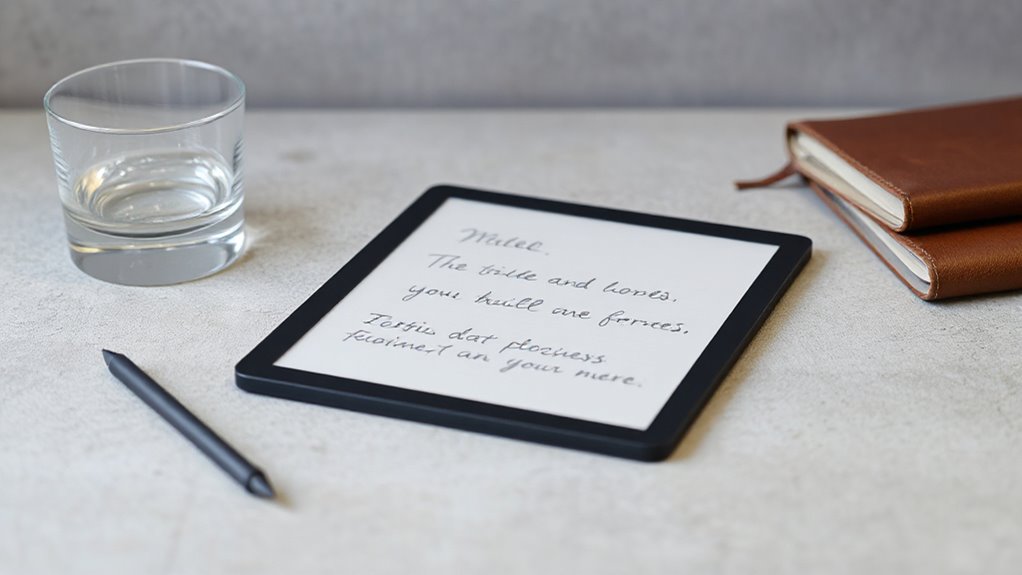

The best e ink tablet for note taking is the reMarkable Paper Pro, which pairs the most paper-like writing feel in the category with a large, glare-free color display and a distraction-free interface that keeps your attention on the page. If you want AI-powered transcription and translation rather than a pure paper replacement, the iFLYTEK AINOTE 2 is the stronger fit, while the Kindle Scribe makes sense if you also want a deep ebook library alongside your notebooks. The core tradeoff in this category is focus versus flexibility: distraction-free tablets like the reMarkable line do one thing exceptionally well, while Android-based options from BOOX and VIWOODS add apps and AI features at the cost of that calm, paper-like simplicity. Size, pen latency, and whether you need cloud sync or offline-only storage also separate these models more than any spec sheet suggests. Read on for the full breakdown of all 13 tablets and which buyer each one serves best.
Complete the kit



Key Takeaways
- Writing feel, not raw specs, separated the top picks — the amazon.com/dp/B0CZ9T2C6B?tag=barriermagz-20&ascsubtag=dc-698904″ target=”_blank” rel=”nofollow sponsored noopener”>amazon.com/dp/B0DGBDR2PM?tag=barriermagz-20&ascsubtag=dc-698904″ target=”_blank” rel=”nofollow sponsored noopener”>reMarkable Paper Pro’s low-latency Marker Plus and textured screen made it the clear leader for people who take notes daily, while budget models like the Penstar eNote 2 felt noticeably less responsive.
- AI features are the biggest new dividing line in 2026: the VIWOODS AiPaper lineup and iFLYTEK AINOTE 2 offer transcription, translation, and voice recording, while reMarkable deliberately excludes them to protect focus.
- The Kindle Scribe (both standard and Colorsoft) is the only pick that doubles as a serious e-reader, making it the best two-in-one choice — but its note-taking tools trail dedicated tablets like the reMarkable and Kloudnote Slim.
- Screen size matters more than buyers expect: the 8.2″ VIWOODS AiPaper Mini and 7″ BOOX Tab Go Color 7 are genuinely portable, but cramped for full-page handwriting compared with the 10.3″+ models.
- Four of the thirteen entries are variations of the same reMarkable hardware in different bundles — choosing the right bundle (folio vs. sleeve vs. bare tablet) is as much a decision as choosing the tablet itself.
| reMarkable Paper Pro with Marker Plus and Basalt Book Folio |  | Best Premium Pick | Display: 11.8-inch Canvas Color display | Reading light: Adjustable | Included pen: Marker Plus with built-in eraser | VIEW ON AMAZON | See Our Full Breakdown |
| reMarkable Paper Pro with Marker Plus |  | Best Distraction-Free Writing Experience | Display: 11.8-inch Canvas Color display | Reading light: Adjustable | Included pen: Marker Plus with built-in eraser | VIEW ON AMAZON | See Our Full Breakdown |
| VIWOODS AiPaper Mini 8.2″ AI E Ink Tablet Digital Notebook Bundle with Pen |  | Best Compact Pick | Display: 8.2″ E Ink, 292 PPI | Weight: 230g | Storage: 128GB | VIEW ON AMAZON | See Our Full Breakdown |
| BOOX Tab Go Color 7 Gen II E Ink Tablet (Black) |  | Best for App Flexibility | Screen: 7″ Kaleido 3 glass, 4096 colors | Resolution: 1680 x 1264 (300 ppi B/W, 150 ppi color) | Processor: Octa-core with 4GB RAM | VIEW ON AMAZON | See Our Full Breakdown |
| iFLYTEK AINOTE 2 – 10.65″ E Ink Digital Notebook with Stylus Pen |  | Best for Meetings and Lectures | Display: 10.65″ frontlight-free E Ink | Thickness: 4.2 mm | Battery Life: Up to 14 days usage; 113 days standby | VIEW ON AMAZON | See Our Full Breakdown |
| Geniatech Kloudnote Slim 10.3-Inch E Ink Digital Notebook |  | Best Budget Hybrid for Readers and Writers | Display: 10.3-inch E Ink | Resolution: 1404 × 1872 (227 ppi) | Processor: 1.8 GHz A55 quad-core | VIEW ON AMAZON | See Our Full Breakdown |
| Penstar eNote 2 10.3-Inch E-Ink Digital Notebook with Stylus |  | Best Value for Power Users | Screen: 10.3-inch HD E Ink, 2480 × 1860 (300 ppi) | Stylus: 8,192 pressure levels, no charging required | Processor: Octa-core | VIEW ON AMAZON | See Our Full Breakdown |
| reMarkable Paper Pro Starter Bundle: Paper Tablet with Marker Plus and Ocean Blue Sleeve Folio |  | Best Premium Note-Taking Experience | Display size: 10.3 inches | Display type: Third-generation black-and-white paper display | Ink latency: 21 ms | VIEW ON AMAZON | See Our Full Breakdown |
| Amazon Kindle Scribe (64GB) with Premium Pen – Tungsten |  | Best for Kindle Readers Who Take Notes | Display: 10.2-inch glare-free, 300 ppi, front-lit | Storage: 64 GB | Included accessories: Premium Pen | VIEW ON AMAZON | See Our Full Breakdown |
| reMarkable Paper Pure Paper Tablet with Marker Plus and Mist Green Sleeve Folio |  | Best for Deep-Focus Writing | Display: 10.3-inch black-and-white, third generation | Ink latency: 21 ms | Included accessories: Marker Plus, Mist Green Sleeve Folio | VIEW ON AMAZON | See Our Full Breakdown |
| VIWOODS AiPaper 10.65″ AI E Ink Tablet Bundle with Pen |  | Best for AI-Powered Organization | Screen Size: 10.65 inches | Display: Carta 1300 E Ink | Resolution: 2560 x 1920 | VIEW ON AMAZON | See Our Full Breakdown |
| Amazon Kindle Scribe Colorsoft 64GB (Newest Model) with Premium Pen – Graphite |  | Best for Readers Who Take Notes | Display: 11″ Colorsoft, 300 ppi B&W / 150 ppi color, built-in light | Storage: 64 GB (50 GB available to user) | Weight: 14.1 oz (400g) | VIEW ON AMAZON | See Our Full Breakdown |
| reMarkable Paper Pro Move Digital Paper Tablet with Marker Plus |  | Best Pocketable Notebook | Display: 7.3-inch Canvas Color | Included Accessories: Marker Plus, 6 spare Marker tips, USB-C cable | Handwriting Conversion: Converts handwriting to typed text | VIEW ON AMAZON | See Our Full Breakdown |
| e ink tablets for note taking | Display | Connectivity | Storage |
|---|---|---|---|
| reMarkable Paper Pro with Mark | 11.8-inch Canvas Color display | USB-C | — |
| reMarkable Paper Pro with Mark | 11.8-inch Canvas Color display | USB-C | — |
| VIWOODS AiPaper Mini 8.2" AI E | 8.2" E Ink, 292 PPI | WLAN, Bluetooth, USB, OneDrive, Google Drive, Dropbox, ViTransfer | 128GB |
| BOOX Tab Go Color 7 Gen II E I | — | — | 64GB, expandable via microSD |
| iFLYTEK AINOTE 2 | 10.65" frontlight-free E Ink | Bluetooth 5, Wi-Fi, USB Type-C | — |
| Geniatech Kloudnote Slim 10.3- | 10.3-inch E Ink | — | 64 GB |
| Penstar eNote 2 10.3-Inch E-In | — | — | 128 GB |
| reMarkable Paper Pro Starter B | — | Google Drive, Dropbox, Microsoft Word integration | — |
| Amazon Kindle Scribe | 10.2-inch glare-free, 300 ppi, front-lit | — | 64 GB |
| reMarkable Paper Pure Paper Ta | 10.3-inch black-and-white, third generation | Google Drive, Dropbox, Microsoft Word integrations | — |
| VIWOODS AiPaper 10.65" AI E In | Carta 1300 E Ink | — | 128GB |
| Amazon Kindle Scribe Colorsoft | 11" Colorsoft, 300 ppi B&W / 150 ppi color, built-in light | Wi-Fi 2.4 GHz and 5.0 GHz (WEP, WPA, WPA2, WPA3) | 64 GB (50 GB available to user) |
| reMarkable Paper Pro Move Digi | 7.3-inch Canvas Color | — | — |
More Details on Our Top Picks
reMarkable Paper Pro with Marker Plus and Basalt Book Folio
This bundle stands out as the most complete premium package in the lineup: you get the 11.8-inch Canvas Color display, the Marker Plus with its built-in eraser, six spare tips, and the Book Folio in a woven Mosaic fabric that actually looks at home next to a paper notebook on a desk. Compared with the standalone Marker Plus version of the Paper Pro, the folio here adds genuine protection for daily commutes, which matters on a device this thin. The low-glare screen and adjustable reading light make late-night annotation sessions comfortable in a way the frontlight-free iFLYTEK AINOTE 2 simply cannot match.
The tradeoff is focus over flexibility: unlike the BOOX Tab Go Color 7, there is no Android app ecosystem, and the Marker only works with this display — lose it and there is no generic stylus fallback.
Pros:- Color display supports writing, sketching, and reading on one device
- Marker Plus includes a built-in eraser plus six spare tips
- Adjustable reading light and low-glare screen for comfortable use anywhere
- Complete bundle with premium Book Folio included
Cons:- No app ecosystem — strictly a focused writing and annotation tool
- Marker works exclusively with this tablet’s display
Best for: Professionals and serious note-takers who want a distraction-free, paper-like writing tablet bundled with everything needed on day one
Not ideal for: Buyers who want third-party apps, email, or a browser — this is a closed, focused writing device
- Display:11.8-inch Canvas Color display
- Reading light:Adjustable
- Included pen:Marker Plus with built-in eraser
- Spare tips:6 included
- Included cover:Book Folio in premium Mosaic weave
- Features:Folders and tags, PDF annotation, handwriting-to-text conversion
- Connectivity:USB-C
Our verdict“If you want the best pure note-taking experience money can buy with nothing left to purchase separately, this is the bundle to get.”
reMarkable Paper Pro with Marker Plus
This is the same 11.8-inch Canvas Color tablet as the Basalt Book Folio bundle, minus the folio — so it makes sense if you already own a sleeve or plan to keep the tablet desk-bound. What you still get is the closest thing to pen-on-paper in this roundup, with the Marker Plus’s built-in eraser making corrections feel natural rather than menu-driven. Compared with the Kindle Scribe, the Paper Pro leans harder into sketching and color annotation, while the Scribe leans into reading; compared with the BOOX Tab Go Color 7, it offers far less flexibility but far fewer distractions.
The handwriting-to-text conversion and folder/tag organization keep large note libraries manageable, though the lack of a frontlight-free alternative competitor’s cloud openness means your files live within reMarkable’s ecosystem.
Pros:- Exceptional paper-like writing feel with Marker Plus and built-in eraser
- Color display for sketching, diagrams, and annotated documents
- Adjustable reading light for dim environments
- PDF annotation and handwriting-to-text conversion built in
Cons:- No cover included, so it is exposed to scratches until you buy one
- Closed ecosystem — the Marker only works with this display
Best for: Writers, students, and planners who prioritize writing feel over apps and already have a cover or sleeve
Not ideal for: Anyone wanting a stylus included with a protective case out of the box, or access to Android apps
- Display:11.8-inch Canvas Color display
- Reading light:Adjustable
- Included pen:Marker Plus with built-in eraser
- Spare tips:6 included
- Features:PDF annotation, handwriting-to-text conversion, folders, and tags
- Connectivity:USB-C
Our verdict“The core reMarkable Paper Pro experience at its leanest — pick this over the folio bundle only if you do not need the case.”
VIWOODS AiPaper Mini 8.2″ AI E Ink Tablet Digital Notebook Bundle with Pen
At 230g and 8.2 inches, the AiPaper Mini is the true pocket-and-purse option here — the BOOX Tab Go Color 7 is the only thing close in size, and the Mini’s included folio and stylus make it the more complete carry-anywhere kit. The 292 PPI screen with 20 levels of warm light is genuinely eye-friendly for evening journaling, and 128GB of storage outclasses most larger tablets in this guide. The AI features — handwriting-to-text and meeting summaries — echo what the iFLYTEK AINOTE 2 does, just on a smaller canvas. File sync across OneDrive, Google Drive, and Dropbox means notes are not trapped on the device.
The honest tradeoff: the small screen limits full-page PDF annotation compared with the reMarkable Paper Pro, and E Ink refresh latency feels slower than an LCD tablet when navigating menus.
Pros:- Ultra-lightweight 230g design that genuinely fits in a bag pocket
- 20 levels of adjustable warm light for comfortable night use
- 128GB storage with flexible cloud and local sync options
- Complete bundle with folio cover, stylus, and spare nibs included
Cons:- Small screen limits PDF work and long writing sessions
- E Ink refresh latency feels sluggish compared to LCD tablets
Best for: Commuters, travelers, and journal-keepers who want an always-with-you notebook rather than a desk companion
Not ideal for: Anyone annotating full-page PDFs or writing long-form documents — the 8.2-inch screen is cramped for that
- Display:8.2″ E Ink, 292 PPI
- Weight:230g
- Storage:128GB
- Warm Light:20 adjustable levels
- Included Accessories:Folio cover, W2 Stylus Pro, 5 spare nibs, USB-C cable
- Connectivity:WLAN, Bluetooth, USB, OneDrive, Google Drive, Dropbox, ViTransfer
- Warranty:14 months
Our verdict“The best choice if portability is your top priority and full-page annotation is not.”
BOOX Tab Go Color 7 Gen II E Ink Tablet (Black)
The BOOX Tab Go Color 7 is the most versatile device in this lineup because it runs Android 13 — meaning you can install whatever note-taking app you already use, alongside reading apps, email, and more. No other pick here offers that; the reMarkable Paper Pro deliberately locks apps out, and the VIWOODS AiPaper Mini operates within its own software. The 300 ppi black-and-white text is crisp for reading, and page-turn buttons plus warm/cold front lighting make it double as a genuinely good e-reader. MicroSD expansion and a 195g body round out a portable package.
The compromises are real, though: the stylus is sold separately, so budget for it, and Kaleido 3 color looks muted and grayish next to any LCD screen. Ghosting can appear with some content, and the 7-inch display is tight for serious note pages.
Pros:- Android 13 with full third-party app support
- Sharp 300 ppi black-and-white text with warm/cold front lighting
- Lightweight 195g design with microSD expansion
- Page-turn buttons and built-in speaker add e-reader convenience
Cons:- InkSense stylus sold separately
- Color mode appears darker and grayer than LCD; ghosting can occur
Best for: App loyalists who want OneNote, Evernote, or Kindle on an eye-friendly E Ink device and value flexibility over polish
Not ideal for: Buyers wanting a stylus in the box or a distraction-free writing tool — the open app store cuts both ways
- Screen:7″ Kaleido 3 glass, 4096 colors
- Resolution:1680 x 1264 (300 ppi B/W, 150 ppi color)
- Processor:Octa-core with 4GB RAM
- Storage:64GB, expandable via microSD
- OS:Android 13
- Front Light:Adjustable warm and cold (CTM)
- Battery:2,300mAh Li-ion Polymer
- Weight:Approx. 195g
Our verdict“Pick this if you want one pocketable E Ink device that reads, annotates, and runs your apps — not if you want a pure paper notebook replacement.”
iFLYTEK AINOTE 2 – 10.65″ E Ink Digital Notebook with Stylus Pen
The AINOTE 2 earns its slot for one reason no competitor matches: 18-language meeting transcription and translation paired with AI summaries. For anyone who spends their day in meetings or lectures, this beats the reMarkable Paper Pro and VIWOODS AiPaper Mini, which convert handwriting but do not transcribe speech. At 4.2mm thick with up to 14 days of typical use and 113 days of standby, it is also built for real workweeks away from a charger. The stylus offers low latency and eight brush styles, giving handwritten notes a satisfying, ink-like character.
The tradeoffs are structural: there is no frontlight, so dim rooms render it useless without external lighting — the Paper Pro’s adjustable light wins there — and every AI feature requires an internet connection, ruling out confidential or fully offline settings.
Pros:- 18-language transcription and translation with AI-powered summaries
- Paper-like low-latency handwriting with 8 brush styles
- Ultra-thin 4.2mm body with up to 113 days standby
- Cross-device sync with mobile and PC apps
Cons:- No frontlight — unusable in dark environments
- AI features and transcription require an active internet connection
- Transcription accuracy varies with audio quality and accents; not for word-for-word records
Best for: Multilingual professionals, journalists, and students who need live transcription and searchable AI summaries of spoken content
Not ideal for: Anyone working with confidential material or in low-light rooms — transcription needs internet and the screen needs ambient light
- Display:10.65″ frontlight-free E Ink
- Thickness:4.2 mm
- Battery Life:Up to 14 days usage; 113 days standby
- Connectivity:Bluetooth 5, Wi-Fi, USB Type-C
- Transcription Languages:18
- Included Components:AINOTE 2, Stylus Pen, USB cable, user manual
- Warranty:1 year manufacturer
Our verdict“The clear choice when capturing spoken words matters more than reading in the dark — a meeting weapon, not a bedtime e-reader.”
Geniatech Kloudnote Slim 10.3-Inch E Ink Digital Notebook
This option stands out as the most affordable path into a 10.3-inch E Ink notebook that does double duty as an ebook reader and a writing pad. Compared with the Penstar eNote 2, the Kloudnote Slim gives up a third of the storage and a lot of processing muscle, but it still covers the fundamentals: a sharp 227 ppi display, a bundled pen, and 39 note templates that make it usable out of the box. OCR, audio recording, and reading annotations punch above its price class. The tradeoff is the ecosystem — a 500 MB cap on Kloudnote’s own cloud space pushes you toward OneDrive or Dropbox, and the text-to-speech feature skips PDFs entirely. For students or casual journalers who want one device for both reading and notes without premium pricing, this pick makes the most sense.
Pros:- Combines ebook reading and handwriting note-taking in one device
- Sharp 10.3-inch 227 ppi E Ink display
- Pen and 39 note templates included in the box
- OCR, audio recording, and third-party cloud support (OneDrive, Dropbox)
Cons:- Kloudnote cloud storage capped at just 500 MB
- Text-to-speech listening feature does not support PDF books
- Modest 2 GB RAM and quad-core processor compared with Android rivals like the Penstar eNote 2
Best for: Students and casual note-takers who want a combined ebook reader and handwriting notebook at an entry-level price
Not ideal for: Heavy document workers who need large cloud storage or PDF text-to-speech, both of which this device limits
- Display:10.3-inch E Ink
- Resolution:1404 × 1872 (227 ppi)
- Processor:1.8 GHz A55 quad-core
- RAM:2 GB
- Storage:64 GB
- Battery:3000 mAh, up to 40 hours
- Note templates:39
- Cloud storage:500 MB Kloudnote cloud; OneDrive, Dropbox, Baidu support
Our verdict“A sensible low-cost entry point for readers who also want to handwrite notes, provided you lean on third-party cloud storage.”
Penstar eNote 2 10.3-Inch E-Ink Digital Notebook with Stylus
On paper, this model reads like a flagship at a mid-tier position. The 300 ppi screen matches the Kindle Scribe’s clarity, and the 8,192-level pressure stylus that never needs charging out-specs many bundled pens. Unlike the distraction-free reMarkable tablets, Android 14 opens the door to third-party apps, and 128 GB of storage plus 4 GB of RAM makes it better suited to people who juggle large PDF libraries, voice recordings, and office documents. The voice-to-text transcription and 35-plus supported formats make it a genuine work tool rather than a lifestyle device. The tradeoffs: Penstar is a newer, less-established brand with a thinner software track record than reMarkable or Amazon, the four-week battery claim comes with no stated conditions, and unspecified weight means portability is a question mark before you buy.
Pros:- Crisp 300 ppi 10.3-inch E Ink display
- 8,192 pressure-level stylus with no charging required
- Android 14 with third-party app support and 35+ file formats
- Generous 128 GB storage and complete accessory bundle with folio cover and spare tips
Cons:- Newer brand with a less proven software and update track record
- Four-week battery claim lacks stated usage conditions
- Weight and dimensions not published, so one-handed comfort is uncertain
Best for: Spec-focused buyers who want app flexibility, big storage, and transcription tools without paying flagship prices
Not ideal for: Buyers who prioritize a mature, polished software ecosystem and long-term update support from an established brand
- Screen:10.3-inch HD E Ink, 2480 × 1860 (300 ppi)
- Stylus:8,192 pressure levels, no charging required
- Processor:Octa-core
- RAM:4 GB
- Storage:128 GB
- Battery:6500 mAh, up to 4 weeks
- OS:Android 14
- Accessories:Stylus, 10 spare tips, magnetic folio cover, charging cable
Our verdict“The strongest raw hardware value in this lineup for buyers willing to trade brand maturity for specs.”
reMarkable Paper Pro Starter Bundle: Paper Tablet with Marker Plus and Ocean Blue Sleeve Folio
If the writing feel itself is what you’re buying, this is the pick to beat. The 21 ms ink latency on the third-generation display is among the fastest around, and reMarkable’s single-purpose software keeps the screen blank of everything except your notes — a sharper focus than the app-friendly Penstar eNote 2 or Kindle Scribe can offer. The Marker Plus and Ocean Blue Sleeve Folio round out a complete premium package, and Google Drive, Dropbox, and Word integration keeps notes flowing to your other devices. The honest tradeoff: reMarkable effectively operates on a subscription model — unlimited cloud storage, handwriting search, and Slack/Miro sharing sit behind Connect, and skipping it leaves the device feeling half-finished. The black-and-white screen also rules out comics, textbooks with color diagrams, or any media consumption beyond documents.
Pros:- Class-leading 21 ms ink latency with a genuinely paper-like feel
- Completely distraction-free screen with no apps or notifications
- Handwriting converts to searchable, shareable digital text
- Full starter bundle includes Marker Plus and folio sleeve
Cons:- Best features (unlimited cloud, handwriting search, Slack/Miro sharing) require a Connect subscription
- Black-and-white display limits color documents and any media use
- No third-party apps — far less flexible than Android-based rivals like the Penstar eNote 2
Best for: Writers and professionals who value the closest thing to pen-on-paper above all and want a ready-to-go bundle
Not ideal for: Anyone unwilling to pay ongoing subscription costs for cloud features, or who needs color support for textbooks and diagrams
- Display size:10.3 inches
- Display type:Third-generation black-and-white paper display
- Ink latency:21 ms
- Included accessories:Marker Plus, Ocean Blue Sleeve Folio
- Connectivity:Google Drive, Dropbox, Microsoft Word integration
Our verdict“The purest handwriting experience in this roundup, provided you budget for the Connect subscription to unlock its full value.”
Amazon Kindle Scribe (64GB) with Premium Pen – Tungsten
This model makes the most sense for the buyer already living in the Kindle ecosystem. The 300 ppi glare-free, front-lit display outclasses the reMarkable Paper Pure for reading — especially in dim lighting, where reMarkable’s unlit screen struggles — and battery life stretches to months of reading on a charge. The bundled Premium Pen needs no setup or charging, and built-in AI tools that summarize notes and convert handwriting to text are genuinely useful for meeting notes and study sessions. Compared with the Geniatech Kloudnote Slim, the Scribe’s polish, bookstore access, and AI features feel a generation ahead, though you pay a premium for the large screen and pen. The main friction is document markup limited to Send to Kindle formats — if your workflow centers on annotated PDFs, a reMarkable or Penstar handles that far better.
Pros:- Beautiful 300 ppi glare-free, front-lit display readable in any lighting
- Built-in AI tools for summarizing, reformatting, and converting handwritten notes
- Premium Pen requires no charging or setup
- Weeks-to-months battery life with zero notifications or apps
Cons:- Higher price than standard e-readers due to the large screen and bundled pen
- Document annotation limited to formats supported by Send to Kindle
- Closed ecosystem — no third-party apps unlike Android E Ink rivals
Best for: Avid Kindle readers and Amazon ecosystem users who want to annotate books and take meeting or study notes on one device
Not ideal for: Users whose workflow depends on marking up diverse PDF and document formats outside the Send to Kindle pipeline
- Display:10.2-inch glare-free, 300 ppi, front-lit
- Storage:64 GB
- Included accessories:Premium Pen
- Pen charging:Not required
- Color:Tungsten
- Battery life:Months of reading, weeks of writing per charge
Our verdict“The best choice for readers first and note-takers second, especially if your library already lives on Amazon.”
reMarkable Paper Pure Paper Tablet with Marker Plus and Mist Green Sleeve Folio
This option differs from the reMarkable Paper Pro Starter Bundle mainly in color and positioning — the hardware, 21 ms latency, and Marker Plus are identical — but it earns its own slot as the one to pick when focus is the entire point. The uncluttered black-and-white screen removes every excuse to drift, and converting handwriting to text with tags and folders keeps long-form projects organized without a laptop. Compared with the Kindle Scribe, it reads worse (no front light for dark rooms) but writes better, with a latency and friction feel that serious journalers and drafters will notice immediately. The same catch applies: handwriting search and unlimited cloud sync live behind a Connect subscription, and a monochrome panel rules out color-rich documents. For writers who want a digital legal pad that disappears into the task, nothing else here matches it.
Pros:- Fast 21 ms ink latency with an authentic paper writing feel
- Handwriting-to-text conversion with tag and folder organization
- Truly distraction-free interface with no apps or notifications
- Google Drive, Dropbox, Word, and email integrations for syncing work
Cons:- Key features including handwriting search and unlimited cloud storage require a Connect subscription
- Black-and-white display only — no color content or media
- No front light, so reading and writing in dim environments is impractical
Best for: Journalers, drafters, and focused writers who want a device that does nothing but capture their handwriting beautifully
Not ideal for: Anyone who reads at night — the lack of a front light puts it behind the Kindle Scribe — or who resists subscription-gated features
- Display:10.3-inch black-and-white, third generation
- Ink latency:21 ms
- Included accessories:Marker Plus, Mist Green Sleeve Folio
- Connectivity:Google Drive, Dropbox, Microsoft Word integrations
- Subscription:reMarkable Connect (unlimited cloud storage, handwriting search, Slack/Miro sharing)
Our verdict“The closest digital equivalent to a pad of paper for deep-work writing, as long as you accept the subscription and skip nighttime use.”
VIWOODS AiPaper 10.65″ AI E Ink Tablet Bundle with Pen
Where most digital notebooks stop at digitizing your ink, the VIWOODS AiPaper tries to do something with it afterward. Its AI-assisted tools summarize meeting notes, translate passages, and restructure messy handwriting into organized documents — capabilities that push it closer to the iFLYTEK AINOTE 2, though VIWOODS bundles more of the essentials in the box. The Carta 1300 display at 2560 x 1920 renders fine linework and dense PDFs with real crispness, and the 750-micron pen gap keeps the stylus feeling close to the surface rather than hovering above it. Compared with the Kindle Scribe Colorsoft, this option trades ecosystem polish for a more open, file-management-friendly workflow. The tradeoff is familiar E Ink friction: refresh lag when navigating, and an app ecosystem that feels sparse next to a general-purpose tablet.
Pros:- High-resolution Carta 1300 display renders crisp text and fine handwriting detail
- AI tools for summarizing, translating, and converting handwritten notes into organized documents
- W2 Stylus Pro with 4096 pressure levels feels natural for writing and sketching
- Complete bundle with folio cover, spare nibs, and generous 128GB storage
- Very low pen gap keeps handwriting feeling close to the page
Cons:- E Ink refresh latency makes navigation slower than LCD tablets
- Limited app ecosystem compared with general-purpose tablets
- AI features add complexity for buyers who just want a simple notebook
Best for: Professionals and students who generate lots of handwritten notes and want AI to summarize, translate, and organize them automatically
Not ideal for: Buyers who expect tablet-style app variety — the distraction-free design deliberately limits third-party software
- Screen Size:10.65 inches
- Display:Carta 1300 E Ink
- Resolution:2560 x 1920
- Stylus:W2 Stylus Pro (included)
- Pressure Levels:4096
- Storage:128GB
- Charging:USB-C
- Bundled Accessories:Folio cover, stylus, replacement pen nibs, USB-C cable
Our verdict“This is the pick for note-takers who want their handwriting actively worked on by AI rather than just stored as pages.”
Amazon Kindle Scribe Colorsoft 64GB (Newest Model) with Premium Pen – Graphite
The Kindle Scribe Colorsoft is the only option in this lineup where the note-taking feels like an extension of an already excellent reading device. Compared with the standard Kindle Scribe (64GB), the Colorsoft panel adds color for highlighting, annotated diagrams, and color-coded notebooks — though color content renders at 150 ppi versus 300 ppi for black-and-white, so fine color detail looks softer. The charge-free Premium Pen with its built-in eraser and shortcut button is a genuinely convenient touch that EMR styli on the reMarkable Paper Pro family also share, but Kindle’s ecosystem adds AI summaries, handwriting cleanup, and text conversion. Cloud import from Google Drive and OneDrive closes the gap with dedicated notebooks like the VIWOODS AiPaper. Just don’t expect peer-to-peer Wi-Fi support on restricted networks.
Pros:- Glare-free Colorsoft display with built-in front light works in any lighting condition
- Premium Pen never needs charging and includes a built-in eraser and shortcut button
- AI tools for summaries, handwriting cleanup, and converting notes to text
- Weeks of battery life in a 5.4mm-thin, 400g body with cloud document support
Cons:- Color resolution (150 ppi) is noticeably lower than black-and-white (300 ppi)
- Color display texture and brightness differ from the standard Scribe panel
- No support for ad-hoc peer-to-peer Wi-Fi networks
Best for: Avid readers who live in the Kindle ecosystem and want to annotate books and PDFs alongside a distraction-free notebook
Not ideal for: Users on ad-hoc or peer-to-peer Wi-Fi networks, or anyone wanting maximum color sharpness for detailed visual work
- Display:11″ Colorsoft, 300 ppi B&W / 150 ppi color, built-in light
- Storage:64 GB (50 GB available to user)
- Weight:14.1 oz (400g)
- Dimensions:7.4″ x 9.6″ x 0.21″ (189 x 245 x 5.4mm)
- Connectivity:Wi-Fi 2.4 GHz and 5.0 GHz (WEP, WPA, WPA2, WPA3)
- Pen:Premium Pen included, no charging, built-in eraser and shortcut button
- Battery Life:Weeks of reading and writing per charge
- In the Box:Kindle Scribe Colorsoft, Premium Pen, USB-C cable, replacement tips
Our verdict“If your notes orbit around books and documents you’re already reading, this is the most cohesive reading-plus-writing package here.”
reMarkable Paper Pro Move Digital Paper Tablet with Marker Plus
Most E Ink note-takers live at 10 inches or more; the reMarkable Paper Pro Move shrinks the canvas to 7.3 inches, making it the one device here that genuinely fits a jacket pocket. That positioning separates it from the larger reMarkable Paper Pro with Marker Plus, which offers a roomier page but demands a bag. The writing experience stays true to reMarkable’s distraction-free philosophy — no apps, no notifications, just ink — and the included Marker Plus with six spare tips keeps the total cost of ownership simple. Handwriting converts to typed text, and notes sync to mobile and desktop apps with tags and folders for structure. The friction point is real, though: searching your handwritten notes requires a Connect subscription, which stings on an already premium device.
Pros:- Genuinely portable 7.3-inch size that fits in a jacket pocket or small bag
- Color Canvas display with reMarkable’s class-leading paper-like writing feel
- Converts handwriting to typed text and syncs across mobile and desktop apps
- Includes Marker Plus and six spare tips in the box
Cons:- Searching handwritten notes requires a paid Connect subscription
- 7.3-inch screen is cramped for full-page PDFs or spreadsheets
- Closed ecosystem offers no third-party apps at all
Best for: Commuters and travelers who want true pocket portability without giving up a paper-like writing feel
Not ideal for: Buyers who expect full device functionality without subscriptions — handwritten search sits behind a Connect paywall
- Display:7.3-inch Canvas Color
- Included Accessories:Marker Plus, 6 spare Marker tips, USB-C cable
- Handwriting Conversion:Converts handwriting to typed text
- Cloud Sync:Notes sync to mobile and desktop apps
- Organization:Tags and folders
- Handwriting Search:Requires Connect subscription
Our verdict“For note-takers who value grab-and-go portability above screen real estate, this is the most travel-friendly digital paper option in the roundup.”

How We Picked
I evaluated these tablets through one lens: how well they serve someone whose primary activity is handwriting notes. That meant prioritizing pen latency and writing texture first, because a tablet that lags or feels glassy undermines the entire reason to choose e ink over paper. I then weighed screen size and portability, since a 7-inch tablet and a 10.65-inch one serve completely different workflows, and software focus — whether the device is a dedicated notebook or an open platform with apps and notifications competing for your attention.
Finally, I factored in ecosystem and extras: AI transcription, cloud sync, bundled accessories, and whether a model works well as a secondary e-reader. Tablets were ranked by how cleanly they match a specific buyer rather than by feature count, which is why a focused device like the reMarkable Paper Pro outranks more versatile but less refined options, and why several bundle variations of the same hardware sit apart from one another in the lineup.
| e ink tablets for note taking | Connectivity |
|---|---|
| reMarkable Paper Pro with Mark | USB-C |
| reMarkable Paper Pro with Mark | USB-C |
| VIWOODS AiPaper Mini 8.2" AI E | WLAN, Bluetooth, USB, OneDrive, Google Drive, Dropbox, ViTransfer |
| BOOX Tab Go Color 7 Gen II E I | — |
| iFLYTEK AINOTE 2 | Bluetooth 5, Wi-Fi, USB Type-C |
| Geniatech Kloudnote Slim 10.3- | — |
| Penstar eNote 2 10.3-Inch E-In | — |
| reMarkable Paper Pro Starter B | Google Drive, Dropbox, Microsoft Word integration |
| Amazon Kindle Scribe | — |
| reMarkable Paper Pure Paper Ta | Google Drive, Dropbox, Microsoft Word integrations |
| VIWOODS AiPaper 10.65" AI E In | — |
| Amazon Kindle Scribe Colorsoft | Wi-Fi 2.4 GHz and 5.0 GHz (WEP, WPA, WPA2, WPA3) |
| reMarkable Paper Pro Move Digi | — |
Factors to Consider When Choosing E Ink Tablets For Note Taking
Before settling on a specific model, it helps to understand the broader decisions that shape satisfaction with an e ink note taker. These are the factors that most often make or break the purchase.Distraction-Free vs. Multifunction
The single biggest fork in this category is philosophy. Devices like the reMarkable line refuse to run apps, notifications, or email — a limitation that becomes their greatest strength if your goal is focused writing and deep note capture. Android-based tablets like the BOOX Tab Go Color 7 and VIWOODS models give you app stores, email, and AI tools, which is liberating if you want one device for everything. The mistake buyers make is choosing the flexible option because it “does more,” then discovering that a browser on a note tablet erodes the very focus they bought it for. Be honest about your discipline level before choosing.
Writing Feel: Latency, Texture, and Pen Weight
Latency is measured in milliseconds but experienced as trust — when the ink appears the instant your pen moves, you write naturally; when it trails, you write cautiously. Textured screens and well-weighted pens, like the Marker Plus with its built-in eraser, come closest to replicating paper. Cheaper styluses often skip pressure sensitivity or tilt support, which matters if you sketch diagrams or shade. My advice: watch handwriting demos of any model you’re considering, because a spec sheet cannot convey how a pen feels in motion. This is also why premium models justify their cost more than almost any other spec on the list.
Screen Size and Where You Work
A 10.3-inch display roughly matches a paper notebook page and gives handwriting room to breathe, while 8-inch-and-under models fit in a jacket pocket but force smaller writing. If you take notes at a desk or in meetings, go big; if you jot ideas while standing or commuting, compact models like the AiPaper Mini win. Also consider aspect ratio — the reMarkable Paper Pro’s wider canvas suits landscape sketching and side-by-side documents in a way squarer screens don’t. And if you’ll work outdoors, larger monochrome screens handle glare better than smaller color panels.
Color or Monochrome
Color e ink has improved, but it still costs you contrast and refresh speed compared with black-and-white panels. For pure handwriting, monochrome is usually the better choice — text looks crisper and pages refresh faster. Color earns its place if you annotate PDFs with highlighted diagrams, mark up design documents, or read comics and magazines on the side, which is exactly the case for the Kindle Scribe Colorsoft and the BOOX color tablet. A common mistake is paying a premium for color and then only ever writing in black ink. Decide whether color is a workflow need or a novelty before you spend.
Sync, Storage, and Subscription Costs
Most dedicated note tablets now gate cloud sync, handwriting conversion, or device-linking behind a subscription, and that recurring cost is easy to miss at checkout. Check whether features you expect — like converting handwriting to typed text — are included or paywalled before committing. Offline-only devices work fine for many people, but if you need meeting notes on your phone within minutes, verify sync quality across platforms. Storage matters differently here than on regular tablets: 64GB holds thousands of notebook pages, so don’t pay extra for capacity you’ll never approach.
Bundle Value and Accessories
Several entries in this category are the same tablet sold with different accessories — a folio, a sleeve, or a higher-tier pen. Bundles often make sense because the included pen or case costs more bought separately, but only if you’d have chosen that accessory anyway. A hard book-style folio suits daily commuting; a fabric sleeve suits a tablet that lives in a bag. The Marker Plus versus standard Marker choice is the most consequential, since the Plus adds the eraser and magnetic attachment that daily writers come to rely on. Match the bundle to your real routine, not the one with the most boxes.
Frequently Asked Questions
Is a dedicated e ink tablet better for notes than an iPad with a paper-like screen protector?
For pure note taking, dedicated e ink tablets usually win on focus and battery life — days or weeks per charge versus hours, and no notifications pulling you out of your notes. The writing feel on devices like the reMarkable Paper Pro is also closer to real paper than glass-and-film setups on tablets. An iPad pulls ahead if your notes need embedded web links, voice memos, photos, or heavy multitasking between apps. The honest test is what you do while note taking: if you’re tempted to check other apps, the closed ecosystem of a dedicated tablet is a feature, not a limitation.
Do I need a color e ink display for note taking?
Most note takers don’t. Handwriting, diagramming, and journaling work beautifully in monochrome, and black-and-white panels deliver sharper text, faster page turns, and better contrast. Color becomes worthwhile when you annotate PDFs with colored highlights, review design or technical documents, or want the tablet to double as a magazine-style reader — the Kindle Scribe Colorsoft and BOOX Tab Go Color 7 Gen II exist for exactly those buyers. If you’re unsure, default to monochrome: it’s usually cheaper and better at the core task, and few people regret the sharper page.
Which reMarkable bundle should I choose?
Four entries in this roundup are reMarkable hardware in different packages, so the choice comes down to accessory fit. The Book Folio bundle suits people who carry the tablet daily and want rigid front-cover protection, like a hardbound notebook. The sleeve-style bundles — the Ocean Blue and Mist Green options — are lighter and better for a tablet that lives protected inside a bag. If you prefer to pick your own case, the tablet-plus-Marker Plus bundle avoids paying for an accessory you might replace. In every case, get the Marker Plus over the basic Marker; the built-in eraser and magnetic dock change how often you actually enjoy using the pen.
Are AI note-taking features like transcription worth paying extra for?
They’re worth it for a specific workflow: long meetings, lectures, or interviews where capturing every word matters more than crafting neat handwritten notes. The iFLYTEK AINOTE 2’s multilingual transcription and translation can genuinely replace a separate recorder and a subscription transcription service. But if your notes are sketches, equations, and bullet points, AI transcription adds cost and complexity without helping. There’s also a learning curve — AI summaries and searches only pay off if you commit to the workflow. Match the feature to how you actually take notes, not how you imagine you might someday.
Can an e ink note tablet replace my paper notebooks entirely?
For most converts, yes within a few weeks — searchable notes, infinite pages, and one device replacing a shelf of notebooks are the reason people switch. The friction point is usually one of two things: muscle memory for sketchers who miss toothy paper (mitigated by textured screens on premium models), and situations where a screen feels wrong, like signing documents or leaving notes for someone else. Battery management is trivial but real — a dead tablet mid-meeting is worse than a dead notebook. If you take more than a few pages of notes a week, the switch typically sticks.
Conclusion
After comparing all thirteen options, the reMarkable Paper Pro with Marker Plus and Basalt Book Folio bundle stands out as the best overall pick — it combines the category’s best writing feel, a large glare-free display, and a complete accessory kit out of the box. For best value, the Penstar eNote 2 and Geniatech Kloudnote Slim deliver the core note-taking experience at a fraction of the flagship price, trading away polish and ecosystem rather than fundamentals. The premium crown goes to the reMarkable Paper Pro Move, which adds mobility-focused features for buyers who want the flagship experience on the go, while the iFLYTEK AINOTE 2 is the best pick for a specific need: AI transcription and translation for meetings and multilingual work.
For beginners, the Kindle Scribe with Premium Pen is the easiest entry point — you likely already know the interface, and it doubles as an excellent e-reader — while the Kindle Scribe Colorsoft suits readers who want color highlights too. The VIWOODS AiPaper Mini is the clear choice for pocketable, AI-assisted jotting, and the BOOX Tab Go Color 7 Gen II fits buyers who want an app-based tablet that happens to take great notes. Whichever direction you lean, decide first whether you want focus or flexibility — everything else in this lineup follows from that single choice.