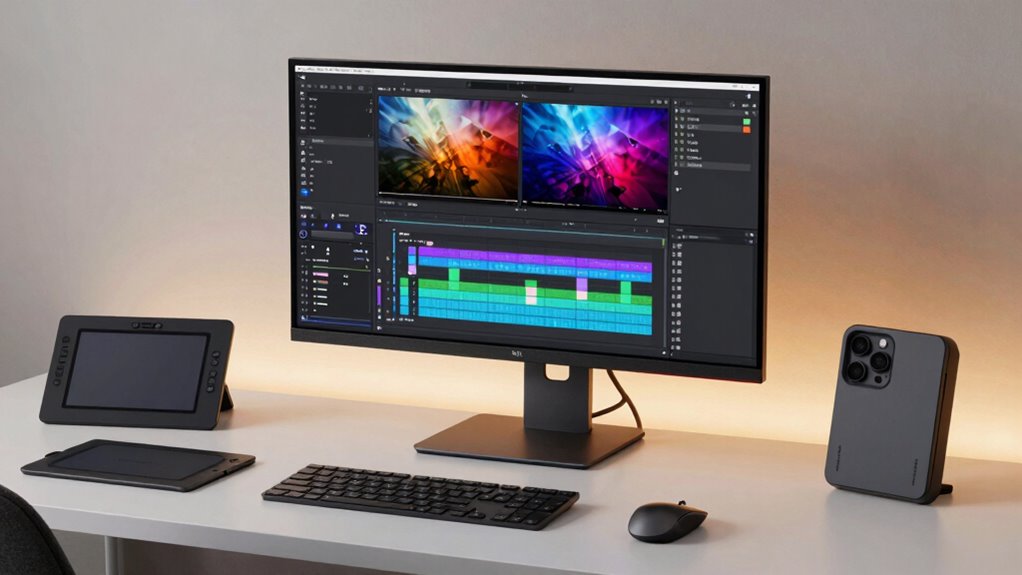

Choosing the right 4k monitor for video editing can significantly impact your workflow and final output. The best options balance color accuracy, screen size, connectivity, and price. The Dell UltraSharp U2723QE stands out as the overall top pick thanks to its reliable performance and sharp display. The Samsung ViewFinity S7 offers excellent HDR support for high-quality color grading, while the LG 32-Inch 4K UHD UltraFine provides a larger workspace for detailed editing. All these options come with tradeoffs—often involving price, size, or features—so continue reading for the full breakdown to find your perfect fit.

Get the latest gadgets delivered free with Prime
- Fast, free delivery on millions of items
- Prime Video, Amazon Music and more included
- Member-only deals all year
Complete the kit



Key Takeaways
- Top-performing monitors deliver precise color accuracy and wide color gamuts for professional video editing.
- Larger screens and higher resolutions improve workspace efficiency but can come with increased costs and desk space needs.
- Connectivity options like USB-C and multiple ports are vital for seamless integration with editing hardware.
- HDR support varies widely; higher HDR standards generally mean better color grading capabilities but also higher prices.
- Build quality and ergonomic features significantly affect long-term comfort during extended editing sessions.
| Dell UltraSharp U2723QE 27″ 4K UHD WLED LCD Monitor – Black, Silver |  | Best Overall for Versatile Professional Use | Screen Size: 27 inches | Resolution: 3840 x 2160 (4K UHD) | Aspect Ratio: 16:9 | VIEW ON AMAZON | See Our Full Breakdown |
| Samsung 27-Inch ViewFinity S7 (S70D) Series 4K UHD Monitor with HDR10, Multiple Ports, Easy Setup Stand, Eye Care (2024) | 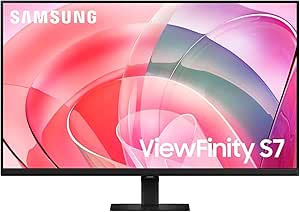 | Best for Creators Needing Vivid HDR and Eye Comfort | Display Size: 27 inches | Resolution: 3840×2160 (4K UHD) | HDR: HDR10 | VIEW ON AMAZON | See Our Full Breakdown |
| LG 32-Inch 4K UHD UltraFine Monitor with HDR10 and Adjustable Stand |  | Best for Wide-Screen Creative and Multi-Purpose Use | Screen Size: 32 inches | Resolution: 3840 x 2160 (4K UHD) | Contrast Ratio: 3000:1 | VIEW ON AMAZON | See Our Full Breakdown |
| ASUS VY27UQ 27-Inch 4K UHD IPS Computer Monitor with HDMI, DisplayPort, and Speakers |  | Best for Versatile Daily Use with Color and Eye Care | Display Size: 27 inches | Resolution: 3840 x 2160 (4K UHD) | Panel Type: IPS | VIEW ON AMAZON | See Our Full Breakdown |
| LG 27UP850K-W 27-inch 4K UHD IPS Monitor with HDR 400, USB-C, and Built-in Speakers |  | Best for Professional Creators Needing Versatile Connectivity | Display Size: 27 inches | Resolution: 3840 x 2160 (4K UHD) | Color Gamut: 95% DCI-P3 | VIEW ON AMAZON | See Our Full Breakdown |
| LG 27US500-W Ultrafine Monitor 27-Inch 4K UHD HDR10 IPS Borderless Display |  | Best Budget-Friendly 4K for Video Editing | Display Size: 27 inches | Resolution: 3840×2160 (4K UHD) | Contrast Ratio: 1000:1 | VIEW ON AMAZON | See Our Full Breakdown |
| Dell UltraSharp U3223QE 31.5″ 4K UHD WLED LCD Monitor – Black, Silver |  | Best for Versatile Professional Use | Size: 31.5 inches | Resolution: 4K UHD | Brightness: 400 Nit | VIEW ON AMAZON | See Our Full Breakdown |
| Dell UltraSharp U3225QE 32-Inch 4K UHD IPS Monitor |  | Best for Color Accuracy and Ergonomics | Size: 32 inches | Resolution: 3840 x 2160 pixels | Contrast Ratio: 2000:1 | VIEW ON AMAZON | See Our Full Breakdown |
| MSI PRO MP273U 27-Inch 4K UHD IPS Monitor with HDR, HDMI, DisplayPort, 60Hz, Flicker-Free, Low Blue Light |  | Best for Entry-Level Professional Editing | Display Size: 27 inches | Resolution: 3840 x 2160 (4K UHD) | Color Gamut: 95% Adobe RGB, 99% DCI-P3 | VIEW ON AMAZON | See Our Full Breakdown |
| ASUS ProArt PA279CV 27 Inch 4K UHD USB-C Professional Monitor |  | Best for Precise Color Work and Extended Reliability | Screen Size: 27 inches | Display Resolution: 3840 x 2160 (4K UHD) | Color Gamut: 100% sRGB, 100% Rec. 709 | VIEW ON AMAZON | See Our Full Breakdown |
| Dell 27 Monitor S2725QC 4K UHD IPS with 120Hz Refresh Rate and FreeSync Premium |  | Best Overall for Video Editing | Size: 27 inches | Resolution: 4K UHD | Panel Type: IPS | VIEW ON AMAZON | See Our Full Breakdown |
| Samsung 32″ ViewFinity S7 (S71H) 4K UHD IPS HDR10 High Resolution Monitor |  | Best for Professional Clarity and Connectivity | Screen Size: 32 inches | Resolution: 3840 x 2160 | Panel Type: IPS | VIEW ON AMAZON | See Our Full Breakdown |
| LG 27US550-W 27-Inch 4K UHD IPS Computer Monitor with HDR10 and USB-C |  | Best for Versatile Creative Use | Size: 27 inches | Resolution: 3840 x 2160 | Panel Type: IPS | VIEW ON AMAZON | See Our Full Breakdown |
| ASUS ProArt PA279CRV 27-Inch 4K UHD HDR Professional Monitor for Mac |  | Best for Critical Color Work and Professional Use | Size: 27 inches | Resolution: 3840 x 2160 | Panel Type: IPS | VIEW ON AMAZON | See Our Full Breakdown |
| 4k monitors for video editing | Resolution | Connectivity | HDR |
|---|---|---|---|
| Dell UltraSharp U2723QE 27" 4K | 3840 x 2160 (4K UHD) | — | — |
| Samsung 27-Inch ViewFinity S7 | 3840×2160 (4K UHD) | — | HDR10 |
| LG 32-Inch 4K UHD UltraFine Mo | 3840 x 2160 (4K UHD) | 2 x HDMI, 1 x DisplayPort | — |
| ASUS VY27UQ 27-Inch 4K UHD IPS | 3840 x 2160 (4K UHD) | HDMI, DisplayPort | HDR-10 |
| LG 27UP850K-W 27-inch 4K UHD I | 3840 x 2160 (4K UHD) | USB-C, HDMI, DisplayPort | VESA DisplayHDR 400 |
| LG 27US500-W Ultrafine Monitor | 3840×2160 (4K UHD) | HDMI, DisplayPort | HDR10 |
| Dell UltraSharp U3223QE 31.5" | 4K UHD | HDMI | — |
| Dell UltraSharp U3225QE 32-Inc | 3840 x 2160 pixels | 2x DisplayPort, HDMI, USB Type-C | VESA DisplayHDR 600 |
| MSI PRO MP273U 27-Inch 4K UHD | 3840 x 2160 (4K UHD) | HDMI, DisplayPort | Yes |
| ASUS ProArt PA279CV 27 Inch 4K | — | USB-C with 65W Power Delivery, HDMI, DisplayPort | — |
| Dell 27 Monitor S2725QC 4K UHD | 4K UHD | — | — |
| Samsung 32" ViewFinity S7 | 3840 x 2160 | HDMI, DisplayPort | HDR10 |
| LG 27US550-W 27-Inch 4K UHD IP | 3840 x 2160 | USB-C | HDR10 |
| ASUS ProArt PA279CRV 27-Inch 4 | 3840 x 2160 | DisplayPort, USB-C (96W PD), HDMI | — |
More Details on Our Top Picks
Dell UltraSharp U2723QE 27″ 4K UHD WLED LCD Monitor – Black, Silver
The Dell UltraSharp U2723QE stands out for its reliable 27-inch 4K UHD display that balances color accuracy, connectivity, and responsiveness. Compared to the LG 32-Inch UltraFine, it offers a more compact size suited for tighter workspaces, though it does sacrifice the larger screen real estate. Its multiple ports, including USB-C with 90W Power Delivery, make it ideal for connecting modern devices without clutter. The anti-glare coating and fast response time enhance multimedia and productivity, but the lack of built-in speakers and limited ergonomic adjustments might hinder long-term comfort. This pick is best for professionals who want a versatile, high-resolution monitor that integrates easily into a busy workflow, yet don’t need extensive ergonomic features or built-in audio.
Pros:- High-resolution 4K display with vibrant, sharp visuals
- Multiple connectivity options including USB-C with Power Delivery
- Anti-glare coating reduces reflections for comfortable viewing
- Fast 5 ms response time suitable for multimedia
Cons:- No built-in speakers, requiring external audio setup
- Limited ergonomic adjustments—no height or swivel options
- Price not specified, possibly higher for basic users
Best for: Creative professionals and office workers who need a reliable, all-around 4K display with excellent connectivity.
Not ideal for: Gamers or users needing extensive ergonomic adjustments and integrated audio, as these features are limited.
- Screen Size:27 inches
- Resolution:3840 x 2160 (4K UHD)
- Aspect Ratio:16:9
- Brightness:400 Nit
- Response Time:5 ms GTG
- Ports:HDMI, DisplayPort 1.4, USB-C 3.2 Gen 2, LAN (RJ-45)
- Pixel Density:163.18 PPI
- Screen Coating:Anti-glare, 3H Hard Coating
Our verdict“This monitor works best for professionals seeking a dependable, high-quality display with solid connectivity, but those prioritizing ergonomic comfort should consider alternatives.”
Samsung 27-Inch ViewFinity S7 (S70D) Series 4K UHD Monitor with HDR10, Multiple Ports, Easy Setup Stand, Eye Care (2024)
The Samsung ViewFinity S7 S70D excels with its vivid HDR10 support and true-to-life color reproduction, making it a strong choice for creators. When compared with the LG 32-Inch UltraFine, it offers a more manageable 27-inch size, ideal for those with limited space or who prefer sharper pixel density in a smaller form. Its tool-free setup and TÜV-certified eye care features are significant advantages for long editing sessions, although the absence of built-in speakers might require external audio. The premium price reflects its focus on color accuracy and ease of use, but it may not be suitable for users seeking a larger or adjustable screen. This monitor is best suited for professionals who need excellent color fidelity and eye comfort within a compact, easy-to-assemble package.
Pros:- Vivid HDR10 support with accurate color reproduction
- Easy tool-free setup and ergonomic stand
- TÜV-certified eye care reduces eye strain
- Multiple ports for seamless device connection
Cons:- No built-in speakers, external audio needed
- Premium price may be a barrier for some
- Limited to 27-inch size, not for those needing bigger displays
Best for: Content creators and video editors prioritizing accurate colors and eye care in a manageable size.
Not ideal for: Gamers or users who want a larger screen or built-in audio, as those features are limited.
- Display Size:27 inches
- Resolution:3840×2160 (4K UHD)
- HDR:HDR10
- Ports:HDMI, DisplayPort, USB-A, USB-B
- Stand:Easy Setup Stand
- Contrast Ratio:1,000:1
- Screen Finish:Matte
Our verdict“Ideal for creators needing color precision and eye comfort in a space-efficient design, but not suited for high-end gaming or larger screen needs.”
LG 32-Inch 4K UHD UltraFine Monitor with HDR10 and Adjustable Stand
The LG 32-Inch UltraFine delivers a larger display with vibrant visuals thanks to its HDR10 support and wide color gamut, making it suitable for creative tasks and entertainment. Compared with the Samsung S7, it offers a bigger screen at the expense of a slightly lower pixel density, which might impact sharpness for detailed editing. The VA panel provides high contrast ratios, ideal for precise visual work, and the adjustable stand enhances ergonomic comfort. However, its 60Hz refresh rate and 4ms response time are less ideal for fast-paced gaming compared to gaming-centric monitors. The absence of a USB-C port limits modern connectivity options. This model is better suited to users who prioritize screen size and contrast over gaming responsiveness.
Pros:- Large 32-inch display with high contrast and HDR10 support
- Ergonomic stand with height, tilt, and pivot adjustments
- High contrast VA panel enhances visual depth
- Wide viewing angles for collaborative work
Cons:- Limited to 60Hz refresh rate, not optimal for competitive gaming
- Response time of 4ms may be insufficient for fast action
- No USB-C port for modern device connectivity
Best for: Video editors and creative professionals who benefit from a larger, high-contrast display with ergonomic flexibility.
Not ideal for: High-speed gamers or users who require a fast response time and USB-C connectivity for modern devices.
- Screen Size:32 inches
- Resolution:3840 x 2160 (4K UHD)
- Contrast Ratio:3000:1
- Brightness:250 cd/m²
- Response Time:4 ms
- Connectivity:2 x HDMI, 1 x DisplayPort
- Display Type:VA
Our verdict“This monitor offers a spacious, high-contrast display ideal for creative workflows, with some compromises for gaming and connectivity flexibility.”
ASUS VY27UQ 27-Inch 4K UHD IPS Computer Monitor with HDMI, DisplayPort, and Speakers
The ASUS VY27UQ offers a solid 27-inch 4K UHD IPS panel with HDR-10, providing vibrant colors and wide viewing angles for both professional and entertainment use. While the LG 27UP850K-W provides more extensive ergonomic adjustments, the ASUS model emphasizes eye care features like blue light filtering and flicker-free technology, reducing fatigue during long sessions. Its built-in speakers add convenience for multimedia consumption. Unlike the Samsung S70D, it doesn’t emphasize HDR color accuracy, but the HDR-10 support still enhances visual quality. Its 60Hz refresh rate and lack of USB-C limit its appeal for fast-paced gaming or modern device connections. This monitor is well-suited for users who want vibrant visuals with eye protection and flexible connectivity on a budget.
Pros:- Vibrant 4K HDR visuals with wide viewing angles
- Eye care features including blue light filter and flicker-free tech
- Built-in stereo speakers for multimedia use
- Versatile connectivity options
Cons:- Limited to 60Hz refresh rate, not for high-speed gaming
- No adjustable stand or ergonomic features
- HDR performance varies depending on content
Best for: Office workers, casual creators, and multimedia users prioritizing color accuracy and eye comfort.
Not ideal for: High-end gamers or professionals needing advanced ergonomic adjustments or professional-grade color calibration.
- Display Size:27 inches
- Resolution:3840 x 2160 (4K UHD)
- Panel Type:IPS
- HDR:HDR-10
- Connectivity:HDMI, DisplayPort
- Speakers:Yes
Our verdict“This monitor balances vibrant visuals and eye comfort for everyday use, but isn’t designed for competitive gaming or advanced ergonomics.”
LG 27UP850K-W 27-inch 4K UHD IPS Monitor with HDR 400, USB-C, and Built-in Speakers
The LG 27UP850K-W combines a 27-inch 4K UHD IPS panel with HDR 400 support, delivering vibrant, accurate colors suitable for professional editing and multitasking. Compared with the ASUS VY27UQ, it offers additional connectivity options, notably USB-C with up to 90W Power Delivery, simplifying device management. The ergonomic stand with height, tilt, and pivot adjustments enhances comfort during long editing sessions. While its 95% DCI-P3 coverage is impressive, it doesn’t match the wider color gamuts of high-end professional monitors, which might matter for critical color grading. The premium price reflects its feature set, making it ideal for creators who seek flexible connectivity and ergonomic comfort without stepping into ultra-premium color calibration territory.
Pros:- Vivid 4K UHD display with HDR 400 and wide color coverage
- USB-C with 90W Power Delivery for streamlined device connection
- Ergonomic stand with height, tilt, and pivot adjustments
- Built-in stereo speakers for multimedia
Cons:- Price may be high for casual users
- Limited to 95% DCI-P3, not for ultra-precise professional color grading
- HDR performance depends on content and setup
Best for: Video editors and content creators who need reliable color and ergonomic flexibility for daily editing tasks.
Not ideal for: Professional color graders needing the highest color accuracy or users on a tight budget.
- Display Size:27 inches
- Resolution:3840 x 2160 (4K UHD)
- Color Gamut:95% DCI-P3
- HDR:VESA DisplayHDR 400
- Connectivity:USB-C, HDMI, DisplayPort
- Speakers:Yes
- Adjustments:Height, Tilt, Pivot
Our verdict“This monitor offers a compelling blend of color, connectivity, and ergonomics for creative professionals seeking versatility without the highest-end calibration needs.”
LG 27US500-W Ultrafine Monitor 27-Inch 4K UHD HDR10 IPS Borderless Display
The LG 27US500-W stands out for its vibrant 4K UHD resolution and wide color gamut, supporting HDR10 for enhanced contrast, making it a compelling choice for those who want quality visuals without a premium price. Compared with the ASUS ProArt PA279CV, it offers a more affordable entry point, though it lacks factory calibration and extensive color management, which are key for professional color accuracy. Its borderless design and ergonomic tilt add to comfort and immersion, but limited connectivity options and absence of built-in speakers mean it’s less suited for fully integrated setups. This monitor is ideal for hobbyists or freelancers who prioritize high-resolution display at a lower cost but are willing to compromise on color precision and expandability.
Pros:- Vivid 4K UHD resolution with sharp details
- Supports HDR10 for richer visual contrast
- Borderless design enhances immersive viewing
Cons:- Lacks built-in speakers, reducing convenience
- Limited connectivity options may restrict device compatibility
Best for: Budget-conscious video editors and content creators seeking a high-resolution display for casual or semi-professional work.
Not ideal for: Color-critical professionals who require factory calibration and extensive connectivity for intensive workflows.
- Display Size:27 inches
- Resolution:3840×2160 (4K UHD)
- Contrast Ratio:1000:1
- HDR:HDR10
- Color Gamut:90% DCI-P3
- Panel Type:IPS
- Connectivity:HDMI, DisplayPort
- Stand:Ergonomic tilt adjustment
Our verdict“This is a strong choice for entry-level video editing where budget is a primary concern and high resolution is desired.”
Dell UltraSharp U3223QE 31.5″ 4K UHD WLED LCD Monitor – Black, Silver
The Dell UltraSharp U3223QE offers a large 31.5-inch 4K UHD display with vibrant colors and multiple connectivity options, making it suitable for multitasking, content creation, and casual editing. Its high brightness of 400 nits and VESA compatibility provide flexibility in setup, especially for those needing a bigger workspace. Compared to the smaller MSI PRO MP273U, it provides a more expansive screen, but its lack of detailed ergonomic adjustments and potentially higher price may deter budget-conscious users. While it excels in size and connectivity, it falls short on response time for fast-paced editing or gaming, so it’s best suited for static or slower-moving projects. This monitor best serves professionals who value a large display and versatile connectivity over rapid response times.
Pros:- Large 31.5-inch 4K UHD display with vivid colors
- Multiple HDMI ports for diverse device connections
- VESA mount compatibility for flexible setup
Cons:- Limited ergonomic adjustment options
- No mention of built-in speakers or advanced color calibration
Best for: Video editors and creative professionals who need a large, vibrant workspace and flexible setup options.
Not ideal for: Gamers or fast-paced editing workflows requiring quick response times, due to its 5 ms response time.
- Size:31.5 inches
- Resolution:4K UHD
- Brightness:400 Nit
- Response Time:5 ms GTG
- Connectivity:HDMI
- VESA Mount:Yes
Our verdict“This monitor is well-suited for professionals needing a spacious, versatile display for editing and multitasking but isn’t ideal for high-speed editing or gaming.”
Dell UltraSharp U3225QE 32-Inch 4K UHD IPS Monitor
The Dell UltraSharp U3225QE offers a 32-inch 4K UHD IPS panel with excellent color fidelity, boasting 100% sRGB and a contrast ratio of 2000:1, making it ideal for color-sensitive video editing. Its extensive ergonomic features—including height adjust, swivel, and pivot—support long editing sessions comfortably, compared to smaller models like the MSI PRO MP273U. With a 120Hz refresh rate and 600 nits HDR support, it balances high-quality visuals with responsiveness, though its response time of 8 ms might be less ideal for fast-paced editing or gaming. Its higher price reflects its professional-grade features, making it best suited for those who prioritize accurate colors and ergonomic flexibility over budget concerns. This is a top choice for serious editors who need precision and comfort.
Pros:- Excellent color accuracy with 100% sRGB and HDR600
- Ergonomic adjustments for comfortable long-term use
- Large 32-inch display with high contrast
Cons:- Slower response time of 8 ms may impact fast editing
- Higher power consumption and price
Best for: Professionals needing precise color accuracy and ergonomic comfort for detailed video editing work.
Not ideal for: Casual users or gamers who require fast response times for quick reactions or high frame rates.
- Size:32 inches
- Resolution:3840 x 2160 pixels
- Contrast Ratio:2000:1
- HDR:VESA DisplayHDR 600
- Color Gamut:100%
- Response Time:8 ms
- Connectivity:2x DisplayPort, HDMI, USB Type-C
Our verdict“Ideal for professional editors who prioritize color fidelity and ergonomic comfort over gaming responsiveness or cost.”
MSI PRO MP273U 27-Inch 4K UHD IPS Monitor with HDR, HDMI, DisplayPort, 60Hz, Flicker-Free, Low Blue Light
The MSI PRO MP273U makes the list for its professional-grade color coverage—covering 95% Adobe RGB and 99% DCI-P3—and HDR support, which are crucial for accurate video editing. Its 27-inch size and sharp 4K UHD resolution deliver detailed images, while flicker-free and low blue light technologies help reduce eye strain during long editing sessions. Compared to the ASUS ProArt PA279CV, it offers similar color performance but at a more accessible price point, although its 60Hz refresh rate limits responsiveness for fast-paced editing or gaming. The absence of built-in speakers and limited ergonomic adjustments mean it’s better suited for dedicated editing setups rather than casual or multi-use environments. This monitor is perfect for budget-conscious professionals focused on color fidelity and eye comfort.
Pros:- High color accuracy with wide gamut coverage
- 4K resolution for detailed editing
- Flicker-Free and Low Blue Light reduces eye fatigue
Cons:- Limited to 60Hz refresh rate, less responsive for fast edits
- No built-in speakers or extensive ergonomic features
Best for: Emerging professionals and serious hobbyists needing accurate color and HDR support on a budget.
Not ideal for: Fast-paced editing or gaming where higher refresh rates and response times are necessary.
- Display Size:27 inches
- Resolution:3840 x 2160 (4K UHD)
- Color Gamut:95% Adobe RGB, 99% DCI-P3
- HDR:Yes
- Refresh Rate:60 Hz
- Connectivity:HDMI, DisplayPort
Our verdict“Best suited for professionals who need accurate colors and eye comfort at an affordable price point for video editing.”
ASUS ProArt PA279CV 27 Inch 4K UHD USB-C Professional Monitor
The ASUS ProArt PA279CV earns its place for professional-grade color accuracy, calibrated out of the box with Delta E < 2, and support for 100% sRGB and Rec. 709, making it ideal for critical video editing. Its 27-inch size balances workspace with detail, and the USB-C with Power Delivery feature simplifies connectivity, reducing cable clutter—an advantage over other models like the LG 27US500-W. With a 5-year warranty and free Adobe Creative Cloud subscription, it emphasizes reliability and professional workflow integration. However, its power consumption at 65 watts and higher price tag may deter casual users. The monitor excels in precision and durability, making it the best choice for editors who demand exact color reproduction and long-term dependability.
Pros:- Exceptional color accuracy with factory calibration
- Wide color gamut with 100% sRGB and Rec. 709
- USB-C with Power Delivery for simplified connectivity
Cons:- High power consumption at 65 watts
- Requires 240V power supply, limiting portability
Best for: Color-sensitive professionals requiring calibrated, reliable displays for detailed editing and content creation.
Not ideal for: Budget users or those seeking a larger display or higher refresh rates for fast editing or gaming.
- Screen Size:27 inches
- Display Resolution:3840 x 2160 (4K UHD)
- Color Gamut:100% sRGB, 100% Rec. 709
- Calibration:Calman Verified, Delta E < 2
- Connectivity:USB-C with 65W Power Delivery, HDMI, DisplayPort
- Warranty:5 years
Our verdict“This monitor is ideal for professionals prioritizing color fidelity, calibration, and long-term use over budget or high refresh rate needs.”
Dell 27 Monitor S2725QC 4K UHD IPS with 120Hz Refresh Rate and FreeSync Premium
The Dell S2725QC stands out for its vibrant 4K IPS display combined with a high 120Hz refresh rate, making it suitable for smooth video playback and editing. Compared to the ASUS ProArt PA279CRV, it offers a more affordable option with a focus on vivid visuals and tear-free performance, but it lacks detailed ergonomic features and built-in speakers. Its low blue light technology benefits prolonged editing sessions, and the USB-C port simplifies connectivity, ideal for creators needing a clean workspace. However, the absence of adjustable stands or comprehensive ergonomic options may be a drawback for those seeking full customization.
Pros:- Vivid 4K visuals with 99% sRGB coverage
- Smooth, tear-free experience with 120Hz refresh rate and FreeSync Premium
- Low blue light technology for comfortable extended use
Cons:- Limited details on built-in speaker quality
- No adjustable stand or ergonomic features
Best for: Video editors who prioritize vibrant image quality and smooth playback in a 27-inch form factor
Not ideal for: Professionals needing extensive ergonomic adjustments or high-end color accuracy for critical grading
- Size:27 inches
- Resolution:4K UHD
- Panel Type:IPS
- Refresh Rate:120Hz
- Response Time:4ms
- Color Coverage:99% sRGB
Our verdict“This monitor offers a balanced mix of color vibrancy and smooth performance, perfect for creative workflows that benefit from high refresh rates.”
Samsung 32″ ViewFinity S7 (S71H) 4K UHD IPS HDR10 High Resolution Monitor
The Samsung ViewFinity S7 (S71H) offers a larger 32-inch display with excellent color accuracy and HDR10 support, making it well-suited for detailed editing and color grading. Compared with the LG 27US550-W, it provides a bigger workspace and wider viewing angles, but at a premium price that may be less attractive for budget-conscious users. Its HDR10 enhances contrast, and Eye Saver Mode reduces eye fatigue during long sessions. While the size is advantageous for multitasking, the higher price and limited to 32 inches might not fit every workspace. It excels where larger, color-accurate screens are needed, but isn’t ideal for users with tight budgets or smaller desks.
Pros:- High-resolution 4K UHD display with accurate color reproduction
- Wide viewing angles with IPS panel
- HDR10 support for vibrant contrast
Cons:- Premium price might be prohibitive
- Limited to 32 inches, which may not suit all setups
Best for: Professional video editors and colorists seeking a larger, high-quality display with broad viewing angles
Not ideal for: Casual users or those with limited desk space who need a more affordable or compact monitor
- Screen Size:32 inches
- Resolution:3840 x 2160
- Panel Type:IPS
- HDR:HDR10
- Viewing Angle:178°
- Connectivity:HDMI, DisplayPort
Our verdict“This monitor is ideal for professionals prioritizing large, color-accurate visuals and HDR support over budget constraints.”
LG 27US550-W 27-Inch 4K UHD IPS Computer Monitor with HDR10 and USB-C
The LG 27US550-W combines a 27-inch 4K IPS panel with HDR10 and 90% DCI-P3 coverage, offering vibrant colors and wide viewing angles ideal for editing and creative tasks. Compared to the ASUS ProArt PA279CRV, it emphasizes a sleek borderless design and USB-C connectivity, making it suitable for multi-monitor setups and flexible workflows. Its adjustable stand adds ergonomic comfort, but the 27-inch size may be limiting for those needing larger screens for detailed editing. HDR support, while present, may not satisfy high-end grading standards, but it’s a solid choice for versatile and visually rich work environments.
Pros:- Vivid, accurate color reproduction with HDR10 and DCI-P3 coverage
- Borderless design maximizes workspace
- Adjustable stand for ergonomic positioning
Cons:- Limited to 27 inches, which might not be enough for detailed editing
- HDR support may not meet high-end grading needs
Best for: Creative professionals seeking a sleek, color-rich display with flexible connectivity options
Not ideal for: Color-critical workflows requiring the highest level of professional calibration or larger screens for detailed editing
- Size:27 inches
- Resolution:3840 x 2160
- Panel Type:IPS
- HDR:HDR10
- Color Coverage:90% DCI-P3
- Connectivity:USB-C
Our verdict“This monitor balances visual quality and versatile features, making it suitable for creative workflows in moderate-scale setups.”
ASUS ProArt PA279CRV 27-Inch 4K UHD HDR Professional Monitor for Mac
The ASUS ProArt PA279CRV is tailored for professional creators, featuring 99% DCI-P3 and Adobe RGB color coverage, factory calibration, and a Delta E < 2 color accuracy rating. Compared with the LG 27US550-W, it offers more precise color reproduction and a wider color gamut, making it better suited for high-end editing and grading. Its ergonomic stand, daisy-chain support, and comprehensive connectivity enhance productivity in professional environments. However, the premium price and focus on professional workflows may be overkill for casual or less color-critical editing tasks. The included warranty and calibration make it a reliable choice for demanding creative work.
Pros:- High-precision color with 99% DCI-P3 and Adobe RGB coverage
- Factory calibrated for color accuracy
- Versatile connectivity including USB-C with 96W Power Delivery
Cons:- High price point might be prohibitive for casual users
- Designed mainly for professional workflows, less suitable for general use
Best for: Professional video editors and colorists who need precise color accuracy and extensive connectivity options
Not ideal for: Casual creators or users on a tight budget who do not require top-tier color fidelity
- Size:27 inches
- Resolution:3840 x 2160
- Panel Type:IPS
- Color Coverage:99% DCI-P3, 99% Adobe RGB
- Color Accuracy:Delta E < 2
- Connectivity:DisplayPort, USB-C (96W PD), HDMI
Our verdict“This monitor is a top choice for demanding professionals who require exact color accuracy and flexible connectivity in their editing setup.”

How We Picked
These monitors were evaluated based on performance metrics such as color accuracy, resolution, and HDR support, ensuring they meet professional editing standards. Usability factors like ergonomic adjustments, connectivity options, and screen size were also key. Price-to-value ratio played a role in identifying options suitable for different budgets, and build quality was assessed for durability and long-term comfort. Monitors were ranked to reflect a balance of features, performance, and affordability, with the goal of helping creators find the best fit for their specific needs and workflows.| 4k monitors for video editing | HDR |
|---|---|
| Dell UltraSharp U2723QE 27" 4K | — |
| Samsung 27-Inch ViewFinity S7 | HDR10 |
| LG 32-Inch 4K UHD UltraFine Mo | — |
| ASUS VY27UQ 27-Inch 4K UHD IPS | HDR-10 |
| LG 27UP850K-W 27-inch 4K UHD I | VESA DisplayHDR 400 |
| LG 27US500-W Ultrafine Monitor | HDR10 |
| Dell UltraSharp U3223QE 31.5" | — |
| Dell UltraSharp U3225QE 32-Inc | VESA DisplayHDR 600 |
| MSI PRO MP273U 27-Inch 4K UHD | Yes |
| ASUS ProArt PA279CV 27 Inch 4K | — |
| Dell 27 Monitor S2725QC 4K UHD | — |
| Samsung 32" ViewFinity S7 | HDR10 |
| LG 27US550-W 27-Inch 4K UHD IP | HDR10 |
| ASUS ProArt PA279CRV 27-Inch 4 | — |
Factors to Consider When Choosing 4k Monitors For Video Editing
When selecting a 4k monitor for video editing, understanding the critical features and tradeoffs can prevent costly mistakes. Beyond resolution, factors like color accuracy, size, and connectivity influence how well a monitor supports your creative process. Considering your workspace, budget, and professional requirements will help narrow down options that truly enhance your editing experience.Color Accuracy and Calibration
Accurate color reproduction is essential for video editing. Look for monitors with high coverage of color spaces like sRGB, AdobeRGB, and DCI-P3, as well as factory calibration reports. Investing in a monitor with hardware calibration support can maintain color precision over time, which is vital for professional-grade work. Cheaper models might look appealing but often fall short on consistent color accuracy, leading to potential retakes or color mismatches later in production.
Size and Screen Real Estate
Screen size impacts your ability to view multiple timelines, panels, and effects simultaneously. A 27-inch display is a solid default, but larger monitors—32 inches or more—offer a broader workspace, reducing the need for multiple monitors. However, larger screens demand more desk space and may require higher GPU power to drive high resolutions smoothly. Balance your workspace constraints with your need for detail and multitasking capacity.
Connectivity and Compatibility
Modern video editing often relies on USB-C, Thunderbolt, and HDMI connections for quick data transfer and device compatibility. Verify that your chosen monitor supports these standards, especially if you plan to connect external drives, cameras, or docks. Multiple ports help keep your workspace tidy and reduce cable clutter. Overlooking available connectivity options may cause compatibility issues or require additional adapters, complicating your setup.
HDR and Brightness
High Dynamic Range (HDR) enhances color depth and contrast, providing a more accurate preview of final output. For professional color grading, monitors with at least HDR10 support are recommended, though higher standards like Dolby Vision or HDR400+ offer even better performance. Brightness levels also matter; a monitor with 350 nits or higher ensures visibility in well-lit environments. Cheaper screens may claim HDR support but often lack the necessary brightness and contrast to deliver true HDR content.
Ergonomics and Build Quality
Long editing sessions require a monitor that can be adjusted for comfort—look for height, tilt, and swivel adjustments. A sturdy stand and good build quality contribute to stability and durability. Matte screens help reduce glare in bright rooms, while thin bezels maximize usable workspace. Ignoring ergonomic features can lead to discomfort and fatigue, negatively affecting productivity over time.
Frequently Asked Questions
Is 4k resolution enough for professional video editing?
Yes, 4k resolution provides ample pixel density for detailed editing, especially on screens 27 inches and larger. It allows for precise color grading and fine detail work without the need for scaling or lower resolutions. However, to fully leverage 4k, your editing hardware must support high-performance GPUs, and your editing software should be optimized for 4k workflows. For most professional creators, 4k is now the standard resolution for editing and delivery.
Should I prioritize color accuracy or size when choosing a monitor?
Both factors are important, but for video editing, color accuracy should take precedence because it directly impacts your ability to produce true-to-life footage. A larger screen enhances workspace and multitasking but won’t compensate for poor color fidelity. Ideally, look for a monitor that balances both—large enough for comfortable editing and with high color performance. This approach ensures you have the workspace and precision needed for professional results.
Is HDR necessary for video editing or just a nice-to-have?
HDR support is increasingly important for professional video editing, especially if you’re working on projects that will be delivered in HDR formats. It allows you to preview high-contrast images accurately, ensuring your final output looks as intended across different devices. While not strictly necessary for all types of editing, HDR support can significantly improve color grading and visual fidelity, making it a worthwhile feature for serious creators.
How do I choose between a 27-inch and a 32-inch monitor?
The decision depends on your workspace and workflow preferences. A 27-inch monitor offers a good balance of size, resolution, and desk space, suitable for most editing tasks. A 32-inch display provides a more expansive view, reducing the need to switch between windows, which can boost productivity. However, larger screens can be more expensive and require more GPU power to handle 4k smoothly. Consider your workspace limitations and budget before making the leap to a larger display.
Are high refresh rates important for video editing monitors?
High refresh rates, such as 120Hz or higher, are more relevant for gaming or fast-paced video playback rather than editing. For editing work, the focus should be on color accuracy, resolution, and HDR support. A standard 60Hz refresh rate is sufficient for most editing tasks. However, if you also do fast-paced editing or motion graphics, a higher refresh rate can provide smoother visual feedback, but it is generally not a primary concern.
Conclusion
For most creators, the Dell UltraSharp U2723QE offers a reliable, well-rounded experience, making it ideal as the best overall choice. Those prioritizing maximum workspace and detailed color grading might opt for the LG 32-Inch UltraFine, while budget-conscious editors will find great value in models like the MSI PRO MP273U. Professionals needing top-tier color accuracy and HDR support should consider premium picks like the ASUS ProArt PA279CV. Beginners or casual editors can find solid options among mid-range models, while experienced professionals working on high-end projects should look toward professional-grade monitors with extensive calibration features.Halloween Picks
halloween
As an affiliate, we earn on qualifying purchases.