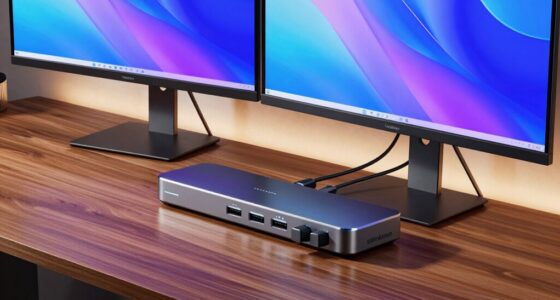
Searching for the best 4k 144hz gaming monitors in 2026? The top options balance stunning resolution with incredibly fast refresh rates, but tradeoffs include price, size, and features like adaptive sync. The 27 Inch 4K Gaming Monitor with 144Hz & 288Hz stands out for its versatile refresh rate, while the LG UltraGear 32-Inch Curved offers a larger, immersive experience. Buyers face decisions around build quality, compatibility, and whether to prioritize speed or image quality. Continue reading to see how these models compare and find the best fit for your gaming setup.

Get the latest gadgets delivered free with Prime
- Fast, free delivery on millions of items
- Prime Video, Amazon Music and more included
- Member-only deals all year
Complete the kit



Key Takeaways
- The top picks balance high refresh rates with 4k resolution, but size and price vary significantly.
- Dynamic refresh rate capabilities like 288Hz or 360Hz provide smoother gameplay for competitive gamers.
- Build quality and connectivity options differ, affecting durability and ease of setup.
- Curved screens enhance immersion but may not suit every desk or preference.
- Choosing between adaptive sync technologies (G-SYNC vs FreeSync) can impact compatibility and price.


| 4k 144hz gaming monitor | Resolution | Refresh Rate | Response Time |
|---|---|---|---|
| 27 Inch 4K Gaming Monitor with | 4K UHD / FHD | 144Hz / 288Hz | 1ms MPRT |
| ASUS TUF Gaming VG27UQ1A 27-In | 3840 x 2160 (4K UHD) | 160Hz | 1ms |
| SANSUI 27" 4K Gaming Monitor | UHD 4K / FHD 1080p | 160Hz (4K) / 320Hz (FHD) | 1ms (OD) |
| Acer Nitro 27-Inch 4K UHD IPS | 3840 x 2160 (UHD) | 72Hz at 4K, 144Hz at 1080p (DFR) | 1ms GtG |
| LG 27G810A-B 27-inch Ultragear | 3840 x 2160 (4K UHD) | 180Hz (4K), 360Hz (FHD) | 1ms GtG |
| LG UltraGear 32-Inch Curved Ga | 2560×1440 (QHD) | 180Hz | 1ms |
| ZZA 32-Inch Curved 4K UHD Gami | 3840×2160 (4K UHD) | 160Hz | 1 ms |
| CRUA 32-inch 4K UHD Curved Gam | 3840×2160 (4K UHD) | 160Hz | 1 ms |
| ZZA 27 Inch 4K Gaming Monitor | 3840×2160 (4K UHD) | 144Hz | 1 ms |
More Details on Our Top Picks
27 Inch 4K Gaming Monitor with 144Hz & 288Hz Refresh Rates, HDR, Adjustable Stand, HDMI 2.1 & DP 1.4
This monitor stands out for its dual-mode refresh rate—144Hz for standard gaming and an impressive 288Hz in FHD mode—making it a flexible choice for players who want both smooth gameplay and high-resolution clarity. Compared with the LG 27G810A-B, it offers more adaptable refresh options, though at a higher price and with a more complex feature set that may overwhelm casual users. Its ergonomic stand and comprehensive connectivity, including HDMI 2.1 and DisplayPort 1.4, support a variety of setups, whether gaming or creative work. However, its cost may be prohibitive for those on a tight budget, and its feature richness could be daunting for less tech-savvy buyers.
Pros:- High-resolution 4K UHD display with vibrant, accurate colors
- Dual refresh rate: 144Hz for regular gaming, 288Hz for FHD responsiveness
- Ergonomic stand with tilt, swivel, height, and rotation adjustments
- Multiple connectivity options including HDMI 2.1 and DisplayPort 1.4
Cons:- Premium price may be a barrier for casual users
- Complex features could be confusing for beginners
- Requires ample desk space to utilize full ergonomic adjustments
Best for: Gamers who want a high-quality, multi-purpose monitor capable of both fast gaming and professional work.
Not ideal for: Casual gamers seeking a straightforward, budget-friendly 4K monitor without extensive features.
- Size:27 inches
- Resolution:4K UHD / FHD
- Refresh Rate:144Hz / 288Hz
- Response Time:1ms MPRT
- Color Coverage:100% sRGB
- Connectivity:2× HDMI 2.1, 2× DP 1.4
Our verdict“This monitor is best suited for gamers and creators needing flexible high-resolution performance and extensive adjustability.”
ASUS TUF Gaming VG27UQ1A 27-Inch 4K 160Hz G-SYNC Gaming Monitor
The ASUS TUF VG27UQ1A offers a 160Hz refresh rate in 4K, making it a strong choice for gamers prioritizing smooth, tear-free visuals. Its Fast IPS panel and 1ms response time rival the LG 27G810A-B’s capabilities, but it adds support for both G-SYNC and FreeSync, providing broad compatibility for various hardware. While its vibrant 95% DCI-P3 color coverage enhances visual quality, its premium price and sizable footprint may limit accessibility. For casual users or those with smaller desks, this monitor’s feature set might feel excessive, especially considering its steep cost.
Pros:- High-resolution 4K display with vivid colors
- Fast 160Hz refresh rate for smooth gameplay
- Supports both G-SYNC and FreeSync for tear-free visuals
- Versatile connectivity including HDMI 2.1
Cons:- Premium price can be a barrier
- Large size may not fit all setups
- Feature set might overwhelm casual gamers
Best for: Competitive gamers using NVIDIA or AMD hardware who want a high-refresh, 4K display with adaptive sync technology.
Not ideal for: Budget-conscious gamers or users with limited desk space seeking a simpler, less costly monitor.
- Display Size:27 inches
- Resolution:3840 x 2160 (4K UHD)
- Refresh Rate:160Hz
- Response Time:1ms
- Color Gamut:95% DCI-P3
- Connectivity:DisplayPort, HDMI 2.1
Our verdict“This monitor is ideal for competitive gamers who want high refresh rates and adaptive sync in 4K without compromise.”
SANSUI 27″ 4K Gaming Monitor, UHD 160Hz / FHD 320Hz Dual Mode, Fast IPS, 1ms, HDR400, Built-in Speakers, Eye Care, Adjustable
This monitor excels for users who want dual-mode flexibility—160Hz in 4K for immersive gaming and 320Hz in FHD for fast response tasks. Its Fast IPS panel delivers excellent color accuracy and HDR400 support, rivaling pricier options like the LG 27G810A-B. The built-in speakers and ergonomic stand add value, but performance can be limited by the source device’s hardware, especially at 4K, where 72Hz is standard. Its complex feature set could be overwhelming for casual users, and built-in audio quality is modest.
Pros:- Dual mode with high refresh rates for gaming and productivity
- Fast IPS panel with excellent color accuracy and HDR400
- Ergonomic stand with multiple adjustments
- Multiple input options including HDMI 2.1 and DisplayPort 1.4
Cons:- Hardware limitations may restrict performance
- Built-in speakers are not audiophile quality
- Feature complexity might intimidate casual users
Best for: Gamers and professionals who need a flexible monitor for both gaming and daily work, with a focus on color fidelity and ergonomics.
Not ideal for: Hardcore competitive gamers seeking the highest possible refresh rates at 4K, or users who prefer simple setups.
- Size:27 inches
- Resolution:UHD 4K / FHD 1080p
- Refresh Rate:160Hz (4K) / 320Hz (FHD)
- Response Time:1ms (OD)
- Brightness:400 nits
- Inputs:HDMI 2.1, DP 1.4
Our verdict“This monitor suits creative professionals and gamers seeking flexible dual-mode performance and ergonomic comfort.”
Acer Nitro 27-Inch 4K UHD IPS Gaming Monitor VG270K
The Acer Nitro VG270K offers a solid entry point into 4K gaming, with a 72Hz native refresh rate at 4K but capable of 144Hz at 1080p through DFR. Its IPS panel delivers vibrant colors and HDR10 support for improved contrast, making it suitable for casual gaming and content consumption. Compared to higher-priced options like the LG 27G810A-B, it lacks the ultra-high refresh rates at 4K but compensates with a lower cost and a sleek, near bezel-less design. Its limited refresh rate at native 4K resolution may disappoint competitive players, but it remains a good choice for those seeking 4K visuals on a budget.
Pros:- Vibrant 4K UHD display with HDR10 support
- Fast response time at 1ms GtG
- Sleek, near bezel-less design for multi-monitor setups
- Supports HDR10 for better contrast
Cons:- Limited to 72Hz at 4K, not ideal for competitive gaming
- No built-in speakers or USB ports
- Higher cost compared to lower-resolution monitors
Best for: Casual gamers and multimedia enthusiasts who want 4K resolution with decent gaming performance without high-end specs.
Not ideal for: Hardcore gamers demanding 144Hz or higher at 4K or those looking for professional-level color accuracy.
- Size:27 inches
- Resolution:3840 x 2160 (UHD)
- Refresh Rate:72Hz at 4K, 144Hz at 1080p (DFR)
- Response Time:1ms GtG
- Color Gamut:DCI-P3 95%
- HDR Support:HDR10
Our verdict“This monitor offers a good balance of 4K visuals and gaming capability for casual players on a budget.”
LG 27G810A-B 27-inch Ultragear 4K UHD IPS Gaming Monitor with Dual Mode 180Hz/360Hz, 1ms, G-Sync, FreeSync Premium, HDR400
The LG 27G810A-B provides a dual-mode refresh rate—180Hz in 4K and 360Hz in FHD—making it an excellent choice for gamers seeking ultra-smooth gameplay. Its IPS panel and 1ms GtG response time deliver vibrant colors and quick responsiveness, comparable to the ASUS VG27UQ1A but with the added benefit of LG’s HDR400 support. While its high refresh rates at FHD make it ideal for fast-paced competitive gaming, the 180Hz mode at 4K may still fall short for the most demanding players. The premium price and extensive feature set also make it more suitable for serious gamers than casual users.
Pros:- Dual mode: 180Hz in 4K and 360Hz in FHD
- Vivid IPS panel with 95% DCI-P3 coverage
- Supports G-SYNC and FreeSync Premium
- HDR400 for enhanced contrast and color
Cons:- High price point
- Limited to 180Hz at 4K, not the maximum possible for professional esports
- Complex feature set might be unnecessary for casual gaming
Best for: Enthusiast gamers who want high refresh rates in both 4K and FHD modes with adaptive sync support.
Not ideal for: Budget buyers or users who prefer a straightforward, simple monitor without dual refresh modes.
- Size:27 inches
- Resolution:3840 x 2160 (4K UHD)
- Refresh Rate:180Hz (4K), 360Hz (FHD)
- Response Time:1ms GtG
- Color Coverage:95% DCI-P3
- Connectivity:HDMI 2.1, DisplayPort 1.4
Our verdict“This monitor is suited for gamers who want high refresh rates and adaptive sync in a versatile 4K IPS display.”
LG UltraGear 32-Inch Curved Gaming Monitor QHD 2560×1440 180Hz 1ms AMD FreeSync HDR10
This LG UltraGear model stands out for its combination of a 180Hz refresh rate and 1ms response time, making it ideal for fast-paced gaming where smoothness is critical. Its 1000R curved screen enhances immersion far more than flat options like the ZZA 27-inch, but the size may feel limiting for those wanting a more expansive display. Compared with the ZZA 32-inch, it sacrifices resolution for a slightly faster refresh rate, which benefits competitive gamers. While HDR10 support and a high sRGB coverage improve visual vibrancy, its lack of built-in speakers and the need for compatible hardware to fully utilize the high refresh rate are noteworthy tradeoffs.
Pros:- High 180Hz refresh rate and 1ms response time for fluid gameplay
- 1000R curved screen amplifies immersion
- Supports HDR10 and covers 99% sRGB for vibrant visuals
Cons:- Limited to 32 inches, which might be small for some users
- No built-in speakers, requiring external audio solutions
Best for: Gamers who prioritize ultra-smooth gameplay with immersive curved visuals in a 32-inch format.
Not ideal for: Users seeking built-in audio or larger screens for multi-monitor setups, as it lacks speakers and might be too small for some.
- Screen Size:32 inches
- Resolution:2560×1440 (QHD)
- Refresh Rate:180Hz
- Response Time:1ms
- Curvature:1000R
- Display Type:VA LED
Our verdict“This monitor suits competitive gamers wanting a curved, high-refresh experience in a manageable size.”
ZZA 32-Inch Curved 4K UHD Gaming Monitor with 160Hz Refresh Rate and AMD FreeSync Premium
This ZZA 32-inch monitor excels by combining 4K resolution with a 160Hz refresh rate, making it a compelling choice for gamers who also do content creation or multitasking. Its 1500R curvature offers a more immersive experience than flatter displays like the CRUA 32-inch, but it may sacrifice some pixel density compared to smaller 4K monitors, affecting fine detail. Compared to the LG UltraGear, it provides higher resolution but a slightly lower refresh rate, which might be less ideal for fast-paced competitive gaming. Its versatile connectivity, including HDMI 2.1 and DisplayPort 1.4, makes it suitable for a range of setups, though the lack of built-in speakers or ergonomic features could be drawbacks for some.
Pros:- 4K UHD resolution delivers crisp, detailed visuals
- Fast 160Hz refresh rate suited for competitive gaming
- 1500R curvature enhances immersion with a wider field of view
Cons:- Lacks built-in speakers or advanced ergonomic features
- Higher price point due to 4K and high refresh rate combination
Best for: Creative professionals and gamers seeking sharp 4K detail with high refresh rates in a curved design.
Not ideal for: Gamers who prioritize ultra-fast refresh rates above 160Hz or need built-in audio for convenience.
- Display Size:32 inches
- Resolution:3840×2160 (4K UHD)
- Refresh Rate:160Hz
- Response Time:1 ms
- Curvature:1500R
- Ports:2 HDMI 2.1, 2 DisplayPort 1.4
Our verdict“Ideal for users blending creative work with gaming at high resolutions and refresh rates, but less suited for those wanting maximum refresh speed or built-in audio.”
CRUA 32-inch 4K UHD Curved Gaming Monitor, 160Hz, AMD FreeSync
The CRUA 32-inch offers a compelling balance of 4K resolution and a 160Hz refresh rate at a more accessible price point than premium options like the ZZA. Its 1500R curvature makes for an immersive experience similar to higher-end models, but it lacks some features found in more expensive monitors, such as built-in USB ports or extensive ergonomic adjustments. Compared to the ZZA, it provides similar refresh rates and resolution but may fall short in color accuracy or advanced connectivity options. Its matte finish reduces glare, though its limited wall-mount support could be limiting for custom setups.
Pros:- Vivid 4K display with 120% sRGB coverage
- 160Hz refresh rate provides smooth gameplay
- 1500R curvature enhances immersion
Cons:- No built-in USB ports or advanced connectivity options
- Limited wall-mount support at 75mm x 75mm
Best for: Budget-conscious gamers and streamers who want a curved 4K display with high refresh rates without breaking the bank.
Not ideal for: Professional content creators or users needing extensive ergonomic features or USB hubs, as these are absent.
- Display Size:32 inches
- Resolution:3840×2160 (4K UHD)
- Refresh Rate:160Hz
- Response Time:1 ms
- Curvature:1500R
- Display Technology:VA Panel
Our verdict“A well-priced curved 4K monitor for gamers who want high refresh rates without additional frills.”
ZZA 27 Inch 4K Gaming Monitor, UHD (3840×2160), 144Hz, Flat Screen, Adaptive Sync, HDMI 2.1 & DisplayPort 1.4, Tilt Adjustable, Wall Mountable, Black
This 27-inch ZZA monitor offers a strong combination of 4K clarity and 144Hz refresh rate, making it an excellent choice for users who need a smaller screen with high visual fidelity. Its flat display contrasts with curved options like the CRUA or ZZA 32-inch, appealing to those who prefer traditional screens for desk setups. Compared to larger monitors, it provides better pixel density, but the smaller size might feel limiting for immersive gaming or multi-monitor configurations. Its adjustable tilt and VESA compatibility add ergonomic flexibility, though it lacks built-in speakers and has limited HDR support, which can be a drawback for those wanting richer visuals without external equipment.
Pros:- High 4K resolution with vibrant color accuracy
- 144Hz refresh rate for smooth visuals
- Adjustable tilt and VESA mount compatibility for ergonomic setup
Cons:- No built-in speakers or advanced HDR support
- Smaller size may reduce immersion for some users
Best for: Creative professionals and gamers who prefer a compact, high-resolution display with good connectivity and ergonomic features.
Not ideal for: Enthusiasts seeking ultra-large screens or maximum HDR support for high-end visual effects, as these are limited here.
- Display Size:27 inches
- Resolution:3840×2160 (4K UHD)
- Refresh Rate:144Hz
- Response Time:1 ms
- Contrast Ratio:4000:1
- VESA Mount:Yes
Our verdict“A versatile, space-saving 4K monitor ideal for creative work and gaming in tighter setups.”

How We Picked
These monitors were evaluated based on performance, build quality, compatibility, and value. Priority was given to models capable of consistently delivering 4k resolution at 144Hz or higher, with minimal latency and good color accuracy. We also considered features like adaptive sync compatibility, ergonomic adjustability, and overall design durability. The ranking reflects how well each monitor balances these factors relative to their price, ensuring buyers get the best mix of speed, image quality, and usability for gaming in 2026.Factors to Consider When Choosing 4k 144hz Gaming Monitors
When selecting a 4k 144hz gaming monitor, several key factors influence your overall experience. Beyond raw specs, understanding how size, panel type, and features align with your gaming style can prevent costly mistakes and improve satisfaction. Making informed choices in these areas ensures you get a monitor that matches your performance expectations and setup constraints.Size and Resolution Balance
While 4k resolution provides stunning clarity, the physical size of the monitor impacts immersion and usability. Larger screens, like 32 inches or more, enhance immersion but may require more powerful hardware and more space. Smaller 27-inch models can be more manageable and cost-effective but might not deliver the same level of cinematic experience. Consider your desk space and gaming preferences to find the right balance between size and resolution.
Refresh Rate and Response Time
High refresh rates like 144Hz, 160Hz, or even 360Hz significantly smooth out fast-paced gameplay, reducing motion blur and input lag. However, higher refresh rates often come with increased costs and sometimes require more advanced GPU support. Response time also matters; for competitive gaming, a 1ms or 2ms response time minimizes ghosting. Be aware that pushing for the highest refresh rate might limit some features or increase price, so match your choice to your gaming intensity.
Panel Types and Image Quality
IPS panels tend to offer better color accuracy and wider viewing angles, making them ideal for visually demanding games and multimedia use. TN panels typically have faster response times but lower color fidelity, suitable for competitive players prioritizing speed. VA panels strike a middle ground with high contrast but can sometimes suffer from slower response times. Your choice here impacts both visual quality and gaming performance.
Adaptive Sync and Compatibility
Features like G-SYNC and FreeSync help eliminate screen tearing, especially important at high refresh rates. Not all monitors support both standards, so ensure compatibility with your GPU. Adaptive sync can add to the cost but improves fluidity, particularly during rapid scene changes. Some monitors offer dual support, offering better flexibility, which can be a worthwhile investment for serious gamers.
Connectivity and Ergonomics
Look for monitors with HDMI 2.1 and DisplayPort 1.4 to guarantee compatibility with modern gaming consoles and GPUs. Adjustable stands, VESA mounting options, and anti-glare coatings improve comfort and setup flexibility. Poor ergonomics or limited ports can cause frustration over time, so consider your setup needs carefully before purchasing.
Frequently Asked Questions
Do I need a high-end GPU to run a 4k 144Hz monitor?
Yes, running games at 4k resolution with a 144Hz refresh rate demands a powerful graphics card, especially for modern AAA titles. While you can run some games at lower settings or frame rates, achieving smooth gameplay at these specs typically requires high-end GPUs like the latest RTX or RX series. Planning your hardware around your monitor’s capabilities helps avoid bottlenecks and ensures you get the intended performance.
Is a curved monitor worth it for gaming?
Curved monitors can enhance immersion by wrapping the image around your field of view, especially on larger screens like 32 inches or more. They also help reduce glare and reflections from ambient light. However, they might not suit every desk setup or personal preference. Some gamers find curved screens distracting or less suitable for productivity, so consider how much you value immersion versus workspace flexibility.
Can I use a 4k monitor for work and gaming?
Absolutely. Many 4k monitors offer excellent color accuracy and resolution suitable for creative work, alongside fast refresh rates for gaming. Features like adjustable stands and multiple input options add versatility for multitasking. Just ensure the monitor’s response time and refresh rate meet your gaming needs, and check that your hardware supports 4k at high refresh rates for seamless performance.
Is HDR important on a 4k gaming monitor?
HDR can significantly enhance visual quality by providing brighter highlights and more vibrant colors, making games look more lifelike. However, not all HDR implementations are equal; HDR400 is a basic standard, while HDR600 or HDR1000 offer better performance. For competitive gaming, HDR is less critical than response time, but for immersive single-player experiences, it can make a noticeable difference.
Should I prioritize response time or refresh rate?
Both matter, but their importance depends on your gaming style. Fast response times (1-2ms) reduce ghosting, which benefits fast-paced shooters. High refresh rates (144Hz or higher) provide smoother motion, ideal for competitive gaming. If your GPU can support it, aiming for a monitor that balances both—such as 1ms response time at 144Hz or higher—is generally the best approach for an optimal gaming experience.
Conclusion
For casual gamers or those new to high-refresh-rate 4k displays, the 27 Inch 4K Gaming Monitor with 144Hz & 288Hz offers a balanced entry point. Serious competitive players should consider models like the LG UltraGear 32-Inch Curved for its larger screen and high refresh rate. Those seeking premium build quality and advanced features will find the ASUS TUF Gaming VG27UQ1A or LG UltraGear 27G810A-B appealing. Budget-conscious buyers should focus on models like the ZZA 27 Inch 4K, which provide excellent value without sacrificing core performance. Ultimately, your choice hinges on balance—between size, speed, price, and specific gaming needs.
As an affiliate, we earn on qualifying purchases.Black Friday Picks

Kindle Paperwhite (12th Generation, 2024), 16 GB, 7-inch Display, Black