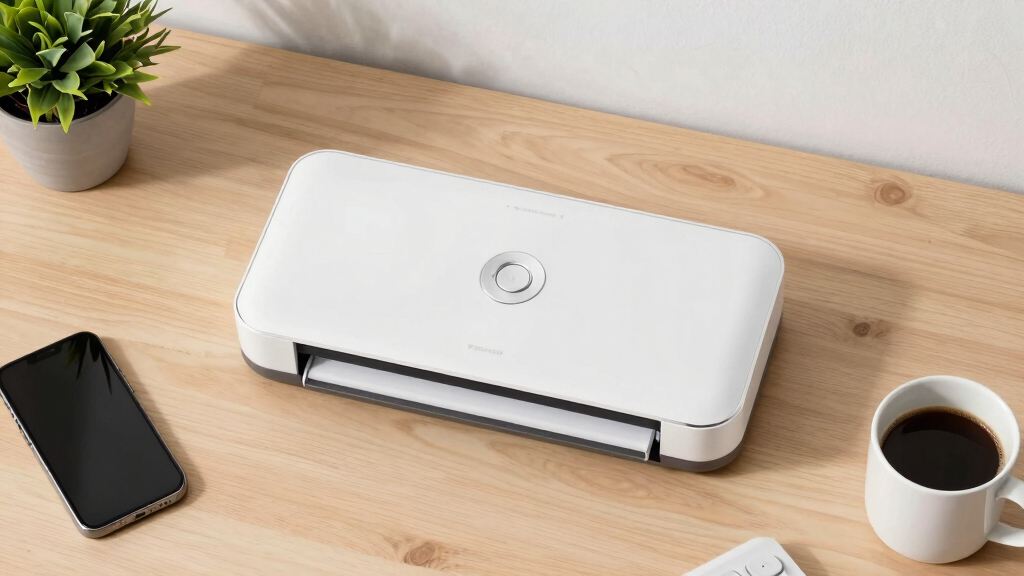

Finding the best duplex document scanner for a home office involves balancing speed, ease of use, and reliability. The Epson Workforce ES-580W stands out as the best overall choice for its seamless wireless connectivity and high-capacity auto feeder. For those on a tighter budget, the Canon imageFORMULA R30 offers straightforward duplex scanning without extra software fuss. Meanwhile, mobile users might prefer the compact Brother DS-740D for its portability and duplex capabilities. Every option involves tradeoffs, such as speed versus portability or cost versus advanced features. Keep reading for a detailed breakdown that helps you pick the right scanner for your specific home office needs.

Get the latest gadgets delivered free with Prime
- Fast, free delivery on millions of items
- Prime Video, Amazon Music and more included
- Member-only deals all year
Key Takeaways
- The top scanners combine fast duplex speeds with reliable auto feeders, reducing manual intervention.
- Wireless models provide better convenience for multi-device setups, especially in small home offices.
- Portability is a key factor for mobile or space-constrained users, with compact designs like the Brother DS-740D leading the pack.
- Higher-end options tend to offer better image quality and advanced features, but often at a higher price point.
- Ease of setup and software compatibility are often overlooked but critical to ensuring smooth daily use.


More Details on Our Top Picks
Epson Workforce ES-580W Wireless Color Duplex Tax Receipt & Desktop Document Scanner for PC and Mac with 100-sheet Auto Feeder (ADF), Intuitive 4.3′ Touchscreen
This scanner stands out for its combination of wireless convenience and high-speed duplex scanning, making it ideal for busy home offices that need to digitize a variety of documents quickly. The 4.3-inch touchscreen simplifies operation, while the 100-sheet auto feeder handles large batches without frequent stops. Unlike the smaller Doxie Pro, which is more portable but slower, this model offers robust paper handling and seamless cloud integration, making it perfect for those who want a reliable, all-in-one solution. The tradeoff is its larger footprint and higher price point, which might be a concern for very tight spaces or budget-conscious buyers. Still, for overall versatility and speed, this pick leads the pack.
Pros:- High-speed duplex scanning at up to 35 pages per minute
- Wireless connectivity with direct cloud uploads
- Large 4.3-inch touchscreen for intuitive control
- Handles various paper types and sizes reliably
Cons:- Bulkier design may not suit very tight spaces
- Higher price compared to simpler models like the Epson ES-400 II
Best for: Home office users who need fast, wireless, duplex scanning with high capacity and easy management.
Not ideal for: Small or highly space-constrained setups due to its size, or users seeking a low-cost, minimal device for occasional use.
- Scanner Type:Color Duplex Document Scanner
- Connection Type:Wireless and USB
- Automatic Document Feeder Capacity:100 sheets
- Scanning Speed:Up to 35 ppm
- Touchscreen Size:4.3 inches
- Compatibility:PC and Mac
Bottom line: This scanner is best suited for home offices that prioritize speed, wireless features, and large batch processing without space limitations.
ScanSnap iX2500 Wireless or USB High-Speed Cloud Enabled Document, Photo & Receipt Scanner with Large 5″ Touchscreen and 100 Page Auto Document Feeder for Mac or PC, Black
The ScanSnap iX2500 makes a strong impression with its large 5-inch touchscreen and extensive customization options, making it well-suited for users who want to automate and personalize their scanning workflows. Compared to the Epson Workforce ES-580W, it offers a more user-friendly interface and superior support for cloud services, including faster Wi-Fi 6 connectivity. However, it is slightly more expensive and has a less robust paper capacity—only 100 sheets—so it’s better for moderate batch work. Its ability to create personalized profiles makes it ideal for those who regularly scan different document types and want streamlined management.
Pros:- Large 5-inch touchscreen for easy navigation and customization
- Fast 45 ppm duplex scanning speed
- Supports Wi-Fi 6 for rapid, secure wireless connections
- Supports multiple cloud services and profiles
Cons:- Higher price and larger size may not suit tight spaces
- Limited paper capacity (100 sheets) for high-volume needs
Best for: Home users who need customizable scan profiles and seamless cloud integration for varied document types.
Not ideal for: Users who require very high volume handling or a more compact device for small spaces, as the larger touchscreen may not be necessary for occasional use.
- Scanner Type:Color Duplex Document Scanner
- Connection Type:Wi-Fi 6 and USB
- Auto Document Feeder Capacity:100 sheets
- Scanning Speed:45 ppm
- Touchscreen Size:5 inches
- Compatibility:Mac and PC
Bottom line: This scanner excels for users who want a highly customizable, cloud-enabled device with an intuitive interface for moderate to heavy document management in a home office.
Doxie Pro – Duplex Document Scanner and Receipt Scanner for Home and Office with Amazing Software for Mac and PC
The Doxie Pro is a standout for its portability and simplicity, making it perfect for users who need to scan on the go or in small home offices. Its compact size and collapsible feeder make it easy to store and transport, while its software provides effortless organization and cloud uploads. Compared with larger, faster scanners like the Epson Workforce ES-580W, it sacrifices some speed and capacity, with a maximum of 8 pages per batch, but it excels in convenience and ease of use. The tradeoff is that it’s not suitable for heavy batch processing, so it’s best for occasional or mobile scanning tasks.
Pros:- Highly portable with compact design
- Automatic duplex scanning of two-sided pages
- No-fuss software with easy cloud integration
- Collapsible feeder for space-saving storage
Cons:- Limited batch capacity (up to 8 pages at a time)
- Slower scan speeds compared to larger models
Best for: Individuals who need a portable, straightforward scanner for light, occasional use in a small or mobile home office setting.
Not ideal for: High-volume batch processing or users needing robust multi-page capacity for daily large document loads.
- Scanner Type:Duplex Document and Receipt Scanner
- Connection Type:USB
- Maximum Batch Size:8 pages
- Scanning Speed:Up to 8 ppm
- Software:Intuitive, Mac and PC compatible
- Size:Compact
Bottom line: This pick is ideal for users seeking a lightweight, portable scanner for light, infrequent scanning tasks in small spaces or on the move.
Epson Workforce ES-400 II Color Duplex Desktop Document Scanner for PC and Mac with Auto Doc Feeder (ADF), Image Adjustment Tools
The Epson ES-400 II offers a solid balance of performance and affordability, making it a good choice for home users who need reliable duplex scanning without a hefty price tag. It features a 50-sheet auto feeder and scans at 35 pages per minute, which is adequate for moderate workloads. Its software provides essential image adjustments and easy export options, similar to pricier models like the ES-580W but with fewer advanced features. Compared to the more feature-rich options, it’s less suited for extensive batch processing or complex workflows, but it remains a dependable, budget-friendly choice for everyday document digitization.
Pros:- Affordable price point
- Reliable 50-sheet auto feeder
- Decent scan speed of 35 ppm
- Easy-to-use software with image adjustment tools
Cons:- Limited advanced workflow features
- Fewer connectivity options compared to higher-end models
Best for: Budget-conscious home users who need dependable duplex scanning for moderate workloads and basic management.
Not ideal for: Heavy batch processing or users requiring advanced OCR features and cloud capabilities, as it offers fewer customization options.
- Scanner Type:Color Duplex Desktop Scanner
- Connection Type:USB
- Auto Document Feeder Capacity:50 sheets
- Scanning Speed:35 ppm
- Resolution:300 dpi
- Physical Dimensions:14.5 x 10 x 11.25 inches
Bottom line: This scanner is best for budget-minded home users who want dependable, everyday duplex scanning without extra bells and whistles.
Epson DS-530 II Color Duplex Document Scanner for PC and Mac with Sheet-fed Auto Doc Feeder (ADF)
The Epson DS-530 II is designed to handle demanding office environments and home offices with high-volume needs. Its 50-sheet auto feeder and scan speeds up to 35 pages per minute make it suitable for large batches of documents, including folded pages and extra-long sheets up to 240 inches. Its advanced features, such as blank page removal, auto cropping, and skew correction, ensure high-quality, efficient scans that integrate smoothly with existing workflows via TWAIN and ISIS drivers. While it’s bulkier than some portable options, it offers unmatched versatility for users who regularly process diverse, high-volume stacks, surpassing more basic models like the Epson ES-400 II in capacity and features.
Pros:- Fast scanning speeds of up to 35 ppm
- 50-sheet auto feeder for high-volume batching
- Supports extra-long and folded pages
- Advanced image correction and blank page removal
Cons:- Larger footprint may not suit tight spaces
- Higher cost for extensive feature set
Best for: Home offices with high-volume scanning needs and diverse document types requiring advanced paper handling features.
Not ideal for: Small spaces or infrequent users who do not need large batch processing or advanced media handling capabilities.
- Scanner Type:Color Duplex Document Scanner
- Connection Type:USB
- Auto Document Feeder Capacity:50 sheets
- Maximum Speed:35 ppm
- Media Handling:Up to 240″ long, folded pages
- Optical Resolution:600 dpi
Bottom line: Ideal for high-volume, versatile document management in a home or small office setting that values speed and advanced paper handling.
Canon imageFORMULA R10 – Portable Document Scanner, USB Powered, Duplex Scanning, Document Feeder, Easy Setup, Convenient, Perfect for Mobile Users, White
This scanner stands out for combining lightweight portability with duplex scanning capabilities, making it ideal for users who need to digitize documents on the go. Compared to the ScanSnap iX1300, it offers a more compact form factor and USB power, but sacrifices some high-volume speed and advanced connectivity options. Its 20-sheet automatic feeder and 12 ppm speed are suitable for moderate daily use, especially in environments where mobility matters most. The built-in software simplifies setup without extra downloads, and the high-quality imaging technology ensures clear, color-rich scans. However, its limited document capacity and absence of Wi-Fi mean it’s less suited for bulk or wireless multi-device workflows. This pick makes the most sense for mobile professionals or those with limited desk space who prioritize portability over high-volume throughput.
Pros:- Extremely lightweight and portable, ideal for mobile use
- USB powered, no need for external power source
- Quick setup with built-in software, no driver installation needed
- High-quality color and black-and-white imaging leveraging Canon’s camera tech
Cons:- Limited document capacity with only a 20-sheet feeder
- No built-in Wi-Fi or network connectivity for multi-device sharing
- Slower than desktop models at 12 pages per minute
Best for: Mobile professionals and small home offices needing reliable, duplex-capable scanning on the go
Not ideal for: High-volume scanning environments or users requiring wireless connectivity and larger input capacity
- Scanner Type:Portable Document Scanner
- Connection Type:USB
- Resolution:600 dpi
- Wattage:2.5W or less
- Sheet Capacity:20 sheets
- Speed:12 pages per minute
Bottom line: This scanner is perfect for mobile users who need a compact, reliable duplex scanner without the bulk or complexity of larger devices.
ScanSnap iX1300 Compact Wireless or USB Double-Sided Color Document, Photo & Receipt Scanner with Auto Document Feeder and Manual Feeder for Mac or PC, Black
This model earns its place as the best space-saving desktop scanner, combining wireless and USB connectivity with impressive duplex speed of up to 30 ppm. It surpasses the Canon R30 in speed and flexibility, offering both Wi-Fi and USB options, making it versatile for varied workflows. Its compact design fits small desks easily, while the intuitive Quick Menu software allows fast, one-touch scanning to multiple destinations, including cloud and mobile devices. The automatic de-skew, color optimization, and blank page removal ensure high-quality results with minimal user intervention. However, the high-speed performance comes with a higher price tag and reliance on software that may require updates or troubleshooting. This device is ideal for home offices where speed, wireless convenience, and minimal desk footprint are priorities.
Pros:- Fast duplex scanning at 30 ppm with automatic features
- Wireless and USB connectivity for flexible use
- Compact design saves desk space and fits easily in small areas
- User-friendly software simplifies management and organization
Cons:- Higher cost compared to basic models
- Dependent on software updates for optimal performance
- Limited to 50-sheet capacity in the automatic feeder
Best for: Home office users seeking fast, wireless duplex scanning with minimal desk space
Not ideal for: Heavy-duty scanning or users wanting a dedicated, wired-only device for large-volume tasks
- Scanner Type:Document and Photo Scanner
- Connection Type:Wi-Fi and USB
- Resolution:600 dpi
- Sheet Capacity:50 sheets
- Speed:up to 30 ppm
- Media Type:Documents, Photos, Cards
Bottom line: This scanner suits small home offices that need rapid, wireless duplex scanning without sacrificing desk space.
Brother DS-740D Duplex Compact Mobile Document Scanner
The Brother DS-740D excels as a highly portable, duplex-capable scanner that can be powered via USB, making it ideal for on-the-move professionals. Its 16 ppm speed is respectable for its size, and automatic color detection and OCR support provide enhanced document clarity and text recognition. Compared to the Canon R10, it offers a larger input capacity with a 60-sheet automatic feeder and supports multiple platforms including Linux, which broadens its usability. Its ultra-compact form factor allows it to slide into bags or pockets—perfect for fieldwork or traveling. However, with only 16 ppm speed and reliance on connected devices for power, it isn’t suited for high-volume or standalone scanning needs. This device is best for those who require a lightweight, mobile duplex scanner that can be used anywhere, anytime.
Pros:- Extremely portable and lightweight, fits in bags or pockets
- Powered via micro USB, no need for outlet access
- Supports multiple platforms including Linux
- Automatic color detection and OCR for versatile document processing
Cons:- Slower at 16 ppm compared to larger desktop models
- Dependent on device power and connectivity, not standalone
- Limited input capacity with a 60-sheet feeder
Best for: Traveling professionals and remote workers needing a lightweight, wireless-capable duplex scanner
Not ideal for: High-volume or office-centric workflows that demand faster speeds and standalone operation
- Scanner Type:Mobile Duplex Document Scanner
- Connection Type:Micro USB, supports Wi-Fi
- Resolution:600 dpi
- Sheet Capacity:60 sheets
- Speed:16 pages per minute
- Media Type:Documents, Business Cards
Bottom line: This is the ideal choice for mobile users who need a compact, duplex scanner that works anywhere with minimal fuss.
Canon imageFORMULA R30 – Office Document Scanner, Auto Document Feeder, Duplex Scanning, Plug-and-Scan Capability, No Software Installation Required
This scanner makes a strong case for users who want reliable, high-speed duplex scanning with minimal setup. Its 25 ppm speed and 60-sheet automatic document feeder outperform the Brother DS-740D in volume capacity and speed, making it suitable for busy home offices. Its plug-and-play USB connection and pre-installed software eliminate the need for driver downloads or updates, streamlining deployment. The ability to handle a variety of document types, including invoices, contracts, and business cards, adds to its versatility. While it lacks wireless connectivity, this tradeoff results in a more straightforward, stable connection for high-volume scanning. The R30 is ideal for users who prioritize speed and simplicity, especially in fixed-location home office environments.
Pros:- Fast scanning at 25 ppm with duplex capability
- Automatic document feeder with 60-sheet capacity
- Plug-and-play USB connection for quick setup
- Supports various document types with no driver installation
Cons:- No wireless or network connectivity options
- Larger footprint compared to portable models
- Lacks advanced connectivity features for multi-device use
Best for: Home office users who need fast, reliable duplex scanning with easy setup and no software hassle
Not ideal for: Users requiring wireless connectivity or portable scanning options
- Scanner Type:Office Document Scanner
- Connection Type:USB
- Resolution:600 dpi
- Sheet Capacity:60 sheets
- Speed:25 pages per minute
- Media Type:Documents, Business Cards
Bottom line: This scanner is perfect for fixed home office setups that need fast, reliable duplex scanning with minimal configuration.
How We Picked
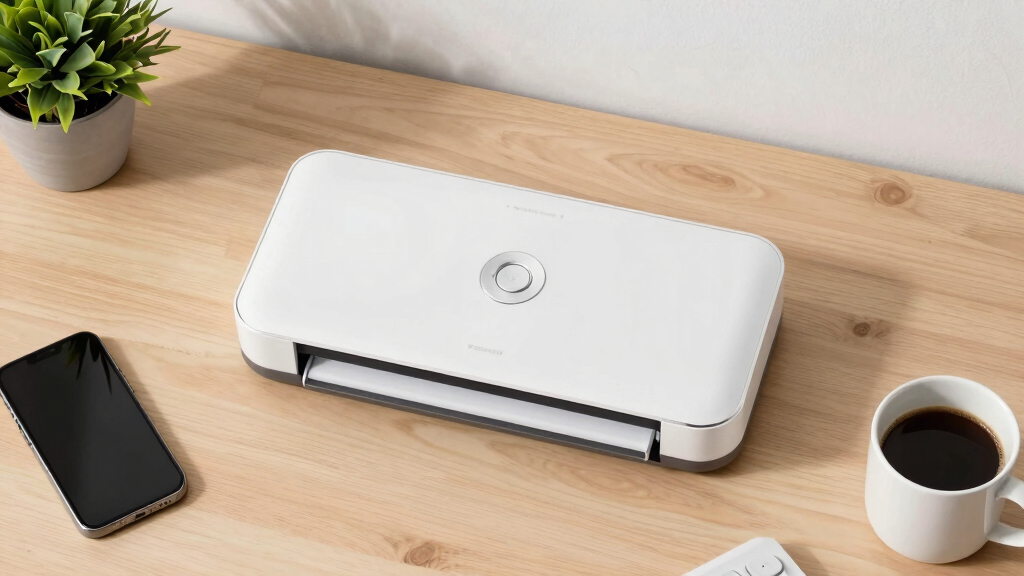
These products were evaluated based on several key criteria relevant to home office users: scanning speed, duplex capability, ease of setup, build quality, software features, and overall value. Priority was given to models that balance performance with affordability, ensuring they fit typical home environments without sacrificing functionality. We also considered portability for those with limited space and reliability based on user feedback. Products were ranked by how well they meet these needs, with a focus on real-world usability rather than just technical specs.Factors to Consider When Choosing Best Duplex Document Scanners For Home Office
Choosing the best duplex document scanner for your home office requires understanding what features truly impact daily workflow. While high speed and capacity are attractive, ease of use and software compatibility often determine whether a scanner will be a helpful tool or a frustrating addition. Budget considerations also influence which features are worth prioritizing. In this guide, I cover key factors to help you make an informed decision that balances performance, convenience, and cost.Scanning Speed and Auto Feeder Capacity
Speed and capacity are vital for those who regularly process large batches of documents. Duplex scanners with high pages-per-minute rates and large auto feeders significantly reduce time spent on scanning tasks. However, these features often come with higher prices. For light use, a modest speed might suffice, while heavy scanning needs justify investing in faster, larger-capacity models. Consider your typical workload to avoid overspending or underbuying.
Connectivity and Compatibility
Wireless connectivity offers the convenience of scanning from multiple devices without cluttering your workspace with cables. Many home users prefer models that support Wi-Fi, cloud integration, or mobile app control. Compatibility with your operating system is also important; most scanners support Windows and Mac, but check for specific software requirements. Reliable connectivity reduces frustration and makes daily operation smoother.
Size, Portability, and Space Requirements
Home offices vary greatly in available space, so size and portability are key considerations. Compact models like the Brother DS-740D are perfect for tight spots or mobile use, while larger, desktop-oriented scanners provide more capacity and features. Think about where you’ll place the scanner and how often you’ll move it—this can influence your choice significantly. A portable scanner may sacrifice some features but offers flexibility.
Ease of Use and Software Integration
Intuitive controls and straightforward setup are often overlooked but make a big difference in daily use. Look for models with clear instructions, user-friendly interfaces, and reliable software that integrates with your existing workflows. Some scanners include features like automatic document detection or one-touch scanning, reducing the learning curve. Poor software support can make even the best hardware frustrating to use regularly.
Price and Long-Term Value
Budget constraints are real, but spending a little more upfront can lead to better durability and features that save time long-term. Cheaper models may lack duplex speed or have lower build quality, leading to more frequent issues. Conversely, premium options offer advanced features like better image quality, faster speeds, and enhanced software, often justifying their higher cost for busy home offices. Balance your immediate budget with potential long-term benefits.
Frequently Asked Questions
Can I use a duplex scanner for both personal and business documents?
Absolutely. Duplex scanners are designed to handle both types of documents efficiently. Many models include features like automatic cropping, image correction, and cloud support, making them suitable for personal records or business paperwork. Just consider the volume you’ll process—higher-capacity models might be better for business use, but most duplex scanners are versatile enough for typical home office needs.
Is wireless connectivity reliable enough for daily document scanning?
In most cases, yes. Modern wireless scanners support stable Wi-Fi connections, especially when used with a strong home network. However, network issues can occasionally cause interruptions. For critical or large batches, a wired connection might provide more consistent performance, but for everyday use, wireless offers significant convenience and flexibility.
What’s the best scanner for small spaces?
Compact models like the Brother DS-740D or Canon imageFORMULA R10 excel in tight spaces due to their small footprint. These portable scanners are lightweight, easy to store, and often support mobile scanning, making them ideal for users with limited desk space or those who need to move their scanner around. Keep in mind that smaller models sometimes have lower capacity or fewer features, so weigh your space needs against your functional requirements.
Are higher-priced scanners worth the investment?
Higher-priced scanners often provide faster speeds, better image quality, and more robust software. If you process large volumes regularly or require professional-quality scans, investing in a premium model can save time and reduce frustration. However, for occasional or light use, a more affordable model may suffice. Consider your workload and whether the additional features will truly improve your workflow.
Do I need special software to use these scanners?
Most duplex scanners come with their own software for scanning, editing, and saving documents, which is usually compatible with common operating systems. Some models also support cloud services or mobile apps, adding convenience. While you typically don’t need additional software, checking compatibility and reviewing included features ensures the scanner fits seamlessly into your existing setup, avoiding surprises after purchase.
Conclusion
For most home office users, the Epson Workforce ES-580W offers the best combination of speed, wireless convenience, and capacity, making it ideal for those who handle regular, high-volume scanning. Budget-conscious buyers will find the Canon imageFORMULA R30 a straightforward, reliable choice for everyday needs. For users prioritizing mobility or limited space, the Brother DS-740D delivers portability without sacrificing duplex capability. Those seeking a premium experience with advanced features should consider models like the ScanSnap iX2500, especially if they value seamless cloud integration and larger touchscreens. Ultimately, your choice depends on your specific workload, space, and budget constraints—select the one that best aligns with your home office priorities. As an affiliate, we earn on qualifying purchases.Columbus Day / Indigenous Peoples' Day Picks
long weekend sales