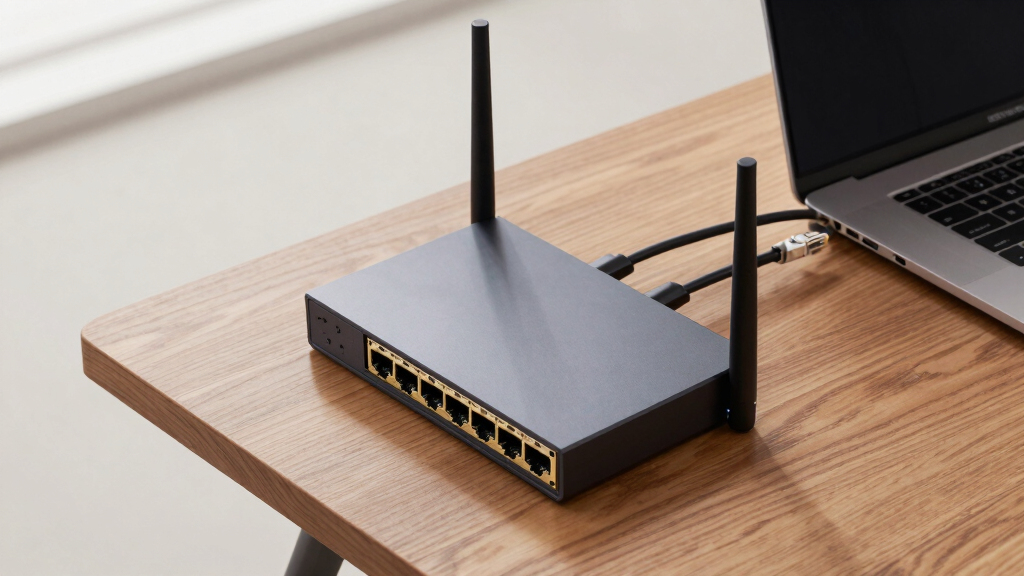

If you’re searching for the best routers with SFP+ or 10GbE uplink, you’re likely aiming for high-speed, reliable connections for demanding networks. The TP-Link Archer BE19000 WiFi 7 Router stands out as the overall top choice for its combination of speed and features, while the Mikrotik CCR2004-16G-2S+PC offers robust enterprise-grade options. The main tradeoffs in this category often involve balancing raw speed, port versatility, and ease of setup versus cost. Keep reading for a detailed comparison of these top contenders and find the best fit for your needs.
Key Takeaways
- High-performance routers with multiple 10GbE ports dominate for enterprise and advanced home use, but come with higher costs.
- SFP+ ports are most valuable when paired with fiber or high-speed internet, making compatibility essential.
- Ease of setup and management varies significantly; some models target advanced users, others cater to beginners.
- Design and build quality are crucial for rack-mountable or space-constrained environments, influencing deployment choices.
- Price range varies widely; investing more often yields better build quality, faster speeds, and future-proofing, but not always necessary for average users.


More Details on Our Top Picks
TP-Link Tri-Band BE19000 WiFi 7 Router (Archer BE800) | 12-Stream 19 Gbps | 2×10G + 4×2.5G Ports | LED Screen, 8 High-Performance Antennas | VPN, Easy Mesh, HomeShield, Private IoT, Free Expert Help
This router stands out for its impressive combination of Wi-Fi 7 speeds and versatile wired options, including dual 10G ports—one RJ45 and one SFPplus fiber port—making it highly suitable for advanced home or small office setups. Compared with the GL.iNet GL-BE6500, which offers excellent coverage and VPN support at a lower price, the BE800 delivers superior Wi-Fi throughput and more flexible wired connectivity, but at a higher cost and complexity. The inclusion of an LED screen and robust security features like HomeShield enhances user experience and security. The tradeoff is its larger size and higher price point, which may be unnecessary for simpler or budget-conscious users. This makes it ideal for tech-savvy users needing both high-speed Wi-Fi and multi-gigabit wired connections to support demanding applications.
Pros:- 12-stream Wi-Fi 7 with multi-link operation for high throughput
- Dual 10G WAN/LAN ports including a fiber SFPplus port
- Integrated LED screen for real-time status updates
- Robust security and privacy features with HomeShield
Cons:- Higher price and larger physical footprint
- Complex setup may challenge non-technical users
Best for: Power users or small business owners seeking a high-performance Wi-Fi 7 router with multi-Gigabit uplink options.
Not ideal for: Casual users or those on a tight budget who do not require dual 10G ports or the latest Wi-Fi standard.
- Wi-Fi Standard:Wi-Fi 7
- Total Wi-Fi Speed:19 Gbps
- Ports:2×10G + 4×2.5G, USB 3.0
- Antenna:8 high-performance antennas
- Security:HomeShield, WPA3
- Features:LED screen, EasyMesh support
Bottom line: This router is best for advanced users who need fast Wi-Fi and flexible high-speed wired connectivity in a single device.
Mikrotik CCR2004-16G-2S+PC Ethernet Router 16x Gigabit Ethernet Ports, 2x10G SFP+ Cages
This router excels in dense network environments with its 16 Gigabit Ethernet ports and dual 10G SFP+ cages, offering extensive wired scalability. Compared to the GL.iNet GL-MT6000, which emphasizes ease of use and Wi-Fi performance, the CCR2004-16G-2S+PC provides raw wired throughput and flexibility for large networks or data centers. Its dual SFP+ ports support high-speed fiber uplinks, making it ideal for enterprise or campus deployments. The main tradeoff is its complexity and lack of integrated Wi-Fi, making it unsuitable for simple home setups. This device is best suited for network administrators or enterprises needing reliable, high-capacity wired connectivity with minimal fuss over Wi-Fi features.
Pros:- 16 Gigabit Ethernet ports for extensive wired connectivity
- 2×10G SFP+ cages for fiber uplinks
- Dual boot with RouterOS or SwOS for flexible management
- Powerful hardware capable of handling high data loads
Cons:- No integrated Wi-Fi support
- Requires technical expertise for configuration
Best for: Large-scale enterprise or data center environments requiring extensive wired connections and high throughput.
Not ideal for: Home users or small offices seeking integrated Wi-Fi or simple setup procedures.
- Ethernet Ports:16 Gigabit
- SFP+ Ports:2×10G
- Form Factor:1U rackmount
- Power:AC 100-240V, 500W
- Management:RouterOS or SwOS
- PoE:No
Bottom line: Ideal for large networks needing high-density wired connections and fiber uplinks, not for typical home environments.
GL.iNet GL-BE6500 (Flint 3e) WiFi 7 Router, High-Speed WiFi Router for Wireless Internet w/VPN, 5 x 2.5G Ethernet Port for Fiber Optic Modem, Long Range Large Home, Business & Gaming Computer Routers
The GL.iNet BE6500 offers an excellent balance of Wi-Fi 7 speeds and long-range coverage, with five 2.5G Ethernet ports ideal for fiber connections. Compared with the TP-Link BE19000, which emphasizes multi-gigabit uplinks and security, the Flint 3e provides comparable Wi-Fi performance with added focus on extended range and VPN support. Its VPN capabilities, including Wireguard and OpenVPN up to 680Mbps, make it appealing for remote work and privacy-conscious users. The tradeoff involves a slightly lower maximum Wi-Fi speed (6.5 Gbps) and fewer advanced features for enterprise use. This model suits tech-savvy home users or small offices needing reliable Wi-Fi and VPN integration over a broad area.
Pros:- Wi-Fi 7 with speeds up to 6.5 Gbps
- Five 2.5G Ethernet ports for fiber connections
- Long-range coverage suitable for large homes or offices
- Supports Wireguard and OpenVPN VPN protocols
Cons:- Maximum Wi-Fi speed slightly below some high-end routers
- Limited enterprise management features
Best for: Home users or small businesses prioritizing long-range Wi-Fi and VPN security for high-speed fiber connections.
Not ideal for: Enterprise networks or users requiring the highest possible throughput or advanced network management features.
- Wi-Fi Standard:Wi-Fi 7
- Wi-Fi Speed:6.5 Gbps
- Ethernet Ports:5×2.5G
- VPN Support:Wireguard, OpenVPN
- Coverage:Up to 2,500 sq ft
- Security:AdGuard, VPN
Bottom line: Best for users needing broad coverage and VPN security on a high-speed fiber setup, not for high-density enterprise deployments.
Mikrotik CRS328-24P-4S+RM 24 port Gigabit Ethernet router/switch with four 10Gbps SFP+ ports in 1U rackmount case, Dual Boot and PoE output, 500W
This device combines high-capacity Ethernet switching with PoE output and four 10G SFP+ ports, making it a versatile choice for powering PoE devices like cameras or access points. Compared with the CCR2004-16G-2S+PC, which emphasizes high-speed uplinks and flexible management, the CRS328 excels in power delivery and network expansion, especially in environments with many PoE peripherals. Its dual boot feature adds flexibility for different management needs. The main drawback is its lack of integrated Wi-Fi, limiting it to wired deployments, and its complexity may be overkill for typical home use. This router is ideal for network installers or businesses deploying PoE-powered networks requiring high-speed uplinks.
Pros:- Four 10Gbps SFP+ ports for high-speed uplinks
- 24 Gigabit Ethernet ports with PoE output
- Dual boot with RouterOS and SwOS
- Supports PoE+ up to 30W per port
Cons:- No integrated Wi-Fi
- Designed mainly for wired deployment and professional use
Best for: Businesses or network administrators managing PoE devices and needing high-speed fiber uplinks.
Not ideal for: Home users or small offices needing integrated Wi-Fi or simple setup.
- Ethernet Ports:24 Gigabit
- SFP+ Ports:4×10G
- PoE Output:Yes, up to 30W
- Form Factor:1U rackmount
- Power:500W
- Management:RouterOS/SwOS
Bottom line: Best suited for PoE-powered networks requiring high-speed fiber uplinks, not for wireless or residential setups.
GL.iNet GL-MT6000 (Flint 2) WiFi 6 High Speed Gaming Routers for Wireless Internet, 2 x 2.5G Ethernet Ports for Fiber Optic Modem, Long Range Computer VPN WiFi Router, Home & Business
The GL.iNet MT6000 provides a strong Wi-Fi 6 experience with speeds up to 6 Gbps and two 2.5G Ethernet ports, making it suitable for gaming and high-speed fiber connections. Compared with the TP-Link BE19000, which offers Wi-Fi 7 and higher throughput, the MT6000 balances performance and affordability, especially for gaming and streaming where Wi-Fi 6’s low latency is advantageous. Its VPN support, including Wireguard and OpenVPN up to 900Mbps, enhances privacy and remote access. However, it doesn’t support Wi-Fi 7 and has fewer advanced features compared to premium routers like the BE19000. This makes it ideal for gamers or home users seeking reliable Wi-Fi 6 with fiber uplink support.
Pros:- Wi-Fi 6 with speeds up to 6 Gbps
- Two 2.5G Ethernet ports for fiber
- Low latency suitable for gaming
- Supports Wireguard and OpenVPN up to 900Mbps
Cons:- Limited to Wi-Fi 6, not Wi-Fi 7
- Fewer enterprise management tools
Best for: Gamers or home users needing fast, low-latency Wi-Fi 6 and fiber-compatible Ethernet ports.
Not ideal for: Users requiring Wi-Fi 7 or enterprise-grade network management features.
- Wi-Fi Standard:Wi-Fi 6
- Wi-Fi Speed:6 Gbps
- Ethernet Ports:2×2.5G
- VPN Support:Wireguard, OpenVPN
- Coverage:Long Range
- Security:AdGuard, VPN
Bottom line: Best for gamers or high-speed home users prioritizing Wi-Fi 6 performance and fiber connectivity over the latest Wi-Fi standard.
TP-Link Tri-Band BE9700 WiFi 7 Router (Archer BE600) – 10G Port, 2.5G Port, 3× 2.5G LAN, 320MHz Channel, Covers up to 2,600 sq. ft., 120 Devices, VPN, HomeShield Security
This router excels as the most comprehensive option for large households needing robust WiFi 7 performance alongside multi-gig wired connectivity. It supports the latest WiFi 7 devices with speeds up to 5.7 Gbps on the 6 GHz band, making it ideal for streaming, gaming, and smart home devices. Compared to the Alta Labs Route10, which focuses solely on wired connectivity, the BE9700 offers superior wireless coverage and user-friendly management with WiFi 7 enhancements. However, this comes with a tradeoff: the advanced WiFi features increase complexity and cost, making it less suitable for those who only require wired connectivity. Its combination of multi-gig ports, extensive coverage, and security features make it a versatile choice for demanding environments. But, the price and feature set might be overkill for small or simple networks.
Pros:- Supports WiFi 7 with multi-link operation for high-speed wireless connections
- Includes multiple multi-gig ports with 10 Gbps and 2.5 Gbps speeds
- Covers up to 2,600 sq. ft. with Beamforming and 6 antennas
Cons:- Higher price point due to advanced features
- Complex setup for non-technical users
- Limited to WiFi 7 compatible devices for full benefit
Best for: Large households or small offices seeking high-speed WiFi 7 with multi-gig wired uplinks and extensive coverage.
Not ideal for: Users who only need a basic wired router or have limited budget, as WiFi 7 and multi-gig ports increase costs and complexity.
- WiFi Technology:WiFi 7
- Max WiFi Speed:up to 5,765 Mbps
- Ports:1x 10 Gbps, 1x 2.5 Gbps, 3x 2.5 Gbps LAN
- Coverage Area:up to 2,600 sq. ft.
- Device Capacity:120 devices
- Security:HomeShield, VPN
- Antennas:6
- Channel Bandwidth:up to 320 MHz
Bottom line: This is the best pick for those wanting cutting-edge WiFi 7 performance combined with multi-gig wired uplinks in large, tech-savvy homes.
Alta Labs Route10 | 10 Gig Multi-WAN Router | High-Performance Qualcomm Quad-Core Hardware-Accelerated VPN Router | 2 10 Gbps SFP+ and 4 2.5 Gbps Ports
The Alta Labs Route10 stands out for its focus on high-performance wired networking, offering 2x 10 Gbps SFP+ ports and 4x 2.5 Gbps Ethernet ports, making it ideal for advanced users who require reliable, multi-gigabit throughput. It’s better suited than the TP-Link BE9700 for environments where wired performance is the priority, such as data centers or enterprise setups, but it lacks WiFi and wireless features, which limits its use for wireless-centric homes. The router’s quad-core Qualcomm processor ensures low latency and high throughput, but its setup and management demand a certain level of networking expertise. The inclusion of PoE+ support and enterprise-grade features like VLANs, VPN, and traffic monitoring make it a powerful tool for tech enthusiasts, though its lack of integrated WiFi makes it less flexible for general home use.
Pros:- Dual 10 Gbps SFP+ ports for high-speed fiber or direct WAN connections
- Quad-core Qualcomm processor for consistent throughput and low latency
- Supports PoE+ for powering connected devices and access points
Cons:- No built-in WiFi, requiring additional access points
- Setup and management are complex for non-technical users
- Designed mainly for wired environments, limiting flexibility for wireless needs
Best for: Power users, network professionals, or small businesses needing ultra-fast wired connections and advanced control without wireless features.
Not ideal for: Home users seeking an all-in-one WiFi router, as the device does not broadcast WiFi and requires additional access points for wireless coverage.
- Ports:2x 10 Gbps SFP+, 4x 2.5 Gbps Ethernet
- Processor:Qualcomm Quad-Core
- PoE+:Yes
- VPN:Supported
- Network Features:VLAN, Firewall, Traffic Stats
- Coverage:Wired only
- Security:Enterprise-grade
- Power:40W PoE+
Bottom line: This router offers unmatched wired performance for experienced users needing reliable, multi-gigabit throughput in demanding setups.

How We Picked
These products were selected based on their inclusion of SFP+ or 10GbE uplink ports, overall performance, build quality, and user versatility. Priority was given to models offering a clear balance of high-speed connectivity and usability, whether for enterprise, small business, or demanding home networks. Each product was evaluated for port options, speed capabilities, management features, and value for the price. The ranking reflects how well they meet specific user needs, with the top picks excelling in performance and flexibility while others provide strong value or simpler setups for less intensive use.Factors to Consider When Choosing Best Routers With Sfp Plus Or 10gbe Uplink
Choosing the right router with SFP+ or 10GbE uplink requires understanding several key factors. These include your network speed needs, compatibility with fiber or high-speed internet, and future-proofing considerations. Beyond the specs, ease of management and deployment environment are critical. Knowing what tradeoffs to expect helps ensure you select a device that aligns with your current and future network demands.Port Types and Compatibility
Ensure the router offers the right port types for your setup, whether SFP+ for fiber connections or 10GbE for high-speed copper links. Compatibility with your existing infrastructure, such as fiber modems or switches, can influence your overall cost and effort. Investing in versatile ports makes future upgrades easier, but overpaying for ports you don’t need can be an unnecessary expense.
Performance and Speed
Look beyond advertised maximum speeds to consider real-world throughput and latency. High-end models with multiple 10GbE ports are designed for demanding tasks like data centers or large file transfers. For typical home or small business use, a single 10GbE uplink combined with good Wi-Fi coverage may suffice, saving money while delivering ample speed.
Ease of Management and Setup
Advanced features such as VLAN support, network segmentation, and management interfaces are vital for enterprise environments but can complicate setup. Conversely, models aimed at home users often prioritize simple interfaces and plug-and-play setup. Weigh your comfort with networking complexity against your performance needs to choose appropriately.
Build Quality and Deployment Environment
If you plan to rack-mount the router in a server closet or data center, durability and rack-mount options matter. For home or small office use, size and aesthetic might be more important, along with noise levels. High-quality build ensures longevity, especially in continuous operation scenarios.
Budget and Future-Proofing
Higher-priced models often include more ports, better hardware, and longer-term support, which can be worthwhile investments. Consider your current needs but also think about future upgrades, such as faster internet plans or expanding device counts. Sometimes, spending a bit more now saves money later on upgrades.
Frequently Asked Questions
Do I really need 10GbE uplink if my internet speed is only 1Gbps?
Having a 10GbE uplink can still provide benefits even if your internet speed is capped at 1Gbps. It allows for faster local data transfers between devices, such as network-attached storage (NAS) or servers, reducing bottlenecks. Additionally, it offers scalability for future internet upgrades, ensuring your network can handle higher speeds without replacing hardware.
What’s the main difference between SFP+ and 10GbE ports?
SFP+ ports are designed primarily for fiber connections and can be used with different modules for fiber or copper, providing flexibility in network design. 10GbE ports typically refer to RJ45 copper ports, offering plug-and-play connectivity with standard Ethernet cables. Choosing between them depends on your existing infrastructure and the type of connection you need to support.
Is it worth investing in a router with multiple 10GbE ports?
Multiple 10GbE ports are most beneficial in environments with high data transfer needs, such as data centers, large video editing setups, or enterprise networks. For typical small business or home use, a single 10GbE port paired with gigabit or 2.5GbE ports often provides sufficient scalability. Additional ports do increase cost but can future-proof your network.
How important is management software for these routers?
Management software impacts how easily you can configure and monitor your network. For enterprise or complex setups, robust management interfaces with features like VLANs, QoS, and remote access are vital. For home users, simple web interfaces or mobile apps that facilitate setup and basic monitoring are often enough, reducing complexity and potential troubleshooting issues.
Should I prioritize hardware speed over features like VPN or security?
Both hardware speed and security features are important, but the priority depends on your use case. If you handle sensitive data or need secure remote access, a router with strong VPN and security features justifies a higher price. For purely high-speed data transfer within a local network, raw throughput might matter more, but neglecting security can expose your network to risks.
Conclusion
The best overall choice for most users is the TP-Link Tri-Band BE19000 WiFi 7 Router for its combination of speed, features, and ease of use. The Mikrotik CCR2004-16G-2S+PC offers a powerful, enterprise-grade option for those who need high port density and flexibility. For budget-conscious buyers, the GL.iNet GL-BE6500 provides solid performance without excessive cost. Beginners or small office users should consider models with simpler management, while large enterprises may prioritize routers with multiple 10GbE ports and advanced features. Match your specific needs to these profiles for the best results in 2026.