
To protect your emails from spoofing, spam, and phishing, you can implement key authentication protocols like SPF, DKIM, and DMARC. SPF verifies your authorized sending servers, DKIM attaches a digital signature to confirm email integrity, and DMARC aligns these checks to enforce your domain’s policies. By setting up these protocols, you improve your email security, boost deliverability, and defend your brand. Keep going to discover how each of these tools works together effectively.
Key Takeaways
- SPF verifies authorized mail servers to prevent domain spoofing and improve email trustworthiness.
- DKIM adds a digital signature ensuring email authenticity and content integrity during transit.
- DMARC combines SPF and DKIM results to define email handling policies and prevent impersonation.
- Implementing all three protocols enhances overall email security and reduces spam and phishing risks.
- Proper configuration of SPF, DKIM, and DMARC boosts email deliverability and domain reputation.
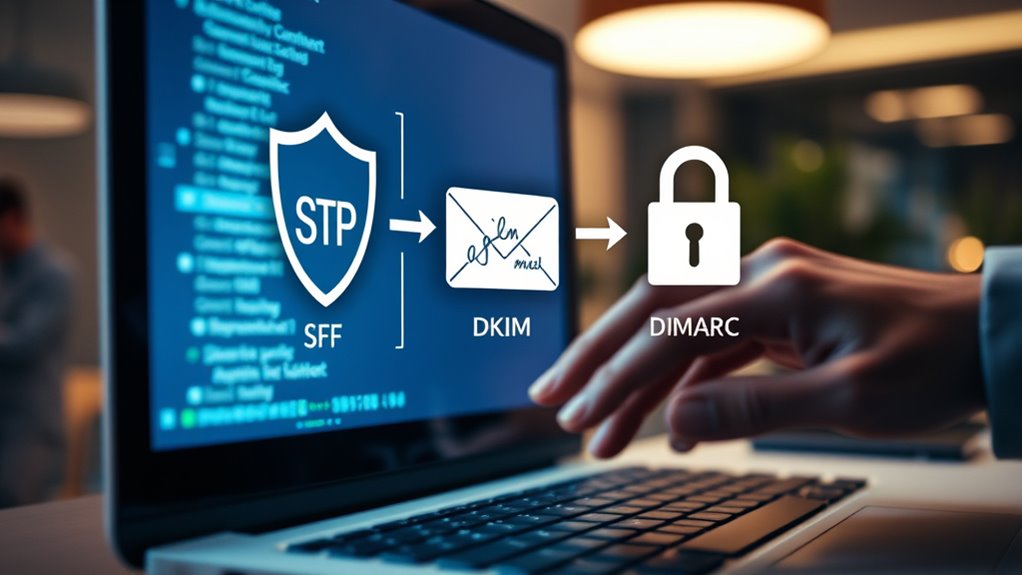
Email authentication is a crucial security measure that helps verify the legitimacy of the emails you send and receive. It’s essential for protecting your inbox from spam, phishing, and impersonation attacks. When you implement proper email authentication protocols like SPF, DKIM, and DMARC, you strengthen your email security and improve the chances that your messages reach their intended recipients without being flagged as suspicious. While email encryption ensures that your message content stays private during transmission, spam filtering techniques work behind the scenes to detect and block unwanted or malicious emails. Together, these measures create a robust defense against email-based threats.
Understanding SPF (Sender Policy Framework) is your first step. SPF allows you to specify which mail servers are authorized to send emails on your domain’s behalf. When an email arrives, recipient servers can check your SPF record to confirm if it was sent from an approved source. If it wasn’t, the email can be flagged or rejected, reducing the risk of spoofing. This simple yet effective method helps establish trust between you and your contacts, ensuring that your emails aren’t mistaken for fake messages crafted by attackers. Properly configured SPF records also help improve your email deliverability, as many spam filtering techniques consider SPF compliance when evaluating message legitimacy.
SPF verifies authorized mail servers, boosting trust and deliverability while reducing spoofing risks.
DKIM (DomainKeys Identified Mail) adds another layer of verification. It works by attaching a digital signature to your outgoing emails, which recipient servers can verify using your public key published in your DNS records. This process confirms that the email was genuinely sent by you and hasn’t been altered during transit. DKIM not only enhances security but also boosts your reputation with email providers, meaning your emails are less likely to be diverted into spam folders. Combining DKIM with SPF creates a more thorough authentication system, making it harder for malicious actors to impersonate your domain.
DMARC (Domain-based Message Authentication, Reporting, and Conformance) ties SPF and DKIM together. It enables you to specify how recipient servers should handle emails that fail authentication—whether they should be rejected, quarantined, or accepted. DMARC also provides reporting features, giving you insights into who’s sending emails on your behalf and helping you identify potential abuse. With DMARC in place, spam filtering techniques become more effective, as they rely on your domain’s authentication policies to distinguish genuine emails from fraudulent ones. This layered approach ensures your domain’s integrity and enhances your overall email security. Additionally, implementing email authentication protocols**** can help improve your domain’s reputation and reduce the likelihood of your legitimate emails being marked as spam.
email authentication SPF DKIM DMARC setup guide
As an affiliate, we earn on qualifying purchases.
As an affiliate, we earn on qualifying purchases.
Frequently Asked Questions
How Do SPF, DKIM, and DMARC Work Together?
You set up SPF, DKIM, and DMARC to work together, preventing email spoofing and protecting your domain reputation. SPF verifies your sender’s IP address, DKIM signs your emails to prove authenticity, and DMARC instructs receiving servers how to handle unauthenticated messages. When combined, they create a strong defense, ensuring your emails reach recipients safely and maintaining your domain’s trustworthiness.
Can Email Authentication Prevent All Phishing Attacks?
Think of email authentication as a security guard at a busy gate. While it is crucial for phishing prevention and strengthens your email security, it can’t catch every intruder. Hackers can still find ways around these measures, so it’s vital to stay vigilant. Implementing SPF, DKIM, and DMARC helps reduce risks, but you should also educate yourself about common scams to better protect your inbox.
What Are Common Mistakes When Configuring Email Authentication?
When configuring email authentication, you often make mistakes with email setup and DNS records. You might forget to align SPF, DKIM, and DMARC records correctly or miss updating DNS records after changes. Double-check that your DNS records are accurate and complete, ensuring they reflect your current email setup. Failing to do this can lead to authentication failures, making your emails vulnerable to spoofing or rejection by recipient servers.
How Often Should Email Authentication Records Be Updated?
You should update your email authentication records whenever your email policy changes or new domains are added, which is often overlooked. Regular record maintenance—at least every six months—is essential to stay ahead of spoofers and ensure proper delivery. Ignoring this can lead to failed authentication, so don’t assume your records are set-and-forget; keep them fresh to maintain your email reputation and security.
Are There Cost Implications for Implementing These Protocols?
Implementing email authentication protocols like SPF, DKIM, and DMARC can have cost considerations, but they’re often minimal compared to the benefits. You might need to invest in setup, ongoing monitoring, and potential updates, which should be factored into your budget planning. While there may be some initial costs, the improved email security reduces risks and potential financial losses from phishing or spoofing attacks.
email security tools for domain protection
As an affiliate, we earn on qualifying purchases.
As an affiliate, we earn on qualifying purchases.
Conclusion
Now that you understand SPF, DKIM, and DMARC, you’re equipped to protect your emails from spoofing and phishing threats. But the real question is—are you ready to implement these protocols and see the difference for yourself? Cybercriminals are constantly evolving, so staying one step ahead requires vigilance. Don’t wait until it’s too late; take action now and discover the true power of email authentication. Your inbox’s security depends on it—are you prepared to make that move?
email authentication software
As an affiliate, we earn on qualifying purchases.
As an affiliate, we earn on qualifying purchases.
email deliverability enhancement tools
As an affiliate, we earn on qualifying purchases.
As an affiliate, we earn on qualifying purchases.