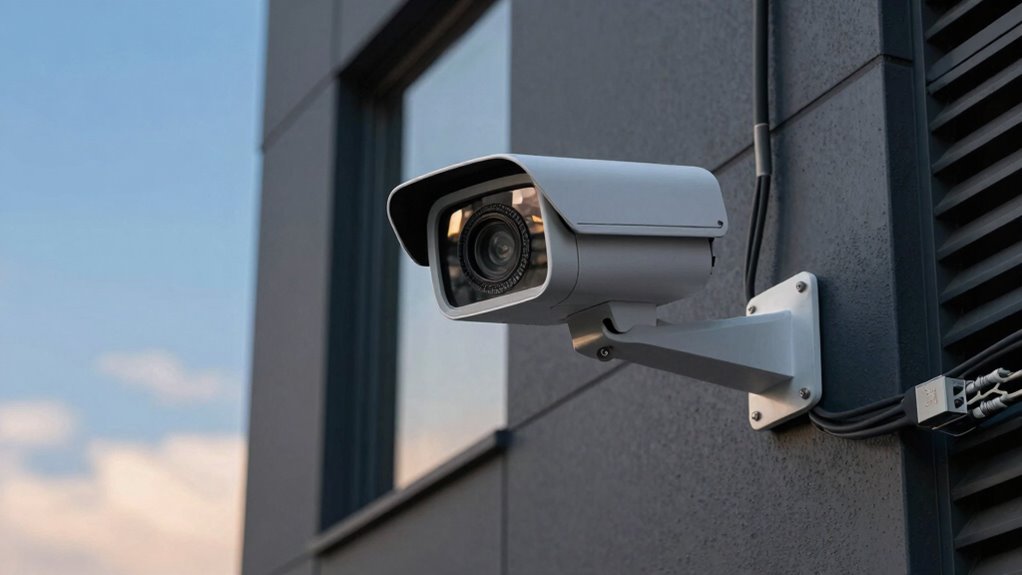

RTSP and ONVIF are key terms that impact your security system’s flexibility and compatibility. RTSP focuses on streaming live video, making it simple to view footage from various devices. ONVIF ensures different brands work together seamlessly, handling device discovery and control. Knowing how these protocols interact helps you design scalable, reliable setups. If you want to understand how they can enhance your security solutions, keep exploring the details behind these essential camera terms.

Get the latest gadgets delivered free with Prime
- Fast, free delivery on millions of items
- Prime Video, Amazon Music and more included
- Member-only deals all year
Key Takeaways
- RTSP focuses on streaming live video, while ONVIF ensures device interoperability and control.
- RTSP is ideal for direct streaming, whereas ONVIF supports device discovery and management.
- RTSP streams are compatible with cloud platforms, with ONVIF enabling scalable, multi-vendor systems.
- RTSP transmits video data for analytics; ONVIF handles event management and automated responses.
- Understanding both protocols helps in building reliable, future-proof security surveillance systems.

When choosing a security camera system, understanding key terms like RTSP and ONVIF can make a big difference in guaranteeing compatibility and performance. These protocols are vital for how your cameras communicate with recording devices, storage solutions, and management platforms. RTSP, or Real-Time Streaming Protocol, is primarily used to transmit live video feeds over a network. It’s favored for its simplicity and efficiency, making it ideal for streaming directly to media players or video management systems. ONVIF, on the other hand, is a broader standard designed to assure interoperability between different brands of security devices. It supports not just streaming but also device discovery, configuration, and control, which simplifies managing multiple cameras from different manufacturers.
If you’re considering cloud storage for your footage, knowing the role of these protocols becomes even more significant. RTSP streams are often compatible with cloud-based platforms that support live feeds, allowing you to access footage remotely. Many cloud services integrate RTSP streams directly, enabling real-time viewing and recording without needing custom software. Meanwhile, ONVIF’s compatibility with various devices ensures you can connect multiple cameras seamlessly to a cloud management system, regardless of brand. This flexibility helps you build a scalable, easy-to-manage security setup, especially if you plan to expand or upgrade your system over time. interoperability standards are essential for future-proofing your security infrastructure and minimizing potential technical issues.
Video analytics is another factor that ties into these protocols. With RTSP, deploying advanced analytics like motion detection or facial recognition typically requires compatible hardware or software that can interpret the streaming data. Many modern cameras equipped with video analytics can send processed alerts or metadata via RTSP streams, allowing for more intelligent surveillance. ONVIF supports features like event handling and device control, which are essential for automating responses based on analytics. For example, if a camera detects suspicious activity, ONVIF allows your system to trigger alarms, send notifications, or adjust camera angles automatically. Additionally, protocol compatibility plays a crucial role in ensuring smooth integration and efficient operation across various devices and platforms. Understanding system reliability and performance can help you build a dependable security setup that reduces downtime and maintains consistent surveillance.
As an affiliate, we earn on qualifying purchases.
Frequently Asked Questions
Can RTSP and ONVIF Be Used Together in the Same Camera System?
Yes, RTSP and ONVIF can often be used together in the same camera system, but you might face compatibility issues due to standard limitations. While many cameras support both protocols, some may only handle one. To guarantee smooth integration, check your camera’s specifications and firmware updates. Using both allows you to access different features, but be aware that compatibility issues might require adjustments or third-party software to work seamlessly.
Which Protocol Offers Better Security Features for Surveillance?
You might think both protocols are equally secure, but ONVIF generally offers better security features. It employs advanced encryption methods and robust authentication protocols to protect your surveillance system. This means your data stays private and access remains controlled. If security is your priority, ONVIF’s focus on these features helps prevent hacking and unauthorized viewing, giving you peace of mind about your surveillance system’s safety.
Are All IP Cameras Compatible With Both RTSP and ONVIF?
Not all IP cameras support both RTSP and ONVIF, but many modern models do. You need to check each camera’s specifications for protocol compatibility to guarantee smooth camera integration. Some cameras might only support RTSP, ideal for streaming, while others support both for broader functionality. Confirming protocol compatibility beforehand helps you avoid compatibility issues, making setup easier and ensuring your surveillance system works seamlessly with your existing network.
How Do RTSP and ONVIF Impact Video Quality?
RTSP and ONVIF can dramatically impact your video quality, often in ways you’d never expect. RTSP uses video compression that can either make your footage crystal-clear or pixelated messes, depending on settings. ONVIF’s compatibility influences how smoothly your camera streams over your network. If your network bandwidth is limited, both protocols might compromise quality to prevent lag, so choose wisely to keep your footage sharp and reliable!
What Are the Hardware Requirements for Supporting These Protocols?
To support RTSP and ONVIF protocols, your hardware needs sufficient network bandwidth to handle video streams smoothly, especially at higher resolutions. You should also make certain your camera and server devices have enough processing power to manage real-time communication. Additionally, consider power consumption, as some protocols demand more energy for continuous streaming and control functions, so choose hardware that balances performance with energy efficiency for reliable operation.
Conclusion
Understanding RTSP and ONVIF helps you choose the right camera for your needs, whether you’re streamlining your setup or ensuring compatibility. Recognize how each protocol simplifies access, enhances security, and broadens device options. By grasping these terms, you empower yourself to make informed decisions, simplify your tech experience, and build a seamless surveillance system. Ultimately, knowing RTSP and ONVIF means you control your camera’s capabilities, your security, and your peace of mind—all with clarity and confidence.
Fall Picks
fall essentials
As an affiliate, we earn on qualifying purchases.