Capture card passthrough lets you see gameplay in real time, creating a false sense of smooth performance by hiding underlying recording issues like glitches or dropped frames. Since passthrough introduces minimal latency, you might not notice sync problems or visual artifacts until you review your recordings later. Hardware limitations or compatibility problems can also mask issues during live gameplay. If you want to avoid surprises, understanding these hidden risks is essential—stay with us to uncover more insights.
Key Takeaways
- Passthrough provides real-time gameplay view but may mask issues like glitches or dropped frames not visible during live preview.
- Hardware limitations and compatibility problems can cause recording artifacts that aren’t apparent during live gameplay.
- Signal latency differences between passthrough and recording can lead to sync issues only detectable after review.
- Cheaper or outdated capture cards often handle passthrough poorly, hiding problems until post-recording analysis.
- Thorough testing and understanding hardware constraints are essential to identify hidden recording issues caused by passthrough.
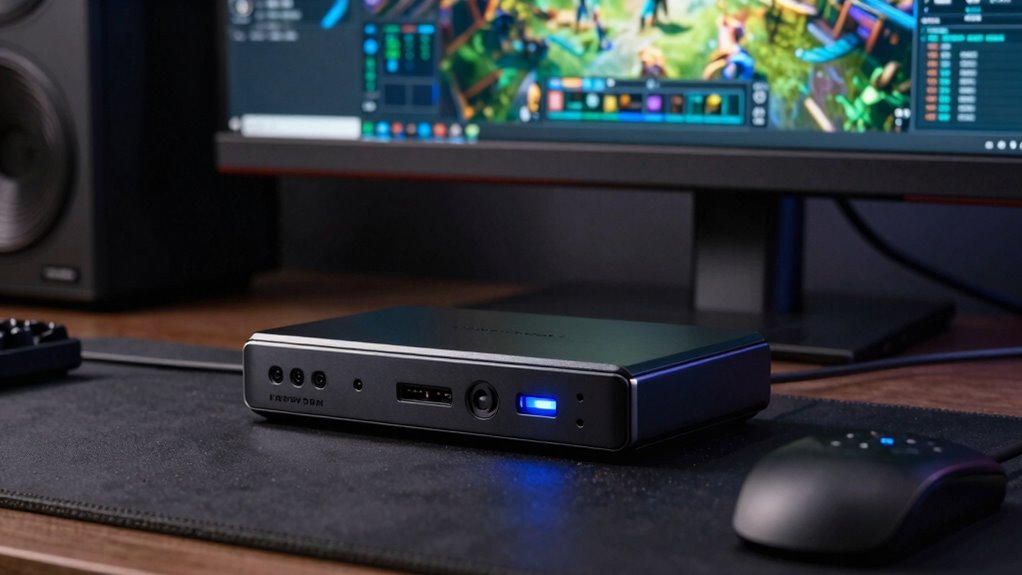
When using a capture card with passthrough, you might notice smooth gameplay and clear visuals during live preview, but problems can still lurk beneath the surface until you record. This is because passthrough is designed to give you a real-time view of your gameplay, but it doesn’t reveal underlying issues that can affect your recordings. One common challenge is hardware compatibility. If your capture card isn’t fully compatible with your system or gaming console, you might experience intermittent issues or degraded video quality after recording. For example, some capture cards struggle to sync with certain GPUs or consoles, causing glitches or dropped frames that only become apparent in the final footage. This mismatch can lead to frustration, especially if you’ve invested heavily in your setup.
Signal latency is another critical factor that plays a role in how well passthrough works during live gameplay. Passthrough often introduces minimal delay, which makes your gameplay appear smooth and immediate. However, this low latency in the preview doesn’t always reflect what’s happening behind the scenes. Higher signal latency can cause delays between your actions and what’s captured or recorded, leading to sync issues or lag in the final video. Even if your live preview seems perfect, the recording might reveal dropped frames, audio desynchronization, or choppy footage caused by latency problems. These issues are harder to detect until you review your recordings, which can be disappointing after hours of gameplay.
Additionally, some capture cards handle passthrough better than others because of their internal hardware design. Cheaper or older models might struggle with signal processing, resulting in artifacts or stuttering during recording. You might think your system is performing fine based on live visuals, but the recording process uncovers processing bottlenecks or hardware limitations. Ensuring your capture card has good hardware compatibility with your system and supports low signal latency can help prevent these issues. Keep in mind, even the most advanced setups can encounter problems if other components like your CPU, RAM, or storage aren’t up to par.
In the end, passthrough might give you a false sense of security during live gameplay, but it’s no substitute for thorough testing of your recordings. Pay attention to your hardware compatibility and be aware of signal latency impacts. Only by reviewing your recordings carefully can you truly identify and address the hidden problems that passthrough masks during live previews. It’s also important to understand hardware limitations and how they can affect your overall recording quality.

Capture Card, 4K HDMI Video Capture Card, Game Capture Card, 1080P 60FPS Video Capture Device, HDMI to USB 3.0 Capture Card for Streaming, Work with Camera/Xbox/PS4/PS5/PC/OBS
- High-Resolution Capture: Supports up to 1080p at 60FPS
- Broad Device Compatibility: Works with PS4, Xbox, DSLR, and more
- Plug and Play: No drivers or external power needed
As an affiliate, we earn on qualifying purchases.
As an affiliate, we earn on qualifying purchases.
Frequently Asked Questions
Can Passthrough Affect Live Gameplay Performance?
Yes, passthrough can affect your live gameplay performance. You might notice increased input lag because the signal takes an extra step through the capture card, delaying your reactions. Additionally, signal degradation can occur, which might cause slight visual issues or lag. These effects make gameplay feel less responsive and smoother, so if you want the best performance, choose a capture card with low latency and high-quality passthrough capabilities.
Are There Specific Capture Card Brands Better for Passthrough?
You’ll find that some capture card brands excel in passthrough compatibility and have minimal passthrough latency, making your gameplay smoother. Brands like Elgato, AVerMedia, and Razer are known for reliable passthrough performance. When choosing, consider how well their hardware integrates with your setup and the quality of passthrough signal. This guarantees you experience less lag and better overall gameplay, even if issues are subtly hidden during live play.
How Do I Test for Passthrough Issues Before Recording?
To test for passthrough issues before recording, connect your device and monitor the output directly on your display. Check for lag, flickering, or signal loss. Use cable troubleshooting to verify all connections are secure and functioning properly. Additionally, update your capture card firmware to the latest version, as manufacturers often fix passthrough bugs. This proactive approach helps you identify problems early, ensuring smoother recordings later on.
Does Passthrough Impact Video Quality During Recording?
You might notice that passthrough can impact video quality during recording, especially if signal degradation occurs or if video compression reduces clarity. While passthrough often seems seamless, it can hide issues like signal loss until you review the recorded footage. This means your live stream might look fine, but quality drops when recorded. To avoid surprises, test your setup thoroughly to confirm consistent quality during both passthrough and recording.
Can Hardware Upgrades Improve Passthrough Reliability?
Yes, hardware upgrades can improve passthrough reliability. By guaranteeing better hardware compatibility, you reduce the chances of signal degradation, which often causes issues like dropped frames or poor quality. Upgrading your capture card or related components can provide a more stable connection, minimizing problems that hide until recording. Investing in higher-quality hardware ensures a smoother, more consistent passthrough experience, enhancing your overall recording quality without unexpected issues.
Conclusion
Just like Icarus soaring too close to the sun, relying solely on capture card passthrough can give you a false sense of security. Hidden issues might look fine until you hit record, revealing cracks in your setup. So, don’t be tempted to fly too high on illusions. Instead, test thoroughly beforehand. Remember, a well-prepared flight guarantees your content doesn’t fall apart midair—because in the end, it’s better to face problems early than to crash later when it’s too late.