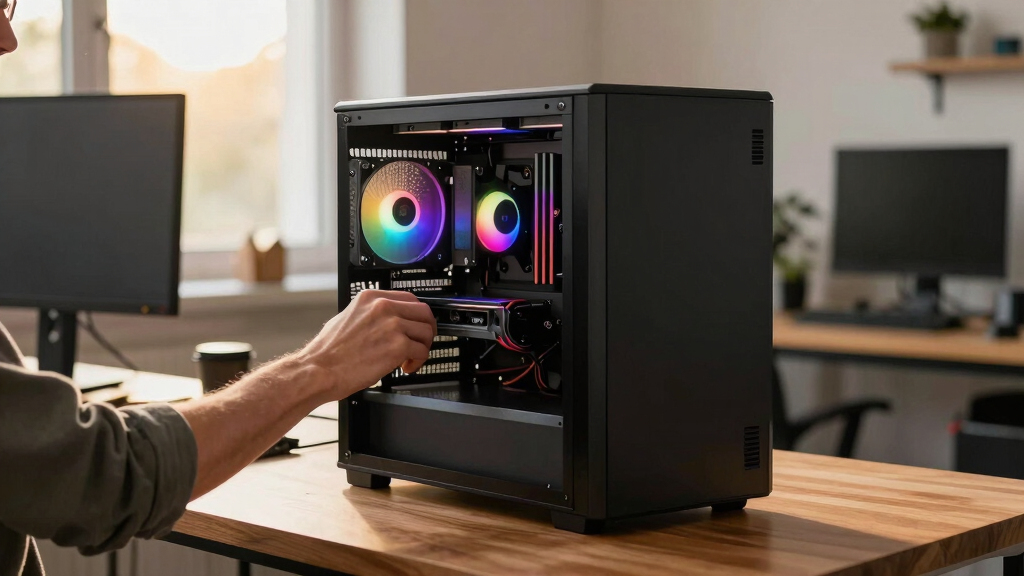

📊 Full opportunity report: Build vs Buy a Prebuilt AI Workstation on ThorstenMeyerAI.com — validation score, market gap, and execution plan.
TL;DR
The longstanding notion that building a DIY AI workstation is cheaper than buying prebuilt no longer holds in 2026. Component shortages and bulk purchasing have shifted the cost dynamics, making prebuilt systems a viable, sometimes preferable, choice. The decision now hinges on control, time, and thermal management preferences.
In 2026, the cost gap between building a custom AI workstation and purchasing a prebuilt system has narrowed significantly, with prebuilt options often matching or exceeding the affordability of DIY builds due to component shortages and price spikes.
Historically, building a custom AI workstation was cheaper than buying prebuilt, mainly because DIY enthusiasts could source parts individually at lower prices. However, recent supply chain disruptions, component shortages, and increased demand for high-performance GPUs, DDR5 RAM, and SSDs have driven up prices across the board. As a result, a typical DIY build that once cost under $1,000 now often exceeds $1,250 before even adding an operating system.
Meanwhile, large prebuilt manufacturers like Lambda, Puget, and BIZON have secured bulk purchasing and rigorous testing processes, enabling them to offer systems at prices that are now competitive or even lower than DIY options. These vendors validate thermals, run extensive burn-in tests, and provide warranties, reducing the risks associated with thermal management and hardware failures. For multi-GPU setups, which are especially challenging thermally, prebuilt systems often include water-cooling and optimized airflow, making them attractive for professional AI workloads.
Consequently, the traditional ‘build is cheaper, buy is faster’ paradigm no longer applies universally. Buyers need to compare specific configurations and consider factors like time, thermal control, warranty, and future upgradeability, as the cost advantage has shifted.
Build vs buy
an AI workstation.
The real question behind this whole series: do you pull the five heat-and-noise levers yourself, or buy a prebuilt where the vendor pulled them for you? And in 2026, the old “building is cheaper” rule has broken. Match your situation in Part 3.
Impact of Cost and Control Changes in 2026
This shift affects both hobbyists and professionals planning AI workstations. It challenges the assumption that DIY always saves money and emphasizes the importance of evaluating total cost of ownership, including thermal management, time investment, and reliability. For many, prebuilt systems now offer a balanced solution with validated performance and support, especially for complex multi-GPU setups that are difficult to optimize independently.

Cooler Master Cooling X Workstation Desktop – AMD Ryzen 9 7950X3D – NVIDIA GeForce RTX 4080 – 64GB DDR5 – 4TB M.2 NVMe SSD – WiFi – Windows 11 Pro (Pack of 1)
- High-Performance Gaming & Creation: Ryzen 9 7950X3D and RTX 4080 GPU
- Fast Memory & Storage: 64GB DDR5-5600 RAM and 4TB NVMe SSDs
- Liquid Cooling System: CPU and GPU liquid cooling with heat dissipation panels
As an affiliate, we earn on qualifying purchases.
As an affiliate, we earn on qualifying purchases.
2026 Supply Chain and Market Dynamics
Over the past year, shortages of high-end GPUs, DDR5 memory, and SSDs have intensified, driven by increased AI demand and manufacturing delays. Large vendors pre-purchased components before prices surged, allowing them to offer ready-to-run systems at competitive prices. Meanwhile, the DIY market has faced higher costs and longer lead times, making the traditional cost advantage less clear. The rise of specialized prebuilt systems with validated thermal performance further complicates the build-vs-buy decision.
"The cost advantage of building your own AI workstation has evaporated in 2026 due to supply chain disruptions and component price spikes."
— Thorsten Meyer, AI hardware expert
Remaining Questions About Cost and Performance
It is still unclear how long these market conditions will persist or if further price fluctuations will alter the current balance. Additionally, the exact cost-effectiveness of DIY versus prebuilt will vary based on specific configurations, regional component availability, and individual expertise in thermal tuning.
Future Trends in AI Workstation Procurement
Expect ongoing market volatility in component prices and availability through 2026. Buyers should continue to compare specific configurations, factoring in thermal validation, warranty, and support. Manufacturers may introduce new prebuilt models optimized for AI workloads, further shifting the landscape. DIY builders will likely focus on niche upgrades and customization as the market stabilizes.
Key Questions
Is it now more cost-effective to buy a prebuilt AI workstation?
In many cases, yes. Due to component shortages and price increases, prebuilt systems can match or be cheaper than DIY builds today, especially when factoring in thermal management and warranty costs.
What are the main advantages of building my own AI workstation now?
Building offers precise control over components, customization, and upgradeability. It also provides a learning experience and the ability to tailor thermal and noise performance, though it may no longer be the cheapest option.
Are prebuilt AI workstations reliable for sustained workloads?
Yes. Reputable vendors validate thermals, run extensive burn-in testing, and offer warranties, making prebuilt systems a dependable choice for professional AI tasks.
How should I compare costs between build and buy in 2026?
Compare specific configurations, including component prices, thermal validation, warranty, and your own time investment. Market conditions mean prices fluctuate, so current quotes are essential.
Will the market conditions for components improve soon?
Uncertain. Market volatility is expected to continue through 2026, influenced by AI demand and supply chain issues. For more insights, see our guide on building vs buying AI workstations.
Source: ThorstenMeyerAI.com