
📊 Full opportunity report: Best Thermal Paste and Pads for High-TDP GPUs on ThorstenMeyerAI.com — validation score, market gap, and execution plan.
TL;DR
For high-TDP GPUs running continuously, phase-change materials like Honeywell PTM7950 offer superior long-term thermal stability. Traditional pastes such as Arctic MX-6 and Noctua NT-H2 are suitable for easier application, while reusable pads like Thermal Grizzly Kryosheet provide durability but require careful handling.
Recent testing and user experiences confirm that phase-change materials like Honeywell PTM7950 outperform traditional thermal pastes for high-TDP GPUs running continuously, offering superior long-term stability and heat management.
Traditional thermal pastes such as Thermal Grizzly Kryonaut are popular for gaming GPUs due to their excellent initial thermal performance. However, for GPUs operating 24/7 under sustained load, these pastes tend to suffer from pump-out, where the material gradually degrades and loses contact, leading to higher temperatures over time. In contrast, Honeywell PTM7950, a phase-change material (PCM), remains stable over years of continuous operation because it resists pump-out, maintaining low thermal resistance.
Other recommended options include Arctic MX-6, a non-conductive, easy-to-apply traditional paste with an 8–10 year lifespan, and Noctua NT-H2, a reliable, premium traditional paste. For those seeking a reusable solution, Thermal Grizzly Kryosheet, a graphene-based thermal pad, offers durability and reusability but requires precise handling due to electrical conductivity. These options cater to different user needs, from ease of application to long-term stability.
Best thermal paste
for a high-TDP GPU.
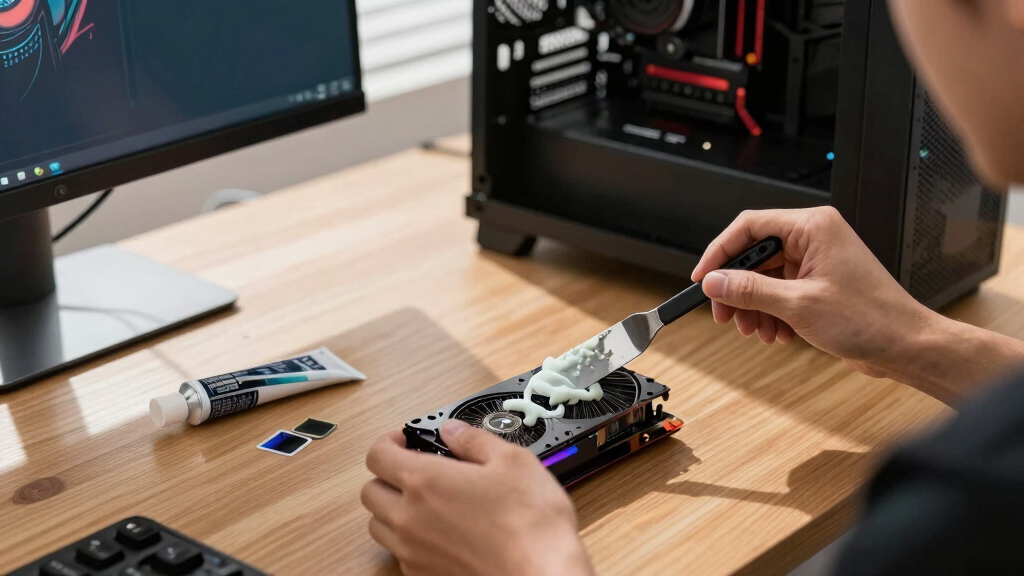
The standard “coldest on day one” advice is wrong for a 24/7 rig. Continuous heat slowly squeezes traditional paste out — a failure called pump-out — so the real question is what stays cold for years.
Why Long-Term Stability Matters for Continuous GPU Operation
High-TDP GPUs used in AI inference, scientific computing, and other continuous workloads generate sustained heat that can degrade traditional thermal interface materials over time. Pump-out leads to increased temperatures, thermal throttling, and potential hardware issues. Choosing a material like Honeywell PTM7950 ensures consistent cooling performance over years, reducing maintenance and preventing thermal-related failures. This information is vital for professionals managing long-term GPU deployments and enthusiasts aiming for reliable, quiet operation.

ARCTIC MX-4 (4 g) - Premium Performance Thermal Paste for All Processors
- Consistent Quality: Reliable performance with proven formula
- High Thermal Conductivity: Efficient heat dissipation for CPUs and GPUs
- Safe to Use: Non-metallic, non-electrical conductive formula
As an affiliate, we earn on qualifying purchases.
As an affiliate, we earn on qualifying purchases.
Thermal Interface Materials and Their Long-Term Performance
Most guides for GPU thermal management focus on gaming applications, where initial low temperatures are prioritized. These often recommend pastes like Kryonaut, which perform well initially but may dry out or pump out under continuous load. The shift toward AI and scientific workloads, which run GPUs at high TDP levels 24/7, has highlighted the need for materials that maintain their properties over time. Phase-change materials like Honeywell PTM7950 have gained recognition for their durability in these demanding scenarios.
"Many users report that Kryonaut dries out faster under sustained load, leading to higher temperatures after several months, unlike phase-change materials which stay stable."
— User reports and testing data
Uncertainties About Long-Term Performance and Application
While phase-change materials like Honeywell PTM7950 show promise, long-term field data beyond a few years is limited. Application complexity and cost may deter some users. The performance of these materials in different GPU models and workloads still requires further testing to confirm universal suitability. Additionally, the impact of repeated thermal cycling over many years remains an area for ongoing study.
Next Steps in Thermal Interface Material Research for GPUs
Further long-term testing and real-world deployment data are needed to validate the durability of phase-change materials like PTM7950. Manufacturers may develop new formulations optimized for ease of application and longevity. Users managing high-TDP, continuous-operation GPUs should monitor emerging data and consider phased upgrades to their thermal management strategies.
Key Questions
Why is phase-change material better for long-term GPU cooling?
Phase-change materials resist pump-out and maintain consistent contact with the GPU die over years of continuous operation, unlike traditional pastes that may dry out or degrade.
Can I use traditional paste for a 24/7 GPU?
Yes, but traditional pastes like Arctic MX-6 or Noctua NT-H2 are suitable for shorter-term use. For long-term stability under continuous load, phase-change materials are recommended.
Does applying phase-change material require special skills?
Yes, it involves cutting a sheet to size and placing it carefully, which is more involved than applying paste. However, it provides superior durability for long-term use.
Is using these materials safe for my GPU?
All recommended materials are safe if applied correctly. Be sure to handle reusable pads carefully to avoid short circuits, especially with electrically conductive options.
How often should I reapply thermal interface materials in a high-TDP GPU?
Traditional pastes typically require reapplication every 3–5 years under continuous load. Phase-change materials can last much longer, often over 10 years, before reapplication is needed.
Source: ThorstenMeyerAI.com