
Speed claims for 3D printers can sound impressive, but maintaining quality while pushing for faster results is tricky. If you focus only on speed, you might sacrifice details, cause defects, or wear out your machine faster. Material choice, proper calibration, and regular maintenance are key to balancing speed and quality effectively. Keep in mind, achieving reliable, high-quality prints at high speeds takes effort and understanding—stick around to learn how to get it just right.

Get the latest gadgets delivered free with Prime
- Fast, free delivery on millions of items
- Prime Video, Amazon Music and more included
- Member-only deals all year
Key Takeaways
- High speed can compromise detail unless material compatibility and proper settings are maintained.
- Balancing speed and quality requires regular maintenance to prevent defects and component wear.
- Calibration and optimized settings are essential for achieving high-quality prints at increased speeds.
- Using incompatible materials at high speeds can cause failures like warping or nozzle clogs.
- Practical success depends on understanding printer capabilities, material properties, and routine upkeep.
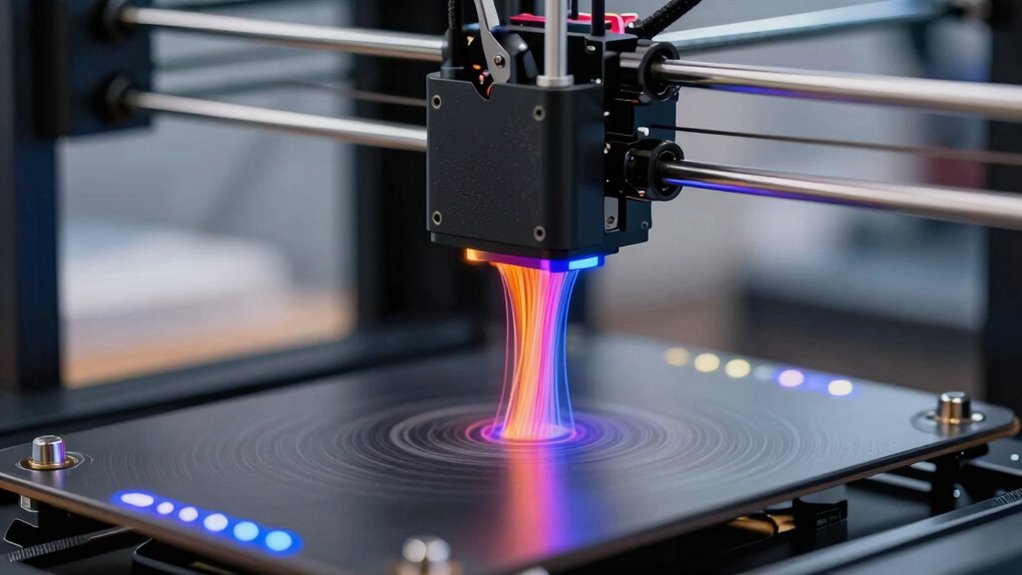
When choosing a 3D printer, balancing speed and quality is essential, because faster printing often compromises detail, while higher quality can slow down production. If you focus solely on speed claims, you might overlook critical aspects that affect your final results, such as material compatibility and maintenance routines. Many manufacturers tout impressive speeds, but these figures can be misleading if your chosen materials aren’t compatible with rapid printing or if your printer isn’t maintained properly. Material compatibility plays a key role; some filaments require slower printing speeds to prevent warping or poor adhesion, which can ruin detailed parts. Pushing the machine to its maximum speed with incompatible materials often leads to defects, clogged nozzles, or failed prints, undermining your efficiency and increasing waste.
Balancing speed and quality requires considering material compatibility and proper maintenance for optimal 3D printing results.
Maintenance routines are equally important. High-speed printing puts extra strain on your printer’s components, increasing wear and tear. If you neglect regular maintenance—like cleaning the nozzle, lubricating moving parts, or checking belts—you risk sudden breakdowns or degraded print quality. Over time, these issues can slow your workflow more than a deliberate, slower pace would. Prioritizing routine upkeep guarantees your machine operates smoothly at higher speeds and maintains consistent quality. It’s tempting to chase after the fastest possible print times, but without proper maintenance, those speeds are unsustainable and often counterproductive. Additionally, understanding material properties helps you set realistic expectations for your printing projects. Not all filaments perform well at high speeds; for example, ABS and PETG require more cautious settings to prevent defects. Selecting the right filament for your speed and quality balance ensures you don’t sacrifice detail for speed. It’s essential to experiment with your chosen material and adjust your printer’s settings accordingly, rather than blindly trusting speed claims. Moreover, proper calibration ensures that your printer operates at optimal settings, which is crucial when attempting high-speed printing. This combination of compatible materials and diligent maintenance routines allows you to find that sweet spot where speed and quality coexist without sacrificing one for the other. Recognizing the importance of print settings can further help optimize your printing process and achieve consistent results.
In the end, the true challenge isn’t just about claiming high speeds but about managing the practicalities that come with them. You need to think about how your material choices and maintenance habits influence your ability to print quickly while still achieving the desired detail. When you pay attention to these factors, you’ll find that speed claims become more realistic, and your prints better reflect your intentions. Balancing these elements takes effort, but it’s the key to making the most of your 3D printer’s capabilities without sacrificing quality.
high quality 3D printer filament
As an affiliate, we earn on qualifying purchases.
As an affiliate, we earn on qualifying purchases.
Frequently Asked Questions
How Do Different Filament Types Affect Print Speed?
Different filament types directly affect your print speed because of filament compatibility and extrusion consistency. For example, PLA often allows faster printing with smooth extrusion, while ABS might require slower speeds to prevent warping. Flexible filaments can slow you down due to more delicate extrusion, and each filament’s specific requirements impact your ability to print quickly without sacrificing quality. You need to match filament types to your printer’s capabilities for maximum results.
Can Speed Improvements Compromise Printer Durability?
Ever imagined a faster 3D printer breaking down after just a few prints? Speed improvements can indeed compromise printer durability if you ignore material compatibility and noise levels. Pushing your printer too hard might cause mechanical wear or overheating, reducing its lifespan. To keep your machine running smoothly, balance speed with proper maintenance and make certain your chosen filament suits your printer’s specifications. Wouldn’t a reliable, quieter machine be worth the extra care?
Are Faster Printers More Energy-Efficient?
Faster printers aren’t necessarily more energy-efficient, but they can save you time and reduce overall power use during long projects. However, to maintain quality at higher speeds, you need good filament compatibility and strong print bed adhesion. If these aren’t optimized, you might end up with failed prints, wasting energy. So, while speed can boost efficiency, it depends on balancing speed with proper setup and material choices.
How Does Printer Size Impact Speed Versus Quality?
Imagine a river: a small stream flows swiftly, but its pace might sacrifice detail, while a wide river takes time but offers clarity. Larger printers often produce higher quality, but they may face slower speeds, increased noise levels, and material compatibility challenges. Conversely, smaller printers are quicker but might struggle with complex materials. Your choice depends on whether you prioritize speed, detail, or a balance of both.
What Maintenance Is Required for High-Speed 3D Printers?
You need to perform regular maintenance routines and calibration procedures to keep your high-speed 3D printer running smoothly. This includes cleaning the print head, checking for filament jams, lubricating moving parts, and making certain the build platform is level. Calibrate the extruder and axes frequently to maintain accuracy. Staying on top of these tasks prevents issues like print defects, improves speed, and guarantees consistent quality, especially during high-speed printing.
Conclusion
Remember, chasing speed in 3D printing is like racing a river—fast currents can carry you quickly, but they also threaten to drown your quality. Prioritize balance over haste; your creations are the vessel that carries your vision. When you respect the delicate dance between speed and precision, you guarantee your work isn’t just swift, but meaningful. In this river of innovation, patience becomes your steady paddle, guiding you safely to the shores of excellence.
Columbus Day / Indigenous Peoples' Day Picks
long weekend sales
As an affiliate, we earn on qualifying purchases.