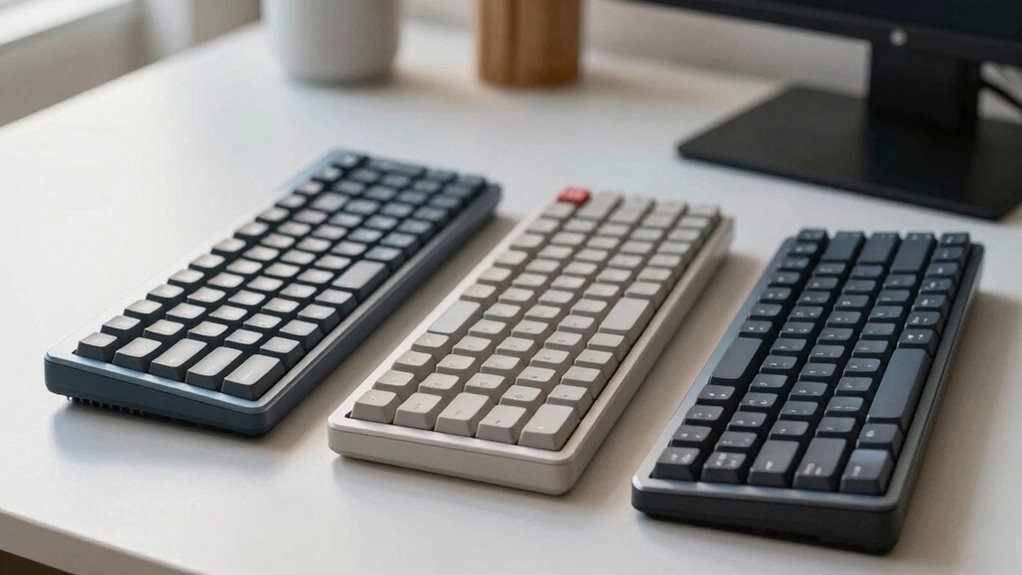

Choosing the right ergonomic keyboard depends on your comfort needs. Split keyboards let you customize spacing for natural hand positions, reducing strain. Tented models tilt your wrists inward and help prevent ulnar deviation, especially if you experience wrist pain. Curved designs follow your hand’s natural arc, easing finger stretch and tension. Each type offers specific benefits, so try them out to see which feels best. Keep exploring to find the best fit for your long-term comfort and health.
Key Takeaways
- Split keyboards help customize separation, reducing ulnar deviation and wrist strain for long-term comfort.
- Tented keyboards promote natural wrist alignment by tilting the keyboard, minimizing wrist bending and forearm discomfort.
- Curved keyboards follow the natural arc of hands and fingers, easing finger movement and reducing overstretching.
- The best ergonomic choice depends on individual needs, preferences, and any existing wrist or arm discomfort.
- Combining proper desk setup, support accessories, and ergonomic awareness enhances the benefits of any keyboard type.
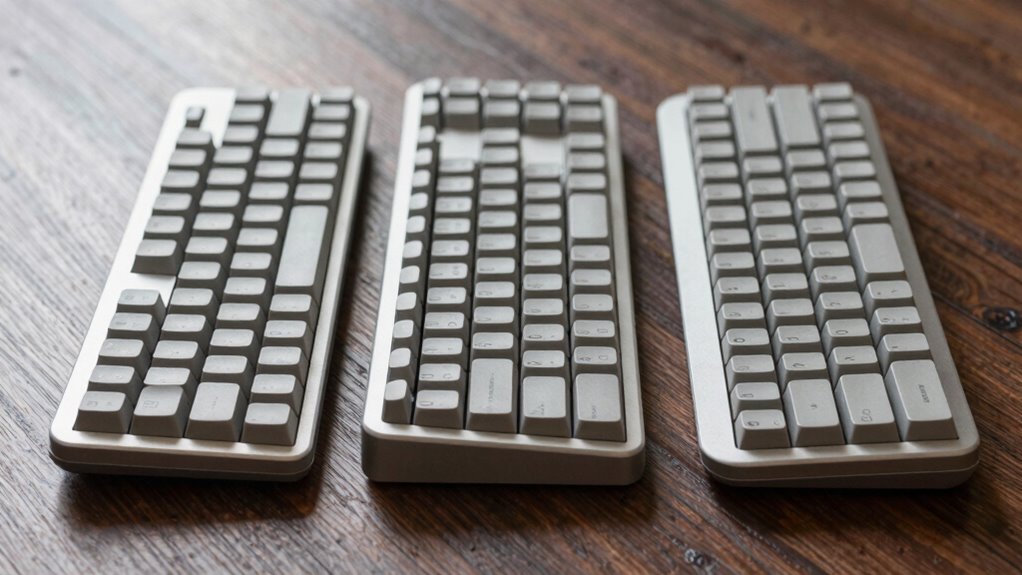
Have you ever experienced discomfort or pain after long hours of typing? It’s a common issue, especially if your hand posture isn’t ideal or if your wrists lack proper support. Many people overlook the importance of ergonomic design when choosing a keyboard, but the right setup can make a significant difference. Ergonomic keyboards come in various styles—split, tented, and curved—each promising to reduce strain, but which one actually helps the most? The answer depends on your specific needs and how you use your keyboard.
When considering hand posture, the goal is to keep your hands, wrists, and forearms aligned naturally, minimizing tension and fatigue. A split keyboard, for example, divides the keys into two sections, encouraging a more natural hand position. By allowing your wrists to stay in a more neutral, relaxed position, it reduces the tendency to bend your wrists inward or outward, which can cause discomfort over time. This design often comes with adjustable angles, enabling you to set the separation that feels most comfortable, effectively promoting better wrist support and reducing the risk of repetitive strain injuries.
Tented keyboards elevate the middle of the keyboard, creating a slope that tilts your hands inward, aligning your wrists more naturally. This adjustment discourages ulnar deviation—bending your wrists outward—which is a common source of pain. If you tend to experience discomfort in your wrists or forearms, a tented design might be especially beneficial, as it encourages a more ergonomic hand posture. Plus, many tented models feature built-in wrist rests or support pads, further cushioning your wrists and preventing strain during long typing sessions.
Curved keyboards follow the natural arc of your hands, aiming to match your wrist and finger movements more closely. This shape can help maintain a more relaxed hand posture by reducing the need to stretch or contort your fingers awkwardly. However, the effectiveness of curved designs varies from person to person. Some find the shape intuitive and comfortable, while others may need time to adapt. When choosing a curved keyboard, look for one with adequate wrist support options, such as cushioned pads or adjustable angles, to enhance comfort and reduce fatigue. Additionally, proper desk setup and ergonomic accessories can further improve your typing experience.
Ultimately, the best ergonomic keyboard for you is one that promotes a neutral hand posture and provides sufficient wrist support. Whether it’s a split, tented, or curved model, the key is to listen to your body. Proper positioning, combined with supportive accessories like wrist rests, can drastically improve your typing comfort and help prevent long-term injuries. Remember, investing in ergonomic design isn’t just about comfort; it’s about protecting your health while you work or play at your computer.
Frequently Asked Questions
Are Ergonomic Keyboards Suitable for Gaming?
Yes, ergonomic keyboards can be suitable for gaming if they feature mechanical switches and wireless connectivity. Mechanical switches ensure quick, responsive keystrokes, while wireless options offer freedom of movement without clutter. While some gamers prefer traditional gaming keyboards, many find ergonomic models comfortable for long sessions and effective for gameplay. Just make sure to select a model with customizable keys and low latency to enhance your gaming experience.
How Long Does It Take to Adapt to a Split Keyboard?
It typically takes about a few days to a few weeks for you to adapt to a split keyboard. During this time, your hand posture improves, reducing muscle fatigue and strain. You might notice initial discomfort or awkwardness, but consistent use helps your muscles adjust. To speed up the process, take frequent breaks and gradually increase your typing sessions. With patience, you’ll find your comfort and efficiency improve markedly.
Do Curved Keyboards Improve Typing Speed?
Curved keyboards can boost your typing speed by up to 10%, thanks to improved typing ergonomics and natural hand positioning. Their design minimizes wrist strain and helps you maintain a comfortable posture, reducing fatigue during long sessions. If you’re aiming for better efficiency and comfort, a curved keyboard might be a smart choice. The key is to choose a design that aligns with your hand movements, enhancing overall typing performance.
Can Ergonomic Keyboards Prevent Carpal Tunnel Syndrome?
Yes, ergonomic keyboards can help prevent carpal tunnel syndrome by reducing wrist strain and muscle fatigue. They promote a more natural hand position, decreasing pressure on your median nerve. Features like split designs and tented angles encourage your wrists to stay straight, preventing repetitive strain. Using an ergonomic keyboard regularly can improve comfort, lower the risk of nerve compression, and support long-term wrist health, especially during prolonged typing sessions.
Are There Any Downsides to Using a Tented Keyboard?
Like Icarus flying too close to the sun, a tented keyboard can cause hand fatigue and reduce keyboard stability if not set up properly. While it promotes a natural wrist angle, prolonged use may lead to discomfort or strain, especially if your wrists are not accustomed to the angle. To avoid downsides, guarantee the tenting angle is comfortable and take regular breaks to maintain hand health.
Conclusion
Choosing the right ergonomic keyboard is like finding the perfect handshake—firm, comfortable, and natural. Whether it’s the split design, tented, or curved, each symbolizes your commitment to health and comfort. Think of your hands as wings—free to glide smoothly through your workday. The right keyboard supports your wings, keeps your flight steady, and prevents fatigue. Make your choice today, and let your hands soar effortlessly, turning work into a breeze rather than a burden.