
VR motion sickness isn’t just about the headset; it’s a mix of ergonomic fit, visual clarity, and environmental factors that impact your comfort. If your headset isn’t well-fitted or properly calibrated, it can cause visual misalignment and fatigue. Excessive latency or poor lighting can also increase discomfort. Your habits, like taking breaks and adjusting surroundings, play a role too. To understand how all these elements work together, keep exploring what influences VR comfort beyond hardware.
Key Takeaways
- User comfort depends on ergonomic fit, proper calibration, and natural movement tracking, not just headset design.
- Visual clarity, latency, and sensory synchronization significantly impact motion sickness beyond hardware factors.
- Environmental factors like lighting and play area safety influence overall comfort during VR use.
- Breaks and session management are crucial to prevent fatigue and reduce discomfort over extended use.
- A holistic, user-centered approach—including hardware and environmental adjustments—minimizes motion sickness risk.
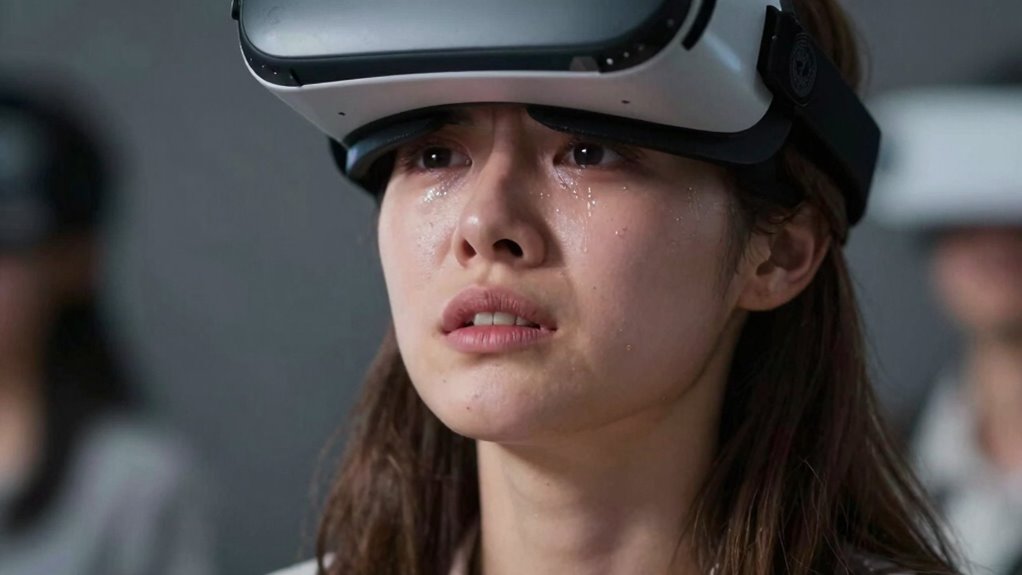
Have you ever experienced dizziness or nausea while using virtual reality headsets? If so, you’re not alone. Many users encounter motion sickness during VR sessions, and while the headset often gets the blame, the root causes go beyond just hardware. Your experience is heavily influenced by factors like ergonomic design and user comfort. These elements play a vital role in reducing discomfort and making VR more enjoyable and accessible.
When it comes to ergonomic design, it’s about more than just how the headset looks—it’s about fitting comfortably on your head for extended periods. A well-designed VR headset distributes weight evenly, preventing pressure points that can cause headaches or fatigue. Adjustable straps and padding ensure that the device stays stable without feeling tight or uncomfortable. If your headset isn’t ergonomic, you may constantly shift or adjust it, which can disturb your balance and increase the likelihood of motion sickness. A poor fit can also cause visual misalignment, making your eyes strain and worsening nausea symptoms. That’s why manufacturers now prioritize ergonomic design to enhance user comfort, knowing that a comfortable fit helps maintain focus and reduces physical stress, ultimately diminishing the chances of motion sickness. Additionally, ergonomic design can influence how well the headset supports natural head movements, further reducing discomfort. Maintaining proper visual clarity and minimizing lag are also crucial for a seamless experience that helps prevent sensory conflicts. A well-calibrated device can also prevent eye strain, which contributes to overall comfort during extended use.
User comfort extends beyond the headset’s physical fit. It involves the overall experience, including visual clarity, latency, and even how natural the movements feel. If the visuals are blurry or lag behind your actions, your brain struggles to reconcile what you see with what your body feels, triggering disorientation and nausea. A comfortable experience means smooth graphics, low latency, and natural motion tracking, which help your brain accept the virtual environment as real. When you’re comfortable, you’re less likely to experience the sensory conflict that causes motion sickness. Manufacturers now focus heavily on optimizing these elements, recognizing that user comfort isn’t just about convenience — it’s about preventing discomfort and making VR accessible to everyone. Improving visual fidelity and reducing latency can also significantly lessen motion sickness symptoms, especially during prolonged use.
In addition, taking breaks and adjusting your environment can considerably impact your experience. Proper lighting, a clear play area, and avoiding overly intense visuals can make a difference. The combination of ergonomic design, user comfort, and mindful usage creates a holistic approach to reducing VR motion sickness. It’s not just about the hardware but about how you interact with it and how well it’s tailored to your needs. When all these factors align, you’re more likely to enjoy long, immersive sessions without feeling queasy or dizzy. Understanding that motion sickness isn’t solely about the headset helps you take better care of yourself, making your virtual adventures more comfortable and sustainable over time. Recognizing the importance of user-centered design can further improve your VR experience and reduce discomfort.

Kawaye for Meta Quest 3S/Quest 2/Quest 3 Head Strap, Double Knobs Adjustable Elite Strap Replacement,VR Headset Strap with Two Large Support Pad Enhanced Support, Reduce Pressure
- Adjustable Dual Straps: Customizable fit with dual knobs
- Even Weight Distribution: Reduces facial pressure for comfort
- Fits Various Head Sizes: Suitable for children and adults
As an affiliate, we earn on qualifying purchases.
As an affiliate, we earn on qualifying purchases.
Frequently Asked Questions
Can Certain Medications Increase Susceptibility to VR Motion Sickness?
Certain medications can increase your susceptibility to VR motion sickness due to their effects on your inner ear, balance, or nausea levels. You might not realize that drug interactions or side effects from medications like antihistamines, antidepressants, or sedatives could make you more prone to discomfort in virtual environments. Always check with your healthcare provider if you’re on medication before engaging in VR experiences, as they can advise on potential risks.
How Does Age Influence VR Motion Sickness Risk?
Imagine trying to dance with unfamiliar steps—aging effects and developmental factors influence your balance and sensory integration, increasing VR motion sickness risk as you age. Older adults may have more difficulty adapting to virtual environments due to changes in the inner ear and vision. Younger users typically adapt quicker, but as you age, these factors can make you more susceptible, making it essential to adjust VR experiences accordingly.
Are There Specific VR Content Types That Cause More Nausea?
Certain VR content types, like fast-paced action or intense motion scenes, tend to cause more nausea. You can minimize this by opting for content with better content customization options, which allow you to adjust movement sensitivity. Additionally, choosing headset designs with ergonomic features and reduced weight can help, as they improve comfort and stability, making it easier to stay relaxed during longer sessions and reducing the risk of motion sickness.
What Role Do Individual Health Conditions Play in VR Discomfort?
Your personal health and sensory sensitivity greatly influence VR discomfort. If you have conditions like migraines or balance issues, you might experience more nausea. Sensory sensitivities can make you more prone to disorientation during VR experiences. It is crucial to listen to your body, take breaks, and adjust settings if needed. Recognizing how your health impacts your VR experience helps you enjoy it safely and comfortably.
Can Training or Acclimation Reduce VR Motion Sickness Over Time?
Training and acclimation can definitely reduce VR motion sickness over time. By practicing sensory adaptation and embracing gradual exposure, you help your brain adjust to virtual environments. Start with short sessions, gradually increase duration, and focus on consistent use. This process trains your senses to better handle the VR experience, making motion sickness less likely and improving your overall comfort and immersion in virtual worlds.
Conclusion
You might think VR motion sickness is solely about headsets, but it’s more complex. Factors like your environment and user experience play big roles. Did you know that nearly 70% of first-time users report some discomfort? Understanding these elements helps you navigate VR more comfortably. So, next time you’re immersed, remember it’s not just the tech—your body and surroundings matter too. With awareness, you can enjoy VR without the unwanted side effects.