
TL;DR
Anton Frolov commissioned an illustrator to create artwork of his home and built it into an interactive Home Assistant dashboard. The setup layers device images, animations and status readings over illustrated rooms; Frolov says it is the first dashboard his family enjoys using. The supplied report does not include the dashboard’s complete technical implementation or cost.
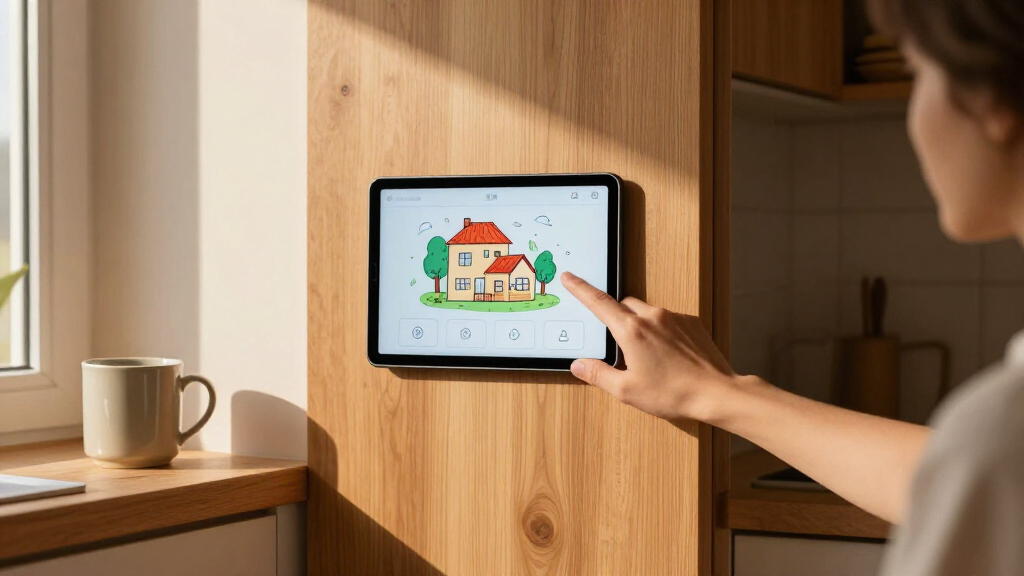
Home Assistant user Anton Frolov commissioned an illustrator to draw his house and turned the artwork into an interactive dashboard for the open-source smart-home platform. The illustrated rooms display changing device states, such as a flickering fireplace and garden lights, offering his household a more visual way to control and check the home’s devices.

Get the latest gadgets delivered free with Prime
- Fast, free delivery on millions of items
- Prime Video, Amazon Music and more included
- Member-only deals all year
Frolov said he had spent about a year automating his home, with routines that switch off air conditioners when the household leaves and adjust sprinkler run time based on weather. Some tasks still required someone to use an app. Garden lights were one example: a Home Assistant timer shut them off after a period, and users needed to extend the timer in an app when the lights began blinking near the end of that period. Frolov said other people in the household did not want to use his earlier dashboard.
He considered a floor-plan interface after looking at other smart-home dashboards. The source article says many examples he found used 3D models, with controls layered over static images; he also considered pixel art before finding an environment artist whose work suited the project. Frolov provided the illustrator with a house plan, room photographs, visual references, examples of dashboards and a technical brief.
The brief called for transparent image files, day and night versions of each floor, and separate layers for devices, with still images for off states and short loops for on states. Frolov said that exporting each asset on the same canvas, in its correct position, made it easier to align the pieces later. He built the interface using Home Assistant’s picture-elements card, placing the artwork in the background and device images, icons and sensor labels over it.
A Dashboard Built Around the Home
The project shows how a smart-home interface can be shaped around the people expected to use it, rather than only around the system’s available controls. Frolov’s stated problem was practical: household members avoided his earlier dashboard, while some devices still needed app-based interaction. The illustration gives those controls a recognisable setting and represents device states directly in the rooms.
For Home Assistant users, the account also points to a division of effort: the artwork and preparation took most of the work, while the interface used a standard card and layered elements. That may make the approach adaptable, but commissioning custom art and preparing correctly aligned assets are project-specific tasks, not features supplied automatically by Home Assistant.
Products Worth Considering

Amazon Kindle Paperwhite (16 GB, 11th Generation, 2021) – 6.8-inch Display, Adjustable Warm Light, Black

Jackery Solar Generator 1000 V2 with 100W Solar Panel, 1024Wh

Sonos Era 300 Wireless Smart Speaker with Dolby Atmos, Black
As an affiliate, we earn on qualifying purchases.
From Automation to Visual Controls
Home Assistant is an open-source platform used to connect and automate smart-home devices. Frolov had already set up rules for air conditioning and garden watering, but automation did not remove every need for manual input. The garden-light timer highlighted a gap between devices working automatically and household members being comfortable controlling them.
In his report, Frolov says he explored floor-plan dashboards before settling on commissioned room illustrations. The supplied material describes the project’s asset and interface approach but does not provide a publication date, a price for the commission or a full account of how the finished dashboard performed over time.
“For the first time, it’s one the whole family actually enjoys using.”
— Anton Frolov, in his report
Costs and Results Not Reported
The supplied report does not state what the illustration cost, how long the commission took, or whether the dashboard has measurably increased use of the controls by other household members. Frolov describes it as a dashboard his family enjoys, but the account does not include independent interviews or usage data.
The source text provided here ends while describing how Home Assistant displays device images according to their states. It does not include the rest of the implementation details, so the exact configuration for animations and any later changes to the dashboard cannot be confirmed from this material.
Further Build Details Awaited
The supplied article gives no announced follow-up, release date or plan to publish the artwork or dashboard configuration. Readers seeking to recreate the approach would need the complete original report for any technical steps that follow the excerpt, as well as details on the commissioned assets and the author’s final setup.
Key Questions
What did Anton Frolov make?
He commissioned an illustrator to draw his house and used the images as the background for an interactive Home Assistant dashboard showing devices and status information.
How does the illustrated dashboard work?
Frolov says he used Home Assistant’s picture-elements card. The illustration sits behind elements such as device images, icons and sensor labels, positioned over the relevant rooms.
What did the illustrator need to provide?
The brief requested transparent images, day and night versions, and separate device layers for off and on states. Frolov also asked for assets on a shared-size canvas so they would line up in the dashboard.
Why did Frolov commission custom artwork?
He said other people in his household did not want to use his earlier Home Assistant dashboard. The illustrated floor plan was an attempt to make controls and device states easier for the family to use.
How much did the project cost?
The supplied report does not give a price for the illustrator’s work or the total project cost.
Source: hn