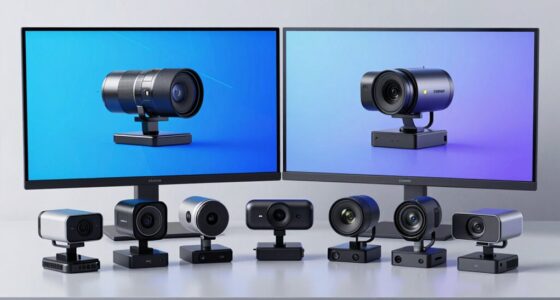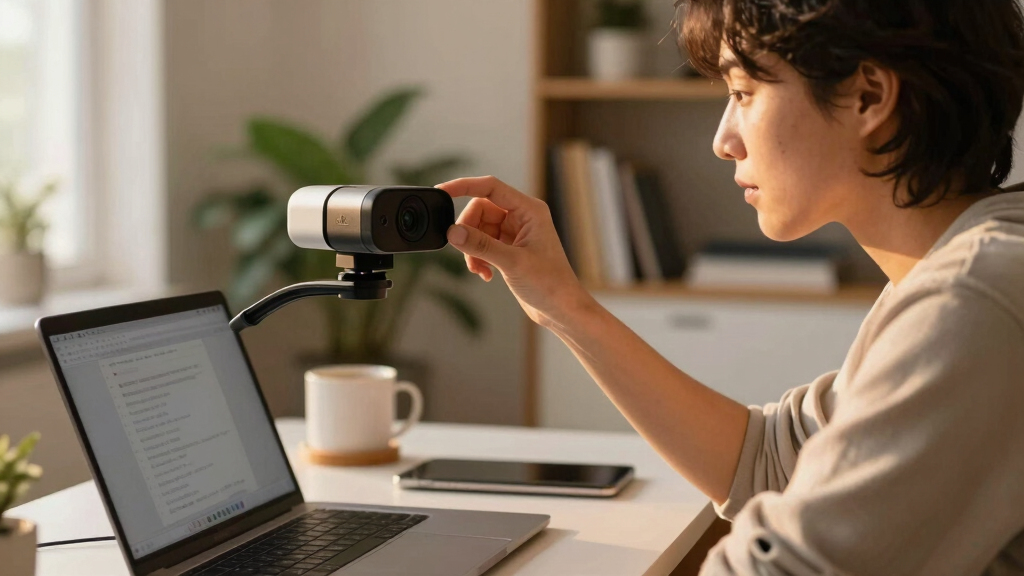

Finding the best 4K webcams for Mac and Windows can be challenging, as many models promise high resolution but differ in usability, compatibility, and features. The Logitech Brio stands out as the overall top choice thanks to its versatile performance and compatibility with major conferencing apps. For those on a tighter budget, the AOC 4K Webcam offers solid quality with essential features, while the EMEET NOVA is ideal for high-end business use with advanced autofocus and audio. The main tradeoffs involve balancing resolution, ease of use, and price while ensuring compatibility with your operating system and preferred apps. Continue reading for a detailed comparison that will help you pick the perfect webcam for your needs.
Key Takeaways
- The Logitech Brio remains the most versatile and universally compatible 4K webcam, but it commands a higher price for its premium features.
- Autofocus and light correction are game-changers for maintaining clear video quality during varying lighting conditions, as seen with the EMEET NOVA and Acer models.
- Built-in microphones and privacy covers are common but vary in quality; dual mics generally provide clearer audio, especially for professional use.
- Price often correlates with features like sensor quality, autofocus speed, and bundled accessories such as ring lights or privacy shutters.
- Compatibility with both Mac and Windows is widespread, but some models optimize for Windows Hello or specific conferencing platforms, influencing ease of setup.


More Details on Our Top Picks
Logitech Brio 4K Webcam, Video Calling, Noise-Cancelling mic, HD Auto Light Correction, Wide Field of View, Windows Hello Works with Microsoft Teams, Zoom, Google Meet, PC/Mac/Laptop/MacBook/Tablet
This pick stands out for its combination of superb video quality, excellent lighting adjustments, and robust platform compatibility. Unlike the EMEET S600, which offers a more specialized focus on streaming, the Logitech Brio delivers versatile performance across professional calls and content creation. The dual omnidirectional microphones and noise-canceling tech ensure clear audio, though its higher price reflects its premium features. The adjustable field of view and Windows Hello support make it suitable for secure logins and flexible framing, ideal for users needing a reliable all-rounder. However, the device’s size and complexity might be overkill for casual users or those with limited desk space. Overall, this webcam makes the most sense for professionals who prioritize top-tier video and audio quality across multiple platforms, including Mac and Windows, with security features like Windows Hello.
Pros:- Supports 4K at 30 fps with excellent color and detail
- Built-in Windows Hello facial recognition for quick login
- Adjustable Field of View with three presets
Cons:- Relatively high price point compared to basic webcams
- Larger size may be cumbersome for small desks
Best for: Tech-savvy professionals needing a reliable, multi-platform webcam with security features
Not ideal for: Casual users or those with limited workspace who prefer simple, budget-friendly options
- Video Resolution:4K at 30 fps
- Field of View:65°, 78°, 90° presets
- Platform Compatibility:Windows, Mac, ChromeOS
- Auto Light Correction:Yes
- Microphones:Dual omnidirectional noise-canceling
- Windows Hello:Yes
Bottom line: Ideal for professionals seeking a versatile, high-quality webcam with security features for Windows and Mac.
AOC 4k Webcam for PC with Microphone, Computer Camera with Noise Cancellation, Privacy Cover, 99° FOV, Plug & Play USB Webcam for Streaming, Conferencing, Zoom, Skype, Facetime, Laptop, PC, Skype
This model makes the most sense for users who want crisp 4K video without splurging, offering excellent image quality comparable to the Logitech Brio at a lower price point. Compared with the more premium Logitech Brio, the AOC webcam lacks Windows Hello support but compensates with a wide 99° field of view and simple plug-and-play setup, making it accessible for everyday use. The built-in privacy cover adds peace of mind, while the noise-canceling microphone ensures clear communication. It’s especially suited for small business owners or remote workers who need professional-looking video but don’t want to invest heavily. The tradeoff is fewer advanced security features and slightly less refined autofocus. Overall, this is a compelling choice for those prioritizing affordability and high-resolution video for conferencing and streaming on both Mac and Windows.
Pros:- Supports full 4K video at 30 fps with sharp clarity
- Wide 99° field of view captures more of the room
- Plug-and-play with USB-C & USB-A compatibility
Cons:- Lacks Windows Hello facial recognition security
- Autofocus may be less responsive in low light
Best for: Small business owners and remote workers seeking affordable, high-res webcams for professional calls
Not ideal for: Security-conscious users needing Windows Hello or advanced autofocus features
- Video Resolution:4K at 30 fps
- Field of View:99°
- Platform Compatibility:Windows, Mac, USB-C & USB-A
- Privacy Cover:Yes
- Microphone:Built-in noise-canceling
- Plug & Play:Yes
Bottom line: Great for budget-conscious users who want high-quality 4K video and wide framing for conferencing and streaming.
EMEET NOVA 4K Webcam for PC – Ultra 4K HD, PDAF Autofocus, Dual Omnidirectional Mics, 73° FOV, Auto Light Correction, USB-A, Privacy Cover, Ideal for High-End Business Meetings&Live Streaming
This pick makes the most sense for professionals who need precise autofocus and high-quality visuals, especially in business or streaming contexts. Compared to the EMEET S600, the NOVA 4K offers a slightly narrower 73° field of view, but with the advantage of true 4K resolution at 30 fps, ensuring detailed and vibrant video. Its PDAF autofocus is faster and more stable than many competitors, making it ideal for dynamic environments. The dual omnidirectional mics and automatic light correction help maintain professional audio and visual quality, even in variable lighting. The plug-and-play USB-A connectivity simplifies setup, although the default resolution defaults to 1080P, requiring software adjustments for full 4K. This makes it a great choice for users who want top-tier image quality and reliable autofocus for high-stakes meetings or live streaming.
Pros:- Supports true 4K at 30 fps with vibrant detail
- Fast PDAF autofocus for sharp images in motion
- Dual omnidirectional microphones for clear audio
Cons:- Default video resolution is 1080P, requiring software to switch
- Field of view is narrower than some competitors at 73°
Best for: Business professionals and streamers needing reliable 4K quality with stable autofocus
Not ideal for: Casual users or those with limited technical setup who don’t need 4K resolution
- Video Resolution:4K at 30 fps
- Field of View:73°
- Platform Compatibility:Windows, Mac, USB-A
- Autofocus:PDAF
- Microphones:Dual omnidirectional
- Light Correction:Automatic
Bottom line: Best suited for professionals and streamers seeking crisp 4K visuals with stable autofocus and high-quality audio.
EMEET S600 4K Webcam for Streaming – Sony 1/2.55” Sensor, PDAF Autofocus, 1080P@60FPS, 2 Noise Reduction Mics, Built-in Privacy Cover, 73° FOV, Streaming Camera for Live Commerce/Gaming/Beauty
This pick makes the most sense for streamers and content creators who need high-quality visuals without breaking the bank. Unlike the higher-end models, the S600 offers excellent 4K quality with a Sony sensor, but defaults to 1080P at 60FPS, making it ideal for smooth motion in gaming and live streams. Its PDAF autofocus is responsive and stable, ensuring crisp images even when moving around. The dual noise reduction mics and automatic light correction help maintain professional audio and visual clarity, though it lacks some advanced features like Windows Hello. The plug-and-play USB-A connection simplifies setup for most users. This webcam is perfect for those who want reliable, high-resolution streaming with a sleek, portable design and decent audio, especially suitable for gaming and live commerce.
Pros:- Supports 4K at 30 fps with Sony sensor clarity
- Responsive PDAF autofocus
- Dual noise-reduction microphones
Cons:- Defaults to 1080P at 60FPS, not full 4K in all scenarios
- Limited advanced security features like Windows Hello
Best for: Streamers and content creators seeking high-quality visuals at a budget-friendly price
Not ideal for: Users needing advanced security features or high-end autofocus in low-light environments
- Video Resolution:4K at 30 fps
- Frame Rate:1080P@60FPS
- Field of View:73°
- Platform Compatibility:Windows, Mac, USB-A
- Autofocus:PDAF
- Microphones:Dual noise reduction
Bottom line: Great for streamers and creators who want high-res quality and smooth motion without extra cost.
EMEET C960 4K Webcam for PC, 4K UHD CMOS Sensor, PDAF Auto Focus, Dual Omnidirectional Mics, Auto Light Correction, 73° FOV, Plug&Play Webcam w/Privacy Cover, Works w/Zoom/Teams/Skype/Google Meet
The EMEET C960 stands out for delivering genuine 4K resolution with no false upscaling, making it ideal for detailed remote meetings and presentations. Compared with the NexiGo N680E Pro, it offers slightly less advanced lighting options but excels in clarity and ease of use, especially on Macs and Windows PCs. Its autofocus and auto light correction ensure stable visuals across different environments, while dual omnidirectional mics provide clear audio, making it a comprehensive package. The plug-and-play setup and privacy cover add convenience and security, appealing to users who value simplicity and privacy without sacrificing image quality. However, the default resolution defaults to 1080p and requires software tweaks for 4K, which could be a minor hassle. Its wide compatibility across platforms and adjustable mount make it a flexible choice for professionals and educators alike.
Pros:- Genuine 4K resolution with no upscaling
- Excellent autofocus and auto light correction
- Dual omnidirectional microphones for clear audio
- Plug-and-play with privacy cover
Cons:- Default resolution switches from 1080p to 4K via software, which may be inconvenient
- Limited built-in lighting options compared to dedicated ring lights
Best for: Professionals and educators needing sharp, detailed video quality for high-stakes meetings and presentations.
Not ideal for: Casual users or streamers who prioritize higher frame rates or built-in lighting enhancements over resolution clarity.
- Sensor Type:4K UHD CMOS
- Video Resolution:4K@30fps
- Field of View:73°
- Connectivity:USB-A
- Auto Focus:Yes
- Auto Light Correction:Yes
Bottom line: This webcam is perfect for those who prioritize true 4K clarity and seamless compatibility on both Mac and Windows, willing to handle slight setup adjustments.
NexiGo N680E Pro 4K Webcam with Ring Light, PDAF Autofocus, 1080p 60FPS, Dual Noise-Canceling Mics, Privacy Shutter, USB Plug-and-Play for Zoom, Teams, Twitch, Google Meet
The NexiGo N680E Pro offers a compelling balance of 4K quality and enhanced streaming features, especially its built-in ring light with adjustable color temperatures, making it ideal for content creators and streamers. Unlike the EMEET C960, which emphasizes clarity for meetings, this model’s primary strength is its versatile lighting that ensures consistent, professional-looking visuals in any environment. Its PDAF autofocus and dual noise-canceling mics deliver sharp focus and clear audio, perfect for live streaming or gaming. The privacy shutter adds security, while the flexible clip and tripod mount allow for varied positioning. Its main tradeoff is that true 4K video output depends on streaming software, and it’s optimized for high-quality 1080p at 60fps, which may be less ideal for users needing ultra-high-res recordings. This pick is ideal for those who want excellent lighting control combined with good resolution and audio for streaming or online content creation.
Pros:- Built-in tri-tone adjustable ring light
- PDAF autofocus for fast, stable focus
- Dual noise-canceling microphones for clear audio
- Privacy shutter for security
Cons:- Output resolution depends on streaming software, not just hardware
- Less emphasis on ultra-high-res recording compared to some 4K-only models
Best for: Streamers, online content creators, and professionals who need reliable lighting and crisp video at 1080p60 or 4K, on both Mac and Windows.
Not ideal for: Users solely seeking high-resolution video for conferencing without streaming or lighting considerations, or those on very tight budgets.
- Sensor Type:Sony 1/2.5″ 4K sensor
- Video Resolution:4K@30fps, 1080p@60fps
- Field of View:80°
- Auto Focus:Yes
- Built-in Lighting:Tri-Tone Ring Light
- Microphone:Dual Noise-Canceling
Bottom line: This webcam excels for streamers and content creators valuing lighting and crisp visuals, offering flexible setup options and strong audio in a plug-and-play design.

How We Picked
To evaluate these webcams, I focused on core performance factors that matter most for video quality, usability, and compatibility. Resolution was a key metric, but equally important were autofocus speed, light correction capabilities, and microphone quality, which affect overall clarity during calls or streams. Build quality and design also played a role, especially for those who need durable, portable options. Value was considered by comparing features relative to price, ensuring each pick offers a meaningful advantage for its cost. The ranking reflects a balance of performance, ease of use, and versatility across different operating systems and use cases.Factors to Consider When Choosing Best 4k Webcams For Mac And Windows
Choosing the best 4K webcam for Mac and Windows involves understanding several key factors that influence performance and usability. While high resolution is important, other features like autofocus, light correction, and microphone quality significantly impact your overall experience. Compatibility with your operating system and conferencing apps ensures seamless setup, especially if you use macOS or Windows-specific features. Budget considerations also matter—higher-priced models often include advanced features, but there are solid mid-range options. Understanding these factors helps prevent common mistakes like choosing a webcam with great specs but poor low-light performance or limited app support.Video Quality and Autofocus
While 4K resolution is the main selling point, the quality of the sensor and autofocus capabilities are equally vital. A high-quality sensor ensures sharp, clear images, but autofocus determines how well the camera keeps you in focus during movement. Models like the EMEET NOVA and Acer webcams excel here, offering fast, reliable autofocus that prevents blurry images. Skipping autofocus or opting for cheaper models can lead to frustrating results, especially for dynamic environments or presentations. Consider your typical use case—if you move around or switch between different backgrounds, autofocus becomes even more critical.
Lighting and Light Correction
Good lighting conditions are ideal, but most webcams now feature auto light correction to compensate for poor or changing lighting. This feature helps maintain consistent image quality without needing external lighting setups. The Logitech Brio and EMEET models both excel at auto light correction, making them suitable for rooms with variable lighting. However, relying solely on auto correction can sometimes wash out your image or introduce artifacts in overly bright environments. For professional use, pairing your webcam with controlled lighting can produce the best results, especially when streaming or recording.
Microphone Quality and Audio Features
Clear audio is often overlooked but is essential for effective communication. Many webcams include built-in microphones, but their quality varies. Dual omnidirectional mics, like those on the EMEET NOVA and NexiGo N680E, generally provide richer, more consistent sound. Noise cancellation features are a bonus, reducing background noise in busy environments. If audio quality is a priority, investing in a dedicated microphone may be worthwhile, but for most conferencing needs, a webcam with good built-in mics will suffice. Privacy covers are also standard but check if they are easy to open and close during calls.
Compatibility and Ease of Setup
Ensuring your chosen webcam works smoothly with Mac and Windows is vital, especially if you switch between systems. Most models now support plug-and-play via USB, but some, like the Logitech Brio, offer enhanced compatibility with Windows Hello, providing biometric login options. Check that the webcam supports your main conferencing platforms—Zoom, Teams, Google Meet—without requiring additional drivers. Some models include software for customization, which can be helpful but may introduce compatibility issues or require updates. Simplicity and reliable operation are key, especially for users who need to set up and start quickly.
Design, Portability, and Extras
Design matters if you need a portable or unobtrusive webcam. Slim, lightweight models like the Acer webcam are easier to carry and set up on different desks. Additional features like privacy shutters, built-in ring lights, or adjustable mounts can enhance usability and security. Be wary of overly complex setups or bulky designs that hinder portability or clutter your workspace. Consider whether you prefer a fixed mount or a flexible clip to fit your monitor or tripod. These details may seem minor but can significantly improve your overall experience, especially for frequent travelers or remote workers.
Frequently Asked Questions
Can I use these 4K webcams with streaming platforms like Twitch or YouTube?
Yes, all the webcams listed are compatible with popular streaming platforms like Twitch and YouTube, provided your computer meets the system requirements. Most support standard webcam protocols and work with streaming software such as OBS or Streamlabs. Ensure your computer has sufficient processing power and bandwidth to handle 4K streaming smoothly. Additionally, using a high-quality microphone, either built-in or external, can improve your audio clarity for live broadcasts. Adjusting your camera settings within your streaming software can also optimize the image quality for your audience.
Are these webcams compatible with macOS, and do they require special drivers?
Most of the webcams in this list are compatible with macOS and support plug-and-play operation via USB, meaning no special drivers are typically needed. However, some features like advanced autofocus or light correction might require software support, which can vary by model. Checking the manufacturer’s specifications is advisable to confirm compatibility and whether any additional software is recommended. Generally, for casual and professional use, these webcams will work seamlessly on Mac without extensive setup, but for advanced features, updating firmware or installing proprietary apps might be necessary.
Is a 4K webcam worth it if my internet connection is slow or unstable?
While a 4K webcam offers superior image quality, streaming at such high resolution requires a robust and stable internet connection. If your upload speed is limited or inconsistent, you may experience buffering, reduced frame rates, or automatic downscaling to lower resolutions. For reliable performance, it’s often better to opt for a webcam that can switch between 4K and lower resolutions, depending on your network conditions. Investing in a wired Ethernet connection can also help maintain stable streaming quality. If your internet speed is a concern, consider whether sacrificing some resolution for smoother video might be more beneficial.
How important is the field of view (FOV) in choosing a webcam?
The field of view determines how much of your surroundings the webcam captures. Wider FOVs, like 99° or 73°, are useful for showing more of your environment or multiple people, making them ideal for group calls or creative streaming setups. Narrower FOVs focus more tightly on your face, providing a more professional look for one-on-one meetings. Choosing the right FOV depends on your typical use—if you want to stand out in a crowded room or need to include multiple participants, a wider view is better. Keep in mind that wider angles can introduce distortion if your background or lighting isn’t ideal.
Conclusion
The best overall pick for most users is the Logitech Brio because of its robust performance, broad compatibility, and advanced features. If budget is a concern, the AOC 4K Webcam offers solid quality at a more accessible price point, making it suitable for casual users and small teams. For those seeking a premium experience with professional autofocus and audio, the EMEET NOVA is a smart choice. Beginners or remote workers who prioritize ease of setup should consider models like the NexiGo N680E Pro with its integrated ring light and simple plug-and-play design. Ultimately, your decision should align with your specific needs—whether professional streaming, conferencing, or casual use—so you can enjoy high-quality video without compromise.