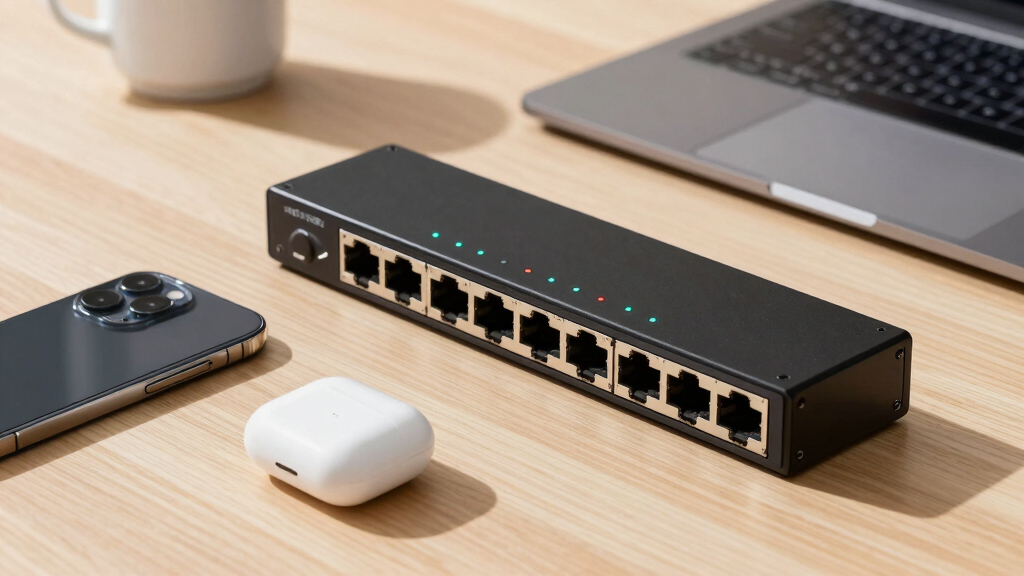
For creators working with large files, high-resolution video editing, or demanding data transfers, a reliable 10GbE network switch can make a significant difference. The best options balance speed, ease of setup, and build quality, but they vary in features and price. The QNAP 8-Port Multi-Gig Switch stands out for its flexible ports and management options, while the TP-Link TL-SX1008 offers a straightforward, plug-and-play experience. Buyers often face tradeoffs between cost, complexity, and future-proofing. Continue reading for a detailed breakdown of the top picks and what to consider when choosing your ideal switch.
Key Takeaways
- The top-tier switches combine multiple port types, supporting both 10G and lower speeds for versatile setups.
- Unmanaged switches remain popular for simplicity, but managed switches offer greater control for expanding workflows.
- Build quality and cooling features like fanless design are key for quiet, reliable operation in creative environments.
- Price varies significantly based on port count, features, and management options—balance your needs with your budget.
- Future-proofing often means investing in switches with additional ports or higher bandwidth capacity for long-term use.


More Details on Our Top Picks
5 Port 10Gb RJ45 Web Managed Ethernet Network Switch, 5 x 10 Gigabit Base-T Port | 10Gbps Multi-Gig Swicth Support 5G-2.5G-1G-100M | 19 Inch Rack Mount | 100G Bandwidth | Metal Casing | Built-in Fan
This switch stands out for its managed control features, offering VLAN, QoS, and SNMP management—ideal for creators who need secure, customizable networks. Compared to the GigaPlus 10Gbe switch, which is simpler and plug-and-play, this model provides more granular control but involves a steeper learning curve. The 5 ports support 10G and 2.5G speeds, making it future-proof for high-bandwidth devices, yet the limited port count might be restrictive for larger setups. The sturdy metal casing and rack-mount option make it suitable for semi-professional environments. On the downside, the fan noise and higher price can be drawbacks for quiet home offices or budget-conscious users. This option makes the most sense for creators who want tailored network management in a compact, rack-mountable form.
Pros:- Advanced web management features for secure control
- Supports VLAN, QoS, and SNMP for customization
- Rack-mountable with metal casing for durability
Cons:- Limited to 5 ports, which might restrict expansion
- Fan noise may be disruptive in quiet environments
- Higher cost compared to unmanaged options
Best for: Small creative studios or professionals needing secure, configurable networks with multiple high-speed connections.
Not ideal for: Users seeking a simple plug-and-play switch or those with larger device counts needing more ports.
- Number of Ports:5
- Supported Speeds:10G, 2.5G, 1G, 100M
- Management:Web Managed
- Form Factor:Rackmount
- Build Material:Metal
- Cooling:Built-in Fan
Bottom line: Ideal for creators requiring detailed network control and security in a compact, rack-mount design.
QNAP 8-Port Multi-Gig 10GbE Lite-Managed Network Switch (QSW-L3208-2C6T-US) – 6× 10/5/2.5/1G RJ-45, 2× SFP+/RJ-45 Combo
This model offers a balanced mix of manageability and port flexibility, with six 10G/5G/2.5G/1G ports and two combo SFP+ ports—making it a strong choice for creators needing multi-gig connectivity. Compared with the YuanLey 6-port switch, which is more budget-friendly and simple, the QNAP provides more control options like VLAN and LACP, but at a slightly higher price. Its 160 Gbps switching capacity ensures smooth handling of large media files and streaming workloads. The sturdy metal build and energy-efficient design make it suitable for small offices or studios. A tradeoff is that the management features are lite, not full enterprise-grade, which might limit advanced configurations. This pick makes the most sense for creators who want reliable multi-gig performance without complex setup.
Pros:- Multiple multi-gig ports including combo SFP+
- Lite-managed controls like VLAN and LACP
- High switching capacity for media workflows
Cons:- Lite management may limit advanced networking options
- No full enterprise features for complex setups
- Slightly higher price than unmanaged switches
Best for: Content creators needing flexible, multi-device high-speed connections with basic management features.
Not ideal for: Those requiring advanced enterprise-level controls or larger port counts for bigger setups.
- Number of Ports:8
- Supported Speeds:10G, 5G, 2.5G, 1G
- Management:Lite-Managed
- Switching Capacity:160 Gbps
- Form Factor:Desktop / Rackmount
- Build Material:Metal
Bottom line: Best for creators wanting a reliable, versatile switch with essential management capabilities and multiple high-speed ports.
YuanLey 6-Port 10 Gigabit Network Switch with Metal Case Fanless
This 6-port unmanaged switch offers excellent value, supporting 10Gb and 2.5Gb ports with plug-and-play simplicity. Compared to the GigaPlus 10Gbe switch, which is more feature-rich and managed, this YuanLey model is ideal for those who want straightforward, high-speed connectivity without the complexity. Its fanless, metal case ensures quiet operation and durability, making it perfect for home studios or small offices. The ports support large file transfers and streaming, but the lack of management features means less control over network traffic and security. For creators who prioritize ease of use and affordability over fine-tuning, this switch is a compelling choice. This model makes the most sense for beginners or those with simple, high-speed networking needs.
Pros:- Plug-and-play, no configuration needed
- Quiet fanless operation
- Affordable high-speed connectivity
Cons:- No management features for advanced control
- Limited to 6 ports, restricting expansion
- No support for network segmentation or security settings
Best for: Entry-level creators or small teams needing reliable high-speed connections without management complexity.
Not ideal for: Power users requiring sophisticated network controls or larger port counts.
- Number of Ports:6
- Supported Speeds:10G, 2.5G
- Management:Unmanaged
- Build Material:Metal
- Fan:Fanless
- Form Factor:Wall-mount / Desktop
Bottom line: Perfect for beginners or small setups seeking simple, high-speed wired connections with zero fuss.
TP-Link TL-SX1008 | 8 Port 10G/Multi-Gig Unmanaged Ethernet Switch | Desktop/Rackmount | Plug & Play | Sturdy Metal Casing | Speed Auto-Negotiation, Free Expert Help
This switch combines high performance with ease of use, featuring 8 ports that support 10G and multi-gig speeds with auto-negotiation—ideal for creators who want fast, reliable connections without complex setup. Compared to the GigaPlus 5-port switch, which is more basic, the TP-Link offers more ports and a sturdy metal case for durability. Its plug-and-play design ensures quick deployment, and the auto-negotiation adapts seamlessly to various devices. The 3-year warranty and free expert support add peace of mind. The main tradeoff is that it’s unmanaged, so fine-tuning network traffic isn’t possible, but for most creators, this is a minor issue. This pick is best for creators seeking a robust, high-speed switch with plug-and-play simplicity.
Pros:- Supports 8 ports with auto-negotiation for multi-gig speeds
- Durable metal casing for longevity
- Plug-and-play, no configuration needed
Cons:- Unmanaged, limiting control options
- Port count may be insufficient for larger setups
- No advanced network features like VLAN or QoS
Best for: Creators who want high-speed, reliable connections with minimal setup and no management complexity.
Not ideal for: Those needing advanced network controls or planning to scale with larger, managed switches.
- Number of Ports:8
- Supported Speeds:10G, multi-gig
- Management:Unmanaged
- Build Material:Metal
- Form Factor:Desktop / Rackmount
- Warranty:3 Years
Bottom line: Ideal for creators who want a high-performance, durable switch that’s ready to use out of the box.
10 Ports 10Gb Unmanaged Ethernet Switch with 8*2.5G Base-T Ports, 2*10G RJ45 Ports. 80Gbps Switching Capacity, GiGaPlus 10Gbps Network Switch for 2.5G/10Gbps NAS/PC, WiFi6 Router, Wireless AP
This GigaPlus switch stands out for its affordability and straightforward setup, making it ideal for users who want to add 2.5G and 10G connectivity without complex configuration. Compared to premium options like the TP-Link TL-SX105, it offers similar high speeds but with a more basic unmanaged design, which means less control over traffic. The fanless, rugged metal case ensures quiet operation and good heat dissipation even under continuous use, though it lacks advanced features like VLAN or LACP. Its performance is reliable for transferring large files or supporting multiple multi-gig devices simultaneously, making it perfect for prosumer setups. However, it’s not suitable for enterprise environments requiring managed switches or link aggregation. If you need a cost-effective, high-speed unmanaged switch for a small to medium home or office network, this model delivers excellent value. 4.6 stars.
Pros:- Affordable for true 10G and multi-gig ports
- Plug-and-play, no configuration needed
- Fanless and silent operation
Cons:- No link aggregation or LACP support
- Power supply cable is short, limiting placement options
- No mounting ears included
Best for: Home users or small offices needing fast, plug-and-play multi-gig connectivity on a budget.
Not ideal for: Enterprise environments or users requiring advanced management, VLAN support, or link aggregation.
- Number of Ports:10
- Compatible Devices:Desktop, Gaming Console, Laptop, Printer
- Data Transfer Rate:80 Gigabits Per Second
- Switch Type:Unmanaged
- Color:Black
- Warranty & Support:Amazon Voluntary 30-Day Return
Bottom line: Ideal for budget-conscious users seeking reliable high-speed connectivity without advanced features.
TP-Link TL-SX105 | 5 Port 10G/Multi-Gig Unmanaged Ethernet Switch | Desktop/Wall-Mount | Plug & Play | Fanless | Sturdy Metal Casing | Speed Auto-Negotiation, Free Expert Help
This TP-Link TL-SX105 excels for users who need a compact, silent switch with versatile installation options and automatic speed negotiation. Compared to the NICGIGA 6 Port switch, it offers fewer ports but maintains similar high-speed performance with a sturdy metal case and fanless design—ideal for small setups or desktop use where space is limited. Its auto-negotiation feature ensures compatibility across a range of devices, including WiFi 6 access points and NAS units, without manual configuration. While it lacks managed features like VLAN support, its simplicity and reliability make it perfect for creators building a small, high-speed network. It’s less suited for larger or managed environments needing VLAN or link aggregation. If you want a sleek, reliable, unmanaged 5-port switch for a compact space, this makes a strong choice. 4.2 stars.
Pros:- Compact and space-efficient design
- Fanless and silent operation
- Easy plug-and-play setup
Cons:- Limited to 5 ports with no managed features
- No mounting ears included
- Short power cable may limit placement
Best for: Creators or small office users needing a compact, high-speed switch for a few devices.
Not ideal for: Large networks or environments requiring managed switches with VLAN or LACP support.
- Number of Ports:5
- Compatible Devices:Desktop, NAS, WiFi6 Router, Gaming PC
- Data Transfer Rate:100 Gbps
- Switch Type:Unmanaged
- Color:Black
- Warranty & Support:3-Year Warranty
Bottom line: Perfect for users seeking a small, silent, unmanaged switch for a few high-speed devices in a creative workspace.
10Gbe Ethernet Switch Unmanaged with 2 x 10Gb RJ45 Ports ➕ 4 x 2.5Gb Base-T Ports, Desktop/Wall Mount NICGIGA 6 Port 10Gbps Network Switch for Wireless AP, NAS, PC
This NICGIGA switch offers a compelling package for creators who need high-speed connectivity without the expense of managed switches. Compared to the NICGIGA 10 Port model, it provides 2×10G ports and 4×2.5G ports, which is enough for most prosumer setups involving NAS, gaming, and streaming devices. Its passive cooling design ensures quiet, reliable operation, and the metal case adds durability, making it suitable for desktop or wall-mounted placement. Although it lacks VLAN or LACP, its plug-and-play simplicity and affordability make it ideal for those wanting fast, multi-gig connections on a tight budget. The tradeoff is the absence of management features, which might limit scalability. If you need a straightforward, high-performance unmanaged switch for a small workspace, this is a top choice. 4.6 stars.
Pros:- Affordable true 10G copper ports
- Silent, passive cooling design
- Plug-and-play, easy setup
Cons:- No link aggregation (LACP)
- No mounting ears included
- Power cable is short, limiting placement
Best for: Prosumer creators or small teams needing high-speed, unmanaged connectivity for NAS, PC, and WiFi devices.
Not ideal for: Large or managed networks requiring VLAN, LACP, or enterprise features.
- Number of Ports:6
- Compatible Devices:NAS, PC, WiFi6 Router, Gaming Console
- Data Transfer Rate:60 Gbps
- Switch Type:Unmanaged
- Color:Black
- Warranty & Support:1 Year
Bottom line: Excellent for creators needing fast, unmanaged 10G and multi-gig connections on a budget, with straightforward operation.
10Gbe Ethernet Switch Unmanaged with 2 x 10Gb RJ45 Ports ➕ 8 x 2.5Gb Base-T Ports, Desktop/Wall Mount NICGIGA 10 Port 10Gbps Network Switch for Wireless AP, NAS, PC
This NICGIGA 10-port switch is designed for creators with extensive high-speed device needs, offering 2×10G ports plus 8×2.5G ports that support a wide range of devices, from NAS to gaming PCs. Compared with smaller switches like the NICGIGA 6 Port, it provides more ports while maintaining silent, passive cooling and a durable metal case, making it suitable for demanding environments. Its plug-and-play nature simplifies deployment, and the 60Gbps switching capacity handles large data flows efficiently. While it lacks management features like VLAN, its high port density and reliable performance make it a strong choice for expanding creative workflows. The main tradeoff is that it’s unmanaged, so advanced traffic control isn’t available. For creators needing a larger, high-performance unmanaged switch, this model is ideal. 4.6 stars.
Pros:- High port density for large device counts
- Silent, passive cooling, and durable metal case
- Plug-and-play, reliable high-speed performance
Cons:- No managed features like VLAN or LACP
- No mounting ears included
- Limited to unmanaged operation, less traffic control
Best for: Large creative setups or studios needing many high-speed, unmanaged connections in a compact form.
Not ideal for: Enterprise or scaled networks requiring managed switches with VLAN or link aggregation.
- Number of Ports:10
- Compatible Devices:NAS, Gaming PCs, WiFi7 Routers
- Data Transfer Rate:60 Gbps
- Switch Type:Unmanaged
- Color:Black
- Warranty & Support:1 Year
Bottom line: Best suited for creators with extensive device arrays wanting a reliable, unmanaged, high-density 10G switch.
How We Picked
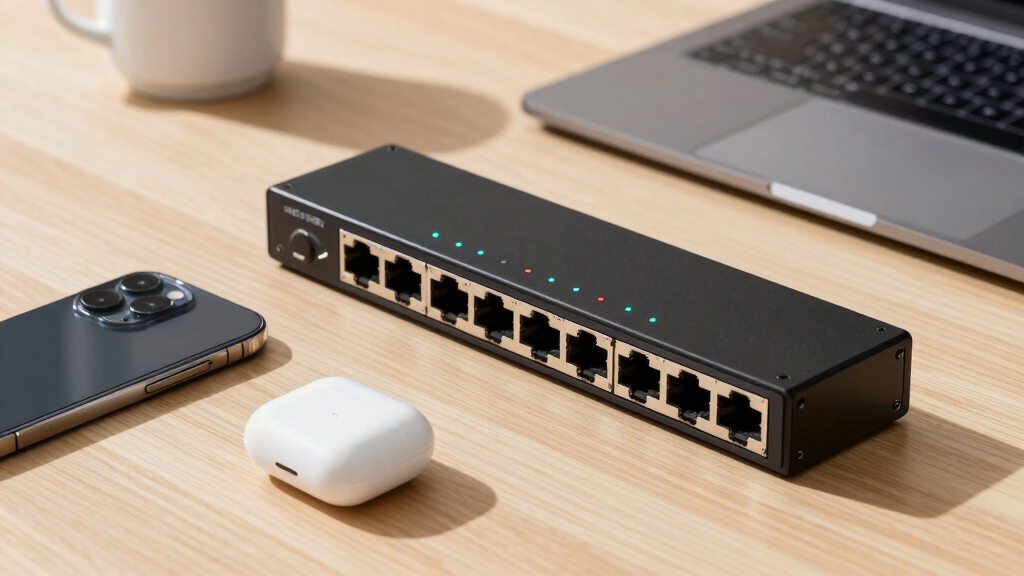
I selected these switches based on a combination of performance benchmarks, user reviews, build quality, and feature sets that appeal specifically to creators. Prioritizing devices that support 10GbE speeds and multi-gig ports, I looked for models that are easy to deploy and maintain, with a good balance of price and features. Managed versus unmanaged options were considered based on the needs of different user profiles—some creators prefer straightforward plug-and-play devices, while others want more control. The ranking reflects overall value, future compatibility, and how well each switch serves the demands of creative workflows.Factors to Consider When Choosing Best 10gbe Network Switches For Creators
Choosing the right 10GbE switch involves more than just port count. It’s important to consider how your workflow will evolve, your technical comfort level, and your specific speed requirements. A well-selected switch can boost productivity and reduce bottlenecks, but a mismatched device may lead to frustration or additional costs. Here are key factors to keep in mind:Port Count and Speed Support
Assess your current and future device needs. While 5-8 ports might suffice now, expanding to 10 or more could save you from upgrading soon. Look for switches that support multiple speeds—10G, 2.5G, and 1G—so you can connect a variety of devices without bottlenecks. Multi-gig ports are especially valuable for connecting NAS drives, workstations, and high-speed peripherals simultaneously, providing real flexibility in your setup.
Managed vs. Unmanaged Switches
Unmanaged switches are ideal for simple, quick setups and do not require configuration, making them perfect for creators who want plug-and-play functionality. Managed switches, however, offer advanced features like VLAN support, traffic prioritization, and detailed monitoring, which can be beneficial if you need to segment networks or optimize data flow. Consider your technical comfort level and whether your workflow might benefit from these control features before choosing.
Build Quality and Noise Level
Creators often work in quiet environments, so a fanless design or silent cooling is desirable to avoid disruptions. Metal casings tend to be more durable and better at dissipating heat, extending the lifespan of the device. Think about the physical placement—rack-mount options are suitable for dedicated server rooms, while desktop or wall-mount models fit tighter spaces or home offices.
Ease of Setup and Future-Proofing
Ease of installation varies widely; plug-and-play models reduce setup time, but more advanced switches might require network expertise. Consider your comfort with network configuration if opting for a managed switch. Additionally, look for switches with higher bandwidth capacities and additional ports for future expansion, ensuring your investment remains relevant as your needs grow.
Price and Total Cost of Ownership
While higher-priced switches often include more features and better build quality, they may not always be necessary for smaller or less demanding setups. Balance your budget with your needs—sometimes, a mid-range unmanaged switch offers all the speed you require at a lower cost. Remember to factor in potential costs for accessories, cables, or management software if applicable.
Frequently Asked Questions
Do I need a managed or unmanaged switch for creative workflows?
For most creators with straightforward setups, unmanaged switches are sufficient—they are simple to install and operate. However, if you work in a more complex environment with multiple devices, VLANs, or require traffic prioritization for real-time editing, a managed switch provides the control you need. Evaluate your current setup and future plans to determine which type aligns best with your technical comfort and workflow demands.
Can a 10GbE switch support both my NAS and workstation at the same time?
Yes, many 10GbE switches support multiple ports at different speeds, allowing simultaneous connections to NAS devices, workstations, and other peripherals. For optimal performance, look for switches with multiple 10G ports and multi-gig support, so data can flow freely without creating bottlenecks. Proper cabling and network configuration will also play a significant role in achieving the desired speeds across devices.
Is fanless design truly silent, and is it suitable for creative environments?
Fanless switches are indeed silent, making them well-suited for quiet workspaces. They rely on passive cooling, which can sometimes limit the maximum operating temperature and load capacity. For typical creative workflows with moderate data transfer, fanless models offer a reliable, noise-free experience, but for high-traffic or densely packed setups, a switch with active cooling might provide better thermal management.
How important is build quality when choosing a switch for a creative setup?
Build quality directly impacts the switch’s durability and longevity, especially if it’s mounted in a rack or placed in a busy environment. A sturdy metal casing not only withstands physical wear but also helps dissipate heat, reducing the risk of overheating. Investing in a well-made switch can save money in the long run by avoiding frequent replacements or failures during critical work sessions.
Should I prioritize ports over advanced features for my home studio?
If your setup is simple, focusing on the number and speed of ports is often enough. However, if you anticipate expanding your studio or need specific network management features—such as VLANs for segmenting different workflows—then investing in a switch with those capabilities can provide more control and scalability. Balance your current needs with potential future requirements to avoid unnecessary upgrades later.
Conclusion
For most creators seeking a straightforward, high-speed network, the QNAP 8-Port Multi-Gig Switch offers a versatile and feature-rich solution that balances performance with manageability. The TP-Link TL-SX1008 is ideal for those prioritizing simplicity and plug-and-play operation. Budget-conscious users or those with smaller setups should consider unmanaged models like the NICGIGA 10 Port Switch for great value. Power users or those with complex workflows will benefit from managed switches with advanced features. Ultimately, selecting the right switch depends on your current setup, growth plans, and technical comfort—match your needs to the product that best fits your creative environment.