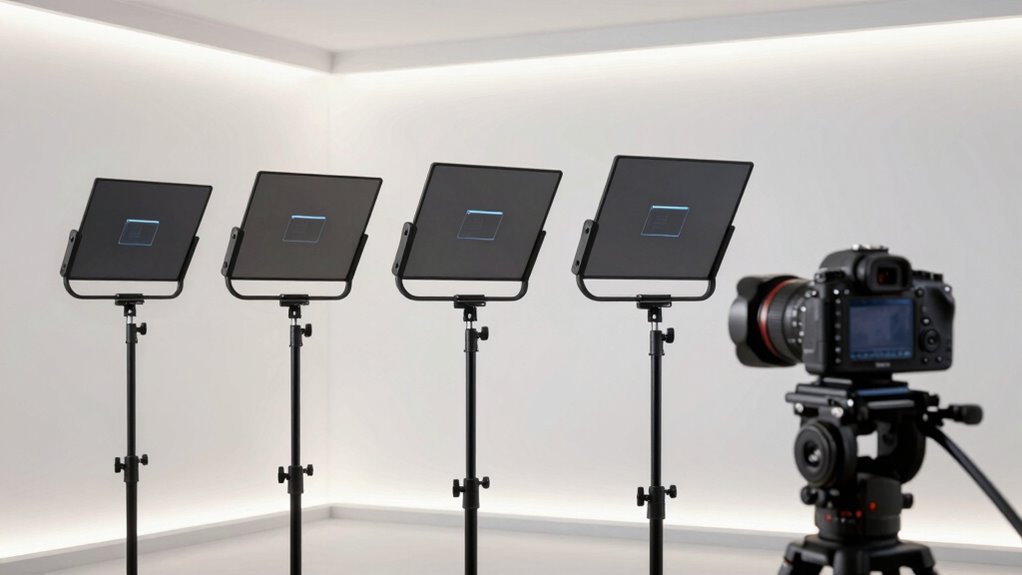

Choosing among teleprompters for DSLR and mirrorless cameras comes down to one core question: do you want to supply your own tablet or phone as the screen, or pay more for a built-in display? For most creators, the Elgato Prompter XL stands out as the best overall pick thanks to its large 15.6-inch detachable screen and integrated software that removes the tablet-and-app juggling entirely. If you’d rather keep costs down and already own an iPad, the NEEWER X12 delivers a big, bright prompting surface at a fraction of the price, while the AMBITFUL 7.5-inch mini is the one to beat for desk setups and tight travel kits. The main tradeoffs in this category are size versus portability, beam-splitter glass quality (which affects brightness loss on your footage), and lens-mount compatibility across different camera bodies. Keep reading for the full breakdown of all 14 models and which one fits your workflow.

Get the latest gadgets delivered free — and shop member deals
- Fast, free delivery on millions of items
- Access to Prime Big Deal Days deals on October 6–7
- Prime Video, Amazon Music and more included
Complete the kit



Key Takeaways
- Built-in-display models like the Elgato Prompter XL and NEEWER X11 won on convenience and app integration, but tablet-based kits from NEEWER and Desview offered noticeably more prompting real estate per dollar.
- Beam-splitter glass quality varied more than any other factor — the Elgato and SmallRig units preserved more light reaching the lens, while several budget kits dimmed the frame enough to require exposure compensation.
- The 7.5-inch mini prompters (AMBITFUL variants) are nearly identical in function, which means the bundled tripod and remote quality should decide between them, not the hood itself.
- Larger isn’t always better: the GVM 18-inch and NEEWER X14 III demand heavy-duty tripod support, making them poor matches for lightweight mirrorless rigs on standard ball heads.
- Remote control compatibility emerged as a hidden differentiator — kits with dedicated remotes (GVM, NEEWER X14 III, Glazon) worked far more smoothly than generic Bluetooth clickers paired with third-party apps.
| NEEWER Basics X12B 12″ Aluminum Alloy Teleprompter for Tablet and DSLR Camera |  | Best Overall | Display Size: 12 inches | Material: Aluminum alloy | Light Transmittance: 75% | VIEW ON AMAZON | See Our Full Breakdown |
| Elgato Prompter XL Full-Sized Teleprompter with 15.6-Inch Detachable Display |  | Best Premium Pick | Display Size: 15.6 inches | Resolution: Full HD | Weight: 7.43 lbs | VIEW ON AMAZON | See Our Full Breakdown |
| GVM 12-Inch Collapsible Teleprompter Kit for Tablets, Phones, and Cameras |  | Best Value Pick | Display Size: 12 inches | Reading Range: Up to 15 ft (4.6 m) | Compatible Device Size: Up to 8.6 inches (22 cm) | VIEW ON AMAZON | See Our Full Breakdown |
| GVM 18″ Teleprompter Kit for iPad/Tablet and DSLR Cameras with Remote Control & App |  | Best for Large-Tablet Studio Work | Screen Size: 18 inches | Max Tablet Size: 12.9 inches | Weight: 16.12 lbs | VIEW ON AMAZON | See Our Full Breakdown |
| AMBITFUL 7.5” Mini Teleprompter with Desktop Tripod for Smartphone & DSLR |  | Best Compact Pick for Beginners | Screen Size: 7.5 inches | Weight: 350g (12.35 oz) | Adapter Ring Sizes: 49/52/55/58/62/67/72/77 mm | VIEW ON AMAZON | See Our Full Breakdown |
| 12″ Portable Teleprompter for Tablets & DSLR Cameras with App Remote |  | Best Travel Kit for DSLR Shooters | Screen Size: 12 inches | Beam Splitter: 70/30 tempered optical glass | Frame Material: Aluminum | VIEW ON AMAZON | See Our Full Breakdown |
| NEEWER X11 2-in-1 Teleprompter 11″ with Built-In Monitor |  | Best All-in-One Workflow | Beam Splitter Glass Size: 11 inches | Monitor: 9-inch HD LCD, 1024 x 768 | Light Transmission: 75% | VIEW ON AMAZON | See Our Full Breakdown |
| AMBITFUL Mini Teleprompter 7.5″ with Desktop Tripod for Smartphone and DSLR | 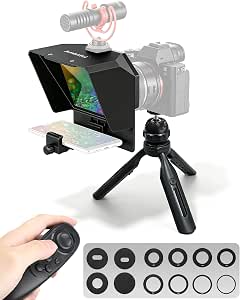 | Best Budget Starter Pick | Screen Size: 7.5 inches | Phone Clip Width: 2.2″ – 3.2″ | Tripod Height Range: 5.3 – 6.7 inches | VIEW ON AMAZON | See Our Full Breakdown |
| SmallRig Teleprompter for Tablets up to 11 Inches |  | Best for Pro Video Rigs | Model: 3646 | Compatible Devices: Tablets up to 11 inches (no smartphones) | Reading Distance: Up to 5 m (16.4 ft) | VIEW ON AMAZON | See Our Full Breakdown |
| Glazon 9.3″ Teleprompter for Phone & Camera with App & Bluetooth Remote |  | Best for Solo Creators | Screen Size: 9.3 inches | Glass Type: 70/30 beam-splitter optical glass | Compatibility: Smartphones, tablets, DSLR and mirrorless cameras | VIEW ON AMAZON | See Our Full Breakdown |
| NEEWER X12 14-Inch Aluminum Alloy Teleprompter |  | Best Value for Tablet-Based Prompting | Display glass: Beam-splitter glass, 75% light transmittance | Reading distance: Up to 10 ft (3 m) | Device compatibility: Phones and tablets up to 9.84 × 8.68 in (25 × 22 cm) | VIEW ON AMAZON | See Our Full Breakdown |
| Elgato Prompter – Teleprompter with Built-in Screen |  | Best Premium All-in-One | Display: 9″ built-in, 1024 × 600 px | Interface: USB-C | Step-up rings: 49, 52, 55, 58, 62, 67, 72, 77, 82 mm | VIEW ON AMAZON | See Our Full Breakdown |
| NEEWER X14 III Teleprompter with RT113 Remote and App Control |  | Best for Fast, Tool-Free Setup | Screen size: 14 inches | Beamsplitter light transmission: 71% | Viewing tilt: 45° | VIEW ON AMAZON | See Our Full Breakdown |
| Desview P13 Portable Teleprompter for Camera, Tablet Prompter Compatible with 12.9″ iPad Pro |  | Best for Large-Tablet Workflows | Tablet compatibility: Up to 12.9 inches (incl. iPad Pro) | Camera mount: Standard 1/4″ screw | Weight: 1.7 kg (3.97 lbs) | VIEW ON AMAZON | See Our Full Breakdown |
More Details on Our Top Picks
NEEWER Basics X12B 12″ Aluminum Alloy Teleprompter for Tablet and DSLR Camera
This pick makes the most sense for most DSLR and mirrorless shooters because it solves the two biggest friction points in teleprompting: setup time and text readability. The fold-on design with zero assembly means it goes from bag to shooting in under a minute, while the 75% transmittance beam splitter glass keeps scripts legible up to 10 feet away — enough distance to keep your eyes from obviously scanning. Compared with the GVM 12-inch kit, the NEEWER feels more polished for camera-first work, though its tablet-only screen source is a real limitation. Unlike the AMBITFUL 7.5-inch mini, it can’t take a phone as the prompt display, and unlike the Elgato Prompter XL, there’s no built-in screen. The RT113 Bluetooth remote handles scroll speed and page turns cleanly, but plan on buying a AAA battery.
Pros:- No-assembly foldable design sets up in seconds
- Durable aluminum build with a carry case included
- Bluetooth remote and app control scroll speed, pages, and font size
- High-transmittance glass keeps text readable up to 10 feet
Cons:- Cannot use a smartphone as the prompt source
- No on-screen self-viewing or monitor function
- Remote ships without the required AAA battery
Best for: DSLR and mirrorless videographers who already own a tablet and want a fast, reliable studio-and-location prompter
Not ideal for: Shooters who want to use a smartphone as the script display, or anyone expecting an integrated screen with self-viewing
- Display Size:12 inches
- Material:Aluminum alloy
- Light Transmittance:75%
- Readable Distance:Up to 10 ft (3 m)
- Remote:RT113 Bluetooth (AAA battery not included)
- App Compatibility:iOS 11.0+ / Android 6.0+
- Warranty:1 year manufacturer
Our verdict“If you own a tablet and shoot with a real camera, this is the most balanced tool in the lineup and the easiest daily driver.”
Elgato Prompter XL Full-Sized Teleprompter with 15.6-Inch Detachable Display
Compared with every tablet-based option here, the Prompter XL takes a fundamentally different approach: the 15.6-inch Full HD display is built in and detachable, so there’s no juggling a separate tablet, no mount slipping, and no app pairing headaches. The screen even pulls off the rig to work as a spare monitor for calls and editing. Where the GVM 18-inch relies on your own iPad, Elgato delivers a turnkey ecosystem — Voice Sync scrolls at your natural speaking pace, a feature nothing else in this batch matches. The tradeoffs are real, though: Voice Sync demands an NVIDIA RTX GPU or Apple M1-or-better silicon, and at 7.43 pounds this is studio gear, not something you toss in a backpack like the 350g AMBITFUL mini. This model is better suited to a fixed desk or studio rig.
Pros:- Large 15.6-inch Full HD built-in display that detaches for flexible use
- Doubles as a spare monitor for conferencing and multitasking
- Voice Sync matches script speed to your natural speech
- Works with DSLR, mirrorless, and larger studio camera setups
Cons:- Voice Sync requires an NVIDIA RTX GPU or Apple M1 chip or better
- Heavy at 7.43 pounds — poorly suited to portable rigs
- Premium all-in-one design costs more than tablet-based alternatives
Best for: Studio creators and streamers with a capable computer who want an integrated, all-in-one prompting system
Not ideal for: Travel-heavy shooters or anyone on older hardware without RTX or M1-class processing
- Display Size:15.6 inches
- Resolution:Full HD
- Weight:7.43 lbs
- Dimensions:10.71 x 15.59 x 11.61 inches
- Voice Sync Requirements:NVIDIA RTX GPU or Apple M1 or better
- Manufacturer:Corsair (Elgato)
Our verdict“For a permanent studio setup with modern hardware, this is the most seamless prompting experience money buys here.”
GVM 12-Inch Collapsible Teleprompter Kit for Tablets, Phones, and Cameras
This option stands out for flexibility on a budget. Unlike the NEEWER Basics X12B, which locks you into a tablet as the script source, the GVM accepts both phones and tablets up to 8.6 inches — a genuine advantage for creators who don’t own an iPad. The anti-reflective glass pushes the readable range to 15 feet, actually beating the NEEWER’s 10-foot spec, which matters if you shoot with longer lenses or want more distance between subject and camera. It collapses flat, ships with a remote and carry bag, and both 1/4-inch and 3/8-inch mounting threads fit most DSLR and mirrorless bodies. The compromises are straightforward: owners of a 12.9-inch iPad Pro are out of luck here, and unlike the Elgato Prompter XL, you still need to supply the display device yourself.
Pros:- Accepts both smartphones and tablets as the prompt source
- Anti-reflective glass readable up to 15 feet
- Collapsible aluminum design with carry bag
- 1/4-inch and 3/8-inch threads fit most cameras
Cons:- Tablet support capped at 8.6 inches
- Requires a compatible tripod that isn’t included
Best for: Budget-conscious creators who want to prompt from either a phone or a mid-sized tablet
Not ideal for: Owners of large tablets over 8.6 inches, and shooters without a suitable tripod already on hand
- Display Size:12 inches
- Reading Range:Up to 15 ft (4.6 m)
- Compatible Device Size:Up to 8.6 inches (22 cm)
- Camera Mounting:1/4-inch and 3/8-inch screws
- Construction:Aluminum alloy
- Included Accessories:Bluetooth remote, carry bag
- App Compatibility:iOS and Android
Our verdict“The smartest low-cost entry point if you want phone-or-tablet flexibility without giving up image clarity.”
GVM 18″ Teleprompter Kit for iPad/Tablet and DSLR Cameras with Remote Control & App
When bigger text at longer distances is the priority, this 18-inch kit earns its place. Its colorless beam splitter with multilayer dielectric coating produces a notably cleaner, ghost-free image than the standard glass in cheaper kits — that coating is what separates a pro-looking read from a hazy one on camera. And unlike the smaller GVM 12-inch, the tray accepts tablets up to 12.9 inches, so a full-size iPad Pro works here. But this is the heavyweight of the batch at 16.12 pounds, and it arrives as multiple components needing assembly — a stark contrast to the NEEWER Basics X12B’s fold-out-and-go design. It’s also rated for small- to mid-sized cameras, so owners of large-bodied cinema rigs should look elsewhere. Think of it as the trade: maximum readability and glass quality in exchange for portability.
Pros:- Supports tablets up to 12.9 inches including iPad Pro
- Colorless coated beam splitter delivers a ghost-free display
- App and remote adjust scroll speed, font, and background color
- Solid aluminum construction built for repeated studio use
Cons:- Heavy at 16.12 pounds for a portable kit
- Assembly required with multiple components out of the box
- Suited only to small- and mid-sized cameras
Best for: Studio presenters who prompt from a 12.9-inch iPad Pro and need large, clean text at distance
Not ideal for: Solo shooters who travel — the 16-pound weight and multi-part assembly make it impractical on the road
- Screen Size:18 inches
- Max Tablet Size:12.9 inches
- Weight:16.12 lbs
- Connectivity:Bluetooth remote control
- Compatibility:iPad/tablets, SLR, camcorder, digital camera, DV
- Model:GVM-TQ-L
Our verdict“The right choice when readability on a big iPad trumps everything else — just don’t plan on carrying it far.”
AMBITFUL 7.5” Mini Teleprompter with Desktop Tripod for Smartphone & DSLR
At 350 grams with tool-free setup, this is the easiest prompter in the roundup to actually start using — it ships as a complete kit with tripod, phone clip, Bluetooth remote, and eight adapter rings from 49mm to 77mm, so most DSLR and mirrorless lenses screw straight in. Beginners benefit most: nothing extra to buy, nothing to assemble. The high-transmittance coated glass avoids ghosting, and the app handles scroll speed, font, and orientation. The size cuts both ways. Unlike the GVM 12-inch, there’s no tablet support, and the 7.5-inch hood means text is only comfortably readable at close range — fine for a desk setup, limiting for standing presentations. There’s also a hard constraint: lenses must be 35mm or wider, since long lenses physically won’t fit the mount. This model is better suited to seated vlogging and streaming than full production work.
Pros:- Everything included: tripod, remote, phone clip, and eight adapter rings
- Sets up tool-free in seconds at just 350g
- Coated glass delivers sharp text with no ghosting
- Fits smartphones plus DSLR and mirrorless cameras
Cons:- No tablet compatibility at all
- Only supports wide-angle lenses of 35mm and wider
- Small glass limits readable distance to close-range use
Best for: Beginner vloggers and live streamers who want a complete, phone-based prompting kit right out of the box
Not ideal for: Creators who prompt from tablets or shoot with telephoto lenses longer than 35mm
- Screen Size:7.5 inches
- Weight:350g (12.35 oz)
- Adapter Ring Sizes:49/52/55/58/62/67/72/77 mm
- Compatible Devices:Smartphones, DSLR and mirrorless cameras
- Mount:Standard 1/4-inch screw
- Control:Bluetooth remote with companion app
- Minimum Focal Length:Wide-angle lenses over 35mm
Our verdict“The lowest-friction way to start prompting from your phone — as long as you shoot wide and up close.”
12″ Portable Teleprompter for Tablets & DSLR Cameras with App Remote
For creators who pack a DSLR or mirrorless body into a travel bag, this 12-inch unit hits a sweet spot between screen size and portability. The aluminum frame keeps the whole rig light, and the 70/30 beam splitter glass delivers readable text without heavy glare — a meaningful step up from the smaller AMBITFUL Mini if you regularly record longer scripts. Compared with the NEEWER X11, this option swaps the built-in monitor for a tablet-based workflow, which cuts cost and weight but means you supply the screen. The adjustable camera mount matters more than it sounds: proper lens centering is what keeps eye contact believable, and cheaper kits often force awkward shimming. The bundled remote, app, and carrying case round out a genuinely complete travel package.
Pros:- Lightweight aluminum frame assembles quickly and travels well in the included case
- 70/30 tempered beam splitter glass keeps scripts readable with reduced glare
- Adjustable camera mount aligns the lens precisely for natural eye contact
- Remote control, app, and carrying case included in the box
Cons:- Requires a separate tablet or phone as the display — not a standalone unit
- Protective film on both sides of the glass must be removed before first use and is easy to miss, making text look hazy if forgotten
Best for: Traveling YouTubers and run-and-gun shooters who want a full-size prompter that fits in a bag and works with an existing tablet
Not ideal for: Anyone wanting a self-contained setup — you must bring your own tablet as the display, unlike the NEEWER X11’s built-in screen
- Screen Size:12 inches
- Beam Splitter:70/30 tempered optical glass
- Frame Material:Aluminum
- Compatibility:DSLR, mirrorless, camcorders, tablets
- Remote Control:Included
- Carrying Case:Included
Our verdict“Buy this if you want a complete, travel-ready 12-inch prompter built around a tablet you already own.”
NEEWER X11 2-in-1 Teleprompter 11″ with Built-In Monitor
The X11 solves the problem most budget prompters ignore: juggling a phone or tablet behind the glass. Its built-in 9-inch HD monitor mirrors directly from your device or doubles as an external computer display for Windows and macOS, so one piece of hardware covers prompting and previewing. The multi-coated glass with 75% light transmission keeps text legible up to 2.5 m away, putting it ahead of the Glazon 9.3-inch for longer working distances. Compared with the NEEWER Basics X12B, which relies on your own tablet, the X11 trades a little glass size for a much tighter, cable-driven workflow. The tradeoff is compatibility friction — phone mirroring requires DP-protocol phones, and computer connections need drivers installed first. Still, for studio desks and fixed setups, this model makes the most sense for a cable-everything creator.
Pros:- Built-in 9-inch monitor removes the need for a separate phone or tablet behind the glass
- Multi-coated beam splitter glass cuts ghosting and stays readable up to 2.5 m away
- Functions as a second external display for Windows and macOS setups
- Adjustable Arca-type holder with quick-release plate supports cameras up to 2 kg
Cons:- Drivers required for HDMI and USB-A computer connections, adding setup friction
- Phone mirroring limited to DP-protocol smartphones; voice sync not supported
- Tripod stand and microphone arm sold separately, so the true cost is higher than the box suggests
Best for: Studio-based presenters and streamers who want a self-contained prompter that plugs into a computer without managing tablets
Not ideal for: Smartphone-first creators — mirroring only works with DP-protocol phones, and voice sync is not supported
- Beam Splitter Glass Size:11 inches
- Monitor:9-inch HD LCD, 1024 x 768
- Light Transmission:75%
- Readable Text Distance:Up to 2.5 m
- Max Lens Thread:72 mm
- Supported Focal Lengths:35–200 mm
- Quick Release Plate Load:2 kg
- Warranty:1 year
Our verdict“This is the pick for desk-bound creators who value an integrated monitor and computer workflow over phone-based flexibility.”
AMBITFUL Mini Teleprompter 7.5″ with Desktop Tripod for Smartphone and DSLR
Not everyone needs a 12-inch rig. The AMBITFUL Mini is the lowest-commitment entry point in this lineup — a 7.5-inch prompter that handles both smartphones and DSLRs, with adapter rings and expansion boards included so nothing extra is bought. Unlike the Glazon, it ships with an adjustable desktop tripod, so it works out of the box on a desk for calls, interviews, and short-form video. The cold shoe mount is a thoughtful touch for adding a microphone or light. The compromises are real, though: the small glass limits how much script fits comfortably at distance, and the 35mm minimum focal length requirement means wide-angle shooters will hit vignetting. Compared with the 12-inch Portable Teleprompter, this model suits tight desks and quick setups rather than full production days.
Pros:- Compact mini design fits desks and small home studios where larger rigs won’t
- Works with both smartphones and DSLR cameras out of the box
- Includes adapter rings, expansion boards, and an adjustable desktop tripod
- Built-in cold shoe supports microphones and lights
Cons:- Requires a lens focal length of 35mm or more, causing vignetting on wide angles
- Small screen size limits reading distance and the amount of script visible at once
Best for: Beginners and home-office creators who want an affordable, everything-included desk prompter for calls and short videos
Not ideal for: Wide-angle lens users or anyone presenting long scripts — the 35mm minimum focal length and small glass restrict both framing and reading distance
- Screen Size:7.5 inches
- Phone Clip Width:2.2″ – 3.2″
- Tripod Height Range:5.3 – 6.7 inches
- Lens Compatibility:Wide-angle lenses 35mm focal length or more
- Mount:Standard 1/4″ screw hole
- Accessories:Cold shoe, adapter rings, expansion boards, desktop tripod
Our verdict“A sensible low-cost first prompter for desk-based creators — just verify your lens is 35mm or longer before buying.”
SmallRig Teleprompter for Tablets up to 11 Inches
SmallRig built this one for people who already think in 15mm LWS rail systems. Unlike every other pick here, the Model 3646 integrates into a cinema-style rig rather than clamping onto a tripod, which makes it the natural companion for producers using matte boxes and follow focuses. The top flag reduces glare and ghosting on set, and the modular lens hood pops off for cleaning — a detail shooters will appreciate after a dusty location day. With support for lenses 49–95 mm in diameter and 22mm focal lengths without vignetting, it out-specs the AMBITFUL Mini and NEEWER X11 for wide glass. The catch is structural: the required rail support is sold separately, and there’s no smartphone support at all. Compared with the GVM 18-inch, this model trades sheer script size for rig-grade flexibility.
Pros:- Supports tablets up to 11 inches with reading distances up to 5 m
- Glare-reducing top flag and removable modular lens hood handle real production conditions
- Works with lenses from 22mm focal length without vignetting, beating most rivals for wide glass
- SmallGoGo app extracts script text directly from PDFs, Word docs, pictures, and TXT files
Cons:- Requires a separately purchased 15mm LWS rail support system to function
- Not compatible with smartphones, so phone-based prompting workflows are off the table
Best for: Videographers with existing 15mm rail rigs and wide-angle cinema lenses who need prompter integration, not another tripod gadget
Not ideal for: Casual or first-time users — the separately sold 15mm rail system and lack of phone support make it expensive and inflexible for simple setups
- Model:3646
- Compatible Devices:Tablets up to 11 inches (no smartphones)
- Reading Distance:Up to 5 m (16.4 ft)
- Required Support:15mm LWS rail system, sold separately
- Supported Lens Diameter:49–95 mm
- Min Focal Length Without Vignetting:22 mm
- Filter Adapter:4 × 5.65 inches
Our verdict“A rig-native prompter for working videographers — skip it unless you already own or plan to buy a 15mm rail system.”
Glazon 9.3″ Teleprompter for Phone & Camera with App & Bluetooth Remote
Solo recording is where most prompters fall apart — you’re managing the camera, the script, and the performance all at once. The Glazon attacks this directly with a Bluetooth remote good for 10 meters and the Stream Prompt app on iOS and Android, so one person can start, pause, and adjust speed mid-take. Setup takes about two minutes thanks to the quick-release design, making it faster to deploy than the NEEWER X11, which involves drivers and cables before you’re rolling. The 70/30 beam-splitter glass balances text brightness against camera visibility for natural eye contact. Size is the honest tradeoff: at 9.3 inches, it sits between the AMBITFUL Mini and the 12-inch Portable Teleprompter, meaning dense scripts get cramped at longer distances. For vloggers and course creators working alone, though, that trade is easy to accept.
Pros:- Bluetooth remote with 10 m range gives hands-free script control for solo recording
- Quick-release design deploys in roughly two minutes with no tools
- 70/30 beam-splitter glass keeps text bright while preserving camera visibility
- Broad compatibility across smartphones, tablets, DSLR, and mirrorless bodies
Cons:- Mid-size 9.3-inch glass limits script density and comfortable reading distance
- Depends entirely on the Stream Prompt app, so workflow flexibility is tied to that software’s development
Best for: Solo vloggers and online course creators who record without a crew and need remote script control from across the room
Not ideal for: Presenters working at long distances with dense scripts — the 9.3-inch glass gets cramped compared with 12-inch options
- Screen Size:9.3 inches
- Glass Type:70/30 beam-splitter optical glass
- Compatibility:Smartphones, tablets, DSLR and mirrorless cameras
- App:Stream Prompt (iOS & Android)
- Remote Range:Up to 10 m (Bluetooth)
- Weight:1.94 pounds
Our verdict“The strongest choice for one-person productions where fast setup and remote control matter more than maximum screen size.”
NEEWER X12 14-Inch Aluminum Alloy Teleprompter
This option stands out as the workhorse pick for budget-conscious creators who already own a tablet. The aluminum alloy frame feels more rigid than the plastic-bodied GVM 12-Inch kit, and the beam-splitter glass with 75% light transmittance is brighter than most rivals at this size — that extra transmission matters when you’re shooting in a dim studio and can’t afford a washed-out image. Compared with the NEEWER X14 III below, the X12 demands more attention to lens choice: anything wider than 28mm will show the frame edges, so wide-angle shooters should skip it. The included RT-110 remote and carrying case round out a package that gets you prompting without hidden add-on costs, provided your tablet fits under the 25 × 22 cm limit — which rules out the 12.9-inch iPad Pro.
Pros:- Bright 75% transmittance beam-splitter glass keeps camera image clean in low light
- Rigid aluminum alloy frame with collapsible design and included carrying case
- RT-110 Bluetooth remote handles pausing, speed, and page turns in the NEEWER app
- Fits a wide range of phones and tablets up to 9.84 × 8.68 in
Cons:- Incompatible with wide-angle lenses below 28mm, limiting vlogging setups
- Does not fit the 12.9-inch iPad Pro, capping screen size for Apple users
Best for: Solo creators and small studios who already own a mid-size tablet and shoot with standard or telephoto lenses
Not ideal for: Vloggers using wide-angle lenses or anyone wanting to prompt from a 12.9-inch iPad Pro — neither is supported
- Display glass:Beam-splitter glass, 75% light transmittance
- Reading distance:Up to 10 ft (3 m)
- Device compatibility:Phones and tablets up to 9.84 × 8.68 in (25 × 22 cm)
- Minimum lens focal length:28 mm or longer
- Material:Aluminum alloy
- App compatibility:iOS 11.0+; Android 6.0+
- Included accessories:RT-110 remote, phone holder, carrying case
Our verdict“A dependable, travel-ready glass prompter that makes the most sense for tablet-owning shooters on a budget who stick to standard focal lengths.”
Elgato Prompter – Teleprompter with Built-in Screen
The Elgato Prompter takes a fundamentally different approach from every tablet-based option here: the 9-inch display is built in, so there’s nothing to mount, align, or charge separately. That makes it the cleanest desk setup in the lineup — drag any window onto it via USB-C and read scripts, chat, or call notes while maintaining direct eye contact with the lens. Where the NEEWER X12 and X14 III depend on your phone or tablet plus their apps, Elgato treats the screen like a monitor, which is ideal for streamers and hybrid workers but means a connected computer is mandatory — Mac and Android users also need DisplayLink software. The bundled step-up rings (49–82mm) cover most DSLR and mirrorless lenses. The tradeoff is the 1024 × 600 resolution, which is fine for text but softer than reading off a modern tablet.
Pros:- Built-in display removes the need for a separate tablet or phone entirely
- Drag-and-drop any app window like a second monitor — scripts, chat, or notes
- Eight included step-up rings (49–82mm) fit nearly every DSLR and mirrorless lens
- Plug-and-play USB-C setup with Stream Deck integration for hands-free control
Cons:- Requires a connected computer; no standalone mobile app control
- DisplayLink software download needed on Mac and Android
- 1024 × 600 resolution is lower than a modern tablet screen
Best for: Streamers, podcasters, and video-call heavy professionals who work from a computer and want a permanent desk setup
Not ideal for: Mobile-first creators who prompt from a phone in the field — this unit requires a tethered computer to function
- Display:9″ built-in, 1024 × 600 px
- Interface:USB-C
- Step-up rings:49, 52, 55, 58, 62, 67, 72, 77, 82 mm
- Weight:690 g / 1.52 lb (without accessories)
- Dimensions:224 × 219 × 282 mm with universal bracket
- System requirements:Windows 10 (64-bit)+ or macOS 11+, USB 3.0
Our verdict“This pick makes the most sense for computer-based streamers and callers who value a self-contained, cable-tidy setup over mobile flexibility.”
NEEWER X14 III Teleprompter with RT113 Remote and App Control
Where most teleprompters in this roundup arrive as a box of parts, the X14 III shows up already assembled and foldable — unfold it, clip in your device, and you’re rolling. That gives it a real edge over the NEEWER X12 for run-and-gun shooters who move between locations, and its camera mount built around the Manfrotto 501PL plate will feel familiar to anyone with video tripod gear. The RT113 remote goes beyond basic playback, adjusting scrolling speed, pages, and font size mid-read — handy when you’re presenting alone. The 71% light transmission sits slightly below the X12’s 75%, so expect a marginally dimmer reflected image, and the 8.7-inch device width limit is tighter than the Desview P13, ruling out larger tablets like the iPad Pro.
Pros:- Fully foldable, no-assembly design with carry case included
- RT113 Bluetooth remote controls speed, pages, playback, and font size
- Camera mount with Manfrotto 501PL compatibility supports vertical and horizontal shooting
- 45° tilt beam splitter readable from up to 10 ft
Cons:- Device holder limited to 8.7-inch width — no large tablets
- Requires the NEEWER app and a compatible phone or tablet to function
- 71% light transmission is slightly dimmer than competing glass
Best for: Solo presenters and field videographers with Manfrotto-style tripods who need to set up and pack down quickly
Not ideal for: Creators wanting to prompt from a full-size iPad Pro or other large tablet — the holder caps at 8.7 inches wide
- Screen size:14 inches
- Beamsplitter light transmission:71%
- Viewing tilt:45°
- Reading range:10 ft (3 m)
- Device compatibility:Phones and tablets up to 8.7 in (22.1 cm) wide
- Camera mount:Manfrotto 501PL plate compatible
- Remote:RT113 Bluetooth remote
- Warranty:1 year
Our verdict“Choose the X14 III if speed of setup and packing matters more to you than maximum tablet size.”
Desview P13 Portable Teleprompter for Camera, Tablet Prompter Compatible with 12.9″ iPad Pro
The P13’s defining advantage is simple: it’s one of the few prompters here that actually accepts a 12.9-inch iPad Pro. Both NEEWER models — the X12 and the X14 III — stop short of that size, and the Elgato Prompter sidesteps tablets entirely. If your scripts live on a big iPad, this is your lane. The foldable light shield does genuine work outdoors, blocking glare that can make smaller prompters unreadable in sunlight, and the whole unit folds into a padded bag at 1.7 kg — portable, though heavier than the tool-free X14 III when packed. The standard 1/4-inch screw mount fits most DSLR and mirrorless bodies without adapter plates. One honest caveat: the listing shows inconsistent model numbering (P13 vs P15), so verify exactly what ships before buying.
Pros:- Supports tablets up to 12.9 inches, including iPad Pro
- Premium beam splitter glass with foldable glare-blocking light shield
- Universal 1/4″ screw mount fits standard DSLR and mirrorless cameras
- Bluetooth remote and free Desview app on iOS and Android
Cons:- Listing shows inconsistent model numbers (P13 vs P15), creating purchase uncertainty
- At 1.7 kg it’s heavier than many portable competitors
- Limited height adjustment range (30–40 mm) may constrain camera positioning
Best for: Presenters whose scripts live on a 12.9-inch iPad Pro and who shoot both indoors and outside
Not ideal for: Minimalists counting grams in a travel kit — at 1.7 kg it’s heavier than compact rivals like the AMBITFUL minis
- Tablet compatibility:Up to 12.9 inches (incl. iPad Pro)
- Camera mount:Standard 1/4″ screw
- Weight:1.7 kg (3.97 lbs)
- Adjustable height:30–40 mm
- Extension arm:245 mm
- Connectivity:Bluetooth remote
- App compatibility:iOS and Android
- Warranty:12 months manufacturer
Our verdict“If a big iPad is your script source, this is the pick that accommodates it without compromise on glass quality or glare control.”

How We Picked
I evaluated each teleprompter through the specific demands of DSLR and mirrorless shooters: light loss through the beam-splitter glass, lens-mount fit and hood depth for varying lens diameters, and how cleanly the rig balances on typical camera tripods. A teleprompter that forces you to crank ISO or vignettes with a wide lens fails at its primary job, so optical quality and mechanical fit carried the most weight in the ranking. From there, I judged screen strategy — built-in display versus tablet/phone slot — on both readability at speaking distance and total cost of ownership once you factor in a tablet you may not own.
Build quality, portability, and bundled accessories (remotes, apps, tripods, carrying cases) separated closely matched kits. Models ranked higher when their remotes and apps worked reliably, their hoods folded or packed sensibly for location work, and their frames showed no flex under a full-size camera. Price-to-performance mattered throughout: a budget kit with solid glass and a stable mount beat a feature-stuffed model with a wobbly frame every time.
Factors to Consider When Choosing Teleprompters For Dslr And Mirrorless
Before settling on a specific model, it helps to understand the structural choices in this category — they shape your whole shooting workflow far more than minor spec differences do. These are the factors I’d weigh first.
Built-In Display vs. Tablet-Based Prompting
This is the biggest fork in the road. Built-in units like the Elgato Prompter and NEEWER X11 cost more upfront but deliver instant setup, consistent brightness, and software designed around the hardware — no app compatibility headaches. Tablet-based kits spread the cost differently: the prompter is cheap, but you need a capable tablet, and cheap tablets often can’t get bright enough to compete with outdoor light bouncing off the glass. A common mistake is buying a budget prompter and pairing it with an aging phone whose screen is too dim to read at three meters. If you already own a modern iPad, the tablet route usually wins on value; if you don’t, do the math on the combined cost before assuming the cheaper kit is actually cheaper.
Beam-Splitter Glass Quality and Light Loss
Every teleprompter steals light from your lens — the mirror that reflects your script also transmits only 70 to 80 percent of the light reaching your sensor. That translates directly into higher ISO, noisier footage, or slower shutter speeds you didn’t plan for. Higher-quality 70/30 glass in models like the Elgato units and SmallRig preserves more light and resists double-image ghosting, while some budget hoods use coatings that leave a faint reflection of your aperture. Check whether the glass is removable and cleanable, too: dust and fingerprints on the beamsplitter show up as soft blobs in your footage, and sealed hoods make maintenance frustrating. Shooting in dim interiors makes glass quality matter most, so weight it heavily if you film in studios rather than daylight.
Size, Reading Distance, and Lens Compatibility
Screen size should match your working distance, not your ambition. A 7.5-inch mini prompter is readable at roughly a meter and a half, which is fine for desk videos but forces awkward closeness for standing presentations. Twelve-inch and larger units stay legible at three meters and beyond, which keeps your eyeline natural. Just as critical: verify your lens fits. Wide-angle and pancake lenses on mirrorless bodies can physically collide with the hood, and long zooms may need step-up rings to seat against the mount. Measure your most-used lens diameter against the kit’s specifications before ordering — this is the single most common return reason in this category.
Weight, Balance, and Tripod Demands
A prompter adds both weight and forward leverage, which is where lightweight mirrorless shooters get surprised. An 18-inch rig like the GVM kit can tip a standard ball head forward and overwhelm tripods rated for your camera alone, while a 7.5-inch mini barely changes your rig’s behavior. Look for kits that mount the counterweight or support the hood independently of the camera, and check whether your tripod’s payload rating covers prompter plus camera plus lens. If you shoot run-and-gun or travel, foldability and a carrying case move from nice-to-have to deciding factor. Studio-only creators can ignore portability entirely and prioritize rigidity instead.
Remote Control and App Ecosystem
How you start, pause, and adjust scroll speed mid-take affects every single recording you make. Dedicated remotes bundled with the GVM, NEEWER X14 III, and Glazon kits tend to work out of the box, while generic Bluetooth clickers paired with third-party prompter apps are a recurring source of frustration — lag, dropped connections, and speed adjustments that require touching the tablet mid-recording. Elgato’s ecosystem is the strongest here, with camera-adjacent software control and integration that lets you manage prompting alongside other production tools. Before buying any kit, confirm the app supports your specific tablet OS version and that the remote adjusts scroll speed, not just play and pause. The cheapest kits often cut corners exactly here.
When to Pay More — and When Not To
Paying more buys you three things: better glass, stiffer frames, and integrated displays. If you produce client work or publish frequently, those upgrades pay for themselves through faster setups and cleaner footage. But if you record occasional talking-head videos in a controlled room with decent lighting, a mid-tier aluminum kit like the NEEWER X12 paired with a tablet you already own covers 95 percent of the need. The mistake I see most often is beginners buying an 18-inch professional rig they don’t have the tripod, space, or reading distance to use. Match the purchase to your actual shooting distance and environment rather than the spec sheet’s biggest number.
Fall Picks
fall essentials
As an affiliate, we earn on qualifying purchases.