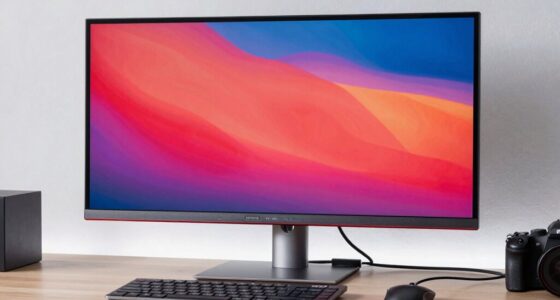

For creators searching for HDR monitors near 1000 nits, my best overall pick is the ASUS ProArt PA32UCR-K, which is aimed at color-focused desktop work, while the FEELWORLD FVM215 adds broadcast connections and the UPERFECT 16-inch portable model prioritizes bright, mobile use. The lineup spans dedicated studio displays, camera field monitors, and portable screens, so the advertised brightness figure alone does not make them interchangeable. A monitor’s HDR format support, color controls, connectivity, and screen size can matter as much as peak brightness. The main tradeoff is between a more capable fixed workstation display and a lighter screen that is easier to carry but may offer fewer creator-focused controls. Read on for the full breakdown and guidance on matching a screen to your workflow.

Get the latest gadgets delivered free — and shop member deals
- Fast, free delivery on millions of items
- Access to Prime Big Deal Days deals on October 6–7
- Prime Video, Amazon Music and more included
Complete the kit



Key Takeaways
- The ASUS ProArt PA32UCR-K is my overall choice for creators who need a desktop display positioned for HDR and color work; the FEELWORLD is a more specialized fit for broadcast monitoring.
- Only some listed models explicitly advertise 1000 nits or more. The UPERFECT and EVICIV portable models claim 1200 nits, while the FEELWORLD is identified as a 1000-nit broadcast monitor; confirm exact HDR performance and conditions before buying.
- The lineup mixes very different jobs. The Osee Lilmon 5 is a compact camera field monitor, not a substitute for a large editing display, and the PA32QCV is a 6K desktop monitor rather than a listed 1000-nit pick.
- Portable brightness comes with compromises. The 16-inch models are easier to move than the 32-inch ProArt, but buyers should check power needs, stand ergonomics, input options, and color-management features for their own setup.
- Resolution and workflow fit separate the premium options. The PA32QCV offers 6K and Thunderbolt 4 for detailed desktop work, while the PA32UCR-K is the more direct match for buyers whose priority is an HDR-oriented creator display.
| UPERFECT 16-Inch 4K Portable Monitor, 1200 Nits, 145% sRGB |  | Best Portable 4K for Bright Workspaces | Screen size: 16 inches | Resolution: 3840 × 2400 | Peak brightness: 1200 nits when connected to power | VIEW ON AMAZON | See Our Full Breakdown |
| FEELWORLD FVM215 21.5-Inch 1000-Nit Broadcast Monitor with 3G-SDI and 4K HDMI |  | Best for On-Set Monitoring | Screen size: 21.5 inches | Brightness: 1000 nits | Color depth: 8-bit | VIEW ON AMAZON | See Our Full Breakdown |
| Osee Lilmon 5 5.5-Inch Touchscreen Camera Field Monitor |  | Best Compact Field Monitor | Screen size: 5.5 inches | Brightness: 1000 nits | Display resolution: 1920 × 1080 | VIEW ON AMAZON | See Our Full Breakdown |
| ASUS ProArt PA32UCR-K 32-Inch 4K HDR USB-C Professional Monitor |  | Best for Color-Critical HDR Work | Screen size: 32 inches | Resolution: 3840 × 2160 | Backlight: Mini-LED | VIEW ON AMAZON | See Our Full Breakdown |
| EVICIV 16″ 4K Portable Monitor, 1200 Nits, 3840×2400 UHD, 145% sRGB |  | Best Simple USB-C Travel Pick | Screen size: 16 inches | Resolution: 3840 × 2400 | Brightness: 1200 nits | VIEW ON AMAZON | See Our Full Breakdown |
| ASUS ProArt PA32QCV 31.5-inch 6K Thunderbolt 4 Monitor |  | Best for 6K Studio Work | Screen size: 31.5 inches | Resolution: 6016 × 3384 (6K) | Panel type: IPS | VIEW ON AMAZON | See Our Full Breakdown |
| Yodoit 16-inch 4K UHD Portable Monitor |  | Best Portable Pick for Bright Workspaces | Screen size: 16 inches | Resolution: 3840 × 2400 | Aspect ratio: 16:10 | VIEW ON AMAZON | See Our Full Breakdown |
| Newsoul 16-Inch 4K Portable Monitor |  | Best Portable Pick for Mounting Flexibility | Screen size: 16 inches | Resolution: 3840 × 2400 | Peak brightness: 1,200 nits peak | VIEW ON AMAZON | See Our Full Breakdown |
| hdr monitors for creators 1000 nit | Screen size | Resolution | Color gamut | Connectivity |
|---|---|---|---|---|
| UPERFECT 16-Inch 4K Portable M | 16 inches | 3840 × 2400 | 145% sRGB | — |
| FEELWORLD FVM215 21.5-Inch 100 | 21.5 inches | — | — | — |
| Osee Lilmon 5 5.5-Inch Touchsc | 5.5 inches | — | — | HDMI input and output |
| ASUS ProArt PA32UCR-K 32-Inch | 32 inches | 3840 × 2160 | 99.5% Adobe RGB, 98% DCI-P3, 100% sRGB | USB-C, HDMI |
| EVICIV 16" 4K Portable Monitor | 16 inches | 3840 × 2400 | 145% sRGB | USB-C plug-and-play |
| ASUS ProArt PA32QCV 31.5-inch | 31.5 inches | 6016 × 3384 (6K) | 98% DCI-P3, 100% sRGB | Dual Thunderbolt 4, HDMI 2.1, DisplayPort 1.4, USB hub |
| Yodoit 16-inch 4K UHD Portable | 16 inches | 3840 × 2400 | — | USB-C, mini HDMI, 3.5 mm audio |
| Newsoul 16-Inch 4K Portable Mo | 16 inches | 3840 × 2400 | 145% sRGB | — |
More Details on Our Top Picks
UPERFECT 16-Inch 4K Portable Monitor, 1200 Nits, 145% sRGB
The UPERFECT 16-inch combines a 3840 × 2400 image with 1200-nit peak brightness, giving creators a portable workspace that stays more legible outdoors or beside bright windows than a conventional laptop screen. Its 145% sRGB coverage and 2000:1 contrast ratio make it the stronger fit here for reviewing vivid SDR imagery than the FEELWORLD FVM215, whose broadcast tools matter more than its 8-bit panel’s color range. The tradeoff is power: the full brightness figure applies when connected to power, so it is less compelling as a battery-only travel display. The aluminum body, cover, and VESA points help it work on a desk or in a mobile setup, but the supplied data does not identify ports or included cables.
Pros:- 3840 × 2400 resolution gives a detailed workspace in a compact 16-inch format
- 1200-nit peak brightness can improve visibility in bright surroundings when powered
- 145% sRGB gamut and 2000:1 contrast suit vivid image review
- Aluminum body, protective cover, and 75 × 75 mm VESA mounting support desk and travel use
Cons:- Peak brightness requires a power connection
- Ports and included cables are not specified in the supplied product data
Best for: Photographers and designers who need a sharp, high-brightness second screen for travel or bright locations and can power it during color review.
Not ideal for: Creators who need a self-contained camera monitor with exposure scopes, or who rely on an all-day battery-powered setup.
- Screen size:16 inches
- Resolution:3840 × 2400
- Peak brightness:1200 nits when connected to power
- Color gamut:145% sRGB
- Contrast ratio:2000:1
- Screen coating:Anti-reflective
- Weight:1.8 lbs
- VESA mounting:75 × 75 mm, M4
Our verdict“Choose the UPERFECT if you want a sharp portable creator display and can supply power for its brightest mode.”
FEELWORLD FVM215 21.5-Inch 1000-Nit Broadcast Monitor with 3G-SDI and 4K HDMI
The FEELWORLD FVM215 earns its place through production tools rather than fine-art desktop color work: its 21.5-inch, 1000-nit display pairs with waveform, vectorscope, RGB parade, false color, and focus assist to help a crew judge exposure and focus under bright set lighting. HDMI and 3G-SDI offer more direct camera integration than the USB-C-focused EVICIV portable, while included cables and a V-mount battery plate make the package more ready for field use. Its limits are clear for creators choosing a grading display: the panel is 8-bit, and the 1000:1 contrast ratio is modest beside the UPERFECT’s listed 2000:1. This is the functional pick for monitoring a shoot, not the most convincing option for detailed color finishing.
Pros:- 1000-nit display is suited to bright production environments
- HDMI and 3G-SDI accommodate multiple camera and video sources
- Waveform, false color, vectorscope, RGB parade, and focus assist support on-set decisions
- Includes cables, power adapter, and V-mount battery plate
Cons:- 8-bit color depth is a constraint for demanding grading work
- 1000:1 contrast is lower than the UPERFECT portable’s listed 2000:1
- A 21.5-inch broadcast monitor is less convenient to carry than the Osee Lilmon 5
Best for: Video crews and solo camera operators who need a bright on-set client or focus monitor with exposure scopes and SDI connectivity.
Not ideal for: Colorists seeking a high-resolution desktop grading panel or creators prioritizing wide color gamut and deeper contrast.
- Screen size:21.5 inches
- Brightness:1000 nits
- Color depth:8-bit
- Contrast ratio:1000:1
- Inputs:HDMI, 3G-SDI
- Monitoring tools:Focus assist, false color, waveform, RGB parade, vectorscope, 3D LUT loading
- Calibration:Factory color calibration with CALMAN software
- Included accessories:SDI cable, Micro HDMI cable, HDMI cable, 5A power adapter, V-mount battery plate, manual
Our verdict“Pick the FEELWORLD for bright, tool-rich camera monitoring when SDI support matters more than desktop grading precision.”
Osee Lilmon 5 5.5-Inch Touchscreen Camera Field Monitor
For a camera operator who needs exposure and focus information at arm’s length, the Osee Lilmon 5 is the most portable specialist in this group. Its 1000-nit matte touchscreen, HDR/LOG mapping, 3D LUT support, and waveform tools make it more useful beside a camera than the larger FEELWORLD FVM215 when a compact rig matters. The Osee also specifies 10-bit color and 22-bit internal processing, while the FEELWORLD is listed as 8-bit. That does not make this a desktop grading substitute: its 5.5-inch 1920 × 1080 display is far smaller and lower resolution than the 16-inch UPERFECT. Battery choices add flexibility, though V/AB-mount operation requires an optional cable, and the supplied specs list both display and native resolutions, which may need clarification before purchase.
Pros:- 1000-nit matte screen supports outdoor camera monitoring
- HDR/LOG mapping, 3D LUTs, waveform, and focus tools aid exposure decisions
- 10-bit color with 22-bit internal processing exceeds the FEELWORLD’s listed 8-bit depth
- Lightweight body with reinforced mounting points suits compact rigs
Cons:- The 5.5-inch, 1920 × 1080 display is too small for desktop image finishing
- V/AB battery operation requires an optional DC-to-D-tap cable
- Product data lists 1920 × 1080 display resolution and 3840 × 2160 native resolution
Best for: Camera operators and independent filmmakers who want a lightweight, bright monitor with LUT and exposure tools mounted directly on a camera rig.
Not ideal for: Editors and colorists who need a large, high-resolution desktop canvas or buyers who want V/AB battery power without sourcing an extra cable.
- Screen size:5.5 inches
- Brightness:1000 nits
- Display resolution:1920 × 1080
- Native resolution listed:3840 × 2160
- Color processing:10-bit color, 22-bit internal processing
- Connectivity:HDMI input and output
- Weight:0.49 kg
- Power options:Sony NPF battery or V/AB mount battery with optional DC-to-D-tap cable
Our verdict“Choose the Lilmon 5 for bright, tool-rich monitoring on a camera rig, not as your main creator display.”
ASUS ProArt PA32UCR-K 32-Inch 4K HDR USB-C Professional Monitor
The ASUS ProArt PA32UCR-K is the most complete desktop choice here for creators who need a large 4K canvas, broad color coverage, and a specified 1000 cd/m² HDR peak. Its mini-LED backlight and support for HDR10, HLG, and VESA DisplayHDR 1000 place it closer to a dedicated finishing display than the portable UPERFECT and EVICIV models. Color specs are also unusually explicit: 99.5% Adobe RGB, 98% DCI-P3, 100% sRGB, and Delta-E below 1, with hardware calibration support and a calibrator included. That precision comes with a substantial footprint and a 60 Hz refresh rate; this is less suited to travel or high-frame-rate work than the smaller options. Choose it for a calibrated studio desk, not for a lightweight camera kit.
Pros:- Mini-LED backlight and 1000 cd/m² peak support HDR-focused desktop work
- Covers 99.5% Adobe RGB, 98% DCI-P3, and 100% sRGB
- Delta-E below 1 and hardware calibration support target color-critical workflows
- USB-C and HDMI support laptop and desktop connections
Cons:- At 27.1 pounds, it is substantially less portable than the 16-inch monitors
- 60 Hz refresh rate is a limitation for high-frame-rate gaming and motion work
- Its studio calibration features may be unnecessary for casual or general-purpose use
Best for: Photographers, video editors, and color-focused creators who want a calibrated 32-inch 4K HDR desktop display for studio work.
Not ideal for: Mobile creators, gamers seeking high refresh rates, or casual users who do not need wide-gamut coverage and hardware calibration.
- Screen size:32 inches
- Resolution:3840 × 2160
- Backlight:Mini-LED
- Peak brightness:1,000 cd/m²
- HDR support:HDR10, HLG, VESA DisplayHDR 1000
- Color gamut:99.5% Adobe RGB, 98% DCI-P3, 100% sRGB
- Color accuracy:Delta-E < 1
- Refresh rate:60 Hz
- Connectivity:USB-C, HDMI
Our verdict“Choose the ASUS for calibrated, wide-gamut HDR work at a permanent desk where screen size matters more than portability.”
EVICIV 16″ 4K Portable Monitor, 1200 Nits, 3840×2400 UHD, 145% sRGB
The EVICIV 16-inch shares the roundup’s standout portable numbers: 3840 × 2400 resolution, 1200-nit brightness, and 145% sRGB coverage. Its matte anti-glare surface and aluminum body are a straightforward match for creators working outside or in changing light, while USB-C plug-and-play makes setup sound simpler than the UPERFECT, whose supplied data does not specify ports or cables. The tradeoff is thinner documentation: the listing does not give a contrast ratio or clarify whether the 1200-nit figure depends on external power, so color and power expectations are harder to judge. Its high brightness and 4K panel may also draw heavily from a laptop over USB-C. Compared with the calibrated ASUS ProArt, this is a mobile companion screen, not a studio reference display.
Pros:- 3840 × 2400 resolution offers a detailed image on a 16-inch screen
- 1200-nit brightness and matte anti-glare finish suit bright surroundings
- 145% sRGB coverage is specified for vivid color work
- Aluminum body, VESA mounting, and USB-C plug-and-play support mobile setups
Cons:- The supplied data does not specify a contrast ratio
- The brightness specification does not clarify power requirements
- A bright 4K panel may draw significant power from a laptop over USB-C
Best for: Traveling designers and editors who want a bright, high-resolution second screen with a stated USB-C connection and matte finish.
Not ideal for: Colorists who require documented contrast and calibration performance, or laptop users who need to conserve battery during long sessions.
- Screen size:16 inches
- Resolution:3840 × 2400
- Brightness:1200 nits
- Color gamut:145% sRGB
- Screen finish:Matte anti-glare
- Body material:Aluminum
- Connectivity:USB-C plug-and-play
- VESA mounting:75 × 75 mm
Our verdict“Pick the EVICIV for a bright USB-C travel screen when portability matters more than calibration detail or laptop battery life.”
ASUS ProArt PA32QCV 31.5-inch 6K Thunderbolt 4 Monitor
The ASUS ProArt PA32QCV earns its place for creators who need fine image detail and dependable color across a large desktop workspace. Its 6016 × 3384 resolution, 98% DCI-P3 coverage, and factory-calibrated Delta E < 2 accuracy suit photo editing, design, and high-resolution timelines. Compared with the ASUS ProArt PA32UCR-K, this model gives you more pixels and Thunderbolt 4 with up to 96W charging, while the supplied data does not establish a 1000-nit HDR rating for either model. That distinction matters: this is a color-work and resolution pick, not a proven high-brightness HDR choice. The KVM and ergonomic stand help in a multi-device studio, but the large 6K workload needs compatible hardware, and its size and professional feature set may be excessive for casual editing.
Pros:- 6016 × 3384 resolution provides ample workspace and detail for large creative projects.
- 98% DCI-P3 coverage and factory-calibrated Delta E < 2 accuracy support color-sensitive work.
- Thunderbolt 4 supports up to 96W power delivery and daisy-chaining.
- Built-in KVM and an adjustable stand support multi-device studio setups.
Cons:- The supplied product data does not specify peak brightness or confirm 1000-nit HDR performance.
- Driving a 6K display smoothly requires compatible computer hardware and software.
- Its 31.5-inch size and professional workflow features may be more than casual users need.
Best for: Photo editors and designers who want a large, high-resolution desktop display with wide-gamut, factory-calibrated color and Thunderbolt laptop charging.
Not ideal for: Creators whose priority is verified 1000-nit HDR mastering, or casual users with limited desk space and no need for a 6K workflow.
- Screen size:31.5 inches
- Resolution:6016 × 3384 (6K)
- Panel type:IPS
- Color gamut:98% DCI-P3, 100% sRGB
- Color accuracy:Delta E < 2
- Connectivity:Dual Thunderbolt 4, HDMI 2.1, DisplayPort 1.4, USB hub
- Power delivery:Up to 96W via Thunderbolt 4
- Adjustability:Tilt, swivel, pivot, height adjustment
- Warranty:5 years
Our verdict“Choose this for calibrated 6K studio work and Thunderbolt convenience, but pick a monitor with a verified brightness rating if 1000-nit HDR is your main requirement.”
Yodoit 16-inch 4K UHD Portable Monitor
The Yodoit 16-inch makes the most sense for creators who need a compact second screen and value its claimed 1,200-nit peak brightness for working in brighter surroundings. Its 16:10, 3840 × 2400 matte IPS panel gives more vertical room than a standard 16:9 portable display, useful for timelines, palettes, and document-heavy tasks. Against the similarly sized Newsoul 16-Inch 4K Portable Monitor, Yodoit lists USB-C, mini HDMI, and a magnetic folio, while Newsoul adds stated 145% sRGB coverage, an aluminum shell, and VESA mounting. Neither listed spec set establishes color accuracy for critical grading, and the Yodoit brightness is described as claimed rather than independently substantiated. Power can be a constraint: full brightness may require a separate supply, and mini HDMI use needs separate USB-C power.
Pros:- 3840 × 2400 resolution on a 16:10 screen provides sharp detail and extra vertical workspace.
- Matte finish and claimed 1,200-nit peak brightness target brighter viewing conditions.
- USB-C and mini HDMI accommodate a range of laptops and other devices.
- Magnetic folio cover doubles as an adjustable stand and protects the display.
Cons:- The 1,200-nit figure is claimed in the description, and the supplied data does not establish HDR certification or color accuracy.
- Full brightness over USB-C may require separate power.
- Mini HDMI requires a separate USB-C power connection.
Best for: Traveling editors who want a sharp 16-inch 16:10 companion display, matte finish, and a stated high-brightness mode for brighter work areas.
Not ideal for: Colorists who need verified gamut accuracy or creators who require a confirmed 1000-nit HDR reference display.
- Screen size:16 inches
- Resolution:3840 × 2400
- Aspect ratio:16:10
- Panel and finish:IPS LCD, matte
- Peak brightness:1,200 nits claimed in description
- Contrast ratio:2000:1
- Refresh rate:60 Hz
- Connectivity:USB-C, mini HDMI, 3.5 mm audio
- Weight:2.2 lbs
Our verdict“Pick the Yodoit for portable, high-resolution extra-screen work in bright settings, while treating its peak-brightness claim as unverified for HDR mastering.”
Newsoul 16-Inch 4K Portable Monitor
The Newsoul 16-Inch 4K Portable Monitor suits creators who want a bright, portable screen that can move between a laptop bag and a fixed mounting setup. Its claimed 1,200-nit peak brightness and matte 3840 × 2400 IPS panel are aimed at visibility and fine detail, while the stated 145% sRGB gamut points toward vivid general-purpose color. Compared with the Yodoit 16-inch, Newsoul specifies an aluminum-alloy shell and VESA mounting, making it the more flexible choice for a desk or rig; Yodoit lists a 16:10 ratio, 178-degree viewing angle, and folio cover. Brightness needs connected power, and the supplied data does not clarify sustained performance, calibration, or HDR certification. That leaves this better suited to portable preview and editing than to work requiring a verified HDR mastering reference.
Pros:- 3840 × 2400 resolution delivers fine detail on a portable 16-inch screen.
- Claimed 1,200-nit peak brightness and matte finish target use in bright environments.
- Two USB-C ports and mini HDMI support several device types.
- Aluminum-alloy construction, protective stand case, and VESA mounting add setup flexibility.
Cons:- Peak brightness requires a white background and connected power, according to the supplied data.
- The supplied specs do not establish HDR certification or color accuracy for critical grading.
- Optimal use may require an external power connection.
Best for: Mobile creators who want a high-resolution portable display that can also attach to a VESA arm or rig.
Not ideal for: HDR mastering professionals who need independently specified brightness behavior, calibration, and HDR certification.
- Screen size:16 inches
- Resolution:3840 × 2400
- Peak brightness:1,200 nits peak
- Contrast ratio:2000:1
- Color gamut:145% sRGB
- Panel and finish:IPS matte
- Ports:2 × USB-C, 1 × mini HDMI
- Mounting:VESA mountable
- Shell material:Aluminum alloy
Our verdict“Choose Newsoul if you want a bright portable 4K screen with VESA mounting flexibility, but not as a verified HDR mastering monitor.”

How We Picked
I ranked these screens by how well their stated features fit creator workflows that need bright HDR viewing: advertised luminance, display size and resolution, color-related specifications, and connections for cameras or computers. I also weighed practical use: whether a model reads as a workstation display, a broadcast monitor, or a portable accessory. Those roles matter because a camera operator needs different controls and inputs from an editor grading footage at a desk.
The ASUS ProArt PA32UCR-K leads as the most direct desktop creator match in this lineup. The FEELWORLD follows for broadcast setups that benefit from SDI and HDMI, while the UPERFECT offers a portable option with a stated 1200-nit rating. The EVICIV shares that portability and headline brightness, but its fit depends on the specific ports, stand, and color workflow a buyer needs. The remaining models are included for distinct needs—6K desktop resolution, compact camera monitoring, or a portable second screen—though their supplied descriptions do not establish a 1000-nit rating. Buyers should verify full panel and HDR specifications before treating any listing as suitable for color-critical mastering.
| hdr monitors for creators 1000 nit | Connectivity |
|---|---|
| UPERFECT 16-Inch 4K Portable M | — |
| FEELWORLD FVM215 21.5-Inch 100 | — |
| Osee Lilmon 5 5.5-Inch Touchsc | HDMI input and output |
| ASUS ProArt PA32UCR-K 32-Inch | USB-C, HDMI |
| EVICIV 16" 4K Portable Monitor | USB-C plug-and-play |
| ASUS ProArt PA32QCV 31.5-inch | Dual Thunderbolt 4, HDMI 2.1, DisplayPort 1.4, USB hub |
| Yodoit 16-inch 4K UHD Portable | USB-C, mini HDMI, 3.5 mm audio |
| Newsoul 16-Inch 4K Portable Mo | — |
Factors to Consider When Choosing Hdr Monitors For Creators 1000 Nits
Choosing a bright screen starts with the work it must support. I would match the monitor to the viewing environment and signal chain first, then check whether its HDR and color capabilities suit the intended deliverable.
Treat the 1000-Nit Figure as a Starting Point
A peak-brightness claim does not describe how long a screen can sustain that output or how much of the panel can reach it at once. Ask whether the figure refers to a small highlight window, a short burst, or a sustained full-screen level. HDR results also depend on black level, local dimming, tone mapping, and the display’s supported signal formats. A bright panel with weak contrast can make highlights visible without giving the image convincing depth. For color-critical delivery, look for independent measurements and calibration information rather than relying on a headline number. If that evidence is unavailable, treat the monitor as a bright preview display until you can verify its behavior.
Match HDR Support to Your Delivery Format
Before buying, check the HDR formats and input signal limits supported by both the monitor and your editing device. A display can be bright yet fail to accept the bit depth, refresh rate, or chroma format required by a particular workflow. Confirm which HDR standards your camera, graphics hardware, and editing software use, then trace that signal through any docks or adapters. Some portable monitors are designed mainly as convenient external screens, so their format support and calibration tools may be limited. Do not assume that a screen described as HDR will reproduce every HDR master accurately. If your work ships in several formats, prioritize a display with controls and documentation that make those outputs easier to check.
Prioritize Color Accuracy for the Work You Deliver
Wide-gamut figures such as a large sRGB percentage do not, on their own, tell you how accurately a monitor displays color. Check which color spaces are covered, whether the manufacturer describes factory calibration, and whether the display accepts hardware calibration. Web creators may care most about dependable sRGB; video teams may need coverage and controls for other delivery spaces. A saturated image can look appealing while still being inaccurate, especially if the monitor uses vivid default settings. Plan to calibrate the display and keep room lighting steady when making color decisions. If the product information does not explain color accuracy, avoid relying on it as the final reference for a paid grade.
Choose Connections for the Whole Signal Chain
List the outputs from your computer, camera, and any capture or monitoring hardware before choosing a display. HDMI and USB-C are common on creator setups, while SDI can simplify a broadcast chain that already uses professional video equipment. A connector label alone is not enough: confirm its supported resolution, refresh rate, bit depth, and whether USB-C also carries power. Adapters can add cost and can restrict the signal even when the monitor itself supports the desired mode. For portable screens, check whether one cable can handle both video and power or whether a separate power supply is needed. A monitor with the right ports can reduce setup friction, but mismatched signal limits can prevent HDR from working as expected.
Decide Whether Portability Is Worth the Ergonomic Tradeoff
A portable 16-inch display suits location work or a temporary second-screen setup, but it gives less room for timelines, scopes, and large image previews than a desktop panel. Check the stand’s height and angle, screen reflections, and how easily it stays positioned during a long session. Also confirm power requirements and the brightness available when running from a laptop rather than a wall adapter. Camera field monitors are smaller still and are built for framing and exposure checks, not extended desktop editing. For a permanent workstation, a larger adjustable display can be more comfortable even if it is harder to move. Choose a portable model when frequent transport changes the work, not just because its specification sheet looks versatile.
Pay More for Capabilities You Will Use
A premium desktop monitor can make sense when color controls, a high-resolution workspace, and robust computer connectivity support daily work. A 6K panel may help with detailed imagery and desktop space, but that resolution does not prove HDR brightness or color accuracy. Conversely, paying for broadcast connections brings little benefit if every source in your setup uses USB-C or HDMI. Beginners can start by identifying the deliverable, the screen size they can work comfortably on, and the calibration tools they can maintain. Avoid choosing by brightness alone when the display will serve as a grading reference. Spend on the capability that removes a real constraint in your workflow, then verify the remaining specifications against your source devices.
Frequently Asked Questions
Does a monitor advertised at 1000 nits guarantee accurate HDR grading?
No. The brightness figure describes light output, not the full quality of HDR reproduction. Contrast, highlight behavior, tone mapping, supported formats, and color accuracy all affect what you see. Check whether the monitor can sustain its claimed brightness and whether independent tests or calibration data are available. Without that evidence, treat the display as a preview tool rather than a mastering reference.
Which of these options makes the most sense for a broadcast camera setup?
The FEELWORLD FVM215 is the clearest fit in this list for a broadcast chain because its description includes 3G-SDI and 4K HDMI alongside a 1000-nit claim. Those connections can suit workflows where SDI is already standard. Check that its supported input formats match your camera and that its monitoring tools meet your on-set needs. If your main work is editing at a desk, a ProArt display is a more natural role match.
Are the 1200-nit portable monitors suitable as my main editing display?
They may work for mobile editing, but a brightness claim alone does not establish the color accuracy or HDR controls needed for final grading. The UPERFECT and EVICIV are both described as 16-inch 4K portable models with 1200-nit claims, which favors travel over a roomy workstation. Check their calibration options, input limits, stand ergonomics, and power requirements before making one your only screen. For long sessions or color-critical desktop work, a larger creator display may be easier to manage.
Should I choose the ASUS PA32QCV over the PA32UCR-K for HDR work?
Choose based on the feature you need most. The PA32QCV’s stated distinction is its 6K resolution and Thunderbolt 4 connectivity, which can support a detailed desktop setup. The PA32UCR-K is the more direct match in this lineup for a buyer seeking a creator display framed around HDR. The information provided here does not establish a 1000-nit rating for the PA32QCV, so verify its full HDR specifications before choosing it for brightness-led work. Resolution and connection speed do not replace HDR performance data.
Can I use the Osee Lilmon 5 instead of a full-size HDR monitor?
The Lilmon 5 is a 5.5-inch touchscreen camera field monitor, so its strongest use is viewing a camera feed while shooting. Its size makes it easier to mount and carry, but too small for comfortable timeline work or detailed color review. The supplied description does not state a 1000-nit brightness rating, so check the exact model specifications if bright outdoor viewing is your priority. For editing and grading, pair a field monitor with a larger desk display rather than treating it as a replacement.
Conclusion
For an all-around desktop creator pick, I would start with the ASUS ProArt PA32UCR-K, while checking its exact HDR performance against the needs of your deliverables. The FEELWORLD FVM215 is my choice for broadcast users who need SDI and HDMI in a bright monitoring display; the UPERFECT 16-inch portable monitor is the more convenient fit for mobile work among the listed screens that claim 1200 nits. Buyers seeking a premium 6K workspace can look at the ASUS ProArt PA32QCV, but should verify its HDR brightness before buying it for a 1000-nit target. For beginners, I would favor a monitor whose color controls and calibration path are clearly documented over one selected by a brightness claim alone. Choose the Osee Lilmon 5 for compact camera-side monitoring, and consider the EVICIV or other portable models when transport matters more than desktop size and creator controls.
Fall Picks
fall essentials
As an affiliate, we earn on qualifying purchases.