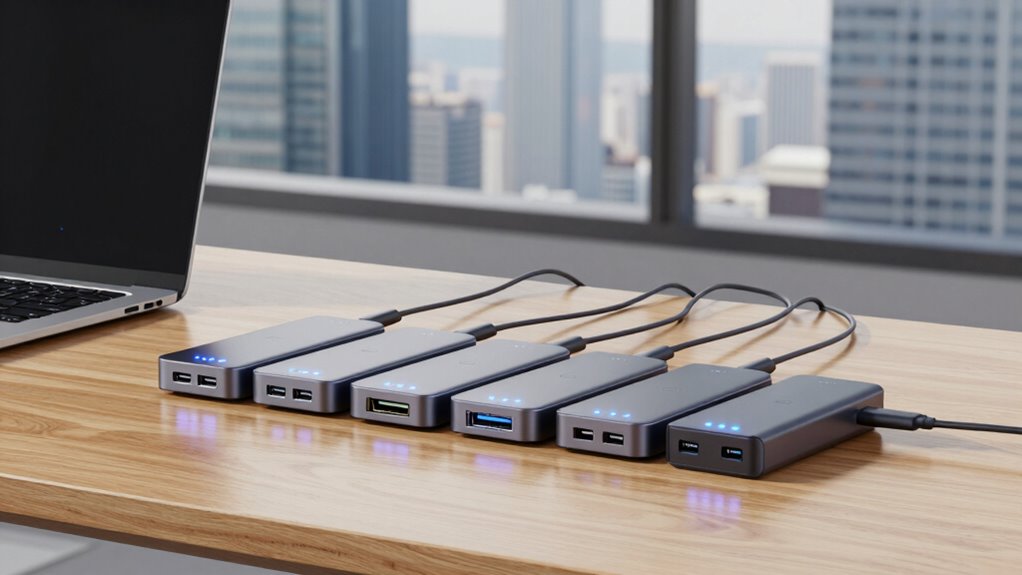
For a MacBook Pro desk setup, I’d start with the Plugable 16-in-1 Thunderbolt 4 Dock as the best overall choice for its combination of dual 4K display support, 100W charging, and broad connectivity. The Anker Prime 14-in-1 Thunderbolt 5 Dock is the premium pick for people who want newer bandwidth, while the iVANKY FusionDock 1 offers a MacBook-focused alternative with a different port mix. The main tradeoff is whether you need more connections and display flexibility or a simpler dock that fits your Mac and monitors. MacBook chip and model compatibility matter, since display support can vary even when a dock lists dual monitors. Read on for how all seven options compare and which setup each suits best.

Get the latest gadgets delivered free with Prime
- Fast, free delivery on millions of items
- Prime Video, Amazon Music and more included
- Member-only deals all year
Complete the kit



Key Takeaways
- The Plugable 16-in-1 Thunderbolt 4 Dock leads this comparison by pairing dual 4K monitor support with 100W charging and a broad port selection.
- The Anker Prime Thunderbolt 5 Dock is the forward-looking pick, but its newer standard is most useful when the MacBook and connected devices can take advantage of it.
- The two Anker 14-in-1 docks serve different needs: one is identified as Thunderbolt 5, while the other is listed as a laptop dock with dual monitor support, so buyers should verify exact model specifications.
- TobenONE’s 18-in-2 count suggests a connection-heavy setup, though port count alone does not establish display compatibility, charging capacity, or Thunderbolt performance.
- Three Plugable Thunderbolt 4 options make compatibility checks especially important; compare their exact port layouts and MacBook support rather than assuming the similarly named docks are interchangeable.
| TobenONE 18-in-2 Docking Station with Dual 4K Monitor Support for MacBook |  | Best for Port Variety | Ports: 2 HDMI, 1 USB-C video, 7 USB-C/A, Ethernet, SD/TF 4.0, 3.5mm audio | Display support: Dual 4K at 60Hz on compatible MacBooks | MacBook charging: Up to 100W | VIEW ON AMAZON | See Our Full Breakdown |
| Plugable 16-in-1 Thunderbolt 4 Dock with Dual 4K Monitor Support and 100W Charging |  | Best Overall for Broad Compatibility | Ports: 16 total, including 7 USB ports | Display support: Dual 4K at 60Hz via HDMI or DisplayPort | Power delivery: Up to 100W | VIEW ON AMAZON | See Our Full Breakdown |
| Anker Prime 14-in-1 Thunderbolt 5 Docking Station |  | Best for Thunderbolt 5 | Ports: Thunderbolt 5 upstream, 2 Thunderbolt 5 downstream, 2 USB-C, 3 USB-A, SD/TF, Ethernet, audio | Display output: HDMI 2.1 or DisplayPort 2.1 | Maximum stated resolution: Up to 8K at 60Hz | VIEW ON AMAZON | See Our Full Breakdown |
| Anker Prime 14-in-1 Laptop Docking Station, Dual Monitor |  | Best for Multi-Device Charging | Total ports: 14-in-1 | Data ports: 11 | Total power output: 160W | VIEW ON AMAZON | See Our Full Breakdown |
| iVANKY FusionDock 1 12-in-2 Docking Station for MacBook Pro |  | Best for High-Refresh Displays | Connection format: 12-in-2 | Display support: Up to dual 4K at 120Hz on compatible MacBooks | Laptop charging: Up to 96W | VIEW ON AMAZON | See Our Full Breakdown |
| Plugable Thunderbolt 4 Dock with 100W Charging and Dual Monitor Support |  | Best for Flexible Display Setups | Thunderbolt speed: 40Gbps | Host power delivery: Up to 100W (96W certified) | Display support: Dual 4K at 60Hz via HDMI or single 8K on compatible systems | VIEW ON AMAZON | See Our Full Breakdown |
| Plugable Thunderbolt 4 Dock for M4/M5 MacBook Air & Pro |  | Best for Newer MacBooks | Hardware interface: Thunderbolt 4 | Total ports: 13 | USB ports: 1× Thunderbolt 4 downstream (40Gbps), 1× USB-C, 4× USB-A | VIEW ON AMAZON | See Our Full Breakdown |
| thunderbolt docking stations for macbook pro | Display support | Ethernet |
|---|---|---|
| TobenONE 18-in-2 Docking Stati | Dual 4K at 60Hz on compatible MacBooks | 2.5Gbps |
| Plugable 16-in-1 Thunderbolt 4 | Dual 4K at 60Hz via HDMI or DisplayPort | 2.5Gbps |
| Anker Prime 14-in-1 Thunderbol | — | 2.5Gbps |
| Anker Prime 14-in-1 Laptop Doc | — | — |
| iVANKY FusionDock 1 12-in-2 Do | Up to dual 4K at 120Hz on compatible MacBooks | Gigabit, up to 1000Mb/s |
| Plugable Thunderbolt 4 Dock wi | Dual 4K at 60Hz via HDMI or single 8K on compatible systems | — |
| Plugable Thunderbolt 4 Dock fo | 2× 4K at 60Hz | — |
More Details on Our Top Picks
TobenONE 18-in-2 Docking Station with Dual 4K Monitor Support for MacBook
The TobenONE 18-in-2 suits a MacBook Pro desk where one connection needs to handle displays, wired networking, cards, audio, and several accessories. Its 2.5Gbps Ethernet and SD 4.0 reader give it an edge for large file transfers over docks with Gigabit networking or slower card readers. It can run dual 4K displays at 60Hz on supported MacBooks and charge the laptop at up to 100W, with two additional 30W USB-C charging ports. The compatibility limits matter: M1, M2, and M3 Macs support only one extended display, and the included dual USB-C cable occupies two Thunderbolt ports. Compared with the Plugable 16-in-1 Thunderbolt 4 Dock, TobenONE offers more listed connections but works with a narrower set of computers, excluding Windows laptops and desktop Macs.
Pros:- Dual 4K at 60Hz support on compatible MacBooks
- 2.5Gbps Ethernet and SD 4.0 card reader
- Up to 100W MacBook charging plus two 30W USB-C charging ports
- Combines video, USB, card, Ethernet, and audio connections
Cons:- M1, M2, and M3 Macs support only one extended display
- Included dual USB-C cable uses two Thunderbolt ports
- Incompatible with Windows laptops and desktop Macs
Best for: MacBook Pro owners with a supported chip who need fast Ethernet, a high speed card reader, and many desk connections
Not ideal for: People using Windows laptops, desktop Macs, or M1, M2, or M3 MacBooks who need two extended displays
- Ports:2 HDMI, 1 USB-C video, 7 USB-C/A, Ethernet, SD/TF 4.0, 3.5mm audio
- Display support:Dual 4K at 60Hz on compatible MacBooks
- MacBook charging:Up to 100W
- Additional USB-C charging:Two ports at 30W each
- Ethernet:2.5Gbps
- Card reader speed:Up to 312MB/s
- Power adapter:150W
- Compatibility:Specified Intel, M1 Pro/Max, M2 Pro/Max, M3 Pro/Max, M4, M4 Pro/Max, M5, and M5 Pro/Max MacBooks
Our verdict“Choose TobenONE if your compatible MacBook Pro needs broad connectivity and fast card and network transfers in one dock.”
Plugable 16-in-1 Thunderbolt 4 Dock with Dual 4K Monitor Support and 100W Charging
The Plugable 16-in-1 Thunderbolt 4 Dock is the most flexible everyday pick here for a MacBook Pro owner who also uses other laptop platforms. It supports dual 4K displays at 60Hz without drivers and works across Thunderbolt 5, Thunderbolt 4, USB4, and USB-C systems, giving it wider compatibility than the Mac-focused TobenONE 18-in-2. Seven USB ports, 2.5Gbps Ethernet, card slots, audio, and 100W charging cover a typical workstation without requiring separate adapters. The included 40Gbps Thunderbolt 4 cable is ready for a full-speed Thunderbolt connection. Its tradeoff is that some features depend on a Thunderbolt 4 connection, so a basic USB-C host may not deliver the same experience. MacBook owners chasing newer Thunderbolt 5 bandwidth or 140W charging should look instead at the Anker Prime 14-in-1 Thunderbolt 5 Dock.
Pros:- Dual 4K at 60Hz with no drivers required
- Compatible with Thunderbolt 5/4, USB4, and USB-C laptops
- Seven USB ports plus 2.5Gbps Ethernet, card slots, and audio
- Includes a 40Gbps Thunderbolt 4 cable
Cons:- Full feature set depends on a Thunderbolt 4 connection
- Upstream charging is limited to 100W
- Does not offer Thunderbolt 5 downstream ports
Best for: MacBook Pro users who want dual 4K displays and a versatile dock that can also serve Thunderbolt, USB4, and USB-C laptops
Not ideal for: Buyers seeking Thunderbolt 5 bandwidth or charging above 100W from the dock
- Ports:16 total, including 7 USB ports
- Display support:Dual 4K at 60Hz via HDMI or DisplayPort
- Power delivery:Up to 100W
- Ethernet:2.5Gbps
- Card slots:SD and microSD
- Host compatibility:Thunderbolt 5, Thunderbolt 4, USB4, and USB-C
- Operating systems:macOS 11+ and Windows 10+
- Included cable:Thunderbolt 4, 40Gbps, 1m
Our verdict“Pick Plugable for a well-rounded MacBook Pro workstation dock that remains useful across a mix of laptop platforms.”
Anker Prime 14-in-1 Thunderbolt 5 Docking Station
For a MacBook Pro setup built around newer, high bandwidth peripherals, the Anker Prime 14-in-1 Thunderbolt 5 Dock is the forward-looking option in this group. Its Thunderbolt 5 downstream ports make it a better match for fast external storage and newer accessories than the Plugable 16-in-1 Thunderbolt 4 Dock, while up to 140W upstream charging offers more headroom than the 100W Plugable. The HDMI 2.1 or DisplayPort 2.1 connection supports up to 8K at 60Hz, which may suit a single high resolution display. That headline resolution does not mean every MacBook setup gets dual 8K: the listed dual 8K at 60Hz support applies to Thunderbolt 5 Windows laptops. Front USB-C power is also shared at 45W. Active cooling helps manage heat, though it adds a powered, actively cooled element to a desk dock.
Pros:- Thunderbolt 5 upstream and two downstream ports
- Up to 140W upstream charging
- HDMI 2.1 or DisplayPort 2.1 with up to 8K at 60Hz support
- Active cooling system
Cons:- Dual 8K at 60Hz support is specified for Thunderbolt 5 Windows laptops
- Front USB-C ports share 45W
- Newer Thunderbolt 5 features are unnecessary for many basic desk setups
Best for: MacBook Pro owners building around Thunderbolt 5 storage or accessories who want a high resolution display connection and up to 140W charging
Not ideal for: Buyers who need guaranteed dual 8K display support from a MacBook or prefer a dock without active cooling
- Ports:Thunderbolt 5 upstream, 2 Thunderbolt 5 downstream, 2 USB-C, 3 USB-A, SD/TF, Ethernet, audio
- Display output:HDMI 2.1 or DisplayPort 2.1
- Maximum stated resolution:Up to 8K at 60Hz
- Upstream charging:Up to 140W, PD 3.1
- Front USB-C power:45W shared
- Ethernet:2.5Gbps
- Cooling:Active cooling system
- Included cables:3.3ft Thunderbolt 5 cable and 6ft AC power cable
Our verdict“Choose the Anker Prime Thunderbolt 5 dock when high bandwidth peripherals and 140W charging matter more than a simple dual 4K setup.”
Anker Prime 14-in-1 Laptop Docking Station, Dual Monitor
The Anker Prime 14-in-1 Laptop Docking Station offers plentiful charging and data connections, but its display behavior makes it a poor fit for many MacBook Pro desks. It supplies 160W total output, with three USB-C ports rated up to 100W each, which can help charge several devices from one station. Its dual HDMI outputs support up to 2K at 60Hz with a DP 1.4 laptop, and 11 data ports add room for accessories. The key limitation is that macOS mirrors external displays, so this dock does not provide the extended dual-screen workspace MacBook buyers often want. That puts it behind the Plugable 16-in-1 Thunderbolt 4 Dock for Mac-focused display use. It makes more sense if charging multiple devices is the priority and mirrored screens are acceptable.
Pros:- 160W total output for charging multiple devices
- Three USB-C ports rated up to 100W each
- Eleven data ports with transfer speeds up to 10Gbps
- Dual HDMI outputs for compatible Windows and ChromeOS laptops
Cons:- macOS external displays are mirrored
- Dual display output is limited to 2K at 60Hz with DP 1.4 hosts
- Not compatible with Linux
Best for: MacBook Pro owners who mainly want a charging hub for several devices and can work with mirrored external displays
Not ideal for: Mac users who need two independent extended monitors or Linux laptop owners
- Total ports:14-in-1
- Data ports:11
- Total power output:160W
- USB-C charging:3 ports, up to 100W each
- USB-A charging:1 port, up to 12W
- Data transfer:Up to 10Gbps
- Dual display support:Up to 2K at 60Hz with DP 1.4 laptop; up to 1080p at 60Hz with DP 1.2 laptop
- Compatibility:USB-C, USB4, or Thunderbolt laptops with DP Alt Mode and Power Delivery; Windows 10/11 and ChromeOS
Our verdict“Consider this Anker if charging several devices matters more than independent external displays on your MacBook Pro.”
iVANKY FusionDock 1 12-in-2 Docking Station for MacBook Pro
The iVANKY FusionDock 1 stands apart for compatible MacBook Pro owners who value smooth high-refresh monitors: it supports up to dual 4K at 120Hz on specified M4 and M5 models. That makes it a more display-focused choice than the Plugable 16-in-1 Thunderbolt 4 Dock, whose stated dual-monitor ceiling is 4K at 60Hz. The 150W adapter can supply up to 96W to the laptop, and the dock adds four USB 3.0 ports, card reading, and Gigabit Ethernet for a compact workstation mix. Its appeal depends heavily on the exact MacBook model, since display support varies and some models only support one display. USB data tops out at 5Gbps, and the card reader reaches 104Mb/s, so it is less suited to fast transfers than the TobenONE 18-in-2.
Pros:- Up to dual 4K at 120Hz on compatible MacBooks
- Up to 96W laptop charging from a 150W adapter
- Four USB 3.0 ports plus SD/TF card reading and Gigabit Ethernet
- 24-month warranty
Cons:- Display support varies by MacBook model, with some limited to one display
- USB ports are limited to 5Gbps
- Card reader speed is lower than the TobenONE 18-in-2
Best for: Owners of compatible M4 or M5 MacBook Pro models pairing the dock with high-refresh 4K monitors
Not ideal for: MacBook users whose model supports only one external display, or creators needing faster USB and card transfers
- Connection format:12-in-2
- Display support:Up to dual 4K at 120Hz on compatible MacBooks
- Laptop charging:Up to 96W
- Power adapter:150W
- USB ports:4 USB 3.0 ports, up to 5Gbps
- USB-C device charging:Up to 18W
- Card reader speed:Up to 104Mb/s
- Ethernet:Gigabit, up to 1000Mb/s
Our verdict“Choose iVANKY when your specific MacBook supports its dual 4K at 120Hz mode and high refresh matters more than fast data ports.”
Plugable Thunderbolt 4 Dock with 100W Charging and Dual Monitor Support
The Plugable Thunderbolt 4 Dock pairs two HDMI outputs with a downstream Thunderbolt 4 port, so I’d shortlist it for a MacBook Pro desk that needs familiar display connections plus room for fast accessories. Its 40Gbps link and up to 100W host charging make one-cable docking practical for compatible systems, while SD and microSD readers, Gigabit Ethernet, and USB ports cover everyday peripherals. Compared with the Plugable 16-in-1 Thunderbolt 4 Dock, this model has fewer listed ports, but its direct dual-HDMI setup may simplify monitor connections. The tradeoff is that dual-display support depends on the Mac model and system configuration; base M3 Macs need clamshell mode, and Thunderbolt 3 or non-Thunderbolt USB-C hosts are limited to one external display. I’d skip it if those limits conflict with your setup.
Pros:- Two HDMI outputs support dual 4K at 60Hz on compatible computers
- Up to 100W host charging can power a MacBook Pro through the dock
- Includes Gigabit Ethernet, SD and microSD readers, and audio
- Downstream Thunderbolt 4 port supports fast accessory connections
Cons:- Dual-display support varies by Mac model, and base M3 requires clamshell mode
- Thunderbolt 3 and non-Thunderbolt USB-C systems support only one external display
- Offers fewer listed ports than the Plugable 16-in-1 Thunderbolt 4 Dock
Best for: MacBook Pro owners with a compatible Thunderbolt 4 or USB4 system who want two HDMI monitors, wired networking, and card readers at one desk
Not ideal for: Owners of base M1 or M2 MacBooks, or anyone relying on a non-Thunderbolt USB-C host to drive two external displays
- Thunderbolt speed:40Gbps
- Host power delivery:Up to 100W (96W certified)
- Display support:Dual 4K at 60Hz via HDMI or single 8K on compatible systems
- Video ports:2× HDMI
- Other ports:1× downstream Thunderbolt 4, 5× USB/USB-C, SD, microSD, audio combo jack, Gigabit Ethernet, K-lock slot
- Downstream Thunderbolt charging:15W
- Compatibility:Thunderbolt 4, Thunderbolt 5, and USB4 systems; Windows 10 and later and compatible macOS systems
Our verdict“Choose this dock if your MacBook Pro supports its dual-display mode and you want two direct HDMI connections with broad desk connectivity.”
Plugable Thunderbolt 4 Dock for M4/M5 MacBook Air & Pro
The Plugable TBT-UDM is aimed squarely at newer MacBook setups: it supports M4 and M5 MacBooks alongside M1/M2/M3 Pro and Max models, with dual 4K HDMI and 100W host charging in a 13-port aluminum dock. Driverless operation keeps setup straightforward, and the SD/microSD readers, Ethernet, USB-A, USB-C, and audio jack reduce the need for separate adapters. Compared with the other Plugable dock in this batch, it lists compatibility with M4/M5 Macs explicitly and adds stated dimensions and weight, while offering a similar broad mix of connections. Its main catch is familiar but important: base M1 and M2 MacBooks are limited to one external display, and base M3 needs clamshell mode for two. Full functionality also requires Thunderbolt 4 or USB4, so I wouldn’t choose it for a standard USB-C-only laptop.
Pros:- Supports dual 4K at 60Hz HDMI displays on compatible Macs and Windows systems
- 100W host charging and 13 ports support a consolidated desk setup
- Includes SD and microSD UHS-II readers, Ethernet, and multiple USB connections
- Driverless plug-and-play compatibility is specified for newer MacBooks
Cons:- Base M1 and M2 MacBooks are limited to one external display
- Base M3 Macs require clamshell mode for dual-display use
- Full functionality depends on a Thunderbolt 4 or USB4 host
Best for: Owners of M4/M5 MacBooks or Pro/Max MacBook models who want a driverless desk dock with HDMI monitors, card readers, and 100W charging
Not ideal for: Base M1/M2 MacBook owners seeking two external displays, or buyers whose laptop has USB-C without Thunderbolt 4 or USB4
- Hardware interface:Thunderbolt 4
- Total ports:13
- USB ports:1× Thunderbolt 4 downstream (40Gbps), 1× USB-C, 4× USB-A
- Display support:2× 4K at 60Hz
- Host charging:100W
- Card readers:SD and microSD UHS-II
- Connectivity:Ethernet and 3.5mm audio
- Dimensions and weight:3.3 × 8.9 × 0.9 inches; 1.3 kg (2.9 lbs)
- Compatible operating systems:macOS 11 and later; Windows 11
Our verdict“Pick the TBT-UDM for a newer compatible MacBook if you want dual HDMI displays and a broad set of desk connections from one dock.”

How We Picked
I ranked these docks around the decisions that shape a MacBook Pro desk: display compatibility, charging, connection mix, and Thunderbolt generation. Dual-monitor claims are useful only when they match the MacBook Pro’s chip and the displays’ resolution and refresh needs, so I treated model-specific compatibility as a key buying check rather than assuming every Mac supports the same setup. I also weighed how a dock’s ports could reduce adapters and whether its charging specification can support a connected MacBook Pro.
The Plugable 16-in-1 Thunderbolt 4 Dock ranks first because the supplied product details identify dual 4K support and 100W charging alongside a 16-port design. The Anker Prime Thunderbolt 5 earns the premium role through its newer connection standard, while the remaining docks are differentiated by their stated port counts, MacBook focus, and monitor claims. Product names alone do not confirm every technical detail, so I favor options with clear specifications and advise checking the manufacturer’s compatibility list before buying.
Factors to Consider When Choosing Thunderbolt Docking Stations For Macbook Pro
Choosing a dock is less about collecting the most ports and more about matching it to the MacBook Pro and desk you already have. I’d settle the display and charging questions first, then compare the connections you will use every day.
Match Monitor Support to Your MacBook Pro
Start with the exact MacBook Pro model and chip, then check Apple’s supported number of external displays and the dock maker’s requirements. A dock can advertise two displays while a particular MacBook configuration supports fewer, or supports them only at certain resolutions and refresh rates. Check whether the dock uses native Thunderbolt or DisplayLink for its display output, since those approaches differ in setup and software needs. Also confirm which ports carry video and whether both monitors can run at your desired resolution together. A single-monitor setup may not benefit from paying for extra display capacity. Verify this before choosing based on a dual-monitor headline.
Choose Thunderbolt Generation for Your Actual Devices
Thunderbolt 5 can offer more bandwidth than Thunderbolt 4, but the benefit depends on the MacBook and peripherals connected to the dock. If your MacBook and devices use Thunderbolt 4, a newer dock may still work, but the connection will operate according to the capabilities of the connected equipment. For storage-heavy work or plans to add high-bandwidth peripherals, checking the full connection chain can make a newer standard worthwhile. A dock’s Thunderbolt label does not mean every port delivers the same speed or function. Look up the specifications for the host connection and each downstream port. Buyers with ordinary keyboard, mouse, and display needs may get more practical value from a well-equipped Thunderbolt 4 dock.
Check Charging Against Your MacBook’s Needs
Compare the dock’s host charging output with the power adapter recommended for your particular MacBook Pro. A listed 100W output may suit many setups, but demanding workloads and larger MacBook models can call for more power or a separate charger. Confirm whether the dock’s charging figure is delivered to the laptop while other ports are in use. Some docks supply power to accessories separately, so the laptop’s charging capacity is not the same as the total power supply rating. If your MacBook drains during sustained work, test the specification against your model’s needs before relying on one-cable charging. This avoids choosing a tidy connection setup that cannot keep up with your workload.
Count Useful Ports, Not Just Ports
Write down the devices that stay connected at your desk: displays, storage, wired network, audio gear, card readers, and input devices. Then compare the dock’s port types and locations with that list. A high total can include ports that are inconvenient to reach or too slow for a particular external drive. Front-facing ports are handy for temporary connections, while rear ports keep a permanent desk setup neater. Check whether USB-C ports carry data, video, charging, or a combination, since the connector shape alone does not tell you. A smaller dock with the right ports may be easier to live with than a larger model whose count looks stronger on paper.
Plan for Heat, Placement, and One-Cable Use
A dock has to fit the physical layout of your desk as well as its connection plan. Check the dimensions, ventilation needs, cable direction, and whether its host cable can reach the MacBook’s usual position. Compact docks save desk space, while larger models may provide more ports or a different arrangement that better suits permanent installations. Consider whether you want to leave the dock connected to power and peripherals when the laptop is away. A one-cable workflow works only if the dock can handle charging, displays, and accessories together without extra adapters. Review the manufacturer’s setup guidance and warranty terms before treating a dock as a permanent hub for valuable equipment.
Frequently Asked Questions
Will any of these docks run two external monitors from my MacBook Pro?
Not automatically. The MacBook Pro’s chip and model determine how many external displays it can support, and the dock’s display method adds another compatibility condition. Check Apple’s specifications for your laptop and the dock manufacturer’s Mac compatibility list for the exact combination of resolution and refresh rate you want. Confirm whether the dock requires DisplayLink software or uses native Thunderbolt video. If you share your MacBook model with the dock maker’s compatibility page, you can avoid relying on a general dual-monitor product title.
Should I choose the Anker Thunderbolt 5 dock over a Thunderbolt 4 dock?
Choose Thunderbolt 5 when your MacBook Pro and high-bandwidth peripherals can use its capabilities, or when you want a newer standard for a planned setup. If your laptop and accessories are Thunderbolt 4, the newer dock may not improve your day-to-day experience enough to matter. Compare the actual port layout, monitor support, charging output, and compatibility list alongside the generation label. For many desks, a Thunderbolt 4 dock with the right connections is the more direct fit. The Anker Prime Thunderbolt 5 model makes the strongest case when your devices can benefit from the added bandwidth.
Is 100W charging enough for my MacBook Pro?
It depends on your MacBook Pro model and how you use it. Check Apple’s recommended power adapter for your laptop, then compare that figure with the dock’s host charging output. Heavy sustained workloads can draw more power than lighter office tasks, so a dock may charge slowly or fail to keep the battery level steady under load if its output is below your needs. Also check whether the stated output applies while other dock ports are active. If charging headroom is a priority, favor a dock whose specifications explicitly cover your model and usage.
Can I use one of these docks with a MacBook Air as well?
Some docks may work with a MacBook Air, but compatibility depends on the Air’s model, chip, and the dock’s supported host devices. The Plugable Thunderbolt 4 Dock for M4/M5 MacBook Air & Pro is explicitly named for those generations, so its stated scope is more specific than a general MacBook dock label. Check the manufacturer’s full list before buying for another Air model. Pay particular attention to display limits, because Air and Pro configurations can differ. Also confirm the laptop’s charging requirements and the dock’s host output.
What should I verify before buying a dock with a large port count?
Check which ports you will actually use and the speed or function each one provides. Confirm display support for your MacBook, host charging output, and whether the dock needs drivers or a separate power adapter. Look for a detailed port diagram rather than relying on a headline such as 18-in-2 or 16-in-1, since counts do not reveal placement or capabilities. The TobenONE’s high port count may appeal to a connection-heavy desk, but buyers should check its exact video and power specifications against their setup. A smaller dock can be a better fit when it covers your daily connections with less desk clutter.
Conclusion
For most MacBook Pro desks, I’d choose the Plugable 16-in-1 Thunderbolt 4 Dock as best overall because its listed dual 4K support and 100W charging are paired with a broad port selection. The best value direction is a Thunderbolt 4 model that has the exact ports and monitor support your MacBook needs; compare the three Plugable options by their specific layouts before deciding. For a best premium setup built around newer bandwidth, consider the Anker Prime 14-in-1 Thunderbolt 5 Dock. Beginners who want a straightforward starting point can focus on a clearly documented Plugable model and confirm compatibility before purchase. Choose the TobenONE if a connection-heavy layout is your priority, or the iVANKY FusionDock 1 if its MacBook-focused design and port mix better match your desk. In every case, let your MacBook’s display limits and charging needs settle the final choice.
Halloween Picks
halloween
As an affiliate, we earn on qualifying purchases.