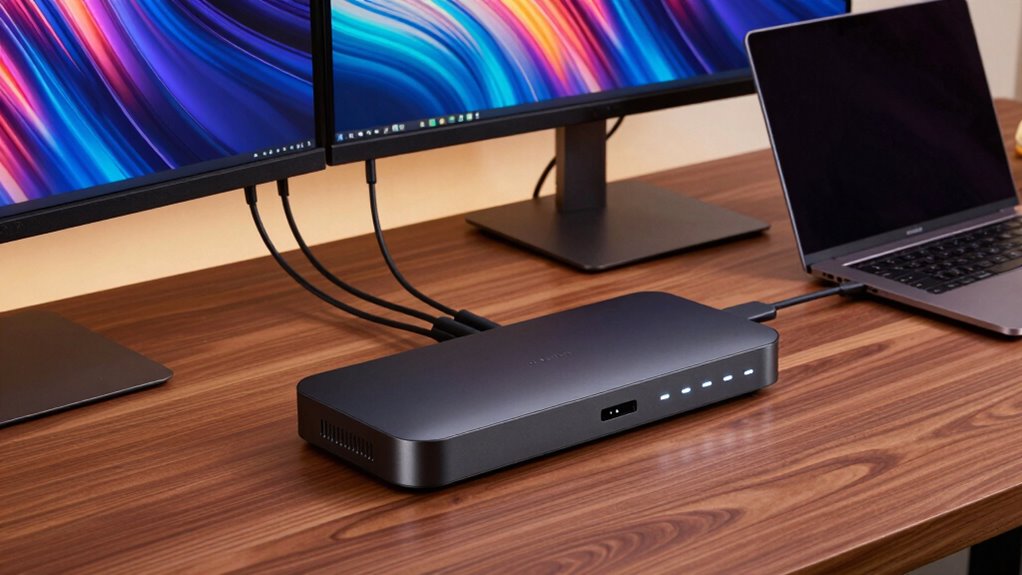

Finding a docking station that can reliably support 2x 4K displays at 60Hz while delivering 100W power can be challenging, especially with a wide range of options on the market. The Plugable USB C Docking Station with Dual 4K stands out for its balanced performance and versatility, making it a top overall choice. Meanwhile, the UGREEN USB C Docking Station Dual Monitor offers excellent build quality and affordability, ideal for budget-conscious users. For those seeking premium features, the Thunderbolt 4 Dock from Plugable provides the best performance but at a higher price point. Keep reading for a detailed comparison to help you find the perfect fit for your setup.

Get the latest gadgets delivered free with Prime
- Fast, free delivery on millions of items
- Prime Video, Amazon Music and more included
- Member-only deals all year
Complete the kit



Key Takeaways
- Most docking stations in this category support 2x 4K at 60Hz, but not all deliver 100W charging simultaneously.
- Build quality and port selection vary widely, affecting both usability and longevity.
- The balance between price and performance is key—more expensive options often support additional features like Thunderbolt 4.
- Compatibility with different laptop brands and operating systems remains a critical consideration for seamless use.
- Many models include extra features such as SD card readers, Ethernet, or additional USB ports, which can influence value.
| Acer USB-C Docking Station Dual Monitor, 9-in-1 Laptop Dock with 2 HDMI |  | Best Overall for Versatile Dual 4K Connectivity and Power | Number of ports: 9-in-1 | HDMI ports: 2 (4K@60Hz) | USB-A ports: 3 | VIEW ON AMAZON | See Our Full Breakdown |
| Baseus Spacemate Nomos Air Docking Station 12-in-1 for Dual Monitors |  | Best Value for Extensive Connectivity in a Compact Form | Hardware Interface: Ethernet, HDMI, MicroSD, USB 3.2 Gen 1, USB 3.2 Gen 2 | Compatible Devices: Acer, Dell, HP, Lenovo | Total USB Ports: 4 | VIEW ON AMAZON | See Our Full Breakdown |
| Docking Station to Dual HDMI Monitor, USB C to Dual HDMI Adapter, USB-C HUB with 2xHDMI Ports 4K 60Hz, 100W PD Charging |  | Best for Fast, Reliable Dual 4K Display and Power | HDMI Ports: 2x HDMI 4K@60Hz | USB-C PD Charging: 100W input, 87W output | USB-A Ports: 2x USB 3.0 | VIEW ON AMAZON | See Our Full Breakdown |
| UGREEN USB C Docking Station Dual Monitor, 7-in-1 Aluminum Dock with 2 HDMI |  | Best Compact Dual 4K Support with High Power Delivery | Hardware Interface: HDMI, USB, USB Type C | Compatible Devices: Full functional USB C laptops (Lenovo, HP, Dell, MacBook, etc.) | Total USB Ports: 4 | VIEW ON AMAZON | See Our Full Breakdown |
| Type C 14-in-1 Wozoyo Docking Station with 100W Power Delivery |  | Best for Extensive Multi-Display and Device Compatibility | Connectivity: Dual HDMI, DisplayPort, USB 3.2, SD/TF, Ethernet, Thunderbolt 4 | Display Output: Triple 4K@60Hz (via HDMI and DisplayPort) | Power Delivery: 100W via Thunderbolt 4 | VIEW ON AMAZON | See Our Full Breakdown |
| 14-in-1 USB C Docking Station with Triple 4K/8K Monitors, Ethernet, and Power Delivery |  | Best for Extensive Connectivity & High-Resolution Multi-Monitor Setups | Hardware Interface: 3.5mm Audio, Ethernet, HDMI, MicroSD, USB 2.0, USB 3.0, USB Type C | Total USB Ports: 6 | Data Transfer Rate: 5 Gbps | VIEW ON AMAZON | See Our Full Breakdown |
| Plugable USB C Triple Display Docking Station | 100W PD, 3 HDMI |  | Best for Multi-Monitor Productivity with Universal Compatibility | Hardware Interface: USB Type C | Supports: USB-C, USB4, Thunderbolt | Total USB Ports: 6 | VIEW ON AMAZON | See Our Full Breakdown |
| USB-C Laptop Docking Station with Dual HDMI, 10-in-1 Hub |  | Best for Compact High-Resolution Dual Monitor Setup | Number of HDMI ports: 2 | HDMI resolution: 4K@60Hz | Power delivery: 100W | VIEW ON AMAZON | See Our Full Breakdown |
| Plugable Thunderbolt 4 Dock with 100W Charging and Dual 4K Support |  | Best for High-Speed, Future-Proof Multi-Display Workstations | Power Delivery: 100W | Display Support: Dual 4K 60Hz or 8K | Ports: 2× HDMI, 1× Thunderbolt 4, 4× USB, SD/microSD, Ethernet | VIEW ON AMAZON | See Our Full Breakdown |
| 12-in-1 USB-C Docking Station with Dual Monitor for Laptops and Desktop PCs |  | Best for Versatile, High-Performance Dual 4K Workstations | Hardware Interface: Ethernet, HDMI, USB 2.0, USB 3.0, USB Type C | Additional Features: Fast Data Transfer, Plug and Play | Total USB Ports: 7 | VIEW ON AMAZON | See Our Full Breakdown |
| Plugable USB C Docking Station, Dual 4K Monitor Support, 15-in-1 with HDMI, DisplayPort, USB-C, USB 3.0, SD Card Readers, Ethernet, and 100W Charging |  | Best Overall for Versatile Power and Compatibility | Hardware Interface: USB Type C | Supports full-featured USB-C, USB4, Thunderbolt 3 / 4: Yes | Number of Ports: 15 | VIEW ON AMAZON | See Our Full Breakdown |
| docking station with 2x 4k 60hz and 100w | Hardware Interface |
|---|---|
| Acer USB-C Docking Station Dua | — |
| Baseus Spacemate Nomos Air Doc | Ethernet, HDMI, MicroSD, USB 3.2 Gen 1, USB 3.2 Gen 2 |
| Docking Station to Dual HDMI M | — |
| UGREEN USB C Docking Station D | HDMI, USB, USB Type C |
| Type C 14-in-1 Wozoyo Docking | — |
| 14-in-1 USB C Docking Station | 3.5mm Audio, Ethernet, HDMI, MicroSD, USB 2.0, USB 3.0, USB Type C |
| Plugable USB C Triple Display | USB Type C |
| USB-C Laptop Docking Station w | — |
| Plugable Thunderbolt 4 Dock wi | — |
| 12-in-1 USB-C Docking Station | Ethernet, HDMI, USB 2.0, USB 3.0, USB Type C |
| Plugable USB C Docking Station | USB Type C |
More Details on Our Top Picks
Acer USB-C Docking Station Dual Monitor, 9-in-1 Laptop Dock with 2 HDMI
This Acer docking station stands out for seamlessly supporting dual 4K @60Hz monitors, making it ideal for professionals who need crisp visuals and reliable performance. Compared with the Baseus Spacemate Nomos Air Docking Station, it offers more USB-A ports and a dedicated lock feature, enhancing security and expandability. However, its reliance on laptops with specific USB-C display output limits compatibility, especially with Macs that can only mirror displays. The 100W power delivery ensures fast charging, but the absence of an included power adapter could be inconvenient. This pick is perfect for users who want a comprehensive docking solution with high-resolution dual displays and don’t mind sourcing a suitable power supply separately.
Pros:- Supports dual 4K@60Hz monitors for high-resolution clarity
- Multiple USB-A ports and SD card slots for extensive connectivity
- 100W power delivery for fast charging
Cons:- Requires a device with a USB-C port supporting video output
- Power adapter not included, adding extra cost
Best for: Power users with Windows laptops requiring reliable dual 4K@60Hz support, multiple USB peripherals, and security features.
Not ideal for: Mac users or those with laptops that only support mirroring, since extended display support is limited on macOS.
- Number of ports:9-in-1
- HDMI ports:2 (4K@60Hz)
- USB-A ports:3
- USB-C ports:2 (including 1 for data, 1 for power delivery)
- SD card slots:Yes
- Power delivery:100W input, 90W output
Our verdict“This docking station suits Windows users seeking a versatile, high-performance dual 4K setup with ample ports and secure charging.”
Baseus Spacemate Nomos Air Docking Station 12-in-1 for Dual Monitors
The Baseus Spacemate Nomos Air offers a robust 12-in-1 solution, including dual 4K outputs, Ethernet, and fast data transfer, making it an excellent choice for expanding workspace versatility without bulk. Unlike the UGREEN USB C Docking Station, it provides a slightly more comprehensive port selection, including Ethernet and SD slots, ideal for users who need network stability and media card support. Its compact design suits smaller desks, but the lack of an included charger and limited power supply info can be a drawback for those seeking an all-in-one package. The 2-year warranty adds peace of mind for long-term use. This station is best for professionals prioritizing a broad array of ports and workspace organization at a reasonable price point.
Pros:- Supports dual 4K@60Hz displays for crisp visuals
- Includes Ethernet, SD, and multiple USB ports for full connectivity
- Compact, space-saving design
Cons:- Charger not included, which may require additional purchase
- Limited info on power supply compatibility
Best for: Small office or home office users needing dual 4K displays and numerous ports without a bulky dock.
Not ideal for: Users requiring a built-in power supply or plug-and-play simplicity for plug-and-play on all devices, especially those with limited power options.
- Hardware Interface:Ethernet, HDMI, MicroSD, USB 3.2 Gen 1, USB 3.2 Gen 2
- Compatible Devices:Acer, Dell, HP, Lenovo
- Total USB Ports:4
- HDMI Ports:2
- Wattage:100W
- Item Dimensions:6.46″L x 4.72″W x 2.91″H
Our verdict“This versatile hub suits users needing extensive port options and dual 4K support in a space-efficient design, especially suited for productivity-focused setups.”
Docking Station to Dual HDMI Monitor, USB C to Dual HDMI Adapter, USB-C HUB with 2xHDMI Ports 4K 60Hz, 100W PD Charging
This 6-in-1 USB-C dock emphasizes straightforward dual 4K @60Hz support with 100W charging, making it a solid choice for those who prioritize quick setup and reliable performance. Compared to the Ugreen USB C Docking Station, it offers a more streamlined experience with a focus on dual HDMI output and high power delivery, but it lacks additional USB or media slots. The absence of the charging cable and power adapter means users need to ensure their device supplies sufficient power, which can be a hassle. Its plug-and-play nature makes it suitable for professionals who want a dependable dual-monitor setup across a range of laptops, especially when minimal fuss is desired.
Pros:- Supports dual 4K@60Hz HDMI monitors for crisp visuals
- Powerful 100W PD charging for fast device charging
- Plug-and-play with minimal setup
Cons:- Charging cable and power supply not included, requiring additional purchases
- Limited to dual HDMI output, lacking extra ports for peripherals
Best for: Professionals seeking a reliable, no-fuss dual HDMI solution with high power delivery for Windows or Mac laptops.
Not ideal for: Users wanting extensive ports beyond HDMI or needing device-specific features, as this dock is limited in scope.
- HDMI Ports:2x HDMI 4K@60Hz
- USB-C PD Charging:100W input, 87W output
- USB-A Ports:2x USB 3.0
- Compatibility:Dell XPS, Lenovo ThinkPad, HP EliteBook, MacBook Pro/Air
Our verdict“This pick is perfect for users who need a straightforward, high-quality dual HDMI connection with reliable charging, without extra clutter.”
UGREEN USB C Docking Station Dual Monitor, 7-in-1 Aluminum Dock with 2 HDMI
The UGREEN USB C Docking Station offers a balance between functionality and portability, supporting dual 4K@60Hz HDMI outputs along with multiple USB ports and 100W power delivery. Unlike the Baseus Spacemate Nomos Air, it emphasizes an aluminum build for durability and a sleek appearance, ideal for mobile professionals or those with limited desk space. However, on macOS, it only supports mirror mode, which limits multi-display flexibility, and the charging port doesn’t handle data or video. This dock suits users who prioritize a compact design and high resolution but are aware of potential limitations on certain operating systems.
Pros:- Supports dual 4K@60Hz HDMI displays for crisp visuals
- Includes multiple USB ports with high transfer speeds
- Provides up to 100W power delivery for fast charging
Cons:- Limited to mirror mode on macOS, restricting extended display options
- Charging port does not support data transfer or video output
Best for: Mobile professionals or students with Windows laptops needing a portable dual 4K display solution.
Not ideal for: Mac users or those seeking extended multitasking across multiple screens on macOS, due to mirror-only support.
- Hardware Interface:HDMI, USB, USB Type C
- Compatible Devices:Full functional USB C laptops (Lenovo, HP, Dell, MacBook, etc.)
- Total USB Ports:4
- Number of HDMI Ports:2
- Wattage:100W
Our verdict“Ideal for users needing a portable dual 4K dock with reliable power, especially on Windows, but less suited for extensive macOS multi-display use.”
Type C 14-in-1 Wozoyo Docking Station with 100W Power Delivery
The Wozoyo 14-in-1 Docking Station excels by supporting triple 4K displays at 60Hz via HDMI and DisplayPort, going beyond the dual monitor setups like the ACER 9-in-1. Its Thunderbolt 4 PD provides 100W charging, making it suitable for demanding professional workflows. The inclusion of multiple ports, including high-speed USB and SD slots, makes it very versatile. However, it requires a device with Thunderbolt 4 or USB-C with full feature set, which limits compatibility for some users. The short 15 cm cable can also restrict placement options on cluttered desks. This dock makes the most sense for creators or professionals who need multiple high-resolution outputs and extensive device support, assuming their device supports Thunderbolt 4 or USB-C with full features.
Pros:- Supports triple 4K@60Hz displays for advanced multitasking
- Powerful 100W charging via Thunderbolt 4
- High-speed 10Gbps USB data transfer and extensive port options
Cons:- Requires Thunderbolt 4 or full-featured USB-C for full use
- Short cable length may limit placement flexibility
Best for: Creatives or professionals who require triple 4K outputs, high-speed data, and versatile connectivity on Thunderbolt 4-compatible laptops.
Not ideal for: Users with basic USB-C laptops lacking Thunderbolt 4 support, due to limited device compatibility and short cable length.
- Connectivity:Dual HDMI, DisplayPort, USB 3.2, SD/TF, Ethernet, Thunderbolt 4
- Display Output:Triple 4K@60Hz (via HDMI and DisplayPort)
- Power Delivery:100W via Thunderbolt 4
- Ports:7 USB, Ethernet, SD/TF card readers
Our verdict“This dock is best suited for power users with Thunderbolt 4 laptops needing multiple high-res outputs and comprehensive device support.”
14-in-1 USB C Docking Station with Triple 4K/8K Monitors, Ethernet, and Power Delivery
This docking station stands out for supporting a triple display output, including dual 4K HDMI and an 8K DisplayPort, making it ideal for users who need maximum screen real estate. Compared with the Plugable Thunderbolt 4 Dock, it offers similar high-resolution support but with a more extensive array of ports, including SD/TF card readers and Ethernet. A key tradeoff is that macOS does not support MST for extended monitors, limiting multi-monitor flexibility on Apple devices. Additionally, while it supports up to 100W power delivery, charging is capped at 85W, which might be a concern for power-hungry laptops. Its complex port setup can be daunting for less tech-savvy users, but for those needing a comprehensive, high-resolution multi-monitor station, this model delivers.
Pros:- Supports triple monitor setup with up to 8K and 4K resolutions
- Extensive port options including Ethernet, SD/TF, and multiple USB ports
- Power delivery up to 100W (limited to 85W for charging)
Cons:- macOS does not support MST for extended display configurations
- Charging limit at 85W despite 100W input can affect power-hungry laptops
- Setup complexity may be challenging for less experienced users
Best for: Professionals who require triple monitors and extensive peripheral options for creative or data-intensive work
Not ideal for: Casual users or those with simple setups, as the extensive port array and complex configuration might be overwhelming
- Hardware Interface:3.5mm Audio, Ethernet, HDMI, MicroSD, USB 2.0, USB 3.0, USB Type C
- Total USB Ports:6
- Data Transfer Rate:5 Gbps
- Number of Ports:14
- Supported Resolutions:Up to 8K@30Hz via DisplayPort, 4K@60Hz via HDMI
- Power Delivery:Up to 100W (limited to 85W for charging)
Our verdict“This dock is best suited for professionals needing extensive connectivity and high-res multi-monitor support at their workstation.”
Plugable USB C Triple Display Docking Station | 100W PD, 3 HDMI
This model earns its spot for reliably supporting up to three HDMI monitors at 4K@60Hz, making it a strong choice for multi-tasking environments. Compared to the 14-in-1 docking station, it offers a more straightforward setup focused on HDMI outputs, which simplifies multi-monitor configuration for users with compatible devices. It also provides 100W Power Delivery, ensuring laptops stay charged during intensive use, unlike some options that limit power. On the downside, it lacks the extensive port variety, such as SD or Ethernet, found in larger docks, which could limit its utility for users needing those features. However, its plug-and-play design and broad OS compatibility make it ideal for users prioritizing simple, high-quality display support without extra bells and whistles.
Pros:- Supports up to three 4K@60Hz HDMI monitors
- Provides 100W Power Delivery for continuous charging
- Universal compatibility with Windows, macOS, and ChromeOS
Cons:- Limited port variety—lacks Ethernet, SD, or multiple USB types
- Requires driver installation on macOS for full functionality
- Not compatible with Linux systems
Best for: Business professionals or students who mainly need multiple high-resolution displays with reliable charging
Not ideal for: Power users requiring extensive ports or content creators needing SD/TF card support
- Hardware Interface:USB Type C
- Supports:USB-C, USB4, Thunderbolt
- Total USB Ports:6
- Number of HDMI Ports:3
- Wattage:100W
- Input Voltage:20 volts
Our verdict“This dock is well-suited for users seeking straightforward triple monitor support with reliable charging across multiple OS platforms.”
USB-C Laptop Docking Station with Dual HDMI, 10-in-1 Hub
This hub excels at delivering dual 4K@60Hz HDMI outputs, making it suitable for users who prioritize high-quality visuals in a compact form factor. Compared with larger docks like the 14-in-1, it sacrifices port diversity for simplicity, focusing on core display and charging needs. Its 100W power delivery ensures laptops stay powered during extended work sessions, but it requires a compatible USB-C port with DisplayPort Alt Mode support, which could limit compatibility with some devices. Additionally, on macOS, extended display support can be limited to mirroring, reducing flexibility for Apple users. This pick makes the most sense for those with compatible laptops seeking a portable, high-performance dual monitor solution.
Pros:- Supports dual 4K@60Hz HDMI output
- Provides 100W fast charging for laptops
- Compact and portable design
Cons:- Requires compatible USB-C port supporting DisplayPort Alt Mode
- Limited port options—no Ethernet or SD card reader
- Extended displays may mirror content on macOS
Best for: Frequent travelers or remote workers needing a portable dock for dual 4K displays and reliable charging
Not ideal for: Users with non-DisplayPort Alt Mode USB-C ports or those needing extensive port options beyond HDMI and power
- Number of HDMI ports:2
- HDMI resolution:4K@60Hz
- Power delivery:100W
- USB-A ports:2
- USB-C data ports:2
- Ethernet:Yes
Our verdict“Ideal for on-the-go users needing high-resolution dual monitors with fast charging in a small footprint.”
Plugable Thunderbolt 4 Dock with 100W Charging and Dual 4K Support
This dock offers the highest data transfer speeds with Thunderbolt 4, supporting dual 4K@60Hz displays or a single 8K, making it perfect for users who need maximum bandwidth and future-proofing. Compared with the 14-in-1 or Plugable USB-C options, its Thunderbolt 4 interface provides faster data rates and broader compatibility with high-end devices. It also includes a rich port set, from HDMI and USB to SD card readers, all in a compact form. However, dual display support can vary depending on the system and mode, and older or non-Thunderbolt systems might not fully leverage its capabilities. This pick is best for power users and professionals working with large data files or high-res media on compatible systems.
Pros:- High-speed 40Gbps Thunderbolt 4 performance
- Supports dual 4K@60Hz or single 8K display
- Comprehensive port selection for versatile connectivity
Cons:- Dual display support varies by system and mode
- Some features limited on older or non-Thunderbolt systems
- Compatibility complexities with Macs
Best for: Power users and creative professionals seeking ultra-fast data performance and dual 4K display support
Not ideal for: Casual users or those with older laptops lacking Thunderbolt 4 support
- Power Delivery:100W
- Display Support:Dual 4K 60Hz or 8K
- Ports:2× HDMI, 1× Thunderbolt 4, 4× USB, SD/microSD, Ethernet
- Performance:40Gbps Thunderbolt 4
- Downstream Charging:15W
Our verdict“This dock is excellent for demanding workflows requiring maximum data throughput and high-resolution dual displays on compatible systems.”
12-in-1 USB-C Docking Station with Dual Monitor for Laptops and Desktop PCs
This station offers dual 4K HDMI outputs at 60Hz, combined with a robust port selection including Ethernet, multiple USB, and SD/TF readers, making it suited for multitasking and creative workflows. Compared to the more specialized Plugable or Thunderbolt options, it balances a broad port array with dual high-resolution outputs, but its size and bulk could be a drawback for ultra-portable needs. Compatibility requires a USB-C port supporting DisplayPort Alt Mode and Power Delivery, which can limit use with some ultrabooks. It excels for users wanting a comprehensive docking solution that supports multiple peripherals alongside high-res video, especially on desktops or larger laptops.
Pros:- Supports dual 4K@60Hz HDMI monitors
- Provides 100W charging for laptops
- Includes multiple USB and SD/TF card readers
Cons:- Requires compatible USB-C port supporting DisplayPort Alt Mode
- Design may be bulky for frequent travelers
- Some systems may experience limited compatibility or performance issues
Best for: Creative professionals or power users needing dual 4K monitors with extensive connectivity in a versatile package
Not ideal for: Ultra-portable users or those with laptops lacking full USB-C Alt Mode support
- Hardware Interface:Ethernet, HDMI, USB 2.0, USB 3.0, USB Type C
- Additional Features:Fast Data Transfer, Plug and Play
- Total USB Ports:7
- Number of Ports:12
- Color:Gray
- Enclosure Material:Aluminum
Our verdict“This dock is best for users who need high-resolution dual monitors and extensive peripheral support in a semi-portable form factor.”
Plugable USB C Docking Station, Dual 4K Monitor Support, 15-in-1 with HDMI, DisplayPort, USB-C, USB 3.0, SD Card Readers, Ethernet, and 100W Charging
This Docking Station stands out for its comprehensive port selection and reliable dual 4K support at 60Hz, making it a versatile choice for users who need a one-stop hub. Unlike the Acer USB-C Docking Station, which offers fewer ports, this model provides a richer array of connectivity options, including SD card readers and Ethernet, all housed in a sleek aluminum design. However, it relies on DisplayLink technology, which can introduce slight latency and requires driver installation, potentially affecting performance for high-refresh-rate or gaming needs. Its 100W charging capacity makes it suitable for powering most laptops while multitasking across multiple displays. Compared to the Baseus Spacemate Nomos Air, which is more compact but offers fewer ports, this model prioritizes expandability over minimalism. The lack of HDCP support may be a drawback for streaming protected content, but overall, this station offers a balanced mix of features and compatibility for demanding productivity setups.
Pros:- Supports dual 4K monitors at 60Hz, ideal for detailed visuals and multitasking
- Includes a broad range of ports: HDMI, DisplayPort, SD card reader, Ethernet, and multiple USB-A ports
- Premium aluminum housing with a sleek design complements professional setups
- Provides 100W power delivery to keep laptops charged during intensive use
Cons:- Requires driver installation, which can be inconvenient for some users
- DisplayLink technology may introduce latency or compatibility issues on certain systems
- No HDCP support limits use with protected streaming content
Best for: Professionals needing a highly compatible, feature-rich docking station for dual 4K displays and extensive peripherals.
Not ideal for: Users seeking a plug-and-play solution with zero driver dependencies or minimal latency, such as casual streamers or gamers.
- Hardware Interface:USB Type C
- Supports full-featured USB-C, USB4, Thunderbolt 3 / 4:Yes
- Number of Ports:15
- HDMI Ports:2
- Wattage:100 watts
- Item Dimensions:9.4″L x 3.1″W x 1.2″H
Our verdict“This docking station is best suited for professionals who need a highly compatible, feature-packed hub capable of running two 4K displays at 60Hz while charging at 100W.”

How We Picked
This list was curated based on a combination of performance, build quality, port versatility, and value. I prioritized docking stations that reliably deliver 2x 4K at 60Hz with 100W charging, as these are essential for demanding multi-monitor setups. Ease of use, compatibility, and durability also played a role. Products were ranked considering user needs—whether for professional, gaming, or casual use—and how well they balance price against core features. The aim was to highlight options suitable for different budgets and use cases, rather than just premium picks.Factors to Consider When Choosing Docking Station With 2x 4k 60hz And 100w
Choosing the right docking station requires understanding several key factors beyond just specifications. Performance stability, build quality, and compatibility are essential for a seamless experience. Additionally, considering future-proofing—such as support for higher resolutions or additional features—can prevent the need for an upgrade soon after purchase. Understanding these broader considerations helps avoid common pitfalls like buying a model that cannot support your monitor setup or charging needs. Here’s what to keep in mind:Performance and Display Support
Ensure the docking station explicitly supports 2x 4K at 60Hz, as lower refresh rates or resolutions can hinder productivity or entertainment experience. Some models advertise 4K support but default to 30Hz or 50Hz, which may cause flickering or lag. Always verify the specifications and compatibility with your laptop’s video output standards. Consider models that support MST (Multi-Stream Transport) if you plan to extend or mirror displays effectively. Choosing a dock with proven support for dual 4K at 60Hz ensures a smooth, professional-grade display experience.
Power Delivery and Charging Capacity
While 100W charging is standard for most high-end docks, confirm that the dock can deliver full 100W simultaneously with your device’s power requirements. Some docks split power between multiple ports or may only support 85W or less, which could impact performance or charging speed. For users with power-hungry laptops, this means selecting a dock that guarantees consistent, high-capacity charging without compromising display output. Keep in mind that higher wattage docks tend to be more expensive but provide greater flexibility for future device upgrades.
Port Selection and Expandability
Evaluate the types and number of ports beyond HDMI—such as USB-A, USB-C, Ethernet, SD card readers, and audio jacks. A versatile port array can reduce the need for additional hubs or adapters. Consider your specific workflow; for instance, photographers will value SD card support, while gamers might prioritize Ethernet. Be aware that more ports can sometimes mean larger, less portable docks. Balance your need for expandability with desk space and portability considerations.
Build Quality and Compatibility
Durability matters, especially if you frequently move your setup or travel. Look for docks with solid construction, premium materials, and good heat dissipation. Compatibility is equally critical—ensure the dock supports your device’s operating system and connection standards. Some docks are optimized for Windows, others for Mac, and a few support both seamlessly. Confirming compatibility reduces setup issues and ensures stable operation over time.
Additional Features and Future-proofing
Extra features like Thunderbolt 4 support, higher data transfer speeds, or additional display outputs can be valuable investments. While these features may increase the price, they often extend the lifespan of your dock and improve overall performance. Consider whether you might need features like daisy chaining, advanced security, or multiple Ethernet ports later. Investing in a slightly more capable dock now can save costs and hassle later, especially if you plan to upgrade your hardware.
Frequently Asked Questions
Can a docking station support two 4K monitors at 60Hz while charging my laptop at 100W?
Yes, many modern docking stations are designed specifically to support dual 4K at 60Hz with 100W power delivery simultaneously. However, it’s essential to verify the specifications because some docks might support only one of these features at full capacity or require specific connection standards. Ensure the dock explicitly states support for 2x 4K 60Hz and 100W charging in its feature list. Compatibility with your laptop’s hardware and operating system also plays a role in achieving these performance levels.
Will I experience flickering or lag with a dock claiming 4K 60Hz support?
Potential flickering or lag can occur if the dock’s specifications are not fully compatible with your device or if the connection type (such as USB-C or Thunderbolt) isn’t capable of handling the bandwidth. Always check for verified support for 4K at 60Hz with your specific hardware. Using high-quality cables and ensuring your laptop’s port standards match the dock’s requirements can also reduce issues. Reading user reviews or manufacturer notes about real-world performance can provide additional reassurance.
Are Thunderbolt 4 docks worth the extra cost for dual 4K support?
Thunderbolt 4 docks typically offer higher bandwidth, more reliable performance, and additional features like daisy chaining and higher data transfer speeds. If your workflow involves demanding tasks such as high-resolution video editing or gaming, investing in a Thunderbolt 4 dock can provide smoother, more stable dual 4K support. However, for general productivity, a quality USB-C dock with the same display and charging specs may suffice. The decision depends on your specific needs and future-proofing considerations.
Do all docks with 2x 4K support include 100W charging?
Not all docks with dual 4K support automatically include 100W charging. Some models may support only 85W or less due to hardware limitations or design choices. Always verify the power delivery specifications before buying to ensure it meets your device’s charging requirements. Docks with full 100W support tend to be more expensive but provide a reliable power source for high-performance laptops, preventing slow charging or power issues during intensive use.
What should I consider if I want a portable docking station with these features?
Portability requires a compact, lightweight design with durable construction and minimal cable clutter. Look for docks that are specifically marketed as travel-friendly, with a small footprint and integrated power supply or low-profile ports. Keep in mind that some portable docks may sacrifice port variety or performance stability for size, so balance your need for mobility with the features you require. Additionally, ensure compatibility with your laptop’s connection standards and confirm that the dock supports dual 4K at 60Hz with 100W charging in a portable form factor.
Conclusion
For most users seeking a reliable, all-around solution, the Plugable USB C Docking Station with Dual 4K offers the best balance of performance, build quality, and value. If budget constraints are a primary concern, the UGREEN USB C Docking Station Dual Monitor provides solid performance at a lower price, making it ideal for less demanding setups. Professionals or power users who require the highest reliability and future-proofing should consider the Thunderbolt 4 Dock from Plugable, despite its higher cost. Beginners or casual users might opt for simpler, more affordable options that still meet their dual 4K needs. Ultimately, your choice depends on your specific workflow, budget, and future plans.