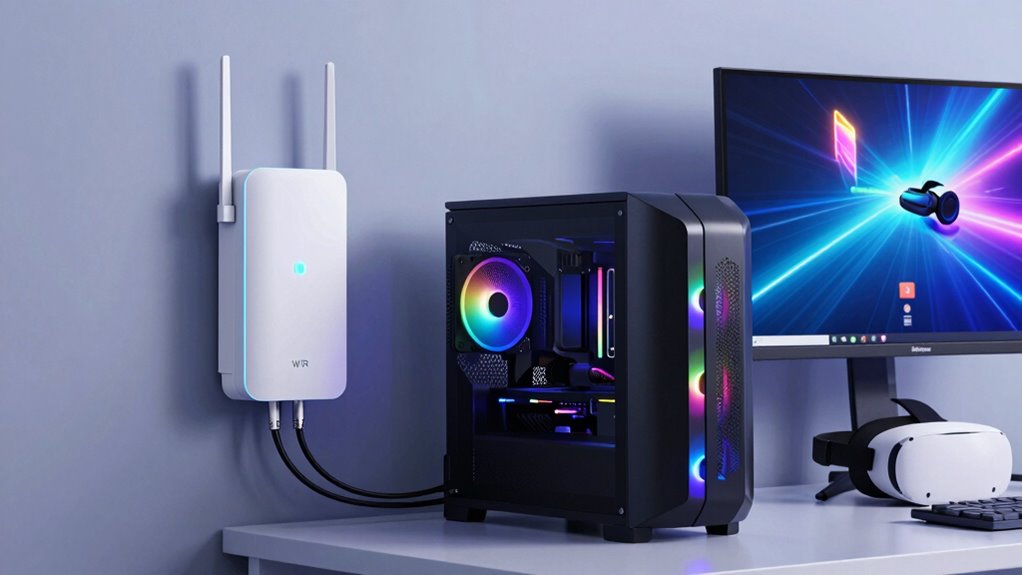

Finding the right Wi Fi access point for wireless PCVR can significantly enhance your virtual reality experience by providing faster, more stable connectivity. The Omada AX3000 stands out as the overall best choice for its balance of speed and reliability. For those seeking dedicated high-performance options, the Arris W6U offers a dedicated 6 GHz band, ideal for reducing latency. Meanwhile, budget-conscious users might consider the TP-Link TL-WA1201 for its affordability and decent coverage. The main challenge lies in balancing speed, coverage, and ease of setup, as not all access points are equally suited to high-bandwidth VR streaming. Continue reading for a detailed look at these options and what makes each suitable for different needs.

Get the latest gadgets delivered free with Prime
- Fast, free delivery on millions of items
- Prime Video, Amazon Music and more included
- Member-only deals all year
Complete the kit



Key Takeaways
- High-performance models like the Omada AX3000 and Arris W6U excel at reducing latency and supporting demanding VR streams.
- Most top picks include features like multiple bands and Ethernet ports to optimize network stability for PCVR.
- The best value options balance cost with enough speed and coverage for casual or beginner VR setups.
- Premium picks often offer advanced management features like cloud control, ideal for tech-savvy users.
- Ease of setup and reliability varies widely; choosing a model with good support and warranty can save headaches.
| Omada AX3000 Wireless Access Point with DC Adapter and 5-Year Warranty |  | Best Overall Wi-Fi 6 Access Point for Wireless PCVR | Wi-Fi Speed: up to 2976 Mbps | Wireless Technology: Wi-Fi 6 | Management: Cloud-based, Omada SDN | VIEW ON AMAZON | See Our Full Breakdown |
| Omada BE5000 Wireless Access Point with 2.5G Port (EAP720) |  | Best for Large-Scale Business Deployments with Wi-Fi 7 | Wireless Technology: Wi-Fi 7 | Max Speed: 5.0 Gbps | Frequency Bands: Dual-band (5 GHz and 2.4 GHz) | VIEW ON AMAZON | See Our Full Breakdown |
| NETGEAR WiFi 6 Wireless Access Point with Power Adapter |  | Best Value Wi-Fi 6 for Small Business or Office | WiFi Standard: WiFi 6 (AX1800) | Max Speed: Up to 1,800 Mbps | Bands: Dual-band (2.4 GHz and 5 GHz) | VIEW ON AMAZON | See Our Full Breakdown |
| Omada AC1350 Wireless Access Point with PoE Injector and 5-Year Warranty |  | Best Flexible Deployment for Business with Seamless Roaming | Wireless Standard: 802.11ac | Maximum Wireless Rate: AC1350 | Power Supply: 802.3af PoE and passive PoE | VIEW ON AMAZON | See Our Full Breakdown |
| Arris Surfboard Wi-Fi 6E Access Point | W6U | Dedicated 6 GHz Band for Compatible Devices | 2.5 Gbps Port |  | Best for Upgrading Home Networks to Wi-Fi 6E | Bandwidth: Dedicated 6 GHz band | Speed: 2.5 Gbps | Compatibility: Works with any Wi-Fi router | VIEW ON AMAZON | See Our Full Breakdown |
| TP-Link TL-WA1801 AX1800 Dual Band WiFi 6 Gigabit Access Point |  | Best Overall for High-Speed, Flexible WiFi 6 Deployment | Wi-Fi Standard: WiFi 6 (802.11ax) | Speed: Up to 1.8 Gbps | Bands: Dual Band (2.4 GHz and 5 GHz) | VIEW ON AMAZON | See Our Full Breakdown |
| Omada AX1800 Wireless Access Point (EAP610) with Cloud Management and 5-Year Warranty |  | Best for Business Environments Needing Cloud Control | Wi-Fi Technology: Wi-Fi 6 | Max Speed: 1800 Mbps | Dual Band: Yes | VIEW ON AMAZON | See Our Full Breakdown |
| BrosTrend AC1200 WiFi Access Point for Home with Gigabit Ethernet Port |  | Best Value for Easy, Reliable Coverage in Home Settings | WiFi Standard: AC1200 | Speed: 867 Mbps on 5 GHz, 300 Mbps on 2.4 GHz | Bands: Dual-band | VIEW ON AMAZON | See Our Full Breakdown |
| TP-Link TL-WA1201 AC1200 Dual Band Wireless Gigabit Access Point |  | Best for Versatile Deployment with Multiple Modes | Wireless Standard: 802.11ac Wave 2 MU-MIMO | Speed: 1200 Mbps | Frequency Bands: 2.4GHz and 5GHz | VIEW ON AMAZON | See Our Full Breakdown |
| Tenda AC1200 WiFi Access Point |  | Best for Outdoor or Large Area Coverage with Durability | Frequency Band: Dual-Band | Wireless Standard: 802.11ac | Max Data Rate: 1200 Mbps | VIEW ON AMAZON | See Our Full Breakdown |
More Details on Our Top Picks
Omada AX3000 Wireless Access Point with DC Adapter and 5-Year Warranty
This option stands out for delivering ultra-fast Wi-Fi 6 speeds up to 2976 Mbps, making it ideal for high-bandwidth VR streaming. Its sleek design ensures it fits discreetly into various environments, and cloud management via Omada SDN provides centralized control without extra fees. Compared to the Arris Wi-Fi 6E, the AX3000 excels in broad compatibility but may lack the dedicated 6GHz band for future-proofing. The main tradeoff is that it depends on Omada controllers for mesh and roaming features, which could add complexity. Its high speed and flexible power options make it a strong choice for those needing reliable, high-performance wireless for PCVR, especially in commercial or large home setups.
Pros:- Supports Wi-Fi 6 speeds up to 2976 Mbps for smooth VR streaming
- Cloud-based management simplifies setup and control
- Flexible installation with PoE+ and DC power options
- Sleek, space-saving design
Cons:- Requires Omada SDN controllers for mesh and roaming features
- Limited details on coverage area, may need multiple units for large spaces
Best for: Enthusiasts setting up high-speed, reliable wireless for PCVR with mesh or roaming needs
Not ideal for: Casual users or small spaces where advanced management features are unnecessary
- Wi-Fi Speed:up to 2976 Mbps
- Wireless Technology:Wi-Fi 6
- Management:Cloud-based, Omada SDN
- Power Options:802.3at PoE+, Passive PoE, 12V DC
- Warranty:5 years
Our verdict“This makes the most sense for users who need high speed and scalable management in complex or large environments.”
Omada BE5000 Wireless Access Point with 2.5G Port (EAP720)
The TP-Link Omada EAP720 supports Wi-Fi 7 speeds up to 5.0 Gbps, making it ideal for dense environments with many devices. Its dual-band operation and 2.5G Ethernet port facilitate high throughput and low latency, surpassing older Wi-Fi 6 options like the NETGEAR AX1800. However, its advanced features may be overwhelming for beginners, and it requires a compatible network infrastructure to realize full benefits. This access point is best suited for large offices or commercial spaces where high-speed, reliable connectivity for hundreds of devices outweighs simple setup. Its price reflects its performance, so it’s best for those with a need for cutting-edge tech and scalable management.
Pros:- Supports Wi-Fi 7 with speeds up to 5.0 Gbps for future-proofing
- Handles over 250 devices reliably
- Centralized management via Omada Cloud Platform
- Flexible deployment with PoE and DC power
Cons:- Requires compatible network infrastructure for optimal performance
- More complex setup and management than simpler access points
Best for: IT managers and network administrators managing large, high-demand networks
Not ideal for: Home users or small offices with basic Wi-Fi needs, due to complexity and cost
- Wireless Technology:Wi-Fi 7
- Max Speed:5.0 Gbps
- Frequency Bands:Dual-band (5 GHz and 2.4 GHz)
- Ethernet Port:2.5G Gigabit Ethernet
- Power Supply:PoE (802.3at) or DC
- Warranty:5 years
Our verdict“This is best for large-scale environments demanding ultra-fast Wi-Fi and extensive device support.”
NETGEAR WiFi 6 Wireless Access Point with Power Adapter
Compared to the Omada AX3000, the NETGEAR AX1800 offers solid Wi-Fi 6 performance with speeds up to 1,800 Mbps, making it a practical choice for smaller setups. Its straightforward installation and security features like WPA3 support make it accessible for small business environments. However, it doesn’t include advanced cloud management options, unlike the Omada products, and its coverage is limited to about 1,500 sq. ft., which may require multiple units for larger spaces. This model is ideal for users who want reliable Wi-Fi 6 without the complexity or higher price tag of enterprise-grade solutions. It’s a good balance of performance and simplicity for those upgrading from older Wi-Fi standards.
Pros:- Supports Wi-Fi 6 with speeds up to 1,800 Mbps
- Enhanced security with WPA3 encryption
- Easy to install with included hardware and web setup
- Supports up to 128 devices
Cons:- Limited coverage area may require multiple units
- No dedicated app for management, relying on web interface
Best for: Small business owners or home office users seeking dependable Wi-Fi 6 coverage
Not ideal for: Large offices or demanding VR setups where higher throughput is necessary
- WiFi Standard:WiFi 6 (AX1800)
- Max Speed:Up to 1,800 Mbps
- Bands:Dual-band (2.4 GHz and 5 GHz)
- Supported Devices:128 registered, 30 active
- Coverage:Up to 1,500 sq. ft.
- Power Options:Power adapter or PoE
Our verdict“This makes sense for small environments needing secure, reliable Wi-Fi 6 without complex management features.”
Omada AC1350 Wireless Access Point with PoE Injector and 5-Year Warranty
This model is tailored for environments demanding reliable, high-speed Wi-Fi with versatile power options. Its AC1350 speeds and MU-MIMO technology support multiple devices efficiently, making it suitable for busy offices or retail spaces. Unlike the NETGEAR AX1800, it supports seamless roaming and mesh networking, which can greatly improve user experience during VR sessions or mobile usage. However, performance can vary depending on environmental factors, and it requires compatible client devices to maximize benefits. The PoE support and centralized management via Omada SDN make it a flexible choice for expanding networks, though it might be overkill for small or simple setups. It strikes a balance between performance and management for medium to large deployments.
Pros:- Supports high-speed AC1350 Wi-Fi with MU-MIMO
- Flexible PoE options including injector included
- Supports seamless roaming and mesh networking
- Centralized management simplifies control
Cons:- Performance depends on environmental factors
- Requires compatible client devices for full features
Best for: Business environments requiring flexible, high-performance Wi-Fi with seamless roaming
Not ideal for: Home users or small offices without existing PoE infrastructure
- Wireless Standard:802.11ac
- Maximum Wireless Rate:AC1350
- Power Supply:802.3af PoE and passive PoE
- Mesh Support:Yes
- Coverage:Extended via mesh
- Warranty:5 years
Our verdict“This is ideal for businesses needing dependable, scalable Wi-Fi with smooth device mobility.”
Arris Surfboard Wi-Fi 6E Access Point | W6U | Dedicated 6 GHz Band for Compatible Devices | 2.5 Gbps Port
This device elevates home Wi-Fi by supporting Wi-Fi 6E with a dedicated 6GHz band and speeds up to 2.5 Gbps, reducing congestion and ensuring stable VR streaming for compatible devices. Unlike the other access points, such as the NETGEAR AX1800, it targets users with Wi-Fi 6E-compatible gadgets, offering a clear advantage for future-proofing. Its setup is straightforward, simply plugging into an existing router, but the full benefits are limited to those with 6GHz devices. The main tradeoff is that it relies on an existing router for backbone coverage, and without compatible devices, the 6GHz band remains underused. It suits tech-savvy users eager to upgrade their home networks for VR or high-speed gaming.
Pros:- Supports Wi-Fi 6E with dedicated 6 GHz band
- Speeds up to 2.5 Gbps for fast VR data transfer
- Easy to set up with any existing router
- Reduces network congestion for compatible devices
Cons:- Limited benefits unless devices support 6 GHz
- Requires existing Wi-Fi router for full functionality
Best for: Home users with Wi-Fi 6E devices wanting to optimize VR streaming and reduce latency
Not ideal for: Users with no 6GHz-capable devices or those seeking a full mesh solution, as it’s a single upgrade point
- Bandwidth:Dedicated 6 GHz band
- Speed:2.5 Gbps
- Compatibility:Works with any Wi-Fi router
- Includes:Ethernet cable, power supply
Our verdict“This is a strong choice for homeowners looking to future-proof their VR setup with Wi-Fi 6E, provided they have compatible devices.”
TP-Link TL-WA1801 AX1800 Dual Band WiFi 6 Gigabit Access Point
The TP-Link TL-WA1801 stands out for offering robust WiFi 6 performance with speeds up to 1.8 Gbps, making it ideal for demanding PCVR setups that need fast, reliable connections. Its four external antennas and Beamforming technology deliver dependable coverage over larger areas, surpassing the capabilities of simpler dual-band devices like the BrosTrend AC1200. However, its reliance on passive PoE and the requirement for compatible network equipment can add complexity, especially for users unfamiliar with PoE setups. Compared with the Omada EAP610, this model provides higher peak speeds but lacks managed cloud features, which might matter in multi-device environments. Tradeoffs include setup complexity versus maximum speed and coverage.
Pros:- High-speed WiFi 6 performance up to 1.8 Gbps
- Flexible passive PoE support for versatile placement
- Excellent long-distance coverage with external antennas and Beamforming
Cons:- Requires compatible PoE switch or injector for power
- Complex setup for non-technical users
- Limited to WiFi 6 devices for full benefit
Best for: Power users with existing PoE infrastructure seeking maximum WiFi 6 speeds for PCVR and gaming.
Not ideal for: Casual users or those without PoE equipment who prefer plug-and-play simplicity.
- Wi-Fi Standard:WiFi 6 (802.11ax)
- Speed:Up to 1.8 Gbps
- Bands:Dual Band (2.4 GHz and 5 GHz)
- Antennas:Four external antennas
- Power Supply:Passive PoE
- Security:WPA3
Our verdict“This access point makes the most sense for tech-savvy users aiming for maximum speed and coverage with existing PoE infrastructure.”
Omada AX1800 Wireless Access Point (EAP610) with Cloud Management and 5-Year Warranty
The Omada EAP610 is tailored for business settings that prioritize centralized management, offering Wi-Fi 6 speeds up to 1800 Mbps and seamless cloud-based control via Omada SDN. It’s an excellent fit for environments where IT teams manage multiple access points, unlike the BrosTrend AC1200, which is more suited for simple home use. Its sleek, slim profile and multiple power options enhance flexibility, but it requires an Omada SDN controller for advanced features, adding a layer of complexity for smaller setups. The device’s compact design favors installations with space constraints, yet limited details about its physical size could challenge precise planning. This pick makes the most sense for organizations seeking scalable, cloud-managed WiFi.
Pros:- Supports Wi-Fi 6 speeds up to 1800 Mbps
- Cloud management enables centralized control
- Multiple power options ease installation
Cons:- Requires Omada SDN controller for full features
- Limited details on physical size and installation specifics
- Mesh and roaming features depend on firmware updates
Best for: Small to medium businesses needing centralized management and scalability.
Not ideal for: Home users without a dedicated IT team or cloud management needs.
- Wi-Fi Technology:Wi-Fi 6
- Max Speed:1800 Mbps
- Dual Band:Yes
- Management:Cloud-based, Omada SDN
- Power Options:802.3at PoE+, Passive PoE, DC
- Warranty:5 years
Our verdict“Ideal for business users who value cloud control and scalable deployment over plug-and-play simplicity.”
BrosTrend AC1200 WiFi Access Point for Home with Gigabit Ethernet Port
The BrosTrend AC1200 offers a straightforward way to extend or create a new WiFi network, supporting dual-band speeds up to 867 Mbps on 5 GHz and 300 Mbps on 2.4 GHz. Its compact, wall-plug design makes it convenient for quick deployment, especially for users seeking to improve coverage without complex configurations. Compared to the TP-Link TL-WA1801, it’s less powerful in speed but easier to set up for non-technical users. Its performance depends heavily on existing Ethernet wiring and network conditions, and it cannot replace a main router. This device excels in adding coverage in specific zones but isn’t suited for high-demand PCVR setups where maximum throughput is critical. Tradeoffs include simplicity versus raw performance.
Pros:- Easy web-based setup with plug-and-play design
- Supports dual-band WiFi with reasonable speeds
- Compact and space-saving wall plug form factor
Cons:- Requires wired Ethernet for setup
- Limited to creating additional WiFi network, not replacing main router
- Performance depends on existing network conditions
Best for: Home users wanting quick coverage boosts in specific areas without technical hassle.
Not ideal for: Enthusiasts or gamers needing high-speed, low-latency connections for PCVR.
- WiFi Standard:AC1200
- Speed:867 Mbps on 5 GHz, 300 Mbps on 2.4 GHz
- Bands:Dual-band
- Ethernet Port:Gigabit Ethernet
- Design:Wall-plug, space-saving
- Setup:Web-based, plug-and-play
Our verdict“A reliable, simple solution for extending WiFi coverage in home environments without advanced needs.”
TP-Link TL-WA1201 AC1200 Dual Band Wireless Gigabit Access Point
The TP-Link TL-WA1201 supports dual-band Wi-Fi up to 1200 Mbps and offers versatile operation modes such as client, range extender, and multi-SSID, making it adaptable to various network needs. Its four external antennas with Beamforming technology improve coverage, similar to the TP-Link TL-WA1801 but with slightly lower maximum speeds. Its single Gigabit Ethernet port limits wired connectivity options, which could be a drawback compared to the BrosTrend’s simplicity. While easy to set up, it lacks advanced security features beyond WPA/WPA2, which might be a concern in high-security environments. This device is well-suited for extending or creating secondary WiFi networks in home or small office setups. Tradeoffs include flexible deployment versus limited Ethernet ports and security features.
Pros:- Supports dual-band WiFi with speeds up to 1200 Mbps
- Multiple operation modes for flexible deployment
- Beamforming technology enhances coverage
Cons:- Limited to one Ethernet port
- No advanced security beyond WPA/WPA2
- Speed capped at 1200 Mbps compared to higher-end models
Best for: Home or small office users needing flexible modes and decent throughput.
Not ideal for: High-demand PCVR setups that require maximum throughput and security features.
- Wireless Standard:802.11ac Wave 2 MU-MIMO
- Speed:1200 Mbps
- Frequency Bands:2.4GHz and 5GHz
- Antenna Count:4
- Ports:1 Gigabit Ethernet
- Operation Modes:Client, Multi-SSID, Range Extender, Access Point
Our verdict“This device offers versatile deployment options suitable for expanding WiFi coverage in mixed environments but isn’t designed for maximum speed or security demands.”
Tenda AC1200 WiFi Access Point
The Tenda AC1200 is designed for extensive coverage with dual-band WiFi up to 1200 Mbps, supported by an IP65-rated weatherproof enclosure that suits outdoor or large-area installations. Its internal antennas and MU-MIMO technology help serve multiple devices across a 3200 sq.ft area, making it ideal for large homes or outdoor setups. While it offers solid high-speed coverage, it lacks a dedicated management interface and relies on PoE or DC power, which could complicate installation for some. Compared to indoor-focused options like the BrosTrend, this model’s weather resistance and wide coverage make it more suitable for outdoor environments but less flexible for indoor high-performance PCVR applications. Tradeoffs involve durability and outdoor suitability versus control and ease of setup.
Pros:- Weatherproof IP65 enclosure for outdoor use
- Supports high-speed dual-band WiFi and MU-MIMO
- Extensive coverage up to 3200 sq.ft
Cons:- No built-in WiFi management interface
- Requires PoE or DC power supply for operation
- Limited Ethernet ports (only 1)
Best for: Outdoor or large-area environments needing durable, weather-resistant WiFi coverage.
Not ideal for: Indoor, high-performance PCVR environments where maximum speed and easy management are priorities.
- Frequency Band:Dual-Band
- Wireless Standard:802.11ac
- Max Data Rate:1200 Mbps
- Coverage:3200 sq.ft
- Antenna Type:Internal
- Weather Resistance:IP65
Our verdict“This access point excels in outdoor or large-area coverage with durability, but isn’t optimized for indoor high-speed VR setups or easy management.”

How We Picked
Products were evaluated based on their maximum wireless speed, coverage area, compatibility with high-bandwidth VR streaming, and ease of setup. Reliability and build quality were also crucial, especially for sustained high-performance use. We prioritized models with features like multi-band support, Ethernet ports, and management options, as these directly impact VR experience stability. The ranking reflects a balance between high-end performance and value, ensuring options suitable for different budgets and technical expertise levels. Devices with extended warranties and good manufacturer support were favored to ensure long-term reliability for demanding PCVR setups.Factors to Consider When Choosing Wi Fi Access Point For Wireless Pcvr
Choosing the right Wi Fi access point for wireless PCVR requires considering several key factors. Beyond raw speed, coverage, and device compatibility play critical roles in ensuring a seamless VR experience. It’s also important to think about network management features and future-proofing, especially as VR hardware continues to evolve. Understanding these factors can help you avoid common pitfalls like underestimating coverage needs or selecting hardware that doesn’t support the necessary bandwidth. Here are some important considerations to keep in mind when selecting an access point for PCVR use.Performance and Speed
For wireless PCVR, high throughput and low latency are essential. Look for access points supporting Wi Fi 6 or Wi Fi 6E, which offer faster speeds and better handling of multiple devices. Keep in mind that real-world speeds depend on your internet plan and network congestion, so prioritize models with robust hardware and advanced features like MU-MIMO. A faster connection reduces lag and packet loss, which are critical for immersive VR experiences. However, investing in the fastest hardware may also mean higher costs, so balance your needs against your budget.
Coverage Area
VR setups often require reliable coverage within a specific room or area. Consider the size of your space and whether the access point can cover it without dead zones. Models with multiple antennas and beamforming technology generally provide more consistent coverage. Avoid choosing an access point based solely on maximum advertised range; instead, assess your actual environment for obstacles like walls or furniture that can impact signal strength. In some cases, a mesh setup or multiple access points might be necessary for larger or more complex spaces.
Number of Bands and Channels
Dual-band or tri-band access points support multiple frequency bands, which can help separate VR traffic from other household devices, reducing interference. Wi Fi 6E introduces a 6 GHz band that offers less congestion and lower latency, making it ideal for high-bandwidth VR streaming. Using multiple bands effectively can improve stability and reduce lag, but it may also increase complexity in setup. For most home users, a dual-band Wi Fi 6 device strikes a good balance, while dedicated VR enthusiasts might benefit from the added bandwidth of Wi Fi 6E.
Connectivity Options and Management
Ethernet ports on access points can provide a wired backhaul, which significantly improves reliability and reduces latency for VR streaming. Devices with cloud management or app-based controls simplify setup and ongoing management, especially for users unfamiliar with network configuration. Consider whether you need features like VLAN support, QoS, or remote management, which can enhance performance and troubleshooting. Budget models often lack these advanced features, so investing in a device with management capabilities can be worthwhile if you want a more robust, future-proof setup.
Ease of Installation and Support
Ease of installation varies across models; some offer plug-and-play setup, while others require more technical knowledge. Look for models with clear instructions, good support, and warranties to avoid frustration. Firmware updates are also important for security and performance improvements over time. If you’re new to network hardware, choosing a device with a user-friendly app or web interface can make a big difference. Remember that a reliable manufacturer with a history of responsive support can save you time and effort down the line.
Frequently Asked Questions
Can I use a regular Wi Fi router as an access point for PCVR?
Yes, many Wi Fi routers can be configured as access points, which can be suitable for PCVR if they support the latest standards like Wi Fi 6. However, dedicated access points often provide better coverage, more stable connections, and advanced management features tailored for high-bandwidth applications. Check if your router supports access point mode and consider whether it meets the performance requirements of your VR setup. Upgrading to a dedicated access point may offer a more reliable and scalable solution, especially for demanding VR experiences.
Is Wi Fi 6 necessary for smooth PCVR streaming?
While not strictly necessary, Wi Fi 6 significantly improves performance by offering higher speeds, lower latency, and better handling of multiple devices, all of which benefit PCVR. VR streaming demands consistent, high-bandwidth connections to prevent lag or disconnections. Wi Fi 6E takes this further with an additional 6 GHz band, reducing interference and congestion. If your budget allows, choosing a Wi Fi 6 or Wi Fi 6E access point can provide a more future-proof setup and enhance your overall VR experience.
Should I prioritize wired Ethernet connections over Wi Fi for VR?
Yes, wired Ethernet connections generally offer the most stable, low-latency connection, making them ideal for VR streaming. Many access points include Ethernet ports, which can be used to connect VR headsets directly or to create a wired backbone for your network. While wireless setups offer convenience and flexibility, they are more susceptible to interference and signal degradation. For the best experience, a combination of wired and wireless components often provides the most reliable performance, especially in high-demand VR applications.
How many access points do I need for a large VR setup?
The number of access points needed depends on the size and layout of your space. For small rooms, a single high-quality access point may suffice, but larger or multi-room setups might require multiple units to eliminate dead zones. Ensuring seamless handoff between access points is also important for uninterrupted VR. Using mesh networks or multiple access points with overlapping coverage can help maintain a strong, stable connection throughout your entire VR area. Proper placement and planning are key to achieving a reliable, high-performance network.
What features should I look for in an access point for VR use?
Key features include support for Wi Fi 6 or Wi Fi 6E standards, multiple bands to manage device traffic, and gigabit Ethernet ports for wired connections. Beamforming and MU-MIMO technology improve signal focus and efficiency, reducing lag. Management features like cloud control or app-based setup simplify ongoing adjustments. Additionally, look for models with a good warranty, firmware update support, and strong support from the manufacturer. These elements contribute to a setup that’s both powerful and reliable for demanding VR applications.
Conclusion
For most users seeking a reliable, high-performance setup, the Omada AX3000 offers an excellent balance of speed, coverage, and management features, making it the best overall choice. Budget-conscious buyers or those with smaller spaces might prefer the TP-Link TL-WA1201 for its affordability and decent performance. For dedicated VR enthusiasts willing to invest in premium hardware, the Arris W6U with Wi Fi 6E support provides the lowest latency and highest future-proofing. Beginners or users with simple setups should prioritize models with easy installation and strong support, while advanced users will benefit from features like Ethernet backhaul and cloud management. Each choice depends on your space, budget, and performance needs, but this guide aims to match your specific VR setup with the right access point.
As an affiliate, we earn on qualifying purchases.Black Friday Picks

Kindle Paperwhite (16 GB) – 7 Glare-Free Display, Black