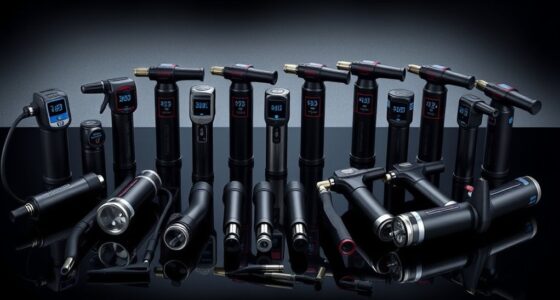
For sim racing shifters that handle both H-pattern and sequential driving, I rate the Fanatec ClubSport Shifter SQ V1.5 as the best overall for its dual-mode design, while the Thrustmaster TH8A is a strong alternative for broad setup flexibility. The SIMSONN HS Pro also stands out for buyers who want both shift patterns without choosing a single-purpose unit. The main tradeoffs are compatibility, mounting space, and whether you need a dedicated H-pattern, sequential, or combined shifter. Wheel ecosystems and connection methods can narrow the field quickly, especially for console users. Read on for the full comparison, selection criteria, and advice on matching a shifter to your rig.

Get the latest gadgets delivered free with Prime
- Fast, free delivery on millions of items
- Prime Video, Amazon Music and more included
- Member-only deals all year
Complete the kit



Key Takeaways
Dual-mode shifters lead this roundup for drivers who switch between road cars and race cars: the Fanatec ClubSport SQ V1.5, Thrustmaster TH8A, and SIMSONN HS Pro combine H-pattern and sequential operation.
Compatibility changes the shortlist. Logitech and Thrustmaster wheel owners have brand-matched options, while several USB shifters are aimed at PC setups and need compatibility checks before purchase.
Dedicated units trade versatility for focus: MOZA SGP and the Logitech Driving Force Shifter each serve a narrower shifting role than the dual-mode picks.
Mounting deserves equal attention to shift pattern. Clamp-based models can suit desks and compact rigs, while a heavier or more elaborate unit may need a sturdy mounting surface and extra clearance.
Integrated handbrakes reduce hardware clutter on the USB Simulator Shifter with 64-Bit Handbrake and Turtle Beach VelocityOne Multi-Shift, though buyers should check how each control fits their game and setup.
| Fanatec ClubSport Shifter SQ V1.5 with USB Adapter |  | Best for a Metal, Adjustable Feel | Construction: Full metal | Shifting modes: 7-gear H-pattern and sequential | Included knobs: Two polished aluminium knobs | VIEW ON AMAZON | See Our Full Breakdown |
| Nitho USB Gear Shifter for PC Sim Racing, 6-Speed with Reverse and Sequential Mode |  | Best Value for PC Setups | Compatible devices: PC, Windows | Connectivity: USB | Modes: 6-speed H-pattern with reverse; sequential | VIEW ON AMAZON | See Our Full Breakdown |
| USB Simulator Shifter and 64-Bit Handbrake with Clamp |  | Best Shifter and Handbrake Bundle | Compatible steering wheels: Logitech G29, G27, G25, G920; Thrustmaster T300RS/GT | Compatible games: Dirt, WRC, Assetto Corsa, LFS, ETS, Project Cars | Connectivity: USB | VIEW ON AMAZON | See Our Full Breakdown |
| GSTP USB Racing Simulator Shifter, 7+R, Compatible with Logitech and Thrustmaster Wheels |  | Best for Listed Logitech and Thrustmaster Wheels | Connection: USB | Shifter pattern: 7+R | Compatibility: Logitech G29, G27, G25, G920; Thrustmaster T300RS/GT | VIEW ON AMAZON | See Our Full Breakdown |
| Logitech G RS H-Shifter for PC, Xbox, and PlayStation |  | Best for Sensor-Based H-Pattern Shifting | Gear pattern: 7-speed H-pattern | Sensor: Contactless Hall Effect | Lockout: Push-through lockout for 7th gear and reverse | VIEW ON AMAZON | See Our Full Breakdown |
| CNRAQR USB Simulator Shifter with 7+R H-Pattern and L-Shaped Clamp |  | Best for a 7+R H-Pattern | Shift pattern: 7+R H-pattern | Connectivity: USB | Compatible operating systems: Windows 7, Windows 10, Windows XP | VIEW ON AMAZON | See Our Full Breakdown |
| Thrustmaster TH8A H-Pattern and Sequential Shifter |  | Best for Multi-Platform Flexibility | Construction: 100% metal | Sensor: H.E.A.R.T. Hall Effect magnetic sensor | Shifting modes: H-pattern and sequential | VIEW ON AMAZON | See Our Full Breakdown |
| PXN A7 6+1 Gear Shifter for PC and Compatible Steering Wheels |  | Best for Extra Shift Controls | Gear pattern: 6+1 H-pattern with push-down reverse | Connections: DIN-USB, DIN-RJ11, and DIN-DIN cables | Additional controls: Brake button and high/low speed buttons | VIEW ON AMAZON | See Our Full Breakdown |
| PXN SF SH Sim Racing Shifter for PC with H-Pattern and Sequential Modes |  | Best Compact Dual-Mode Pick | Compatibility: PC | Shifting modes: H-pattern and sequential | Mode switching: Mechanical switch | VIEW ON AMAZON | See Our Full Breakdown |
| SIMSONN HS Pro Dual-Mode H-Pattern and Sequential Shifter |  | Best Feature-Rich Premium Pick | Shifter modes: H-pattern and sequential | Gear layouts: 6+R and 7+R | Sensors: 8 non-contact magnetic Hall sensors | VIEW ON AMAZON | See Our Full Breakdown |
| PXN A7 H-Pattern Sim Racing Gear Shifter, 6-Speed + Reverse |  | Best for Flexible PXN Setups | Gear pattern: 6 forward gears + reverse | Reverse mechanism: Push down and shift to the 6th gear position | Included cables: DIN-USB, DIN-RJ11, DIN-DIN | VIEW ON AMAZON | See Our Full Breakdown |
| Logitech G Driving Force Shifter for G29, G920, and G923 Racing Wheels |  | Best for Logitech Wheel Owners | Compatible wheels: Logitech G29, G920, and G923 | Gears: Six-speed H-pattern with push-down reverse | Gear shaft: Solid steel | VIEW ON AMAZON | See Our Full Breakdown |
| Thrustmaster TH8S Sim Racing Shifter Add-On |  | Best for Seven-Speed H-Pattern Shifting | Shifting pattern: H-pattern | Gears: 7 plus reverse | Shift lever length: 4 cm (1.6 in) | VIEW ON AMAZON | See Our Full Breakdown |
| MOZA SGP Sequential Shifter for Sim Racing, Black |  | Best Premium Sequential Pick | Model: SGP | Shifting type: Sequential | Construction: Aluminum alloy and steel | VIEW ON AMAZON | See Our Full Breakdown |
| Turtle Beach VelocityOne Multi-Shift Sim Racing Shifter and Handbrake |  | Best for H-Pattern and Sequential Versatility | Gear pattern: Seven forward gears plus reverse | Shifting modes: H-gate and sequential | Handbrake: Analog mode available in sequential mode | VIEW ON AMAZON | See Our Full Breakdown |
| sim racing shifters h pattern sequential | Compatibility |
|---|---|
| Fanatec ClubSport Shifter SQ V | PC, PS5/PS4, Xbox |
| Nitho USB Gear Shifter for PC | — |
| USB Simulator Shifter and 64-B | — |
| GSTP USB Racing Simulator Shif | Logitech G29, G27, G25, G920; Thrustmaster T300RS/GT |
| Logitech G RS H-Shifter for PC | PC via USB; PRO/RS50 wheel bases; G-Series wheels with Racing Adapter (sold separately) |
| CNRAQR USB Simulator Shifter w | — |
| Thrustmaster TH8A H-Pattern an | PS5, PS4, Xbox Series X|S, PC |
| PXN A7 6+1 Gear Shifter for PC | PC and selected PXN or Thrustmaster steering wheel and console combinations |
| PXN SF SH Sim Racing Shifter f | PC |
| SIMSONN HS Pro Dual-Mode H-Pat | — |
| PXN A7 H-Pattern Sim Racing Ge | PC and select PXN or DIN-port wheel bases |
| Logitech G Driving Force Shift | — |
| Thrustmaster TH8S Sim Racing S | Thrustmaster Force Feedback racing wheels |
| MOZA SGP Sequential Shifter fo | — |
| Turtle Beach VelocityOne Multi | PC; Xbox Series X|S and Xbox One via VelocityOne Race |
More Details on Our Top Picks
Fanatec ClubSport Shifter SQ V1.5 with USB Adapter
The full metal construction and adjustable lever resistance make this the pick for drivers who want to tune the physical feel of both H-pattern and sequential shifts. Its seven-gear H-pattern gives it an extra forward gear compared with the six-speed Nitho USB Gear Shifter, while the sequential mode covers cars that use a different shifting style. The reverse gear inhibitor also helps reduce accidental reverse selection during a busy shift. Two polished aluminium knobs are included, so you can change the contact point without sourcing another knob. The tradeoff is that compatibility can depend on the platform setup, so it is less straightforward for buyers seeking a clearly specified Windows-only plug-and-play option. Compared with the Logitech G RS H-Shifter, this model emphasizes adjustable resistance and dual-mode shifting over the latter’s Hall Effect sensor.
Pros:- Full metal construction
- Switches between seven-gear H-pattern and sequential modes
- Adjustable lever resistance
- Includes two polished aluminium knobs
Cons:- Platform compatibility may depend on the rest of the setup
- The supplied details do not specify a particular console connection method
Best for: Sim racers who want a metal, adjustable shifter for both seven-speed H-pattern cars and sequential driving.
Not ideal for: Buyers who need a clearly documented plug-and-play setup for a specific console or wheel base.
- Construction:Full metal
- Shifting modes:7-gear H-pattern and sequential
- Included knobs:Two polished aluminium knobs
- Reverse gear:Inhibitor prevents accidental shifts
- Lever resistance:Adjustable
- Compatibility:PC, PS5/PS4, Xbox
- Adapter:USB
Our verdict“Choose this if adjustable resistance and a metal body matter more to you than a simple, platform-specific setup.”
Nitho USB Gear Shifter for PC Sim Racing, 6-Speed with Reverse and Sequential Mode
The Nitho is aimed at PC drivers who want two shifting modes and a desk-friendly mount without a complicated setup. Its USB plug-and-play connection and clamp for surfaces up to 55 mm thick make it an accessible fit for a desk or a compact racing rig. Interchangeable shift plates let you change the layout for H-pattern or sequential use, though some games may still need manual gear mapping. Compared with the Fanatec ClubSport Shifter SQ V1.5, the Nitho has six forward gears rather than seven and does not list adjustable lever resistance or a full metal build. Its appeal is a clear Windows focus and modest 0.72 kg weight, while the narrower platform support means it is a poor match for console-first racers. Buyers should check their desk thickness and game controls before choosing it.
Pros:- Offers six-speed H-pattern with reverse and sequential modes
- USB plug-and-play setup requires no additional drivers
- Interchangeable shift plates
- Adjustable clamp fits surfaces up to 55 mm thick
Cons:- Designed for Windows PCs
- Some games may require manual gear mapping
- Six forward gears may not suit drivers seeking a seven-speed H-pattern
Best for: Windows PC racers building a desk-mounted setup who want H-pattern and sequential modes with USB connection.
Not ideal for: Console users or drivers who need seven forward gears, adjustable resistance, or explicitly listed metal construction.
- Compatible devices:PC, Windows
- Connectivity:USB
- Modes:6-speed H-pattern with reverse; sequential
- Mounting:Adjustable clamp for surfaces up to 55 mm thick
- Item weight:0.72 kg
- Dimensions:6.89 x 4.25 x 7.2 inches
- Power source:Corded electric
Our verdict“Pick the Nitho for a compact, desk-mounted PC setup when six-speed H-pattern and sequential shifting cover your games.”
USB Simulator Shifter and 64-Bit Handbrake with Clamp
This set makes the most sense for PC racers who want to add a shifter and handbrake together, rather than buying two separate controls. The shifter body is all metal except for its panel, and the included handbrake uses a 64-bit Hall sensor for input detection. It supports listed Logitech and Thrustmaster wheels and a range of Windows racing and driving games. Against the GSTP USB Racing Simulator Shifter, the key difference is the bundled handbrake; the GSTP listing focuses on the shifter alone and specifies a 7+R pattern. This product’s description does not state its gear pattern or shifting modes, so buyers who need confirmed H-pattern and sequential operation should compare carefully with the Fanatec or Nitho. The L-bracket is not included, which can complicate mounting the handbrake.
Pros:- Combines a shifter and handbrake in one package
- All-metal shifter body except for the panel
- 64-bit Hall sensor handbrake
- Driver-free USB setup for specified Windows systems
Cons:- L-bracket is not included
- Product details do not specify the shifter’s gear pattern or shifting modes
- Driver-free support is listed for Windows systems
Best for: Windows PC sim racers with a listed Logitech or Thrustmaster wheel who want a shifter and Hall sensor handbrake in one package.
Not ideal for: Buyers who need a confirmed H-pattern and sequential shifter specification or a handbrake mounting bracket included.
- Compatible steering wheels:Logitech G29, G27, G25, G920; Thrustmaster T300RS/GT
- Compatible games:Dirt, WRC, Assetto Corsa, LFS, ETS, Project Cars
- Connectivity:USB
- Platform:PC
- Operating systems:Windows 10, Windows 7, XP
- Shifter body:All metal except panel
- Handbrake sensor:64-bit Hall sensor
- Weight:2.95 kg
- Installation:Plug-and-play; driver-free
Our verdict“Choose this bundle if the handbrake is as important as the shifter and your PC setup matches the listed compatibility.”
GSTP USB Racing Simulator Shifter, 7+R, Compatible with Logitech and Thrustmaster Wheels
The GSTP is a straightforward choice for drivers whose rig already uses one of its listed Logitech or Thrustmaster wheels. Its 7+R pattern supplies seven forward positions plus reverse, and its USB connection is described as driver-free on specified Windows versions. The 50 mm ball knob and M8 shift rod thread give buyers concrete fit details if they plan to change the knob. Compared with the Nitho, the GSTP lists wheel models and a 7+R pattern, while the Nitho includes interchangeable shift plates and a separate sequential mode. That distinction matters: the GSTP product data does not list sequential shifting, so it is less suited to someone specifically seeking both H-pattern and sequential operation. The metal main body is a plus, but the panel is not metal, and compatibility is limited to the stated wheels and games.
Pros:- 7+R shifting pattern
- USB setup is driver-free on specified Windows versions
- Metal main body
- M8 shift rod thread supports changing the knob
Cons:- Sequential mode is not specified
- Compatibility is limited to the listed wheels and games
- Panel is not metal
Best for: PC racers with a listed Logitech or Thrustmaster wheel who want a USB 7+R shifter and may change the knob.
Not ideal for: Drivers who need sequential mode, broader platform compatibility, or a fully metal exterior.
- Connection:USB
- Shifter pattern:7+R
- Compatibility:Logitech G29, G27, G25, G920; Thrustmaster T300RS/GT
- Compatible games:Dirt, WRC, Assetto Corsa, LFS, ETS, Project Cars
- Body material:Metal, except for the panel
- Shift knob ball diameter:50 mm
- Shift rod thread:M8
- Driver requirements:Driver-free on Windows 10, Windows 7, and Windows XP
Our verdict“Pick the GSTP for a 7+R USB shifter when your wheel is listed and H-pattern operation is your priority.”
Logitech G RS H-Shifter for PC, Xbox, and PlayStation
The Logitech G RS H-Shifter centers on a seven-speed H-pattern with a contactless Hall Effect sensor, making it a strong fit for drivers who want tactile mechanical feedback and consistent shift sensing. A push-through lockout separates 7th gear and reverse from the regular gate, helping reduce accidental selections. Unlike the dual-mode Fanatec ClubSport Shifter SQ V1.5, this is an H-pattern-focused option; its supplied details do not list sequential mode. The table clamp and support for interchangeable knobs and shaft extenders make it easier to adapt the fit to a rig. Connectivity depends on the setup: G-Series wheels need a Racing Adapter sold separately, while compatible wheel bases can connect directly. That makes the Logitech a more specialized fit than a simple USB PC shifter, and console support depends on the wheel base.
Pros:- Seven-speed H-pattern with tactile mechanical feedback
- Contactless Hall Effect sensor
- Push-through lockout for 7th gear and reverse
- Includes table clamp and supports knob and shaft customization
Cons:- Racing Adapter is sold separately for G-Series wheels
- Sequential mode is not specified
- Xbox and PlayStation compatibility depends on a compatible wheel base
Best for: Logitech ecosystem users who want a seven-speed H-pattern shifter with Hall Effect sensing and a push-through lockout.
Not ideal for: Drivers who want one shifter for both H-pattern and sequential modes or need the Racing Adapter included with a G-Series wheel.
- Gear pattern:7-speed H-pattern
- Sensor:Contactless Hall Effect
- Lockout:Push-through lockout for 7th gear and reverse
- Compatibility:PC via USB; PRO/RS50 wheel bases; G-Series wheels with Racing Adapter (sold separately)
- Included:Table clamp
- Customization:Interchangeable gear knob and optional shaft extenders
Our verdict“Choose the Logitech for a tactile, sensor-based seven-speed H-pattern setup if its wheel-base connection requirements match your rig.”
CNRAQR USB Simulator Shifter with 7+R H-Pattern and L-Shaped Clamp
The CNRAQR makes sense for PC drivers who want a 7+R H-pattern and a direct USB connection, with an L-shaped clamp intended to keep the unit in place during shifts. Two included knobs give you a choice of grip, and its listed compatibility includes several Logitech wheels as well as the T300RS/GT. Compared with the PXN A7, it offers a seventh forward gear rather than extra brake and speed buttons, so it suits drivers who prioritize a conventional gear gate over auxiliary controls. The tradeoff is a narrower compatibility picture: the supplied details exclude Windows 11, and console support is mentioned without specifying supported systems. Check your operating system and connection setup before choosing it.
Pros:- 7+R H-pattern provides seven forward gears plus reverse
- L-shaped clamp is designed for stable mounting
- Two interchangeable shift knobs are included
- USB connection and listed compatibility with several popular wheels
Cons:- Not suitable for Windows 11 according to the product details
- Console compatibility is mentioned but not specified
- Wheel compatibility is limited to the listed models
Best for: PC sim racers with a supported Windows version and a listed Logitech or Thrustmaster wheel who want seven forward gears and reverse.
Not ideal for: Windows 11 users or console buyers who need clearly specified platform compatibility.
- Shift pattern:7+R H-pattern
- Connectivity:USB
- Compatible operating systems:Windows 7, Windows 10, Windows XP
- Wheel compatibility:G25, G27, G29, T300RS/GT
- Clamp:L-shaped
- Included accessories:Fixture and 2 shift knobs
- Weight:1.69 kg
- Power source:Corded electric
Our verdict“Choose the CNRAQR if you want a clamped 7+R shifter and use a listed wheel with a supported Windows version.”
Thrustmaster TH8A H-Pattern and Sequential Shifter
The TH8A earns its place for drivers who want both H-pattern and sequential shifting in a metal unit, with compatibility listed for PC, PlayStation, and Xbox systems. Its Hall Effect magnetic sensor is designed to register shifts without relying on a conventional contact sensor, while the metal construction gives it a sturdier character than the ABS-bodied PXN A7. That broader platform list makes the TH8A a more straightforward choice for a multi-system rig than PC-focused options such as the PXN SF SH. The practical tradeoff is mounting: it needs a table or racing stand, so it is less suitable for a setup without a solid mounting point. Buyers should also confirm the connection requirements for their specific platform and wheel before ordering.
Pros:- H-pattern and sequential modes support different driving styles
- Metal construction
- Hall Effect magnetic sensor is designed for consistent shifting
- Compatibility is listed for PC, PS5, PS4, and Xbox Series X|S
Cons:- Requires mounting to a table or racing stand
- A suitable mounting surface is necessary for use
Best for: Sim racers with a table or stand who play across PC, PlayStation, and Xbox and want to switch between H-pattern and sequential modes.
Not ideal for: Drivers using a compact setup without a secure table or racing stand for mounting.
- Construction:100% metal
- Sensor:H.E.A.R.T. Hall Effect magnetic sensor
- Shifting modes:H-pattern and sequential
- Compatibility:PS5, PS4, Xbox Series X|S, PC
- Mounting:Tables and racing stands
Our verdict“Pick the TH8A if you need dual-mode shifting across supported platforms and have a stable place to mount it.”
PXN A7 6+1 Gear Shifter for PC and Compatible Steering Wheels
The PXN A7 stands out for drivers who want more than a gear lever: its brake and high/low speed buttons add controls within reach, while the adjustable lever height helps tailor the feel to a desk or wheel stand. Its 6+1 gate uses push-down reverse, a familiar arrangement for drivers moving from a manual car. Against the CNRAQR 7+R, the A7 gives up a forward gear but adds those extra controls and several connection options. That flexibility comes with homework: compatibility changes by wheel and platform, Thrustmaster wheels are not supported on PC, and some games need button mapping. The ABS housing also makes this a more function-focused choice than the all-metal TH8A.
Pros:- 6+1 H-pattern with push-down reverse
- Brake and high/low speed buttons add accessible controls
- DIN-USB, DIN-RJ11, and DIN-DIN cable options
- Adjustable lever height and clamp support desk or stand mounting
Cons:- Compatibility varies by wheel and platform
- Thrustmaster wheels are not supported on PC
- Some games require manual button configuration
Best for: PC drivers with a confirmed compatible PXN or supported wheel setup who want a 6+1 gate plus accessible brake and speed controls.
Not ideal for: Thrustmaster wheel users on PC, or buyers who need a shifter that works across platforms without checking compatibility and mapping.
- Gear pattern:6+1 H-pattern with push-down reverse
- Connections:DIN-USB, DIN-RJ11, and DIN-DIN cables
- Additional controls:Brake button and high/low speed buttons
- Lever height adjustment:3 cm
- Maximum mounting thickness:1.96 inches
- Materials:ABS housing and steel gear shaft
- Compatibility:PC and selected PXN or Thrustmaster steering wheel and console combinations
Our verdict“Choose the PXN A7 if your wheel is supported and you value extra buttons more than a seventh forward gear or metal construction.”
PXN SF SH Sim Racing Shifter for PC with H-Pattern and Sequential Modes
The PXN SF SH is the compact, PC-only option for drivers who want H-pattern and sequential modes without a mode change that requires disassembly. A mechanical switch handles the change, making it suited to a rig where the preferred shifting style varies from one game to another. Compared with the Thrustmaster TH8A, its listed appeal is straightforward mode switching and compact size, while the TH8A supplies stated metal construction, a Hall Effect sensor, and compatibility across more platforms. The available product details for the SF SH are sparse: they do not specify gear layout, materials, mounting method, or connection type. That limits how confidently I can match it to a particular wheel or desk setup, so PC buyers should confirm those fit details before choosing it.
Pros:- Offers H-pattern and sequential shifting in one unit
- Mechanical switch changes modes without disassembly
- Compact design suits space-limited setups
Cons:- Compatibility is listed for PC only
- Product details do not specify gear layout or materials
- Mounting and connection details are not provided
Best for: PC sim racers with limited rig space who want a compact shifter that switches between H-pattern and sequential modes.
Not ideal for: Console users or buyers who need confirmed details about gear layout, construction, mounting, and connection compatibility.
- Compatibility:PC
- Shifting modes:H-pattern and sequential
- Mode switching:Mechanical switch
- Design:Compact
Our verdict“Consider the PXN SF SH for a compact PC rig if its unspecified mounting and connection details suit your setup.”
SIMSONN HS Pro Dual-Mode H-Pattern and Sequential Shifter
The SIMSONN HS Pro is the most feature-rich choice here for drivers who want 6+R and 7+R layouts, quick changes between H-pattern and sequential shifting, and room to customize controls. Its metal transmission, precision bearings, and eight non-contact magnetic sensors are designed to support smooth shifts without contact sensor wear. Compared with the Thrustmaster TH8A, it adds software calibration, programmable buttons, RGB lighting, and two gear layouts; the TH8A has clearer stated compatibility across PC and major consoles. The HS Pro’s tradeoff is a more software-dependent setup: SIMSONN MANAGER is needed for mode switching and calibration features. Replacement gear knobs are sold separately, so factor that into a build where knob choice matters.
Pros:- Supports 6+R and 7+R layouts with H-pattern and sequential modes
- Metal transmission, precision bearings, and non-contact magnetic sensors
- USB plug-and-play connectivity
- RGB mechanical buttons and software calibration options
Cons:- SIMSONN MANAGER is needed for mode switching and calibration features
- Replacement gear knobs are sold separately
- Product details list no console compatibility
Best for: PC sim racers building a customizable rig who want two gear layouts, dual shifting modes, programmable buttons, and software calibration.
Not ideal for: Buyers who prefer a simple hardware-only setup, need clearly listed console support, or want replacement knobs included.
- Shifter modes:H-pattern and sequential
- Gear layouts:6+R and 7+R
- Sensors:8 non-contact magnetic Hall sensors
- Buttons:Two RGB-backlit mechanical buttons
- Connectivity:USB plug-and-play
- Mounting:Single- or dual-profile mounting
- Software:SIMSONN MANAGER for mode switching, calibration, and downshift blipping
Our verdict“Choose the HS Pro if you want extensive PC customization and multiple layouts and are comfortable using its software for key features.”
PXN A7 H-Pattern Sim Racing Gear Shifter, 6-Speed + Reverse
The PXN A7 suits drivers who want a conventional six-speed H-pattern with reverse and need more than one way to connect it. Its three detachable cables cover USB, RJ11, and DIN connections, giving it broader setup flexibility than the Logitech G Driving Force Shifter, which is tied to specific Logitech wheels. The push-down reverse helps reduce accidental shifts into reverse, while two remappable buttons can bring gear range or parking brake controls within reach. The tradeoff is that cable variety does not make it universal: compatibility still depends on the wheel base or PC connection. Its ABS body also gives it a less substantial feel than the Logitech’s steel shaft and leather-covered knob. I would choose this for a compatible PXN or DIN-port setup, but verify the connection before buying.
Pros:- Six forward gears and push-down reverse provide a familiar H-pattern layout
- Three detachable cables support several connection types
- Two remappable buttons can handle frequently used in-game controls
- Clamp fits surfaces up to 2 inches thick
Cons:- Compatibility depends on having a supported wheel base or connection
- ABS body may feel less substantial than metal-shaft alternatives
- Clamp mounting requires a suitable desk or rig surface
Best for: PXN wheel owners or PC sim racers with a supported DIN connection who want a six-speed shifter and extra remappable controls
Not ideal for: Drivers seeking broad cross-brand wheel-base support or a metal-bodied shifter with a premium tactile feel
- Gear pattern:6 forward gears + reverse
- Reverse mechanism:Push down and shift to the 6th gear position
- Included cables:DIN-USB, DIN-RJ11, DIN-DIN
- Buttons:Two remappable buttons for high/low gear and parking brake
- Body material:ABS
- Shaft core:Steel
- Mounting:Threaded-post clamp; surfaces up to 2 in (50 mm) thick
- Compatibility:PC and select PXN or DIN-port wheel bases
Our verdict“Choose the PXN A7 if your setup supports its connections and you want a six-speed H-pattern shifter with extra buttons.”
Logitech G Driving Force Shifter for G29, G920, and G923 Racing Wheels
For a driver already using a Logitech G29, G920, or G923, this shifter is a straightforward way to add six-speed manual shifting and push-down reverse. Its solid steel shaft and leather-covered knob and boot give it a more finished, substantial feel than the ABS-bodied PXN A7. Built-in clamps and bolt points also let buyers choose a secure desk or rig installation. That focused fit is its main limitation: it requires a compatible Logitech wheel and supported game setup, so it makes less sense for someone building a mixed-brand rig. It also offers a six-speed pattern rather than the seven gears on the Thrustmaster TH8S. I would favor it for a matching Logitech setup where simple integration and sturdy mounting matter more than broad compatibility.
Pros:- Six-speed H-pattern with push-down reverse
- Solid steel gear shaft
- Leather-covered knob and boot
- Built-in clamps and bolt points support secure mounting
Cons:- Requires a compatible Logitech G racing wheel
- Game support depends on compatibility with Logitech force feedback racing wheels
- Six forward gears offer less range than the seven-speed Thrustmaster TH8S
Best for: Sim racers with a G29, G920, or G923 who want a securely mounted six-speed shifter for supported games
Not ideal for: Drivers with non-Logitech wheels, or those who want a seven-speed pattern or cross-brand flexibility
- Compatible wheels:Logitech G29, G920, and G923
- Gears:Six-speed H-pattern with push-down reverse
- Gear shaft:Solid steel
- Knob and boot:Leather-covered
- Mounting:Built-in clamps and bolt points
- Platforms:Windows 7, 8.1, 10, and 11; Xbox Series X|S; Xbox One; PlayStation 4 and 5
- Weight with cable:1.66 lb (0.76 kg)
Our verdict“Pick this shifter if you already own a compatible Logitech G wheel and want a sturdy, closely matched six-speed add-on.”
Thrustmaster TH8S Sim Racing Shifter Add-On
The TH8S stands out for drivers who want seven forward gears plus reverse in a direct H-pattern layout. That extra gear gives it an advantage over the six-speed Logitech G Driving Force Shifter for cars that use a seven-speed manual, while its metal lever offers a sturdier shift component than the PXN A7’s ABS body. The sport-style knob is shaped for shifting, and the short 4 cm lever length makes the unit’s proportions clear before purchase. Its defining compromise is ecosystem fit: it is designed for Thrustmaster Force Feedback wheels, so owners of Logitech or other wheel brands should look at options with a more suitable connection. It also does not offer the adjustable resistance and height features of the MOZA SGP, which is sequential only. This is the focused pick for compatible Thrustmaster users who prioritize an extra H-pattern gear.
Pros:- Seven forward gears plus reverse
- Metal shift lever
- Sport-style ergonomic knob
- Listed for Thrustmaster Force Feedback wheels across PC and major console platforms
Cons:- Requires a compatible Thrustmaster Force Feedback racing wheel
- Does not provide a sequential shifting mode
- Short 4 cm lever may not suit buyers wanting a taller shift handle
Best for: Thrustmaster Force Feedback wheel owners who drive cars with seven-speed manuals and want an H-pattern add-on
Not ideal for: Drivers using other wheel ecosystems or shoppers seeking a shifter that also switches to sequential mode
- Shifting pattern:H-pattern
- Gears:7 plus reverse
- Shift lever length:4 cm (1.6 in)
- Lever material:Metal
- Knob:Sport-style ergonomic knob
- Compatibility:Thrustmaster Force Feedback racing wheels
- Platforms:PS5, PS4, Xbox Series X|S, Xbox One, and PC
Our verdict“Choose the TH8S if your Thrustmaster wheel setup needs seven-speed H-pattern shifting and you do not need sequential mode.”
MOZA SGP Sequential Shifter for Sim Racing, Black
The MOZA SGP is the specialist choice here: it is a sequential shifter, not an H-pattern unit, and its metal construction, non-contact Hall sensor, and adjustable resistance cater to drivers who want a dedicated sequential action. Height adjustment across 64 mm and a replaceable M12-threaded knob also offer more setup tuning than the fixed H-pattern Thrustmaster TH8S. Two customizable RGB buttons add accessible controls without changing gears. That focus comes with a clear limitation for this roundup: it cannot provide the H-pattern shifting offered by the Turtle Beach VelocityOne Multi-Shift, which combines H-gate and sequential modes. Compatibility is also centered on PC and listed MOZA wheelbases, so users of other ecosystems should check carefully. I would choose the SGP for a MOZA-centered rig built around sequential cars, not as a one-shifter solution for every transmission style.
Pros:- Aluminum alloy and steel construction
- Non-contact Hall sensor
- Adjustable shifting resistance and 64 mm handle-height range
- Two customizable RGB buttons and replaceable M12-threaded knob
Cons:- Sequential-only design does not provide H-pattern gears
- Compatibility details focus on PC and listed MOZA wheelbases
- Less versatile across transmission styles than the Turtle Beach Multi-Shift
Best for: PC sim racers with a MOZA wheelbase who primarily drive cars using sequential gearboxes
Not ideal for: Drivers who need H-pattern shifting, Xbox support outside the listed MOZA setup, or one unit for multiple transmission styles
- Model:SGP
- Shifting type:Sequential
- Construction:Aluminum alloy and steel
- Sensor:Non-contact Hall sensor
- Connectivity:USB
- Compatible devices:PC; MOZA wheelbases R3, R5, R9 V2 New Edition, R12, R16, and R21
- Handle-height adjustment:64 mm range
- Buttons:Two RGB backlit mechanical buttons
- Knob thread:M12
Our verdict“Choose the MOZA SGP for a PC or MOZA rig dedicated to adjustable sequential shifting, and skip it if H-pattern gears are essential.”
Turtle Beach VelocityOne Multi-Shift Sim Racing Shifter and Handbrake
This is the most adaptable option in the group for drivers who switch between seven-speed H-pattern and sequential shifting. It also works as an analog handbrake in sequential mode, while included short- and long-throw shafts let buyers tailor the action. That gives it more transmission flexibility than the sequential-only MOZA SGP and broader use than a fixed H-pattern model such as the Logitech G Driving Force Shifter. Hall-effect sensors and desk-clamp or screw mounting support a range of rigs. The catch is that handbrake mode is available only in sequential mode, so it cannot serve as a separate handbrake while using the H-gate. Xbox support also depends on a VelocityOne Race. I would pick it for a PC or compatible Xbox driver who wants one unit for varied vehicle types, provided its mode limits fit their setup.
Pros:- Switches between seven-speed H-gate and sequential modes
- Analog handbrake function in sequential mode
- Hall-effect magnetic sensors
- Includes short- and long-throw shafts plus H-gate and sequential knobs
Cons:- Xbox compatibility requires a VelocityOne Race
- Handbrake mode is available only in sequential mode
- The multiple functions may be unnecessary for drivers who want a dedicated single-mode shifter
Best for: PC sim racers, or VelocityOne Race owners on Xbox, who alternate between H-pattern, sequential, and handbrake use
Not ideal for: Xbox users without a VelocityOne Race or drivers who need analog handbrake operation while using the H-gate
- Gear pattern:Seven forward gears plus reverse
- Shifting modes:H-gate and sequential
- Handbrake:Analog mode available in sequential mode
- Gear range:Up to 14 forward gears with compatible titles
- Sensor technology:Hall-effect magnetic sensors
- Mounting:Integrated desk clamp or screw mounting
- Included accessories:Short and long-throw shafts; H-gate and sequential shift knobs
- Thread size:M12 x 1.75
- Compatibility:PC; Xbox Series X|S and Xbox One via VelocityOne Race
Our verdict“Choose the VelocityOne Multi-Shift if you want H-pattern and sequential modes in one unit and can work within its handbrake and Xbox limits.”

How We Picked
I compared the 15 listed shifters by how well they serve the specific need behind this roundup: choosing between H-pattern, sequential, and combined shifting for sim racing. I prioritized usable shift modes, stated wheel and platform compatibility, construction and mounting approach, and how much flexibility each design offers across different cars and games. I also weighed setup complexity and whether a product adds useful controls, such as an integrated handbrake, or occupies a focused role.
The order favors shifters that combine practical versatility with a clear setup path, followed by strong choices for a particular ecosystem, budget-minded PC setup, or specialized use. A high position does not mean every buyer should choose that model: a console owner may get more value from a compatible wheel-family option, while a PC driver who only races sequential cars may prefer a dedicated unit. Because listed product names alone do not establish every connection or game requirement, I treat compatibility as something buyers should confirm for their exact wheel and platform.
Factors to Consider When Choosing Sim Racing Shifters H Pattern Sequential
Before choosing a shifter, I would match its modes and connection path to the cars I actually drive and the hardware already on my rig. These broader checks can prevent a feature-rich unit from becoming a poor fit.
Choose modes around the cars you drive
H-pattern shifting makes sense when you regularly drive road cars, older race cars, or vehicles where selecting each gear is part of the experience. Sequential shifting suits many modern race cars and can make rapid upshifts and downshifts easier to manage. A dual-mode shifter covers both, but changing modes may involve a mechanical adjustment rather than a setting in a game menu. Think about how often you will switch before paying for flexibility you may rarely use. If one style dominates your sessions, a focused shifter can leave more room and attention for the controls you use most. Check that the games you play support the shifting style you want.
Confirm the connection and platform path
A shifter can fit physically and still fail to connect cleanly to your wheel or platform. Some products are designed for a particular wheel family, while standalone USB models are generally aimed at PC use and still may need game or driver configuration. Console support can depend on how the shifter connects through the wheelbase, not just the console itself. Before buying, match the shifter’s connection method to your wheelbase, platform, and game. Avoid assuming that a USB adapter automatically makes a PC-oriented device work on a console. If you use more than one platform, check each path separately.
Plan for mounting, reach, and clearance
Desk clamps are convenient for a temporary or compact rig, but their grip depends on desk thickness, edge shape, and material. A fixed cockpit mount can feel more settled during forceful shifts, provided the mounting points line up and the structure can handle the load. Measure the distance from your seat and steering wheel so the shifter falls naturally to hand without obstructing other controls. Also check for space to move a lever through its full H-pattern gate or sequential throw. A compact setup may favor an adjustable clamp over a larger assembly. These fit checks matter more than a long list of features if the unit cannot sit securely where you need it.
Decide whether a handbrake belongs in the same unit
An integrated handbrake can reduce the number of devices and cables on a small rig, which is helpful for rally and drift use. The tradeoff is that the shifter and brake share a physical location, so their positions may not suit every cockpit. Separate controls give more freedom to place each input, but require more mounting space and setup work. Consider whether your main games make regular use of a handbrake or whether it would be an occasional extra. Check how the combined controls connect and whether your games let you assign them independently. Choose the integrated route when space and simplicity matter more than independent placement.
Pay for durability and adjustability you can use
Frequent shifting puts repeated force through the lever, gate, mount, and surrounding rig, so construction and a stable attachment matter for regular use. A unit with adjustable resistance or interchangeable modes can better suit different preferences, but added mechanisms may take more time to configure. Buyers should also consider whether the controls can be maintained or adjusted if they loosen over time. For casual driving, a simpler unit with the right pattern and a secure clamp may be a better fit than a highly configurable design. For a permanent rig used across many cars, a more adaptable mechanism can justify its footprint. Let session frequency and the need to change modes guide how much complexity is worthwhile.
Frequently Asked Questions
Will a USB sim racing shifter work with my console?
Do not assume that a USB connector alone means console support. Many standalone USB shifters are intended for PC, while console compatibility may rely on a supported wheelbase passing the shifter input through to the system. Check the product’s stated platform support and the connection method for your specific wheel. Then confirm that the games you play recognize the shifter and allow its inputs to be assigned. If console use is essential, a wheel-family-compatible option may be a safer fit than an unverified generic USB model.
Should I choose a dual-mode shifter or buy an H-pattern unit and a sequential unit separately?
A dual-mode model makes sense when you regularly move between cars that call for different shifting styles and want to keep one control in reach. It also saves mounting space compared with two separate devices. Separate units can be more convenient if you switch often and dislike reconfiguring a mechanism, or if you want each control mounted in a different position. Consider how much rig space you have and how frequently you change modes. The Fanatec ClubSport SQ V1.5, TH8A, and SIMSONN HS Pro are examples in this roundup to compare for combined use.
Can I use a shifter with a different brand of wheel?
Sometimes, but compatibility depends on the shifter’s connection, wheelbase, platform, and game rather than the brand name alone. A standalone PC USB model may be usable alongside another brand’s wheel on PC, but console setups often have fewer connection paths. Brand-matched accessories can simplify setup when you already own the compatible wheel family. Check supported models and platform notes before ordering, and look for any required adapter or separate USB connection. If the listing does not clearly explain your combination, treat compatibility as unresolved until confirmed.
Is an integrated handbrake a good choice for a small rig?
It can be a practical choice when you drive rally or drift titles and have limited room for separate controls. The Turtle Beach VelocityOne Multi-Shift and the USB Simulator Shifter with Handbrake combine shifting and handbrake functions in one assembly. That arrangement can reduce device clutter, though it may limit how far apart you can position the controls. Check that the handbrake action and shifter reach work from your seating position and that your games support the inputs. If you rarely use a handbrake, a dedicated shifter may offer a cleaner fit.
What should I check before mounting a shifter to a desk?
Measure the desk edge, thickness, and available area before relying on a clamp. Some clamps need a straight, accessible edge and enough clearance underneath, while desk aprons or rounded edges can prevent a firm fit. Place the shifter where you can reach it without twisting or colliding with your keyboard, seat, or wheel. Consider how securely the desk is anchored, since a lightweight surface can move under repeated shifting. If the desk mount seems marginal, a cockpit bracket or sturdier mounting surface may be the more reliable option.
Conclusion
For most buyers seeking both H-pattern and sequential operation, I recommend the Fanatec ClubSport Shifter SQ V1.5 as the best overall, with the Thrustmaster TH8A as a versatile alternative for compatible setups. The Logitech G Driving Force Shifter is the straightforward beginner choice for supported Logitech wheels, while the Nitho USB Gear Shifter and other PC-focused USB models are worth comparing for a simpler PC setup. For a dedicated sequential control, look at the MOZA SGP; for a combined shifter and handbrake, compare the Turtle Beach VelocityOne Multi-Shift with the USB handbrake option. Buyers prioritizing a higher-end dual-mode unit should weigh the Fanatec and TH8A against the SIMSONN HS Pro, then confirm platform, mounting, and game support before choosing.