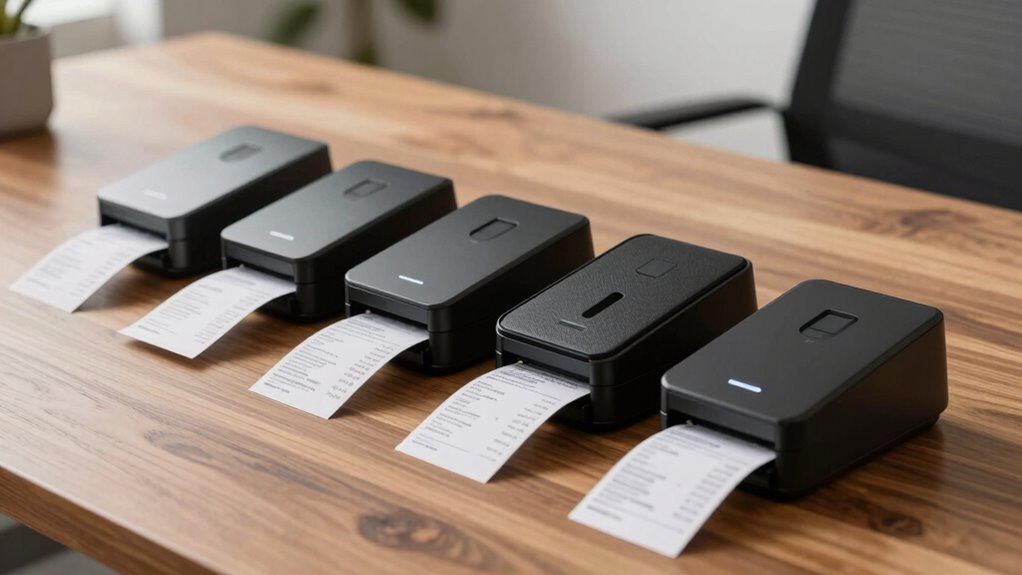

For small businesses under $600, finding a reliable receipt and expense scanner can seem daunting, given the variety of models and features. The Epson WorkForce ES-60W stands out for its wireless portability, making it ideal for on-the-go scanning needs. The Brother DS-640 offers a compact design with fast duplex scanning, suited for desktop use. However, tradeoffs often involve balancing speed, portability, and connectivity, with some models sacrificing features for affordability. Continue reading to explore the full list and find the best fit for your business needs.

Get the latest gadgets delivered free — and shop member deals
- Fast, free delivery on millions of items
- Access to Prime Big Deal Days deals on October 6–7
- Prime Video, Amazon Music and more included
Complete the kit



Key Takeaways
- Top models balance portability with scanning speed, with wireless options leading for mobile use.
- Duplex scanning is common but can come at a higher price within the under-$600 range.
- Compact design is prioritized by mobile scanners, but these may lack some advanced features.
- Connectivity options, especially wireless, are crucial for flexible workflows.
- Price often influences build quality and speed; higher-priced models tend to perform better.
| Epson Workforce ES-50 Compact & Lightweight Mobile Document Scanner |  | Best for Portability and On-the-Go Scanning | Scanning Speed: 5.5 seconds per page | Maximum Document Size: 8.5 x 72 inches | Connectivity: USB 2.0 | VIEW ON AMAZON | See Our Full Breakdown |
| Epson WorkForce ES-60W Wireless Compact Mobile Document Scanner |  | Best for Wireless, Multi-Device Flexibility | Scan Speed: 4 seconds per page | Connectivity: Wireless, USB | Supported Devices: PC, Mac, iOS, Android | VIEW ON AMAZON | See Our Full Breakdown |
| Brother DS-640 Compact Mobile Document Scanner |  | Best for Versatility and Multi-Platform Use | Scan Speed: 16 ppm | Weight: 1.5 lbs | Dimensions: Less than 11.8 inches long | VIEW ON AMAZON | See Our Full Breakdown |
| Epson RapidReceipt RR-400W Wireless Compact Desktop Color 2-Sided Receipt & Document Scanner |  | Best for Business Efficiency and AI Data Extraction | Technology: ScanSmart AI PRO | Connectivity: Wireless | Document Feeder Capacity: 20 pages | VIEW ON AMAZON | See Our Full Breakdown |
| NeatReceipts Mobile Scanner and Digital Filing System – PC |  | Best for Digital Filing and Portable Organization | Compatibility: PC | Power Source: USB | Weight: Less than 1 pound | VIEW ON AMAZON | See Our Full Breakdown |
| Epson RapidReceipt RR-60 Compact Mobile Document Scanner |  | Best for Portability and Quick Organization | Scan Speed: 10 pages per minute | Weight: under 10 oz | Maximum Document Size: 8.5 x 72 inches | VIEW ON AMAZON | See Our Full Breakdown |
| Canon imageFORMULA R10 Portable Document Scanner, USB Powered, Duplex Scanning, Document Feeder, White |  | Best for Speed and Compatibility on the Go | Power Consumption: 2.5W or less | Suggested Daily Volume: 500 scans | Media Types: Receipts, business cards, reports | VIEW ON AMAZON | See Our Full Breakdown |
| ScanSnap iX2500 Receipt Edition Wireless and USB High-Speed Scanner |  | Best for High-Speed Receipt Scanning with Cloud Integration | Connectivity: Wi-Fi and USB | Scanning Speed: 45 pages per minute | Document Feeder Capacity: 100 sheets | VIEW ON AMAZON | See Our Full Breakdown |
| Epson RapidReceipt RR-400W Wireless Business Scanner |  | Best for Wireless Convenience and AI Data Extraction | Technology: ScanSmart AI PRO | Export Compatibility: Financial Software (QuickBooks, TurboTax) | Design: Compact Desktop | VIEW ON AMAZON | See Our Full Breakdown |
| Plustek Mobile Scanner S410 Plus – Portable Sheet-Fed Document Scanner for Windows |  | Best for Versatile, On-the-Go Document Conversion | Connectivity: Bus powered | Compatibility: Windows 7 / 8 / 10 / 11 | Weight: Less than 1 lb | VIEW ON AMAZON | See Our Full Breakdown |
| ScanSnap iX1300 Wireless and USB Double-Sided Color Document Scanner, Black |  | Best Overall for Versatile Small Business Use | Connectivity: USB, Wi-Fi | Color: Color | Scan Speed: up to 30 pages per minute | VIEW ON AMAZON | See Our Full Breakdown |
| Epson RapidReceipt RR-70W Compact Mobile Document Scanner |  | Best for On-the-Go Receipt Digitization | Scan Speed: 15 pages per minute | Weight: under 11 oz | Connectivity: USB, Battery, Wireless | VIEW ON AMAZON | See Our Full Breakdown |
| ScanSnap iX1600 Receipt Edition Color Duplex Invoice Document Scanner |  | Best for Advanced Business Users with Custom Needs | Connectivity: Wi-Fi | Touch Screen: 4.3 inches | Profiles: Up to 30 | VIEW ON AMAZON | See Our Full Breakdown |
| NeatReceipts Mobile Document Scanner and Digital Filing System for PC and Mac |  | Best for Simple, All-in-One Digital Filing | Compatibility: PC and Mac | Power Source: USB | Features: Data extraction, report creation, contact sync, cloud backup | VIEW ON AMAZON | See Our Full Breakdown |
| receipt and expense scanner for businesses under 600 | Connectivity |
|---|---|
| Epson Workforce ES-50 Compact | USB 2.0 |
| Epson WorkForce ES-60W Wireles | Wireless, USB |
| Brother DS-640 Compact Mobile | Micro USB 3.0 |
| Epson RapidReceipt RR-400W Wir | Wireless |
| NeatReceipts Mobile Scanner an | — |
| Epson RapidReceipt RR-60 Compa | USB, Wi-Fi, Mobile App |
| Canon imageFORMULA R10 Portabl | USB |
| ScanSnap iX2500 Receipt Editio | Wi-Fi and USB |
| Epson RapidReceipt RR-400W Wir | Wireless |
| Plustek Mobile Scanner S410 Pl | Bus powered |
| ScanSnap iX1300 Wireless and U | USB, Wi-Fi |
| Epson RapidReceipt RR-70W Comp | USB, Battery, Wireless |
| ScanSnap iX1600 Receipt Editio | Wi-Fi |
| NeatReceipts Mobile Document S | — |
More Details on Our Top Picks
Epson Workforce ES-50 Compact & Lightweight Mobile Document Scanner
The Epson Workforce ES-50 stands out for its ultra-lightweight design, making it ideal for mobile professionals who need quick, reliable scans without carrying bulky equipment. While it offers impressive speed at 5.5 seconds per page and OCR capabilities for searchable documents, its limitation to single-sheet scanning means it isn’t suited for bulk processing. Compared to the Epson WorkForce ES-60W, it lacks wireless connectivity, which could be a drawback for users who prefer wireless workflows. This model excels for those who prioritize portability and simple setup but sacrifices multi-page batch scanning and wireless features. Best for individuals who need a portable, easy-to-use scanner for occasional, single-page scans in the field.
Pros:- Extremely lightweight and portable for mobile use
- Fast scan speed of 5.5 seconds per page
- OCR support enables searchable and editable files
- Simple USB-powered setup without external power needs
Cons:- Limited to single-page scans, not suitable for bulk processing
- No wireless or Wi-Fi connectivity options
- Requires software installation for full functionality
Best for: Traveling salespeople, mobile consultants, or remote workers needing quick, on-the-go scans
Not ideal for: Small offices requiring high-volume batch scanning or wireless connectivity for multiple devices
- Scanning Speed:5.5 seconds per page
- Maximum Document Size:8.5 x 72 inches
- Connectivity:USB 2.0
- Power:USB-powered
- Software:Epson ScanSmart, Nuance OCR
- Compatibility:Windows, Mac
Our verdict“This is the best choice for mobile professionals who prioritize portability over batch scanning or wireless features.”
Epson WorkForce ES-60W Wireless Compact Mobile Document Scanner
The Epson WorkForce ES-60W offers the convenience of wireless scanning, making it suitable for professionals who need to send scans directly to multiple devices or cloud services. Its 4-second per page speed slightly outperforms the ES-50 and supports wireless, USB, and battery power, adding versatility. However, like the ES-50, it is limited to single-sheet scans, which can be a bottleneck during bulk processing. Compared to the Brother DS-640, it boasts wireless connectivity and device support across iOS and Android, but it requires software installation and an internet connection, which may affect reliability in some situations. This pick is ideal for users who want wireless flexibility but don’t need multi-page batch scanning.
Pros:- Wireless scanning to multiple devices and cloud services
- Fast 4-second per page scanning speed
- Battery-powered option increases mobility
- Supports a range of devices including iOS and Android
Cons:- Limited to single-sheet scans, not ideal for high-volume tasks
- Requires software installation and internet connection
- Battery life may vary with usage intensity
Best for: Remote workers, field agents, or small teams needing wireless, multi-device scanning options
Not ideal for: Offices with high-volume scanning needs or those requiring multi-page, duplex document processing
- Scan Speed:4 seconds per page
- Connectivity:Wireless, USB
- Supported Devices:PC, Mac, iOS, Android
- Document Size:Up to 8.5″ x 72″
- Power:Battery or USB
- Software:Epson ScanSmart, Nuance OCR
Our verdict“This is the best choice for mobile professionals who need wireless scanning to multiple devices without bulk processing demands.”
Brother DS-640 Compact Mobile Document Scanner
The Brother DS-640 is a versatile, portable scanner capable of handling a wide range of document types, including long and heavy documents, with speeds of up to 16 pages per minute. Its compatibility with Windows, Mac, and Linux makes it flexible for various small office setups. Although it offers impressive speed and supports OCR, the need to download software and the absence of built-in wireless connectivity limits its convenience for quick, wireless, multi-user environments. Compared with the Epson ES-60W, it supports multiple operating systems but sacrifices wireless functionality, which might be a dealbreaker for users who prefer direct device-to-cloud scans. It’s suited for those who want fast, reliable batch scans on different OS platforms.
Pros:- Supports multiple operating systems including Linux
- Fast scanning at up to 16 ppm
- Supports long documents up to 72 inches
- Includes OCR and image enhancement features
Cons:- Requires software download and setup, adding complexity
- No built-in wireless or Wi-Fi connectivity
- Limited to 300dpi when connected to a PC for letter-sized documents
Best for: Small businesses or mobile professionals who need multi-platform support and faster batch processing
Not ideal for: Users who require wireless scanning or a very lightweight, ultra-portable device
- Scan Speed:16 ppm
- Weight:1.5 lbs
- Dimensions:Less than 11.8 inches long
- Supported Documents:Up to 72 inches long
- Connectivity:Micro USB 3.0
- Compatibility:Windows, Mac, Linux
Our verdict“This scanner is ideal for users who need fast, multi-platform batch scanning but don’t require wireless connectivity for mobility.”
Epson RapidReceipt RR-400W Wireless Compact Desktop Color 2-Sided Receipt & Document Scanner
The Epson RapidReceipt RR-400W combines speed with smart data processing, offering AI-powered data extraction and 2-sided scanning at 30 pages per minute. Its automatic document feeder and cloud connectivity streamline receipt and document management for busy small businesses. Compared with the NeatReceipts scanner, it provides more advanced AI features and faster duplex scanning, but its complexity and feature set may be overkill for very simple needs. The scanner’s learning curve and less transparent dimensions might make setup slightly more involved. This model suits businesses looking to automate data entry and handle higher volumes efficiently, especially when space saving is a priority.
Pros:- AI-powered data extraction for smarter digital conversion
- High-speed 30 ppm duplex scanning
- Compact design saves significant desk space
- Wireless connectivity with cloud integration
Cons:- Advanced features may require some learning curve
- No specific dimensions provided, possible setup complexity
- Features depend on compatible software and apps
Best for: Small businesses that want fast, two-sided scanning combined with AI-powered data extraction
Not ideal for: Micro-businesses with minimal document volume or those on a tight learning curve for new software
- Technology:ScanSmart AI PRO
- Connectivity:Wireless
- Document Feeder Capacity:20 pages
- Scanning Speed:30 pages per minute
- Color:Color
- Features:2-sided scanning, auto cropping, background removal
Our verdict“This scanner is best for busy small offices seeking fast, two-sided scans with intelligent data processing capabilities.”
NeatReceipts Mobile Scanner and Digital Filing System – PC
The NeatReceipts Mobile Scanner is tailored for those who want a simple, portable way to digitize receipts, business cards, and documents for organized filing. Its lightweight design and USB power make it ideal for traveling or small offices. While it provides searchable and editable files and supports exporting to various formats like PDF and Excel, it relies heavily on software setup and is limited to PC compatibility. Compared with the Epson models, it offers a more straightforward digital filing system but lacks wireless features and bulk scanning capacity. This pick is perfect for individuals who prioritize portability and easy integration with financial software but don’t need high-volume batch processing or wireless connectivity.
Pros:- Lightweight, portable design for easy transport
- Creates searchable, editable digital files
- Supports exporting to multiple formats including PDF and Excel
- Includes cloud backup and premium support options
Cons:- Requires software installation and setup
- Limited to PC compatibility
- Ongoing cloud backup subscription needed after trial
Best for: Freelancers, small business owners, or consultants who need portable, organized digital document management
Not ideal for: Teams requiring multi-user, wireless, or high-volume scanning workflows
- Compatibility:PC
- Power Source:USB
- Weight:Less than 1 pound
- Includes:Neat software suite, 30-day NeatCloud trial
Our verdict“This is a practical choice for small-scale users who want portability and straightforward digital filing without complex features.”
Epson RapidReceipt RR-60 Compact Mobile Document Scanner
The Epson RapidReceipt RR-60 stands out for its ultra-lightweight design, weighing under 10 ounces, making it ideal for mobile professionals who need to scan receipts on the go. Its AI-powered features automatically organize files, which can save considerable time compared to manual sorting. While its high-resolution scans and auto-cropping are impressive, its limited document size and occasional compatibility issues with financial software may pose challenges for more complex workflows. Compared to the ScanSnap iX2500, the RR-60 sacrifices speed and bulk capacity for portability, making it less suited for high-volume scanning but perfect for quick, small-scale digitization. This pick is best for small-business owners or freelancers who prioritize mobility over bulk processing.Pros:- Extremely lightweight and portable for mobile use
- AI-powered automatic organization and file naming
- High-resolution scans with auto cropping and background removal
Cons:- Limited to small and medium-sized documents, not suitable for large files
- Requires software installation, which may be problematic on some systems
- Possible compatibility issues with certain financial applications
Best for: Mobile entrepreneurs and remote workers needing quick, on-the-fly receipt scanning.
Not ideal for: Businesses with large volumes of documents or those requiring extensive integration with financial software—this scanner’s portability limits capacity and compatibility.
- Scan Speed:10 pages per minute
- Weight:under 10 oz
- Maximum Document Size:8.5 x 72 inches
- Connectivity:USB, Wi-Fi, Mobile App
Our verdict“This scanner is best suited for mobile users who need quick, organized receipt scans with minimal bulk.”
Canon imageFORMULA R10 Portable Document Scanner, USB Powered, Duplex Scanning, Document Feeder, White
The Canon imageFORMULA R10 offers a compelling blend of speed and portability, with duplex scanning at 12 pages per minute and a built-in automatic document feeder—features that make it a strong alternative to the slower Epson RR-60. Its compatibility with both Windows and Mac, along with a compact design, makes it especially suitable for remote teams or small offices that need versatile device support. However, it’s not designed for photographing or scanning larger, fragile media, limiting its use for diverse media types. Compared to the Plustek S410 Plus, the R10 emphasizes speed and system compatibility but lacks the OCR capabilities and portability of the Plustek, making it more suited for office use. This device is best for small businesses that need reliable, fast scanning for a variety of standard documents.Pros:- Fast duplex scanning at 12 pages per minute
- Compact, portable, and easy to carry
- Compatible with both Windows and Mac systems
Cons:- Limited to document and media types, not suitable for photos
- No wireless connectivity, only USB
- Lacks advanced OCR or cloud features
Best for: Remote workers and small teams needing fast, reliable document scanning with multi-platform support.
Not ideal for: Users scanning photographs or larger, delicate media—its design is optimized for standard documents and not media preservation.
- Power Consumption:2.5W or less
- Suggested Daily Volume:500 scans
- Media Types:Receipts, business cards, reports
- Scanning Speed:12 pages per minute
- Automatic Document Feeder:20 sheets
- Connectivity:USB
Our verdict“This scanner is ideal for small teams needing quick, reliable document digitization across multiple platforms.”
ScanSnap iX2500 Receipt Edition Wireless and USB High-Speed Scanner
The ScanSnap iX2500 Receipt Edition pushes ahead with a remarkable 45 pages per minute scanning speed, making it a standout for businesses with high-volume receipt processing. Its large touchscreen and customizable profiles simplify repeated tasks, while automatic optimizations help prevent jams and ensure data accuracy. Unlike the Epson RR-400W, which also offers wireless, the iX2500’s speed and user-friendly interface make it well-suited for busy environments where time matters. The primary tradeoff is its higher cost and complexity, which could be overwhelming for very small businesses or less tech-savvy users. It excels at integrating with cloud services and supporting multiple device sharing, making it perfect for accounting teams handling large receipt loads.Pros:- Exceptional 45 pages per minute double-sided scanning speed
- Large touchscreen with customizable profiles
- Supports cloud integration and multiple device sharing
Cons:- Higher price point compared to basic models
- Setup can be complex for non-technical users
- Limited to receipt and invoice scanning, not suitable for other documents
Best for: Small businesses or accounting departments handling high volumes of receipts and invoices needing fast, efficient digitization.
Not ideal for: Single-user setups or businesses with low scanning needs, where simpler, less expensive options suffice.
- Connectivity:Wi-Fi and USB
- Scanning Speed:45 pages per minute
- Document Feeder Capacity:100 sheets
- Features:Large touchscreen, automatic optimizations
Our verdict“This scanner is best for busy offices that require high-speed, high-volume receipt digitization with easy cloud access.”
Epson RapidReceipt RR-400W Wireless Business Scanner
The Epson RapidReceipt RR-400W excels in remote and flexible work environments with its wireless connectivity and AI-driven data extraction, making organization straightforward. Its fast two-sided scanning at up to 30 pages per minute and a robust 20-page feeder are advantageous for medium-volume processing. Its AI tech supports seamless export to financial software like QuickBooks, positioning it as a practical choice for small business owners wanting a wireless setup. However, it’s limited to receipts and small documents, and lacks detailed resolution specs or wireless options beyond Wi-Fi, which could limit its use in environments needing larger or more varied media. Compared to the Epson RR-60, the RR-400W offers better speed and wireless features but is less portable.Pros:- AI-powered data extraction simplifies digital organization
- Fast two-sided scanning reduces time
- Wireless connectivity adds convenience
Cons:- Limited to receipt and small document scanning
- Lack of detailed resolution or color specs
- Potentially higher cost for advanced AI features
Best for: Small business owners needing a wireless, AI-powered receipt scanner for remote or flexible work.
Not ideal for: Users requiring high-resolution scans or those scanning large, fragile, or media-rich documents, as its capabilities are tailored for receipts.
- Technology:ScanSmart AI PRO
- Export Compatibility:Financial Software (QuickBooks, TurboTax)
- Design:Compact Desktop
- Document Feeder:20 pages
- Scanning Speed:Up to 30 pages per minute
- Connectivity:Wireless
Our verdict“This scanner fits small businesses needing reliable wireless receipt scanning with smart data extraction.”
Plustek Mobile Scanner S410 Plus – Portable Sheet-Fed Document Scanner for Windows
The Plustek S410 Plus offers an impressive balance of portability and functionality, especially suited for users who need to scan a variety of documents, from legal papers to receipts, on the move. Its automatic, button-free operation and built-in OCR software enable users to convert images into searchable, editable files, which is a significant advantage over simpler mobile scanners like the Epson RR-60. However, its reliance on Windows limits its flexibility for Mac users, and the absence of wireless connectivity could be a hindrance for wireless office environments. Compared to the Epson RR-60, the S410 Plus provides more versatile document support and OCR, but sacrifices some portability and ease of wireless use. It is ideal for business travelers or field agents who need flexible, multi-format scanning with OCR capabilities.Pros:- Lightweight and highly portable for on-the-go use
- Automatic, button-free scanning for ease of operation
- Built-in OCR software for converting images into editable files
Cons:- Limited to Windows operating systems
- No wireless connectivity, only bus powered
- Limited support for very large documents
Best for: Mobile professionals and small business owners who need versatile, portable document scanning with OCR on Windows devices.
Not ideal for: Mac users or those seeking wireless functionality—its reliance on bus power and Windows compatibility could be limiting.
- Connectivity:Bus powered
- Compatibility:Windows 7 / 8 / 10 / 11
- Weight:Less than 1 lb
- Supported Documents:Letter, Legal, business cards, ID cards, invoices, receipts
- Features:Automatic scanning, OCR software
Our verdict“This scanner is best for Windows-based mobile users needing versatile document support with OCR capabilities in a portable form.”
ScanSnap iX1300 Wireless and USB Double-Sided Color Document Scanner, Black
The ScanSnap iX1300 stands out for its balance of speed, versatility, and space efficiency, making it a strong choice for small businesses that need reliable scanning without occupying much room. Compared with the Epson RapidReceipt RR-70W, it offers faster duplex scanning and broader compatibility with Mac, PC, and mobile devices, though it may require a learning curve for new users due to its automatic features. Its wireless and USB connectivity ensures flexible setup, and support for cloud services simplifies workflows. However, it doesn’t include bundled software subscriptions, which might add to the initial setup effort. Ideal for small offices or home-based entrepreneurs who want a dependable, space-saving scanner that handles various document types efficiently, but those seeking a fully plug-and-play experience with minimal setup might prefer simpler models.
Pros:- Compact and space-saving design
- Fast duplex scanning at up to 30 pages per minute
- Wireless and USB connectivity for flexible use
- Supports multiple cloud integrations
Cons:- No bundled software subscription included
- Potential learning curve for new users
Best for: Small business owners who need a compact, fast, and versatile scanner that integrates with multiple devices and cloud services
Not ideal for: Users looking for an out-of-the-box solution with minimal setup or extensive software features included
- Connectivity:USB, Wi-Fi
- Color:Color
- Scan Speed:up to 30 pages per minute
- Automatic Features:De-skew, color optimization, blank page removal
- Compatibility:Mac, PC, mobile devices, Chromebook
Our verdict“This scanner is best suited for small businesses that need quick, reliable, and space-efficient document management across various platforms.”
Epson RapidReceipt RR-70W Compact Mobile Document Scanner
The Epson RapidReceipt RR-70W excels in portability, offering a lightweight design under 11 ounces that’s perfect for business travelers or field staff. Its AI-powered ScanSmart AI PRO technology enables intelligent data extraction, turning receipts and invoices into searchable PDFs quickly. Compared with the ScanSnap iX1300, it’s less suited for high-volume scanning due to its single-sheet capacity and slower speed of 15 pages per minute, but its battery-powered operation and compact size make it ideal for mobile workflows. The wireless feature allows direct uploads to cloud services, streamlining on-the-go documentation. Its main tradeoff is a higher price point for specialized features, and it requires compatible software for full functionality. Best for mobile professionals or small teams needing quick receipt capture in various locations, but it may be less suitable for high-volume or fixed office setups requiring rapid batch scanning.
Pros:- Extremely lightweight and portable
- AI-powered data extraction for categorizing receipts
- Wireless scanning directly to cloud services
- Battery-powered for mobile use
Cons:- Limited to single-sheet scanning at a time
- Higher cost for advanced AI features
- Dependent on compatible software for best results
Best for: Freelancers or small teams who need portable, AI-enhanced receipt scanning during travel or in the field
Not ideal for: Organizations requiring high-volume document processing or multi-sheet scanning in a desktop environment
- Scan Speed:15 pages per minute
- Weight:under 11 oz
- Connectivity:USB, Battery, Wireless
- Maximum Document Size:8.5″ x 72″
- Technology:ScanSmart AI PRO
Our verdict“This pick makes the most sense for mobile users who prioritize portability and intelligent receipt management over high-volume throughput.”
ScanSnap iX1600 Receipt Edition Color Duplex Invoice Document Scanner
The ScanSnap iX1600 Receipt Edition offers a robust interface with its 4.3-inch touch screen and up to 30 customizable profiles, making it suitable for more complex business workflows. Compared with the ScanSnap iX1300, it provides greater flexibility and control, especially for businesses that require different scanning profiles for invoices, receipts, or documents. Its Wi-Fi connectivity allows flexible placement, and the large screen simplifies operation. However, this model can be overwhelming for users unfamiliar with advanced features and lacks clear pricing details, which could be a barrier for smaller budgets. It’s best for those who want a customizable, high-functionality scanner that can adapt to evolving business needs but may be too complex for casual users or those with simple scanning needs.
Pros:- Large, intuitive touch screen
- Supports up to 30 customizable profiles
- Wireless connectivity for flexible setup
- Color duplex scanning for efficient processing
Cons:- May be too complex for beginners
- Price and availability not clearly specified
- Requires Wi-Fi for full functionality
Best for: Small business owners who need tailored scanning profiles and greater control over their document workflows
Not ideal for: Users seeking a simple, plug-and-play scanner with minimal setup and complexity
- Connectivity:Wi-Fi
- Touch Screen:4.3 inches
- Profiles:Up to 30
- Color:Color duplex
- Profiles:Customizable
Our verdict“This scanner fits businesses with evolving or complex scanning needs that benefit from customization and a larger control interface.”
NeatReceipts Mobile Document Scanner and Digital Filing System for PC and Mac
The NeatReceipts Mobile Scanner offers a straightforward, compact solution for digitizing receipts and documents directly to a computer. Its primary advantage is easy data extraction, report creation, and contact sync, making it suitable for users who want to organize receipts for tax or expense purposes without complex setup. Compared with the ScanSnap iX1300, it’s more limited in speed and features, operating solely via USB connection, which can be a drawback for those needing quick batch processing or wireless flexibility. Its inclusion of cloud backup trial is a plus, but ongoing subscription costs for full cloud features could be a concern. This model suits small business owners prioritizing simplicity and basic data management, but not those needing high-volume or wireless scanning.
Pros:- Compact and portable design
- Easy data extraction and report creation
- Includes free cloud backup trial
- Compatible with PC and Mac
Cons:- Requires connection to a computer to operate
- Limited scanning speed and batch capacity
- Subscription needed for cloud features after trial
Best for: Small business owners or freelancers seeking a simple, portable solution for digitizing and organizing receipts and documents
Not ideal for: Businesses requiring high-speed, wireless, or batch scanning capabilities
- Compatibility:PC and Mac
- Power Source:USB
- Features:Data extraction, report creation, contact sync, cloud backup
Our verdict“This scanner is ideal for users who want a simple, portable device to digitize and organize receipts without the need for wireless or high-speed scanning.”

How We Picked
All products in this roundup were evaluated based on performance, portability, connectivity, ease of use, build quality, and value for money. Since the target is small businesses under $600, affordability was a key factor, but not at the expense of essential features like duplex scanning and reliable connectivity. We prioritized models that strike a good balance between portability and functionality, ensuring they are suitable for on-the-go and desktop use. The ranking reflects which scanners offer the best overall value, features, and user experience within this price range.Factors to Consider When Choosing Receipt And Expense Scanner For Businesses Under 600
Choosing the right receipt and expense scanner involves weighing several factors that directly impact your workflow and budget. While many models may seem similar, subtle differences can significantly affect ease of use and long-term satisfaction. This guide highlights key considerations to help you identify the best fit for your business, avoiding common pitfalls like overpaying for unnecessary features or selecting a model that lacks portability or speed.Portability and Size
If you frequently need to scan receipts on the go, a compact, lightweight scanner becomes essential. Mobile models like the Epson ES-50 or the NeatReceipts Mobile Scanner excel here, fitting easily into bags or pockets. However, smaller scanners may sacrifice some speed or feeding capacity, making them less suitable for high-volume tasks. For desktop use, a slightly larger but more robust scanner can provide better durability and faster processing without sacrificing convenience.
Connectivity Options
Wireless connectivity, especially Wi-Fi or Bluetooth, offers the flexibility to scan directly to mobile devices or cloud services without cables. This feature is increasingly common in budget models like the Epson RR-400W or the ScanSnap iX1300. However, wireless scanners can sometimes have slower transfer speeds or connection stability issues, so consider your environment’s Wi-Fi reliability. For fixed setups, USB connectivity may still be preferable for consistency and speed.
Scanning Speed and Duplex Capability
Speed matters if you process many receipts daily. Duplex scanning, which captures both sides in a single pass, saves time and increases efficiency. Many affordable models like the Brother DS-640 or the Epson RR-60 offer duplex options, but often at a slight price premium. Be mindful that very inexpensive scanners might only support single-sided scans or have slower processing times, which can bottleneck your workflow if volume is high.
Ease of Use and Software Compatibility
An intuitive interface and compatible software streamline the scanning process. Look for models that integrate well with popular expense management tools or have straightforward drivers. Some scanners come with bundled software that simplifies file organization, but beware of overly complicated interfaces or limited software updates, which can hinder long-term usability. User reviews often reveal real-world issues with setup or software stability.
Build Quality and Durability
Given that budget models vary in build, prioritize those with sturdy construction and reliable feeding mechanisms. Cheaper plastic components may break or jam more frequently, especially under heavy use. Reading user feedback about jamming or durability issues can prevent costly headaches later. Higher-quality models within the budget tend to have better feed rollers and more robust chassis, ensuring smoother operation over time.
Frequently Asked Questions
Can I rely on budget scanners for high-volume receipt processing?
While many budget scanners under $600 can handle moderate daily volumes, they may struggle with continuous, high-volume processing. Models with duplex capability and faster speeds are better suited for frequent use, but even these have limits. If your business requires scanning hundreds of receipts daily, investing in a more robust, higher-capacity scanner might be necessary, or consider batching your scans to avoid overloading the device.
Is wireless connectivity reliable for mobile receipt scanning?
Wireless scanners offer unmatched convenience, especially for mobile use, but their reliability depends on your Wi-Fi environment. In areas with strong, stable Wi-Fi, these models perform well and allow direct scanning to cloud storage or mobile devices. However, in congested or weak signals, connection drops can occur, leading to delays. For mission-critical tasks, a wired connection or a scanner with a proven wireless connection quality is advisable.
What features should I prioritize if I need a scanner for occasional use?
For occasional use, ease of setup and simple operation become more important than speed or high-volume capacity. Compact, plug-and-play models with straightforward interfaces, like the Epson ES-50 or NeatReceipts Mobile Scanner, are ideal. These devices typically require minimal software configuration and are lightweight enough to store away when not in use, making them perfect for infrequent or light-duty scanning tasks.
Are wireless models more expensive than wired ones within this budget?
Generally, wireless models tend to be slightly more expensive due to additional hardware and technology. However, within the $600 limit, many wireless scanners are competitively priced and offer a good balance of features and portability. If budget is tight, a wired model might save a few dollars and deliver more consistent performance, but sacrificing mobility and convenience.
How important is duplex scanning for small businesses on a budget?
Duplex scanning can significantly speed up processing receipts and documents, especially if you handle a high volume of two-sided papers. Many budget models now include duplex capability, but it’s not universal. If your workflow involves mostly single-sided receipts or documents, a simplex scanner may suffice and cost less. For businesses where speed and efficiency are priorities, investing in a duplex-capable model within your budget makes sense.
Conclusion
For small businesses seeking a reliable, budget-friendly receipt and expense scanner, the Epson WorkForce ES-60W stands out as the best overall due to its portability and wireless features. The Brother DS-640 offers a good balance of speed and compactness for desktop setups. If you prioritize ease of use and simple setup, models like the NeatReceipts Mobile Scanner fit well. For high-volume needs, investing slightly more or choosing a duplex-capable model will save time. Ultimately, your choice should align with your typical workflow: mobile, desktop, or high-volume processing. Each of these options delivers strong performance within the under-$600 budget, tailored to different business priorities.
Fall Picks
fall essentials
As an affiliate, we earn on qualifying purchases.