If you’re looking for the best portable document scanners for easy on-the-go digitizing, I recommend checking out compact models like the Epson WorkForce ES-50, Brother DS-640, and Canon R10. These lightweight devices offer quick scans, wireless options, and support for various formats, making them perfect for travel, work, or quick captures. You’ll also find options with built-in OCR and multiple connectivity choices. Keep exploring, and you’ll discover the ideal scanner to fit your needs.
Key Takeaways
- Compact, lightweight designs (3.6–14.4 ounces) enable easy portability for travel and remote work.
- Wireless connectivity and multiple power options (USB, batteries) support convenient, cord-free scanning anywhere.
- High-resolution capabilities (up to 900 dpi) and fast scan speeds ensure quick, quality digitization of documents and photos.
- User-friendly features like OCR, EZ Buttons, and plug-and-play setup simplify on-the-go scanning tasks.
- Compatibility across various devices and formats (PDF, JPG) makes these scanners versatile for diverse digitizing needs.
Epson WorkForce ES-50 Portable Sheet-Fed Document Scanner for PC and Mac

If you’re looking for a portable scanner that’s perfect for professionals who need quick, on-the-go document capture, the Epson WorkForce ES-50 is an excellent choice. It’s the lightest and fastest in its class, scanning a single page in just 5.5 seconds. With the ability to handle documents up to 8.5 x 72 inches, including ID cards and receipts, it’s versatile. Powered via USB, it eliminates the need for batteries or external power. The included Epson ScanSmart software makes scanning, reviewing, and saving easy, and Nuance OCR creates searchable PDFs and editable files. Its compact design and broad compatibility make it ideal for mobile productivity.
Best For: professionals and mobile users who need a lightweight, fast, and versatile portable scanner for quick document capture on the go.
Pros:
- Ultra-lightweight and compact design, weighing only 9.4 ounces for easy portability
- Fast scanning speed of 5.5 seconds per page, ideal for quick workflows
- USB-powered, eliminating the need for batteries or external power sources
Cons:
- Limited to single-page scans at a time, not suitable for large batch scanning
- May require additional software setup for advanced features like OCR and cloud integration
- Compatibility is limited to specified Windows and MacOS versions, which could restrict some users
Brother DS-640 Compact Mobile Document Scanner, (Model: DS640) 1.5x2x11.9
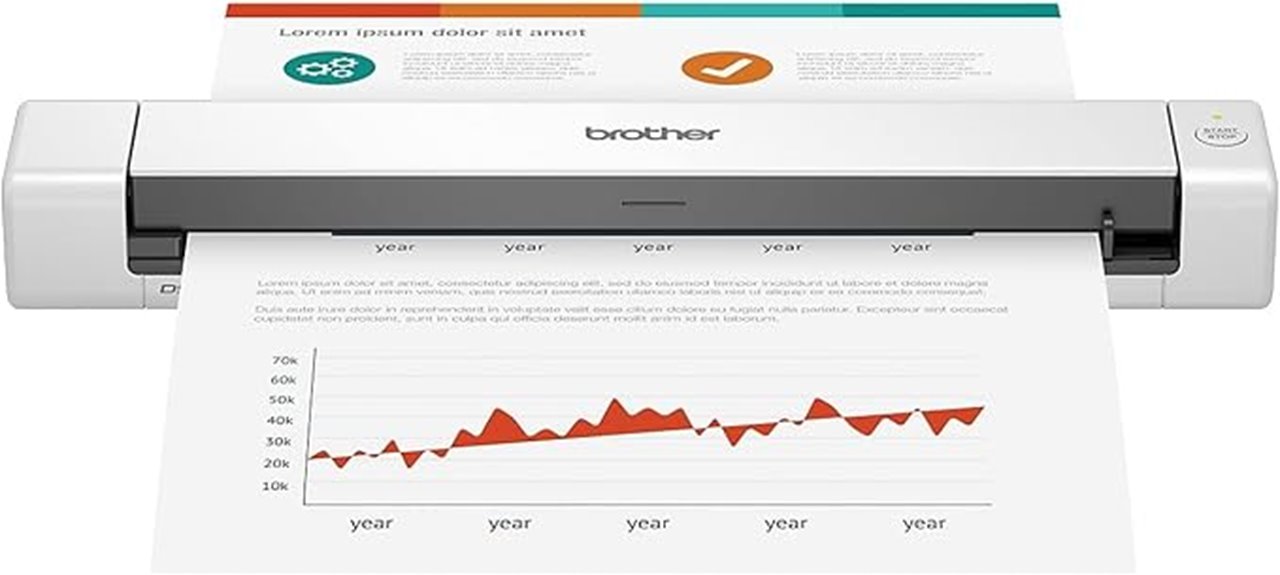
The Brother DS-640 Compact Mobile Document Scanner is an excellent choice for professionals who need reliable, on-the-go scanning without sacrificing quality. Its sleek, lightweight design measures just 11.9 x 2.2 x 1.4 inches and weighs about 1.03 pounds, making it easy to carry anywhere. It handles various documents, including receipts, IDs, and long pages up to 72 inches, with a capacity of 72 lb. bond paper. Scanning speed reaches 16 pages per minute at 300 dpi, supporting automatic color detection and image optimization. Powered via micro USB, it’s compatible with Windows, Mac, and Linux, ensuring versatile, portable performance wherever you work.
Best For: mobile professionals, small offices, and home users who need a compact, reliable, and versatile scanner for on-the-go document capturing.
Pros:
- Ultra-lightweight and portable design weighing only 1.03 pounds for easy transport
- Fast scanning speeds of up to 16 pages per minute at 300 dpi for efficient workflow
- Supports a wide range of documents, including long pages up to 72 inches and various sizes
Cons:
- Requires an internet connection for driver and software downloads and updates
- Limited to a maximum paper weight capacity of 72 lb. bond, which may not suit heavy-duty scanning needs
- Image rotation and some advanced features are only available via PC software, not directly on the device
Portable Document Scanner, AOZBZ Handheld Image Scanner
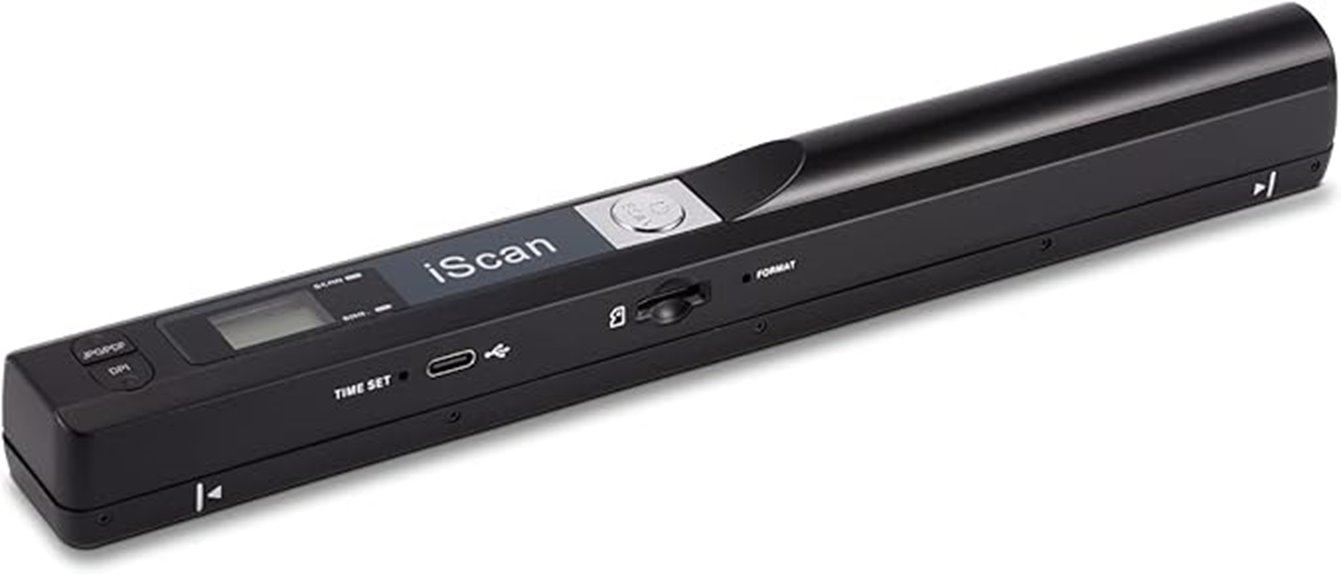
For busy professionals and students who need quick, reliable scanning on the go, the AOZBZ Handheld Image Scanner offers an impressive combination of portability and ease of use. It’s compatible with Windows XP/7/Vista and Mac OS 10.4+, supporting plug-and-play so you can set it up instantly without extra software. With three resolution modes—300dpi, 600dpi, and 900dpi—you can choose the perfect clarity for your needs. It accepts up to a 32GB Micro SD card and saves files as JPEG or PDF. Simply turn it on, select your settings, press scan, and it automatically stops after 3 minutes of inactivity.
Best For: busy professionals and students who need quick, reliable, and portable scanning solutions on the go.
Pros:
- Easy plug-and-play setup compatible with Windows and Mac OS without additional software
- Multiple resolution options (300dpi, 600dpi, 900dpi) for tailored image clarity
- Portable handheld design with high-speed USB 2.0 and included 16GB SD card for convenience
Cons:
- Limited to 32GB Micro SD card storage, which may be insufficient for large scanning projects
- Requires manual operation and may be less efficient for bulk scanning tasks
- No mention of wireless connectivity, so it depends on USB connection for data transfer
Canon imageFORMULA R10 Portable Document Scanner

Looking for a portable scanner that combines speed, reliability, and ease of use? The Canon imageFORMULA R10 is perfect for on-the-go digitizing. It’s compact, lightweight (just 2.2 pounds), and connects easily via USB to Windows or Mac devices. With support for duplex color or black-and-white scans at up to 12 pages per minute, it handles various media, including cards and embossed papers. Its automatic feeder and built-in software let you preview, edit, and create searchable PDFs effortlessly. Minimal power consumption and a one-year warranty make it a dependable, portable choice for anyone needing fast, reliable document scanning anywhere.
Best For: mobile professionals, students, and small office users seeking a compact, reliable scanner for quick digitization on the go.
Pros:
- Portable and lightweight design (2.2 pounds) for easy transport and use anywhere
- Supports duplex color and black-and-white scanning at speeds up to 12 pages per minute
- Built-in software allows for easy editing, previewing, and creating searchable PDFs without additional setup
Cons:
- Limited to approximately 500 scans per day due to energy consumption and hardware capacity
- Basic software features may lack advanced editing capabilities found in larger scanner solutions
- No wireless connectivity; requires USB connection to devices
HP Small USB Document & Photo Scanner (Model HPPS100)

If you need a lightweight, portable scanner that effortlessly handles single-sided documents and photos on the go, the HP Small USB Document & Photo Scanner (Model HPPS100) is an excellent choice. Weighing only 3 ounces and measuring 2 x 11.6 x 1.4 inches, it’s perfect for travel or quick office tasks. It scans at 15 pages per minute with a maximum resolution of 1200 dpi, supporting various formats like PDF and JPG. Powered via USB 2.0, it’s simple to set up and use with the free HP WorkScan software on both PC and Mac. Its compact design makes on-the-fly digitizing easy and efficient.
Best For: individuals who need a lightweight, portable scanner for quick, single-sided document and photo digitization on the go, such as travelers, small business owners, or legal professionals.
Pros:
- Extremely lightweight and compact, weighing only 3 ounces and measuring 2 x 11.6 x 1.4 inches
- Fast scanning speed of 15 pages per minute with high-resolution output up to 1200 dpi
- Compatible with both PC and Mac, with user-friendly HP WorkScan software for easy operation
Cons:
- Only supports single-sided (simplex) scanning, limiting its use for double-sided documents
- Limited to USB 2.0 power source, which may be less flexible than wireless options
- Customer ratings suggest some users may experience issues with durability or software compatibility
Brother DS-740D Duplex Compact Mobile Document Scanner
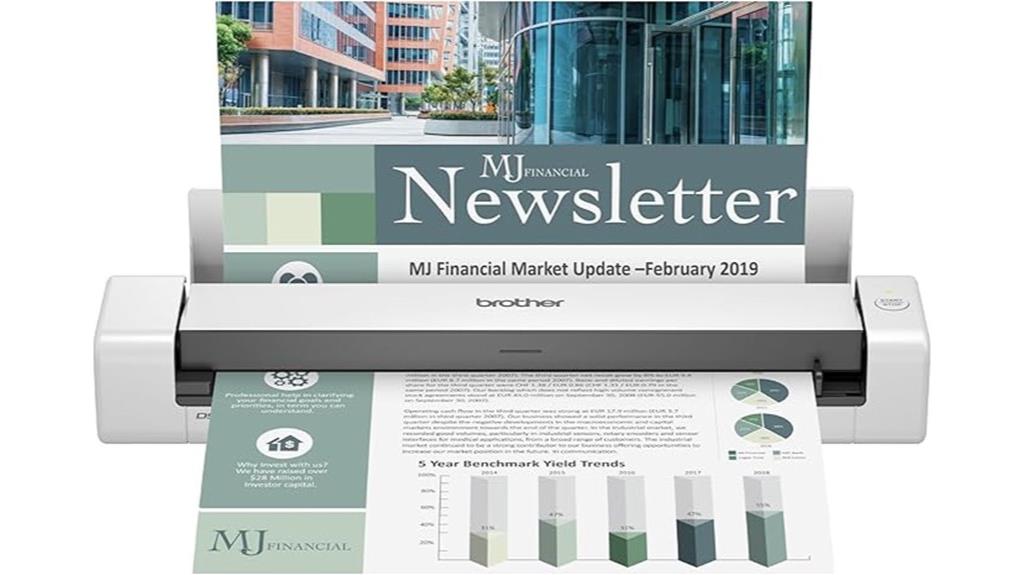
The Brother DS-740D Duplex Compact Mobile Document Scanner stands out for its portability and fast, reliable scanning capabilities, making it ideal for mobile professionals and small offices. Its ultra-compact design measures just 11.9 x 2.5 x 1.8 inches and weighs only 2.24 pounds, fitting easily into a bag or briefcase. Powered via micro USB 3.0, it can operate anywhere without needing an outlet. It scans both sides of documents at up to 16 pages per minute in color or monochrome, supporting various file types and destinations. Its streamlined features and lightweight build make on-the-go digitizing effortless and efficient.
Best For: mobile professionals, small offices, and remote workers who need a compact, reliable scanner for on-the-go digitizing of double-sided documents.
Pros:
- Ultra-compact and lightweight design for easy portability
- Fast scanning speed of up to 16 pages per minute in both color and monochrome
- Powered via micro USB 3.0, allowing use anywhere without an outlet
Cons:
- Limited to letter-sized documents at 300 dpi, which may not suit high-resolution needs
- Requires internet connection to download drivers and software updates
- Battery life details are limited; may need frequent charging for intensive use
Portable Scanner for Documents and Photos

Are you in need of a portable scanner that effortlessly handles both documents and photos? I’ve found a versatile device that scans A4 pages, receipts, books, and even photos in JPG or PDF formats. It offers resolutions up to 900dpi for clear images, ideal for work or personal use. Powered by 2 AA batteries and weighing just 9.6 ounces, it fits easily into a bag. Files are stored on a 16GB Micro SD card, with USB for quick transfer—no software needed. While great for black-and-white documents and simple images, it’s less suited for high-quality photo reproduction. Overall, it’s a compact, user-friendly tool for on-the-go digitizing.
Best For: individuals who need a lightweight, portable scanner for digitizing documents, receipts, and basic photos on the go without requiring high-end photo quality.
Pros:
- Compact and lightweight design, easy to carry in bags for travel or outdoor use
- No software installation needed, with plug-and-play compatibility across multiple operating systems
- Supports large storage capacity via included 16GB Micro SD card and offers resolutions up to 900dpi for clear document scans
Cons:
- Not optimized for high-quality photo scanning or color-rich images, with potential for inconsistent results
- Connectivity issues may arise after prolonged use or on certain systems like Windows 11
- Limited to black-and-white or basic images; struggles with glossy, textured, or complex photos
Plustek Mobile Scanner S410 Plus Portable Document Scanner

The Plustek Mobile Scanner S410 Plus stands out as an ideal choice for travelers and professionals who need quick, on-the-go digitization of various documents. Weighing only 14.4 ounces and measuring just 1.6 x 11.7 x 1.9 inches, it’s incredibly portable and easy to carry. It connects via bus-powered USB, so you don’t need batteries or extra power sources. Its automatic, button-free operation simplifies scanning, saving files directly to your folders. It handles a wide range of documents—from receipts and IDs to legal papers—and includes built-in OCR software for converting scans into editable, searchable formats. It’s a reliable, compact solution for mobile productivity.
Best For: travelers and professionals who need a lightweight, portable scanner for quick digitization of documents on the go.
Pros:
- Extremely portable and lightweight, ideal for travel and mobile use
- Easy to set up and operate with automatic, button-free scanning
- Compatible with Windows and offers built-in OCR for converting scans into editable/searchable formats
Cons:
- May experience issues with dust or debris causing scan imperfections, especially on receipts
- Limited compatibility with MacBooks and some operating systems
- Occasional hardware failures reported after extended use, requiring maintenance or support
Portable Wireless A4 Document Scanner with 16GB Card

If you’re frequently on the move and need a reliable way to digitize documents quickly, the Portable Wireless A4 Document Scanner with 16GB Card is an excellent choice. It offers 900DPI resolution, capturing color photos and text in JPG or PDF formats. Its compact size (10” x 1.2” x 1.3”) and lightweight design (~0.4 lb.) make it perfect for travel. With a 225mm scanning width and support for resolutions up to 900dpi, it delivers detailed scans. The device runs on 2 AA batteries, includes a 16GB SD card, and features a clear LCD display with indicator lights for easy operation. It’s seamless, portable, and ideal for on-the-go scanning needs.
Best For: travelers, business professionals, and students who need a portable and efficient way to digitize documents on the go.
Pros:
- Compact and lightweight design makes it easy to carry during travel or business trips.
- Supports high-resolution scanning up to 900dpi for detailed images and text.
- Comes with a 16GB SD card and easy plug-and-play USB-C connection for quick setup and data transfer.
Cons:
- Requires 2 AA batteries (not included), which may need frequent replacement during extensive use.
- Manual sliding for scanning may require practice to ensure steady, high-quality results.
- No built-in rechargeable battery, limiting continuous cordless operation compared to battery-integrated models.
Epson Workforce ES-60W Wireless Portable Document Scanner

For busy professionals and casual users alike, the Epson Workforce ES-60W Wireless Portable Document Scanner stands out as an ultra-compact and lightweight option that offers seamless wireless connectivity. Measuring just 10.7 x 1.9 x 1.4 inches and weighing only 10.6 ounces, it’s perfect for on-the-go scanning. It scans a single page in as little as four seconds and supports both USB and battery power. Compatible with PC, Mac, iOS, and Android devices, it can scan photos, receipts, and documents up to 600 dpi, though it can’t handle double-sided or multiple pages at once. Its portability and speed make it a reliable, convenient choice.
Best For: busy professionals and casual users seeking a portable, wireless scanner for quick document, receipt, and photo scans on the go.
Pros:
- Ultra-compact, lightweight design ideal for travel and portable use
- Fast scanning speed of approximately 4 seconds per page
- Wireless connectivity with support for PC, Mac, iOS, and Android devices
Cons:
- Cannot scan double-sided pages or load multiple pages simultaneously
- Some users report setup difficulties and network connectivity issues
- Build quality may feel cheap, requiring protective cases for durability
Canon Canoscan Lide 300 Scanner (PDF, AUTOSCAN, COPY, SEND)
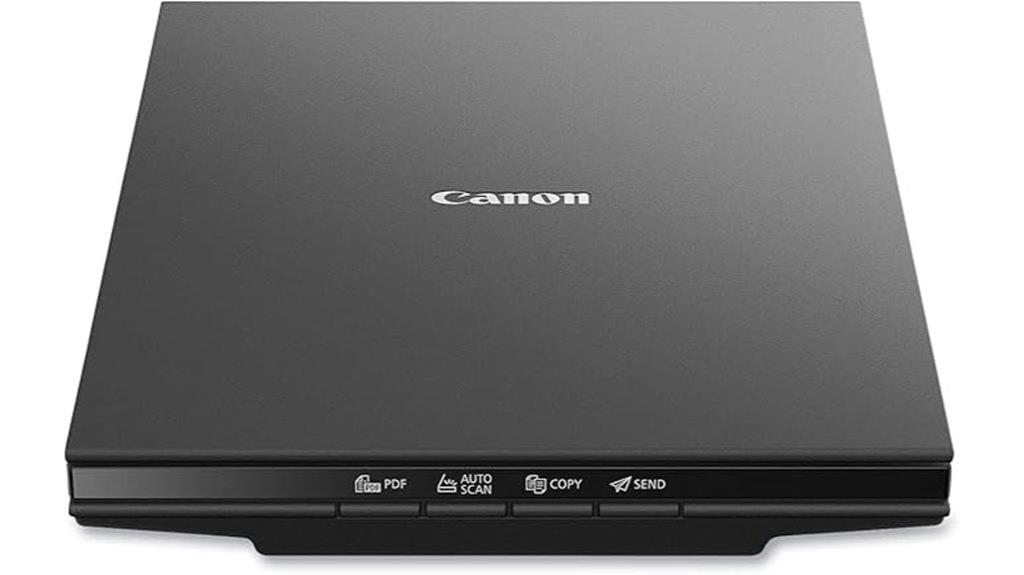
When searching for a compact scanner that combines ease of use with high-quality results, the Canon Canoscan Lide 300 stands out. This flatbed scanner offers quick, 10-second scans at up to 2400 x 2400 dpi, perfect for photos, documents, and artwork. Its four EZ Buttons simplify tasks like PDF creation, auto scanning, copying, and sending. Weighing just 3.6 pounds and measuring 14.5 x 9.9 inches, it’s highly portable and easy to set up via USB without extra software. Although it lacks wireless features, its excellent color reproduction and compatibility with Mac and Linux make it a versatile, budget-friendly choice for on-the-go digitizing.
Best For: casual users, students, and small offices seeking an affordable, high-quality flatbed scanner for photos, documents, and artwork with quick and easy operation.
Pros:
- Fast 10-second scanning speed with high-quality results at resolutions up to 2400 x 2400 dpi
- Compact, lightweight design for portability and easy setup via USB
- User-friendly with four EZ Buttons for quick PDF, Auto Scan, Copy, and Send functions
Cons:
- Lacks wireless connectivity such as WiFi or Bluetooth, limiting convenience for wireless workflows
- Build quality is lightweight plastic, which may affect durability over time
- Higher resolution scans (e.g., 4800 dpi) require significant time and memory, making them less practical for frequent high-res scanning
Doxie Go SE Portable Document Scanner
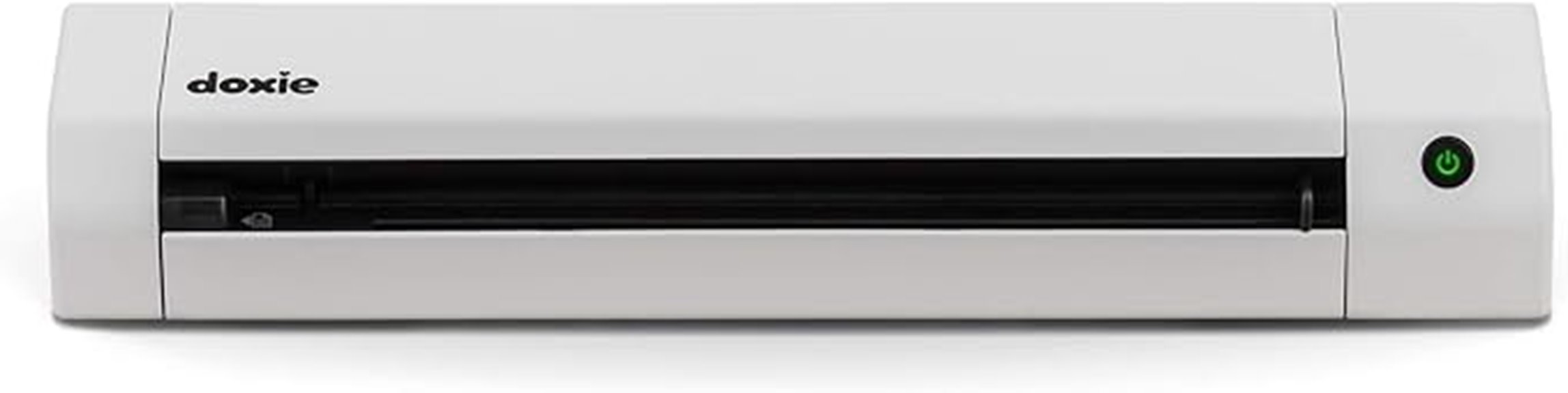
The Doxie Go SE Portable Document Scanner stands out as an ideal choice for anyone who needs a compact, easy-to-use scanner that doesn’t require a computer. Its small size, about the same as a rolled-up magazine, makes it perfect for scanning anywhere—whether at home, in the office, or on the go. It quickly captures full-color pages in just 8 seconds at up to 600 dpi. With wireless operation and a rechargeable battery, I can scan up to 400 pages per charge and store 8,000 pages before syncing. The included app makes organizing and sharing scans simple, and ABBYY OCR technology helps create searchable PDFs effortlessly.
Best For: individuals who need a portable, easy-to-use scanner for on-the-go document digitization without relying on a computer.
Pros:
- Compact and lightweight design for effortless portability
- Fast scanning speed of just 8 seconds per full-color page at up to 600 dpi
- Wireless operation with a rechargeable battery supporting up to 400 pages per charge
Cons:
- Limited storage capacity of 8,000 pages before needing to sync
- May require a smartphone or compatible device for optimal use of the app and OCR features
- No mention of additional features like duplex scanning or advanced document handling
ScanSnap iX1300 Wireless & USB Document Scanner
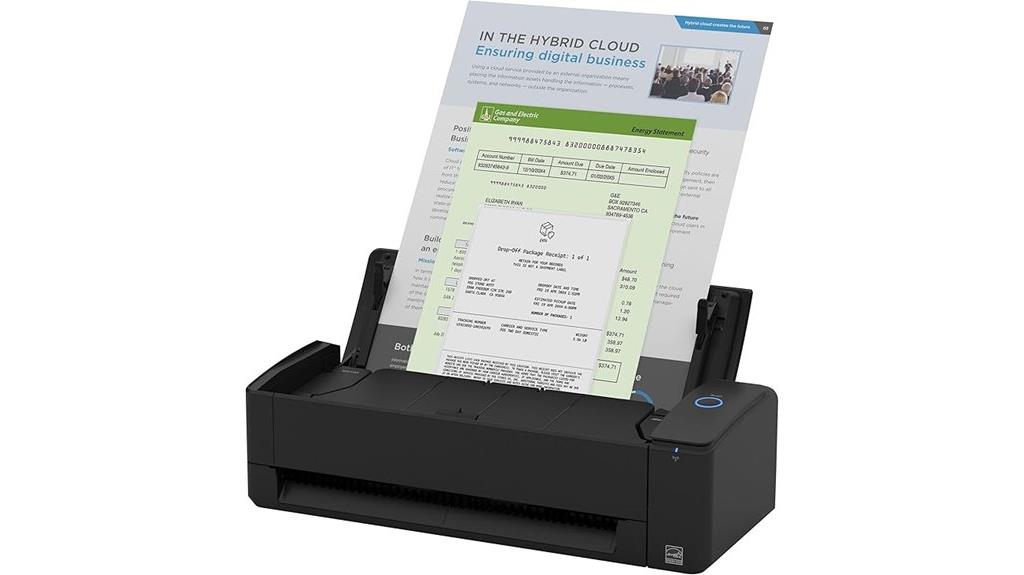
If you need a versatile scanner that can handle a variety of documents without sacrificing speed or quality, the ScanSnap iX1300 is an excellent choice. It’s compact, weighing just 4.4 pounds, with a space-saving design that fits easily in small areas. Supporting both Wi-Fi and USB, it offers flexible, cable-free scanning options. It can handle everything from receipts and photos to plastic cards, with duplex scanning at 30 pages per minute and smart features like de-skewing and blank page removal. Its one-touch operation makes scanning effortless, and the included software helps you organize and send files seamlessly to multiple devices and cloud services.
Best For: small offices, home users, and individuals needing a compact, versatile scanner with wireless and USB connectivity.
Pros:
- Compact, space-saving design ideal for small spaces
- Supports both Wi-Fi and USB connections for flexible setup
- Fast duplex scanning at 30 pages per minute with intelligent image enhancement
Cons:
- May have limited advanced features compared to high-end scanners
- Software compatibility might vary with some operating systems or devices
- Not suitable for very high-volume or industrial scanning needs
A4 Document Scanner with USB Connection and 16GB Memory Card

For anyone seeking a lightweight, portable scanner that combines quick performance with ample storage, the WQV LNKH09 A4 Document Scanner is an excellent choice. Weighing just 9.9 ounces and measuring about 10 inches long, it’s easy to carry anywhere. It scans A4 pages in about 3 seconds at 300 DPI and offers high-resolution options up to 900 DPI. The scanner supports JPEG and PDF formats, with a 16GB TF card included for storage—enough for hundreds of pages. Powered by 2 AA batteries, it’s perfect for on-the-go use. The device’s simple design and fast scanning speeds make digitizing documents effortless wherever you are.
Best For: individuals who need a lightweight, portable scanner for quick, high-quality document and photo digitization on the go.
Pros:
- Fast scanning speeds up to 3 seconds per page at 300 DPI, with high-resolution options up to 900 DPI.
- Compact and lightweight design weighing only 9.9 ounces, making it highly portable.
- Comes with a 16GB TF card and accessories like a carry bag and USB cable, providing convenient storage and travel ease.
Cons:
- Requires 2 AA batteries (not included), which may need frequent replacement for regular use.
- Cannot scan while connected to a computer, limiting simultaneous scanning and transfer.
- Limited to A4 size documents, so not suitable for larger or irregularly shaped items.
Portable Wireless Thermal Printer for Travel and Home
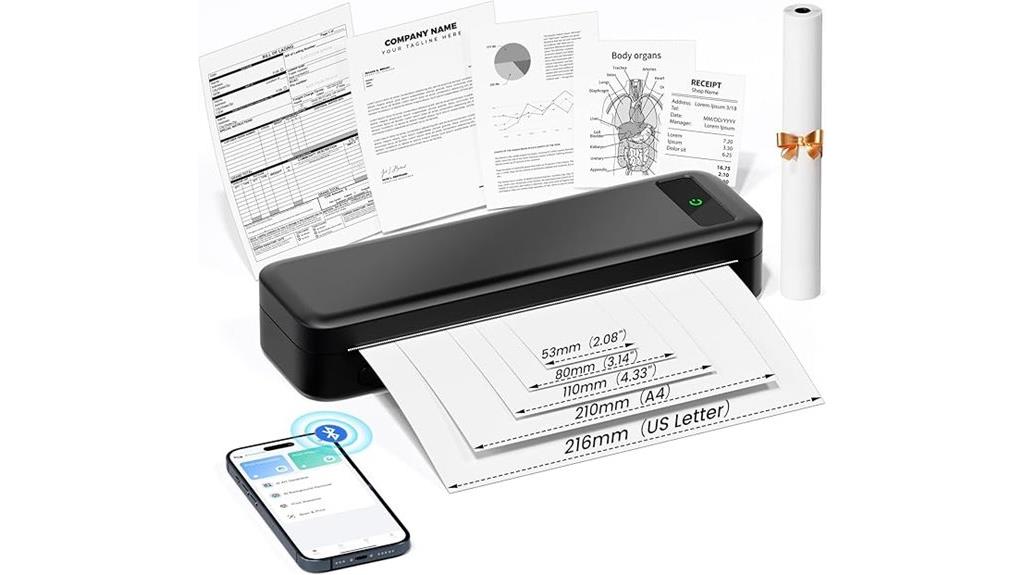
Looking for a compact, easy-to-use printing solution that works seamlessly on the go? This portable wireless thermal printer weighs just 1.5 pounds and measures 10.39 x 3.07 x 1.77 inches, making it perfect for travel, the office, or home. It supports Bluetooth connectivity with smartphones and tablets, plus USB-C for laptops. Using advanced thermal, inkless technology, it prints high-resolution black-and-white documents, receipts, or boarding passes without ink or toner. It supports multiple paper sizes, is low maintenance, and charges via a 5V adapter. Simply connect, select your file, and print—ideal for professionals, students, or travelers needing quick, reliable printing anywhere.
Best For: professionals, students, and travelers seeking a portable, inkless printing solution for receipts, documents, and boarding passes on the go.
Pros:
- Compact and lightweight design for easy portability and travel convenience
- Supports multiple device connections via Bluetooth and USB-C for versatile use
- Inkless thermal technology ensures low maintenance and cost-effective printing
Cons:
- Limited to black-and-white printing, which may not suit all needs
- Requires a compatible app and driver installation for full functionality
- Printing quality may diminish with low-quality thermal paper or prolonged use
Factors to Consider When Choosing Portable Document Scanners

When choosing a portable document scanner, I focus on factors like size and portability to make certain it fits my needs on the go. I also consider compatibility with my devices, scan quality, and speed to get reliable results quickly. Finally, I look at power options, connectivity, and how many documents it can handle at once to match my workflow.
Size and Portability
Choosing a portable document scanner means paying close attention to its size and weight, as these factors directly impact how easily I can carry and use the device on the go. Most scanners measure between 1.8 to 11.9 inches in length, fitting comfortably in bags or pockets. Weighing as little as 3 ounces up to around 2.24 pounds, their portability varies greatly—lighter models are easier to handle and transport. Compact designs often have a slim profile of less than 2 inches thick, preventing bulkiness in travel or workspace. The size also influences which document types I can scan, making smaller, lighter devices ideal for quick, on-the-move tasks. Ultimately, choosing a scanner that balances size and weight guarantees convenience and practicality during mobile use.
Compatibility and Software
Ensuring compatibility between your portable scanner and your operating system is essential for smooth operation. I always verify that the scanner supports my OS, whether Windows, Mac, or Linux, to avoid connectivity issues. It’s also important to check if it has the necessary drivers, like TWAIN or WIA, for seamless integration with my preferred document management or editing software. I look for scanners that include or support OCR software, making it easier to create editable and searchable files on the go. Direct-to-cloud or network sharing options are a bonus, simplifying storage and collaboration. Finally, I prioritize user-friendly, regularly updated software that’s compatible with my devices, reducing the risk of technical problems and ensuring a hassle-free experience.
Scan Quality and Speed
Scan quality and speed are critical factors because they directly impact how efficiently and clearly I can digitize my documents. Higher scan resolutions, like 600 or 900 DPI, deliver sharper images with more detail, which is essential for photos or detailed documents. Faster scan speeds, measured in pages per minute (ppm), mean I can digitize large volumes quickly—some models reach up to 30 ppm. Duplex scanning allows both sides of a page to be scanned simultaneously, saving time. The sensor quality influences color accuracy and reduces noise, improving overall image clarity. Additionally, a device’s ability to handle various document types and textures without distortion ensures consistent results. These features help me work faster and produce clearer digital copies.
Power and Connectivity
When selecting a portable document scanner, I always consider its power sources and connectivity options because they directly influence how and where I can use the device. Some scanners are USB-powered, which means I need a laptop or power outlet nearby, while others run on batteries, offering true portability. Dual power options give flexibility for different situations. Connectivity methods vary, including USB, USB-C, Wi-Fi, and Bluetooth, affecting setup and data transfer speed. Wireless models often support cloud storage and app integration, making it easy to send scans directly to my phone or cloud services without cables. Battery life matters too—some can scan hundreds of pages per charge, reducing interruptions. Matching the power and connectivity features with my workflow ensures I stay productive wherever I go.
Document Handling Capacity
Choosing the right portable document scanner involves paying close attention to its handling capacity. I look at how many pages it can process daily or per session to guarantee it keeps up with my workflow. The automatic document feeder (ADF) capacity is vital—more sheets mean less time refilling and more continuous scanning. I also consider whether it can handle various document sizes, like IDs, receipts, or long documents up to 72 inches. Handling different paper weights and thicknesses is important, especially if I work with diverse materials. Speed and batch processing capabilities matter too; a fast scanner minimizes bottlenecks during large jobs. Ultimately, a scanner with strong handling capacity helps me stay efficient and organized on the go, fitting seamlessly into my busy schedule.
Price and Value
You are trained on data up to October 2023.
Frequently Asked Questions
How Do Portable Scanners Handle Different Paper Thicknesses?
Portable scanners typically handle different paper thicknesses quite well, thanks to adjustable settings and flexible feed mechanisms. I’ve found that many models allow me to customize the scan settings or adjust the rollers to accommodate thicker or textured papers. However, very thick or uneven surfaces can sometimes cause jams or poor scans. It’s best to verify the specifications for each device to confirm it suits your specific paper types.
What Are the Best File Formats for Portable Scanner Outputs?
I recommend using PDF for most portable scanner outputs because it’s widely compatible and preserves formatting. For example, I scanned important contracts into PDFs, ensuring they stay secure and easy to share. Additionally, JPEGs work well for quick images, while PNGs are great for high-quality graphics. Choosing the right format depends on your needs, but PDF remains the top choice for document scanning on the go.
How Secure Is Data Transferred via Wireless Portable Scanners?
Wireless portable scanners typically use encryption protocols like WPA2 or WPA3, making data transfer quite secure. I make sure to connect only to trusted networks and enable any available security features. While no system is completely foolproof, staying updated with the latest firmware and security settings markedly reduces risks. I recommend always verifying your scanner’s security options and avoiding public Wi-Fi for sensitive document transfers to keep your data safe.
Can Portable Scanners Recognize and Organize Text Automatically?
Yes, many portable scanners can recognize and organize text automatically, thanks to built-in OCR (Optical Character Recognition) technology. I’ve used models that convert scanned pages into editable, searchable files instantly. This feature helps me save time and keeps my documents organized without manual effort. Just guarantee the scanner you choose has robust OCR capabilities, and you’ll enjoy seamless, on-the-go digitizing that’s both efficient and accurate.
What Is the Average Battery Life of These Portable Scanners?
Think of a portable scanner’s battery life like a trusty lantern in a dark forest. On average, these devices last about 2 to 4 hours of continuous use, enough to scan several documents on a busy day. Some models even offer quick recharge options, so you’re never left in the dark for long. I find this range perfect for keeping my work flowing smoothly, no matter where I am.
Conclusion
Choosing the right portable scanner really depends on your needs, and I’ve found that having options makes all the difference. Whether you’re on the go, at home, or traveling, these devices turn chaos into order, making digitizing effortless. It’s funny how a small gadget can streamline so much—turning scattered papers into organized files with just a few clicks. Ultimately, the right scanner is out there, waiting to make your life a little easier and a lot more efficient.