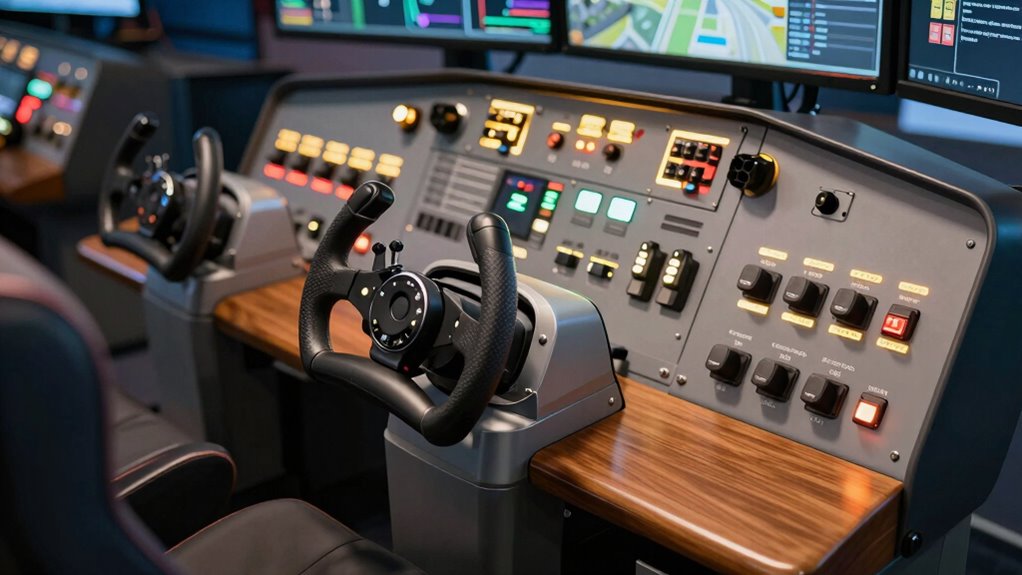
If you’re starting out in flight sim gaming, I recommend checking out options like the Logitech G PRO Flight Yoke System and Thrustmaster T-Flight Hotas One, which offer great control and easy setup. The Honeycomb Alpha LITE is also a fantastic beginner choice for realistic feel. Pedals like the Logitech G Pro Flight Rudder Pedals add ground control realism. If you want to know which setup suits you best and why, keep exploring as there’s more to discover.
Key Takeaways
- The list includes beginner-friendly yokes, joysticks, pedals, and all-in-one systems for realistic flight control.
- Options feature durable materials, easy setup, and compatibility with PC, Xbox, and Mac.
- Key controllers offer programmable buttons, RGB lighting, and adjustable resistance for customization.
- Ground control pedals enhance realism for takeoff, landing, and ground maneuvering.
- The selection balances affordability, build quality, and features suitable for new flight sim enthusiasts.
| Logitech G PRO Flight Yoke System with 75 Controls | 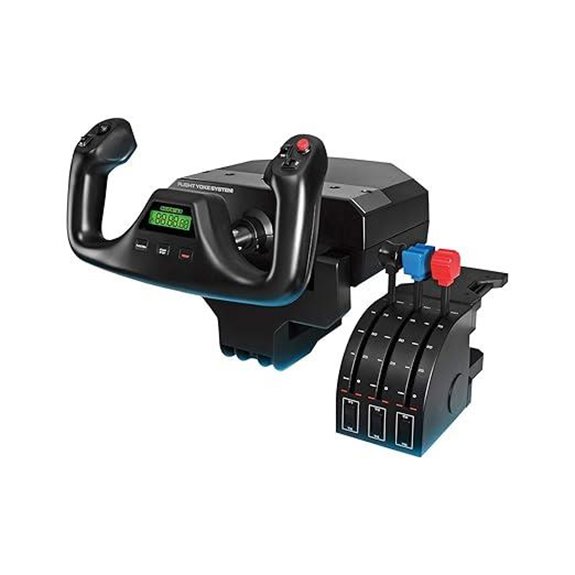 | Realistic Entry-Level | Compatibility: Windows 7/8.1/10/11, PC | Number of Controls: 54 programmable controls | Mounting Options: Desk clamps | VIEW LATEST PRICE | See Our Full Breakdown |
| Thrustmaster T-Flight Hotas One for Xbox & PC | 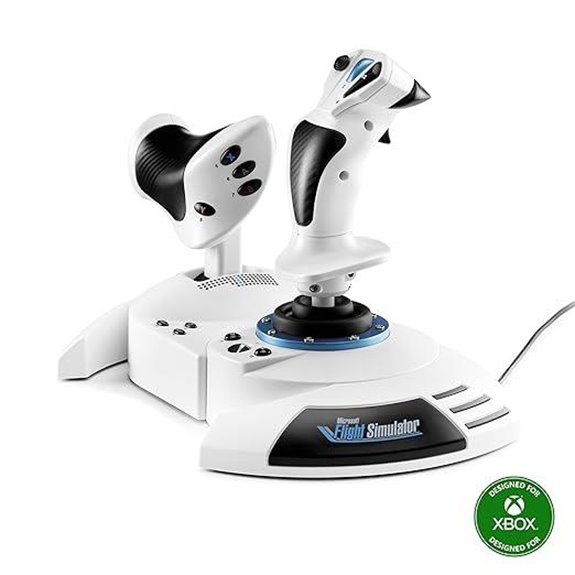 | Budget-Friendly Control | Compatibility: Xbox Series X|S, PC | Number of Controls: 14 buttons, 5 axes, 1 trigger | Mounting Options: Lap or desk | VIEW LATEST PRICE | See Our Full Breakdown |
| Thrustmaster TCA Boeing Yoke Pack for Xbox/PC | 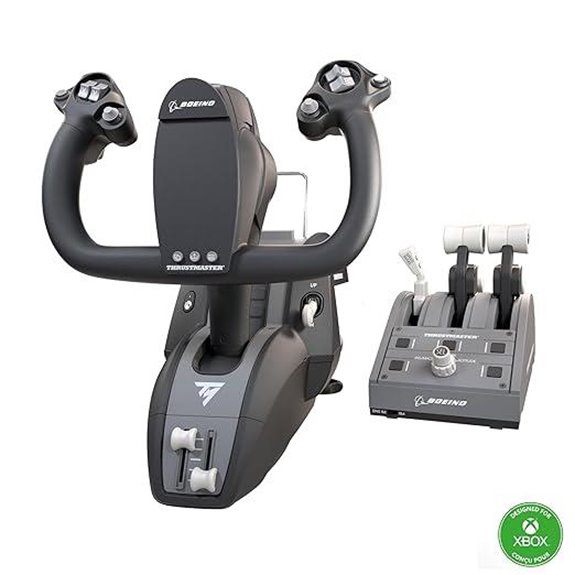 | Authentic Boeing Experience | Compatibility: Xbox Series X/S, PC | Number of Controls: 35 buttons, 8.3″ travel | Mounting Options: Attachment system | VIEW LATEST PRICE | See Our Full Breakdown |
| Honeycomb Alpha LITE Flight Yoke for MSFS 2024 | 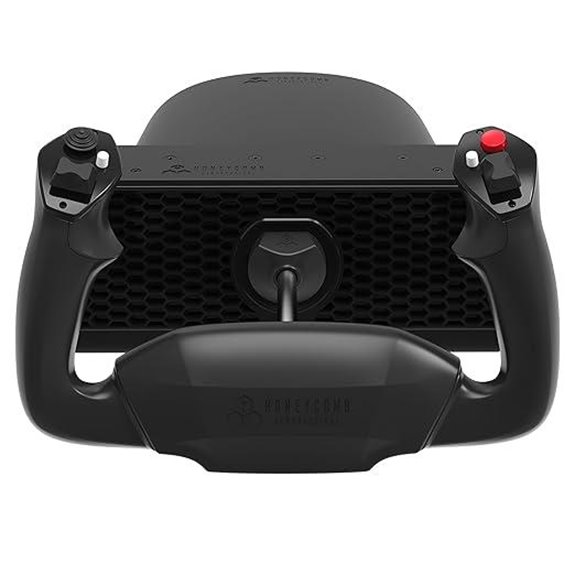 | Beginner-Friendly | Compatibility: MSFS 2024, PC | Number of Controls: Limited buttons, basic | Mounting Options: Clamp or suction | VIEW LATEST PRICE | See Our Full Breakdown |
| Logitech G Pro Flight Rudder Pedals | 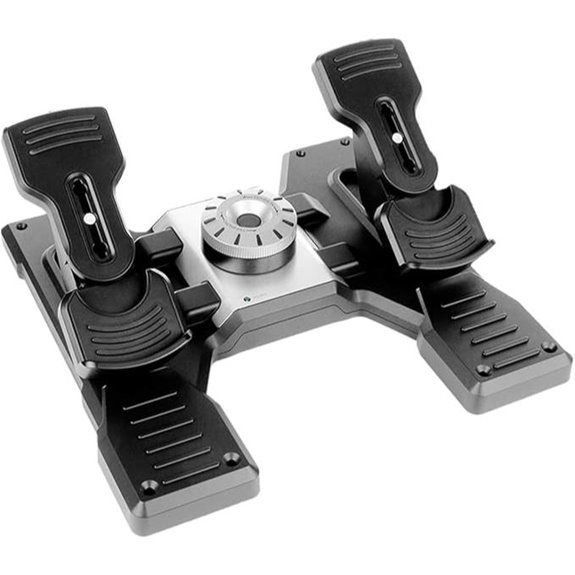 | Precise Ground Handling | Compatibility: Windows 7/8/10, Mac | Number of Controls: Rudder + brake axes | Mounting Options: Adjustable footrests, non-slip | VIEW LATEST PRICE | See Our Full Breakdown |
| Turtle Beach VelocityOne Flight Control System | 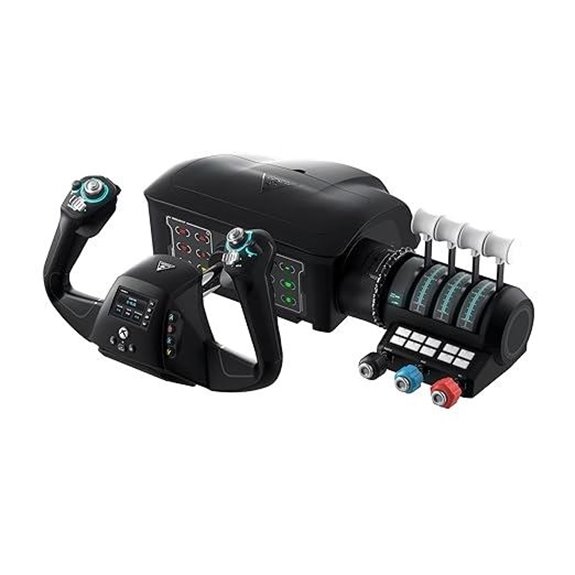 | All-in-One System | Compatibility: Windows 10/11, PC | Number of Controls: 12 axes, 12 controls | Mounting Options: Clamp or micro-suction pad | VIEW LATEST PRICE | See Our Full Breakdown |
| Thrustmaster T-Flight Hotas X (Compatible with PC) | 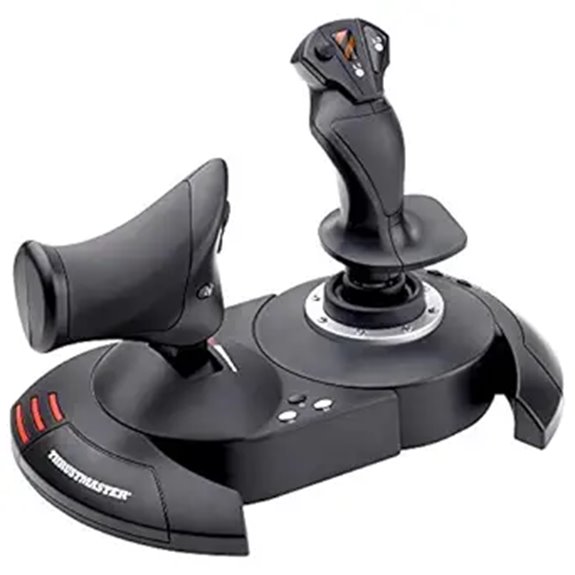 | Versatile Hotas | Compatibility: PC | Number of Controls: 12 buttons, 5 axes | Mounting Options: Weighted base | VIEW LATEST PRICE | See Our Full Breakdown |
| Thrustmaster TFRP Flight Rudder Pedals for Simulators | 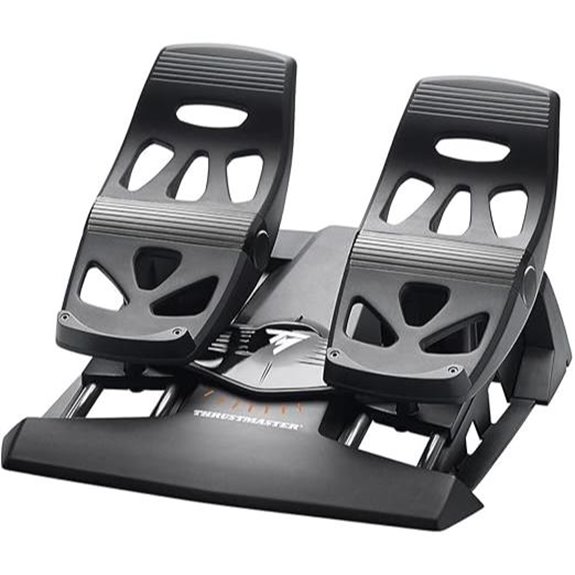 | Compact & User-Friendly | Compatibility: PC, Xbox One, PS5 | Number of Controls: Rudder + 4 slide rails | Mounting Options: Clamp or surface-mounted | VIEW LATEST PRICE | See Our Full Breakdown |
| Logitech G X56 Flight Simulator Controller with RGB |  | High-Precision Setup | Compatibility: Windows 7/8.1/10/11, PC | Number of Controls: 189 programmable controls | Mounting Options: Mounting via clamps or screws | VIEW LATEST PRICE | See Our Full Breakdown |
| Honeycomb Alpha Flight Controls Yoke & Switch Panel | 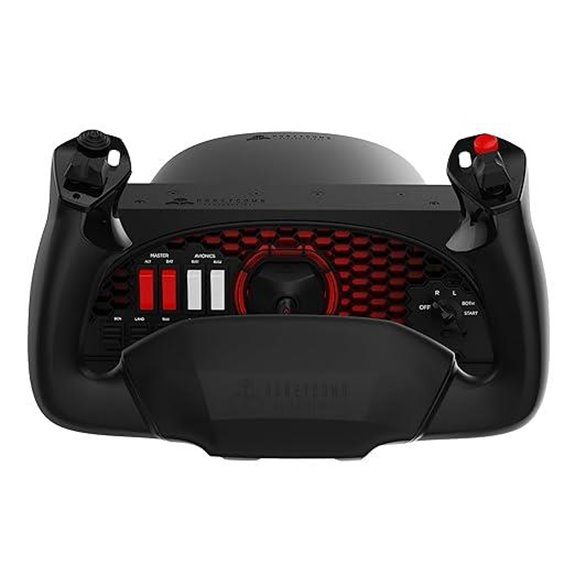 | Premium Build | Compatibility: PC, Mac | Number of Controls: Multiple switches, buttons, knobs | Mounting Options: Dual mounting options | VIEW LATEST PRICE | See Our Full Breakdown |
| Logitech G X52 Flight Control System – Standard Packaging | 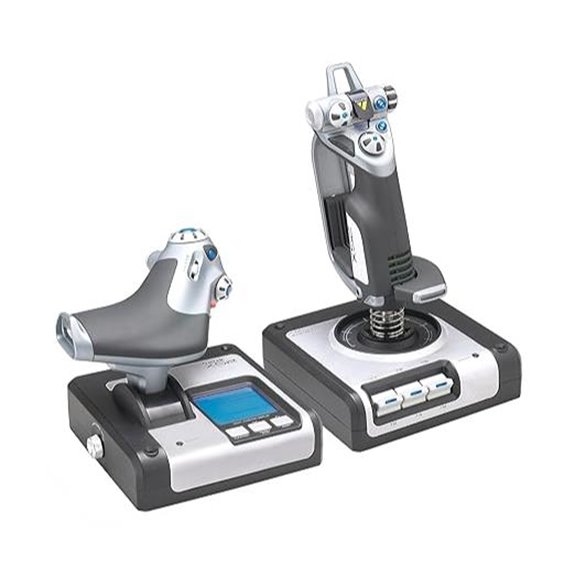 | Standard-Sized Control | Compatibility: Windows XP/7/8.1/10 | Number of Controls: 4 switches + 4 controls | Mounting Options: Clamps or optional mounting | VIEW LATEST PRICE | See Our Full Breakdown |
| Thrustmaster T16000M FCS (Compatible with PC) | 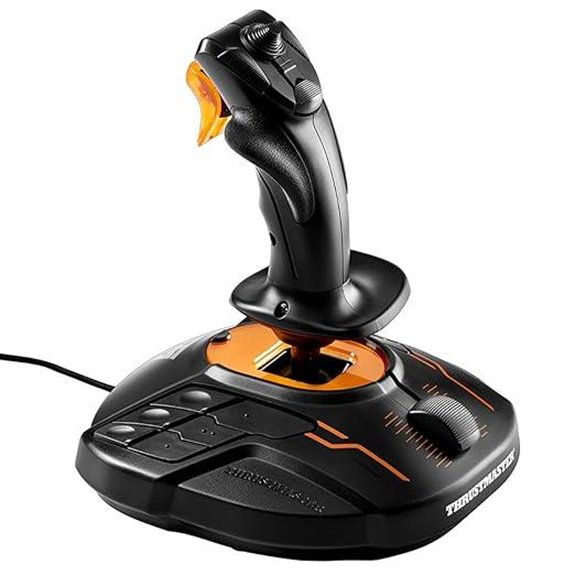 | Ambidextrous Design | Compatibility: Windows 7/8/10/11, PC | Number of Controls: 16 axes, 16 buttons | Mounting Options: Clamp or screw mount | VIEW LATEST PRICE | See Our Full Breakdown |
| Logitech G Pro Flight Yoke System + Pro Flight Rudder Pedals Bundle | 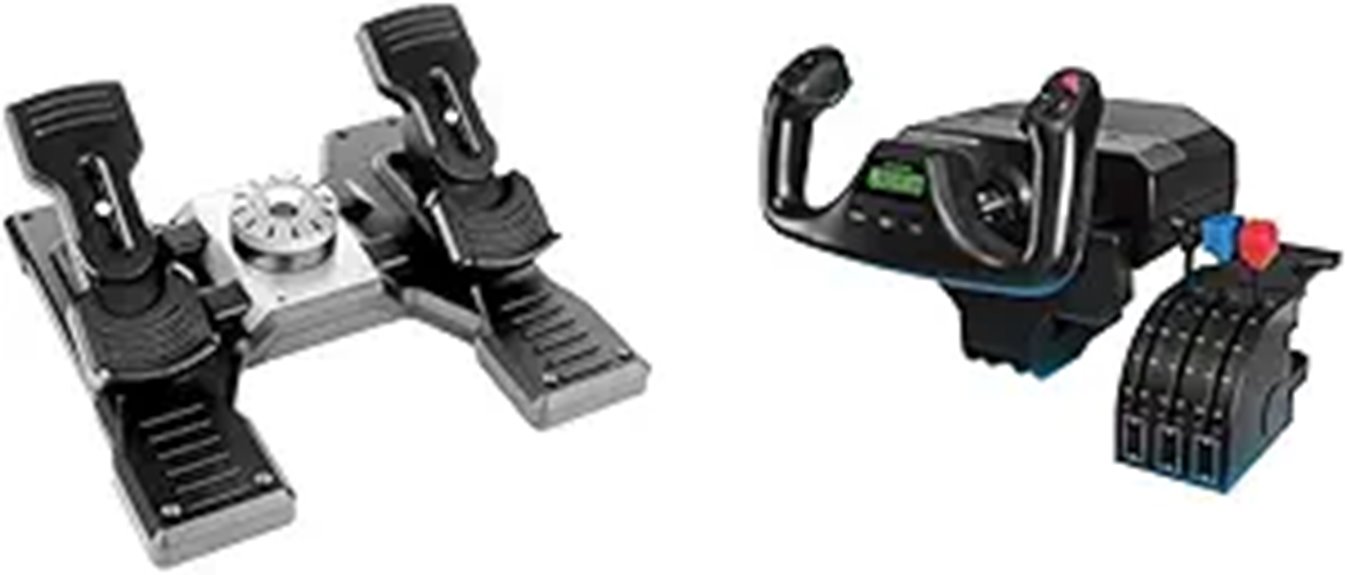 | Complete Flight Bundle | Compatibility: Windows, Mac | Number of Controls: Multiple control surfaces, buttons | Mounting Options: Clamp system | VIEW LATEST PRICE | See Our Full Breakdown |
| Logitech G Saitek X52 Pro Flight Controller and Joystick | 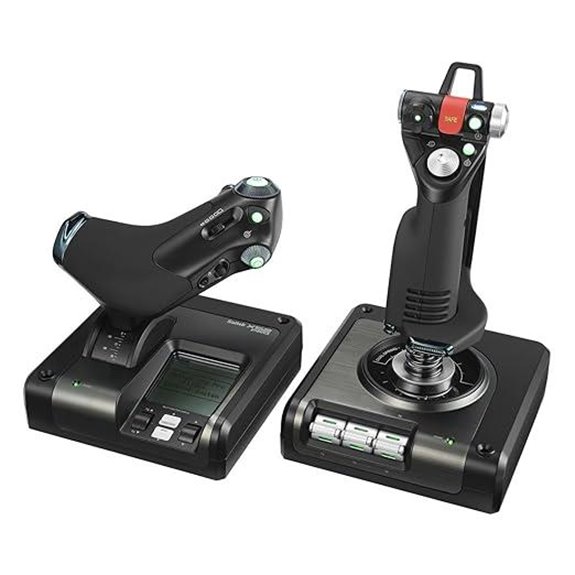 | Advanced Realism | Compatibility: Windows 10/11, PC, Mac | Number of Controls: 4-6 controls, LCD, buttons | Mounting Options: Clamp or optional mounting | VIEW LATEST PRICE | See Our Full Breakdown |
More Details on Our Top Picks
Logitech G PRO Flight Yoke System with 75 Controls
If you’re new to flight simulation but want a realistic and customizable experience, the Logitech G PRO Flight Yoke System is an excellent choice. It offers precise yoke controls with 75 programmable buttons, including a POV hat and a mode switch, giving you extensive aircraft functionality at your fingertips. The system includes a sturdy yoke with a stainless steel shaft for smooth handling, plus a throttle quadrant. Mounting is flexible with two desk clamps, ensuring stability. Compatible with Windows and popular flight sim software, this setup enhances your control accuracy and muscle memory, making it perfect for beginners enthusiastic to learn and grow in their flying skills.
- Compatibility:Windows 7/8.1/10/11, PC
- Number of Controls:54 programmable controls
- Mounting Options:Desk clamps
- Rotation/Range:180°
- Buttons/Controls:14 buttons, POV hat, mode switch
- Build Material:Plastic, metal shaft
- Additional Feature:Stainless steel yoke shaft
- Additional Feature:3 control modes
- Additional Feature:Extensive programmable controls
Thrustmaster T-Flight Hotas One for Xbox & PC
The Thrustmaster T-Flight Hotas One stands out as an excellent choice for beginners, especially since it’s officially licensed for Microsoft Flight Simulator 2024 and works seamlessly with Xbox Series X|S and PC. It offers a complete setup with 10-bit precision, 5 axes, 14 buttons, a rapid trigger, and a multidirectional hat switch, giving you versatile control. Its ergonomic design includes adjustable resistance, making it comfortable for all aircraft types. The detachable throttle and dual rudder system add flexibility, allowing you to customize your experience. Overall, it provides intuitive control, compatibility, and comfort, making it a solid entry-level option for aspiring pilots.
- Compatibility:Xbox Series X|S, PC
- Number of Controls:14 buttons, 5 axes, 1 trigger
- Mounting Options:Lap or desk
- Rotation/Range:Custom resistance, adjustable
- Buttons/Controls:14 buttons, 1 trigger, hat switch
- Build Material:Plastic, rubber grips
- Additional Feature:Detachable throttle
- Additional Feature:Adjustable resistance
- Additional Feature:Ergonomic button placement
Thrustmaster TCA Boeing Yoke Pack for Xbox/PC
For beginners seeking an authentic flying experience, the Thrustmaster TCA Boeing Yoke Pack for Xbox/PC stands out with its official Boeing license and precise 1:1 scale design. Inspired by the Boeing 787, it features a realistic yoke and throttle quadrant with a pendular mechanism that mimics the Dreamliner’s feel. The adjustable springs and magnetic axes ensure smooth, accurate control. With 35 action buttons and four swapable levers, it offers extensive command options. Its sturdy metal construction guarantees durability, making it perfect for intensive use. Plus, seamless integration with Microsoft Flight Simulator enhances realism, providing a highly immersive and reliable flight simulation experience.
- Compatibility:Xbox Series X/S, PC
- Number of Controls:35 buttons, 8.3″ travel
- Mounting Options:Attachment system
- Rotation/Range:8.3″ travel, pendular
- Buttons/Controls:35 buttons, autopilot controls
- Build Material:Metal, plastic
- Additional Feature:8.3-inch pendular travel
- Additional Feature:Magnetic axes technology
- Additional Feature:Autopilot control buttons
Honeycomb Alpha LITE Flight Yoke for MSFS 2024
Designed specifically for flight simulation beginners, the Honeycomb Alpha LITE Flight Yoke offers a realistic and straightforward control experience. Its sturdy steel shaft and 180° rotation with a self-centering mechanism provide precise control, similar to real aircraft. The yoke focuses on essential flight controls, making it easy to learn and operate. With intuitive buttons, a POV switch, and customizable options on both sides, navigation is smooth. Built from high-quality materials, it’s durable enough for extended use. Plus, its plug-and-play setup with MSFS 2024 ensures quick installation, so you can start flying without hassle. It’s a perfect entry-level yoke for those new to flight sims.
- Compatibility:MSFS 2024, PC
- Number of Controls:Limited buttons, basic
- Mounting Options:Clamp or suction
- Rotation/Range:180° rotation
- Buttons/Controls:8 programmable buttons, minimal controls
- Build Material:Plastic, metal components
- Additional Feature:180° self-centering rotation
- Additional Feature:Minimal dead zone
- Additional Feature:Plug-and-play setup
Logitech G Pro Flight Rudder Pedals
If you’re new to flight simulation and want precise ground control, Logitech G Pro Flight Rudder Pedals stand out with their smooth, self-centering movement that mimics real aircraft behavior. They feature adjustable tension, so you can customize the resistance to suit different aircraft types. The differential toe brakes give you full control for accurate landings and ground maneuvers. With a high-resolution rudder axis and responsive toe brakes, these pedals deliver precise input. Compatible with Windows 7 through 10 via USB, they’re designed to add realism and depth, making them a great choice for both casual and serious flight enthusiasts.
- Compatibility:Windows 7/8/10, Mac
- Number of Controls:Rudder + brake axes
- Mounting Options:Adjustable footrests, non-slip
- Rotation/Range:Self-centering, adjustable tension
- Buttons/Controls:Differential toe brakes, tension dial
- Build Material:Plastic, metal
- Additional Feature:Differential toe brakes
- Additional Feature:Adjustable tension
- Additional Feature:Full self-centering movement
Turtle Beach VelocityOne Flight Control System
The Turtle Beach VelocityOne Flight Control System stands out as an excellent choice for beginners seeking an extensive and realistic flight experience. Its universal compatibility with Xbox Series X & S, Xbox One, and Windows 10/11 PCs makes setup simple. The all-in-one modular design includes a precise 180° yoke, customizable throttle quadrant, trim wheel, and rudder controls, all secured with a stable clamp. Features like the full-color flight management display and authentic status indicators enhance learning and feedback. With 12 analog axes and multiple switches, it offers thorough control. Overall, it delivers immersive, accurate flight simulation tailored for newcomers eager to take off confidently.
- Compatibility:Windows 10/11, PC
- Number of Controls:12 axes, 12 controls
- Mounting Options:Clamp or micro-suction pad
- Rotation/Range:180°, self-centering
- Buttons/Controls:12 controls, 12 axes
- Build Material:Plastic, metal
- Additional Feature:Full-color flight display
- Additional Feature:Modular throttle system
- Additional Feature:12 analog axes
Thrustmaster T-Flight Hotas X (Compatible with PC)
For beginners seeking a reliable and user-friendly flight stick, the Thrustmaster T-Flight Hotas X stands out with its plug-and-play setup and pre-configured functions, making it easy to start flying right away. Its wide hand-rest and ergonomic throttle ensure comfort during long sessions, while the weighted base adds stability. With 12 programmable buttons and five axes, you can customize controls to suit your style. The high-precision joystick features adjustable resistance, and the dual-system aerodynamic control offers smooth handling. Plus, the internal memory saves your settings, and the exclusive mapping button allows instant function switching, making it a versatile choice for PC flight sim enthusiasts.
- Compatibility:PC
- Number of Controls:12 buttons, 5 axes
- Mounting Options:Weighted base
- Rotation/Range:Adjustable resistance
- Buttons/Controls:12 buttons, 5 axes
- Build Material:Plastic, weighted base
- Additional Feature:Detachable throttle
- Additional Feature:Adjustable resistance joystick
- Additional Feature:Weighted stable base
Thrustmaster TFRP Flight Rudder Pedals for Simulators
When I tested the Thrustmaster TFRP Flight Rudder Pedals, I immediately noticed how their smooth sliding motion and durable aluminum construction make them ideal for flight sim beginners who want realistic control. The four slide rails, made of industrial-grade aluminum, ensure smooth and consistent movement, thanks to the innovative S.M.A.R.T. system. The pedals offer a long, precise range of travel with a self-centering axis that balances resistance and responsiveness. This setup provides accurate, realistic maneuvering without feeling stiff or too loose. Compatible with PC, Xbox One, and PlayStation 5, they’re versatile and straightforward to integrate into any simulation setup.
- Compatibility:PC, Xbox One, PS5
- Number of Controls:Rudder + 4 slide rails
- Mounting Options:Clamp or surface-mounted
- Rotation/Range:180°, smooth sliding
- Buttons/Controls:Rudder, brake, throttle, levers
- Build Material:Metal, plastic
- Additional Feature:Aluminum slide rails
- Additional Feature:S.M.A.R.T. slide system
- Additional Feature:Long travel rudder
Logitech G X56 Flight Simulator Controller with RGB
If you’re looking for a flight sim controller that offers high precision and extensive customization, the Logitech G X56 with RGB lighting is an excellent choice for aspiring pilots. It features 189 programmable controls, hall-effect sensors for smooth axes, and a mini analog stick for precise navigation. The controller includes adjustable spring options, twin throttles with friction and lock, and controls for pitch, roll, yaw, and weapons. RGB backlighting can be customized via software to match your rig. Designed for VR compatibility and ergonomic placement, it guarantees easy access and subtle button distinctions, making it a versatile, immersive option for flight simulation enthusiasts.
- Compatibility:Windows 7/8.1/10/11, PC
- Number of Controls:189 programmable controls
- Mounting Options:Mounting via clamps or screws
- Rotation/Range:16-bit axes, precise
- Buttons/Controls:189 programmable, multiple surface controls
- Build Material:Plastic, metal internal components
- Additional Feature:RGB backlighting
- Additional Feature:Twin throttles
- Additional Feature:Gimballed weapons control
Honeycomb Alpha Flight Controls Yoke & Switch Panel
The Honeycomb Alpha Flight Controls Yoke & Switch Panel stands out for its highly realistic design, making it ideal for beginners seeking an authentic flight simulation experience. Its 180° rotation, steel shaft, and dual mounting options deliver smooth, precise control and stability. Compatible with PC, Mac, and popular flight sim software, it’s built by pilots and aerospace engineers for seamless integration. The yoke’s responsive, self-centering mechanism, along with multi-function handles and a detailed switch panel with LED lighting, enhances realism. Whether you prefer clamps or a micro-suction pad, setup is secure and user-friendly, perfect for immersing yourself in flight training from the start.
- Compatibility:PC, Mac
- Number of Controls:Multiple switches, buttons, knobs
- Mounting Options:Dual mounting options
- Rotation/Range:180°, multi-axis
- Buttons/Controls:Switches, buttons, knobs
- Build Material:Plastic, metal, steel
- Additional Feature:Dual mounting options
- Additional Feature:Multiple cockpit switches
- Additional Feature:LED backlit controls
Logitech G X52 Flight Control System – Standard Packaging
The Logitech G X52 Flight Control System stands out as an ideal choice for beginners who want an authentic and immersive flight simulation experience. It features an advanced multi-function display (MFD) with real flying interaction, along with dedicated buttons and rotary dials for easy control. The precision joystick uses non-contact technology for smooth movement, while the progressive throttle offers tension adjustment and detents for afterburner and idle. Compatibility spans Windows XP through Windows 10 and beyond. The standard packaging includes all necessary components, making setup straightforward. Overall, the X52 provides realistic control and versatility, perfect for newcomers enthusiastic to take off confidently.
- Compatibility:Windows XP/7/8.1/10
- Number of Controls:4 switches + 4 controls
- Mounting Options:Clamps or optional mounting
- Rotation/Range:Adjustable detents
- Buttons/Controls:4 switches, 2 rotary dials
- Build Material:Plastic, metal
- Additional Feature:Multi-function display (MFD)
- Additional Feature:Rotary dials with controls
- Additional Feature:Progressive throttle with detents
Thrustmaster T16000M FCS (Compatible with PC)
For beginners seeking a reliable and precise flight control, the Thrustmaster T16000M FCS stands out thanks to its advanced H.E.A.R.T technology, which guarantees consistent accuracy over time. Compatible with PC via USB, it supports both 32-bit and 64-bit Windows systems. Its fully ambidextrous design features three removable components, allowing customization for left- or right-handed users. The controller includes 16 action buttons with braille-style labels, an 8-way POV hat switch, and four independent axes, including twist rudder. Plus, the T.A.R.G.E.T software lets you load and create custom profiles for different games, enhancing your flight experience.
- Compatibility:Windows 7/8/10/11, PC
- Number of Controls:16 axes, 16 buttons
- Mounting Options:Clamp or screw mount
- Rotation/Range:16-bit axes
- Buttons/Controls:16 buttons, 4 axes
- Build Material:Plastic, metal
- Additional Feature:Ambidextrous design
- Additional Feature:16 action buttons
- Additional Feature:Braille-style button labels
Logitech G Pro Flight Yoke System + Pro Flight Rudder Pedals Bundle
If you’re new to flight simulation and want a setup that offers both realism and ease of use, the Logitech G Pro Flight Yoke System combined with the Pro Flight Rudder Pedals is an excellent choice. The yoke provides authentic control with a POV hat, 14 buttons, and a 3-position mode switch, giving you at least 54 programmable options. The rudder pedals feature smooth, accurate self-centering action, differential toe brakes, adjustable footrests, and non-slip materials for stability. Together, these devices deliver a highly immersive experience, perfect for beginners looking to develop their skills or seasoned pilots seeking reliable, durable controls.
- Compatibility:Windows, Mac
- Number of Controls:Multiple control surfaces, buttons
- Mounting Options:Clamp system
- Rotation/Range:180°, realistic feel
- Buttons/Controls:Multiple buttons, switches, levers
- Build Material:Metal, plastic
- Additional Feature:Complete flight control bundle
- Additional Feature:Durable construction
- Additional Feature:Full pilot control set
Logitech G Saitek X52 Pro Flight Controller and Joystick
Designed with comfort and precision in mind, the Logitech G Saitek X52 Pro Flight Controller and Joystick is ideal for beginners looking to elevate their flight simulation experience. Its soft-touch, contoured grip and illuminated buttons make extended gameplay comfortable and visibility clear. The 5-position handle adjustment fits all hand sizes, while the intuitive LCD display provides real-time info. The progressive throttle features resistance adjustment and detents for Afterburner and Idle, enhancing control. No contact technology on the axes ensures smooth, precise movements. Programmable via smart software, it allows customization for different games. With USB connectivity and compatibility with Windows 7 and above, it’s a versatile, user-friendly choice for new pilots.
- Compatibility:Windows 10/11, PC, Mac
- Number of Controls:4-6 controls, LCD, buttons
- Mounting Options:Clamp or optional mounting
- Rotation/Range:Customizable, adjustable
- Buttons/Controls:LCD display, multiple buttons
- Build Material:Plastic, metal
- Additional Feature:Illuminated buttons
- Additional Feature:5-position handle adjustment
- Additional Feature:LCD multi-function display
Factors to Consider When Choosing Flight Sim Controls for Beginners
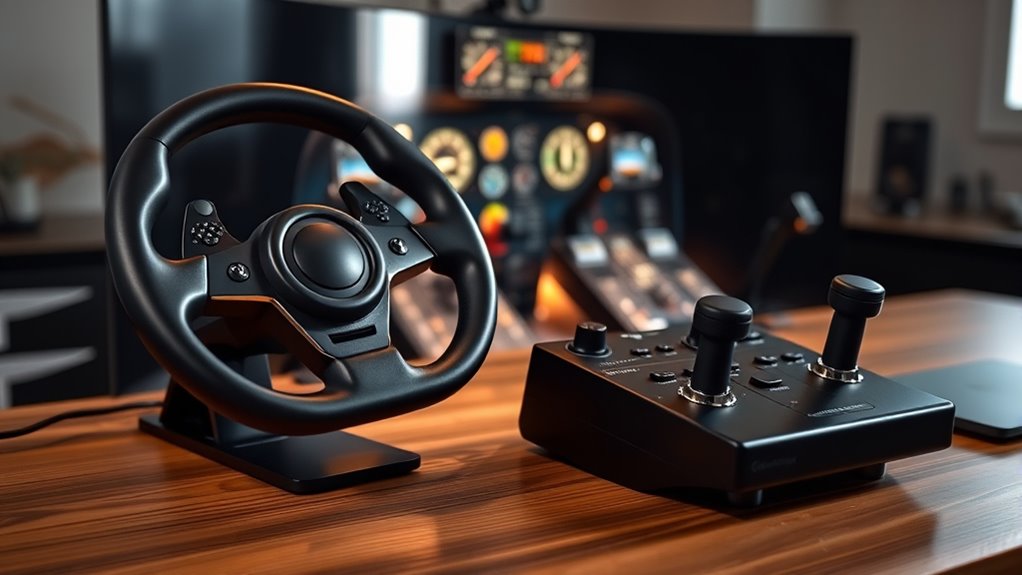
When choosing flight sim controls for beginners, I look at ease of setup to save time and frustration. I also consider control precision to guarantee a realistic experience, along with compatibility options to match my setup. Budget and software features are important too, helping me find a solution that fits both my needs and wallet.
Ease of Setup
Choosing flight sim controls that are easy to set up can make all the difference for beginners. I recommend looking for plug-and-play options that require minimal technical fuss, so you can start flying quickly. Clear, straightforward instructions and minimal assembly make setup smoother and less frustrating. If the device has intuitive software or doesn’t need software at all, it simplifies configuration and calibration, saving you time. Adjustable mounting options are also helpful, allowing you to secure controls easily in your space without hassle. Prioritize models with user-friendly interfaces and simple calibration processes, so you won’t get bogged down with complicated setups. Ultimately, an easy setup ensures you spend more time flying and less time troubleshooting, making your introduction to flight simulation enjoyable from the start.
Control Precision
Control accuracy is a key factor that can considerably impact your flying experience, especially for beginners. High-resolution axes, like 14-bit or 16-bit, allow for more detailed and smooth movements, making controls feel more natural. Quality controls often use magnetic or hall-effect sensors, which provide greater precision and less drift over time. The placement and number of programmable buttons also matter, enabling precise multi-function control without sacrificing accuracy. Adjustable resistance and tension let you customize the feel for different aircraft types, enhancing control. Additionally, self-centering mechanisms and minimal dead zones are crucial for predictable inputs, especially during delicate maneuvers. Overall, choosing controls with high accuracy ensures a more realistic, responsive, and enjoyable flying experience from the start.
Compatibility Options
Ensuring your flight controls are compatible with your PC or gaming console is vital for a smooth flying experience. First, check that the controls work with your device’s operating system, like Windows or Xbox. Compatibility with popular flight simulator software such as Microsoft Flight Simulator or X-Plane is also essential for seamless integration. Next, verify the connection type—USB, PS/2, or others—and confirm it matches your setup. Consider whether the controls support your preferred aircraft types and the level of simulation complexity you want. Additionally, look for controls that support software updates or mapping profiles, ensuring they stay compatible with future software releases. Taking these factors into account helps prevent technical issues and guarantees a more enjoyable, realistic flight simulation experience.
Budget Considerations
For beginners, balancing cost with functionality is key when selecting flight sim controls. Budget-friendly options usually range from $50 to $150, offering essential features without the high-end extras. Cheaper controls might have fewer programmable buttons and limited adjustability, which can restrict customization. Investing in a mid-range system often provides better build quality and more realistic feedback without breaking the bank. Premium controls over $200 are generally suited for serious hobbyists or advanced users. When choosing, consider long-term value by weighing durability and compatibility, so you don’t need frequent upgrades. Starting with a control that fits your budget and offers reliable performance helps you enjoy flying sims without overspending, ensuring you get the most out of your investment as you learn the basics.
Software Features
When choosing flight sim controls, software features play a vital role in how smoothly and effectively I can operate the setup. Programmable buttons, multi-function displays, and customizable profiles give me the flexibility to tailor controls to my learning curve, making flying more intuitive. Compatibility with platforms like Microsoft Flight Simulator and X-Plane ensures I don’t face setup headaches or glitches. Detailed mapping guides and regular software updates help me optimize my configuration and improve my skills over time. Some advanced options even offer real-time system monitoring, which helps me understand aircraft responses better. Most importantly, a user-friendly interface with intuitive controls allows me to get started quickly and focus on learning, rather than struggling with complicated software.
Build Durability
Choosing flight sim controls that last means paying close attention to build durability. I look for controls made from high-quality materials like metal and reinforced plastics, which can handle frequent use without breaking down. Internal mechanisms, such as self-centering springs and reinforced shafts, are vital because they ensure smooth, long-lasting performance. Robust mounting options, like heavy-duty clamps or micro-suction pads, prevent wear and damage during setup and use. Additionally, precision components like magnetic axes and industrial-grade slide rails boost durability by reducing mechanical failures. Certifications and positive user reviews are also good indicators that the controls are built to endure extended gaming sessions and rigorous handling. Ultimately, durable controls save you money and frustration in the long run.
Frequently Asked Questions
Which Flight Control System Is Best for Small Budget Beginners?
If you’re on a small budget, I recommend starting with a simple yoke or joystick like the Logitech G Saitek Pro Flight Yoke or the Thrustmaster T-Flight Hotas. They’re affordable, easy to set up, and perfect for beginners. These controls give you a good feel for flying without breaking the bank. As you progress, you can upgrade to more advanced systems, but these are great starters.
How Do I Connect These Controls to My Gaming Console?
You might be surprised how simple it is to connect your controls to your gaming console. First, check if your controls are compatible; many use USB or Bluetooth. For wired, just plug the USB into your console’s port. For wireless, enable Bluetooth pairing on your console, then turn on your controls and pair them. Follow any on-screen prompts, and you’ll be ready to fly in no time!
Are There Any Compatibility Issues With Specific Flight Simulators?
Yes, there can be compatibility issues with certain flight simulators. I recommend checking the control’s compatibility list before buying, as some are designed for specific platforms or simulators. For example, some controls work perfectly with Microsoft Flight Simulator but may not support X-Plane or other programs. Always read reviews and manufacturer info to guarantee your chosen controls will work seamlessly with your preferred simulator.
What Maintenance Is Required for Long-Term Use of These Controls?
To keep your flight controls in top shape, I recommend regularly cleaning them with a soft cloth and checking for dust or debris that can affect performance. Make sure to update any firmware or software as needed. Periodically inspect for loose screws or worn parts, and replace or tighten them promptly. Proper storage in a cool, dry place also helps prolong their lifespan, ensuring smooth and reliable flights every time.
Can I Upgrade Components Later Without Replacing the Entire System?
Absolutely, you can upgrade components later without replacing the entire system. Imagine swapping out a worn throttle for a sleek, new one, or upgrading buttons with more responsive ones—it’s like tuning up a car for smoother rides. Most modern flight controls are designed with modular parts, making upgrades straightforward. This way, I keep my setup fresh and tailored without the hassle of starting from scratch, saving time and money.
Conclusion
Choosing the right flight sim controls can feel overwhelming, but remember, “A journey of a thousand miles begins with a single step.” Start simple, pick what feels comfortable, and gradually explore more advanced options. With patience and practice, you’ll master the skies. No matter what you choose, enjoy the process—every flight is a new adventure. So take that first step, and soon you’ll be soaring like a pro.