
If you’re looking for the top ergo vertical mice that blend comfort and precision, I recommend checking out models like the Logitech Lift, MX Vertical, and ProtoArc EM11 NL. These mice feature natural angles, customizable buttons, and excellent connectivity options to suit various preferences. They’re designed to reduce strain during long use while offering smooth, accurate control. Stay with me, and I’ll share more details to help you find the perfect match for your workspace.
Key Takeaways
- Features ergonomic vertical designs and angles that promote natural wrist and forearm positioning to reduce strain during extended use.
- Offer customizable buttons, adjustable DPI, and quiet operation for enhanced precision and workflow efficiency.
- Provide various connectivity options including Bluetooth, wireless USB, and wired for versatile device compatibility.
- Include rechargeable batteries or long-lasting power options to ensure uninterrupted ergonomic comfort.
- Consider hand size, grip style, and ergonomic certifications to select the most suitable and comfortable vertical mouse.
Logitech Lift Vertical Ergonomic Wireless Mouse
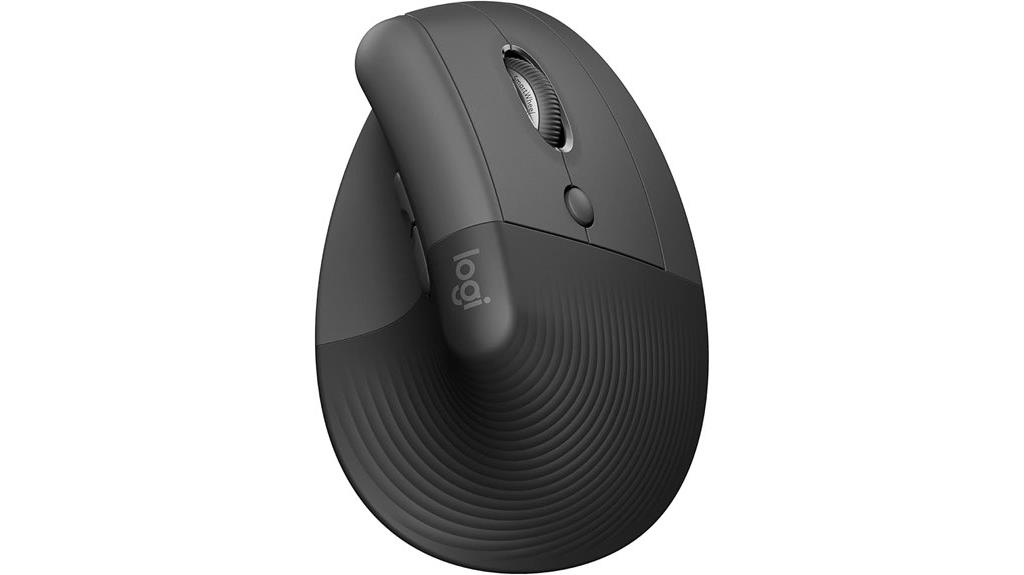
If you’re looking for a vertical mouse that prioritizes ergonomic comfort without sacrificing connectivity, the Logitech Lift Vertical Ergonomic Wireless Mouse is an excellent choice. Its 57-degree angle elevates your wrist naturally, reducing strain during long hours. Designed for small to medium hands, it features a textured grip, a snug thumb rest, and quiet clicks for peaceful operation. With customizable buttons, a SmartWheel, and support for multiple devices via Bluetooth or Logi Bolt, it offers versatile performance. Weighing just 125 grams, it balances comfort and precision, making it ideal for those seeking healthier, more comfortable workspace solutions.
Best For: users seeking an ergonomic wireless mouse that offers customizable features, smooth scrolling, and versatility across multiple devices for long hours of comfortable use.
Pros:
- Ergonomically designed with a 57-degree angle to reduce wrist and forearm strain
- Supports multi-device connectivity with Bluetooth and Logi Bolt, plus Easy-Switch and Logitech Flow features
- Quiet, customizable buttons and smooth SmartWheel enhance productivity and user experience
Cons:
- May be less suitable for palm grip users due to its shape and size
- Slight adjustment period for those used to traditional mice, especially for claw or palm grips
- Battery life, while long-lasting, depends on usage and may require replacement or recharging over time
Logitech MX Vertical Wireless Mouse

The Logitech MX Vertical Wireless Mouse is an excellent choice for anyone seeking to reduce wrist and forearm strain during extended computer use. Its science-driven design features a 57° vertical angle that promotes a natural handshake position, decreasing muscular activity by 10% compared to traditional mice. The textured rubber surface offers a secure grip, and the shape fits medium to large right hands comfortably. With a high-precision 4000 DPI sensor and customizable buttons, it ensures accuracy while minimizing hand movement. Plus, its versatile connectivity—Bluetooth, USB dongle, or wired—combined with long battery life and multi-device support, makes it a practical, ergonomic option for demanding work sessions.
Best For: users seeking an ergonomic mouse to reduce wrist and forearm strain during long hours of computer use, especially those with wrist or arthritic issues.
Pros:
- Promotes a natural handshake position that decreases muscular activity by 10% compared to traditional mice.
- High-precision 4000 DPI sensor with customizable buttons for accuracy and efficiency.
- Supports multiple connectivity options (Bluetooth, USB dongle, wired) and multi-device switching for versatile use.
Cons:
- Slightly heavier than some traditional mice at 4.6 ounces, which may affect handling for some users.
- Premium price point may be a consideration for budget-conscious buyers.
- Limited color or design options, primarily focusing on function over aesthetic variety.
Anker Wireless Vertical Ergonomic Optical Mouse
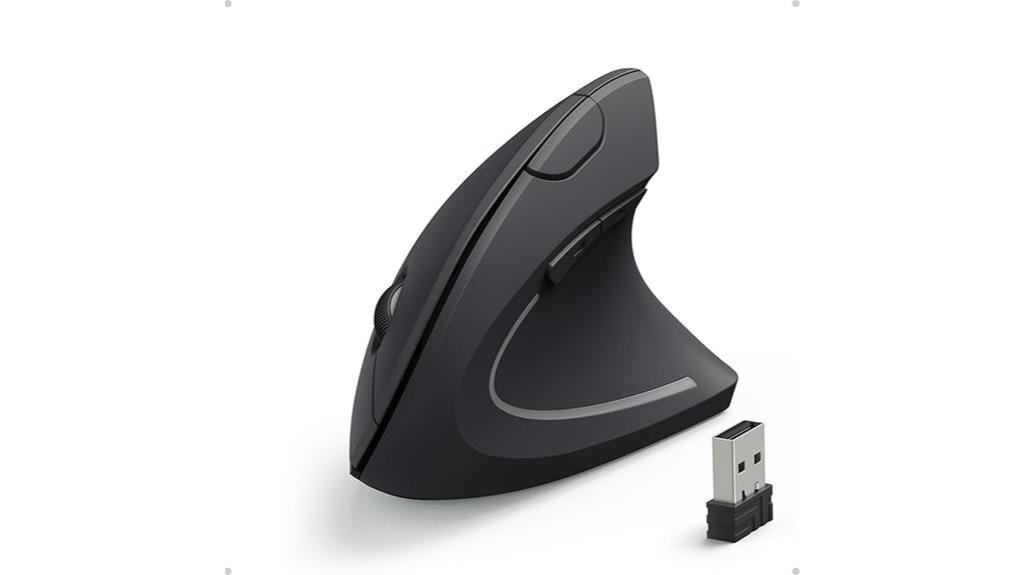
Looking for an ergonomic mouse that combines comfort with affordability? The Anker Wireless Vertical Ergonomic Optical Mouse is a great choice. It features a natural handshake grip that reduces wrist strain and promotes healthy posture, making it ideal for long hours. With adjustable DPI settings (800/1200/1600), it offers precise control across various surfaces. The mouse connects easily via the 2.4G wireless USB receiver, with no need for software or drivers. Its lightweight design (around 3.4 oz) and simple setup make it perfect for work, gaming, or everyday use. Plus, at a budget-friendly price, it delivers comfort and functionality without breaking the bank.
Best For: those seeking an affordable, ergonomic wireless mouse that reduces wrist strain and offers reliable performance for long hours of computer use.
Pros:
- Ergonomic vertical design promotes healthy wrist and arm posture.
- Easy plug-and-play setup with no need for drivers or software.
- Adjustable DPI settings (800/1200/1600) for precise control on various surfaces.
Cons:
- May be less suitable for small hands due to button reach.
- Smooth surface can cause slipping for some users.
- Lacks Bluetooth connectivity and customizable buttons found in higher-end models.
TECKNET Wireless Bluetooth Vertical Mouse with Adjustable DPI

Choosing the TECKNET Wireless Bluetooth Vertical Mouse with Adjustable DPI means prioritizing seamless connectivity and customizable performance in a comfortable design. It easily switches between Bluetooth and 2.4GHz USB modes, with Bluetooth supporting two devices simultaneously—perfect for reducing port clutter. The high-performance chip offers six adjustable DPI levels, from 800 to 4800, allowing precise control across surfaces, with visual feedback via flashing lights. Its ergonomic, right-handed design minimizes wrist strain, making it ideal for long use. Compatible with multiple operating systems, it runs on AAA batteries with automatic sleep mode to conserve power. Plus, TECKNET’s 36-month warranty guarantees reliable support and durability.
Best For: professionals and remote workers seeking an ergonomic wireless mouse with customizable DPI and seamless multi-device connectivity.
Pros:
- Supports Bluetooth (5.0/3.0) and 2.4GHz USB modes for versatile connectivity.
- Adjustable DPI levels up to 4800 for precise control on various surfaces.
- Ergonomic design reduces wrist strain, suitable for long hours of use.
Cons:
- Requires two AAA batteries (not included), which need regular replacement.
- Not compatible with Mac side buttons.
- Automatic sleep mode may cause slight delay when waking the mouse.
ProtoArc Ergonomic Vertical Wireless Mouse (EM11 NL)

If you’re seeking a vertical mouse that seamlessly combines versatility with ergonomic comfort, the ProtoArc Ergonomic Vertical Wireless Mouse (EM11 NL) is an excellent option. It connects up to three devices simultaneously via Bluetooth 5.0 and 2.4GHz USB, compatible with Windows, Mac, and Android. The built-in 500mAh rechargeable battery is eco-friendly, recharged easily with the included Type-C cable. Its vertical design promotes a natural wrist position, reducing fatigue. With adjustable DPI settings up to 2400 and high-performance optical tracking, it offers precision. The silent click buttons are perfect for focused work, while the back and forward buttons enhance navigation. It’s ideal for small to medium hands.
Best For: users seeking an ergonomic, versatile wireless mouse compatible with multiple devices and designed to reduce wrist strain during extended use.
Pros:
- Connects seamlessly to up to 3 devices via Bluetooth 5.0 and 2.4GHz USB modes
- Ergonomic vertical design promotes natural wrist positioning and reduces fatigue
- Rechargeable 500mAh battery with easy Type-C charging eliminates the need for disposable batteries
Cons:
- Not compatible with Mac OS for the back and forward navigation buttons
- Middle scroll wheel and back/forward buttons are not silent, which may cause noise during use
- May require a 1-2 week adaptation period for new users to get accustomed to the vertical grip
Anker Ergonomic USB Wired Vertical Mouse

The Anker Ergonomic USB Wired Vertical Mouse stands out as an excellent option for users seeking a comfortable, budget-friendly solution to wrist strain. Its scientifically designed vertical shape promotes a natural wrist position, reducing discomfort during long hours of use. With 1000/1600 DPI optical tracking and five buttons, including forward/back browsing and DPI adjustment, it offers smooth, precise control. The silent textured scroll wheel enhances quiet operation, while the durable build and 18-month warranty ensure lasting reliability. Its ergonomic design, combined with affordability and positive user feedback, makes it a practical choice for those looking to improve comfort without sacrificing performance.
Best For: users seeking an affordable, ergonomic mouse that reduces wrist strain during long hours of computer use.
Pros:
- Scientifically designed vertical shape promotes a natural wrist position and reduces discomfort
- Smooth, precise tracking with adjustable DPI settings (1000/1600 DPI)
- Quiet textured scroll wheel enhances user experience and minimizes noise
Cons:
- Some users report the scroll wheel becoming less responsive over time
- Slight ergonomic improvements, like increased width, could enhance comfort for larger hands
- Limited to wired connection, which may restrict mobility compared to wireless options
Acer Wireless Ergonomic Vertical Mouse with Adjustable DPI
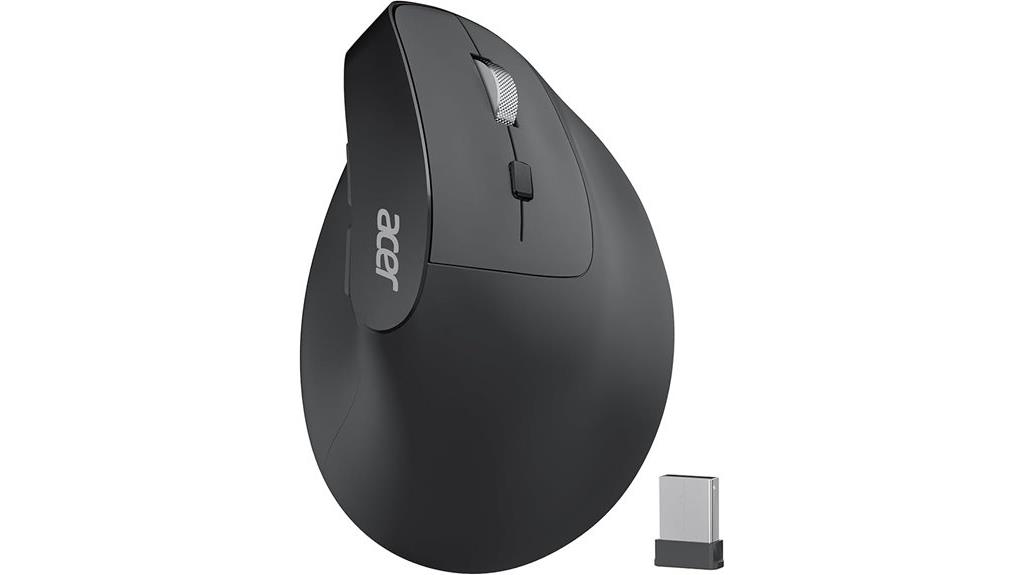
The Acer Wireless Ergonomic Vertical Mouse with Adjustable DPI stands out as an excellent choice for professionals and extended computer users seeking comfort and precision. Its 57° vertical design naturally contours to the right hand, reducing wrist and arm strain. With a rechargeable 300mAh battery lasting up to a month and quick charging, it’s built for long hours. The adjustable DPI settings (1000/1200/1600) allow precise control for various tasks. Reliable 2.4GHz wireless connectivity up to 32 feet, along with forward and backward buttons, enhances workflow efficiency. Its ergonomic grip minimizes fatigue, making it ideal for those who prioritize comfort without sacrificing performance.
Best For: professionals and extended computer users seeking ergonomic comfort and precise control during long work sessions.
Pros:
- Ergonomic 57° vertical design reduces wrist and arm strain for comfortable all-day use
- Adjustable DPI settings (1000/1200/1600) provide versatile precision for various tasks
- Long-lasting rechargeable battery lasts up to a month on a single charge with quick charging capability
Cons:
- Does not support Bluetooth connectivity, relying solely on the 2.4GHz wireless USB receiver
- USB receiver must be stored in the battery compartment when not in use, which can be inconvenient
- Compatibility might vary with some devices; not explicitly stated for all operating systems
LEKVEY Wireless Vertical Ergonomic Mouse with 3 DPI Levels

For anyone seeking a comfortable, ergonomic solution for extended computer use, the LEKVEY Wireless Vertical Ergonomic Mouse with 3 DPI Levels stands out. Its sleek, scientific design promotes a neutral wrist and arm position, reducing strain during long sessions. The adjustable DPI settings—800, 1200, and 1600—offer tailored sensitivity for various tasks, boosting control and accuracy. With a high-capacity rechargeable battery, it eliminates the hassle of replacing batteries. Easy to connect via a nano USB receiver, it’s compatible with Windows, Mac, Linux, and more. Plus, it comes with a 36-month warranty, making it a reliable choice for those prioritizing comfort and precision.
Best For: professionals and extended computer users seeking an ergonomic, comfortable mouse to reduce strain and improve precision across multiple operating systems.
Pros:
- Ergonomic, scientific design promotes healthy wrist and arm positioning for long-term comfort
- Adjustable DPI levels (800, 1200, 1600) for customizable sensitivity tailored to various tasks
- Rechargeable high-capacity battery eliminates the need for disposable batteries and offers convenience
Cons:
- Requires a nano USB receiver; not compatible with Bluetooth-only devices
- May have a learning curve for users unfamiliar with vertical mice
- Limited to three preset DPI levels; lacks additional programmable buttons for advanced customization
TECKNET Ergonomic Wireless Vertical Mouse

If you’re looking for an ergonomic mouse that minimizes wrist strain, the TECKNET Wireless Vertical Mouse is an excellent choice. Its vertical design conforms to the natural hand position, forming a 52-degree angle that reduces muscle activity and alleviates fatigue. It’s especially beneficial for users with wrist issues, tendinitis, or carpal tunnel syndrome. The mouse offers stable 2.4 GHz wireless connectivity, a long-lasting rechargeable battery, and quick setup. With adjustable DPI up to 4800, it provides precise tracking on most surfaces. Silent buttons and a comfortable rubber grip make it ideal for extended use, improving comfort without sacrificing performance.
Best For: users with wrist issues, tendinitis, or carpal tunnel syndrome seeking an ergonomic, comfortable, and quiet mouse for extended computer use.
Pros:
- Ergonomic vertical design reduces muscle activity and alleviates wrist fatigue
- Long-lasting rechargeable battery with quick setup and stable 2.4 GHz wireless connection
- Silent clicking with adjustable DPI for precise tracking on most surfaces
Cons:
- Not compatible with Bluetooth or USB-C ports directly, requiring adapters for some devices
- Side buttons are unavailable on Mac OS, limiting customization for Mac users
- Some users report durability issues with the scroll wheel over extended use
Ergodriven Om Handshake Vertical Mouse, Wireless & Rechargeable

Designed with comfort and productivity in mind, the Ergodriven Om Handshake Vertical Mouse stands out as an excellent choice for users who spend long hours at their computers. Its handshake-style, vertical design reduces wrist and shoulder strain, making extended use more comfortable. The mouse features silent, micro-force switches that lessen fatigue, along with an OLED screen for quick adjustments. With four DPI settings and five customizable buttons, it offers precise control and easy access to essential functions. Wireless connectivity via Bluetooth or a dongle simplifies setup, while the rechargeable battery provides weeks of hassle-free use. Overall, it’s a well-rounded, ergonomic mouse that boosts comfort and efficiency.
Best For: users seeking an ergonomic, comfortable, and customizable mouse for long hours of computer work.
Pros:
- Reduces wrist and shoulder tension with its handshake-style vertical design.
- Features silent, micro-force switches to minimize fatigue during extended use.
- Offers customizable buttons, DPI settings, and an OLED display for enhanced control and convenience.
Cons:
- Slightly heavier than traditional mice at 7 ounces, which may take some getting used to.
- Limited to only four DPI settings, which might not suit highly specialized needs.
- Does not include software for advanced customization beyond onboard controls.
Evoluent Vertical Mouse VM4R for Right Hand
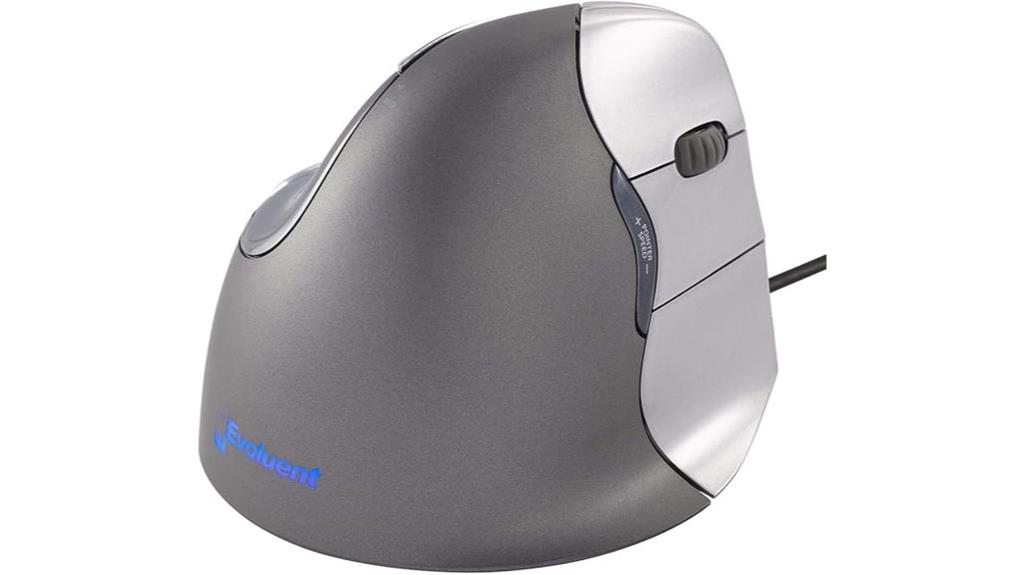
The Evoluent Vertical Mouse VM4R stands out as an excellent choice for right-handed users with medium to large hands who seek an ergonomic solution that prioritizes comfort and reduces strain. Designed by Jack Lo in 1994, it features a patented shape that supports a natural handshake position, minimizing forearm twisting and wrist pain. Its sculpted form, high-precision sensor, and customizable buttons make it both comfortable and functional for extended use. With adjustable DPI up to 2600 and a sturdy build, the VM4R is ideal for office work, reducing RSI risks while offering precise control. Despite its premium price, many users find it a worthwhile investment for long-term health.
Best For: right-handed users with medium to large hands seeking an ergonomic mouse to reduce wrist and forearm strain during extended computer use.
Pros:
- Supports a natural handshake position that minimizes forearm twisting and wrist pain
- Highly customizable with adjustable DPI up to 2600 and programmable buttons
- Solid build quality designed for long-term comfort and durability
Cons:
- Higher price point compared to standard mice, which may be a barrier for some users
- Limited driver support for Mac systems, affecting customization options
- Discontinued in some regions, making new units harder to find
Logitech Lift Wireless Vertical Ergonomic Mouse for Mac
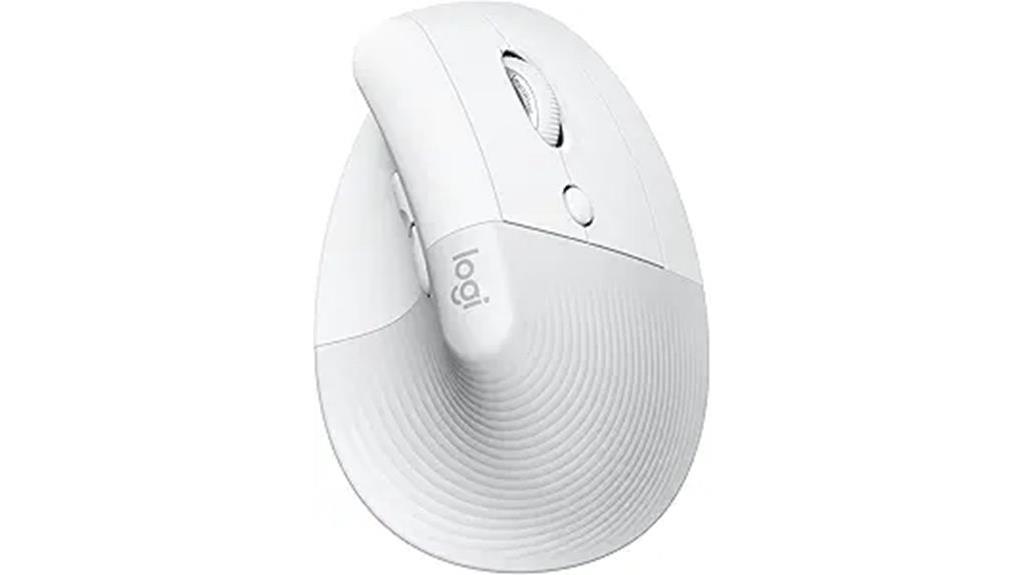
For Mac users seeking a comfortable and quiet ergonomic mouse, the Logitech Lift Wireless Vertical Ergonomic Mouse stands out as an ideal choice. Designed for small to medium hands, it offers a natural 57-degree handshake position that reduces wrist pressure and promotes a relaxed posture. Compatible with MacBook Pro, MacBook Air, iMac, and iPad via Bluetooth LE, it features whisper-quiet clicks and a silent SmartWheel for smooth scrolling. With four customizable buttons, it enhances productivity without noise distractions. Certified by ergonomists and made with over half recycled plastic, it combines comfort, eco-friendliness, and long-lasting battery life of up to two years.
Best For: Mac users seeking a comfortable, quiet, and eco-friendly ergonomic mouse designed for small to medium hands.
Pros:
- Ergonomically designed with a natural 57-degree handshake position to reduce wrist strain.
- Whisper-quiet clicks and silent SmartWheel for noise-free operation and smooth scrolling.
- Long-lasting battery life of up to two years with a single AA battery, reducing maintenance.
Cons:
- Designed primarily for small to medium hands, may not fit larger hand sizes comfortably.
- Limited to Bluetooth connectivity, lacking additional wired options.
- Only four customizable buttons, which might be insufficient for users needing extensive customization.
Wireless Ergonomic Mouse, 2.4G Adjustable DPI Vertical Mouse

If you’re seeking a wireless ergonomic mouse that offers adjustable sensitivity and a natural grip, the 2.4G Adjustable DPI Vertical Mouse is an excellent choice. Its vertical design aligns with the neutral handshake position, reducing wrist strain during long sessions. It’s especially comfortable for larger hands, providing a secure grip with its textured surface. The plug-and-play setup is quick, with a reliable 10-meter wireless range. Featuring DPI settings of 800, 1200, and 1600, it adapts to different tasks. Quiet buttons and a lightweight build make it a practical, comfortable option, though some users with smaller hands may find it less ideal.
Best For: users with larger hands seeking an ergonomic, wireless mouse with adjustable sensitivity and a comfortable vertical design for extended use.
Pros:
- Ergonomic vertical design reduces wrist strain and promotes better posture.
- Adjustable DPI settings (800, 1200, 1600) for customizable sensitivity.
- Plug-and-play setup with reliable 2.4GHz wireless connection and a 10-meter range.
Cons:
- May feel too large or awkward for users with medium or smaller hands.
- Some users report difficulty controlling extra buttons and lack of detailed instructions.
- Compatibility issues with Mac OS limiting certain features like forward/back buttons.
DeLUX Ergonomic Wired RGB Vertical Mouse with Wrist Rest

Designed specifically for larger hands and those prone to wrist discomfort, the DeLUX Ergonomic Wired RGB Vertical Mouse with Wrist Rest offers exceptional support and comfort. Its snail bionic shape reduces arm strain and hand stiffness, making long hours easier on your body. The detachable wrist rest adds cushioned support, elevating your wrist for better comfort. Vibrant RGB lighting enhances the visual appeal, with a simple bottom button to control the lights. Equipped with five adjustable DPI levels, you can easily switch for precise control. Its wired connection guarantees reliable performance, compatible with Windows and Mac, perfect for users prioritizing ergonomic design and customization.
Best For: users with larger hands or those experiencing wrist discomfort seeking an ergonomic, customizable mouse for extended use.
Pros:
- Ergonomic vertical design and snail bionic shape reduce arm strain and hand stiffness.
- Detachable cushioned wrist rest provides added comfort and wrist elevation.
- Adjustable DPI levels and vibrant RGB lighting for personalized control and aesthetic appeal.
Cons:
- Limited functionality of side buttons and driver on Mac OS.
- Wired connection may restrict movement compared to wireless options.
- May be less suitable for users with smaller hands due to its larger, ergonomic design.
Kensington Pro Fit Ergo Vertical Wireless Mouse
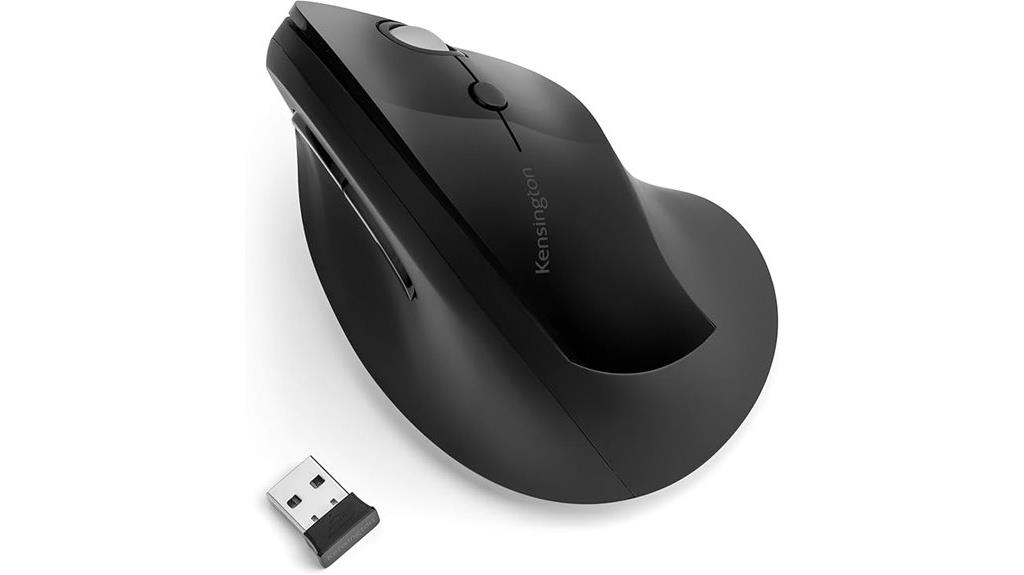
The Kensington Pro Fit Ergo Vertical Wireless Mouse stands out as an ideal choice for users seeking comfort and precision during long work sessions. Its contoured, natural 46.7° slope keeps your wrist in a neutral handshake position, reducing strain. The mouse features a scroll wheel, left/right buttons, forward/back buttons, and adjustable DPI settings up to 1600 for tailored sensitivity. With a wireless range of up to 20 meters via the Nano receiver, you enjoy flexibility and convenience. Powered by a single AA battery that lasts up to a year, it also offers customizable buttons through KensingtonWorks software. This mouse combines ergonomic design with reliable wireless performance, making it a smart investment for comfortable productivity.
Best For: users seeking an ergonomic wireless mouse that provides comfort and precision for long hours of work.
Pros:
- Ergonomic design with a natural 46.7° slope to reduce wrist strain
- Adjustable DPI settings up to 1600 for customizable sensitivity
- Wireless range of up to 20 meters with Nano receiver for convenience
Cons:
- Currently unsupported on Windows ARM-based computers
- Requires one AA battery, which may need replacement after up to a year
- Does not include additional programmable buttons beyond standard controls
Factors to Consider When Choosing Ergo Vertical Mice

When selecting an ergo vertical mouse, I focus on key factors like hand size compatibility and adjustable DPI settings to guarantee comfort and precision. I also consider connection options and ergonomic features that support long-term use, along with battery life for convenience. These elements help me find a mouse that fits my needs and enhances my workflow.
Hand Size Compatibility
Choosing the right vertical mouse largely depends on your hand size, as an ill-fitting device can cause discomfort and strain over time. Vertical mice are typically better suited for medium to large hands, since smaller hands might find them bulky or difficult to grip comfortably. When selecting a mouse, check its dimensions—length, width, and height—to verify they match your palm and finger reach. If you have larger hands, look for mice at least 4.5 inches long and wide enough to support your palm without overextending your fingers. Smaller hands should opt for compact models under 4 inches in length, but still guarantee natural finger and thumb placement. Proper fit reduces strain, promotes a neutral wrist position, and enhances overall comfort during extended use.
Adjustable DPI Settings
Ever wondered how adjustable DPI settings can improve your comfort and precision when using a vertical mouse? These settings let you customize cursor sensitivity, giving you better control for different tasks and surfaces. Most ergonomic vertical mice offer multiple DPI levels, usually between 800 and 4800, so you can find what works best for you. Higher DPI settings mean faster cursor movement with less wrist movement, which helps reduce strain during long sessions. The ability to switch DPI instantly allows you to adapt quickly—whether you’re doing detailed editing or just browsing. Customizable DPI options make your experience more personalized, boosting both comfort and productivity. Overall, adjustable DPI is a key feature for anyone seeking a versatile and ergonomic vertical mouse.
Connection Options Available
Multiple connection options are available in ergonomic vertical mice, allowing you to select the most convenient and reliable method for your needs. Bluetooth-enabled mice offer wireless freedom and reduce desk clutter since they don’t require a USB receiver. They’re ideal if you switch devices often or prefer a clean setup. USB receivers, often stored inside the mouse, provide a stable, low-latency connection perfect for gaming, professional work, or multitasking. Wired mice eliminate connectivity concerns altogether, delivering consistent performance during extended use. Some models support dual connectivity, letting you switch seamlessly between Bluetooth and USB, adding versatility. When choosing, consider how you plan to use your mouse, the importance of wireless convenience, and whether you prefer the simplicity of wired connections for uninterrupted performance.
Ergonomic Design Features
When selecting an ergonomic vertical mouse, paying attention to its design features can make a significant difference in comfort and usability. A 57-degree vertical angle promotes a natural handshake posture, reducing wrist and forearm strain. Features like textured grips, thumb rests, and contouring support various grip styles—fingertip, claw, or palm—enhancing comfort during extended use. Adjustable DPI settings let me customize sensitivity, ensuring precise control and minimizing unnecessary hand movements. Many ergonomic mice also include silent or quiet-click buttons and smooth scroll wheels, which reduce noise and improve usability during long sessions. Certification by ergonomists and adherence to ergonomic principles ensure the design effectively supports health and reduces the risk of repetitive strain injuries. These design features are key to a comfortable, efficient experience.
Battery Life Expectancy
Battery life is a crucial factor to take into account because it directly affects how often you’ll need to recharge or replace your mouse, impacting your workflow and convenience. Longer battery life means fewer interruptions, allowing for uninterrupted ergonomic use. Many ergonomic mice offer battery spans from several months to years, depending on usage and power management features. Rechargeable models with extended battery life are especially convenient, eliminating the need for disposable batteries and promoting eco-friendliness. However, features like Bluetooth, backlit buttons, and high DPI can drain power faster. To maximize battery longevity, I recommend monitoring battery indicators regularly and choosing mice with power-saving modes. This ensures consistent performance, whether you’re working or gaming, without frequent recharges or replacements.
Button Customization Ease
Choosing an ergonomic vertical mouse with easy button customization can substantially boost your productivity. Look for mice that offer customizable buttons so you can assign shortcuts and functions tailored to your workflow. Make sure the mouse’s software or firmware allows for simple remapping or command assignment without complicated procedures. Check whether buttons can be reprogrammed on-the-fly or if they require dedicated software, balancing convenience with flexibility. A higher number of programmable buttons can improve efficiency, but it might also make setup more complex. Ensure the customization options are user-friendly and accessible, allowing quick adjustments as your needs change. Ultimately, ease of button customization ensures that your workflow remains smooth and adaptable, helping you work more efficiently without frustration.
Noise Level Preferences
Selecting an ergonomic vertical mouse that aligns with your noise preferences can make a noticeable difference in your daily comfort and focus. If you work in a shared or quiet environment, consider models with silent or near-silent click mechanisms, which can diminish noise by over 90%. Rubberized or magnetically silent buttons are excellent options for minimizing disruption, especially if you’re sensitive to sound. Keep in mind, though, that individual preferences vary—some users may still find even quiet clicks distracting. Choosing a mouse with adjustable or low-noise features helps create a more comfortable workspace tailored to your needs. Prioritizing noise level preferences ensures your work remains undisturbed and your focus stays sharp throughout the day.
Price and Budget Range
Price and budget range are essential factors when selecting an ergonomic vertical mouse, as they directly influence which models are accessible for your needs. Vertical mice vary widely in cost, from as low as $10 for basic options to over $100 for premium models with advanced features. Setting a budget helps narrow your choices to mice that deliver the necessary ergonomic benefits without overspending on unnecessary bells and whistles. Higher-priced models often include customizable buttons, adjustable DPI, and longer battery life, which can be worthwhile for frequent users. On the other hand, budget-friendly options focus on core ergonomic design but might lack some connectivity or customization features. Balancing your budget with your ergonomic needs guarantees you select a mouse that offers comfort and value within your financial limits.
Frequently Asked Questions
How Do Ergonomic Vertical Mice Reduce Wrist Strain During Prolonged Use?
Ergonomic vertical mice reduce wrist strain by keeping your hand in a natural, handshake position, which minimizes twisting and pressure on your wrist. This design encourages a more neutral posture, reducing discomfort during prolonged use. I find that using a vertical mouse helps me avoid repetitive strain injuries because it promotes better alignment of my wrist and arm, making long hours at the computer much more comfortable.
What Maintenance Is Required to Keep Vertical Mice Functioning Optimally?
To keep my vertical mouse functioning at its best, I regularly clean it with a soft, damp cloth to remove dust and debris. I also check the sensor for dirt buildup and ensure the buttons work smoothly. Additionally, I update the firmware and drivers periodically for peak performance. Finally, I store it in a clean, dry place when not in use to prevent damage and prolong its lifespan.
Are Vertical Mice Suitable for Gaming or High-Precision Tasks?
I used to think vertical mice weren’t for gaming until I tried one during a high-stakes match. Turns out, they can be surprisingly precise, especially models designed for accuracy. While they excel in comfort and reducing strain, some high-end options boast DPI settings that rival traditional gaming mice. For casual gaming or precision tasks, vertical mice work well, but serious gamers might prefer specialized gear for the fastest response times.
How Does the Size and Grip Style Impact Vertical Mouse Comfort?
The size and grip style considerably impact my comfort with a vertical mouse. I find that a mouse that fits snugly in my hand prevents strain, especially during long use. A grip style matching my natural hand position, whether palm, claw, or fingertip, feels more secure and reduces fatigue. Choosing a size and grip style that align with my hand’s shape makes my experience more comfortable and precise.
Can Vertical Mice Be Used Effectively With Ergonomic Keyboard Setups?
Yes, vertical mice work well with ergonomic keyboards. I once switched to an ergonomic setup, and my wrist pain vanished, like a puzzle piece fitting perfectly. Using a vertical mouse complements the keyboard’s natural position, reducing strain. It’s like having a synchronized dance—each tool supports the other for better comfort and efficiency. So, combining both can truly elevate your workspace comfort and help prevent repetitive strain injuries.
Conclusion
Choosing the right ergo vertical mouse is like finding the perfect pair of shoes—you want comfort, support, and confidence for every step. I once switched to a vertical mouse after persistent wrist pain, and suddenly, work felt effortless again. Remember, investing in a good ergonomic mouse isn’t just about comfort; it’s about protecting your long-term health. Trust me, your hands will thank you as much as your productivity will soar.