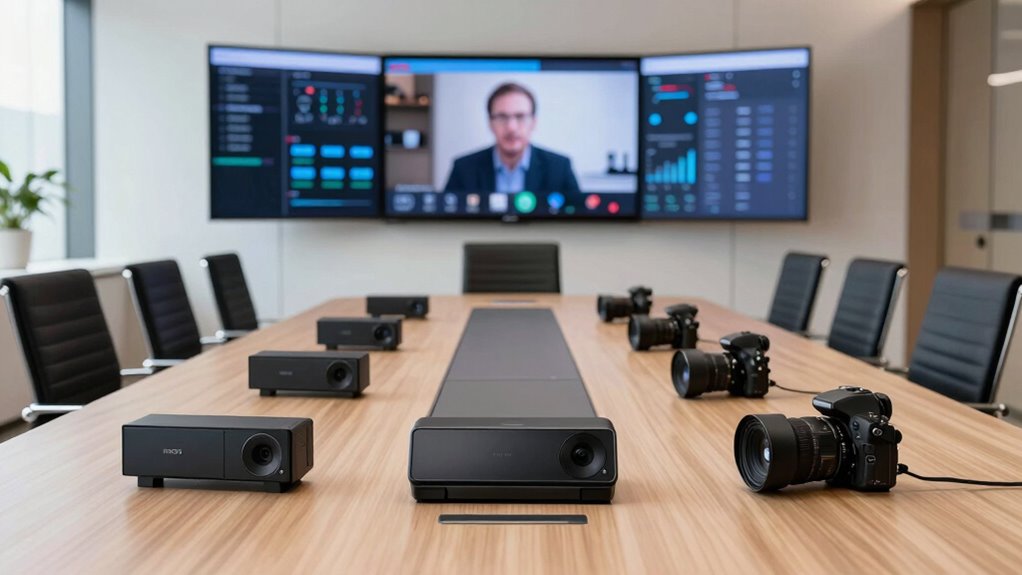
Finding the right conference camera for a wide angle desk can be challenging, especially when balancing coverage, image quality, and ease of setup. The j5create 360 Degree All Around Meeting Webcam stands out for complete room coverage, while the WYRESTORM 4K AI-Powered Conference Webcam offers exceptional image clarity with intelligent framing. Common tradeoffs include balancing wide coverage with image detail and managing setup complexity or cost. Keep reading to see how the top models compare and which one fits your specific needs.

Get the latest gadgets delivered free with Prime
- Fast, free delivery on millions of items
- Prime Video, Amazon Music and more included
- Member-only deals all year
Complete the kit



Key Takeaways
- Wide field of view is essential for maximum coverage, but it may come at the expense of image detail in some models.
- AI-powered features like auto-framing and facial tracking improve usability but often increase price and complexity.
- 4K resolution provides sharper images and better detail, yet requires more bandwidth and processing power.
- Built-in microphones and speakers are common, but their quality varies; consider models with noise cancellation for clearer audio.
- Ease of setup and compatibility with common conferencing platforms influence overall user experience more than raw specs.




| conference camera for wide angle desk | Resolution | Compatibility | Connectivity |
|---|---|---|---|
| j5create 360 Degree All Around | — | — | USB UVC/UAC plug-and-play |
| WYRESTORM 4K AI-Powered Confer | — | — | — |
| Akyta 1080P PC Webcam with Mic | 1080P/30fps | Windows, macOS | USB-C |
| ZIQIAN 1080P Webcam with Micro | 1080P Full HD | — | — |
| Innex C831 180° Panoramic 4K W | 4K | Windows, Mac | — |
| TONGVEO 4K Webcam Conference C | 4K Ultra HD | Windows XP/7/8/10/11, macOS 10.4+ | USB-C |
| 1080P HD Webcam with Microphon | — | Windows, macOS, Zoom, Skype | USB |
| Conference Room Camera | 1080p Full HD | Windows, macOS, Zoom, Teams | USB 2.0 |
| NUROUM C10 1080P Conference We | 1080p | Windows, MacOS, Linux | — |
| EMEET C960 1080P Webcam with M | 1080p | Windows 10/11, macOS, Android TV | USB |
| Lenovo HD 1080p Webcam | 1080p HD | — | — |
| Angetube Wide Angle 4K Webcam | 3840×2160 @ 30fps | — | USB-A to Type-C, USB 2.0/3.0 |
| Logitech C920x HD Pro Webcam w | — | Windows 11, Mac | — |
More Details on Our Top Picks
j5create 360 Degree All Around Meeting Webcam
This webcam stands out for providing a comprehensive 360-degree view, making it ideal for small to medium conference rooms where capturing every participant is essential. Compared with the Innex C831’s panoramic but limited 180° view, this model offers full coverage without the need for multiple cameras. Its full HD 1080p resolution ensures clear image quality, while the six display modes increase flexibility for different room setups. However, its reliance on manual firmware updates and app permissions can be a hassle for some users. This pick makes the most sense for teams seeking a simple plug-and-play solution that covers the entire room without repositioning the camera.
Pros:- Provides full 360-degree video coverage
- High-quality 1080p resolution ensures sharp images
- Six display modes allow flexible viewing angles
- Plug-and-play USB connectivity simplifies setup
Cons:- Requires manual firmware updates for optimal performance
- App permissions may need manual authorization
Best for: Small to medium conference rooms needing all-around coverage with easy setup
Not ideal for: Large auditoriums or outdoor use, where 360° may be excessive and setup more complex
- Video Resolution:Full HD 1080p @ 30Hz
- Field of View:360 degrees
- Microphone:Built-in omnidirectional
- Connectivity:USB UVC/UAC plug-and-play
- Display Modes:Six modes
Our verdict“This webcam is best for teams wanting complete room coverage with straightforward installation.”
WYRESTORM 4K AI-Powered Conference Webcam – Zoom Certified
This model excels in focused, professional meetings, especially where AI auto framing and presenter tracking can enhance engagement. Its 4K resolution surpasses the others here, like the innex C831’s 180° view, by delivering ultra-sharp detail. The 120° wide-angle lens covers a decent area, but isn’t as broad as a full 180°, making it less suited for larger or more dynamic spaces. The AI features such as auto framing and presenter tracking are powerful additions but may require software for full functionality—adding complexity. It’s ideal for small meeting rooms where high image clarity and smart automation are priorities.
Pros:- Ultra-high 4K video quality for sharp, detailed images
- AI auto framing and presenter tracking improve engagement
- Decent 120° lens covers a wide area
- Plug-and-play USB setup for quick deployment
Cons:- Requires compatible software for full feature access
- Limited water resistance makes outdoor use unsuitable
Best for: Small conference rooms and remote presenters seeking professional-quality video with AI features
Not ideal for: Large open spaces or outdoor environments, due to limited field of view and water resistance
- Sensor Type:CMOS
- Connectivity Technology:USB
- Color:Gray
- Special Features:120° FOV, AI auto framing, presenter tracking
- Item Weight:8 ounces
- Operating System:Mac OS 10.10+, Windows 10/11
Our verdict“This webcam is ideal for small rooms where high resolution and AI automation enhance remote collaboration.”
Akyta 1080P PC Webcam with Microphone, Privacy Cover, Stand, and Wide Angle 110° for Desktop, PC, Mac
This webcam offers solid 1080p HD video with automatic light correction, making it suitable for everyday calls and streaming. Its 110° field of view is narrower than some others like the Innex C831, but it still covers a good portion of a desk or small room. The built-in noise-canceling microphone and privacy cover add value for secure, clear communication. Compared to the WYRESTORM’s 4K clarity, this model is more affordable but less detailed. It’s best for users who prioritize simplicity and affordability over ultra-high resolution or extensive wide-angle coverage.
Pros:- Sharp 1080p resolution for clear video
- Automatic light correction improves image quality in varied lighting
- Built-in noise-canceling microphone ensures clear audio
- Includes a privacy cover for security
Cons:- Limited to 30fps, not ideal for fast-paced streaming
- Requires USB-C port, may need adapters for older devices
Best for: Home office users or remote workers needing reliable, clear video on a budget
Not ideal for: Large groups or professional conference rooms that require broader or 4K coverage
- Resolution:1080P/30fps
- Field of View:110°
- Microphone:Noise-reduction
- Connectivity:USB-C
- Compatibility:Windows, macOS
- Includes:Tripod, Adapter
Our verdict“This webcam is a reliable choice for budget-conscious users needing decent wide-angle coverage and clear audio.”
ZIQIAN 1080P Webcam with Microphone, USB HD Camera for PC, Laptop & Mac
This webcam provides a solid 110° wide-angle view with 1080p resolution, making it suitable for streaming, recording, or video calls where a broad perspective matters. Unlike the Innex C831’s 180°, its narrower field may limit coverage but offers more detail and less distortion. The built-in noise reduction mic and low light correction improve overall clarity. Its fixed focus is a drawback compared to adjustable focus models, but for straightforward use, it’s a dependable choice. It’s particularly well-suited for content creators and small group meetings.
Pros:- 1080p full HD video quality
- Wide 110° viewing angle
- Built-in noise reduction microphone
- Includes privacy cover and tripod
Cons:- Fixed focus may not suit all setups
- No adjustable brightness or focus features
Best for: Streamers, educators, or small teams wanting a straightforward, wide-angle camera
Not ideal for: Large or dynamic environments needing full panoramic views or adjustable focus
- Resolution:1080P Full HD
- Frame Rate:30 fps
- Wide Angle:110 degrees
- Microphone:Noise reduction
- Lighting:Low light correction
- Includes:Tripod, Privacy Cover
Our verdict“This webcam fits content creators or small teams seeking reliable wide-angle video with simple setup.”
Innex C831 180° Panoramic 4K Wide Angle Webcam with Microphone and AI Facial Tracking
The Innex C831 offers a broad 180° panoramic view at 4K resolution, making it ideal for large conference rooms or classrooms where capturing everyone in the frame is critical. Its AI facial tracking and auto-zoom features help maintain focus on active speakers, outperforming static models like the Akyta in dynamic environments. However, its limited preset angles and potential higher price point mean it’s less flexible for smaller or simpler setups. This webcam is suited for scenarios where comprehensive room coverage and advanced automation are more important than ultra-wide fixed views.
Pros:- High 4K resolution for detailed panoramic capture
- 180° field of view covers large spaces
- AI facial tracking and auto-zoom enhance focus
- Easy plug-and-play setup
Cons:- Requires software for advanced AI features
- Preset angles are limited and not fully customizable
- Higher cost compared to simpler webcams
Best for: Large conference rooms, classrooms, or online education platforms needing panoramic coverage
Not ideal for: Small offices or users on a tight budget, as it’s more expensive and complex
- Resolution:4K
- Field of View:180°
- Camera Count:3
- Preset View Angles:180°, 75°, others
- AI Features:Facial tracking, auto-zoom
- Compatibility:Windows, Mac
Our verdict“This webcam is best when maximum room coverage and AI features are priorities for large, collaborative spaces.”
TONGVEO 4K Webcam Conference Call Room Web Camera with Dual Microphones & Speaker, All-in-One USB Video Camera, 116° Wide Angle, AI Auto Framing
This model stands out for its 4K resolution and expansive 116° wide-angle lens, making it ideal for large meeting rooms and webinars where capturing a broad view is essential. Compared with the Conference Room Camera (B08ZCFKVQG), it offers higher resolution and integrated audio with dual microphones and a built-in speaker, creating an all-in-one conferencing solution. The tradeoff is that it requires a USB-C port for optimal performance, which may limit compatibility for some users. Its versatile mounting options suit various environments, but the bulk and price might be overkill for smaller or casual setups.
Pros:- High-quality 4K resolution ensures sharp, vibrant video
- 116° wide-angle lens captures large rooms effectively
- Dual microphones and built-in speaker provide clear, integrated audio
- Plug-and-play USB-C connectivity simplifies setup
Cons:- Requires USB-C port for full functionality, limiting some systems
- Lacks a privacy cover, raising security concerns
- Relatively bulkier and more expensive than simpler webcams
Best for: Teams and professionals needing high-quality, comprehensive room coverage with integrated audio and video.
Not ideal for: Small offices or individual users looking for a budget-friendly, simple webcam—it’s geared toward larger, professional settings.
- Resolution:4K Ultra HD
- Wide-Angle Lens:116°
- Microphones:Dual Noise-Reducing Omnidirectional
- Speaker:Built-in High-Fidelity
- Connectivity:USB-C
- Compatibility:Windows XP/7/8/10/11, macOS 10.4+
Our verdict“This webcam is best suited for conference rooms or professionals who prioritize high resolution and comprehensive audio-visual coverage.”
1080P HD Webcam with Microphone, Noise Cancellation, Privacy Cover, Wide-Angle Lens, Auto Light Correction, Plug & Play USB Webcam for Laptop, Desktop, PC, Mac, Zoom, Skype, Streaming
This webcam offers reliable 1080p video quality with a wide-angle lens, making it suitable for everyday video calls and streaming. Unlike the NUROUM C10 (B0D41L8ZR7), which has a narrower 90° view, this model’s broader perspective helps capture more of your environment, though at a slightly lower resolution than 4K. Its automatic light correction and privacy cover add convenience and security, but the fixed focus may not satisfy users who need to adjust for different distances. It’s an excellent choice for those who want straightforward, full HD performance without extra features that complicate setup.
Pros:- Sharp 1080p video with vibrant clarity
- Wide-angle lens captures more of the surroundings
- Automatic light correction enhances image quality in various settings
- Built-in privacy cover for security
Cons:- Fixed focus limits adaptability for different distances
- No water resistance, unsuitable for outdoor use
- Requires USB connection, which could limit portability
Best for: Small business professionals and remote workers needing a dependable, easy-to-use webcam for daily meetings.
Not ideal for: Large conference rooms or those requiring ultra-wide coverage; it’s optimized for personal or small-group use.
- Video Resolution:1080p
- Lens Type:Wide Angle
- Focus Type:Fixed Focus
- Special Features:Auto Light Correction, Privacy Cover
- Connectivity:USB
- Compatibility:Windows, macOS, Zoom, Skype
Our verdict“Perfect for remote professionals seeking high-quality, easy-to-set-up video with broad coverage for everyday calls.”
Conference Room Camera, 3-in-1 1080p Full HD Webcam with Microphone and Speaker, USB Plug and Play, Wide Angle Video Conference Camera for Desktop, Laptop, Mac, PC
This 3-in-1 setup combines a 1080p webcam, microphone, and speaker, making it a practical solution for small to medium conference rooms. Its 95° field of view is narrower than some other options, like the TONGVEO 4K Webcam, which offers a wider perspective. However, its plug-and-play USB 2.0 connection and broad compatibility make it quick to deploy. It’s less suitable for large spaces, given its limited field of view, but excels in environments where simplicity and integrated hardware are prioritized over ultra-wide coverage.
Pros:- All-in-one design simplifies setup with camera, mic, and speaker
- Effective wide-angle capture at 95°
- Plug-and-play USB connection ensures quick deployment
- Compatible with multiple platforms and conferencing apps
Cons:- Limited to 1080p resolution, less sharp than 4K options
- Narrower field of view compared to larger webcams
- Not suitable for direct TV connection or outdoor use
Best for: Small meeting rooms and users who want an all-in-one device without complexity.
Not ideal for: Large conference areas or remote teams needing expansive room views; its 95° field may miss parts of bigger spaces.
- Resolution:1080p Full HD
- Field of View:95°
- Microphone Range:up to 3 meters
- Connectivity:USB 2.0
- Compatibility:Windows, macOS, Zoom, Teams
- Cable Length:1.8 meters
Our verdict“Ideal for small offices seeking a straightforward, integrated video conferencing device with decent room coverage.”
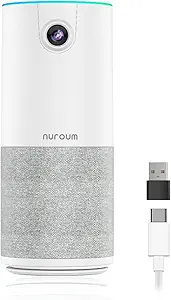
NUROUM C10 1080P Conference Webcam with Microphone and Speaker
The NUROUM C10 stands out with its compact, portable design and all-in-one features, including a 1080p camera with a 90° view, noise-canceling microphones, and a high-fidelity speaker. Compared to larger webcams like the TONGVEO 4K Webcam, it sacrifices resolution for portability, making it ideal for hybrid meetings and remote work on the go. Its fixed focus and small display size are tradeoffs for ease of use and mobility, but it might not be the best for rooms requiring a wider field of view or detailed visuals.
Pros:- All-in-one, portable design simplifies use
- High-quality 1080p with a 90° field of view
- Plug-and-play with universal compatibility
- Lightweight and easy to carry
Cons:- Limited to 2 inches display size, which may be small for some
- Fixed focus cannot adapt to different distances
- No water resistance, not outdoor-ready
Best for: Hybrid workers and small teams needing portable, easy-to-setup conferencing gear.
Not ideal for: Large conference rooms or detailed video production; its 90° view and smaller display limit coverage and detail.
- Resolution:1080p
- Viewing Angle:90°
- Microphone:Noise Cancelling
- Built-in Speaker:Yes
- Compatibility:Windows, MacOS, Linux
- Display Size:2 inches
Our verdict“Best suited for mobile professionals and small teams needing a compact, reliable conferencing device.”
EMEET C960 1080P Webcam with Microphone, 2 Mics, 90° FOV, Computer Camera
The EMEET C960 provides solid 1080p video quality with a 90° wide-angle lens, making it a flexible choice for various devices and setups. While it lacks the ultra-wide coverage of the TONGVEO 4K Webcam, its automatic light and color adjustments help maintain good image quality in different environments. Its dual microphones ensure clear audio, but the absence of built-in speakers means you’ll need separate audio gear for full sound. Its USB compatibility and straightforward setup make it a reliable, adaptable option for everyday use, though it’s less suited for large-scale or very wide room coverage.
Pros:- 1080p video with good color and clarity
- Wide 90° lens captures more environment
- Automatic light and color adjustment ensures consistency
- Dual microphones improve audio quality
Cons:- No built-in speakers, requiring additional audio devices
- Limited to 90° view, less suited for large spaces
- Requires good lighting for best results
Best for: Users who need a versatile, plug-and-play webcam for small to medium meetings and streaming.
Not ideal for: Large conference rooms or scenarios requiring extensive coverage; its 90° view limits room-wide capture, and it has no built-in speaker.
- Resolution:1080p
- Field of View:90°
- Microphones:2 omnidirectional
- Focus:Fixed
- Connectivity:USB
- Compatibility:Windows 10/11, macOS, Android TV
Our verdict“A flexible, reliable webcam ideal for small teams and streaming with straightforward setup and decent coverage.”
Lenovo HD 1080p Webcam (510 FHD) with 95° Wide Angle, 4X Digital Zoom, and Dual Microphones
The Lenovo 510 FHD Webcam stands out for its combination of high-quality 1080p video and a broad 95-degree field of view, making it an excellent choice for those needing wide coverage on a desk. Its 360-degree pan and tilt, along with 4X digital zoom, provide flexible framing options that surpass many basic webcams, while dual microphones ensure clear audio. Compared to the Angetube 4K Webcam, it offers slightly lower resolution but benefits from smoother integration with standard setups and Windows Hello support. However, it requires a USB 2.0 port, which could limit compatibility with newer devices, and lacks advanced autofocus or lighting features, making it less suited for situations requiring sharp focus or low-light performance. This pick makes the most sense for users prioritizing comprehensive field coverage and easy setup over ultra-high resolution or portability.
Pros:- High-quality 1080p video with wide 95° lens
- Full 360° pan and tilt for versatile framing
- Dual microphones for clear audio
- Easy plug-and-play with Windows Hello support
Cons:- Requires USB 2.0 port, limiting compatibility with newer devices
- No built-in lighting or autofocus features
- Potentially bulky for portable or space-constrained setups
Best for: Professionals and educators needing flexible wide-angle coverage with reliable audio and simple setup
Not ideal for: Users seeking the highest resolution for streaming or portable use, as it lacks 4K or compact design
- Resolution:1080p HD
- Sensor Size:1/2.9-inch RGB
- Wide Angle:95°
- Zoom:4X digital zoom
- Rotation:360° pan and tilt
- Microphones:Dual stereo microphones
Our verdict“This webcam is ideal for users who need flexible wide-angle coverage and straightforward setup for desk-based conferencing.”
Angetube Wide Angle 4K Webcam for PC, 120° FOV Video Conference Web Camera
The Angetube 4K Webcam offers a notable step up in resolution with 3840×2160 at 30fps and an expansive 120° field of view, making it an excellent choice for detailed, immersive video. Its fast auto-focus and AI noise cancellation help ensure sharp images and clear audio, especially compared to the Logitech C920x, which is limited to 1080p but offers more consistent frame rates. The broad compatibility and adjustable stand make it flexible for various setups; however, the default resolution caps at 1080p until software is activated for 4K, and it’s not compatible with consoles like PS4/PS5. This webcam suits users who prioritize ultra-wide, high-resolution visuals for streaming or remote presentations but are comfortable with minor setup adjustments.
Pros:- Ultra HD 4K resolution with 120° wide-angle view
- Fast auto-focus with PDAF technology
- AI noise cancellation for clear audio
- Adjustable stand with 360° horizontal and 90° vertical movement
Cons:- Default resolution limited to 1080p without software activation
- Requires software for 4K, adding setup complexity
- Not compatible with PS4/PS5 consoles
Best for: Content creators and remote professionals requiring detailed, wide-angle 4K video for streaming or presentations
Not ideal for: Users seeking plug-and-play simplicity or console gamers, as 4K requires software setup and compatibility issues exist
- Resolution:3840×2160 @ 30fps
- Field of View:120°
- Auto Focus:Yes, PDAF
- Microphones:Dual with AI noise cancellation
- Connectivity:USB-A to Type-C, USB 2.0/3.0
- Stand Adjustments:360° horizontal, 90° vertical
Our verdict“This webcam is perfect for users who need high-resolution, wide-angle video quality and are willing to perform minor setup for optimal performance.”
Logitech C920x HD Pro Webcam with Full 1080p/30fps Video and Dual Mics
The Logitech C920x offers dependable 1080p video at 30fps with autofocus and automatic light correction, making it a solid choice for everyday video calls and streaming. Compared with the Lenovo 510 FHD, it provides similar resolution but benefits from Logitech’s renowned reliability and software support, including background removal with XSplit VCam. Its dual microphones deliver natural stereo sound, yet it doesn’t include a privacy shutter, which could be a concern for security-conscious users. The limited 30fps at full HD means it isn’t ideal for fast-paced video or highly detailed motion, but for standard conference use, it strikes a good balance between quality and simplicity. This camera fits users who value consistent performance and easy setup without extra fuss.
Pros:- 1080p video with autofocus and light correction
- Dual stereo microphones for natural sound
- Includes XSplit VCam license for background effects
- Reliable plug-and-play with broad compatibility
Cons:- No privacy shutter included, raising security concerns
- Limited to 30fps at full HD resolution, which might affect fast motion quality
- Requires external power for optimal use
Best for: Remote workers and content creators needing reliable HD quality with background removal features
Not ideal for: Users requiring ultra-wide angles or 4K resolution for highly detailed streaming or presentations
- Video Resolution:1080p/30fps
- Autofocus:Yes
- Lighting Adjustment:Yes
- Microphone:Dual stereo
- Included Software:3-month XSplit VCam
- Compatibility:Windows 11, Mac
Our verdict“This webcam is best suited for users seeking dependable 1080p video with good audio and background tools for professional or casual use.”

How We Picked
These products were evaluated primarily based on their field of view, image quality, and ease of use. Performance and reliability in real-world conference settings took precedence, along with build quality and integration features. We also considered value for money, ensuring that each model offers a meaningful feature set for its price. The ranking reflects how well each camera balances wide coverage with clarity and user-friendly operation, making sure that both professional and casual users find suitable options.| conference camera for wide angle desk | Connectivity |
|---|---|
| j5create 360 Degree All Around | USB UVC/UAC plug-and-play |
| WYRESTORM 4K AI-Powered Confer | — |
| Akyta 1080P PC Webcam with Mic | USB-C |
| ZIQIAN 1080P Webcam with Micro | — |
| Innex C831 180° Panoramic 4K W | — |
| TONGVEO 4K Webcam Conference C | USB-C |
| 1080P HD Webcam with Microphon | USB |
| Conference Room Camera | USB 2.0 |
| NUROUM C10 1080P Conference We | — |
| EMEET C960 1080P Webcam with M | USB |
| Lenovo HD 1080p Webcam | — |
| Angetube Wide Angle 4K Webcam | USB-A to Type-C, USB 2.0/3.0 |
| Logitech C920x HD Pro Webcam w | — |
Factors to Consider When Choosing Conference Camera For Wide Angle Desk
Choosing the right conference camera for a wide angle desk involves considering several factors that impact both performance and usability. While wide coverage is key, it’s important to find a balance with image resolution, audio quality, and ease of setup. Understanding these factors helps prevent costly mistakes and ensures your investment meets your specific conferencing needs.Field of View (FOV)
The FOV determines how much of your workspace the camera can capture. A wider angle, typically 110° or more, is ideal for large desks or when multiple participants are in frame. However, extremely wide lenses can distort the image or reduce detail, so look for a balance that fits your room size without sacrificing clarity.
Resolution and Image Quality
Higher resolution cameras, like 4K models, deliver sharper images and more detail, which can enhance clarity during video calls. But they also demand better bandwidth and processing power, potentially complicating setup. Consider your internet speed and hardware capabilities before opting for ultra-high resolutions.
Audio Quality
Good microphones are essential for clear communication. Built-in microphones with noise cancellation or beamforming technology help isolate voices from background noise. Poor audio quality can undermine even the best video setup, so prioritize models with quality microphones if audio is critical.
Ease of Setup and Compatibility
Plug-and-play models save time and reduce frustration, especially if you aren’t tech-savvy. Compatibility with popular platforms like Zoom, Teams, or Skype is also important. Check for auto-framing, remote control, or AI features that simplify operation and enhance meeting flow.
Additional Features and Build Quality
Features like privacy shutters, adjustable mounts, and durable build quality add value and security. Think about whether you need features like AI auto-framing or panoramic views, which can streamline conference calls but may add to the cost. Always consider the long-term durability of your investment.
Frequently Asked Questions
Is a 4K camera worth it for a wide angle desk setup?
A 4K camera offers sharper images and better detail, which can be beneficial for large or detailed visuals. However, it also demands higher bandwidth and more powerful hardware, which might slow down your system if not equipped properly. For most desk setups, 1080p might suffice unless you frequently present high-resolution content or want the clearest possible image.Do I need AI auto-framing for a wide angle desk camera?
Auto-framing with AI can make meetings more dynamic by keeping participants centered automatically, which is especially useful if your setup involves movement or multiple people. For a fixed wide angle desk camera, it’s less critical but can still improve the overall experience if you often switch between speakers or move around during calls.What’s more important: a wider field of view or better image quality?
The decision depends on your use case. If you need to capture a large workspace or multiple people, a wider FOV is essential. But if clarity and detailed visuals are more important, prioritizing higher resolution might be better. Many models strike a balance, offering both wide coverage and decent quality, but be aware of potential compromises.Are built-in microphones enough for professional meetings?
Built-in microphones are convenient, but their quality varies. For professional settings, models with noise cancellation, multiple microphones, or beamforming technology usually deliver clearer sound. Poor audio quality can distract or frustrate participants, so investing in a model with better microphones can significantly improve your conferencing experience.Can I use a wide angle webcam with multiple monitors?
Yes, most wide angle webcams are compatible with multi-monitor setups, provided your hardware and software support the camera’s connection type. Just ensure your PC has the necessary ports and sufficient processing power. Be mindful that very wide lenses might introduce distortion, especially if the camera is placed too close or at an angle that captures multiple screens.Conclusion
For general professional use with a focus on coverage and clarity, the WYRESTORM 4K AI-Powered Conference Webcam offers a compelling blend of high resolution and intelligent framing, making it ideal for high-quality presentations. The j5create 360 Degree All Around Meeting Webcam excels for larger rooms or collaborative environments where complete coverage is needed, though at a higher price point. Budget-conscious buyers or those new to video conferencing might prefer simpler, plug-and-play options like the Akyta 1080P Webcam. Ultimately, your choice should align with your workspace size, desired image quality, and specific conferencing needs—whether that’s detailed visuals, wide coverage, or ease of use.
Black Friday Picks

Kindle Paperwhite (16 GB) – 7 Glare-Free Display, Black
As an affiliate, we earn on qualifying purchases.