If you’re setting up a home office for photo editing, a 4k monitor can dramatically improve your workflow and color accuracy. The BenQ MA270U stands out as the best overall choice thanks to its excellent color coverage and ergonomic features. For those on a budget, the INNOCN 27C1U-D offers solid performance at a lower price, while the ASUS ProArt PA279CV appeals to professionals needing precise calibration. Each option balances resolution, color fidelity, and connectivity differently, so understanding your priorities is key. Keep reading for a detailed breakdown of these picks and what you need to know to choose the perfect monitor for your photo editing needs.

Get the latest gadgets delivered free with Prime
- Fast, free delivery on millions of items
- Prime Video, Amazon Music and more included
- Member-only deals all year
Complete the kit



Key Takeaways
- Top-tier color accuracy and factory calibration are essential for professional photo editing, making models like ASUS ProArt standout.
- Size matters: larger screens (32 inches) provide more workspace but may require more desk space and higher GPU power.
- Connectivity options, especially USB-C and KVM switches, can streamline your workflow and reduce clutter.
- HDR support is beneficial for viewing high-dynamic-range images but isn’t a strict requirement for all editing workflows.
- Calibration and factory color coverage vary; investing in a monitor with 99% sRGB or higher is worthwhile for critical editing.
| BenQ MA270U 27″ 4K UHD IPS Monitor for MacBook with USB-C, P3 Color, Adjustable Stand | 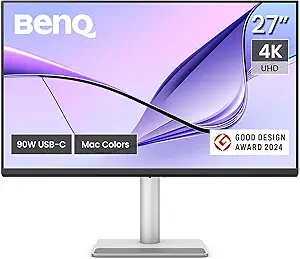 | Best Overall for Mac Users and Color Accuracy | Display Size: 27 inches | Resolution: 3840 x 2160 (4K UHD) | Display Technology: IPS | VIEW ON AMAZON | See Our Full Breakdown |
| Dell UltraSharp U3223QE 31.5″ 4K UHD WLED LCD Monitor – Black, Silver |  | Best for Versatile Office and Multimedia Use | Size: 31.5 inches | Resolution: 3840 x 2160 | Aspect Ratio: 16:9 | VIEW ON AMAZON | See Our Full Breakdown |
| ASUS ProArt PA279CRV 27-Inch 4K UHD USB-C HDR Professional Monitor |  | Best for Professional Color Work and Creative Workflows | Size: 27 inches | Resolution: 3840 x 2160 | Panel Type: IPS | VIEW ON AMAZON | See Our Full Breakdown |
| LG UltraFine 27″ 4K UHD IPS Monitor (27US500-W) – HDR10, DCI-P3, HDMI, DisplayPort – White |  | Best for Vivid Visuals and Ergonomic Comfort | Size: 27 inches | Resolution: 3840 x 2160 | HDR Support: HDR10 | VIEW ON AMAZON | See Our Full Breakdown |
| INNOCN 27C1U-D 27-Inch 4K UHD USB-C IPS Monitor |  | Best for Color Accuracy and Flexibility in a Compact Form | Size: 27 inches | Resolution: 3840 x 2160 | HDR: DisplayHDR 400 | VIEW ON AMAZON | See Our Full Breakdown |
| BenQ PD2706U 27-Inch 4K UHD Mac-Ready Monitor with USB-C, HDR, IPS, Factory-Calibrated, KVM, and Ergonomic Design |  | Best Overall for Professional Creatives | Display Size: 27 inches | Resolution: 3840 x 2160 (4K UHD) | Panel Type: IPS | VIEW ON AMAZON | See Our Full Breakdown |
| ASUS ProArt PA279CV 27-Inch 4K UHD USB-C Professional Monitor |  | Best for Color Precision and Long-Term Reliability | Display Size: 27 inches | Resolution: 4K UHD | Panel Type: IPS | VIEW ON AMAZON | See Our Full Breakdown |
| LG 27UP650K-W 27-inch 4K UHD IPS Computer Monitor with HDR and Adjustable Stand |  | Best for Versatile Home Office Use with Vibrant Visuals | Display Size: 27 inches | Resolution: 3840 x 2160 | Panel Type: IPS | VIEW ON AMAZON | See Our Full Breakdown |
| Dell UltraSharp U3225QE 32-Inch 4K IPS Monitor |  | Best for Larger Screen Real Estate and Ergonomics | Size: 32 inches | Resolution: 3840 x 2160 | Display Technology: IPS | VIEW ON AMAZON | See Our Full Breakdown |
| LG 27US550-W 27″ 4K UHD IPS Computer Monitor with HDR10, DCI-P3 90%, USB-C, Adjustable Stand, Borderless Design |  | Best for Sleek Design and Creative Flexibility | Display Size: 27 inches | Resolution: 3840 x 2160 | Panel Type: IPS | VIEW ON AMAZON | See Our Full Breakdown |
| Z-Edge 27-inch 4K UHD IPS Monitor for Gaming and Work |  | Best Overall for Versatile Home Office Use | Display Size: 27 inches | Resolution: 3840 x 2160 (4K UHD) | Panel Type: IPS | VIEW ON AMAZON | See Our Full Breakdown |
| ASUS VY27UQ 27-Inch 4K UHD IPS Computer Monitor with HDMI, DisplayPort, Speakers |  | Best for Creative Work with Eye Care Features | Display Size: 27 inches | Resolution: 3840 x 2160 (4K UHD) | Panel Type: IPS | VIEW ON AMAZON | See Our Full Breakdown |
| ViewSonic VP2756-4K 27 Inch 4K UHD ColorPro Monitor, 60W USB-C, sRGB |  | Best for Accurate Color Work and Professional Creatives | Display Size: 27 inches | Resolution: 3840 x 2160 (4K UHD) | Panel Type: IPS | VIEW ON AMAZON | See Our Full Breakdown |
| Samsung 27-Inch ViewFinity S7 (S70D) Series 4K UHD Monitor with HDR10, Multiple Ports, Easy Setup Stand, Eye Care (2024) | 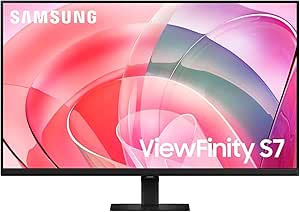 | Best for Easy Setup and General Creative Use | Display Size: 27 inches | Resolution: 3840 x 2160 (4K UHD) | HDR: HDR10 | VIEW ON AMAZON | See Our Full Breakdown |
| 4k monitor for photo editing home office | Resolution | Display Size | Connectivity | Panel Type |
|---|---|---|---|---|
| BenQ MA270U 27" 4K UHD IPS Mon | 3840 x 2160 (4K UHD) | 27 inches | USB-C, USB, HDMI | — |
| Dell UltraSharp U3223QE 31.5" | 3840 x 2160 | — | — | — |
| ASUS ProArt PA279CRV 27-Inch 4 | 3840 x 2160 | — | — | IPS |
| LG UltraFine 27" 4K UHD IPS Mo | 3840 x 2160 | — | — | — |
| INNOCN 27C1U-D 27-Inch 4K UHD | 3840 x 2160 | — | USB-C, DisplayPort, HDMI | — |
| BenQ PD2706U 27-Inch 4K UHD Ma | 3840 x 2160 (4K UHD) | 27 inches | HDMI, DisplayPort, USB-C, USB Hub | IPS |
| ASUS ProArt PA279CV 27-Inch 4K | 4K UHD | 27 inches | DisplayPort, HDMI, USB 3.1 hub | IPS |
| LG 27UP650K-W 27-inch 4K UHD I | 3840 x 2160 | 27 inches | HDMI, DisplayPort | IPS |
| Dell UltraSharp U3225QE 32-Inc | 3840 x 2160 | — | HDMI, Mini DisplayPort, USB-C, USB Type A | — |
| LG 27US550-W 27" 4K UHD IPS Co | 3840 x 2160 | 27 inches | USB-C, HDMI | IPS |
| Z-Edge 27-inch 4K UHD IPS Moni | 3840 x 2160 (4K UHD) | 27 inches | — | IPS |
| ASUS VY27UQ 27-Inch 4K UHD IPS | 3840 x 2160 (4K UHD) | 27 inches | HDMI, DisplayPort | IPS |
| ViewSonic VP2756-4K 27 Inch 4K | 3840 x 2160 (4K UHD) | 27 inches | USB-C, HDMI, DisplayPort | IPS |
| Samsung 27-Inch ViewFinity S7 | 3840 x 2160 (4K UHD) | 27 inches | — | — |
More Details on Our Top Picks
BenQ MA270U 27″ 4K UHD IPS Monitor for MacBook with USB-C, P3 Color, Adjustable Stand
This monitor stands out for its vibrant P3 wide color gamut calibrated specifically for MacBook users, making it ideal for those who prioritize color fidelity in their workflow. Compared with the ASUS ProArt PA279CRV, the BenQ MA270U offers a more streamlined connection via a single USB-C port supporting 90W power delivery, reducing cable clutter. However, it’s limited to Mac compatibility for optimal color matching, which might be a drawback for Windows users. Its adjustable stand enhances ergonomic comfort, a feature often overlooked in similarly priced models. Nonetheless, lacking built-in speakers and a 60Hz refresh rate means it’s less suited for gaming or multimedia-heavy tasks. This pick makes the most sense for Mac-centric professionals needing accurate, vibrant visuals with simple connectivity.
Pros:- Vivid P3 wide color gamut calibrated for Mac
- Single USB-C connection for display and 90W power
- Highly adjustable stand for ergonomic comfort
Cons:- Limited compatibility for optimal color matching outside Mac ecosystem
- No built-in speakers
- 60Hz refresh rate may not suit fast-paced gaming
Best for: Mac users who need vibrant, color-accurate visuals and ergonomic flexibility
Not ideal for: Windows users or gamers seeking high refresh rates and built-in audio features
- Display Size:27 inches
- Resolution:3840 x 2160 (4K UHD)
- Display Technology:IPS
- Contrast Ratio:2000:1
- Brightness:400 nits
- Connectivity:USB-C, USB, HDMI
Our verdict“This monitor is perfect for Mac users requiring accurate colors and flexible ergonomics, but less suitable for gaming or Windows workflows.”
Dell UltraSharp U3223QE 31.5″ 4K UHD WLED LCD Monitor – Black, Silver
Compared to the smaller, color-precise ASUS ProArt PA279CRV, the Dell U3223QE offers a larger screen that suits multitasking and multimedia viewing with a sleek design. Its 31.5-inch size provides more workspace, making it a solid choice for multitasking and casual editing, although it doesn’t match the professional-grade color calibration of the ASUS or BenQ models. The monitor’s high resolution and VESA mount compatibility add flexibility, but it lacks detailed ergonomic features and built-in speakers, which could be a downside for all-day office use. Its 5ms response time is acceptable for general multimedia but not for fast-paced editing. This monitor makes sense for users who value size and connectivity options for diverse workflows but don’t need ultra-precise color matching.
Pros:- Large 31.5-inch 4K UHD display for ample workspace
- VESA mount compatibility for flexible setup
- High brightness suitable for diverse lighting conditions
Cons:- No mention of built-in speakers or advanced ergonomic features
- Potentially high price for casual users
- Limited details on color calibration for professional editing
Best for: Professionals seeking a large, versatile display for office work and multimedia
Not ideal for: Color-critical photo editors or gamers needing high refresh rates
- Size:31.5 inches
- Resolution:3840 x 2160
- Aspect Ratio:16:9
- Brightness:400 Nit
- Response Time:5 ms GTG
- VESA Mount:Yes
Our verdict“Ideal for those who need a sizable, versatile monitor for multitasking and multimedia, but not for high-precision color work.”
ASUS ProArt PA279CRV 27-Inch 4K UHD USB-C HDR Professional Monitor
This monitor excels in delivering factory-calibrated color accuracy with Delta E < 2, covering 99% DCI-P3 and Adobe RGB, making it ideal for professional editing. Its 27-inch size balances workspace with detailed visuals, and the USB-C with 96W power delivery simplifies connections for creative setups. Compared with the BenQ MA270U, the ASUS offers broader color gamut coverage and factory calibration, but it comes at a higher price point and with a slightly more complex feature set. Its extensive ergonomic adjustments support long hours of work, though the free three-month Adobe Creative Cloud subscription is a temporary benefit. This monitor is best suited for high-end photo and video editing professionals who need exacting color standards and flexible connectivity.
Pros:- Factory-calibrated with Delta E < 2 for color accuracy
- Wide 99% DCI-P3 and Adobe RGB coverage
- USB-C with 96W power delivery and extensive ergonomic adjustments
Cons:- Limited to three months of free Adobe Creative Cloud
- Higher price compared to consumer-oriented models
- Extended warranty requires online registration
Best for: Professional photographers and videographers requiring color precision and versatile connectivity
Not ideal for: Casual users or gamers seeking higher refresh rates or lower price points
- Size:27 inches
- Resolution:3840 x 2160
- Panel Type:IPS
- HDR:Yes
- Color Gamut:99% DCI-P3, 99% Adobe RGB
- USB-C Power Delivery:96 W
Our verdict“This monitor is best for professionals needing precise color fidelity and comprehensive connectivity, at a premium cost.”
LG UltraFine 27″ 4K UHD IPS Monitor (27US500-W) – HDR10, DCI-P3, HDMI, DisplayPort – White
Compared with the Innolux 27C1U-D, the LG UltraFine 27US500-W offers a slightly lower contrast ratio but compensates with a borderless design and HDR10 support, delivering vivid, detailed images suitable for general photo editing. Its up to 90% DCI-P3 coverage enhances color vibrancy, although it doesn’t match the professional calibration of the ASUS or BenQ. The wide viewing angles and Flicker Safe technology contribute to long-term viewing comfort, making it a good pick for extended work sessions. The stand only tilts, which might limit ergonomic flexibility for some, and the 60Hz refresh rate restricts high-speed editing or gaming. This monitor makes sense for users seeking a sleek design with decent color performance for casual or semi-professional editing tasks.
Pros:- HDR10 support and up to 90% DCI-P3 for vivid visuals
- Borderless, sleek design enhances workspace aesthetics
- Wide 170° viewing angles for consistent image quality
Cons:- Limited to 60Hz refresh rate, not ideal for fast editing
- Stand offers only tilt adjustment, lacking height or pivot
- Contrast ratio of 1000:1 is modest for detailed image work
Best for: Creative professionals valuing design and decent color accuracy for casual editing and multimedia
Not ideal for: Color-critical workflows or fast-paced gaming where higher refresh rates are needed
- Size:27 inches
- Resolution:3840 x 2160
- HDR Support:HDR10
- Color Gamut:Up to 90% DCI-P3
- Response Time:5 ms
- Stand Adjustments:Tilt only
Our verdict“This monitor is suitable for users who prioritize vivid visuals and a sleek design over high refresh rates or extensive ergonomic adjustments.”
INNOCN 27C1U-D 27-Inch 4K UHD USB-C IPS Monitor
Compared with the BenQ MA270U, the INNOCN 27C1U-D offers a similar 27-inch size with a sharp 4K UHD resolution and HDR400, providing detailed and color-accurate visuals for photo editing. Its 178° viewing angles and Delta E below 2 ensure precise color reproduction, making it suitable for professional workflows. The monitor’s multiple connectivity options—including USB-C, DisplayPort, and HDMI—make it versatile for various setups. The ergonomic stand with height, swivel, tilt, and pivot adjustments supports long editing sessions. However, its 60Hz refresh rate limits suitability for fast-paced editing or gaming. The contrast ratio of 1000:1 is fairly typical for IPS panels, and the higher power consumption at 65W could be a concern for energy-conscious users. This monitor is ideal for those seeking professional-grade color accuracy in a compact, flexible package.
Pros:- Sharp 4K UHD resolution with HDR400 support
- Excellent color accuracy with Delta E below 2
- Multiple connectivity options including USB-C, DisplayPort, HDMI
Cons:- Limited to 60Hz refresh rate, not suitable for fast editing
- No legacy ports like DVI or VGA
- Modest contrast ratio of 1000:1
Best for: Photographers and designers needing accurate colors with versatile connectivity in a compact size
Not ideal for: Gamers or users requiring high refresh rates for fast editing or gaming
- Size:27 inches
- Resolution:3840 x 2160
- HDR:DisplayHDR 400
- Color Accuracy:Delta E < 2
- Connectivity:USB-C, DisplayPort, HDMI
- Stand Adjustments:Height, swivel, tilt, pivot
Our verdict“Perfect for professionals needing precise color reproduction in a flexible, compact monitor with multiple connectivity options.”
BenQ PD2706U 27-Inch 4K UHD Mac-Ready Monitor with USB-C, HDR, IPS, Factory-Calibrated, KVM, and Ergonomic Design
The BenQ PD2706U stands out for its excellent balance of color accuracy, connectivity, and ergonomic features, making it ideal for professional photo editing in a home office. Its factory calibration and wide 95% P3 coverage ensure vibrant, precise colors, surpassing many budget options like the LG 27UP650K-W. While its 60Hz refresh rate isn’t suited for gaming, it perfectly caters to creative workflows. The inclusion of a KVM switch and 90W USB-C power delivery simplifies multi-device management, a big plus for productivity. However, the monitor’s premium price and reliance on compatible hardware for full USB-C features may be a barrier for some users. Compared with the ASUS ProArt PA279CV, this model offers more versatile connectivity but at a higher cost. Best for experienced professionals who need color accuracy, multiple device management, and ergonomic comfort.
Pros:- High-resolution 4K display with accurate color reproduction
- Versatile connectivity including 90W USB-C charging
- Ergonomic adjustments for long working hours
- Built-in KVM switch for managing multiple devices
Cons:- Premium price may be prohibitive for some buyers
- Limited to 60Hz refresh rate, not suitable for gaming
Best for: Creative professionals and designers demanding precise color and flexible device management
Not ideal for: Casual users or gamers who prioritize high refresh rates and fast response times
- Display Size:27 inches
- Resolution:3840 x 2160 (4K UHD)
- Panel Type:IPS
- Color Coverage:95% P3, 99% sRGB/Rec. 709
- HDR:DisplayHDR 400
- Connectivity:HDMI, DisplayPort, USB-C, USB Hub
Our verdict“This monitor is perfect for professionals seeking top-tier color accuracy and flexible connectivity in a home office setting.”
ASUS ProArt PA279CV 27-Inch 4K UHD USB-C Professional Monitor
The ASUS ProArt PA279CV is a standout for its factory-calibrated color accuracy, with Delta E < 2, making it ideal for critical photo editing. Its wide 100% sRGB and Rec. 709 coverage surpass many competitors like the LG 27UP650K-W, especially for color fidelity. The 65W USB-C power delivery adds convenience for laptop users. Despite its excellent calibration, a notable inconsistency in the listing's display size and resolution can cause confusion, and the 5-year warranty requires registration. The limited 3-month Adobe Creative Cloud subscription offers some value but may be insufficient for extensive use. Compared with the BenQ PD2706U, this monitor emphasizes long-term reliability and precise color, though at a slightly higher price. This is best suited for dedicated creatives who need consistent, professional-grade color accuracy and long-term support.
Pros:- Exceptional factory calibration with Delta E < 2
- Excellent color coverage for professional editing
- USB-C with 65W power delivery for streamlined connectivity
- Extended 5-year warranty
Cons:- Conflicting details in the listing could mislead buyers
- Limited Adobe Creative Cloud access (3 months)
Best for: Photographers and designers who prioritize color fidelity and durability
Not ideal for: Casual users or those seeking a budget-friendly option with basic features
- Display Size:27 inches
- Resolution:4K UHD
- Panel Type:IPS
- Color Gamut:100% sRGB, 100% Rec. 709
- Color Accuracy:Delta E < 2
- Connectivity:DisplayPort, HDMI, USB 3.1 hub
Our verdict“Ideal for serious creatives needing consistent, accurate colors and reliable long-term support.”
LG 27UP650K-W 27-inch 4K UHD IPS Computer Monitor with HDR and Adjustable Stand
The LG 27UP650K-W provides a bright, vivid 4K display with 95% DCI-P3 coverage, balancing color accuracy with affordability. Its adjustable stand and borderless design make it appealing for multi-monitor setups and flexible workspace arrangements. While not as color-precise as the ASUS ProArt or BenQ PD2706U, its HDR 400 support and wide viewing angles make it a capable choice for photo editing and multimedia. The 60Hz refresh rate limits high-speed gaming, but for photo editing and general productivity, it’s more than sufficient. The absence of built-in speakers and a slightly lower contrast ratio compared to higher-end models are tradeoffs. Compared to the Dell UltraSharp U3225QE, it offers similar performance in a more compact, home-friendly package. This monitor makes the most sense for home users who want vibrant visuals with ergonomic flexibility.
Pros:- Vivid 4K resolution with broad color coverage
- Ergonomic stand with tilt, height, and pivot adjustments
- Supports HDR 400 for enhanced visual contrast
- Borderless, sleek design suitable for multi-monitor setups
Cons:- 60Hz refresh rate limits high-speed performance
- No built-in speakers, requiring external audio
Best for: Home office users who need a versatile, adjustable 4K display for editing and everyday tasks
Not ideal for: Competitive gamers or users requiring ultra-fast response times
- Display Size:27 inches
- Resolution:3840 x 2160
- Panel Type:IPS
- Color Gamut:95% DCI-P3
- HDR:DisplayHDR 400
- Connectivity:HDMI, DisplayPort
Our verdict“A flexible, vibrant choice for home workers seeking a well-rounded 4K monitor with ergonomic features.”
Dell UltraSharp U3225QE 32-Inch 4K IPS Monitor
The Dell UltraSharp U3225QE offers a generous 32-inch 4K display, ideal for users who benefit from extra screen space for detailed photo editing. Its IPS panel reproduces colors accurately, and the 120Hz refresh rate provides smoother visuals for general workflows, though it’s less critical for static image editing. The multiple ports, including USB-C with 60W power, make it flexible for a home office setup, and its ergonomic stand supports height and swivel adjustments. Compared with smaller 27-inch options, this monitor’s size enhances multitasking but can be overwhelming in compact spaces. The response time of 8ms and lack of integrated speakers are minor compromises. This model suits those who prioritize screen real estate and ergonomic flexibility over ultra-high refresh rates. Best suited for professionals who need a larger workspace with reliable performance.
Pros:- Large 32-inch 4K display for enhanced workspace
- Accurate colors with IPS panel and wide viewing angles
- Multiple connectivity options including USB-C with 60W power
- Adjustable stand for ergonomic comfort
Cons:- Response time of 8 ms not ideal for gaming
- Energy efficiency rating F may increase electricity costs
Best for: Photographers and editors needing a large, color-accurate display with ergonomic adjustability
Not ideal for: Gamers or users seeking ultra-fast response times for fast-paced activities
- Size:32 inches
- Resolution:3840 x 2160
- Display Technology:IPS
- Response Time:8 ms
- Brightness:450 cd/m²
- Connectivity:HDMI, Mini DisplayPort, USB-C, USB Type A
Our verdict“A superb choice for those who need a sizable, color-accurate workspace with ergonomic flexibility.”
LG 27US550-W 27″ 4K UHD IPS Computer Monitor with HDR10, DCI-P3 90%, USB-C, Adjustable Stand, Borderless Design
The LG 27US550-W blends style and function, offering a 27-inch 4K IPS display with 90% DCI-P3 coverage and HDR10 support. Its borderless design enhances multi-monitor setups, and the adjustable stand provides ergonomic comfort. While its 60Hz refresh rate isn’t suited for fast gaming, it delivers vibrant visuals ideal for photo editing and multimedia. The monitor’s 5ms response time is adequate for most creative tasks, but less so for fast-paced gaming. Its lower energy efficiency rating and external power adapter are minor drawbacks. Compared to the LG 27UP650K-W, it emphasizes a sleek aesthetic but slightly lags in brightness and overall connectivity options. This model appeals to users who want a beautiful, functional display for creative work in a home environment. This monitor is best for stylish, space-conscious setups where color quality and design matter.
Pros:- Vivid 4K resolution with DCI-P3 coverage
- Borderless, stylish design for multi-monitor arrays
- Adjustable stand for ergonomic comfort
- Supports HDR10 for dynamic range enhancement
Cons:- 60Hz refresh rate limits high-speed performance
- External power supply adds clutter
Best for: Creative professionals who prioritize design and visual quality in a home office
Not ideal for: High-speed gamers or users requiring the fastest response times
- Display Size:27 inches
- Resolution:3840 x 2160
- Panel Type:IPS
- Color Gamut:90% DCI-P3
- HDR:HDR10
- Connectivity:USB-C, HDMI
Our verdict“Ideal for users seeking a stylish, accurate, and adaptable display for creative tasks in a home setting.”
Z-Edge 27-inch 4K UHD IPS Monitor for Gaming and Work
This Z-Edge model stands out for its combination of 4K UHD resolution and wide viewing angles, making it suitable for detailed photo editing and general productivity. Its IPS panel ensures consistent colors across the screen, which is essential for accurate editing. Compared to the ViewSonic VP2756-4K, it offers a more affordable price point, but the 60Hz refresh rate limits its appeal for fast-paced editing workflows or multimedia work that benefits from smoother motion. Its ergonomic design supports VESA mounting, adding flexibility to workspace setup. However, the monitor’s limited size and relatively modest brightness may influence precision for certain tasks. This pick balances color performance and versatility at a reasonable price.
Pros:- Vivid 4K UHD display with consistent color across wide angles
- Multiple connectivity options including HDMI and DisplayPort
- Ergonomic stand with VESA compatibility
Cons:- Limited to 60Hz refresh rate, not ideal for fast motion editing
- 27-inch size may feel small for detailed editing workflows
Best for: Creative professionals seeking a flexible monitor for photo editing and everyday work
Not ideal for: High-end photographers requiring precise color calibration or advanced editing features
- Display Size:27 inches
- Resolution:3840 x 2160 (4K UHD)
- Panel Type:IPS
- Refresh Rate:60Hz
- Contrast Ratio:1000:1
- Brightness:300 cd/m²
- Viewing Angle:178°
- Ports:2 HDMI, 2 DisplayPort
- Power Consumption:30 watts
Our verdict“This monitor offers a solid balance of color quality and flexibility for users who need a versatile 4K display for photo editing at home.”
ASUS VY27UQ 27-Inch 4K UHD IPS Computer Monitor with HDMI, DisplayPort, Speakers
The ASUS VY27UQ emphasizes detailed visuals with HDR-10 support, making it well-suited for photo editing where contrast and color depth matter. Its IPS panel provides wide viewing angles, similar to the ViewSonic VP2756-4K, but with added HDR-10 support that enhances dynamic range and color contrast—beneficial for reviewing edits with more nuance. Though it shares the same 60Hz refresh rate, ASUS includes eye care technologies like flicker-free and blue light filtering, which help reduce strain during long editing sessions. The stand’s limited adjustability might be a drawback for users who prefer more ergonomic flexibility. This monitor’s focus on visual fidelity makes it ideal for creative professionals needing detailed color representation. However, the absence of high refresh rates limits gaming or fast video workflows.
Pros:- HDR-10 support enhances contrast and color depth
- Wide viewing angles with IPS panel technology
- Eye care features for prolonged use
Cons:- Limited stand adjustability can affect ergonomic comfort
- 60Hz refresh rate not suitable for fast-paced editing or gaming
Best for: Creative professionals who prioritize high-quality visuals and eye comfort during extended editing sessions
Not ideal for: Competitive gamers or users requiring highly adjustable stands for varied workflows
- Display Size:27 inches
- Resolution:3840 x 2160 (4K UHD)
- Panel Type:IPS
- HDR Support:HDR-10
- Contrast Ratio:High Dynamic Range
- Finish:Matte
- Connectivity:HDMI, DisplayPort
Our verdict“This monitor makes sense for creatives who want vivid, detailed visuals with eye-friendly features for long editing sessions.”
ViewSonic VP2756-4K 27 Inch 4K UHD ColorPro Monitor, 60W USB-C, sRGB
The ViewSonic VP2756-4K is tailored for professional photo editors, with factory-calibrated color accuracy and Pantone validation. It surpasses other options like the ASUS VY27UQ in color fidelity, making it a superior choice for critical editing. Its single-cable USB-C connection reduces clutter and simplifies workflows, especially for users with compatible laptops or devices. The ergonomic stand supports a full range of adjustments, ensuring comfort during long editing sessions. While its premium price might deter casual users, this monitor is designed to meet the demands of color-sensitive work. Its comprehensive calibration and connectivity options make it ideal for creators who need trustworthy, precise visuals. However, the high cost and limited gaming features mean it’s not suited for casual or gaming-focused users.
Pros:- Exceptional color accuracy with factory calibration and Pantone validation
- Single-cable USB-C connection with 60W power delivery
- Highly adjustable ergonomic stand
Cons:- Premium price may be prohibitive for casual users
- Limited gaming capabilities and features
Best for: Professional photographers and designers requiring maximum color accuracy and calibration
Not ideal for: Casual users or gamers who prioritize high refresh rates and multimedia features
- Display Size:27 inches
- Resolution:3840 x 2160 (4K UHD)
- Panel Type:IPS
- Color Coverage:100% sRGB, Rec.709
- Calibration:Delta E<2, factory calibrated
- Connectivity:USB-C, HDMI, DisplayPort
- Power Delivery:60W
Our verdict“This monitor is a top choice for professionals demanding precise color fidelity in photo editing and creative workflows.”
Samsung 27-Inch ViewFinity S7 (S70D) Series 4K UHD Monitor with HDR10, Multiple Ports, Easy Setup Stand, Eye Care (2024)
The Samsung ViewFinity S7 emphasizes simplicity and vibrant visuals, making it ideal for users who want a straightforward 4K display with HDR10 support. Its tool-free, easy setup stand appeals to those who prefer a quick, hassle-free installation. While it offers multiple ports, including USB-A, USB-B, HDMI, and DisplayPort, it lacks detailed information on adjustable stand features, which could impact ergonomic comfort for long editing sessions. Its TÜV-certified eye care technology is a plus for reducing strain during extended use. Compared to the ViewSonic VP2756-4K, it delivers lively HDR content, but the absence of built-in speakers and limited stand adjustability may limit its appeal for some users. This monitor suits creators who value vibrant visuals and easy setup over advanced calibration features. It’s less suited for professionals needing the highest color accuracy or extensive ergonomic adjustments.
Pros:- Vibrant HDR10 visuals enhance photo previews
- Easy, tool-free installation process
- Multiple connectivity options including USB and HDMI
Cons:- Limited information on stand adjustability
- No mention of built-in speakers
Best for: Creators and professionals seeking a vibrant, easy-to-setup monitor for general photo editing and media consumption
Not ideal for: High-precision color editing or users needing extensive ergonomic adjustability
- Display Size:27 inches
- Resolution:3840 x 2160 (4K UHD)
- HDR:HDR10
- Contrast Ratio:1,000:1
- Ports:HDMI, DisplayPort, USB-A, USB-B
- Stand:Easy Setup, tool-free
- Eye Care:TÜV-certified
Our verdict“This monitor provides vibrant visuals and straightforward setup for users who prioritize ease and color pop in their creative work.”

How We Picked
These monitors were selected based on their ability to deliver accurate color reproduction, high resolution, build quality, and connectivity options suitable for a home office environment. Performance in color calibration, uniformity, and ergonomics played a critical role, along with value for money and user-friendly features. The rank order emphasizes models that provide professional-grade color accuracy without unnecessary extras, ensuring buyers get the best balance between performance and price. Monitors with larger screens or better connectivity options were favored because they enhance usability for photo editing workflows in a home setting.Factors to Consider When Choosing 4k Monitor For Photo Editing Home Office
When choosing a 4k monitor for photo editing in a home office, consider several factors that influence your editing experience, workflow, and comfort. Beyond resolution, color accuracy, calibration, and size are paramount. Connectivity options like USB-C can simplify setup, while ergonomic features ensure comfort during long editing sessions. It’s also important to evaluate whether HDR support aligns with your editing needs or if professional calibration is worth the extra investment. Making informed tradeoffs ensures your monitor complements your workflow and budget.Color Accuracy and Calibration
High color accuracy is critical for photo editing, so look for monitors with wide color gamuts like AdobeRGB or DCI-P3 and factory calibration. Monitors offering 99% sRGB coverage are suitable for most editing tasks, but professionals demanding precise color matching should prioritize higher-end models with professional calibration options. Calibration tools can further refine performance, but factory calibration provides a reliable baseline. Avoid monitors with limited color coverage, as they can distort your editing results and lead to inaccurate color representation.
Size and Resolution
The size of your monitor affects how comfortably you can view and edit images. A 27-inch screen with 4k resolution is a common sweet spot, offering detailed image viewing without overwhelming your desk. Larger screens, like 32 inches, provide more workspace but can increase GPU load and desk space requirements. Resolution alone isn’t enough; ensure the monitor has good pixel density for sharp images. Consider your workspace constraints and whether you prefer a single large screen or multiple smaller monitors.
Connectivity and Ergonomics
Flexible connectivity options, especially USB-C, simplify connecting your laptop or desktop with minimal cables. Features like KVM switches allow you to control multiple devices seamlessly. Ergonomic adjustments—height, tilt, swivel—are essential for reducing fatigue during long editing sessions. Avoid monitors with fixed stands or limited adjustability, which can cause discomfort and impact your workflow over time. Prioritize models that balance connectivity with ergonomic features for a comfortable, clutter-free setup.
HDR and Other Features
HDR support can enhance the viewing of high-dynamic-range images, but it’s not a necessity for most photo editing workflows. Some monitors include HDR10 or Dolby Vision, which improve contrast and color depth for visual previews. However, true HDR editing requires high peak brightness and wide color gamuts, often found in premium models. Consider whether HDR is a priority for your work or if basic color accuracy and calibration are sufficient. Additional features like built-in speakers or touchscreen capabilities can be nice extras but are less relevant for professional editing.
Price and Value
Investing in a high-quality monitor often means paying a premium, but it’s worth considering how much value you get for your budget. Entry-level models may lack comprehensive calibration or color coverage but can serve well for casual editing. Mid-range options typically balance performance with affordability, offering good color accuracy and connectivity. Premium monitors provide professional-grade features, calibration, and larger screens but come at a higher cost. Evaluate your editing needs against your budget to find a monitor that offers the best value for your workflow.
Frequently Asked Questions
Is 4k resolution necessary for photo editing?
While not strictly necessary, 4k resolution provides sharper images and more workspace for detailed editing, especially on larger monitors. It allows for more precise adjustments and better visualization of your work. If your workflow involves high-resolution images or you want the most detailed view possible, a 4k monitor is a worthwhile investment. However, lower resolutions can still serve casual editing needs, but you may sacrifice some detail and workspace flexibility.
What is the most important feature for color accuracy?
The most critical feature for color accuracy is a monitor with a wide color gamut, such as DCI-P3 or AdobeRGB, combined with factory calibration. Look for models that explicitly state their coverage percentages and calibration standards. A monitor with 99% sRGB is suitable for most, but professionals should seek higher coverage and calibration options. An accurate display ensures your edits reflect true colors, reducing surprises when printing or sharing your images.
Should I prioritize size or resolution?
Both are important, but size has a more noticeable impact on your workflow. A 27-inch 4k monitor offers a good balance of detail and desk space, while larger screens provide more room for multiple panels and detailed viewing. Resolution enhances sharpness at a given size, but a larger screen with decent resolution can be more comfortable for extended editing sessions. Consider your workspace and whether you prefer a single large display or a dual-monitor setup for increased productivity.
Is HDR support essential for photo editing?
HDR support is beneficial if you frequently work with high-dynamic-range images or want to preview how your photos will appear on HDR displays. However, it isn’t a requirement for most editing workflows, especially if your primary goal is color accuracy and calibration. High-dynamic-range features add complexity and cost, so evaluate whether they align with your specific editing needs or if they are more of a luxury feature.
How much should I expect to spend on a good photo editing monitor?
High-quality 4k monitors suitable for professional photo editing typically range from $500 to over $1500, depending on features like color coverage, calibration, size, and connectivity. Budget models around $500 can serve casual or beginner editors, but may lack advanced calibration or wide color gamuts. Premium options offer extensive professional features and larger sizes but require a bigger investment. Balancing your budget with your specific needs will help you find the best value without sacrificing essential performance.
Conclusion
If you are new to photo editing or work on a tight budget, the INNOCN 27C1U-D offers solid performance at a competitive price. For professionals who demand precise color accuracy and extensive calibration options, the ASUS ProArt PA279CV remains the best choice. The BenQ MA270U balances excellent color coverage with ergonomic features, making it ideal for most home office setups. For those seeking a larger workspace and premium features, the Dell UltraSharp U3223QE or Samsung ViewFinity S7 provide the best premium experience. Carefully match your specific needs—whether budget, professional accuracy, or workspace size—to make the most informed decision.
As an affiliate, we earn on qualifying purchases.Halloween Picks
halloween