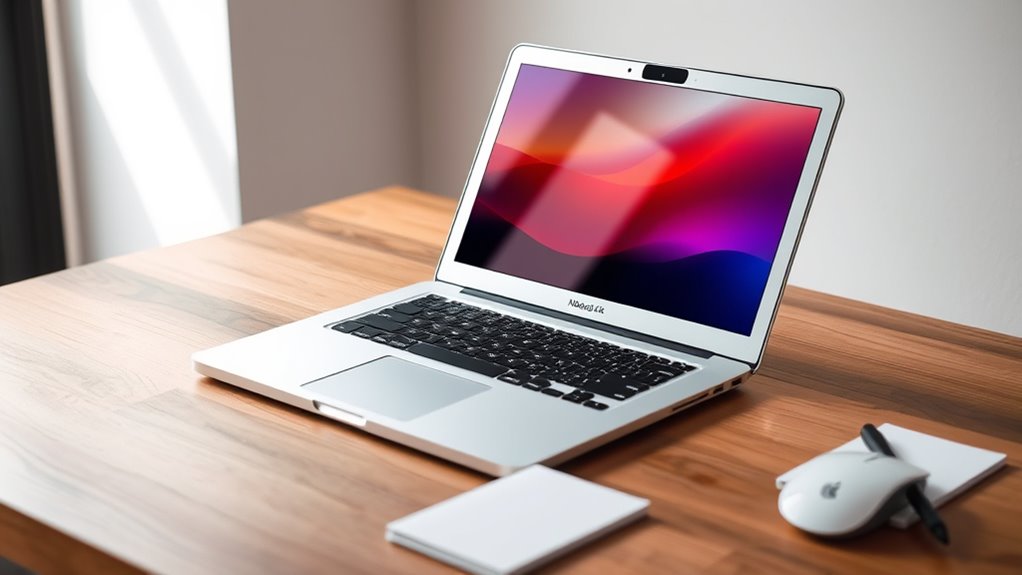

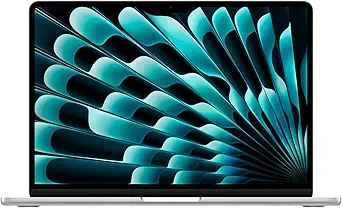
The 2026 MacBook Air 13-inch with M5, 16GB memory, and 512GB SSD is my best overall pick for balancing everyday speed and usable storage. For heavier multitasking, the M5 with 24GB memory and 1TB SSD gives more room for demanding apps and large files, while the renewed M2 with 16GB memory and 1TB storage is a capable older-generation alternative. The main choice is how much memory and storage you need, and whether a renewed Intel or M2 model fits your needs better than a current M5 configuration. These listings include several near-identical M5 setups, so the meaningful differences are often capacity, color, and listed features. Read on for my comparison, buying advice, and picks by buyer type.

Get the latest gadgets delivered free with Prime
- Fast, free delivery on millions of items
- Prime Video, Amazon Music and more included
- Member-only deals all year
Complete the kit



Key Takeaways
- The M5 with 16GB memory and 512GB storage earns my best overall spot because it pairs the current chip with a practical everyday configuration.
- Moving to 24GB memory and 1TB storage is most useful for buyers who keep many demanding apps open or store large projects locally; the extra capacity is less compelling for light use.
- Several M5 listings share the same 24GB and 1TB capacities, so buyers should compare the specific listing details and colors rather than assume one is faster.
- The renewed M2 with 16GB memory and 1TB storage offers a more capable older-chip configuration than the listed 8GB M2 option, especially for multitasking.
- The renewed Intel models have older processors and less memory or storage in the listed configurations, making them specialized choices for basic tasks rather than the strongest long-term picks.




| inch macbook air configuration | Storage | Display | Memory | Chip |
|---|---|---|---|---|
| Apple 2026 MacBook Air 13-inch | 512GB SSD | 13.6-inch Liquid Retina, 1 billion colors | 16GB unified memory | Apple M5 |
| Apple 2020 MacBook Air 13" Lap | 512GB SSD | 13.3-inch LED-backlit Retina, 2560×1600 (227 ppi) | — | — |
| Apple 2026 MacBook Air 13-inch | 1TB SSD | 13.6-inch Liquid Retina, 1 billion colors | 24GB unified memory | Apple M5 |
| Apple 2026 MacBook Air 13-inch | 512GB SSD | 13.6-inch Liquid Retina | 16GB unified memory | Apple M5 |
| Apple 2022 MacBook Air 13-inch | 256GB SSD | 13.6-inch Liquid Retina, 500 nits, P3 wide color | 8GB RAM | Apple M2 |
| Apple 13.6-inch MacBook Air wi | 1TB SSD | 13.6-inch Liquid Retina | 24GB unified memory | Apple M5 |
| Apple MacBook Air 13-inch Reti | 128GB SSD | 13.3-inch Retina | 8GB | — |
| Apple MacBook Air 13-inch with | 1TB SSD | 13.6-inch Liquid Retina | 16GB unified memory | Apple M5 |
| Apple 13-inch MacBook Air | 512GB SSD | 13.6-inch Liquid Retina, 1 billion colors | 24GB unified memory | Apple M5 |
| Apple MacBook Air 13-inch with | 1TB SSD | 13.6-inch Liquid Retina | 16GB unified memory | Apple M5 |
| Apple 2026 MacBook Air 13-inch | 1TB SSD | 13.6-inch Liquid Retina, supports 1 billion colors | — | Apple M5 |
| Apple MacBook Air 13-inch | 1TB | — | 16GB RAM | — |
More Details on Our Top Picks
Apple 2026 MacBook Air 13-inch Laptop with M5 Chip (Midnight)
I rank this as the strongest everyday configuration because its M5 chip, 16GB of memory, and 512GB SSD give most students and office users room for multitasking without stepping up to the 24GB, 1TB Starlight model. The 13.6-inch Liquid Retina display and up to 18 hours of battery life suit a day split between documents, calls, and browsing, while the 2.71-pound body stays easy to carry. Compared with the similarly equipped Starlight version, the practical difference is the finish; this Midnight option brings the same core configuration in a darker look. Its limits are clear: 512GB can fill quickly with large media libraries, and two Thunderbolt 4 ports may mean using a hub with several wired accessories.
Pros:- M5 chip and 16GB unified memory suit everyday multitasking and on-device AI features.
- 512GB SSD provides more working room than the 256GB renewed M2 configuration.
- 13.6-inch Liquid Retina display supports 1 billion colors.
- Up to 18 hours of battery life in a 2.71-pound design.
Cons:- 512GB storage may be restrictive for large video, photo, or offline project collections.
- Two Thunderbolt 4 ports limit direct wired connections without an adapter or hub.
Best for: Students and mobile professionals who want a current 13-inch Air for everyday multitasking and prefer a Midnight finish.
Not ideal for: Video editors with large local project libraries or desk setups that need several wired peripherals connected at once.
- Display:13.6-inch Liquid Retina, 1 billion colors
- Chip:Apple M5
- Memory:16GB unified memory
- Storage:512GB SSD
- Battery life:Up to 18 hours
- Camera:12MP Center Stage
- Connectivity:Wi-Fi 7, Bluetooth 6, 2x Thunderbolt 4, MagSafe, headphone jack
- Weight:2.71 pounds
- Color:Midnight
Our verdict“Choose this Midnight M5 configuration for a portable everyday Mac with balanced memory and storage, unless your workload needs the 24GB and 1TB Starlight model.”
Apple 2020 MacBook Air 13″ Laptop, Intel Core i3 1.1GHz, 8GB RAM, 512GB SSD, Space Gray (Renewed)
This renewed 2020 Air earns a place for buyers who want a familiar 13.3-inch Retina screen and 512GB SSD in a lower-generation configuration. Its Intel Core i3 and 8GB RAM are a marked step down from the M5 models, so I would reserve it for writing, email, streaming, and light school tasks rather than demanding creative work or heavy multitasking. The scissor-switch keyboard is a practical plus for frequent typing. Compared with the renewed 2022 M2 Air, this model has more listed storage than that configuration’s 256GB, but the older Intel platform and renewed condition make battery health and long-term workload fit more important questions. Buyers also need to accept possible cosmetic wear.
Pros:- 512GB SSD offers room for documents and media.
- 2560×1600 Retina display provides a sharp image at 13.3 inches.
- Scissor-switch keyboard is suited to extended typing.
- Compact 13-inch-class design is easy to carry.
Cons:- 1.1GHz Intel Core i3 and 8GB RAM are less suited to demanding workloads than the M2 and M5 options.
- Renewed condition may include cosmetic wear or reduced battery capacity.
Best for: Students or home users who mainly browse, write, and stream, and are comfortable buying a renewed Intel Mac.
Not ideal for: People who need sustained performance for creative applications, current M-series capabilities, or predictable battery condition.
- Processor:1.1GHz Intel Core i3
- Display:13.3-inch LED-backlit Retina, 2560×1600 (227 ppi)
- RAM:8GB
- Storage:512GB SSD
- Graphics:Intel Iris Plus
- Keyboard:Scissor-switch
- Condition:Renewed
- Model year:2020
Our verdict“Pick this renewed Intel Air for basic tasks and its 512GB drive, but choose an M-series configuration for heavier work or a longer-term everyday machine.”
Apple 2026 MacBook Air 13-inch Laptop with M5 Chip (24GB RAM, 1TB SSD, Starlight)
The 24GB unified memory and 1TB SSD make this Starlight configuration the clearest choice in the group for keeping many demanding apps and larger files on hand. It shares the M5 chip, 13.6-inch Liquid Retina display, and up to 18-hour battery claim with the 16GB, 512GB Midnight Air, but its expanded memory and storage leave more headroom for creative projects and busy workflows. That extra capacity matters more than the finish for buyers who regularly juggle large files; for lighter everyday use, the 16GB model already covers the essentials. Both have the same listed 2.71-pound weight and two Thunderbolt 4 ports, so this upgrade does not add port flexibility. The tradeoff is paying for capacity a casual user may not use.
Pros:- 24GB unified memory gives demanding multitasking more headroom than the 16GB configurations.
- 1TB SSD accommodates larger local libraries and project files.
- M5 chip pairs with a 13.6-inch Liquid Retina display.
- Up to 18 hours of battery life and 2.71-pound weight support mobile use.
Cons:- Expanded memory and storage may go unused by buyers with routine workloads.
- Two Thunderbolt 4 ports can require a hub for multiple wired accessories.
Best for: Photographers, developers, and multitaskers who want more memory headroom and local storage in a portable 13-inch Air.
Not ideal for: Casual users whose browsing, coursework, and office tasks fit comfortably within 16GB memory and 512GB storage.
- Display:13.6-inch Liquid Retina, 1 billion colors
- Chip:Apple M5
- Memory:24GB unified memory
- Storage:1TB SSD
- Battery life:Up to 18 hours
- Camera:12MP Center Stage
- Connectivity:Wi-Fi 7, Bluetooth 6, 2x Thunderbolt 4, MagSafe, headphone jack
- External displays:Up to 2
- Color:Starlight
Our verdict“Choose this Starlight model when your workload benefits from 24GB memory and 1TB storage; the 16GB, 512GB M5 Air is a better fit for routine use.”
Apple 2026 MacBook Air 13-inch Laptop with M5 chip (16GB RAM, 512GB SSD, Starlight)
This Starlight model is the straightforward pick for buyers who want the current M5 and 16GB/512GB configuration in a lighter-looking finish. Its listed core capacity matches the Midnight M5 Air, so choosing between those two is mainly about color rather than a performance difference. The 12MP Center Stage camera and four-speaker system with Spatial Audio support make it a well-rounded option for video calls and everyday media, while support for two external displays can help turn it into a compact desk setup. The 24GB, 1TB Starlight version is better suited to large creative projects and heavier multitasking. This model keeps the same two Thunderbolt 4 ports and 512GB ceiling as the Midnight counterpart, which can pinch users with multiple devices or large local files.
Pros:- M5 chip and 16GB unified memory support everyday multitasking and on-device AI features.
- 12MP Center Stage camera is suited to video calls.
- Four-speaker system supports Spatial Audio and Dolby Atmos.
- Supports up to two external displays.
Cons:- 512GB SSD may not suit large media libraries or project archives.
- Two Thunderbolt 4 ports constrain direct wired peripheral connections.
Best for: Students and remote workers who want a current M5 Air in Starlight for calls, media, and everyday productivity.
Not ideal for: Creative professionals who regularly work with large local files or users who need more than two direct Thunderbolt connections.
- Chip:Apple M5
- Display:13.6-inch Liquid Retina
- Memory:16GB unified memory
- Storage:512GB SSD
- Camera:12MP Center Stage
- Battery life:Up to 18 hours
- Ports:2x Thunderbolt 4, MagSafe, headphone jack
- Wireless:Wi-Fi 7, Bluetooth 6
- External displays:Up to 2
Our verdict“Choose this Starlight M5 Air for the standard 16GB and 512GB setup with a bright finish, or move to the 24GB Starlight configuration for heavier workloads.”
Apple 2022 MacBook Air 13-inch with M2 Chip, 8GB RAM, 256GB SSD, Space Gray (Renewed)
This renewed M2 configuration offers a more recent Apple silicon platform than the 2020 Intel Core i3 Air, while keeping the same portable 13.6-inch format found in the newer M5 models. Its 500-nit Liquid Retina display, MagSafe charging, and up to 18 hours of video playback suit a student or light-use laptop that moves between rooms or campus. The compromise is capacity: 8GB RAM and a 256GB SSD leave less room for demanding multitasking and local files than the 16GB/512GB M5 configurations. Compared with the renewed 2020 Intel model, the M2 is the stronger fit for buyers prioritizing Apple silicon, but renewed condition still means battery health can vary. The listed configuration also lacks dedicated GPU details.
Pros:- M2 chip provides an Apple silicon option compared with the renewed 2020 Intel Air.
- 13.6-inch Liquid Retina display is listed at 500 nits with P3 wide color.
- MagSafe charging sits alongside two Thunderbolt 3 ports and a headphone jack.
- Light 2.7-pound design with up to 18 hours of video playback.
Cons:- 8GB RAM offers less multitasking headroom than the 16GB M5 configurations.
- 256GB SSD can fill quickly with apps, photos, and offline media.
- Renewed condition can mean cosmetic wear or reduced battery life.
Best for: Students and everyday users seeking an Apple silicon Air for browsing, documents, and streaming who can manage a modest local library.
Not ideal for: People who keep large media collections locally, run memory-heavy creative apps, or want a new device with clearly stated battery condition.
- Chip:Apple M2
- CPU:8-core
- Display:13.6-inch Liquid Retina, 500 nits, P3 wide color
- Memory:8GB RAM
- Storage:256GB SSD
- Battery life:Up to 18 hours of video playback
- Weight:2.7 pounds
- Connectivity:MagSafe, 2x Thunderbolt 3, headphone jack
- Condition:Renewed
Our verdict“Choose this renewed M2 Air for light everyday use if its 8GB memory and 256GB storage fit your needs; the M5 models give more capacity for heavier workloads.”
Apple 13.6-inch MacBook Air with M5 chip, 24GB memory, 1TB SSD, Silver
The 24GB of unified memory gives this 13-inch Air more headroom for keeping many apps, browser tabs, and larger creative projects open than the 16GB M5 options in this roundup. Pair that with a 1TB SSD and it suits buyers who want room for active files without leaning as heavily on external storage. It shares the M5 chip, 13.6-inch display, and portable 2.71-pound build of the 16GB 1TB Starlight model, while adding memory capacity for more demanding multitasking. The tradeoff is the same compact port selection: two Thunderbolt 4 ports, MagSafe, and a headphone jack. Its screen also remains a 13.6-inch workspace, so buyers who need more room for detailed timelines may prefer an external display.
Pros:- 24GB unified memory provides extra room for demanding multitasking
- 1TB SSD accommodates a substantial local project library
- 2.71-pound design is easy to carry
- Supports up to two external displays
Cons:- Two Thunderbolt 4 ports can require a hub for several wired accessories
- The 13.6-inch display can feel cramped for detailed creative work
Best for: Multitaskers and mobile creative workers who keep large projects and many apps on their MacBook Air.
Not ideal for: Buyers who mostly browse and write, since the 16GB M5 configurations offer ample capacity for lighter workloads.
- Chip:Apple M5
- Display:13.6-inch Liquid Retina
- Memory:24GB unified memory
- Storage:1TB SSD
- Camera:12MP Center Stage
- Battery life:Up to 18 hours
- Wireless:Wi-Fi 7, Bluetooth 6
- Ports:Two Thunderbolt 4, MagSafe charging, headphone jack
Our verdict“Choose this Silver configuration if you want the 1TB M5 Air with extra memory for heavier multitasking in a highly portable size.”
Apple MacBook Air 13-inch Retina, 1.6GHz Dual-Core Intel Core i5, 128GB – Space Gray (Renewed)
This renewed Intel Air stands apart from the M5 configurations by offering a simpler, older-generation setup for buyers whose needs stop at basic documents, email, and web browsing. Its 13.3-inch Retina display, Touch ID, and SSD give it useful everyday conveniences, but its 8GB memory and dual-core processor leave less room for demanding apps or growing workloads than even the 16GB M5 models. The biggest constraint is the 128GB drive: it calls for careful file management, while the M5 options with 1TB provide far more local space. Renewed condition also means appearance and battery health can vary. Choose it only if you specifically want a basic older Mac; buyers expecting a long runway for creative work should look at a newer configuration.
Pros:- 13.3-inch Retina display offers a sharp screen for everyday reading
- Touch ID supports convenient sign-in
- SSD storage helps with quick startup and app loading
Cons:- Dual-core 8th-generation Intel processor is less suited to demanding workloads than the M5 models
- 128GB SSD leaves little room for a large local file collection
- Renewed condition can vary, including battery health and appearance
Best for: Readers seeking a basic Mac for web browsing, email, and short writing tasks who can work within limited storage.
Not ideal for: Students with large media libraries or people running demanding apps, because 8GB memory, a dual-core processor, and 128GB storage constrain this older model.
- Display:13.3-inch Retina
- Processor:1.6GHz dual-core Intel Core i5 (8th generation)
- Graphics:Intel UHD Graphics 617
- Memory:8GB
- Storage:128GB SSD
- Condition:Renewed
- Color:Space Gray
Our verdict“Pick this renewed Intel Air only for basic tasks and modest storage needs; the M5 configurations are a better fit for heavier or longer-term use.”
Apple MacBook Air 13-inch with M5 Chip, 16GB Memory, 1TB SSD, and 12MP Center Stage Camera
This configuration pairs the M5 chip and 16GB unified memory with a roomy 1TB SSD, making it a sensible match for buyers who save plenty of files locally but do not need the 24GB memory in the Silver 1TB model. The 13.6-inch Liquid Retina display and 2.71-pound weight preserve the compact Air format, while the 12MP Center Stage camera supports video calls and Desk View. Compared with the Midnight 16GB 1TB model, the core specifications are similar; the choice is mainly about finish. Compared with the 24GB 512GB Midnight model, this one favors local storage over memory capacity. Its two Thunderbolt 4 ports still limit direct connections, and 16GB may be restrictive for especially large creative projects.
Pros:- 1TB SSD leaves ample room for local documents and media
- M5 chip and 16GB memory suit everyday productivity and multitasking
- 12MP Center Stage camera includes Desk View
- Light 2.71-pound design and up to 18 hours of battery life
Cons:- 16GB memory gives less headroom than the 24GB M5 configurations
- Two Thunderbolt 4 ports may require an adapter or hub for multiple accessories
Best for: Mobile professionals and students who keep substantial files on their laptop but mainly run everyday productivity apps.
Not ideal for: Creative users working with unusually large projects or many memory-intensive apps, who may benefit more from the 24GB configurations.
- Chip:Apple M5
- Display:13.6-inch Liquid Retina
- Memory:16GB unified memory
- Storage:1TB SSD
- Camera:12MP Center Stage
- Battery life:Up to 18 hours
- Wireless:Wi-Fi 7, Bluetooth 6
- Color:Starlight
Our verdict“Choose the Starlight 16GB model if local storage matters more to you than the extra memory in the 24GB options.”
Apple 13-inch MacBook Air (M5) – 24GB Memory, 512GB SSD – Midnight
The 24GB memory and M5 chip make this Midnight Air a strong fit for users who keep demanding apps and large working files open together. Its 512GB SSD is smaller than the 1TB drives on the Silver and Starlight 24GB alternatives, so this configuration puts more of its capacity toward multitasking than local storage. Buyers with a large archive can add external storage, but that means carrying or managing another device. The 13.6-inch Liquid Retina screen supports one billion colors, and the four-speaker Spatial Audio system gives it a fuller media setup than a bare-bones work laptop. It still has only two Thunderbolt 4 ports, and the compact display may suit an external monitor better for extended creative sessions.
Pros:- 24GB unified memory offers more capacity for demanding multitasking
- M5 chip supports productivity and creative workflows
- Four-speaker audio includes Spatial Audio and Dolby Atmos
- Supports up to two external displays
Cons:- 512GB SSD offers less local space than the 1TB M5 configurations
- Two Thunderbolt 4 ports limit direct wired connections
Best for: Users running memory-intensive apps who value multitasking capacity and can keep large archives on external or cloud storage.
Not ideal for: Photographers, video editors, and other buyers who need extensive local project storage, since the 1TB alternatives provide twice the SSD capacity.
- Chip:Apple M5
- Memory:24GB unified memory
- Storage:512GB SSD
- Display:13.6-inch Liquid Retina, 1 billion colors
- Battery life:Up to 18 hours
- Camera:12MP Center Stage
- Audio:Four-speaker system with Spatial Audio and Dolby Atmos
- Wireless:Wi-Fi 7 (Apple N1 chip), Bluetooth 6
Our verdict“Choose this Midnight configuration if multitasking headroom matters more than having a full 1TB of internal storage.”
Apple MacBook Air 13-inch with M5 chip, 16GB memory, 1TB SSD, and Liquid Retina display (Midnight)
This Midnight configuration combines the M5 chip, 16GB unified memory, and 1TB SSD for buyers who want responsive everyday computing and generous local storage in the 13.6-inch Air. Against the 24GB, 512GB Midnight model, it gives up memory headroom but doubles storage; that swap favors students and office users with substantial documents, photos, or downloads over people running especially demanding apps. It also shares the compact format and Center Stage camera of the other M5 options, with up to 18 hours of battery life listed. The 13.6-inch screen is easy to carry but can feel tight for complex side-by-side work. Two Thunderbolt 4 ports may also mean a hub for a desk setup.
Pros:- 1TB SSD provides generous space for local files
- M5 chip and 16GB memory fit common productivity tasks
- 12MP Center Stage camera supports video calls and Desk View
- Up to 18 hours of battery life in a 2.71-pound design
Cons:- 16GB memory provides less headroom than the 24GB M5 options
- 13.6-inch display may feel compact for complex, side-by-side workflows
- Two Thunderbolt 4 ports can limit direct accessory connections
Best for: Students and office users who want substantial local storage for files while sticking to everyday productivity workloads.
Not ideal for: Power users who routinely run memory-intensive creative or technical apps, since the 24GB configurations leave more multitasking headroom.
- Chip:Apple M5
- Display:13.6-inch Liquid Retina
- Memory:16GB unified memory
- Storage:1TB SSD
- Camera:12MP Center Stage
- Battery life:Up to 18 hours
- Wireless:Wi-Fi 7, Bluetooth 6
- Color:Midnight
Our verdict“Pick this Midnight Air if you want a large internal drive for everyday work and do not need the extra memory in the 24GB models.”
Apple 2026 MacBook Air 13-inch Laptop with M5 chip (24GB RAM, 1TB SSD, Midnight)
The 24GB memory and 1TB SSD make this M5 configuration a stronger fit for large creative projects, heavy multitasking, and keeping files on the laptop than the 16GB, 512GB M5 version elsewhere in this roundup. Its 13.6-inch Liquid Retina display, 12MP Center Stage camera, and battery life of up to 18 hours suit a portable work setup that can move from calls to demanding tasks. Wi-Fi 7 and two Thunderbolt 4 ports add modern connectivity, while MagSafe leaves both Thunderbolt ports available during charging. The tradeoff is that this much memory and storage may be unnecessary for everyday browsing and documents, and the two Thunderbolt ports can constrain users with several wired accessories. I’d choose it over the renewed M2 model when current-generation performance matters more than avoiding an older, renewed configuration.
Pros:- 24GB unified memory gives demanding apps and multitasking more room
- 1TB SSD provides substantial local storage for projects and files
- M5 chip and Wi-Fi 7 bring current-generation performance and wireless connectivity
- Up to 18 hours of battery life supports long stretches away from an outlet
Cons:- Two Thunderbolt 4 ports can be limiting with multiple wired peripherals
- 24GB memory and 1TB storage are more than many everyday users need
- The product data positions this as a premium configuration, which may be hard to justify for basic tasks
Best for: Professionals who run several demanding apps, manage large local files, and want a compact MacBook Air with current-generation connectivity.
Not ideal for: Students and everyday users who mainly browse, write, and stream; the extra memory and storage may go unused, while the two Thunderbolt ports may require a hub for multiple accessories.
- Chip:Apple M5
- Display:13.6-inch Liquid Retina, supports 1 billion colors
- Unified memory:24GB
- Storage:1TB SSD
- Camera:12MP Center Stage
- Battery life:Up to 18 hours
- Ports:2x Thunderbolt 4, MagSafe, headphone jack
- Wireless:Wi-Fi 7, Bluetooth 6
- Authentication:Touch ID
Our verdict“Choose this M5 configuration if you need generous memory and storage in a portable 13-inch Air; skip it if your workload is light.”
Apple MacBook Air 13-inch (2022) with M2 Chip, 16GB RAM, 1TB Storage, Midnight (Renewed)
This renewed 2022 MacBook Air pairs the M2 chip and 16GB RAM with a 1TB drive, giving buyers ample local storage without stepping up to the newer M5 configuration’s 24GB of memory. That balance suits office work, study, and a sizable library of documents or media, provided the buyer does not need the latest chip generation. The listing says the laptop is professionally inspected, tested, and cleaned, and that its battery retains more than 80% of new capacity; those details offer a baseline, but not the assurance of a new or Apple-certified unit. Compared with the M5 16GB/512GB model in this roundup, it doubles listed storage but gives up the newer generation. Generic compatible accessories and variable renewed condition are meaningful compromises.
Pros:- 16GB RAM offers more headroom than the 8GB renewed M2 configuration in the roundup
- 1TB storage accommodates a large local file or media library
- The listing states the laptop is professionally inspected, tested, and cleaned
- Battery capacity is stated to exceed 80% of a new unit
Cons:- Renewed condition is not Apple certified
- Battery capacity may be below that of a new laptop
- Compatible accessories may be non-original and arrive in generic packaging
Best for: Careful buyers who want a 13-inch MacBook Air with 16GB RAM and 1TB storage for study, office tasks, and local files, and are comfortable buying renewed.
Not ideal for: Buyers who need a new device, Apple-certified renewal, original accessories, or the latest M5 generation.
- Model:MacBook Air (2022)
- Display size:13-inch
- Processor:Apple M2 chip with 8-core CPU
- Memory:16GB RAM
- Storage:1TB
- Color:Midnight
- Condition:Renewed
- Battery capacity:Exceeds 80% of new capacity
- Accessories:Compatible, non-original accessories
Our verdict“Pick this renewed M2 when 1TB storage and 16GB RAM matter more to you than buying new or getting the newer M5 generation.”

How We Picked
I ranked these configurations by how well their listed chip, memory, and storage suit common workloads, then weighed the practical tradeoffs between current M5 models and renewed M2 or Intel models. Memory matters for keeping several apps and browser tabs responsive; storage affects how much work can stay on the laptop without relying on external drives or cloud services. I gave stronger placement to configurations that offer a broadly useful balance, while higher-capacity models rise for demanding workflows and older renewed models need a clearer use case.
Where listings have the same stated M5 chip, memory, and storage, I treated them as close alternatives and did not infer a performance difference from color or wording alone. A listed camera or display detail can help distinguish a configuration, but it does not outweigh core capacity for most buyers. Renewed condition also calls for attention to the seller’s condition description, return terms, and included accessories, since those details can vary by listing.
| inch macbook air configuration | Chip | Battery life | Color | Wireless |
|---|---|---|---|---|
| Apple 2026 MacBook Air 13-inch | Apple M5 | Up to 18 hours | Midnight | — |
| Apple 2020 MacBook Air 13" Lap | — | — | — | — |
| Apple 2026 MacBook Air 13-inch | Apple M5 | Up to 18 hours | Starlight | — |
| Apple 2026 MacBook Air 13-inch | Apple M5 | Up to 18 hours | — | Wi-Fi 7, Bluetooth 6 |
| Apple 2022 MacBook Air 13-inch | Apple M2 | Up to 18 hours of video playback | — | — |
| Apple 13.6-inch MacBook Air wi | Apple M5 | Up to 18 hours | — | Wi-Fi 7, Bluetooth 6 |
| Apple MacBook Air 13-inch Reti | — | — | Space Gray | — |
| Apple MacBook Air 13-inch with | Apple M5 | Up to 18 hours | Starlight | Wi-Fi 7, Bluetooth 6 |
| Apple 13-inch MacBook Air | Apple M5 | Up to 18 hours | — | Wi-Fi 7 (Apple N1 chip), Bluetooth 6 |
| Apple MacBook Air 13-inch with | Apple M5 | Up to 18 hours | Midnight | Wi-Fi 7, Bluetooth 6 |
| Apple 2026 MacBook Air 13-inch | Apple M5 | Up to 18 hours | — | Wi-Fi 7, Bluetooth 6 |
| Apple MacBook Air 13-inch | — | — | Midnight | — |
Factors to Consider When Choosing 13 Inch Macbook Air Configurations
Choosing among 13-inch MacBook Air configurations is less about finding one universally right spec sheet and more about matching capacity and generation to your daily work. I would start with the apps and files you expect to keep on the laptop, then check the listing’s condition and exact configuration.
Choose Memory for the Work You Actually Do
Memory affects how comfortably a laptop handles multiple active apps, large documents, and many browser tabs at once. The listed M5 options begin at 16GB, while some configurations provide 24GB; that higher tier is more useful when your workload regularly pushes several demanding apps together. A common mistake is to spend on extra memory because it sounds future-proof without identifying a workload that benefits from it. Light browsing, writing, and video calls usually put more emphasis on a well-rounded system than maximum memory. If your projects already involve large creative files or heavier multitasking, choosing more memory at purchase can avoid hitting a capacity ceiling later.
Estimate Storage Before Choosing a Capacity
Storage determines how much you can keep locally, including apps, downloaded media, photos, and project files. The lineup includes 512GB and 1TB M5 options, plus lower-capacity older models, so the right choice depends on whether your files are mostly local or cloud-based. Cloud storage can reduce the need for a larger internal drive, but it does not replace local space for offline work or large active projects. Buyers often focus on the initial free space and forget that apps and files accumulate over time. Choose a capacity that leaves room for your working files, rather than planning to manage a nearly full drive every week.
Compare Chip Generations Against Your Needs
The M5 configurations are the current-generation choices in this roundup, while the M2 and Intel listings represent older platforms. For everyday tasks, an older chip may still be sufficient, but generation can affect how much headroom you have for future software and heavier workloads. The renewed Intel options also pair older processors with 8GB memory and, in one case, 128GB storage, which narrows their fit to basic use. Avoid choosing by chip name alone: memory and storage can change the day-to-day experience as much as the processor for many buyers. If you expect to keep the laptop for years or run demanding apps, I would favor a current M5 configuration.
Treat Renewed Condition as Part of the Configuration
A renewed MacBook Air can make an older generation viable, but its condition is part of the buying decision alongside its specs. Check the seller’s description for cosmetic condition, battery information when supplied, warranty coverage, return window, and included charger or accessories. These details can differ between listings even when two laptops share the same chip and memory. Do not assume that a renewed label means every unit has the same wear or battery history. For a primary work computer, a clear return policy and condition description may matter more than a small spec advantage.
Decide Whether Extra Capacity Is Worth Carrying Forward
Paying for 24GB memory or 1TB storage makes sense when those capacities solve a recurring problem, such as slowdowns from crowded multitasking or constant file offloading. If your routine is mostly documents, communication, and streaming, a 16GB and 512GB M5 configuration is a more balanced starting point. More capacity cannot compensate for a workload that calls for a different class of computer, so consider the apps you use and their requirements. Think about how long you plan to keep the laptop: a longer ownership window can make added capacity more useful. Pick the upgrade that removes a real constraint, rather than choosing the largest numbers by default.
Frequently Asked Questions
Is 16GB or 24GB memory the better choice for a 13-inch MacBook Air?
For everyday browsing, writing, video calls, and office apps, 16GB is the more balanced choice among these M5 configurations. I would pick 24GB if you regularly run demanding apps alongside many other active tasks or work with larger projects. The extra memory helps with multitasking headroom, but it does not add much for a light workload. Consider what you run at the same time, not just the number of apps installed. If you are unsure and your use is basic, the 16GB configuration is a sensible fit.
Should I choose 512GB or 1TB of storage?
Choose 512GB if most of your files are modest in size or stored in cloud services and you do not need a large offline library. The 1TB options make more sense for local photo or video libraries, large projects, or buyers who prefer not to manage storage closely. External drives can extend capacity, but add another item to carry and manage. Remember to leave room for applications, system files, and future work rather than calculating only from the files you have today. Your storage habits are a better guide than choosing the largest drive automatically.
Is a renewed M2 MacBook Air a sensible alternative to an M5 model?
A renewed M2 can suit someone who wants a capable older-generation Air and is comfortable checking the seller’s condition and return terms. Of the listed M2 configurations, the 16GB memory and 1TB storage version is better suited to multitasking and larger local files than the 8GB and 256GB option. The M5 models are the stronger fit for buyers who want the current generation and more headroom for newer workloads. Compare the complete configuration and renewal terms, not the chip name alone. If predictable condition and longer-term headroom matter most, I would lean toward an M5 listing.
Which configuration makes sense for a student or first-time MacBook buyer?
The M5 configuration with 16GB memory and 512GB storage is a straightforward starting point for classes, writing, research, and video calls. It avoids the tight storage of the older 128GB and 256GB listings while keeping capacity below the 24GB and 1TB options. A student who stores large media projects or needs many resource-heavy apps may have a reason to move up in storage or memory. Before buying renewed, check the condition, battery details if available, and return policy. Match the machine to the software required by your courses, since specialized apps can change the recommendation.
Do the different M5 listings have different performance if their specs match?
The listings that state the same M5 chip, memory, and storage do not provide enough information here to establish a performance difference. Color, such as Midnight, Silver, or Starlight, is a preference rather than a reason to expect faster computing. One listing calls out a 12MP Center Stage camera, which may matter for frequent video calls, but the title alone does not clarify every specification. Compare the exact listing details, including display, camera, and included items, before choosing between near-matches. For speed and multitasking, prioritize the stated chip and capacity configuration.
Conclusion
For most buyers, I recommend the M5 with 16GB memory and 512GB SSD as the best overall balance and the clearest beginner pick. Buyers who want more room for demanding multitasking and local files should choose an M5 with 24GB memory and 1TB SSD as the premium option. If you want an older configuration with generous stated capacity, the renewed M2 with 16GB memory and 1TB storage is my value pick, subject to careful checks of its condition and return terms. The renewed Intel models fit buyers with basic needs who specifically want an older MacBook Air, but their listed memory and storage make them less flexible. Choose by workload, capacity, and listing condition, and the right 13-inch Air becomes clear.
Black Friday Picks

Kindle Paperwhite (16 GB) – 7 Glare-Free Display, Black
As an affiliate, we earn on qualifying purchases.