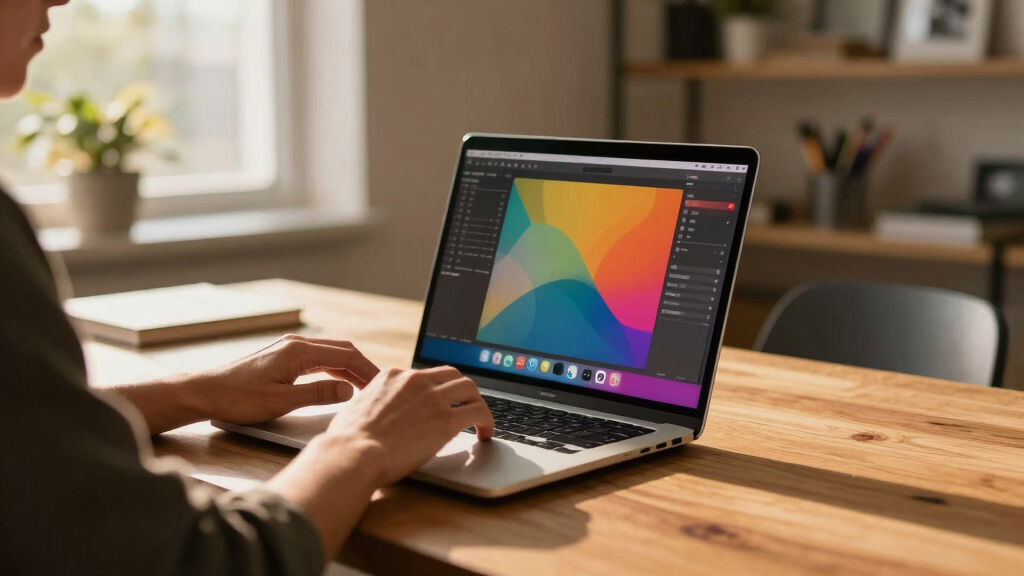

Choosing the best workstation laptops for creators in 2026 involves balancing raw power, display quality, and portability. The Lenovo ThinkPad P1 Gen 7 stands out as the overall top pick thanks to its robust performance and reliable build. For demanding creative tasks, options like the NewDe.l.l Pro Max 18 Plus deliver exceptional processing power and expansive screens, though at a higher price. The main challenge lies in finding a machine that offers high-end specs without sacrificing mobility or affordability. Continue reading to see how these options compare and which one fits your specific needs best.
Key Takeaways
- High-end CPUs and GPUs are essential for smooth performance with demanding creative software.
- Display quality, resolution, and color accuracy are critical for visual creators and can vary significantly.
- Portability often comes with compromises in screen size or weight; choose based on your mobility needs.
- Memory and storage configurations greatly impact workflow efficiency and should match your project scale.
- Premium models tend to offer better build quality and future-proofing, but at a higher cost.


More Details on Our Top Picks
Lenovo ThinkPad P1 Gen 7 Workstation Laptop – Intel Ultra 7 165H, NVIDIA RTX 3000 Ada, 32GB RAM, 1TB SSD, 16″ 2.8K (2560 x 1600) IPS, Anti-Glare, 500 Nits, 5MP RGB+IR Camera, Windows 11P (21KV0017US)
This Lenovo ThinkPad P1 Gen 7 stands out for its blend of powerful specs and lightweight design, making it ideal for creators who need to work on the move. Compared to the HP ZBook Power 16 G11, which offers a slightly larger display and more ports, the P1’s high-resolution 2.8K screen and premium build make it more suited for detailed visual work. However, its tradeoff is a higher price and less expandability. This model is perfect for professionals who demand reliable performance in a portable package without sacrificing screen quality or color accuracy.
Pros:- High-resolution 2.8K display with excellent color accuracy
- Lightweight and portable for mobile workflows
- Powerful Intel Ultra 7 165H processor with NVIDIA RTX 3000 Ada GPU
Cons:- Relatively high price for its specifications
- Limited port selection compared to larger workstations
Best for: Creative professionals who need a portable, high-resolution workstation with strong performance for editing, rendering, and design tasks.
Not ideal for: Heavy multitaskers or those requiring extensive port options for peripherals and external devices, as it has fewer ports than some competitors.
- Display:16″ 2.8K IPS, Anti-Glare, 500 nits
- Processor:Intel Ultra 7 165H up to 5.00 GHz
- Graphics:NVIDIA RTX 3000 Ada, 8GB GDDR6
- Memory:32GB LPDDR5x
- Storage:1TB NVMe SSD
- Weight:around 4.2 lbs
Bottom line: This pick is best for creators who prioritize high-quality visuals and portability over expandability.
NewDe.l.l Pro Max 18 Plus Mobile Workstation Laptop for Professional Creator Engineer 18″ QHD+ Display 24-cores Ultra 9 285HX 64GB RAM 4TB SSD RTX PRO 3000 Blackwell GDDR7 Graphic Ethernet Win 11 Pro
This 18″ mobile workstation is built for creators who need a massive display and immense processing power, making it ideal for complex projects in 3D modeling and video editing. Unlike the Lenovo ThinkPad P16, which offers higher resolution and more memory options, the 18″ screen provides more space for detailed work, especially for real-time editing. The tradeoff is its weight and bulk, which makes portability less practical. It’s best suited for professionals working in environments where a portable workstation with a large display and extensive RAM is essential.
Pros:- Massive 18″ QHD+ display with 500 nits brightness
- 64GB DDR5 RAM for heavy multitasking
- Powered by 24-core Ultra 9 285HX processor with RTX PRO 3000 GDDR7
Cons:- Very heavy and bulky for a mobile device
- High price point and limited battery life due to size
Best for: Engineers and designers who need a large display and high-performance specs for demanding tasks like CAD and rendering on the go.
Not ideal for: Travelers or those with limited space, as its size and weight reduce portability significantly.
- Display:18″ QHD+ (2560×1440), 500 nits
- Processor:Ultra 9 285HX 24-core up to 5.50 GHz
- Graphics:NVIDIA RTX PRO 3000 GDDR7, 12GB
- Memory:64GB DDR5
- Storage:4TB SSD
- Weight:around 7.2 lbs
Bottom line: This laptop suits creators who need a large screen and top-tier performance in a mobile form factor, despite its weight.
HP ZBook Power 16 G11 Mobile Workstation AI Laptop (16″ FHD+, Intel Core Ultra 7 155U, NVIDIA RTX A500, 32GB DDR5, 1TB SSD) for Engineer, Designer, FP, IR Webcam, 2x Thunderbolt 4, IST HUB, Win 11 Pro
This HP ZBook Power 16 G11 combines robust professional-grade performance with AI-enhanced capabilities, making it ideal for engineers and AI developers. Compared to the Lenovo P16, which offers higher resolution and a more advanced GPU, the ZBook’s focus on stability and certification for critical software makes it more reliable for technical workflows. Its 16″ FHD+ display is less vibrant than 4K options, but its accuracy and certification are major advantages. The tradeoff is slightly lower display resolution. It’s best for those who need certified stability in demanding engineering applications.
Pros:- Certified for autoCAD, SolidWorks, and other professional apps
- Powerful Intel Core Ultra 7 155U processor with NVIDIA RTX A500
- 16″ Full HD+ display with excellent color accuracy
Cons:- Lower resolution compared to 4K models
- Fewer ports than some workstation alternatives
Best for: Engineers and AI professionals who prioritize software certification and reliability for development and simulation tasks.
Not ideal for: Creative professionals needing ultra-high resolution displays for detailed visual editing, as it has a FHD+ screen.
- Display:16″ FHD+ (1920×1200), Anti-Glare
- Processor:Intel Core Ultra 7 155U up to 4.8 GHz
- Graphics:NVIDIA RTX A500 4GB GDDR6
- Memory:32GB DDR5
- Storage:1TB SSD
- Weight:4.68 lbs
Bottom line: This model is well-suited for engineers and developers requiring certified stability and AI capabilities over ultra-high resolution visuals.
Lenovo ThinkPad P16 Mobile Workstation Laptop (16″ UHD+ 4K+, NVIDIA RTX 3500 Ada 12GB, Intel Core i7-14700HX, 64GB DDR5, 2TB SSD) for Engineer, Designer, Architect, Fingerprint, IST Hub, Win 11 Pro
This Lenovo ThinkPad P16 is designed for professionals who need ultra-high resolution and substantial GPU power, making it ideal for architects, video editors, and 3D artists. Its 4K UHD+ display with 100% DCI-P3 and HDR 400, paired with the NVIDIA RTX 3500 Ada 12GB, offers exceptional visual fidelity. Compared to the HP ZBook Power, which has a slightly lower resolution, the P16’s superior display makes it better suited for color-critical tasks. The main tradeoff is its weight and premium price. It’s best for visual content creators who prioritize display quality and GPU performance.
Pros:- UHD+ 4K display with 100% DCI-P3 coverage and HDR 400
- Powerful Intel Core i7-14700HX with NVIDIA RTX 3500 Ada 12GB
- 64GB DDR5 RAM and 2TB SSD for large, complex projects
Cons:- Heavy for frequent travel
- Premium price limits accessibility for some users
Best for: Designers, media professionals, and architects who work with detailed visuals and need accurate color reproduction.
Not ideal for: Travel-heavy users or those on a tight budget, as it is heavier and more expensive than some alternatives.
- Display:16″ UHD+ 4K+ (3840×2400), HDR 400
- Processor:i7-14700HX up to 5.50 GHz
- Graphics:NVIDIA RTX 3500 Ada 12GB
- Memory:64GB DDR5
- Storage:2TB SSD
- Weight:around 6.5 lbs
Bottom line: This workstation is ideal for professionals who need top-tier display quality and GPU power for visual content creation and detailed design work.
Dell Precision 7000 7680 Mobile Workstation Laptop (NVIDIA RTX 2000 Ada 8GB, 16″ FHD+, Intel Core i7-13850HX, 64GB LPCAMM2 DDR5, 1TB SSD) Pro Max for Designer, Engineer, Win 11 Pro
This Dell Precision 7680 exceeds expectations for demanding engineering and design workflows with its combination of high-end GPU and top-tier processor. Compared with the Lenovo P16, which offers higher resolution, the Dell’s 16″ FHD+ display is less vibrant but still highly capable for detailed work due to its color accuracy and certification. The Dell’s extensive port selection and robust build make it ideal for complex multitasking and external device connections. The main tradeoff is slightly lower display resolution, but its performance and connectivity make it a versatile choice for professionals in technical fields.
Pros:- Powerful Intel Core i7-13850HX with 16″ FHD+ display
- NVIDIA RTX 2000 Ada 8GB GPU for accelerated rendering
- 64GB DDR5 RAM and 1TB SSD for heavy multitasking
Cons:- Lower display resolution than some competitors
- Larger size may impact portability for frequent travelers
Best for: Engineers and designers who need reliable, high-performance hardware with extensive connectivity options.
Not ideal for: Creative professionals focused solely on visual fidelity or color accuracy, as it lacks 4K resolution.
- Display:16″ FHD+ (1920×1200), Anti-Glare
- Processor:i7-13850HX up to 5.50 GHz
- Graphics:NVIDIA RTX 2000 Ada 8GB
- Memory:64GB LPCAMM2 DDR5
- Storage:1TB SSD
- Weight:around 6.5 lbs
Bottom line: This workstation provides a balanced mix of performance, connectivity, and reliability for engineering and design professionals on the move.
Dell Precision 7000 7680 Mobile Workstation Laptop (NVIDIA RTX 2000 Ada 8GB, 16″ FHD+, Intel 24-Core i9-13950HX, 64GB LPCAMM2 DDR5, 1TB SSD) Pro Max for Engineer, IST HUB, Win 11 Pro
This Dell Precision 7680 stands out for its exceptional raw power, combining a Intel Core i9-13950HX with 24 cores and an NVIDIA RTX 2000 Ada 8GB GPU. Its 64GB DDR5 RAM and 1TB SSD make multitasking and large file handling seamless, surpassing the Lenovo ThinkPad P16 in sheer processing ability. While it’s slightly heavier at nearly 6 pounds, its professional-grade connectivity options and high-quality 16″ FHD+ display support demanding workflows. Compared to the Lenovo, it offers more robust GPU performance, but the tradeoff is a higher price and bulkier design. This model is ideal for power users needing maximum performance, such as 3D artists and video editors who work with heavy datasets.
Pros:- Exceptional processing power with 24-core Intel i9-13950HX
- Robust NVIDIA RTX 2000 Ada 8GB GPU for rendering
- High-capacity 64GB DDR5 RAM and 1TB SSD for multitasking and storage
- Multiple high-speed ports including Thunderbolt 4 and HDMI
Cons:- Relatively heavy at nearly 6 pounds, less portable for frequent travel
- Premium price point may be prohibitive for budget-conscious buyers
- FHD+ display, though crisp, is less sharp compared to higher resolutions
Best for: Engineers, 3D artists, and video editors who need top-tier performance and extensive connectivity.
Not ideal for: Travelers or those needing a lightweight, ultra-portable device, due to its weight and size.
- Processor:Intel Core i9-13950HX 24-core
- Graphics:NVIDIA RTX 2000 Ada 8GB
- Display:16″ FHD+ (1920 x 1200) IPS
- RAM:64GB DDR5
- Storage:1TB PCIe NVMe SSD
- Ports:Thunderbolt 4, HDMI, USB-A
Bottom line: This pick is perfect for professionals demanding maximum power and connectivity, despite its weight and cost.
NewLenovo ThinkPad P16 Gen 2 Mobile Workstation (16″ WQUXGA, Intel Core i9-13980HX, 64GB RAM, 1TB SSD, NVIDIA RTX 4000 Ada 12GB) for Engineer, Designer, Architect, Win 11 Pro
The Lenovo ThinkPad P16 Gen 2 emphasizes a stunning 16″ WQUXGA 3840 x 2400 display, making it ideal for detailed content creation and high-resolution workflows. Its 13th Gen Intel i9-13980HX with 24 cores and NVIDIA RTX 4000 12GB GPU provide powerful processing and rendering capabilities, outperforming the Dell Precision in GPU-intensive tasks. The device’s 64GB DDR5 RAM and 1TB SSD ensure smooth operation with large projects. However, it’s slightly thicker and less portable than some alternatives, and the high-resolution display can impact battery life. Compared to the Dell, it offers superior display quality for visual work but at a similar weight. This makes it well-suited for architects and designers who prioritize display clarity and detail.
Pros:- Vivid 16″ WQUXGA 3840 x 2400 display with 100% DCI-P3 coverage
- Powerful 24-core Intel i9-13980HX processor
- NVIDIA RTX 4000 12GB GPU ideal for rendering and high-end graphics
- Ample 64GB DDR5 RAM and fast 1TB SSD
Cons:- Slightly bulkier and heavier than some competitors
- High-resolution display drains battery faster
- Premium cost may be a barrier for some buyers
Best for: Architects, 3D artists, and visual designers who require ultra-sharp displays and strong processing power.
Not ideal for: Frequent travelers or those seeking a lightweight setup, as its size and weight may limit portability.
- Processor:Intel Core i9-13980HX 24-core
- Graphics:NVIDIA RTX 4000 12GB
- Display:16″ WQUXGA (3840 x 2400)
- RAM:64GB DDR5
- Storage:1TB PCIe NVMe SSD
- Ports:HDMI, DisplayPort, USB-A
Bottom line: Best suited for creators needing detailed visuals and top-tier processing, accepting some weight and cost tradeoffs.
hp ZBook Studio 16 G11 Mobile Workstation, Intel Ultra 7 165H vPro, 32GB RAM, 1TB SSD, RTX 1000 ADA, 16″ Display, Windows 11 Pro
The HP ZBook Studio G11 offers a more balanced approach, featuring an Intel Ultra 7 165H vPro processor that handles demanding tasks with efficiency while maintaining lighter weight at 4.7 pounds. Its 16″ 2560 x 1600 IPS display with anti-glare and Low Blue Light technology provides a comfortable workspace for prolonged content creation. The NVIDIA RTX 1000 ADA GPU delivers capable rendering, especially suited for medium to high-end design work. With 32GB RAM and a 1TB SSD, it balances performance and portability. Compared to the Dell and Lenovo, it sacrifices some GPU power for a lighter, more mobile design, though it still excels in portability and build quality. A great choice for professionals who need reliable power on the go.
Pros:- Lightweight at under 5 pounds for easy portability
- Capable performance with Ultra 7 165H vPro processor
- High-quality 16″ display with Low Blue Light technology
- Solid battery life for a workstation laptop
Cons:- GPU less powerful than RTX 4000 or RTX 2000 series
- Display resolution lower than some competitors, at 2560 x 1600
- Less RAM than the other two options, at 32GB
Best for: Content creators, engineers, and designers prioritizing portability without sacrificing substantial performance.
Not ideal for: Heavy 3D rendering or large-scale video editing that demands the highest GPU power, as its RTX 1000 ADA is less capable than the RTX 4000.
- Processor:Intel Ultra 7 165H vPro
- Graphics:NVIDIA RTX 1000 ADA
- Display:16″ IPS 2560 x 1600
- RAM:32GB DDR5
- Storage:1TB PCIe NVMe SSD
- Ports:HDMI, DisplayPort, USB-C
Bottom line: Excellent for mobile professionals who want a capable workstation with balanced performance and lighter weight, though not ideal for intensive GPU tasks.
How We Picked
The laptops in this roundup were selected based on criteria that matter most to creators who need reliable, high-performance workstations. Performance benchmarks for CPU and GPU power, display quality—especially color accuracy and resolution—and build quality were primary factors. Usability features such as keyboard comfort, port selection, and thermal management also played a role. The ranking reflects a balance between raw specs, value for money, and suitability for different creative workflows, with top picks offering the best combination of these elements.Factors to Consider When Choosing Best Workstation Laptops For Creators
When choosing a workstation laptop for creative work, it’s important to consider several key factors. Beyond raw power, display quality and color accuracy can make or break your workflow. Portability is also vital if you need to work on the go, but often means making tradeoffs with size and weight. Additionally, look at expandability and connectivity options to future-proof your investment. Understanding these broader considerations will help you avoid common pitfalls and select a machine that truly meets your creative demands.Performance Power and GPU Capabilities
For creators, especially those working with 3D rendering, video editing, or CAD, a powerful CPU paired with a dedicated GPU is non-negotiable. Prioritize laptops with recent Intel i7 or i9 processors, or AMD Ryzen equivalents, along with professional-grade GPUs like NVIDIA RTX series. Cheaper options often cut corners here, resulting in slower workflows and longer render times. Investing in a machine with high-end specs ensures smoother multitasking and future compatibility with demanding software updates.
Display Quality and Color Accuracy
The display isn’t just about size; color precision and resolution are vital for visual accuracy. Look for 4K or WQUXGA screens with wide color gamuts like AdobeRGB or DCI-P3, especially if your work involves photography, video, or design. Matte finishes reduce glare for longer sessions, while OLED displays offer superior contrast. Avoid models with low-resolution screens or poor color calibration, as these can cause inaccuracies and fatigue over time.
Portability Versus Screen Size
While larger screens offer more workspace, they also add weight and reduce mobility. Creators who travel frequently should consider 14- to 15-inch laptops, which balance power and portability. For station-bound work, 17- or 18-inch models provide expansive screens but can be cumbersome to carry. Think about your typical working environment and choose a size that minimizes workflow disruptions without sacrificing performance.
Memory and Storage Options
High-resolution projects and multitasking demand ample RAM, typically 32GB or more for serious creators. SSD storage is essential for fast file access and transfer speeds; 1TB or higher is recommended for handling large media files. Some laptops allow upgrades, which can extend their lifespan and performance. Overspending on storage or RAM can lead to bottlenecks, so match your configuration to your project scope and future needs.
Build Quality and Expandability
Durability and thoughtful design matter for long-term use. Premium materials like magnesium or aluminum enhance longevity and give a professional feel. Check for features like a comfortable keyboard, good cooling systems, and multiple ports—USB-C, Thunderbolt 4, HDMI—to connect external devices. While high-end models often offer better build quality, they also come at a premium; balance your budget with durability requirements.
Frequently Asked Questions
Can I get by with a less powerful laptop for creative work?
While some less powerful laptops can handle light editing or design tasks, they often struggle with demanding applications like 3D rendering, video editing, or large file processing. You might experience longer render times, lag, and potential workflow interruptions. Investing in a more capable machine ensures smoother performance and reduces frustration, especially as your projects grow in complexity.
Is a 4K display necessary for creative professionals?
A 4K display significantly enhances detail and allows for more accurate color work, which is critical for professionals in photography, video, or design. However, 4K screens can drain battery faster and may require more powerful hardware to drive them effectively. If your work demands pixel-perfect precision, a 4K display is a worthwhile investment; otherwise, a high-quality QHD panel may suffice.
How important is GPU power compared to CPU for creators?
The importance of GPU versus CPU depends on your specific tasks. 3D rendering, video editing, and CAD heavily rely on GPU acceleration, making a powerful discrete GPU essential. For general multitasking or coding, CPU performance might be more critical. Many high-end workstations now combine both powerful CPUs and GPUs, ensuring versatile performance for diverse creative workflows.
Should I prioritize portability or screen size?
This depends on your workflow. If you frequently travel or work remotely, a lighter, smaller laptop enhances mobility. Conversely, larger screens improve productivity during detailed editing or design work but are less convenient to carry. Consider your typical work environment and choose a size that minimizes compromise—sometimes, a slightly heavier machine can dramatically improve your workflow comfort.
Are premium build quality and expandability worth the extra cost?
Premium build quality often means better durability, heat management, and a more comfortable user experience, which can justify higher costs. Expandability options like additional RAM slots or storage bays extend the machine’s lifespan and adaptability. If you plan to use your workstation over several years, investing in a higher-quality, more expandable model can prove cost-effective in the long run.
Conclusion
The ideal choice depends on your specific needs. For overall performance and reliability, the Lenovo ThinkPad P1 Gen 7 offers a balanced mix of power, display quality, and portability, making it the best option for most creators. If you seek maximum processing capability and a larger screen, the NewDe.l.l Pro Max 18 Plus excels, though at a higher price point. For professionals prioritizing premium build and future-proofing, the NewLenovo ThinkPad P16 Gen 2 delivers top-tier specs and expandability. Beginners or occasional users might prefer more affordable, less feature-rich options, while power users should look toward models with high-end GPUs and 4K displays. Choose based on your workflow, mobility needs, and budget for the best results in 2026.