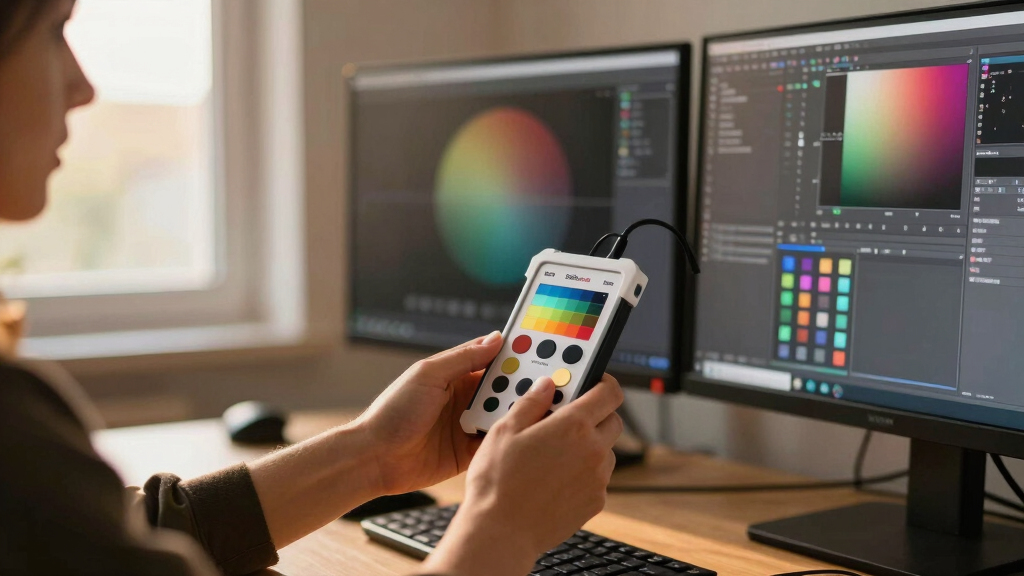
Achieving consistent, accurate colors across dual monitors can be challenging, especially for photographers, designers, and content creators. The Calibrite Photo Kit with Display Pro stands out as the best overall choice for its comprehensive features and professional-grade accuracy. For those seeking quick setup and simplicity, the Datacolor SpyderExpress offers excellent value, while the Calibrite Display 123 makes calibration straightforward for casual users. The main tradeoffs involve balancing cost against precision and ease of use, particularly when calibrating multiple displays. Continue reading to find out which tool fits your workflow best.
Key Takeaways
- The Calibrite Photo Kit provides the most detailed calibration suited for professional workflows, but comes at a higher price point.
- Most tools support dual monitors with simple workflows, though calibration accuracy varies significantly between budget and premium options.
- Ease of use and software simplicity are key differentiators, with some tools offering quick ‘one-click’ calibration, ideal for beginners.
- High-brightness and OLED display support are features found mostly in premium models, important for advanced users.
- Price correlates strongly with calibration precision and feature set, but budget options can still deliver good results for non-critical work.


More Details on Our Top Picks
Calibrite Photo Kit w/Display Pro HL Monitor Calibration Colorimeter w/ColorChecker Passport Photo 2, Capture to Edit Color Workflow for RAW, Custom Camera Profiles, White Balance, Accurate Displays
This kit stands out for its comprehensive approach, combining camera profiling with monitor calibration to deliver a seamless capture-to-edit workflow. Compared with the Datacolor SpyderX Pro, it supports advanced RAW workflows and custom camera profiles, making it ideal for photographers who need consistent, reliable color accuracy across sessions and devices. The inclusion of the ColorChecker Passport Photo 2 adds a layer of precision for color matching in post-processing, especially on modern displays like mini LED and OLED panels. While setup is straightforward and software is feature-rich, the tradeoff is a higher price point and a somewhat steeper learning curve for beginners. This pick makes the most sense for seasoned photographers who require detailed control and ultimate consistency in their color management process.
Pros:- Supports custom camera profiles for RAW workflows
- Includes ColorChecker Passport for accurate color matching
- Optimized for modern display technologies like mini LED and OLED
- Provides a complete capture to edit workflow with reliable results
Cons:- Higher cost compared to simpler calibration tools
- Steeper learning curve for users unfamiliar with color management
Best for: Professional photographers and serious photo editors needing precise color control across multiple workflows and devices.
Not ideal for: Casual users or hobbyists who primarily edit videos or do not require detailed camera profiling, as the complexity and cost may be unnecessary.
- Supports RAW camera profiles:Yes
- Supports mini LED, OLED, Apple XDR:Yes
- Includes Calibrite PROFILER software:Yes
- Supports custom white balance and gamma:Yes
- Supports calibration of multiple displays:No
- Supports capture-to-edit workflow:Yes
Bottom line: This kit is best suited for professional photographers and advanced users who need comprehensive, reliable color calibration and profiling.
Datacolor Spyder4Elite S4EL100 Colorimeter for Display Calibration
This option is notable for its improved accuracy and stability over earlier Spyder models, thanks to double-shielded color filters and enhanced long-term consistency. Unlike the SpyderX Pro, the Spyder4Elite offers a more manual approach with less advanced features, but it remains highly effective for calibrating a wide range of displays including laptops, desktops, and projectors. Its fast re-calibration feature helps maintain color accuracy over time, making it suitable for users who need periodic adjustments without fuss. The main tradeoff is that it lacks the speed and precision of the latest lens-based engines, and its compatibility with newer OS versions may be limited. It’s an excellent choice for hobbyists or those with older hardware seeking solid performance at a lower price.
Pros:- Enhanced accuracy and stability over previous models
- Supports a wide range of display types including CRT and LED
- Fast re-calibration helps maintain consistent results
- Affordable compared to premium options
Cons:- Lacks the lens-based color engine of newer models
- May have limited compatibility with the latest OS updates
- No support for multi-display calibration or advanced profiling
Best for: Enthusiasts, amateur photographers, and budget-conscious creatives who want reliable calibration without the latest bells and whistles.
Not ideal for: Professionals working with high-end displays or needing ultra-precise color matching, as it doesn’t match the accuracy of newer or higher-end tools.
- Supports CRT, LED, OLED:Yes
- Includes double-shielded filters:Yes
- Average accuracy increase of 26%:Yes
- Supports long-term stability:Yes
- Supports calibration of multiple displays:No
- Recalibration assistant:Yes
Bottom line: This device offers dependable calibration for users who want a cost-effective, reliable tool for standard display calibration tasks.
Datacolor SpyderExpress
This calibrator is praised for its quick and user-friendly setup, supporting the latest LCD and mini-LED displays like the MacBook M4 with minimal fuss. Compared to the more advanced SpyderX Pro, it offers simplified calibration with just a few clicks, making it perfect for newcomers. The software’s intuitive interface and rapid calibration process—taking roughly 90 seconds—allow users to see immediate improvements in color accuracy. However, it doesn’t include features like ambient light adjustment or multi-display profiling, which might limit its use for more advanced workflows. Its main advantage is ease of use, but this comes with a tradeoff in advanced capabilities and fine-tuning options. Ideal for hobbyists or those just starting their color calibration journey.
Pros:- Supports the latest Liquid Retina XDR and mini-LED displays
- Fast calibration in about 90 seconds
- User-friendly, no prior experience needed
- Upgradeable software for advanced features
Cons:- Limited advanced profiling options
- No ambient light measurement
- Lacks multi-display support in the base package
Best for: Beginners, students, and casual creators who want fast, reliable color calibration without complexity.
Not ideal for: Power users or professionals requiring detailed profiling, multi-monitor support, or advanced calibration features.
- Supports Liquid Retina XDR, mini-LED:Yes
- Calibration time:Approximately 90 seconds
- Supports calibration of up to 3 displays:Yes
- Supports software upgrades for advanced features:Yes
- Includes ambient light adjustment:No
- Supports calibration for OLED and newer displays:Yes
Bottom line: This tool is perfect for beginners seeking quick, straightforward calibration for modern displays.
Calibrite Display 123 Monitor Calibration Colorimeter for Photo Editing and Color Accurate Viewing, Easy 1 2 3 Software Workflow, USB C Connection, and Before and After Check, Supports 2 Displays
This device simplifies the calibration process with its guided 1-2-3 workflow, making it accessible for users new to color management. Compared with the Datacolor SpyderX Pro, it emphasizes ease of use and supports calibration of two displays, which is ideal for multi-monitor workstations. Its built-in before-and-after comparison ensures users can verify calibration results instantly, providing confidence in their setup. The compact design and USB C support make it versatile for modern hardware. The main tradeoff is that it offers fewer advanced customization options, which might limit precise control for seasoned professionals. It’s best suited for new users or those with dual monitors who want straightforward calibration without complexity.
Pros:- Supports calibration of two displays
- Simple, guided 1-2-3 workflow
- Instant before-and-after comparison
- USB C connectivity and compact design
Cons:- Limited advanced calibration options
- No support for multi-profile or detailed profiling
- Less suited for high-end, color-critical workflows
Best for: Entry-level creators, students, or professionals with dual monitor setups seeking simple, effective calibration.
Not ideal for: Advanced users or professionals needing detailed color profiling, multi-profile management, or higher precision calibration.
- Supports up to 2 displays:Yes
- Simple 1-2-3 workflow:Yes
- Includes before-and-after check:Yes
- Supports USB C connection:Yes
- Supports basic color correction:Yes
- Supports calibration for modern monitors:Yes
Bottom line: This monitor calibrator is ideal for entry-level users or dual-monitor setups seeking quick and easy color accuracy.
Datacolor Spyder X Pro – Monitor Calibrator. Color Calibration Tool for Monitor Display. Ensures accurate color for photographic images. Ideal for first-time users
This device is celebrated for its speed and simplicity, offering a quick calibration process that takes just a couple of minutes, making it perfect for newcomers. Unlike the older Spyder4Elite, the Spyder X Pro uses a lens-based color engine, which improves accuracy and consistency, especially on multiple monitors. Its wizard-guided workflow with 12 predefined targets provides enough precision for most casual and semi-professional applications, ensuring that images look correct across different screens. The main drawback is that it lacks some advanced features like ambient light measurement or multi-profile management, which might limit its use for high-end or professional workflows. Overall, it’s an excellent entry point for users starting to take color calibration seriously.
Pros:- Fast, easy calibration in a few minutes
- Uses lens-based color engine for better accuracy
- Supports multiple monitors
- Intuitive wizard workflow
Cons:- Limited advanced profiling features
- No ambient light adjustment
- Basic calibration targets may not suit high-end color work
Best for: Beginners, amateur photographers, and casual content creators new to monitor calibration.
Not ideal for: Advanced professionals or users needing multi-profile management and detailed profiling features.
- Uses lens-based color engine:Yes
- Supports multiple monitors:Yes
- Calibration time:About 2 minutes
- Includes 12 predefined targets:Yes
- Supports room-light monitoring:No
- Supports multiple color profiles:Yes
Bottom line: This tool is best for first-time users and casual creators needing quick, reliable color calibration.
Calibrite Display Pro HL Monitor Calibration Colorimeter for LCD Mini LED and OLED Displays, Measure up to 3000 Nits, PROFILER Software, USB C with Adapter, Validation/Color Uniformity Tools
This option stands out for its advanced high luminance sensor, capable of measuring displays up to 3000 nits, making it ideal for modern HDR workflows. Compared with the Datacolor Spyder X Pro, which is more suited for standard monitors, the Calibrite Display Pro HL provides more reliable profiling on brighter screens, though it involves a slightly more complex setup process. Its software, PROFILER, offers both basic and advanced modes, giving precise control over white point, luminance, and gamma—beneficial for professionals needing tailored calibration. Validation tools like uniformity checks and flare correction help ensure consistency across multiple screens, which is critical in creative studios. A tradeoff is the higher price point and the necessity of a dedicated high-luminance sensor, which may be overkill for casual users. Nonetheless, this device makes the most sense for photographers, videographers, or designers working with HDR content who require dependable, high-precision calibration across multiple displays.
Pros:- Measures up to 3000 nits for HDR and high-brightness displays
- Includes comprehensive validation and uniformity tools
- Supports custom profiling from user images for tailored calibration
- USB C interface with adapter for modern connectivity
Cons:- Higher cost compared to entry-level calibrators
- Requires more time to perform detailed calibration
Best for: Professional photographers or videographers working with HDR displays and requiring precise color consistency across multiple monitors.
Not ideal for: Casual users or those with standard SDR monitors who don’t need high luminance measurements or advanced validation tools.
- Display Technology:LCD, mini-LED, OLED
- Max Brightness:3000 nits
- Connectivity:USB C with Adapter
- Measurement Accuracy:High dynamic range, color uniformity tools
- Software Compatibility:Mac and Windows
- Built-in Mount:1/4″ thread
Bottom line: Best suited for professionals needing dependable, high-luminance calibration with detailed validation features, especially in HDR workflows.
datacolor Spyder – Monitor Calibrator for Graphic Designers, Photographers, and Content Creators, Shows You True Colors, Works on OLED Monitors & LED Screens, Easy-to-Use Color Calibration Tool
This pick makes the most sense for users new to calibration, offering quick and intuitive setup with its pre-set calibration options. Unlike the Calibrite Display Pro HL, which targets high-end HDR workflows, the Spyder is designed for broader compatibility, including OLED and mini-LED displays, and is easier to operate for those unfamiliar with technical calibration processes. Its software features DevicePreview TM Beta, which simulates how your images will look on different devices, providing confidence in color accuracy without complex adjustments. With a calibration process taking just around 90 seconds, it caters well to content creators who need fast results. A tradeoff is that it may not deliver the same high luminance measurement accuracy or validation tools as the Calibrite, making it less ideal for HDR professionals. However, for hobbyists and those seeking a straightforward calibration experience, it offers a solid balance of ease and effectiveness.
Pros:- Fast calibration in approximately 90 seconds
- Supports OLED, mini-LED, and Apple Liquid Retina XDR displays
- Includes DevicePreview TM Beta for device simulation
- Easy-to-use interface suitable for novices
Cons:- Limited validation and high-luminance measurement features
- Less customizable than advanced tools like Calibrite Display Pro HL
Best for: Beginners, amateur photographers, or content creators who want fast, reliable calibration on OLED and LED screens without a steep learning curve.
Not ideal for: HDR professionals or users needing detailed validation and high-luminance measurement capabilities, which the Spyder lacks.
- Display Compatibility:OLED, mini-LED, Apple Liquid Retina XDR
- Measurement Features:Basic color accuracy, ambient light sensor
- Calibration Time:Approximately 90 seconds
- Software Features:DevicePreview TM Beta
- Connectivity:Unspecified, likely USB
- Warranty:1 year
Bottom line: Ideal for beginners and casual content creators who want quick, reliable calibration across a variety of modern display types without complex setup.

How We Picked
I evaluated these calibration tools based on their ability to deliver accurate, consistent color across dual monitors, focusing on performance, usability, build quality, and software reliability. Ease of setup and calibration speed were also key factors, especially for users who need quick, repeatable results. I prioritized products that support multiple displays simultaneously, as well as those compatible with different screen types like LCD, OLED, and Mini LED. Affordability was considered but did not override calibration quality, ensuring that the picks reflect a balance between value and professional-grade performance. The ranking highlights tools that excel across these criteria, with a clear differentiation based on user needs and complexity.Factors to Consider When Choosing Best Color Calibration Tools For Dual Monitor Setups
Choosing the right color calibration tool for dual monitors involves considering several factors beyond just price. First, assess whether the device supports multiple displays simultaneously, which is essential for dual monitor setups. Compatibility with your display types, such as OLED or Mini LED, can influence calibration accuracy. Ease of use, including software interface and setup time, matters especially for non-professionals. Budget constraints are important, but investing in a more capable tool can save time and improve results for demanding workflows. Lastly, consider future-proof features like high brightness support and validation tools that ensure ongoing color consistency.Display Compatibility and Support
Ensure the calibration device is compatible with your specific monitor types, especially if you use OLED or Mini LED screens. Some tools are optimized for LCDs, while premium options support high brightness levels up to 3000 nits, which is crucial for HDR workflows. Compatibility extends to the software’s ability to handle multiple monitors simultaneously, so verify whether the tool can calibrate both screens in a dual setup without manual switching. Mismatched calibration can lead to inconsistent colors, undermining your efforts for color accuracy.
Ease of Use and Workflow
Ease of use varies widely, from simple one-click calibration to more detailed, manual adjustments. For non-experts or those who calibrate frequently, intuitive software with guided workflows can save time and reduce errors. Professional users might prefer more advanced options with granular control, but these come with a steeper learning curve. Consider whether the calibration process supports quick validation checks and whether the software provides before-and-after comparisons to verify accuracy easily.
Calibration Accuracy and Reliability
The core reason for investing in a calibration tool is accuracy. Higher-end devices often include better colorimeters and advanced profiling software, resulting in more precise color matching. Look for tools that support hardware profiling and color validation, especially if you work in photography or graphic design. Remember, even slight inaccuracies can affect your final output, so prioritize tools with proven calibration consistency across multiple sessions and displays.
Price and Future-Proofing
While budget options can suffice for casual use, investing in a more capable device might be worthwhile if you require consistent, professional results. Premium models often include high-brightness support, improved colorimeters, and more comprehensive software features. Consider whether the device can handle future monitor upgrades or different display types, which can extend its usefulness. Balance your current needs with potential future requirements to avoid needing to buy another calibration tool prematurely.
Frequently Asked Questions
Can I calibrate two different types of monitors with one device?
Many calibration tools support multiple monitor types, but compatibility varies. Devices like the Calibrite Display Pro HL and SpyderX Pro are designed to work with a range of screens, including OLED, LCD, and Mini LED. However, calibration results can be less accurate if your monitors have vastly different technologies or brightness levels. Always check the device specifications and software compatibility to ensure it can handle your specific setup, especially when dealing with high-end displays or HDR content.
Is calibration necessary for casual or non-professional use?
Calibration can significantly improve visual consistency, but for casual use, it might not be strictly necessary. If you primarily browse or do light editing, a basic calibration tool like the SpyderExpress can provide decent results without much effort. However, for photographers or designers who need accurate colors for client work or printing, calibration is essential. Even casual users benefit from a calibration check periodically, especially if they notice color inconsistencies or display brightness changes over time.
How often should I recalibrate my monitors?
The frequency of recalibration depends on your workflow and display usage. For professional work, recalibrating every few weeks or after significant display adjustments is recommended to maintain color fidelity. For casual users, quarterly or biannual calibration may suffice. High-brightness and OLED displays tend to drift more quickly, so monitor your results regularly to decide when recalibration is needed. Consistent calibration routines help avoid color shifts that can impact your work quality.
Can calibration tools improve my monitor’s color accuracy without professional calibration?
Yes, calibration tools are designed to optimize your display’s color accuracy by adjusting color profiles based on measurements. While they can’t fix hardware issues like aging or screen defects, they significantly improve color consistency and accuracy, especially if your monitor has factory defaults or has been manually adjusted. For most users, a calibration device provides a noticeable upgrade over built-in or default settings, making your display more reliable for visual tasks.
Are there calibration tools specifically for high-brightness HDR monitors?
Yes, some premium calibration tools support high-brightness HDR monitors, measuring up to 3000 nits or more. Devices like the Calibrite Display Pro HL are designed for this purpose, offering accurate profiling of HDR-capable screens. Calibration in these cases is more complex because HDR displays require precise control over brightness and color grading. Investing in such tools is worth it if you work extensively with HDR content, ensuring your monitor displays the full dynamic range accurately.
Conclusion
For most users, the Calibrite Photo Kit with Display Pro offers the best balance of professional accuracy and versatility, making it ideal for photographers and designers. The Datacolor SpyderExpress provides excellent value for casual users or those new to calibration, while the Calibrite Display 123 simplifies the process for hobbyists. High-end professionals working with HDR or OLED screens should consider models like the Calibrite Display Pro HL. Ultimately, your choice depends on your specific needs: choose the premium options for critical color work, the budget-friendly options for general use, and the straightforward tools if ease of calibration is your priority.