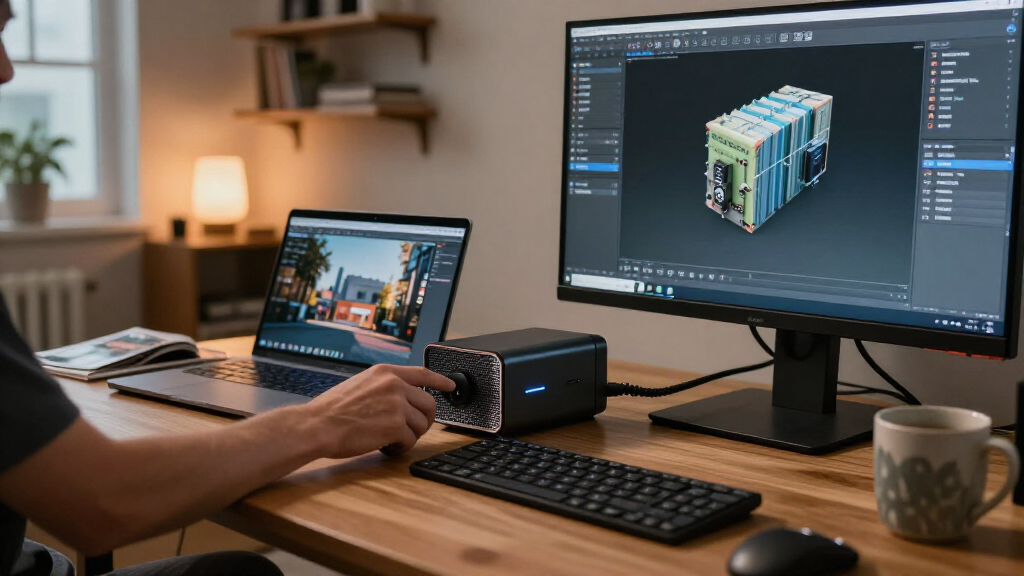
The best external GPU enclosures depend on your computer’s ports, the graphics card you plan to install, and how much setup work you’re willing to take on. I’d put the Sonnet eGPU Breakaway Box 750 first for its established Thunderbolt approach and 750W power supply; the Sonnet Breakaway Box 850 T5 stands out for a newer Thunderbolt 5 system, while the MINISFORUM DEG2 offers both USB4 V2 and OCuLink connections. The main tradeoff is between enclosure convenience and open docks that can offer direct PCIe connectivity but need more hands-on setup. Power capacity, physical clearance, and host compatibility can matter as much as the connection’s headline speed. Read on for the full comparison, buying advice, and picks for different setups.

Get the latest gadgets delivered free — and shop member deals
- Fast, free delivery on millions of items
- Access to Prime Big Deal Days deals on October 6–7
- Prime Video, Amazon Music and more included
Complete the kit



Key Takeaways
- The Sonnet Breakaway Box 750 is the most balanced starting point: it pairs a familiar Thunderbolt enclosure format with a 750W supply, though buyers still need to check card dimensions and host compatibility.
- Thunderbolt 5 options suit newer systems: the Sonnet 850 T5, Plugable TBT5-AI, PELADN S-3, and PELADN Dock Station target buyers who want a newer connection, but the host computer must support the relevant Thunderbolt features.
- OCuLink docks favor direct PCIe access: the open docks and hybrid MINISFORUM DEG2 can appeal to desktop-like setups, with more assembly and compatibility work than a conventional enclosure.
- Power supply wattage does not settle compatibility: the 800W AOOSTAR AG01, 750W Sonnet models, and 240W compact enclosure differ in capacity, but connector availability and the graphics card’s power needs still need checking.
- Many listings use similar connection labels but different designs: Thunderbolt 3/4, USB4, Thunderbolt 5, and OCuLink are not interchangeable guarantees of performance or plug-and-play support.
| Sonnet eGPU Breakaway Box 750 External GPU Chassis |  | Best for Thunderbolt 3 Workstations | Interface: Thunderbolt 3 | Power supply: 750W | GPU included: No | VIEW LATEST PRICE | See Our Full Breakdown |
| Razer Core X V2 External Graphics Enclosure |  | Best for Broad Host Compatibility | Connectivity: Thunderbolt 5, Thunderbolt 4, and USB4 | Thunderbolt 5 bandwidth: Up to 80Gbps | Laptop power delivery: Up to 140W | VIEW LATEST PRICE | See Our Full Breakdown |
| AOOSTAR AG01 External GPU Docking Station with 800W Power Supply |  | Best OCuLink Dock for High-Power GPUs | Interface: 1 × OCuLink | OCuLink bandwidth: 64Gbps over PCIe 4.0 x4 | Power supply: Built-in Huntkey 800W | VIEW LATEST PRICE | See Our Full Breakdown |
| PELADN S-3 eGPU Dock with Thunderbolt 5 |  | Best for Expansion Beyond Graphics | Upstream connection: Thunderbolt 5 with up to 140W power delivery | Downstream connection: Thunderbolt 5, up to 30W, with DP 2.1 video output | PCIe slot: PCIe 4.0 ×4, 64Gbps | VIEW LATEST PRICE | See Our Full Breakdown |
| Plugable TBT5-AI Thunderbolt 5 eGPU Enclosure and Dock |  | Best for Windows 11 AI Workstations | Interface: Thunderbolt 5, Thunderbolt 4, or compatible USB4 | Bandwidth: 80Gbps | Power supply: 850W ATX 3.1, 80+ Gold | VIEW LATEST PRICE | See Our Full Breakdown |
| PCIe 4.0 x4 OCuLink eGPU Dock with PCIe x16 Enclosure and 50 cm Cable |  | Best Compact OCuLink Dock | Interface: OCuLink SFF-8612 to PCIe x16 | Connection bandwidth: PCIe 4.0 x4, up to 64 Gbps | Cable: SFF-8611 male-to-male, 50 cm (19.7 in) | VIEW LATEST PRICE | See Our Full Breakdown |
| MINISFORUM DEG2 USB4 V2 and OCuLink eGPU Dock |  | Best for Flexible Connections | Interfaces: USB4 V2 (Thunderbolt 5 compatible) and OCuLink | Maximum transfer speeds: Up to 80 Gbps via USB4 V2; up to 64 Gbps via OCuLink | Storage slot: M.2 2280 NVMe | VIEW LATEST PRICE | See Our Full Breakdown |
| OCuLink External GPU Dock, PCIe 4.0 x4, 64 Gbps |  | Best OCuLink Dock for Setup Control | Interface: OCuLink SFF-8612 to PCIe x16 | Bandwidth: PCIe 4.0 x4, up to 64 Gbps | Included cable: SFF-8611 male-to-male, 50 cm (19.7 in) | VIEW LATEST PRICE | See Our Full Breakdown |
| Sonnet Breakaway Box 750ex Thunderbolt 3 eGPU Enclosure, 750W |  | Best for USB and Ethernet Expansion | Host connection: Thunderbolt 3 | Power supply: 750W | Continuous GPU power: 375W | VIEW LATEST PRICE | See Our Full Breakdown |
| VIKINYEE VK-Y900 Thunderbolt 3/4 and USB4 eGPU Enclosure |  | Best Compact Thunderbolt Enclosure | Connections: Thunderbolt 3/4 and USB4 | Graphics card compatibility: NVIDIA and AMD cards | Power delivery: 15W and 85W | VIEW LATEST PRICE | See Our Full Breakdown |
| Maskedfish MK-L18 Thunderbolt 3/4 and USB4 eGPU Enclosure |  | Best for Open-Frame Flexibility | Connectivity: Thunderbolt 3/4 or USB4 | Connection bandwidth: Up to 40 Gbps; 32 Gbps high-speed bandwidth | Power delivery: 85 W | VIEW LATEST PRICE | See Our Full Breakdown |
| OCuLink External GPU Dock with PCIe 4.0 x4 Cable |  | Best for OCuLink Bandwidth | Interface: OCuLink to PCIe x16 | Bandwidth: PCIe 4.0 x4, up to 64 Gbps | Cable: 50 cm SFF-8611 OCuLink, EMI-shielded | VIEW LATEST PRICE | See Our Full Breakdown |
| Sonnet Breakaway Box 850 T5 Thunderbolt 5 eGPU Enclosure |  | Best Premium Thunderbolt 5 Enclosure | Host connectivity: Thunderbolt 5; compatible with Thunderbolt 4 and most USB4 Windows 11 computers | Bandwidth: 80 Gbps bi-directional | Power supply: 850 W | VIEW LATEST PRICE | See Our Full Breakdown |
| Thunderbolt 4/3 and USB4 External GPU Enclosure with 240W Power Supply |  | Best Portable Complete Kit | Device connection: Thunderbolt 3/4 or USB4 | GPU size limit: 205 × 150 × 55 mm | GPU compatibility: NVIDIA and AMD graphics cards | VIEW LATEST PRICE | See Our Full Breakdown |
| PELADN External GPU Dock Station with Thunderbolt 5 |  | Best for Thunderbolt 5 Expansion | Host interface: Thunderbolt 5 | Thunderbolt ports: 2 | Power supply support: ATX or SFX | VIEW LATEST PRICE | See Our Full Breakdown |
| external GPU enclosure | Power supply |
|---|---|
| Sonnet eGPU Breakaway Box 750 | 750W |
| Razer Core X V2 External Graph | Standard ATX; sold separately |
| AOOSTAR AG01 External GPU Dock | Built-in Huntkey 800W |
| PELADN S-3 eGPU Dock with Thun | — |
| Plugable TBT5-AI Thunderbolt 5 | 850W ATX 3.1, 80+ Gold |
| PCIe 4.0 x4 OCuLink eGPU Dock | Standard ATX; not included |
| MINISFORUM DEG2 USB4 V2 and OC | — |
| OCuLink External GPU Dock | ATX; not included |
| Sonnet Breakaway Box 750ex Thu | 750W |
| VIKINYEE VK-Y900 Thunderbolt 3 | ATX; not included |
| Maskedfish MK-L18 Thunderbolt | — |
| OCuLink External GPU Dock with | ATX power supply required; not included |
| Sonnet Breakaway Box 850 T5 Th | 850 W |
| Thunderbolt 4/3 and USB4 Exter | 240 W |
| PELADN External GPU Dock Stati | — |
More Details on Our Top Picks
Sonnet eGPU Breakaway Box 750 External GPU Chassis
The Breakaway Box 750 is a straightforward choice for Mac and Windows workstations that still use Thunderbolt 3 and need a desktop GPU for editing, rendering, or animation. Its 750W power supply can support compatible high-power cards, while the temperature-controlled fan adjusts cooling as workload changes. Compared with the newer Razer Core X V2, this Sonnet has a narrower connection window: it is built around Thunderbolt 3 rather than Thunderbolt 4, Thunderbolt 5, or USB4. That makes it a better fit for an established TB3 setup than for a laptop you may upgrade soon. The graphics card is sold separately, and M1 Macs, Thunderbolt 2 systems, and USB-C ports without Thunderbolt 3 are incompatible. I’d choose it when TB3 compatibility and a substantial power supply matter more than newer connectivity.
Pros:- 750W power supply supports compatible high-power graphics cards.
- Thunderbolt 3 connection suits compatible Mac and Windows workstations.
- Variable-speed fan adjusts cooling to temperature.
- Includes a 0.7-meter Thunderbolt 3 cable.
Cons:- Graphics card must be purchased separately.
- Does not support M1 Macs, Thunderbolt 2, or USB-C without Thunderbolt 3.
- Its Thunderbolt 3 interface is less versatile for newer hosts than the Razer Core X V2.
Best for: Mac or Windows workstation owners with Thunderbolt 3 who want to add a compatible desktop GPU for creative workloads.
Not ideal for: Owners of M1 Macs or newer laptops without Thunderbolt 3, and buyers who want a GPU included.
- Interface:Thunderbolt 3
- Power supply:750W
- GPU included:No
- Fan:1 variable-speed fan
- Dimensions:8 × 13.38 inches
- Weight:5.7 kg
- Included cable:0.7-meter Thunderbolt 3, 40Gbps, 100W cable
- Compatibility:Mac and Windows; excludes M1 Macs, Thunderbolt 2, and USB-C without Thunderbolt 3
Our verdict“Choose the Breakaway Box 750 for a Thunderbolt 3 workstation that needs a powerful GPU enclosure and does not require newer host connectivity.”
Razer Core X V2 External Graphics Enclosure
The Razer Core X V2 stands out for buyers who want one enclosure to work across compatible Thunderbolt 5, Thunderbolt 4, and USB4 Windows hosts. Its four-slot GPU clearance accommodates a wider range of desktop cards than the Plugable TBT5-AI, which specifies a maximum of 3.5 slots. The V2 can also deliver up to 140W to a compatible laptop, reducing the need for a separate charger at the desk. That flexibility comes with two major omissions: the graphics card and standard ATX power supply are both sold separately. By comparison, Plugable includes an 850W supply, making it the more complete option for a Windows 11 AI workstation. The Razer also excludes Macs with M1 or later chips, so its broad connection support does not translate to broad operating-system support.
Pros:- Works with Thunderbolt 5, Thunderbolt 4, and compatible USB4 hosts.
- Supports NVIDIA and AMD desktop cards up to four slots wide.
- Provides up to 140W charging to compatible laptops.
- Includes an automatically adjusting 120 mm fan and Thunderbolt 5 cable.
Cons:- Graphics card and ATX power supply are sold separately.
- Does not support eGPUs on Macs with M1 or later chips.
- Requires a compatible host and separate power supply before it can be used.
Best for: Windows laptop or gaming handheld owners with Thunderbolt 4, Thunderbolt 5, or eGPU-capable USB4 who want support for large desktop graphics cards.
Not ideal for: Mac users with M1 or later chips, or buyers who want an enclosure with its power supply already fitted.
- Connectivity:Thunderbolt 5, Thunderbolt 4, and USB4
- Thunderbolt 5 bandwidth:Up to 80Gbps
- Laptop power delivery:Up to 140W
- GPU support:NVIDIA or AMD desktop cards up to four slots wide
- Power supply:Standard ATX; sold separately
- Cooling:120 mm fan with automatic speed adjustment
- Included cable:Thunderbolt 5 cable
- Mac compatibility:Not compatible with devices using M1 or later chips
Our verdict“Pick the Razer Core X V2 if you need wide Windows host support and four-slot GPU clearance and are prepared to supply your own power supply and graphics card.”
AOOSTAR AG01 External GPU Docking Station with 800W Power Supply
The AOOSTAR AG01 is the power-focused open-frame pick for buyers whose host has OCuLink. Its built-in 800W Huntkey power supply supports cards drawing up to 600W, and the dock states no graphics card length limit. That makes it a more accommodating fit for oversized cards than the Plugable TBT5-AI, which lists a maximum GPU size. The connection is the deciding tradeoff: OCuLink requires a compatible port and does not support hot-plugging, so this is less convenient to connect and disconnect than a Thunderbolt enclosure such as the Razer Core X V2. Hot swapping is available only on TGX devices. At 1.5 kg, the dock itself is relatively light, but its open-frame format offers a different setup from a closed chassis. I’d shortlist it for a fixed OCuLink rig built around a demanding GPU.
Pros:- Built-in 800W power supply supports graphics cards drawing up to 600W.
- No stated graphics card length limit.
- 64Gbps OCuLink link uses PCIe 4.0 x4.
- Supports Mac and Windows hosts when they have a compatible OCuLink port.
Cons:- Requires a host with an OCuLink port.
- OCuLink does not support hot-plugging.
- Hot swapping is limited to TGX devices.
Best for: Desktop or mini PC owners with OCuLink who need a built-in supply for a high-draw, long graphics card.
Not ideal for: Laptop owners without OCuLink, or anyone who needs to connect and disconnect the GPU while the system is running.
- Interface:1 × OCuLink
- OCuLink bandwidth:64Gbps over PCIe 4.0 x4
- Power supply:Built-in Huntkey 800W
- Maximum graphics card power:600W
- GPU power connectors:2 × 8-pin
- Graphics card length:No stated length limit
- Dimensions:22.5 × 11 × 6 cm
- Weight:1.5 kg
Our verdict“Choose the AG01 for a compatible OCuLink setup that needs a built-in high-capacity supply and room for a long GPU.”
PELADN S-3 eGPU Dock with Thunderbolt 5
The PELADN S-3 is a flexible desk expansion dock for buyers who want an eGPU connection alongside extra storage and peripherals. Its Thunderbolt 5 link with up to 140W host power is paired with an M.2 slot, SD reader, 2.5G Ethernet, USB-A, and a downstream Thunderbolt 5 port with display output. Compared with the Razer Core X V2, the S-3 offers more listed connectivity around the GPU, while the Razer specifies support for cards up to four slots wide. The S-3 also leaves the power supply and graphics card to the buyer. Its support for ATX and SFX supplies gives some choice, though ATX units are limited to 180 mm in length. I’d favor this dock for a workspace that benefits from its extra ports; buyers focused on the simplest GPU setup may find the expansion features unnecessary.
Pros:- Thunderbolt 5 upstream link provides up to 140W power delivery.
- Adds an M.2 2280 SSD slot, SD reader, 2.5G Ethernet, and USB-A.
- Downstream Thunderbolt 5 port supports up to 30W and DP 2.1 video output.
- Accepts ATX or SFX power supplies and includes a Thunderbolt 5 cable.
Cons:- Graphics card and power supply must be supplied separately.
- ATX power supplies are limited to 180 mm in length.
- Its extra expansion ports may be unnecessary for buyers seeking a basic GPU dock.
Best for: Laptop and mini PC users who need a Thunderbolt 5 eGPU dock that can also add fast networking, storage, and desk ports.
Not ideal for: Buyers who want a ready-to-run enclosure, or who need an ATX power supply longer than 180 mm.
- Upstream connection:Thunderbolt 5 with up to 140W power delivery
- Downstream connection:Thunderbolt 5, up to 30W, with DP 2.1 video output
- PCIe slot:PCIe 4.0 ×4, 64Gbps
- Storage expansion:PCIe 3.0 M.2 slot for 2280 SSDs; SD 4.0 card slot
- Ethernet:2.5G RJ45, Realtek 8156B
- USB:1 × USB 3.2 Gen 2 Type-A
- Power supply compatibility:ATX up to 180 mm long or SFX
- Included accessories:Thunderbolt 5 cable, screwdriver, and user manual
Our verdict“Choose the PELADN S-3 if you want a Thunderbolt 5 eGPU dock that also expands your desk connectivity and storage.”
Plugable TBT5-AI Thunderbolt 5 eGPU Enclosure and Dock
The Plugable TBT5-AI is the most ready-to-configure option here for a Windows 11 system built around local AI workloads. Unlike the Razer Core X V2, it includes an 850W ATX 3.1 power supply, with up to 600W available to the GPU, and adds 96W host charging plus Ethernet, Thunderbolt 5, and USB ports. That reduces the number of components a buyer must source, though the graphics card remains separate. The GPU fit is more constrained than the AOOSTAR AG01’s open frame: Plugable specifies a maximum of 346 × 170 × 77 mm and up to 3.5 slots. Its operating-system limits are also strict: it is designed for Windows 11 and excludes macOS, Linux, ChromeOS, and Thunderbolt 3. USB4 hosts need eGPU support. I’d choose it for a supported Windows AI setup, not as a general-purpose enclosure.
Pros:- Includes an 850W ATX 3.1, 80+ Gold power supply.
- Provides up to 600W GPU power and supports cards up to 3.5 slots wide.
- Dock includes up to 96W host charging, 2.5Gbps Ethernet, Thunderbolt 5, and USB.
- Designed to support local AI workloads with compatible GPUs and software.
Cons:- Graphics card is sold separately.
- Supports Windows 11 only; it excludes macOS, Linux, ChromeOS, and Thunderbolt 3.
- GPU dimensions must fit within 346 × 170 × 77 mm, and USB4 hosts must support eGPU.
Best for: Windows 11 users assembling a local AI workstation who want an included high-capacity power supply and dock ports.
Not ideal for: Mac, Linux, ChromeOS, or Thunderbolt 3 users, and buyers whose graphics card exceeds the stated size limits.
- Interface:Thunderbolt 5, Thunderbolt 4, or compatible USB4
- Bandwidth:80Gbps
- Power supply:850W ATX 3.1, 80+ Gold
- GPU power:Up to 600W
- GPU fit:PCIe x16 slot with four PCIe 4.0 lanes; up to 3.5 slots
- Maximum GPU dimensions:346 × 170 × 77 mm
- Host charging:Up to 96W
- Operating system compatibility:Windows 11; excludes macOS, Linux, ChromeOS, and Thunderbolt 3
Our verdict“Pick the TBT5-AI for a Windows 11 local AI build that benefits from its included supply and dock features, provided your GPU fits.”
PCIe 4.0 x4 OCuLink eGPU Dock with PCIe x16 Enclosure and 50 cm Cable
This detachable OCuLink dock suits laptop and mini PC owners who want a lightweight link to a desktop graphics card and can supply the rest of the setup themselves. Its PCIe 4.0 x4 connection gives it a direct, high bandwidth path, while the 50 cm shielded cable and broad card size support leave room to arrange components outside the computer. Compared with the OCuLink External GPU Dock, PCIe 4.0 x4, 64 Gbps, this model puts more emphasis on detachment and storage than on listed startup modes or a mounting bracket. The tradeoff is a barebones setup: buyers need a separate ATX power supply and GPU. OCuLink also cannot be hot plugged, so the computer must be off before disconnecting the cable.
Pros:- Detachable design is easier to store or carry than a fixed enclosure.
- PCIe 4.0 x4 OCuLink connection is specified at up to 64 Gbps.
- Shielded 50 cm cable and gold-plated contacts support a tidy connection.
- Supports graphics cards of various sizes.
Cons:- Requires a standard ATX power supply, which is not included.
- Graphics card is sold separately.
- Computer must be powered off before disconnecting OCuLink.
Best for: Mini PC owners who want a portable OCuLink dock and already have, or plan to source, an ATX power supply and desktop GPU.
Not ideal for: Laptop users who need to connect or disconnect the GPU while the computer is running, or want a ready-to-use enclosure with power included.
- Interface:OCuLink SFF-8612 to PCIe x16
- Connection bandwidth:PCIe 4.0 x4, up to 64 Gbps
- Cable:SFF-8611 male-to-male, 50 cm (19.7 in)
- Power supply:Standard ATX; not included
- Compatible devices:Laptop and mini PC
- Input voltage:100–240 V AC
- Weight:0.47 kg
- Hot plugging:Not supported
Our verdict“Choose this dock for a compact, detachable OCuLink setup if you accept sourcing the GPU and ATX power supply separately.”
MINISFORUM DEG2 USB4 V2 and OCuLink eGPU Dock
The DEG2 is the most adaptable dock in this group for buyers choosing between newer USB4 V2 and OCuLink. USB4 V2 is listed at up to 80 Gbps, while OCuLink offers up to 64 Gbps; that choice can help match the connection to a computer’s available port. Its ATX and SFX power supply support also gives builders more flexibility than the ATX-only OCuLink docks here, including the PCIe 4.0 x4 OCuLink model. A built-in M.2 2280 slot adds room for storage, and single-cable docking can combine display, data, and laptop charging. The tradeoff is that transfer speed depends on the interface and compatible host, while buyers still need their own GPU and power supply. It is a better fit for an evolving setup than a minimal, single-connection dock.
Pros:- Offers both USB4 V2 and OCuLink connections.
- Accepts ATX or SFX power supplies.
- Built-in M.2 2280 NVMe slot adds storage capacity.
- Single-cable mode supports display, data, and laptop charging.
Cons:- Graphics card and power supply are required separately.
- Maximum transfer speed depends on the chosen interface and host compatibility.
Best for: Laptop and mini PC owners with compatible USB4 V2 or OCuLink ports who want one dock that can adapt to different hosts and power supply sizes.
Not ideal for: Buyers seeking a complete eGPU setup with graphics card and power supply included, or those whose computer supports neither listed connection.
- Interfaces:USB4 V2 (Thunderbolt 5 compatible) and OCuLink
- Maximum transfer speeds:Up to 80 Gbps via USB4 V2; up to 64 Gbps via OCuLink
- Storage slot:M.2 2280 NVMe
- Power supply compatibility:ATX and SFX
- Hardware interface:PCIe x16
- Color:Black
Our verdict“Pick the DEG2 if connection choice, flexible power supply sizing, and onboard NVMe storage matter more than a simple, low-complexity dock.”
OCuLink External GPU Dock, PCIe 4.0 x4, 64 Gbps
For builders who want to manage how an open-frame GPU rig starts, this dock adds auto-start and forced-start modes alongside status LEDs. Its PCIe 4.0 x4 OCuLink link and 50 cm shielded cable put it in the same bandwidth class as the detachable PCIe 4.0 x4 OCuLink dock in this roundup. The distinction is practical: this model lists a mounting bracket and startup controls, while the other emphasizes detachment and portability. Support for mainstream NVIDIA and AMD cards gives buyers room to choose a GPU, but both the card and ATX power supply are separate purchases. This open-frame format also leaves components exposed, and its OCuLink connection must be made with the computer powered off. Choose it for a fixed DIY setup, not for frequent hot swapping or a self-contained enclosure.
Pros:- PCIe 4.0 x4 OCuLink connection is specified at up to 64 Gbps.
- Auto-start and forced-start modes give builders setup options.
- Includes a 50 cm shielded cable and mounting bracket.
- Supports mainstream NVIDIA and AMD graphics cards.
Cons:- GPU and ATX power supply are not included.
- Open-frame design leaves components exposed.
- Connections must be made with the computer powered off.
Best for: Mini PC and laptop owners building a stationary OCuLink setup who value startup controls and a mounting bracket.
Not ideal for: People who need a closed enclosure, included GPU or power supply, or the ability to hot plug the graphics connection.
- Interface:OCuLink SFF-8612 to PCIe x16
- Bandwidth:PCIe 4.0 x4, up to 64 Gbps
- Included cable:SFF-8611 male-to-male, 50 cm (19.7 in)
- Power supply:ATX; not included
- Dimensions:7.8 × 5 in
- Compatibility:Laptops and mini PCs; mainstream NVIDIA and AMD graphics cards
- Startup options:Auto-start and forced-start modes
Our verdict“Choose this open-frame dock for a stationary OCuLink build where startup controls and bracket support are useful.”
Sonnet Breakaway Box 750ex Thunderbolt 3 eGPU Enclosure, 750W
The 750ex stands apart from the open OCuLink docks by packaging the GPU inside a Thunderbolt 3 enclosure and adding four USB-A ports plus Gigabit Ethernet. That combination can make it a useful desk hub for a compatible Mac or Windows workstation, especially for editing, rendering, and animation workloads. Its 750W power supply and support for GPUs up to 312 mm suit a capable desktop card, while the listed continuous GPU power is 375W. Compared with the newer USB4 V2 and OCuLink options such as the MINISFORUM DEG2, this Sonnet offers familiar peripheral ports in the enclosure but uses Thunderbolt 3. The major compatibility limit is explicit: M1 Macs are not supported. Buyers also need to provide a compatible GPU, so this is best for people who want a housed, connected workstation setup.
Pros:- Built-in 750W power supply supports compatible high-power GPUs.
- Four USB-A ports and Gigabit Ethernet add useful desk connectivity.
- Supports GPUs up to 312 mm long.
- Thunderbolt 3 connects the enclosure to compatible Mac and Windows systems.
Cons:- Not compatible with M1 Macs.
- Compatible graphics card must be purchased separately.
- Uses Thunderbolt 3 rather than the USB4 V2 and OCuLink options offered by some docks in this roundup.
Best for: Mac or Windows workstation users with a compatible host who want an enclosed GPU setup with USB-A ports and wired Ethernet.
Not ideal for: M1 Mac owners, or buyers who want a GPU included or a newer USB4 V2 or OCuLink connection.
- Host connection:Thunderbolt 3
- Power supply:750W
- Continuous GPU power:375W
- GPU length support:Up to 312 mm
- USB ports:4 × 5 Gb/s USB-A
- Ethernet:Gigabit Ethernet (RJ45)
- Operating systems:Mac and Windows; M1 Macs not compatible
- Dimensions:13.38 × 7.25 in
Our verdict“Choose the 750ex for a compatible Mac or Windows workstation that benefits from an enclosed GPU and built-in USB and Ethernet ports.”
VIKINYEE VK-Y900 Thunderbolt 3/4 and USB4 eGPU Enclosure
The VK-Y900 takes a different route from the larger Sonnet 750ex: its aluminum enclosure weighs 339 g and supports Thunderbolt 3/4 and USB4, making it the compact choice for a buyer prioritizing portability. Dual Thunderbolt ports include up to 85W power delivery, which can charge a connected laptop, while a DisplayPort adds a direct display connection. It supports a range of NVIDIA and AMD graphics cards, but the setup still requires a separate ATX power supply. Compared with the Sonnet, the VK-Y900 is notably lighter and lists USB4 support, while the Sonnet supplies a 750W PSU and adds four USB-A ports and Ethernet. Apple Silicon support is described only for TinyGPU AI development, so it is not a general eGPU option for those Macs.
Pros:- Lightweight 339 g aluminum enclosure.
- Supports Thunderbolt 3/4 and USB4 connections.
- Up to 85W power delivery can charge a connected laptop.
- Supports a range of NVIDIA and AMD graphics cards.
Cons:- Requires a separate ATX power supply.
- Apple Silicon TinyGPU support is limited to AI development.
- Portability is limited by the full listed enclosure dimensions of 6.73 × 6.3 × 7.13 in.
Best for: Portable workstation users with a compatible Thunderbolt 3/4 or USB4 host who want a lightweight enclosure and laptop charging.
Not ideal for: Apple Silicon Mac owners seeking general external GPU support, or buyers who want an included ATX power supply and a full desktop hub.
- Connections:Thunderbolt 3/4 and USB4
- Graphics card compatibility:NVIDIA and AMD cards
- Power delivery:15W and 85W
- Ports:Dual Thunderbolt ports and one DisplayPort
- Controller:Intel JHL7440/7450
- Power supply:ATX; not included
- Material and weight:Aluminum; 339 g
- Dimensions:6.73 × 6.3 × 7.13 in (D × W × H)
Our verdict“Pick the VK-Y900 if a lightweight Thunderbolt or USB4 enclosure and laptop charging outweigh the need for included power or broad Apple Silicon support.”
Maskedfish MK-L18 Thunderbolt 3/4 and USB4 eGPU Enclosure
The Maskedfish MK-L18 suits buyers who want an open frame that can accommodate a graphics card without a stated length limit. Its Thunderbolt 3/4 and USB4 connection works with compatible Windows and Linux systems, while 85W power delivery can charge some connected laptops as the GPU runs. Compared with the compact Thunderbolt 4/3 and USB4 External GPU Enclosure, this model does not impose a listed 205 mm card-length ceiling. The tradeoff is a less self-contained setup: the product information does not specify a power supply, and the open frame offers less enclosure around the card. macOS support is limited to select models and AI development, so Mac buyers seeking gaming or 3D rendering should look elsewhere.
Pros:- No graphics card length limit is listed
- Supports NVIDIA and AMD cards over Thunderbolt 3/4 or USB4
- 85W power delivery can charge a compatible host
- Works with Windows 10/11 and Linux
Cons:- Requires Thunderbolt 3/4 or USB4; other USB-C ports are unsupported
- Power supply details are not specified
- macOS support is limited and not described for gaming or 3D rendering
Best for: Windows or Linux laptop and mini PC owners who need an open-frame enclosure for a long graphics card and have a compatible Thunderbolt or USB4 port.
Not ideal for: Mac users seeking gaming or 3D rendering support, and buyers who want a complete enclosure with a specified power supply.
- Connectivity:Thunderbolt 3/4 or USB4
- Connection bandwidth:Up to 40 Gbps; 32 Gbps high-speed bandwidth
- Power delivery:85 W
- PCIe mode:PCIe 4.0 x16
- GPU support:NVIDIA and AMD, including RTX 50 series and RX 7000 series
- Operating systems:Windows 10/11, Linux, and select macOS models
- Dimensions:6.77 × 6.61 × 7.17 in
- Weight:369 g
Our verdict“Choose the MK-L18 if you need open-frame card flexibility and already have a compatible host connection and power setup.”
OCuLink External GPU Dock with PCIe 4.0 x4 Cable
This OCuLink dock is aimed at laptop and mini PC owners whose systems provide an OCuLink connection and who want a direct PCIe 4.0 x4 link to a desktop graphics card. Its stated bandwidth reaches 64 Gbps, and the included shielded 50 cm cable gives buyers the connection hardware needed to assemble the setup. Compared with the Maskedfish MK-L18, it uses OCuLink rather than Thunderbolt or USB4, so host compatibility is narrower but the interface is purpose-built for an eGPU connection. The open frame can take different card sizes, but buyers must supply both the GPU and an ATX power supply, install drivers, and shut down before disconnecting: hot-plugging is not supported.
Pros:- PCIe 4.0 x4 interface with up to 64 Gbps bandwidth
- Includes a 50 cm shielded OCuLink cable and assembly screws
- Open frame accommodates different graphics card sizes
- LED indicators and selectable auto-start or forced modes
Cons:- Graphics card and ATX power supply are sold separately
- Hot-plugging is not supported
- Requires a compatible OCuLink host and driver installation
Best for: Mini PC and laptop owners with an OCuLink port who are comfortable sourcing an ATX power supply and installing graphics drivers.
Not ideal for: Buyers without OCuLink on their host, or anyone who needs a ready-to-use enclosure or hot-plug convenience.
- Interface:OCuLink to PCIe x16
- Bandwidth:PCIe 4.0 x4, up to 64 Gbps
- Cable:50 cm SFF-8611 OCuLink, EMI-shielded
- Compatible devices:Laptops and mini PCs
- GPU compatibility:AMD, Intel, and NVIDIA graphics cards
- Power supply:ATX power supply required; not included
- Operating modes:Auto-start and forced modes
- Hot-plugging:Not supported
Our verdict“Pick this dock if your host has OCuLink and you are willing to build around its separate GPU and ATX power supply.”
Sonnet Breakaway Box 850 T5 Thunderbolt 5 eGPU Enclosure
The Sonnet Breakaway Box 850 T5 is the most fully equipped choice here for a Windows 11 desktop-style eGPU setup. Its 850 W power supply supports a broad range of triple-wide NVIDIA and AMD cards, and the Thunderbolt 5 link is rated at 80 Gbps bi-directional. Unlike the open-frame OCuLink External GPU Dock with PCIe 4.0 x4 Cable, the Sonnet includes a built-in fan and a substantial set of extra connections: USB-A, 5GbE Ethernet, and a Thunderbolt peripheral port. Those additions make it useful as a desk hub as well as a GPU enclosure. The tradeoffs are its 14.1 lb steel chassis, the need to provide a separate GPU, and the stated Windows 11 compatibility, which limits its appeal to other systems.
Pros:- Built-in 850 W power supply for supported high-power graphics cards
- Supports triple-wide NVIDIA GeForce RTX 30/40/50 and AMD Radeon RX 6000/7000/9000 cards
- Thunderbolt 5 peripheral, three USB-A, and 5GbE Ethernet ports
- Temperature-controlled built-in cooling fan
Cons:- Heavy 14.1 lb chassis takes up substantial desk space
- Graphics card is separate
- Compatibility is specified for Windows 11
Best for: Windows 11 desktop-replacement users who want Thunderbolt 5, a high-wattage supply, broad triple-wide GPU support, and extra desk connectivity in one chassis.
Not ideal for: Portable setups, buyers who need a bundled graphics card, or users whose operating system is outside the stated Windows 11 compatibility.
- Host connectivity:Thunderbolt 5; compatible with Thunderbolt 4 and most USB4 Windows 11 computers
- Bandwidth:80 Gbps bi-directional
- Power supply:850 W
- GPU support:Triple-wide NVIDIA GeForce RTX 30/40/50 and AMD Radeon RX 6000/7000/9000
- Ports:1 Thunderbolt 5 peripheral, 3 USB-A at 10 Gbps, 1 5GbE Ethernet
- Cooling:Variable-speed, temperature-controlled fan
- Dimensions:15.75 × 8.25 × 9.75 in
- Weight:14.1 lb
Our verdict“Choose the Sonnet if you want a powerful, well-connected Thunderbolt 5 enclosure for a Windows 11 desk setup and can accommodate its size.”
Thunderbolt 4/3 and USB4 External GPU Enclosure with 240W Power Supply
This enclosure is the more travel-ready choice for buyers who want the core hardware and accessories together. It includes a 240 W power supply, Thunderbolt 4 cable, PCIe power cable, and carrying case, plus 85W host charging. That makes setup more straightforward than the PELADN External GPU Dock Station with Thunderbolt 5, which lists support for ATX or SFX power but does not specify a bundled supply. The tradeoff is card fit and bandwidth: this model is limited to cards measuring 205 × 150 × 55 mm and uses PCIe 3.0 x16. It is a practical fit for owners of smaller compatible GPUs who value portability, but less suited to buyers planning a large, high-demand card.
Pros:- Includes a 240 W power supply, Thunderbolt 4 cable, and PCIe power cable
- Carrying case supports moving the enclosure between workspaces
- 85 W host power delivery can charge a compatible laptop
- Supports NVIDIA and AMD cards within its stated size limit
Cons:- GPU size is limited to 205 × 150 × 55 mm
- Uses PCIe 3.0 x16
- Graphics card is not included
Best for: Windows or Linux laptop owners with a compact NVIDIA or AMD graphics card who want a portable kit with its power supply, cables, and carrying case.
Not ideal for: Buyers with a longer or wider GPU, or those prioritizing PCIe 4.0 or Thunderbolt 5 connectivity.
- Device connection:Thunderbolt 3/4 or USB4
- GPU size limit:205 × 150 × 55 mm
- GPU compatibility:NVIDIA and AMD graphics cards
- Power supply:240 W
- Power delivery:85 W and 15 W Thunderbolt ports
- PCIe interface:PCIe 3.0 x16
- Supported systems:Windows 10/11 and Linux
- Included accessories:Thunderbolt 4 cable, 8-pin PCIe power cable, carrying case
Our verdict“Choose this kit for a portable eGPU setup with a compact card; skip it if your GPU exceeds the stated dimensions.”
PELADN External GPU Dock Station with Thunderbolt 5
The PELADN External GPU Dock Station makes the most sense for a Thunderbolt 5 laptop or PC owner who wants expansion beyond a graphics card. It includes a Thunderbolt 5 cable and pairs dual Thunderbolt 5 ports with PCIe slots, USB-A, and an SD 4.0 reader, giving a compact host more ways to connect peripherals and storage. Compared with the Sonnet Breakaway Box 850 T5, it offers a card reader and support for ATX or SFX power supplies, but the provided product data does not specify a bundled power supply or GPU support range. That leaves more compatibility and setup homework to the buyer. Its host requirement is also strict: without Thunderbolt 5 on the computer, this dock is not the right match.
Pros:- Includes a Thunderbolt 5 cable
- Two Thunderbolt 5 ports for host and peripheral connections
- Adds PCIe slots, USB 3.2 Gen 2 Type-A, and an SD 4.0 reader
- Supports ATX or SFX power supplies
Cons:- Requires a compatible Thunderbolt 5 host
- Graphics card compatibility and driver requirements need checking
- Bundled power supply is not specified
Best for: Thunderbolt 5 laptop and PC owners who want an eGPU dock that also adds a card reader, USB-A, and extra Thunderbolt connectivity.
Not ideal for: Buyers with Thunderbolt 4, USB4, or other hosts, and anyone who wants a clearly specified GPU compatibility list or included power supply.
- Host interface:Thunderbolt 5
- Thunderbolt ports:2
- Power supply support:ATX or SFX
- Expansion slots:PCIe 4.0 x4 and PCIe 3.0
- USB:USB 3.2 Gen 2 Type-A
- Card reader:SD 4.0
- Compatible devices:Laptops or PCs with a compatible Thunderbolt 5 interface
- Package includes:eGPU enclosure, Thunderbolt 5 cable, screwdriver, user manual
Our verdict“Choose the PELADN if you have Thunderbolt 5 and want peripheral expansion alongside an eGPU, provided you confirm GPU and power compatibility first.”
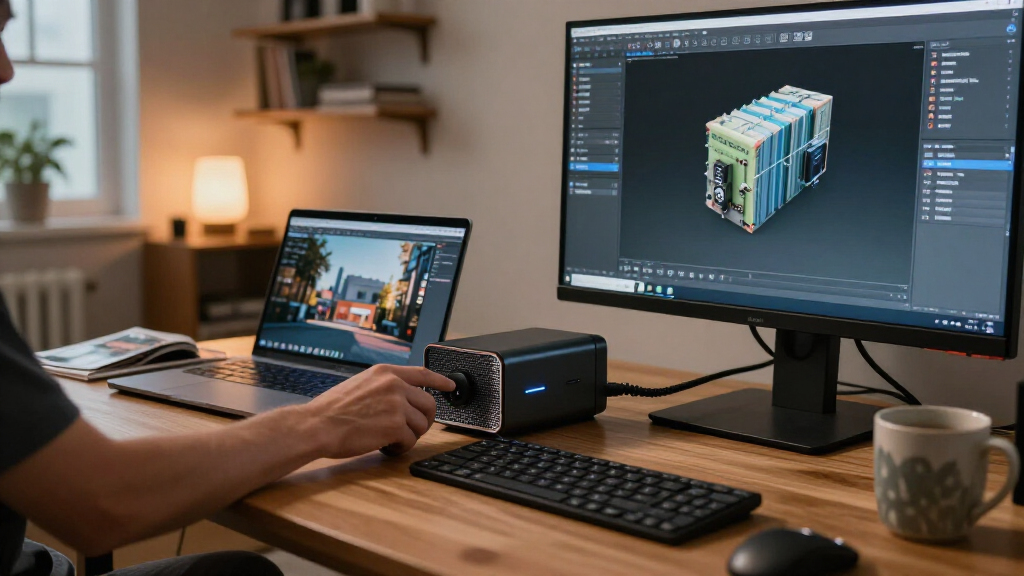
How We Picked
I ranked these enclosures by how well their connection, power delivery, physical format, and expected setup demands fit a buyer’s stated use. A complete enclosure with an internal power supply generally ranks ahead of an open dock for an everyday laptop setup because it reduces cable and assembly work. I gave newer Thunderbolt 5 models credit for serving compatible next-generation systems, while accounting for the fact that a matching port on the host is required to benefit from that connection.
I also weighed flexibility against convenience. OCuLink docks can make sense for buyers who prioritize a direct PCIe link and accept a more exposed, hands-on build; hybrid products such as the MINISFORUM DEG2 have an advantage for buyers weighing more than one connection path. Power capacity and stated interface details help narrow choices, but they do not prove that a particular GPU, host, or operating system will work. Product names alone provide limited evidence about dimensions, cooling, noise, or included cables, so I treat those as details to confirm before purchase rather than assumed strengths.
Factors to Consider When Choosing Best External GPU Enclosures
Before choosing a model, I’d work outward from the computer and graphics card you already own. A good enclosure match can still disappoint if the host connection is unsupported, the card does not physically fit, or the dock expects a power setup you do not have. These checks help separate a convenient external GPU setup from one that needs extra hardware and troubleshooting.
Match the connection to the host, not just the enclosure
Start by identifying the exact port and protocol on the computer, since USB-C describes a connector shape rather than guaranteed eGPU support. Thunderbolt 3, Thunderbolt 4, Thunderbolt 5, USB4, and OCuLink have different requirements and capabilities. Check the computer maker’s specifications for eGPU support, and confirm which ports support the connection you intend to use. A Thunderbolt 5 enclosure cannot add Thunderbolt 5 capability to a host that lacks it. USB4 support can also vary by system, so do not infer compatibility from a USB-C port alone. If you use OCuLink, confirm that the computer exposes a compatible OCuLink port or that you have a suitable expansion path. This check can rule out a mismatch before you compare enclosures.
Check card clearance and power as a pair
Graphics cards vary in length, height, thickness, and power connector layout, so compare the exact card dimensions with the enclosure’s published limits. A card can fit the slot yet still collide with the chassis or block airflow. Then check the card maker’s recommended system power and connector requirements against the enclosure supply. A high wattage figure by itself does not confirm that the right cables or connectors are included. Compact or open docks may leave the card exposed, which can simplify access but change how you need to position and protect the setup. Leave room for power cables to bend without pressing against the case. Confirming both fit and power together avoids choosing a dock that supports the connection but cannot accommodate your specific GPU.
Decide how much setup work you want
A closed Thunderbolt enclosure usually gives buyers a more contained setup, with the power supply and graphics card housed together. An open OCuLink dock can suit a desk where the GPU is treated more like a separate component, but it may require more assembly and cable management. Before choosing an open design, think about where the card will sit, how it will be protected from dust or accidental contact, and whether the setup will move often. Also check whether the dock includes the cable and power supply you need; product names do not establish what is in the box. If you want one purchase to cover most of the hardware, verify the included components rather than assuming. Buyers who value a tidy, portable arrangement may prefer a closed chassis even if an open dock fits their technical plans.
Treat bandwidth claims as part of the whole system
The connection between the computer and enclosure is only one part of graphics performance. The host controller, cable, GPU, software, and the task itself all affect the result. External displays connected directly to the graphics card can avoid sending rendered frames back to the laptop’s internal display, which may reduce one source of overhead. A nominally newer connection is most useful when both the host and enclosure support it and the workload can benefit. For gaming, check whether your preferred games and operating system support the intended external GPU configuration. For compute or rendering, confirm application support and driver compatibility. Compare complete system requirements rather than expecting a port label alone to predict results.
Pay for flexibility only when you have a use for it
Dual-interface models can be useful if you have more than one compatible host or want to change connection methods later. That flexibility adds little if your computer supports only one relevant interface. Likewise, a larger power supply may leave room for a demanding card, but it does not improve compatibility with a host that cannot connect to the enclosure. Buyers considering Thunderbolt 5 should check whether their current computer supports it or whether the purchase is for a future system. For an OCuLink setup, make sure the direct connection is available before placing a premium on it. I’d spend first on a verified match for the host and GPU, then on extra interfaces or power headroom only when a planned upgrade calls for them.
Frequently Asked Questions
Can I use any USB-C port with an external GPU enclosure?
No. USB-C names the physical connector, while eGPU support depends on the protocol and implementation behind that port. Check whether your computer’s specific port supports the enclosure’s required Thunderbolt or USB4 connection, or whether it has OCuLink for a compatible dock. The computer maker’s specifications are a better guide than the port’s shape. If eGPU support is not listed, confirm it with the manufacturer before buying.
Will an external GPU perform like the same card in a desktop?
Not necessarily. The connection between host and GPU has less bandwidth than a direct desktop PCIe slot, and the host, cable, drivers, and workload all affect results. A monitor connected directly to the external GPU can avoid sending rendered frames back to the laptop screen. The gap can vary by application, so look for results from a setup with a similar host and connection if performance is a deciding factor. Treat an enclosure as a way to add graphics capability, not as a promise of desktop-identical performance.
Should I choose Thunderbolt 5 or an OCuLink dock?
Choose based on your computer and how you plan to use the setup. Thunderbolt 5 is the more convenient route when your host supports it and you want a closed enclosure or dock-style connection. OCuLink can appeal if your system has a compatible port and you are comfortable with a more open, hands-on arrangement. Neither connection is useful if the host lacks the matching support. Confirm the exact host interface, included cable, GPU power, and physical setup before deciding between them.
Can I reuse a graphics card from my desktop?
Often, but only if the card fits the enclosure and its power requirements match the enclosure’s supply and connectors. Measure the card, including its cooler and power cable clearance, against the manufacturer’s listed limits. Check the recommended power supply and connector type for the specific card rather than relying on its model family. Also verify operating system and host support for external GPUs. A desktop card that meets those checks may still perform differently outside a desktop’s internal PCIe slot.
Do external GPU enclosures work with every laptop?
No. The laptop needs a supported connection, suitable firmware and operating system support, and drivers for the graphics card. Some laptops have USB-C ports without the Thunderbolt or USB4 features an enclosure needs. Others may support a connection in hardware but have software limitations. Check the laptop maker’s documentation and the enclosure’s compatibility notes, then verify GPU dimensions and power. If the laptop’s support is unclear, confirm it with the manufacturer before choosing a model.
Conclusion
For most buyers with a compatible Thunderbolt host, I’d start with the Sonnet eGPU Breakaway Box 750 as the best overall balance of a familiar enclosure format and 750W supply. The OCuLink docks are the value-oriented direction for buyers who already have compatible hardware and can manage an open setup; their practical value depends on what cables and power components are included. For a premium newer-host build, compare the Sonnet Breakaway Box 850 T5 and Plugable TBT5-AI against your system’s Thunderbolt 5 support and desired features. Beginners are better served by a complete, closed enclosure such as the Sonnet 750 than by an open OCuLink dock. If you need connection flexibility, the MINISFORUM DEG2 stands apart with USB4 V2 and OCuLink; if you want a Thunderbolt 5 option, assess the PELADN and Plugable models against their published specifications before choosing. In every case, confirm host support, card fit, power connectors, and included parts first.
Fall Picks
fall essentials
As an affiliate, we earn on qualifying purchases.