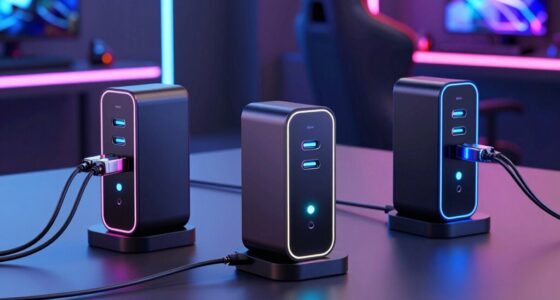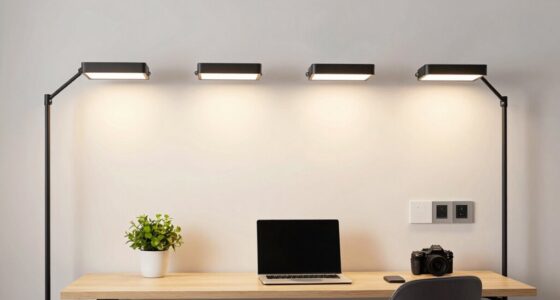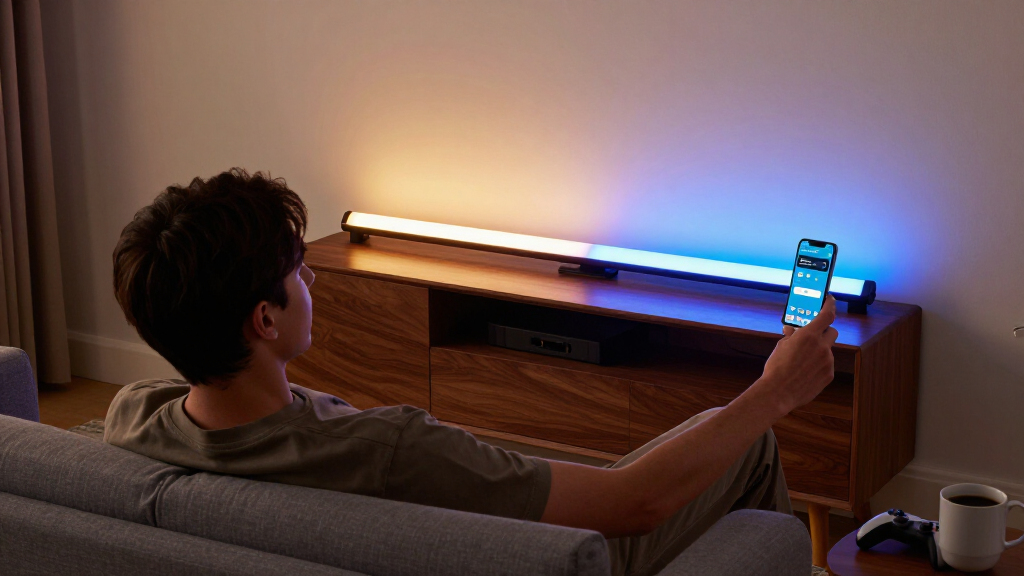

The Govee Smart Light Bar, RGBICWW TV Lights (Silver) takes my best overall spot because it nails the two things that define this category: true multi-color segmentation on a single bar and warm-white LEDs that don’t look washed out when you want ambient room lighting rather than gamer glow. If smart-home future-proofing matters more to you, the Nurmina Nova Light Bars Pro and SwitchBot RGBICWW LED Light Bars both support Matter, which Govee’s cheaper bars skip. The main tradeoff in this roundup is ecosystem depth versus price: Govee offers the richest effects and app but leans on its own cloud, while Matter-enabled rivals play nicer with Apple Home and Google Home but have simpler scene libraries. There’s also a real split between TV backlights, desk light bars, and wall panels — they look similar on a product page but serve completely different setups. Keep reading for the full breakdown of all 14.

Get the latest gadgets delivered free — and shop member deals
- Fast, free delivery on millions of items
- Access to Prime Big Deal Days deals on October 6–7
- Prime Video, Amazon Music and more included
Complete the kit



Key Takeaways
- Govee dominates raw count in this lineup (7 of 14 picks), but its models vary widely — only the RGBICWW versions include the warm-white channel that the category name promises, while the RGBIC-only H6047 and Glide panels don’t.
- Matter support was the single biggest differentiator for smart-home buyers: the Nurmina Nova Pro and SwitchBot bars connect natively to Apple Home, Alexa and Google Home without relying on a proprietary cloud.
- Several budget two-pack options (WIXBOSHU, the iron-base RGB-IC pair) deliver segmented color but cut corners on app polish, brightness accuracy and music-sync responsiveness — fine for casual decor, frustrating for gaming.
- The Govee Monitor Light Bar and the 15-inch RGBWIC TV backlight solve different problems than floor-standing bars: one lights your desk with an RGBIC bias strip on the back, the other is sized specifically for 45–70-inch TVs.
- Philips WiZ Gradient Light Bars were the only option here that rivals Govee on scene quality while adding a trusted brand’s firmware support record — a strong pick if you distrust third-party app ecosystems.


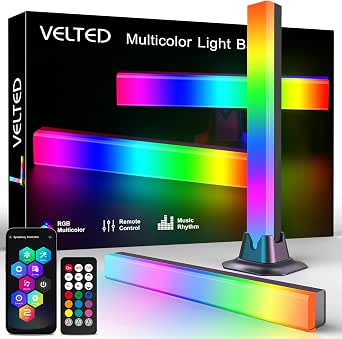


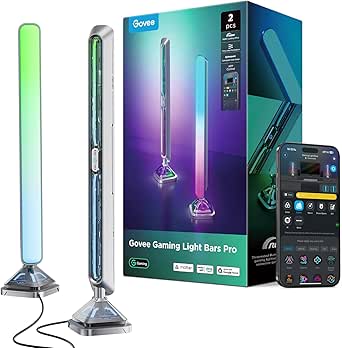


| RGBICWW light bar | Connectivity |
|---|---|
| Govee RGBIC Gaming Light Bars | Wi-Fi, Bluetooth |
| Nurmina Nova Light Bars Pro | Matter |
| WIXBOSHU Smart RGB IC LED Ligh | — |
| Govee Smart RGBWIC Light Bars | — |
| Smart LED Light Bar with Music | — |
| Govee Monitor Light Bar with R | — |
| RGB Light Bar Smart Music Sync | Bluetooth |
| Smart RGB-IC Gaming Light Bars | Bluetooth |
| Govee Smart Light Bar | Matter, Alexa, Google Home |
| SwitchBot RGBICWW LED Light Ba | Matter over Wi-Fi |
| Govee Gaming Light Bars Pro | Wi-Fi |
| Govee Glide Wall Lights | Bluetooth, Wi-Fi |
| Govee Smart Light Bar | — |
| Philips Smart Lighting Gradien | Wi-Fi, Matter |
More Details on Our Top Picks
Govee RGBIC Gaming Light Bars H6047 with Smart Controller, Wi-Fi Smart LED
This model stands out as the most complete gaming package in the lineup, largely because of the desktop dial controller — a physical, tactile way to change effects that no other pick here offers. Compared with the Nurmina Nova Pro, it trades Matter smart-home integration for Razer Chroma sync, which matters far more if the bars sit beside a battlestation than in a living room. The AI Lighting Bot 2.0 turns a photo or phrase into a custom effect in seconds, a feature shared with the Govee Smart RGBWIC bars but executed with more scene variety here. The tradeoff: no camera means no screen color matching, so buyers chasing true on-screen sync should look at the Philips WiZ gradient bars instead. Plan for a somewhat fragmented app experience across three programs.
Pros:- RGBIC displays multiple colors simultaneously for layered effects
- Razer Chroma sync plus audio reactivity from speakers or headphones
- Three control paths: app, voice assistants, and a physical desktop dial
- AI Lighting Bot 2.0 generates custom effects from text, voice, or photos
Cons:- No camera, so it cannot pick colors from your screen
- Full functionality requires juggling Govee Home, Govee Desktop, and Razer Synapse 3
Best for: PC gamers who want Razer Chroma integration and hands-on control without touching their phone mid-match
Not ideal for: Apple Home users or anyone wanting TV screen-matching, since it supports neither Matter nor a camera
- Model:H6047
- Technology:RGBIC
- Connectivity:Wi-Fi, Bluetooth
- Colors:16.8 million
- Scene Modes:60+
- Compatibility:Razer Synapse 3, Alexa, Google Assistant
- Controller:Smart desktop dial
Our verdict“The pick for dedicated gaming desks where Chroma sync and instant physical control outweigh smart-home polish.”
Nurmina Nova Light Bars Pro – Smart RGBWIC Gaming Lights with Matter, AI Effects & Music Sync
If your lighting needs to live inside a Matter-based smart home, this is the clear choice — it talks to Apple Home natively, something no Govee model in this roundup can do. That alone separates it from the Govee H6047, which leans PC-gamer-first with Razer support but no Matter. The segment-level RGBWIC control and the trio of AI generators (Photo, Voice, Random) make customization fast, and the 16-inch aluminum-and-polycarbonate build feels more considered than the plastic Govee Smart RGBWIC bars. Be realistic about output: 800 lumens is ambient territory, fine behind a TV or beside a monitor but not bright enough to light a room on its own. The IP20 housing also rules out patio or bathroom placement entirely.
Pros:- Matter support works with Alexa, Google Home, and Apple Home without extra hubs or accounts
- AI lighting modes generate customized ambiance from photos, voice, or randomization
- Built-in microphone with adjustable sensitivity syncs to music and games in real time
- Slim 16-inch design with aluminum accents occupies minimal desk space
Cons:- 800 lumens limits it to accent lighting rather than functional illumination
- IP20 rating means no outdoor or damp-environment use
Best for: Smart home enthusiasts, especially Apple Home users, who want hub-free voice control across every major platform
Not ideal for: Anyone hoping to use light bars as primary room lighting or outdoors, given the modest 800 lumens and IP20 rating
- Technology:RGBWIC
- Brightness:800 lumens
- Height:16 inches
- Wattage:15 watts
- Connectivity:Matter
- Compatibility:Alexa, Google Assistant, Apple Home
- Control Method:App, Remote, Touch
Our verdict“The smart-home-first buyer’s pick, trading raw brightness and gaming ecosystems for universal Matter compatibility.”
WIXBOSHU Smart RGB IC LED Light Bars for Gaming, TV Backlight, Room Decor (2-Pack)
Where most picks here cap out around 60 preset scenes, this pair ships with 213+ light effects — a library deep enough that scrolling for something new never gets old. Compared with the ECWEYAG bars, the advantage is build quality: an aluminum alloy back and metal base that dissipate heat better and feel sturdier than all-plastic rivals, plus a two-year warranty the ECWEYAG set doesn’t match. Control redundancy is generous too, with app, remote, and a physical control box covering every preference. The catches are practical rather than performance-related: like the Govee Smart RGBWIC bars, these are corded electric only, so placement is dictated by outlet locations, and there’s no voice assistant support at all — a real step down from both Govee picks for anyone with an Alexa routine habit.
Pros:- 213+ light effects with 16 million colors and DIY customization
- Metal base and aluminum alloy construction for durability and heat dissipation
- Three control methods: app, remote, and physical control box
- Timer and scheduling functions for automatic daily operation
Cons:- Corded power limits where the bars can be placed
- No voice assistant or smart home integration
Best for: Decor-focused buyers who want maximum preset variety and a solid metal build without paying premium-brand prices
Not ideal for: Smart home tinkerers, since there is no Alexa, Google, or Matter support of any kind
- Model:SPL-FLL002
- Length:17.3 inches per bar
- Colors:16 million+ (RGB+IC)
- Light Effects:213+
- Control Methods:Smart App, Remote, Control Box
- Music Sync:Yes (built-in microphone)
- Warranty:2 years
Our verdict“A strong value play for effect junkies who value build and variety over smart-home connectivity.”
Govee Smart RGBWIC Light Bars, 15-Inch WiFi TV Backlight for 45-70-Inch TVs
This pair is engineered specifically for the TV zone: 27 extra LEDs per bar produce purer whites and richer gradients than standard RGB, which shows up most during movie scenes with soft warm tones — an area where RGB-only rivals like the WIXBOSHU set fall visibly short. The three placement modes (wall-mount behind the panel, standing beside it, or lying flat) give it more installation flexibility than any other pick in this batch, and UL certification adds reassurance for something mounted near expensive electronics. Matter support also makes it more future-proof than the Govee H6047. The honest limitation: there’s no screen color-matching, so despite the TV branding it won’t mirror what’s on screen — buyers wanting that should step up to the Philips WiZ gradient bars.
Pros:- Upgraded RGBWIC with 27 extra LEDs per bar for purer whites and richer color
- Works with Matter, Alexa, Google Home, and SmartThings without a hub
- Wall-mount, standing, or horizontal placement options
- 60+ scene modes plus 8 music sync modes via the Govee Home app
Cons:- No color-matching sync with actual TV content
- Corded electric power requires an outlet near the television
Best for: Home theater owners with 45-70 inch TVs who want quality bias lighting and flexible mounting options
Not ideal for: Viewers specifically chasing on-screen color sync, since there is no camera or content-matching function
- Bar Length:15 inches
- Technology:RGBWIC
- Light Sources:30 LEDs
- Wattage:10 watts
- Voltage:12 volts
- Compatibility:Matter, Alexa, Google Assistant, SmartThings
- Certification:UL Listed
Our verdict“The best fit for dedicated TV ambiance where mounting flexibility and white-quality matter more than content sync.”
Smart LED Light Bar with Music Sync, RGBICWW TV Backlight for Gaming and Room Decor
For a first dip into ambient lighting, this ECWEYAG pair keeps friction low: USB power means it plugs straight into a TV port or console, no wall outlet hunting like the corded Govee and WIXBOSHU models demand. The removable bases and included brackets make repositioning a five-minute decision rather than a project, which suits renters and serial desk-rearrangers. Its 40 IC-driven beams handle multi-color effects credibly, and the Tuya/Smart Life ecosystem plus Alexa and Google voice control covers the basics. Compared with the Nurmina Nova Pro, you give up Matter and Apple Home, and the 5-watt draw means output sits firmly in accent-lighting territory — noticeable, but not the room-filling presence of pricier bars. App setup is required to unlock anything beyond the basics.
Pros:- USB power works with TV ports and consoles without needing a wall outlet
- Removable bases and included brackets allow standing, wall, or horizontal placement
- Voice control through Alexa and Google Assistant plus app and button box
- 16 million colors with 8 dynamic scenes and a timer function
Cons:- 5-watt USB output limits brightness to subtle accent lighting
- Full feature access requires Tuya/Smart Life app setup
- Indoor use only with no water resistance
Best for: First-time buyers and renters who want easy USB-powered ambient lighting they can reposition on a whim
Not ideal for: Buyers wanting bright, room-filling output or Apple Home support — this is a modest, entry-level setup
- Model:EC-TVLIGHT-0A
- Light Sources:40 IC beams
- Power Source:USB (corded)
- Wattage:5 watts
- Voltage:5 volts
- Control Methods:Tuya/Smart Life app, button box, Alexa, Google Assistant
- Warranty:12 months
Our verdict“A low-commitment entry point for casual users, as long as expectations stay at accent-lighting levels.”
Govee Monitor Light Bar with RGBIC Backlight for 0.12–6.3-inch Thick Monitors
Most light bars in this roundup chase ambience; this one puts desk comfort first. The dual-sided design throws light forward onto your desk and backward as RGBIC glow, which makes it more functional than the freestanding SwitchBot RGBICWW pair if you actually read and type at your screen. The RG0 blue light rating and TÜV Rheinland eye-comfort certification set it apart — no other pick here carries that credential. Presence sensing via mmWave radar means the bar lights up when you sit down, a genuinely useful touch for daily work. The tradeoff is structural: it’s a clamp-mounted, corded accessory, so it only works with monitors between 0.12 and 6.3 inches thick, and the power cable adds clutter to an otherwise clean setup. Compared with the Govee Smart Light Bar RGBICWW, it offers less room-filling color but far better task lighting.
Pros:- RG0 blue light safety and TÜV Rheinland certified eye comfort
- mmWave presence sensing for automatic on/off
- Fits 22″–34″ flat and curved monitors (≥800R) with minimal bezel obstruction
- 90+ dynamic effects with Matter, Google Assistant, and SmartThings support
Cons:- Corded clamp design adds cable clutter to the desk
- Full feature set requires the Govee Home app
- Clamp range excludes some ultra-thin or very thick displays
Best for: Remote workers and students who spend long hours at a monitor and want certified eye-care task lighting with smart extras
Not ideal for: Anyone hoping to light a whole room or TV wall — it’s a screen-mounted lamp, not an ambience bar
- Light Source:LED (3 sources)
- Wattage:18W
- Color Temperature:2700–6500K
- Brightness Range:1–100%
- Monitor Compatibility:0.12–6.3″ thick, 22″–34″ flat & curved (≥800R)
- Smart Home:Matter, Google Assistant, SmartThings
- Controls:Touch, app, voice
- Material:Aluminum
Our verdict“This is the pick for people who need a work lamp first and ambience second — buy it for the eye-care optics, not for room-filling color.”
RGB Light Bar Smart Music Sync IC LED Light Bars with APP & Remote Control
Not everyone wants a smart-home project, and that’s exactly the gap this option fills. Plug it into a USB port, pair over Bluetooth, and the seven music-sync modes and eight color modes are running within minutes — no hub, no Wi-Fi configuration, no account. That simplicity is its real advantage over the SwitchBot RGBICWW Light Bars, which offer richer ecosystems but demand more setup. The included physical remote is a nice touch for anyone who finds app-only control frustrating. The compromises are real, though: it’s RGB rather than RGBICWW, so there’s no tunable white for everyday lighting, the plastic build feels budget-grade next to Govee’s aluminum-clad options, and it’s strictly indoor-only. Compared with the Smart RGB-IC Gaming Light Bars 2-Pack, you trade a second bar and Bluetooth app polish for a slightly lower bar to entry.
Pros:- Seven music-sync modes with eight dynamic IC color modes
- Dual control via Surplife app and physical remote, no Wi-Fi needed
- USB powered works with PCs, TVs, and consoles
- Ready to use out of the box in minutes
Cons:- No white-light or RGBICWW tuning — ambience only
- Plastic construction feels less durable than aluminum rivals
- Requires a USB power source, tethering placement
Best for: Casual users and gift-buyers who want instant music-reactive color from a USB port without any smart-home setup
Not ideal for: Buyers who want tunable white light for daily use or Matter/voice-control integration — this is RGB ambience only
- Power:USB (5V), 5W
- Connectivity:Bluetooth
- Controls:Surplife app, remote
- Colors:RGB multicolor (IC)
- Mounting:Tabletop (removable base)
- Material:Plastic
- Warranty:1 year
Our verdict“The easiest, cheapest way into music-sync lighting — just don’t expect it to serve as everyday illumination.”
Smart RGB-IC Gaming Light Bars with Iron Base (2-Pack)
Two bars for the price of one setup is the pitch here, and for symmetrical desk lighting — one bar flanking each side of a monitor — a pair works better than a single unit like the Govee Monitor Light Bar. The RGB-ICW technology means each bar can show multiple colors at once and includes adjustable white tones, putting it a step above the RGB-only velted music-sync bars in everyday usefulness. The iron plate base is heavier and steadier than typical plastic feet, so the bars stay put behind a monitor. The built-in microphone handles music sync without any external sensor. The tradeoffs mirror its budget tier: Bluetooth-only control means no Matter, Alexa, or Google Home integration, and every customization lives in the smartphone app — there’s no remote. If voice control matters, the Govee Smart Light Bar RGBICWW is the smarter spend.
Pros:- Two bars enable symmetric monitor-side placement
- RGB-ICW adds adjustable white to multi-color effects
- Sturdy iron plate base stays stable behind monitors
- Built-in mic music sync needs no extra sensor
Cons:- No voice control or smart-home ecosystem support
- All customization depends on the smartphone app
- USB power tethers placement to a nearby port
Best for: Gamers building a symmetric two-bar battlestation on a budget who don’t need voice assistants
Not ideal for: Smart-home enthusiasts — Bluetooth-only control locks you out of Matter, Alexa, and Google Home
- Technology:RGB-ICW
- Quantity:2 bars
- Power:USB
- Connectivity:Bluetooth
- Music Sync:Built-in high-sensitivity mic
- Base:Iron plate
Our verdict“The most layout-friendly budget option in the lineup — grab it for a two-bar desk look if app-and-USB control is enough.”
Govee Smart Light Bar, RGBICWW TV Lights for Living Room and Gaming, Silver
When the roundup’s whole premise is RGBICWW, this bar is the standard-bearer. It pairs vivid multi-color zones with true tunable warm-to-cool white, meaning it can shift from movie-night amber to full gaming color without a second device — something the RGB-only velted bars simply can’t do. The three placement modes (flat, vertical, or bracket-mounted behind a screen) give it more flexibility than the clamp-locked Govee Monitor Light Bar, and native Matter support without a hub puts Alexa and Google Home control within reach out of the box. Sixty-plus scene modes plus AI-generated lighting effects make it the deepest customization package in this batch. The main limitation is coverage: Govee recommends it for displays under 45 inches, so large-TV owners should look at the 15-inch Govee RGBWIC TV backlight instead. And as with most Govee gear, unlocking everything means living in the app.
Pros:- True RGBICWW: tunable warm-to-cool white plus multi-color zones
- Matter support with Alexa and Google Home, no hub required
- Lay flat, stand vertical, or bracket-mount behind a screen
- 60+ scene modes plus AI-generated lighting effects
Cons:- Recommended only for displays under 45 inches
- Full feature set depends on the Govee Home app
- Single-bar design offers less symmetric coverage than 2-pack rivals
Best for: Buyers who want one do-everything light bar — daily white lighting plus immersive RGBIC color for gaming under a 45-inch display
Not ideal for: Owners of large TVs over 45 inches — coverage falls short, and a dedicated TV backlight serves better
- Technology:RGBICWW
- Connectivity:Matter, Alexa, Google Home
- Music Sync:Built-in microphone
- Scene Modes:60+
- Recommended Display Size:Under 45 inches
- Cord Length:106 inches
- Hub Required:No
- Mounting:Flat, vertical, or bracket-mount
Our verdict“If you want the complete RGBICWW experience — real white light, rich color, and Matter smart-home control — this is the one to beat.”
SwitchBot RGBICWW LED Light Bars, Smart TV Backlight with Matter, 800lm
This pair is the choice when the smart-home ecosystem is the priority. Native Matter over Wi-Fi means it joins Apple Home, Alexa, Google Home, and SmartThings without a hub — notably, it’s one of the few options in this lineup that works cleanly with Apple Home, which the Bluetooth-only Smart RGB-IC Gaming Light Bars can’t touch. The output is serious too: up to 800 lumens across the pair with 2200–6500K white tuning, a warmer low end than the Govee Monitor Light Bar’s 2700K floor, plus six RGBIC zones per bar for granular color. Magnetic, adhesive, or freestanding mounting beats the fixed bases of most rivals. The wildcard feature is the open API that lets tinkerers tie lighting cues to AI agents. Downsides: the corded power limits placement, magnetic mounting only works on metal surfaces, and its 26 effects trail Govee’s 60+ scene library.
Pros:- Native Matter over Wi-Fi with Apple Home, Alexa, Google Home, and SmartThings — no hub
- Bright 800lm output with wide 2200–6500K white tuning
- Magnetic, adhesive, or freestanding mounting options
- Open API for custom automation and AI-agent lighting cues
Cons:- Corded power restricts placement flexibility
- Magnetic mounting requires metal surfaces
- Smaller effect library than Govee alternatives
Best for: Apple Home users and smart-home tinkerers who want hub-free Matter control and warm, bright tunable white
Not ideal for: Buyers who want maximum preset scenes and effects out of the box — the 26-effect library trails Govee’s ecosystem
- Brightness:Up to 800 lm (pair)
- Color Options:16 million colors, RGBICWW
- Color Temperature:2200–6500K
- Dimming:1–100%
- Effects:26 effects (6 music-reactive), 6 RGBIC zones per bar
- Connectivity:Matter over Wi-Fi
- Compatible Ecosystems:Apple Home, Alexa, Google Home, SmartThings
- Mounting:Magnetic, adhesive, tabletop
Our verdict“The smartest-connected pair here — pick it if ecosystem compatibility (especially Apple Home) and bright tunable white matter more than preset effects.”
Govee Gaming Light Bars Pro – 16-Inch Smart RGBIC Wi-Fi LED Game Lights
This option stands out for triple-sided illumination, which wraps light around each bar instead of blasting it in one direction — a genuine step up from the flat output of the Govee Smart Light Bar RGBICWW for anyone building a full gaming battlestation. Screen sync through Govee Desktop and Razer Chroma support make this model better suited to PC gamers who want their lighting to react to gameplay in real time, something the Philips WiZ Gradient Light Bars can’t do without extra hardware. The tradeoff is real, though: color matching is Windows-only, so Mac users and casual console players lose the headline feature. The weighted metal-textured bases and cyberpunk styling feel like a deliberate play for enthusiasts, and the AI Lighting Bot 2.0 makes custom effects approachable even for beginners.
Pros:- Triple-sided illumination fills the room more evenly than single-direction bars
- Real-time screen sync plus Razer Chroma integration for gaming immersion
- Matter, Alexa, and Google Home support with no hub required
- AI Lighting Bot 2.0 generates custom effects from text, voice, or photos
Cons:- Screen color-matching depends on Govee Desktop software, which is Windows-only
- No built-in color-matching function on the bars themselves
Best for: PC gamers on Windows who want real-time screen sync and the most immersive multi-directional lighting
Not ideal for: Mac or console-first users — the core screen color-matching feature requires Windows software and won’t work otherwise
- Brand:Govee
- Size:16 inches
- Colors:16M (RGBIC)
- Connectivity:Wi-Fi
- Smart Home Compatibility:Matter, Alexa, Google Home
- Software:Govee Desktop (Windows only), Govee Home App
- Sync Features:Screen sync, music sync, AI lighting
- Gaming Integration:Razer Chroma compatible
Our verdict“Buy this if you’re a Windows PC gamer who wants the deepest screen-sync experience; skip it if you’re on Mac or mostly game on console.”
Govee Glide Wall Lights, Smart RGBIC Gaming Light Bar (2-Panel Set)
Unlike every desk-standing option in this lineup, the Glide H610A is built to live on the wall, with two rigid panels that display up to 24 colors at once — more simultaneous color than most bars here manage. Compared with the Govee Gaming Light Bars Pro, this set trades desk presence and screen sync for permanent, architectural ambient lighting that frames a wall or TV zone. The 64+ scene modes and 11 music sync modes mean it can still party, and installation is refreshingly simple on smooth surfaces. That said, the rigid design can’t be curved around corners like strip lights, the adhesive needs a full hour to set before you trust it with the panels, and all bars must be connected before powering on — plan your layout before committing.
Pros:- Displays up to 24 colors simultaneously for rich, layered gradients
- Tool-free installation on smooth surfaces with included velcro and adhesive
- Works with Alexa, Google Assistant, and SmartThings out of the box
- 64+ scene modes and 11 music modes give deep customization
Cons:- Panels are rigid and cannot be bent or shaped to fit corners
- Adhesive needs about an hour to set, and layout mistakes are hard to undo
Best for: Renters and decorators who want permanent-looking wall lighting without drilling or rewiring
Not ideal for: Anyone wanting desk-side gaming bars with screen sync — this set is wall-mounted only and lacks real-time color matching
- Model:H610A
- Panel Count:2 panels, 3 segments each
- Segment Length:14.8 inches
- Color Technology:RGBIC (up to 24 simultaneous colors)
- Connectivity:Bluetooth, Wi-Fi
- Compatibility:Alexa, Google Assistant, SmartThings
- Modes:11 music modes, 64+ scenes
- Material:Rigid (not flexible)
Our verdict“This pick makes the most sense for wall-focused ambient lighting; gamers who want screen-reactive desk bars should look elsewhere.”
Govee Smart Light Bar, RGBICWW TV Lights for Living Room, Gaming, Black
This is the model that best delivers on what the roundup is actually about: true RGBICWW output, meaning vivid multi-color RGBIC effects plus tunable warm-to-cool white — something pure RGBIC picks like the Govee Glide Wall Lights can’t match for everyday room lighting. The flexibility is the real selling point: lay the bars flat, stand them vertically, or bracket-mount them behind a TV, and the 106-inch cord gives plenty of reach for living-room layouts. Matter support means it drops cleanly into an existing Alexa or Google Home setup without a hub. The compromises are honest ones — it’s rated for monitors under 45 inches, so big-TV owners should step up to a longer-bar alternative, and deeper customization lives entirely in the Govee Home App rather than on the hardware itself.
Pros:- RGBICWW adds tunable warm-to-cool white that RGBIC-only bars lack
- Three placement modes: flat, vertical, or bracket-mounted behind a display
- Matter support works with Alexa and Google Home with no hub
- Long 106-inch cord suits living-room spacing
Cons:- Officially recommended only for monitors and TVs under 45 inches
- Advanced scenes and DIY effects require the Govee Home App
Best for: Living-room users who want both usable tunable white light and colorful ambient effects from one affordable set
Not ideal for: Owners of TVs larger than 45 inches — the bars won’t throw enough light to fill a big screen’s backdrop
- Technology:RGBICWW
- Recommended Monitor Size:Under 45 inches
- Cord Length:106 inches
- Smart Home Compatibility:Matter, Alexa, Google Home
- Scene Modes:60+
- Placement Options:Flat, vertical, or wall-mount with included brackets
- Music Sync:Built-in microphone
Our verdict“The strongest all-around pick if you want genuine RGBICWW versatility for a living room or mid-size TV setup.”
Philips Smart Lighting Gradient Light Bars (Connected by WiZ) – RGBIC LED, Multicolor Effects, Sync with TV and Music
This pick makes the most sense for one specific reason: it’s the only option in this batch with native Apple Home support through WiZ and Matter, where the Govee models favor Alexa and Google ecosystems. The gradient RGBIC output produces smooth multi-color blends that hold their own against the Govee Smart Light Bar RGBICWW in pure color effects, though it lacks tunable white, so it’s weaker as an everyday room light. Placement is flexible — horizontal, vertical, or bracketed behind a TV — and the matte finish looks tidy on a media console. The tradeoffs matter: it’s not Hue-compatible despite the Philips name, TV screen syncing needs separately sold hardware, and the all-plastic build feels a notch below Govee’s metal-based Pro bars.
Pros:- Native Apple Home support alongside Alexa and Google Home via Matter
- RGBIC gradient effects display multiple colors simultaneously
- Flexible horizontal, vertical, or behind-TV mounting
- Two-year manufacturer warranty and established Signify support
Cons:- Not compatible with Philips Hue despite the brand name
- True TV screen syncing requires additional hardware sold separately
- Fully plastic construction feels less premium than metal-based rivals
Best for: Apple Home households who want Matter-certified gradient bars that integrate with Siri and the Home app
Not ideal for: Philips Hue owners expecting ecosystem compatibility — these bars connect via WiZ and won’t pair with a Hue bridge
- Brand:Philips (Signify)
- Model Number:612465
- Light Bars:2
- Wattage:8.4 watts per set
- Connectivity:Wi-Fi, Matter
- Compatible Assistants:Alexa, Google Home, Apple Home
- Dimensions (per bar):11.81 D x 1.81 W x 1.81 H inches
- Mounting:Tabletop or wall-mount brackets
- Warranty:2 years
Our verdict“Choose this if you live in the Apple Home ecosystem and want gradient color; Hue users and screen-sync seekers should pass.”
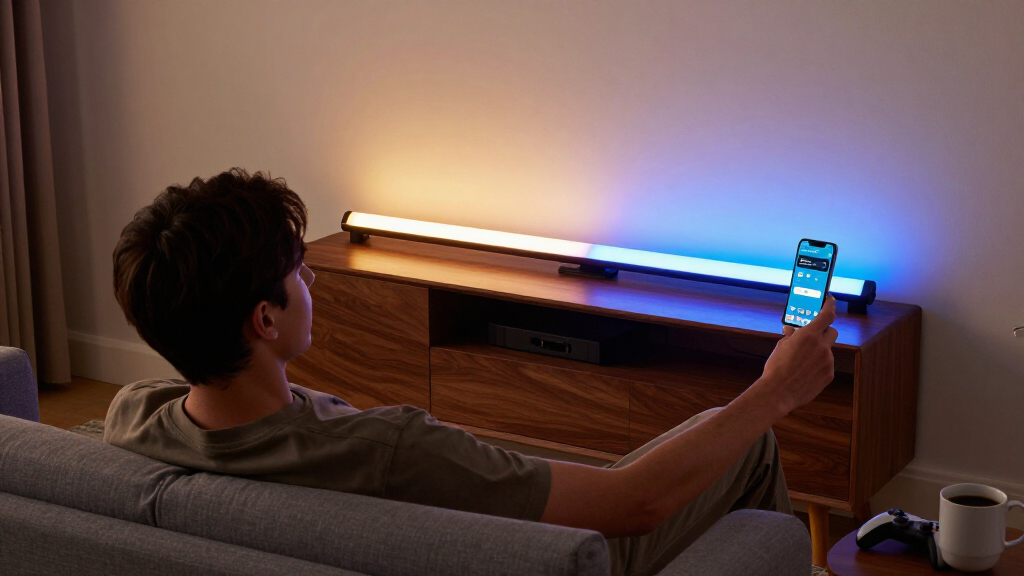
How We Picked
Since “RGBICWW” means segmented multi-color LEDs plus a tunable white channel, I filtered every product through that lens first: does it actually render multiple colors on one bar, and does its white output run warm enough for living-room use? Several entries here are RGBIC or RGB-IC only, and I ranked them lower for buyers specifically shopping the RGBICWW category — but kept them where their design, sync quality or price justified a spot. From there I compared smart-home compatibility (Wi-Fi, Matter, Alexa/Google/Apple support), sync performance (camera vs. app-based music and screen sync, and how laggy it feels), app depth (effect libraries, scene creation, scheduling), and physical design (mounting options, base stability, brightness output).
Ranking also reflected who each product is for rather than a single score. A desk monitor bar shouldn’t beat a TV backlight just for being cheaper — it should win for monitor users. I penalized products for locked-down ecosystems where the tradeoff wasn’t justified, and rewarded options that give buyers a realistic upgrade path (Govee’s scene ecosystem, Matter’s cross-platform support). Value picks had to genuinely match the category’s core features, not just undercut on price.
Factors to Consider When Choosing Best RGBICWW Light Bars
Before you pick a specific bar, it helps to understand what actually separates a good RGBICWW purchase from a disappointing one. These are the factors that shaped my ranking — and the mistakes I see buyers make most often.RGBICWW vs. RGBIC vs. RGBW: Know What You’re Buying
The suffixes matter more than most product listings admit. RGBIC gives you multi-color segments on one bar but no dedicated white LEDs — whites are mixed from red, green and blue, which looks bluish and flat. RGBICWW adds warm and cool white channels, so the bar can double as genuine ambient lighting at 2700–3000K rather than looking like a gamer accessory. The common mistake is buying an RGBIC-only bar for a living room and being disappointed by the white output. If pure effect color is all you want, RGBIC saves money; if the bar will be your room’s evening light source, the WW channel is non-negotiable.
Ecosystem Lock-In and Matter Support
Govee’s ecosystem is deep but proprietary: your scenes, schedules and sync settings live in the Govee app and, on cheaper models, route through Govee’s cloud. That works fine until your smart-home platform of choice changes or the app redesigns something you relied on. Matter-enabled bars like the Nurmina Nova Pro and SwitchBot pair natively with Apple Home, Google Home and Alexa, which means one less app and better local control. The tradeoff: Matter bars currently offer fewer exotic effects than Govee’s massive community scene library. Decide whether you value breadth of effects or platform stability before you buy — switching later means rebuying hardware.
Match the Form Factor to Your Setup
Light bars look interchangeable online but come in four distinct formats: vertical floor/desk bars (the classic gaming look), monitor light bars (mounted on top of your screen with an RGBIC strip facing backward as bias lighting), TV backlights sized to specific screen ranges, and wall panels like the Govee Glide. Buying the wrong one is the most common regret in this category — a 15-inch TV bar on a 75-inch screen looks undersized, and a floor-standing pair behind a monitor creates screen glare. Measure your space, check the stated screen-size compatibility, and remember that wall panels require permanent mounting hardware.
Music and Screen Sync: What the Specs Don’t Say
Every bar here claims music sync, but implementation quality varies enormously. App-based sync uses your phone’s microphone or the audio signal and is fine for casual parties. Camera-based TV sync (a small camera or HDMI box watching your screen) is noticeably more responsive for gaming and movies, but adds cost and a visible device on your TV. Beware of ultra-budget bars where sync reacts a half-second late — it turns an immersive effect into a distraction. If screen sync is your main reason for buying, prioritize options with a dedicated sync accessory over mic-based listening, and check whether the accessory is included or sold separately.
Brightness, Segments and Build Reality
Lumen output matters less than segment count for the RGBIC effect — a bar split into 12 zones produces far richer gradients than one with 4 zones at the same brightness. For ambient room lighting, look for 800+ lumens per pair; for pure accent glow, brightness is wasted money. Build quality shows up in the details budget listings skip: weighted bases (the iron-base models are genuinely more stable on carpet), gooseneck adjustability, and whether the power adapter is wall-mountable. Also check the mounting hardware included — several wall-mount options assume smooth drywall and fail on textured or brick surfaces.
When to Pay More — and When Not To
Premium pricing in this category buys three things: better white-channel quality, reliable Wi-Fi and firmware support, and more polished apps. If any of those matter to your daily use, the upgrade from a $30 two-pack to a mid-tier name-brand bar is where value peaks. Beyond that, you’re paying for camera sync hardware and design flourishes with diminishing returns. Casual bedroom decor buyers genuinely don’t need more than a basic IC bar — spending triple for features you’ll never open in the app is the second most common mistake I see. Match the tier to how often you’ll actually interact with the product, not the ceiling of your budget.
Frequently Asked Questions
Do I really need RGBICWW, or is regular RGBIC good enough?
It depends on whether the bar will ever serve as room lighting. RGBIC-only bars mix their “white” from colored LEDs, which reads as cold and slightly tinted — great for effects, poor for reading or relaxing. The WW channel gives you a true warm white around 2700K, letting the bar replace a lamp in the evening and switch to full color effects for gaming or parties. If the bar is purely decorative bias lighting behind a monitor, RGBIC saves money with no real downside. But for living rooms, bedrooms or anywhere you’d notice lighting quality, the RGBICWW premium is one of the few spec upgrades worth paying for.
Is Govee’s app-dependence a real problem if I plan to use Google Home or Alexa?
Govee devices connect to Alexa and Google Home for basic controls — power, brightness, color and preset scenes — so voice users are well covered. The limitation appears in the details: custom scene creation, effect layering and scheduling all happen in the Govee app, and most models route commands through Govee’s cloud, which means an outage or a discontinued integration can degrade your setup. Apple Home users are the worst served, since Govee’s Matter support is limited to specific newer models. If deep cross-platform integration is your priority, the Nurmina Nova Pro or SwitchBot bars with native Matter are the safer long-term architecture.
Are the budget two-pack light bars actually usable, or a waste of money?
For accent decor, they’re genuinely usable — the segmented color effect is cheap to manufacture now, so even inexpensive bars produce the rainbow-gradient look you see in product photos. Where they fall short is consistency and software: brightness can vary between the two bars in a pair, music sync often lags by a half-second or more, and companion apps tend to be bare-bones with clunky onboarding. They also rarely support smart-home platforms beyond a basic skill. My guidance: buy them for a kid’s room, dorm or shelf display where imperfection is fine, and step up to Govee, SwitchBot or Philips anywhere you’ll notice sync lag or want automation.
Can I use a TV backlight bar with my monitor, or a monitor light bar with my TV?
Physically, sometimes — but it’s rarely satisfying. Monitor light bars clip to screens up to about 6.3 inches thick and are engineered to throw light forward onto your desk, with the RGBIC glow aimed backward as bias lighting; on a TV, the forward lighting does nothing useful. TV backlights sized for 45–70-inch screens use adhesive or mounting brackets positioned for large panels and look undersized on a 27-inch monitor. If you want one product for both, vertical smart bars like the Govee RGBICWW or SwitchBot placed on furniture behind or beside the screen are the flexible answer — they’re not attached to any display and can move between setups freely.
What’s the difference between the Govee RGBICWW light bars in silver and black — and which should I pick?
Feature-wise they’re the same product: identical RGBICWW output, same app support and same mounting options — the finish is purely aesthetic. The choice comes down to where they’ll live. The silver version reads more like home decor and blends with modern, light-toned interiors, which suits living rooms and open shelving. The black version disappears into gaming setups, dark media consoles and desk environments where the bar itself shouldn’t draw attention when off. Since both sit at the same tier, pick by room rather than by specs — and if you’re torn, black hides fingerprints and dust noticeably better on a frequently touched desk setup.
Conclusion
For best overall, the Govee Smart Light Bar RGBICWW in silver or black balances true warm-white output, a deep effects ecosystem and reliable app support — it’s the pick I’d point most buyers toward. The WIXBOSHU 2-pack takes best value for anyone who wants the segmented-color look without paying for ecosystem polish. For best premium, the Nurmina Nova Light Bars Pro justifies its price with Matter support, AI-driven effects and top-tier music sync, with the Philips WiZ Gradient Light Bars as the alternative if brand trust and firmware longevity matter most to you. Beginners should start with the Govee RGBIC Gaming Light Bars H6047 — simple setup, forgiving app, and an easy on-ramp to the Govee ecosystem. For specific needs: monitor users get the Govee Monitor Light Bar with RGBIC Backlight, owners of 45–70-inch TVs should look at the 15-inch Govee RGBWIC TV Backlight, smart-home purists wanting Matter at a reasonable price get the SwitchBot bars, and anyone wanting statement wall lighting rather than floor bars should pick the Govee Glide Wall Lights. Whatever your choice, decide between effects breadth and platform openness first — that single decision narrows this list faster than any spec comparison.
Fall Picks
fall essentials
As an affiliate, we earn on qualifying purchases.