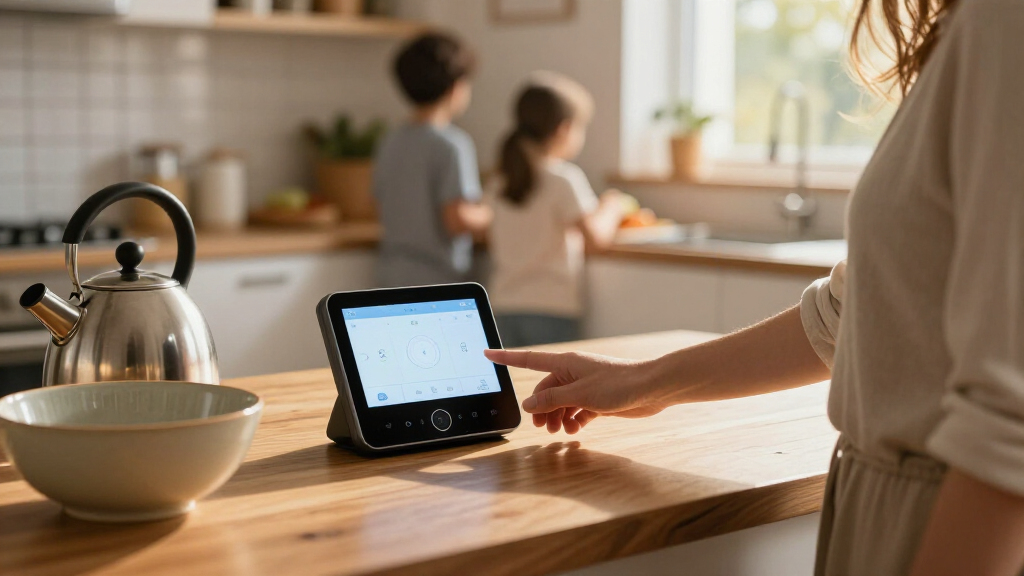

The Amazon Echo Hub earns the top spot among smart home display hubs because it strips away entertainment extras and focuses almost entirely on whole-home control, with a clean dashboard that pulls together cameras, thermostats, lights, and sensors from hundreds of compatible brands. If you want a bigger, more general-purpose screen, the Google Nest Hub Max stands out for its camera, gesture control, and the best voice assistant for answering questions, while the SwitchBot Hub 3 wins on value by pairing a useful screen and dial with an unusually broad device ecosystem. The main tradeoff in this category is between display hubs that double as entertainment devices (Echo Show line, Nest Hub) and dedicated wall control panels (Echo Hub, Shelly, SONOFF) built purely for automation. Ecosystem lock-in matters too: Alexa, Google Home, and Matter-compatible DIY platforms don’t play equally well with every device you own. Read on for the full breakdown of all thirteen options.

Get the latest gadgets delivered free — and shop member deals
- Fast, free delivery on millions of items
- Access to Prime Big Deal Days deals on October 6–7
- Prime Video, Amazon Music and more included
Complete the kit



Key Takeaways
- The Echo Hub took best overall because its dashboard-first software outperforms general-purpose smart displays for automation, while costing less than premium panels like the Nest Hub Max.
- A clear pattern emerged: bigger screens (Echo Show 15, Nest Hub Max) suit wall command centers, while 4.7–5 inch models (amazon.com/dp/B0BFC7WQ6R?tag=barriermagz-20&ascsubtag=dc-1116164″ target=”_blank” rel=”nofollow sponsored noopener”>amazon.com/dp/B0BCR7M9KX?tag=barriermagz-20&ascsubtag=dc-1116164″ target=”_blank” rel=”nofollow sponsored noopener”>amazon.com/dp/B0C5DPSW5Y?tag=barriermagz-20&ascsubtag=dc-1116164″ target=”_blank” rel=”nofollow sponsored noopener”>amazon.com/dp/B0D848YHDT?tag=barriermagz-20&ascsubtag=dc-1116164″ target=”_blank” rel=”nofollow sponsored noopener”>SONOFF NSPanel Pro, Echo Show 5) work best as bedside or single-room controllers.
- DIY-friendly panels from Shelly and SONOFF offer local control and Zigbee gateways that Alexa and amazon.com/dp/B07L6KVGXV?tag=barriermagz-20&ascsubtag=dc-1116164″ target=”_blank” rel=”nofollow sponsored noopener”>Google devices can’t match, but demand technical setup that most casual buyers will find frustrating.
- The SwitchBot Hub 3 delivered the best value by combining a screen, physical dial, and wide third-party compatibility at a lower tier than Amazon‘s equivalent hardware.
- Several Alexa devices overlap heavily — the Echo Show 8 is the beginner-friendly entertainment pick, while the Echo Hub is the pure control pick, so choosing between them depends on whether you watch content on the device.
| Amazon Echo Show 5 Smart Display with Alexa, Cloud Blue |  | Best Compact Display Hub | Display: 5.5 inches | Camera: 2 MP | Smart assistant: Alexa | VIEW LATEST PRICE | See Our Full Breakdown |
| Google Nest Hub Max 10-Inch Smart Display with Google Assistant, Chalk |  | Best for Google Home and Big-Screen Entertainment | Display: 10-inch LCD touchscreen | Display resolution: 1280 x 800 pixels | Camera: 6.5 MP, 1080p video capture | VIEW LATEST PRICE | See Our Full Breakdown |
| Amazon Echo Show 8 (Newest Model) with 8.7-Inch HD Display and Spatial Audio, Graphite |  | Best Overall Smart Home Display Hub | Display: 8.7-inch HD touchscreen, 800 x 1340 resolution | Dimensions: 8.2 x 5 x 5.9 inches (208 x 127 x 150 mm) | Weight: 37 oz (1049 g) | VIEW LATEST PRICE | See Our Full Breakdown |
| SONOFF NSPanel Pro 120 Smart Control Panel |  | Best for Dedicated Wall Controls | Display: 4.7-inch | Product dimensions: 4.8 x 3 x 1.7 inches | Item weight: 0.317 ounces | VIEW LATEST PRICE | See Our Full Breakdown |
| Amazon Echo Show 15 (Newest Model), 15.6-Inch Full HD Smart Display with Fire TV |  | Best Family Dashboard | Display: 15.6-inch Full HD (1080p) | Streaming: Built-in Fire TV | Camera: Centered auto-framing camera with 3.3x zoom and wide field of view | VIEW LATEST PRICE | See Our Full Breakdown |
| SwitchBot Hub 3 Smart Home Hub with IPS Screen and Dial Control |  | Best for Retrofitted Infrared Devices | Display: 2.4-inch IPS screen | Connectivity: 2.4 GHz Wi-Fi, Bluetooth, Matter | Sensors: Temperature, humidity, and light | VIEW LATEST PRICE | See Our Full Breakdown |
| Amazon Echo Hub Smart Home Control Panel, 8-Inch |  | Best Alexa Command Center | Display: 8 inches | Connectivity: Wi-Fi, Bluetooth, Zigbee, Matter, Sidewalk, Thread | Mounting: Wall mount; tabletop stand sold separately | VIEW LATEST PRICE | See Our Full Breakdown |
| Amazon Echo Spot Smart Alarm Clock with Alexa, Black |  | Best Bedside Companion | Color: Black | Connectivity: Wi-Fi | Smart assistant: Alexa | VIEW LATEST PRICE | See Our Full Breakdown |
| eufy Security Smart Display E10, 8-Inch Smart Home Hub and Control Panel |  | Best for Security-First Homes | Screen size: 8 inches | Model: eufy T87A0 | Storage: 64GB local | VIEW LATEST PRICE | See Our Full Breakdown |
| Shelly Wall Display XL 10.1-Inch Touchscreen Smart Home Control Panel, Black |  | Best for Home Assistant Tinkerers | Display: 10.1-inch touchscreen | Connectivity: Wi-Fi, Bluetooth | Buttons: 4 customizable buttons | VIEW LATEST PRICE | See Our Full Breakdown |
| Amazon Echo Hub 8-Inch Smart Home Control Panel (Certified Refurbished) |  | Best Budget Path to a Dedicated Control Panel | Display: 8 inches | Voice assistant: Alexa | Connectivity: Wi-Fi, Bluetooth, Zigbee, Matter, Sidewalk, Thread | VIEW LATEST PRICE | See Our Full Breakdown |
| Google Nest Hub (1st Gen) 7-Inch Smart Display with Google Assistant, Chalk |  | Best Starter Smart Display for Google Households | Manufacturer: Google | Model: H1A | Generation: 1st Gen | VIEW LATEST PRICE | See Our Full Breakdown |
| SONOFF NSPanel Pro 120 Smart Home Control Panel with Zigbee Gateway, 4.7-Inch Display, White |  | Best for Tinkerers Who Want Scene and Energy Control | Display: 4.7 inches | Connectivity: Zigbee gateway | Color: White | VIEW LATEST PRICE | See Our Full Breakdown |
| smart home display hub | Display | Connectivity |
|---|---|---|
| Amazon Echo Show 5 Smart Displ | 5.5 inches | — |
| Google Nest Hub Max 10-Inch Sm | 10-inch LCD touchscreen | Bluetooth |
| Amazon Echo Show 8 | 8.7-inch HD touchscreen, 800 x 1340 resolution | — |
| SONOFF NSPanel Pro 120 Smart C | 4.7-inch | — |
| Amazon Echo Show 15 | 15.6-inch Full HD (1080p) | — |
| SwitchBot Hub 3 Smart Home Hub | 2.4-inch IPS screen | 2.4 GHz Wi-Fi, Bluetooth, Matter |
| Amazon Echo Hub Smart Home Con | 8 inches | Wi-Fi, Bluetooth, Zigbee, Matter, Sidewalk, Thread |
| Amazon Echo Spot Smart Alarm C | — | Wi-Fi |
| eufy Security Smart Display E1 | — | — |
| Shelly Wall Display XL 10.1-In | 10.1-inch touchscreen | Wi-Fi, Bluetooth |
| Amazon Echo Hub 8-Inch Smart H | 8 inches | Wi-Fi, Bluetooth, Zigbee, Matter, Sidewalk, Thread |
| Google Nest Hub | — | — |
| SONOFF NSPanel Pro 120 Smart H | 4.7 inches | Zigbee gateway |
More Details on Our Top Picks
Amazon Echo Show 5 Smart Display with Alexa, Cloud Blue
The Echo Show 5 is the smallest, simplest fit here for a bedside table or a crowded counter: its 5.5-inch screen puts Alexa, compatible device controls, weather, and camera views within easy reach. A built-in 2 MP camera handles video calls, while the physical shutter and microphone/camera button give privacy-minded households direct control. Compared with the Echo Show 8, it takes up less space but lacks that model’s broader smart home hub support and larger screen. That makes the Show 5 a useful Alexa endpoint for basic checks and calls, rather than the strongest choice for building a connected home from scratch. Its screen is also limiting for shows, and some functions depend on compatible devices or services.
Pros:- Compact 5.5-inch display fits small surfaces
- Built-in camera supports video calls and compatible camera viewing
- Controls compatible smart home devices through Alexa
- Physical camera shutter and microphone/camera off button
Cons:- Small screen is less suited to watching shows
- Some features rely on compatible devices or services
Best for: Alexa households looking for a compact bedside or kitchen display for quick controls, updates, and video calls
Not ideal for: Buyers who want a large screen for entertainment or built-in support for a wider range of smart home protocols
- Display:5.5 inches
- Camera:2 MP
- Smart assistant:Alexa
- Color:Cloud Blue
- Privacy features:Microphone/camera off button and built-in camera shutter
- Recycled materials:100% post-consumer recycled polyester yarn fabric and 100% recycled aluminum
- Packaging:100% recyclable
Our verdict“Choose the Echo Show 5 for compact Alexa access and calls; pick the Echo Show 8 if a larger display and broader device connectivity matter more.”
Google Nest Hub Max 10-Inch Smart Display with Google Assistant, Chalk
The Nest Hub Max pairs a 10-inch touchscreen with a built-in 6.5 MP Nest Cam, giving Google Assistant households a substantial screen for controls, calls, and entertainment. Its stereo system, including a 30W subwoofer and 50W total output, gives it a stronger audio presence than the compact Echo Show 5. The tradeoff is that the listed connectivity specifies Bluetooth but does not clarify Wi-Fi, and software update support is unknown, so buyers should check current compatibility and support details for their setup. Compared with the newer Echo Show 8, the Nest Hub Max offers a larger display and listed camera resolution, while the Echo Show 8 spells out broader smart home protocol support, including Zigbee, Matter, and Thread. This is a better fit for a Google-centered home than a protocol-first upgrade.
Pros:- Large 10-inch touchscreen suits shared viewing and home controls
- Built-in Nest Cam supports 1080p video capture
- Stereo speakers with a 30W subwoofer and 50W total output
- Pairs display, camera, and Google Assistant in one device
Cons:- Software update support date is unknown
- Listed connectivity names Bluetooth but does not specify Wi-Fi
Best for: Google Assistant households that want a large shared display, camera, and fuller sound for a kitchen or living space
Not ideal for: Buyers who need clearly documented connectivity and update support or want built-in Zigbee, Matter, and Thread support
- Display:10-inch LCD touchscreen
- Display resolution:1280 x 800 pixels
- Camera:6.5 MP, 1080p video capture
- Audio:Stereo speakers with 30W subwoofer; 50W total output
- Connectivity:Bluetooth
- Operating system:Android
- Color:Chalk
- Weight:450 g
Our verdict“Choose the Nest Hub Max for a Google-centered home that values a large screen and stronger listed audio; choose the Echo Show 8 for clearer smart home protocol coverage.”
Amazon Echo Show 8 (Newest Model) with 8.7-Inch HD Display and Spatial Audio, Graphite
The Echo Show 8 earns the leading spot by balancing an 8.7-inch HD screen, video calling, and built-in control for Zigbee, Matter, and Thread devices. That breadth matters to buyers assembling a mixed-device home: compatible lights and sensors can connect through the display without requiring a separate hub for those protocols. Its 13 MP auto-framing camera and spatial audio also make it more capable for calls and everyday media than the smaller Echo Show 5. The 15.6-inch Echo Show 15 is better suited to family calendars and a wall-sized viewing experience, but takes up more space. The Show 8’s tradeoffs include Amazon Sidewalk being enabled by default unless it was previously turned off, and lack of support for Bluetooth speakers that require PIN codes. It’s the most balanced choice here, though it remains tied to Alexa’s ecosystem.
Pros:- Built-in Zigbee, Matter, and Thread Border Router support
- 8.7-inch HD touchscreen balances visibility and footprint
- 13 MP camera includes auto framing and 3.3x zoom
- Spatial audio and on-device camera and microphone controls
Cons:- Amazon Sidewalk is enabled by default unless previously turned off
- Does not support Bluetooth speakers that require PIN codes
- Alexa ecosystem may not suit households centered on another assistant
Best for: Alexa households mixing Zigbee, Matter, and Thread devices that want one counter-friendly screen for controls, calls, and media
Not ideal for: Buyers who prefer Google Assistant, need a wall-sized family dashboard, or rely on PIN-protected Bluetooth speakers
- Display:8.7-inch HD touchscreen, 800 x 1340 resolution
- Dimensions:8.2 x 5 x 5.9 inches (208 x 127 x 150 mm)
- Weight:37 oz (1049 g)
- Camera:13 MP with auto framing and 3.3x zoom
- Audio:1 x 2.8-inch woofer and 2 full-range drivers; spatial audio
- Wi-Fi:Wi-Fi 6E (IEEE 802.11ax)
- Bluetooth:Version 5.4
- Smart home hub:Zigbee, Matter, and Thread Border Router
- Privacy controls:Microphone and camera enable/disable button; dedicated camera controls on device and in app
Our verdict“Choose the Echo Show 8 for the broadest mix of Alexa controls, smart home protocol support, calls, and media in a mid-size display.”
SONOFF NSPanel Pro 120 Smart Control Panel
The SONOFF NSPanel Pro 120 is a compact control panel for buyers who want a fixed place to manage lighting, thermostat settings, energy use, and security modes. Its Zigbee gateway and compatibility with Alexa, Google, Apple, and Home Assistant make it more of a dedicated control surface than an entertainment display. That focus distinguishes it from the Echo Show 8, which adds a larger screen, camera for calls, and media features alongside smart home controls. The NSPanel Pro 120 can show compatible live cameras and trigger an alarm and phone notification through configurable security modes, but its camera monitoring supports only four types and the supplied details do not identify them. Buyers should verify camera compatibility before choosing it. Its 4.7-inch screen also suits quick control more than browsing or video.
Pros:- Combines device controls and monitoring in a dedicated panel
- Zigbee gateway works with Alexa, Google, Apple, and Home Assistant
- Supports energy tracking and compatible live camera viewing
- Configurable security modes can trigger an alarm and phone notification
Cons:- Live camera viewing supports only four camera types
- Provided details do not identify the supported camera types
- 4.7-inch screen is limited for entertainment and broad visual browsing
Best for: Smart home owners who want a fixed, compact control point for Zigbee devices, energy monitoring, and security modes
Not ideal for: Buyers who need a general-purpose entertainment screen, video calling, or confirmed compatibility with a particular camera
- Display:4.7-inch
- Product dimensions:4.8 x 3 x 1.7 inches
- Item weight:0.317 ounces
- Manufacturer:SONOFF
- Model:NSPanel120PB
- Included components:1 NSPanel120PB
- Connectivity and compatibility:Zigbee gateway; works with Alexa, Google, Apple, and Home Assistant
Our verdict“Choose the NSPanel Pro 120 for a compact, dedicated control point if its limited camera compatibility matches your setup.”
Amazon Echo Show 15 (Newest Model), 15.6-Inch Full HD Smart Display with Fire TV
The Echo Show 15 is the clearest fit for a shared household display: its 15.6-inch Full HD screen gives calendars, to-do lists, weather, and smart home controls room to stay visible, while built-in Fire TV adds streaming when the household wants a larger viewing surface. The included remote and auto-framing camera make it more suited to a central kitchen or living area than the smaller Echo Show 8, which is easier to place on a counter but better balanced for everyday desk or counter use. The Show 15’s size is its main tradeoff: it needs a prominent spot, and some streaming content may require a subscription. Its camera shutter and mic/camera-off button provide physical privacy controls, while live camera feeds bring home monitoring into the same shared interface.
Pros:- Large 15.6-inch Full HD display suits shared calendars and lists
- Customizable widgets bring household information and controls together
- Built-in Fire TV and included remote support streaming
- Auto-framing camera and physical privacy controls
Cons:- Large footprint requires a prominent placement
- Some streaming app content may require a subscription
Best for: Families who want a central shared screen for calendars, household lists, smart home controls, and streaming
Not ideal for: Buyers with limited wall or counter space, or households that want a compact display primarily for quick device controls
- Display:15.6-inch Full HD (1080p)
- Streaming:Built-in Fire TV
- Camera:Centered auto-framing camera with 3.3x zoom and wide field of view
- Audio:Noise reduction technology
- Included accessories:Fire TV remote
- Privacy features:Mic/camera-off button and built-in camera shutter
- Smart home features:Voice and touchscreen controls; live camera feeds
Our verdict“Choose the Echo Show 15 when a family dashboard and streaming screen matter more than a compact footprint.”
SwitchBot Hub 3 Smart Home Hub with IPS Screen and Dial Control
Where the Amazon Echo Hub assumes you’re building a modern Zigbee and Thread ecosystem, the SwitchBot Hub 3 takes the opposite approach: it speaks to the gear you already own. Its infrared blaster covers more than 100,000 appliances, meaning aging air conditioners, TVs, and fans suddenly become voice-controllable without replacement. The 2.4-inch IPS screen is small compared with dedicated displays like the Echo Show 8, but it’s an information readout rather than an entertainment surface — temperature, humidity, and light sensors feed it directly, with an unusually tight ±0.2°C accuracy. The physical rotary knob and four scene buttons give it a hands-on feel most touchscreen hubs lack. The catch: it’s gateway-locked to the SwitchBot ecosystem for its best tricks, needs 2.4 GHz Wi-Fi, and skips RF devices entirely.
Pros:- Controls over 100,000 infrared appliances plus SwitchBot and Matter devices
- Built-in temperature, humidity, and light sensors with ±0.2°C accuracy
- Physical rotary knob and four customizable scene buttons for direct control
- Works with Alexa, Google Assistant, and Apple Home
Cons:- Requires a 2.4 GHz Wi-Fi network and excludes RF devices
- Best automation features depend on separately sold SwitchBot accessories
- Supports at most 30 Matter devices, limiting larger setups
Best for: Renters and homeowners with older infrared-controlled appliances who want voice and app control without replacing them
Not ideal for: Buyers wanting a large visual dashboard for cameras and video — the 2.4-inch screen can’t do that
- Display:2.4-inch IPS screen
- Connectivity:2.4 GHz Wi-Fi, Bluetooth, Matter
- Sensors:Temperature, humidity, and light
- Temperature accuracy:±0.2°C
- Infrared compatibility:More than 100,000 appliances
- Matter capacity:Up to 30 devices
- Controls:Rotary knob and four customizable scene buttons
- Voice assistants:Alexa, Google Assistant, Apple Home
Our verdict“This pick makes the most sense for anyone whose smart home still runs on infrared remote-controlled gear they’d rather retrofit than replace.”
Amazon Echo Hub Smart Home Control Panel, 8-Inch
The Echo Hub is purpose-built for one job — controlling a smart home — and it does that job better than the more entertainment-oriented Echo Show 8. Its 8-inch dashboard lets you resize and rearrange device tiles, so the lights and cameras you touch daily stay one tap away, and the built-in hub covers Zigbee, Thread, Matter, Sidewalk, Bluetooth, and Wi-Fi — a broader radio spread than the SwitchBot Hub 3 or the Wi-Fi-only Echo Spot. Camera feeds and security system controls sit alongside routines in one view. Tradeoffs are real, though: video playback and entertainment take a back seat to the Show line, and the costs stack up — the tabletop stand, power-over-Ethernet adapter, and full Ring camera features are all sold separately or behind subscriptions. Compared with the eufy E10, it’s a generalist; for Alexa households, that breadth is the point.
Pros:- Fully customizable dashboard with resizable device controls
- Built-in hub supports Zigbee, Thread, Matter, Sidewalk, Bluetooth, and Wi-Fi
- Controls devices, routines, camera feeds, and compatible security systems
- Wall-mountable with strong privacy controls including a mic-off button
Cons:- Tabletop stand, PoE adapter, and cable pass-throughs are sold separately
- Some features require an Alexa+ account and Ring subscription
- Weaker as a media device than similarly sized Echo Show models
Best for: Alexa households with a mixed ecosystem of Zigbee, Thread, and Matter devices who want one wall-mounted control panel
Not ideal for: Budget-conscious buyers unwilling to pay extra for the stand, PoE adapter, and Ring subscriptions to unlock full functionality
- Display:8 inches
- Connectivity:Wi-Fi, Bluetooth, Zigbee, Matter, Sidewalk, Thread
- Mounting:Wall mount; tabletop stand sold separately
- Compatibility:Thousands of Alexa-compatible devices
- Recycled materials:27%
- Packaging:97% wood fiber-based from responsibly managed or recycled sources
- Privacy:Microphone off button and multiple privacy controls
Our verdict“This model is better suited to Alexa-centric smart homes that prioritize wall-mounted whole-home control over entertainment.”
Amazon Echo Spot Smart Alarm Clock with Alexa, Black
The Echo Spot isn’t trying to compete with the Echo Hub as a control center — it wins by being the smallest, most bedroom-friendly option here. Its compact customizable display surfaces the time, weather, and song titles at a glance, while surprisingly rich audio with deep bass outclasses what the SwitchBot Hub 3’s tiny speaker can manage. Smart home control exists but stays secondary: it runs routines and voice commands rather than offering a dashboard like the eufy E10. Its sleeper feature is eero Wi-Fi extension of up to 1,000 sq. ft., which patches dead zones in a bedroom or hallway for free — but only if you already run an eero network, a genuinely narrow requirement. For buyers weighing Spot versus Echo Show 5, the Spot trades screen real estate and camera capability for a tighter, alarm-first design.
Pros:- Compact customizable display for time, weather, and song titles
- Rich sound with clear vocals and deep bass for its size
- Runs Alexa routines and controls compatible smart devices
- Extends an existing eero network by up to 1,000 sq. ft.
Cons:- Wi-Fi extension only works with an existing eero network
- No dashboard-style smart home interface or camera support
- Screen is too small for video content or camera feeds
Best for: Bedroom users who want an alarm clock with Alexa, decent music playback, and glanceable morning info
Not ideal for: Buyers expecting a primary smart home control panel — there’s no dashboard view and no camera
- Color:Black
- Connectivity:Wi-Fi
- Smart assistant:Alexa
- eero Wi-Fi extension:Up to 1,000 sq. ft.
- Recycled materials:36%
- Form factor:Compact alarm clock with round display
Our verdict“This option stands out for nightstand duty — an alarm-first Alexa device with better audio than its size suggests, not a home control hub.”
eufy Security Smart Display E10, 8-Inch Smart Home Hub and Control Panel
Same 8-inch size as the Echo Hub, completely different mission. The eufy E10 is built around surveillance: it shows up to four live camera feeds simultaneously, announces doorbell and door events hands-free, and plays back recordings from 64GB of local storage — no cloud subscription required for the basics. Paired with a HomeBase 3, it generates daily security reports using facial and package recognition, something no Alexa or Google display in this lineup replicates. Privacy-minded buyers will also appreciate that footage stays local rather than routing through Amazon’s servers. The tradeoff is ecosystem width: this is a security panel first and a smart home hub second, and its best intelligence features sit behind the HomeBase 3 requirement. Where the Echo Hub spreads across thousands of devices, the E10 goes deep on cameras instead.
Pros:- Displays up to four live camera feeds simultaneously
- Hands-free voice alerts for doorbell, door, and camera events
- 64GB of local storage enables fast, subscription-free playback
- Daily security reports with facial and package recognition via HomeBase 3
Cons:- Best reporting features require a separately purchased HomeBase 3
- Limited as a general smart home or entertainment display
- Locked largely into the eufy camera ecosystem
Best for: Homeowners with multiple eufy cameras who want one screen for live feeds, alerts, and local playback
Not ideal for: Buyers seeking a general-purpose smart display for music, video calls, or broad device control — this panel is security-focused
- Screen size:8 inches
- Model:eufy T87A0
- Storage:64GB local
- Live view:Up to 4 simultaneous camera feeds
- Weight:2.46 pounds
- Mounting:Wall mount included
- In the box:5V/2A adapter, charging station, Type-C cable, wall mount
- Warranty:12 months
Our verdict“This pick makes the most sense for eufy camera owners who want a dedicated, privacy-forward security command screen rather than a do-everything display.”
Shelly Wall Display XL 10.1-Inch Touchscreen Smart Home Control Panel, Black
The Shelly Wall Display XL is the enthusiast’s answer in this lineup. Unlike the closed ecosystems of the Echo Hub or eufy E10, it plugs directly into Home Assistant and the Shelly Smart Control app, giving self-hosters a 10.1-inch in-wall touchscreen that replaces a light switch rather than cluttering a countertop. Its differentiator is hardware: a built-in 5 A relay means the panel itself can switch a connected load, and four customizable physical buttons handle lighting or scenes even when the screen is untouched — the SwitchBot Hub 3’s dial concept, taken to a fully installed extreme. Setup demands real commitment, though: it needs a neutral wire and a standard wall box, and the 5 A relay ceiling caps what loads it can directly switch. For DIY automators, that effort buys unmatched control; for casual users, the Echo Hub is far simpler.
Pros:- Native Home Assistant and Shelly Smart Control integration
- Built-in 5 A relay lets the panel directly switch a connected load
- Four customizable physical buttons work independently of the touchscreen
- Large 10.1-inch display with a 3-year warranty
Cons:- Hardwired installation requires a neutral wire and wall box
- Relay limited to 5 A, so heavier loads need external switching
- No native Zigbee or Thread radio, unlike the Echo Hub
Best for: Home Assistant users and DIY automators who want an in-wall panel that doubles as a switch and relay controller
Not ideal for: Renters or hands-off buyers — installation requires a neutral wire, wall box, and comfort with wiring
- Display:10.1-inch touchscreen
- Connectivity:Wi-Fi, Bluetooth
- Buttons:4 customizable buttons
- Mounting:Standard electrical wall box, neutral wire required
- Contact type:Normally open, steel contacts
- Integrations:Shelly Smart Control, Home Assistant, Bluetooth and Sonos audio
- Certifications:CE, RoHS
- Warranty:3 years
Our verdict“This model is better suited to wired-in, self-hosted smart homes than to plug-and-play buyers — the most powerful option here if you’re willing to install it.”
Amazon Echo Hub 8-Inch Smart Home Control Panel (Certified Refurbished)
The Echo Hub makes the most sense for buyers who want a wall-mounted command center without paying full retail — this certified refurbished unit carries the same limited warranty as a new device, which softens the usual risk of buying refurbished electronics. Its real strength is breadth: the built-in hub supports Zigbee, Thread, Matter, Sidewalk, Wi-Fi, and Bluetooth, meaning it can talk to a wider range of devices than the SONOFF NSPanel Pro 120, which leans primarily on its Zigbee gateway. Compared with the Echo Show 8, the Hub trades entertainment features like spatial audio for a cleaner, control-first interface — but that specialization is the point. The catch is accessory creep: the tabletop stand and in-wall cable solutions are all sold separately, so a neat installation costs more than the sticker suggests.
Pros:- Built-in hub supports Zigbee, Thread, Matter, Sidewalk, Wi-Fi, and Bluetooth for broad device compatibility
- Displays camera feeds and controls compatible security systems from one screen
- Certified refurbished with the same limited warranty as a new unit
- Wall-mountable for a clean, permanent control point
Cons:- Tabletop stand sold separately, so it can’t sit on a counter out of the box
- In-wall cable pass-through or PoE adapter for concealed wiring also sold separately
- Control-focused design offers less entertainment value than the Echo Show line
Best for: DIY smart home owners who want a wall-mounted, whole-home control panel and don’t mind refurbished hardware to save money
Not ideal for: Buyers who want everything in the box — the stand and concealed-cabling accessories are separate purchases
- Display:8 inches
- Voice assistant:Alexa
- Connectivity:Wi-Fi, Bluetooth, Zigbee, Matter, Sidewalk, Thread
- Mounting:Wall mount; tabletop stand sold separately
- Power options:In-wall cable pass-through or PoE adapter, both sold separately
- Recycled materials:27%
- Condition:Certified refurbished
Our verdict“A smart buy if you want a dedicated wall-mounted smart home command center at a lower entry cost, provided you budget for the mounting accessories.”
Google Nest Hub (1st Gen) 7-Inch Smart Display with Google Assistant, Chalk
For someone dipping a toe into smart displays, the first-generation Nest Hub still covers the fundamentals: voice and touch control of compatible devices, music and video streaming, Google Photos, and kitchen-friendly help with timers and recipes. Its compact 7-inch footprint and light 1.8-pound build let it tuck onto a nightstand or counter where the Nest Hub Max would feel oversized. The tradeoff is generational: this is older hardware, so it lacks the faster processor, camera features, and richer sound of its bigger sibling. One more wrinkle — this is a Korean-spec model that requires switching the language to English during setup. That’s a minor one-time hurdle for a patient buyer, but anyone who wants a plug-and-play experience out of the box should step up to a current-generation unit instead.
Pros:- Voice and touchscreen control of compatible smart home devices
- Streams music and video and displays Google Photos
- Hands-free help with weather, timers, reminders, and recipes
- Small and light enough for nightstands and tight counters
Cons:- Korean-spec version requires changing the language to English after setup
- First-generation hardware lacks the speed, camera, and audio quality of newer Nest Hub models
Best for: Google Assistant households wanting an inexpensive, low-commitment first smart display for a bedroom or kitchen
Not ideal for: Buyers who expect effortless setup — the Korean-spec unit needs a language change, and the aging hardware lags behind newer models
- Manufacturer:Google
- Model:H1A
- Generation:1st Gen
- Display size:7 inches
- Color:Chalk
- Weight:1.8 pounds
- Dimensions:7 x 2.65 x 4.65 inches
- Version:Korean spec; language can be changed to English after setup
Our verdict“A reasonable, low-cost entry point for Google-centric homes, as long as you’re comfortable with a quick language switch and older specs.”
SONOFF NSPanel Pro 120 Smart Home Control Panel with Zigbee Gateway, 4.7-Inch Display, White
The NSPanel Pro 120 occupies a different niche than everything else here: it’s a tinkerer’s panel rather than a voice-first smart display. Its 4.7-inch screen is far smaller than the Echo Hub’s 8-inch display, but it makes up for that with capabilities Alexa devices don’t offer natively — week-long energy monitoring for compatible devices, three configurable security modes with alarms and phone notifications, and quick access to saved webpages. The built-in Zigbee gateway means one less box on the shelf, though its protocol support is narrower than the Echo Hub’s Matter and Thread compatibility. Buyers should read the fine print: energy tracking only works with devices that report statistics, and live camera viewing covers just four camera types. If you live in the Home Assistant and eWeLink ecosystem, this is a flexible command center; Alexa and Google loyalists will find it limiting.
Pros:- Combines a smart control panel and Zigbee gateway in a single unit
- Tracks daily energy use over a week for supported devices
- Three configurable security modes with alarms and phone notifications
- Displays live feeds from supported cameras
Cons:- Energy tracking only works with devices that report energy statistics
- Camera viewing limited to four supported camera types
- Smaller ecosystem than Alexa or Google alternatives, with a steeper setup learning curve
Best for: Smart home hobbyists in the SONOFF/eWeLink or Home Assistant ecosystem who want energy insight and scene control in a wall panel
Not ideal for: Alexa- or Google-centered households — there’s no built-in mainstream voice assistant, and device support is narrower
- Display:4.7 inches
- Connectivity:Zigbee gateway
- Color:White
- Security:3 configurable modes with alarm and phone notifications
- Energy monitoring:Tracks daily energy use over a week for supported devices
- Camera support:Live monitoring for four types of cameras
Our verdict“A capable compact panel for ecosystem-committed hobbyists who value energy monitoring and custom security scenes over voice-assistant polish.”

How We Picked
I ranked these thirteen hubs on five buyer-relevant criteria: control depth (how many device types and ecosystems the hub can manage from one dashboard), screen usability (size, touch responsiveness, and how well the interface organizes cameras, scenes, and routines), ecosystem openness (Matter, Thread, Zigbee support versus single-brand lock-in), setup effort, and versatility — whether the device earns its counter or wall space with extras like cameras, speakers, or streaming. Dedicated control panels scored higher on control depth; entertainment-focused displays scored higher on versatility.
The ranking order reflects a simple philosophy: a smart home display hub’s primary job is making a multi-device home easier to run. That’s why the Echo Hub outranks the flashier Echo Show 15, and why technically demanding panels like the Shelly Wall Display XL rank highly for enthusiasts but not at the very top for general buyers. Price was never a ranking factor on its own — but value, meaning what a hub delivers relative to its tier, separated strong picks from merely adequate ones.
Factors to Consider When Choosing Best Smart Home Display Hubs
Before choosing a hub, it helps to understand the category’s biggest fault lines. The factors below go deeper than any single product comparison and will shape your satisfaction far more than screen resolution ever will.Voice Assistant Ecosystem Comes First
The single biggest decision isn’t the screen — it’s whether you commit to Alexa, Google Home, or a DIY platform like Home Assistant. Your hub’s assistant determines which lights, locks, cameras, and thermostats integrate smoothly and which require workarounds or simply refuse to connect. Alexa currently supports the broadest third-party device catalog, while Google’s assistant handles questions, calendars, and YouTube noticeably better. If your home already leans one direction — a Nest thermostat or a Ring doorbell, for example — buying into the opposing ecosystem creates friction you’ll feel every day. Matter support softens this divide, but it hasn’t eliminated it: many devices still expose only partial features through Matter compared with their native integrations. Choose the ecosystem that matches the devices you already own, then pick the screen.
Entertainment Display Versus Dedicated Control Panel
This category contains two very different products wearing the same label, and mixing them up is the most common buying mistake. Entertainment displays like the Echo Show line and Nest Hub double as streaming players, video-call devices, and digital photo frames — great for kitchens and living rooms, but their dashboards treat home control as one app among many. Dedicated control panels like the Echo Hub, Shelly Wall Display XL, and SONOFF NSPanel put automation front and center, with persistent dashboards, scene buttons, and camera feeds that are always one tap away. If you plan to mount a screen by the door as your home’s command center, a dedicated panel wins. If the device lives on a nightstand or countertop and controls lights occasionally, an entertainment display gives you more for the same footprint.
Screen Size and Mounting Location
Screen size should follow placement, not specs. A 15.6-inch display like the Echo Show 15 reads like a family wall organizer but overwhelms a bedside table; a 4.7-inch panel like the compact SONOFF NSPanel fits a switch box but strains to show more than one camera feed at a time. The practical sweet spot for a whole-home controller is 8–10 inches — enough for a multi-tile dashboard with live camera thumbnails, without dominating the wall. Also check whether the unit supports in-wall mounting, which usually requires a recessed box or professional installation, versus a simple table stand. Buyers routinely underestimate mounting logistics: a beautiful panel with no nearby power source becomes a cable-management headache.
Local Control and Privacy
Cloud-dependent hubs stop working — or become sluggish — when your internet drops, and every voice command you speak is processed on someone else’s servers. Hubs with Zigbee gateways and local automation, like the SONOFF NSPanel Pro and Shelly Wall Display XL, can execute routines entirely on-device, which means faster response times and no reliance on Amazon’s or Google’s infrastructure. The tradeoff is setup complexity: local platforms expect you to pair devices, build automations, and occasionally troubleshoot firmware. Privacy-conscious buyers should also note which devices include cameras and microphones — the Nest Hub Max has both, the eufy E10 positions itself around local storage, and the Echo Hub has no camera at all. Decide how much of your home’s data you’re comfortable routing through the cloud before choosing a side.
Protocol Support: Zigbee, Thread, and Matter
The radios inside a hub determine what it can talk to. Zigbee support (SONOFF panels, some SwitchBot configurations) lets the hub connect directly to sensors, bulbs, and buttons without each device needing Wi-Fi, which reduces network congestion and improves reliability. Thread and Matter support — present on the Echo Hub and newer Amazon hardware — is the forward-looking option, creating a self-healing mesh and a standardized setup process across brands. Older hubs like the first-generation Nest Hub lack these radios entirely, which limits their usefulness as your home grows beyond a handful of Wi-Fi devices. If you expect to expand past ten or fifteen smart devices, protocol breadth matters more than screen quality. A hub that only speaks Wi-Fi will eventually bottleneck a serious setup.
Who Actually Lives in Your Home
The most overlooked factor is the people who will use the hub every day — including houseguests, kids, and less tech-inclined family members. Voice-first devices like the Echo Show 8 and Nest Hub are forgiving because anyone can speak a command without learning an interface. Dashboard-driven panels reward investment but punish casual users: a wall full of custom tiles means nothing to a babysitter who just wants to turn on the porch light. If multiple people with varying technical comfort share the home, prioritize large touch targets, simple scene names, and reliable voice fallback. Solo enthusiasts living alone can ignore this entirely and enjoy the deep customization of a Shelly or SONOFF build. The best hub on paper fails if only one person in the house can operate it.
Frequently Asked Questions
Is the Echo Hub a better buy than an Echo Show 8 if I mainly want to control my smart home?
For pure home control, yes — the two devices share a family resemblance but serve different missions. The Echo Hub runs a dashboard-first interface where cameras, scenes, and device groups are always visible, supports Thread and Matter natively, and is designed to sit on a wall as a permanent controller. The Echo Show 8 treats home control as one feature among streaming, video calls, and photo displays, so reaching your dashboard takes an extra tap or two. However, if you also want a kitchen device for recipes, music, and watching content while cooking, the Show 8 does far more with the same counter space. Households serious about automation should pick the Hub; households that occasionally dim the lights should pick the Show.
Can a DIY panel like the SONOFF NSPanel Pro replace an Alexa or Google display?
Not entirely, and that’s the honest answer DIY marketing tends to gloss over. The NSPanel Pro excels at local automation and Zigbee device management, executing routines without cloud round-trips and integrating with platforms like Home Assistant. What it lacks is the polished consumer layer: natural voice assistance, streaming entertainment, video calling, and the casual question-answering that makes Alexa and Google displays feel magical. Most enthusiasts end up running a DIY panel alongside a voice device rather than instead of one. If you enjoy configuring systems and value speed and privacy, the NSPanel Pro is a strong primary hub. If you want something family members can use without instructions, stick with the mainstream options.
Do I need a smart display hub at all, or is a speaker enough?
It depends on what your automation actually needs to show you. A smart speaker handles voice commands, timers, and music perfectly well, and if that’s 90% of your usage, a display adds cost without much benefit. Displays become genuinely useful when you have cameras, video doorbells, or visual routines — seeing who’s at the door, checking a nursery feed, or glancing at a room-by-room status board are things audio can’t replicate. Wall-mounted panels also solve the “everyone in the house needs access” problem, since family members without voice-command habits can still tap a button. Audit how often you’d actually look at the screen; if the answer is rarely, spend the difference on better devices instead.
Is the older, first-generation Nest Hub still worth buying in 2026?
Only for very specific, budget-driven situations. The first-gen Nest Hub still delivers Google’s excellent assistant, sleep sensing, and a clean 7-inch interface, and it handles the basics — lights, timers, music, questions — just fine. What it misses is Thread and Matter support, a camera, and the processing headroom of newer hardware, which matters as Google’s software features increasingly target current-generation devices. It works well as a secondary display for a bedroom or office where its limitations don’t matter. As your only home hub, it will age quickly as you add devices. Buyers planning any expansion should stretch to a current model instead.
Should I choose a hub with a built-in camera, or avoid one?
Built-in cameras like the one on the Nest Hub Max add real functionality: video calls, security monitoring, gesture control, and presence detection that can trigger automations when you walk in. The counterweight is legitimate privacy concern — a networked camera with a microphone in your living room or bedroom is a data footprint some households aren’t comfortable with, and muting it disables many of its best features. Physical camera shutters are worth checking for; they let you disable the lens without unplugging the whole device. If you already own security cameras, the hub camera is largely redundant and you can safely choose camera-free options like the Echo Hub or Shelly panel. If video calling with family is a priority, the camera earns its place.
Conclusion
Matching the right hub to the right buyer is what this comparison comes down to. For best overall, the Amazon Echo Hub delivers the most focused, capable whole-home control experience in the lineup. For best value, the SwitchBot Hub 3 packs a screen, dial control, and broad compatibility into a lower tier than comparable hardware. For best premium, the Google Nest Hub Max justifies its position with a camera, gesture control, and the strongest assistant for everyday questions. For beginners, the Echo Show 8 offers the gentlest entry point, balancing entertainment and control with Alexa’s massive device catalog.
For specific needs: the Echo Show 15 suits families wanting a wall-mounted command center with streaming built in; the Shelly Wall Display XL and SONOFF NSPanel Pro 120 serve enthusiasts who want local control and Zigbee integration; the eufy E10 fits privacy-focused households; the Echo Spot handles bedside duty; the compact Echo Show 5 and first-gen Nest Hub cover tight budgets and secondary rooms. Whatever you pick, choose the ecosystem first and the screen second — that single decision will shape your smart home far longer than any device on this list.
Fall Picks
fall essentials
As an affiliate, we earn on qualifying purchases.